A:AnswerThe short answer is- not unless you can comfortably connect an audio cable to your source. If your device you wish to connect the headphones to does not have bluetooth, then you can buy a bluetooth receiver for around $15-20. I had to buy a receiver for my TV, and the headphones paired perfectly to the TV.
A:AnswerHi Baxter,
We regret to hear that you're having issues with this Headphones. Let's try to isolate the issue by following some troubleshooting steps included on this link:
https://helpguide.sony.net/mdr/xb650bt/v1/en/contents/TP0001034990.html
Regards,
Zac
Sony Social Support
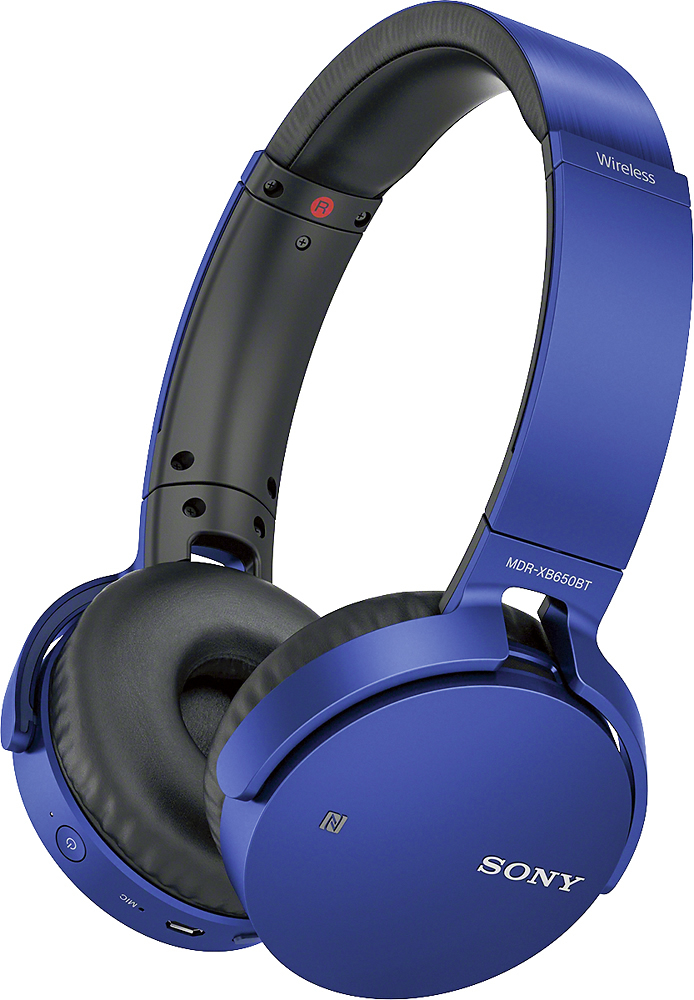
A:AnswerHi there, It will depend if the TV supports Bluetooth headphones. The headphones will support the following Bluetooth profiles:
-A2DP (Advanced Audio Distribution Profile): enables you to enjoy high-quality audio content wirelessly.
-AVRCP (Audio Video Remote Control Profile): enables you to adjust volume, etc.
Regards,
~Ralph
A:AnswerHello Grateful, you may check the helpful link below for more information regarding this concern:
https://www.sony.com/electronics/support/articles/00178845
Regards, _Bob
A:AnswerHi Scott, Yes. You can receive calls with these headphones. Check here for more details: https://helpguide.sony.net/mdr/xb650bt/v1/en/contents/TP0001034962.html
Regards,
Vincent
A:AnswerHi there! It is recommended to charge these headphones by connecting to a booted computer: https://helpguide.sony.net/mdr/xb650bt/v1/en/contents/TP0001034941.html
Regards,
Vincent
A:AnswerHello JIMINTX, the manufacturer's warranty is good for a year. To know more about the warranty, please check the link below:
https://docs.sony.com/release//Warranty_446033111.pdf
Regards, _Bob
A:AnswerHi there, It doesn't have a transmitter or base for charging. It is supplied with a micro-USB cable used for charging the headset on a computer. You may refer to pages 11-12 of this link for more information:
https://docs.sony.com/release//Help_4591692111.pdf
~Ralph