Questions & Answers
- Model:
- MSTMDP123HD
- |
- SKU:
- 12053213
$117.70Your price for this item is $117.70
Page Showing 1-11 of 11 questions
Q: QuestionI would like to set up three screens and am wondering if this will work with a MacBook Air?
Asked by Branberto.
- A:Answer No, the MSTMDP123HD is not supported for Mac OS. Supported operating systems include: Windows 10, 8.1, 8 and 7. We would like to help recommend a possible solution. Please feel free to contact us at 1 800 265 1844. Our Technical Advisors are available 24 hours a day, 5 days a week to provide support. Atha, StarTech.com Support
Answered by StarTech.com Support
Q: QuestionI have a samsung tv with 2 hdmi ports, but I need at least 4 hdmi ports, would this work?
Asked by zz.
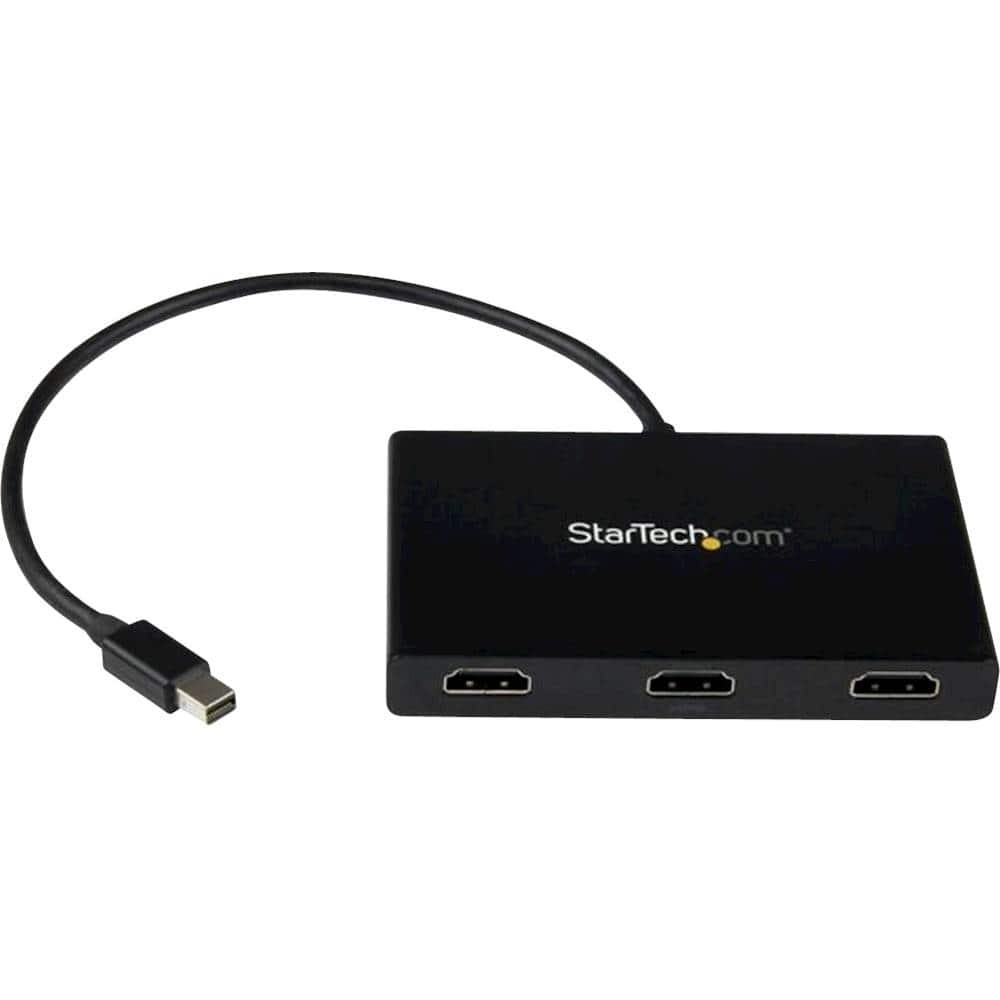
- A:Answer No, the MSTMDP123HD connects to a computer with a Mini DisplayPort connection and outputs to three HDMI displays. Atha, StarTech.com Support
Answered by StarTech.com Support
Q: QuestionMY TV HAS ONLY ONE WORKING HDMI PORT ON IT. CAN I USE A SPLITER TO VIEW TV AND ALSO AMAZON FIRE STICK USING A SPLITER ?
Asked by Siggy.
- A:Answer No, the MSTMDP123HD connects to a computer with a Mini DisplayPort connection and outputs to three HDMI displays. Atha, StarTech.com Support
Answered by StarTech.com Support
Q: QuestionCan this be used to mirror my Windows10 computer's display on 3 other devices?
Asked by Caseman121.
- A:Answer The MSTMDP123HD is designed to extend or span across 3 displays on supported graphics cards. Windows will allow you to mirror to one display, but not all three. Brandon, StarTech.com Support
Answered by StarTech.com Support
Q: QuestionIf this does not work for the Macbook Air, what do I need to get that does? I need a mini displayport that has dual hdmi connections
Asked by Jay.
- A:Answer MacBook models with Thunderbolt 2 do not support dual displays over Thunderbolt (mini DisplayPort). A combination of two separate adapters would be needed. StarTech part number MDP2HDMI can be used for one display via the Thunderbolt port. The second would require the use of an open USB port, via USB32HDPRO. This combination will give the Mac two HDMI ports. Brandon, StarTech.com Support
Answered by StarTech.com Support
Q: QuestionI am trying to connect 3 tvs to one satellite receiver using H DMI cables. Will this product work for that?
Asked by Tornadoes.
- A:Answer No, the MSTMDP123HD connects to a computer with a Mini DisplayPort connection and outputs to three HDMI displays. Atha, StarTech.com Support
Answered by StarTech.com Support
Q: QuestionI have a Surface Pro 6. Will this work to extend my display amongst 3 separate monitors using the HDMI ports?
Asked by CruzMoreno.
- A:Answer I’m sure it will. I have a Surface 3 laptop and Microsoft hub with 2 monitors connected. This is the only cable I found that worked.
Answered by Bjones
Q: Questioni have a laptop with only one hdmi port and i want to run three monitors, will this give the ability to run all three monitors?
Asked by detour.
- A:Answer No, the MSTMDP123HD connects to a computer with a Mini DisplayPort connection and outputs to three HDMI displays. Atha, StarTech.com Support
Answered by StarTech.com Support
Q: QuestionHi, can you suggest an HDMI Spitter Box. My TV only had 2 built in. I need 4 or 5 ports. Is there such a thing?
Asked by Camille.
- A:Answer We would like to look into this with you. Please feel free to contact us at 1-800-265-1844 or www.startech.com/chat Our Technical Advisors are available 24 hours a day, 5 days a week to provide support. Atha, StarTech.com Support
Answered by StarTech.com Support
Q: QuestionI have a Dell Inspiron Laptop and only have 1 HDMI hookup for 1 monitor. I need something to hookup 3 Monitors, I thought this MST Hub Mini Display Port to 3-port would work, but it does not. Do you have a solution or another port that would work for me
Asked by Gerrie.
- A:Answer We would like to look into this with you. Please feel free to contact us at 1-800-265-1844 or www.startech.com/chat Our Technical Advisors are available 24 hours a day, 5 days a week to provide support. Atha, StarTech.com Support
Answered by StarTech.com Support
Page 1, Showing 1-11 of 11 questions
Best-selling Cables & Connectors
- $24.99Your price for this item is $24.99
- $14.99Your price for this item is $14.99
- $29.99Your price for this item is $29.99
- Clearance$29.99Your price for this item is $29.99
- $14.99Your price for this item is $14.99
- $6.99Your price for this item is $6.99
- $7.97Your price for this item is $7.97
- $19.99Your price for this item is $19.99
- $9.49Your price for this item is $9.49
- $8.99Your price for this item is $8.99