“What's wrong with my mouse? When i plug it in Windows recognizes it, the mouse lights up, but my cursor won't move on my screen”
Answer This Question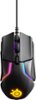
1-3 of 3 Answers
It may be that it needs to install new firmware.
Sorry, there was a problem. Please try again later.I had this happen one time so far. I just unplugged it and plugged it back in and it started working just fine. Rebooting your computer is always a good option as well.
Sorry, there was a problem. Please try again later.The November 14th firmware (3.13.1) update accidentally caused major issues for some Rival 600 users. SteelSeries immediately pulled the update and identified the problem. Here's how to fix it if you were one of the unlucky few: How to recover: Unplug any SteelSeries devices from your computer. Hold left click + right click + CPI button and plug in your Rival 600 while holding them down. The SteelSeries logo on the Rival 600 should start blinking blue. If not, unplug the mouse and try step 2 again. Run the _UPDATE_APPLICATION.bat file to recover the mouse. https://support.steelseries.com/hc/en-us/articles/360019826691-Our-bad-with-the-whole-Rival-600-not-working-Rival-600-fix-
Sorry, there was a problem. Please try again later.