A:AnswerHello,
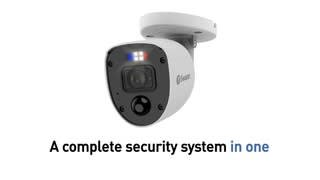
Thank you for reaching out to us. Yes, the cameras will have 3 pivot points that will allow you to move the camera manually to adjust to the perfect position.
Please let us know how we may further assist you,
Thank you.
JV
Swann Customer Support
A:AnswerSWDVK-85680W4RL-US
Misinformation by Best Buy. The model number that is advertised is not the what the pictures depict. This model number has 1 USB, 4 audio input & 1 output ports, 8 camera ports, one PTZ port an HDMI port and a VGA port, 1 power port.
It can receive 4 audio one way in only, and 1 port for a speaker that can be placed wherever you need. Not sure if it is for speaking through or just to hear the input from the selected audio port.
A:Answerit comes with everything needed, it also gives you the option to have someone come and help install them, pay separately, its pretty easy to install though so we did it ourselves.
A:AnswerHello G,
Thank you for reaching out to us. We currently only have this kit available in the color listed.
Please let us know how we may further assist you,
Thank you,
JV
Swann Customer Support
A:AnswerThe previous answers are not correct. You can look at their website for this unit, or these cameras, or look at YouTube reviews; this unit does NOT record audio.
A:AnswerHello Robert,
Thank you for reaching out to us. No, an internet connection is only required if you will need to remotely access your unit. Footage will be recorded directly into the 2 TB HDD.
Please let us know how we may further assist you,
Thank you,
JV
Swann Customer Support
A:AnswerHello Pep,
Thank you for reaching out to us and sharing. No, this is a DVR kit that will use BNC cables. We would recommend the use of our NVR kits that use POE.
Please let us know how we may further assist you,
Thank you.
JV
Swann Customer Support
A:AnswerNo power source is needed near the cameras. They come with a 60’ cable that gets plugged into the back of the dvr (which plugs into a standard outlet).
A:AnswerHello,
Thank you for reaching out to us. We are sorry to hear about the issues you are having with our system. Please know we will need to look further into the connection of your system.
In order for us to better assist, please speak with a live agent when you are in front of the unit to begin troubleshooting.
Click on the blue box on the bottom right-hand corner to live chat with a technical support agent or contact us over the phone.
https://support.swann.com/s/contactsupport
Please let us know how we may further assist you,
Thank you.
JV
Swann Customer Support
A:AnswerHello Derek,
Thank you for reaching out to us. Yes, you can connect to your monitor using an HDMI/VGA cable. You can then select on the channel in specific that you would like to display.
Please let us know how we may further assist you,
Thank you.
JV
Swann Customer Support
A:AnswerHello,
Thank you for reaching out to us. Swann pioneered the category of Do-it-Yourself security and is proud of the work it has done to make local communities safer. We would recommend you contact our partner, InstallerNet. Please see their contact information below.
https://www.installernet.com/contact/
Please let us know how we may further assist you,
Thank you.
JV
Swann Customer Support
A:AnswerHello Ke,
Thank you for reaching out to us with your question. Yes, if needed the enforcer features can be disabled within the settings.
Please let us know how we may further assist you,
Thank you.
JV
Swann Customer Support
A:AnswerHello FormerLorexUser,
Thank you for reaching out to us. The longest recommended run is 300 feet before potential video loss.
Please let us know how we may further assist you,
Thank you.
JV
Swann Customer Support
A:AnswerHello Gary,
Thank you for reaching out to us. This camera system will use a standard us 120V wall adapter. A conversion adapter may be required to avoid permanent damage to your system. Please contact us for more information. Click on the blue box on the bottom right-hand corner to live chat with a technical support agent or contact us over the phone.
https://support.swann.com/s/contactsupport
Please let us know how we may further assist you,
Thank you.
JV
swann Customer Support
A:AnswerHello,
Thank you for reaching out to us with your question. No, this system will only require an internet connection if you will need to remotely access your device. We would recommend connecting your device to a surge protector, this unit will power off if the power is lost. The cameras included in this kit have enforcer lights. Compatible cameras with spotlights can be purchased separate.
Please let us know how we may further assist you,
Thank you.
JV
Swann Customer Support
A:AnswerHello,
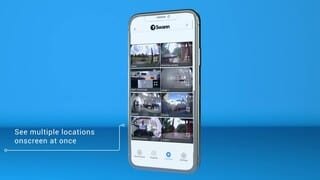
Thank you for reaching out to us with your question. Once set up, connection to a monitor is not required. You can remotely accessed and control your device using the Swann Security application. Please know that an internet connection is required in order to remotely access your device.
Please let us know how we may further assist you,
Thank you,
JV
Swann Customer Support