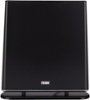
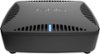
“How do I connect this to my flat screen TV that doesn't have WiFi, but has USB, HDMI, AV connections. Do I have to get some app for my Roku to watch the Tablo? Everything wireless?”
Answer This Question
1-5 of 5 Answers
Your TV doesn't need WiFi. I have a Philips TV with no WiFi. My TV antenna is connected to the Table and I use my router's WiFi to "connect" to my AppleTV device. Check your Roku to see if there is an app for the Tablo. And follow the instruction that come with the Tablo to connect to your TV. Good luck.
Sorry, there was a problem. Please try again later.Tablo will work you through setting up via Roku.
Sorry, there was a problem. Please try again later.Yes, your Roku has a Tablo app available. You'll need to connect Tablo between an antenna and your wireless router via ethernet cable or your wifi network (if not close to the router) then watch it through your streaming device.
Sorry, there was a problem. Please try again later.So if you have a Roku there is a Tablo app for that and it works quite nicely. It will definitely be your best bet. I know it seemed odd at first to me as well that there was no AV out on the Tablo itself but for me this actually worked out well as I was able to put my Tablo and indoor HDTV antenna in a place in my house with the best signal strength and not be restricted to the close proximity of my television. I hope this is helpful to you!
Sorry, there was a problem. Please try again later.This information comes with the produce. It provides 2 ways to connect.
Sorry, there was a problem. Please try again later.