“Will the thinkware x500 record 360 degrees while car is parked?”
Answer This Question
1-6 of 6 Answers
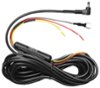
Hi there, The Thinkware X500 has a 140 degree viewing angle. You can also add a rear-view camera, which has a 140 degree viewing angle as well, to record simultaneously with the front camera. Please note that you will need to hardwire your dash cam using the Thinkware hardwiring cable to enable Parking Surveillance Mode if you want your dash cam to record with your car engine off. Please contact us directly by phone (1-844-865-9273) or email (support@thinkware.com) if you have any other questions! Thinkware Customer Support
Sorry, there was a problem. Please try again later.The camera has a fixed base and cannot rotate for 360° recording. But, you can add the rear window camera and it will record both front and rear at the same time. Recording while parked with the ignition off requires plugging it into a non-switched lighter socket. This will allow the camera to be on and recording until it is manually turned off. This will also require the camera to be manually turned on. Or using the optional hard-wire kit
I would recommend:
Sorry, there was a problem. Please try again later.No. Even with the rear view camera added it does not record in a full 360 degrees.
Sorry, there was a problem. Please try again later.No but when l nose in park l turn my camera back
Sorry, there was a problem. Please try again later.The x500 has a parking mode which, when activated, will record the standard view forward. This does not support 360 degree video in any mode. Paired with the optional rear camera you could get front and back but still would be missing the side views.
Sorry, there was a problem. Please try again later.No, don't see how this is possible. Although lens has quite a wide view, I imagine with the main/front camera and the optional rear view camera it would provide about 160+ degrees or so to the front & back BUT not in the mid section of your vehicle, that's impossible so any approach to your vehicle "directly" from the side will not be caught.
Sorry, there was a problem. Please try again later.