“I just purchased this watch and am having a hard time figuring out how to use it, it seems to keep saying demo mode when I go to set for run or walk? I have tried to find videos to use and cannot seem to find one that is helpful...I love the watch,”
Answer This Question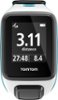
1-1 of 1 Answer
Hi, Thanks for reaching out to us. You can disable Demo mode on the watch by pressing DOWN to get to the Settings menu - select Options and press RIGHT - Select Demo and press RIGHT - set it to OFF and press RIGHT. You will go back to the previous page. Press LEFT to exit the menus. Thats it. Patrick @ TomTom
Sorry, there was a problem. Please try again later.