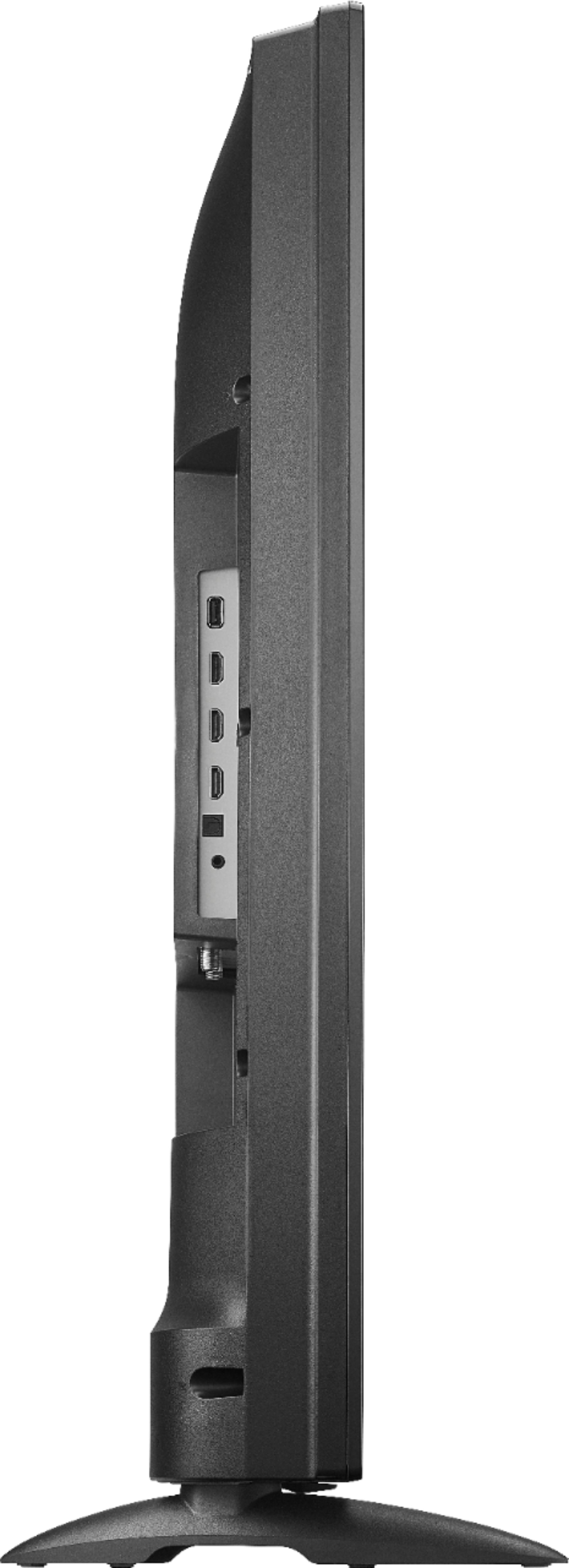
A:AnswerThe TV supports only one audio output at anytime. If you use the 3.5 mm, the TV speakers will automatically turn off.
Try to use a 3.5 mm splitter and connect to one end your headphone stand and to the other end an external speaker.
David M. - Toshiba Support
A:AnswerHi,
Yes, you can pair your headphones to the TV via Bluetooth. To pair a Bluetooth device, go Home > Settings > Controllers & Bluetooth Devices.
Alan O. - Insignia Support
A:AnswerYes, you can plug your Roku using any HDMI port and it will work. Remember to use the remote of the Roku device to control your apps from it.
Alan O. - Toshiba Support
A:AnswerIf you connect headphones the speakers will automatically turn off.
The TV supports only one audio output at anytime.
David M. - Toshiba Support
A:AnswerThe replacement remote for the Fire TV Edition television is available at Best Buy;
Model: NS-RCFNA-19
Also you can download the Amazon Fire TV app on your smartphone to control your Fire TV Edition television.
David M. - Toshiba Support
A:AnswerYes, you can use the TV without Wi-Fi, it features a non-connected setup.
Just skip the Connect to the Internet section during the initial setup.
You can connect an antenna to watch free over-the-air broadcasts from your local channels.
The remote control works using Bluetooth technology.
David M. - Toshiba Support
A:AnswerIt sounds like something is defective with the TV. I would recommend talking to Best Buy and or possibly bringing it back as it should be under warranty
A:AnswerThe Fire TV Edition television supports HDR10.
For product support please call 1 (855) 527-2411 available from 8 am to 9 pm CT everyday.
David M. - Toshiba Support
A:AnswerTry the Power On feature, when enabled, the TV turns on displaying the last used input.
Go Home > Settings > Display & Sounds > Power On and select Last Input.
David M. - Toshiba Support
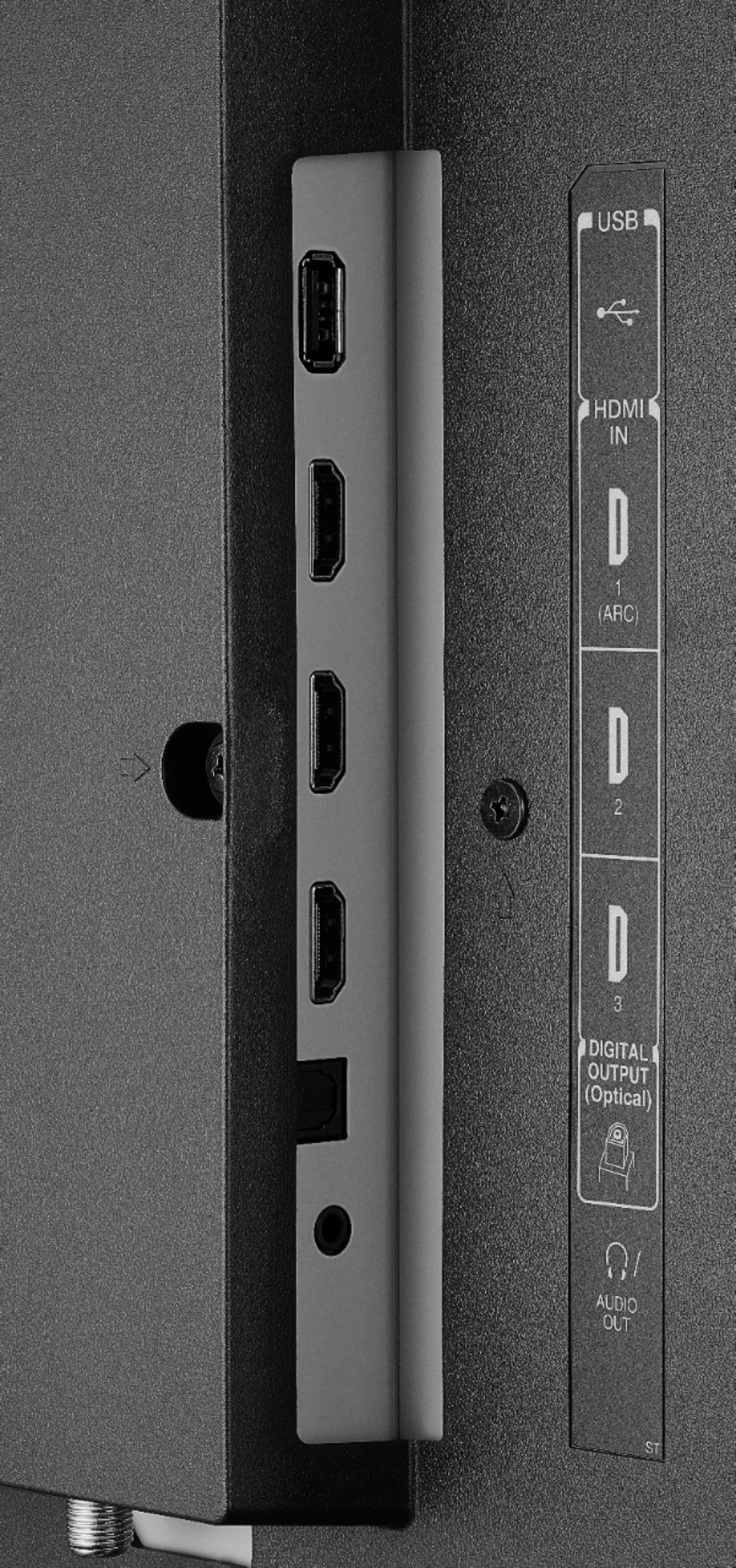
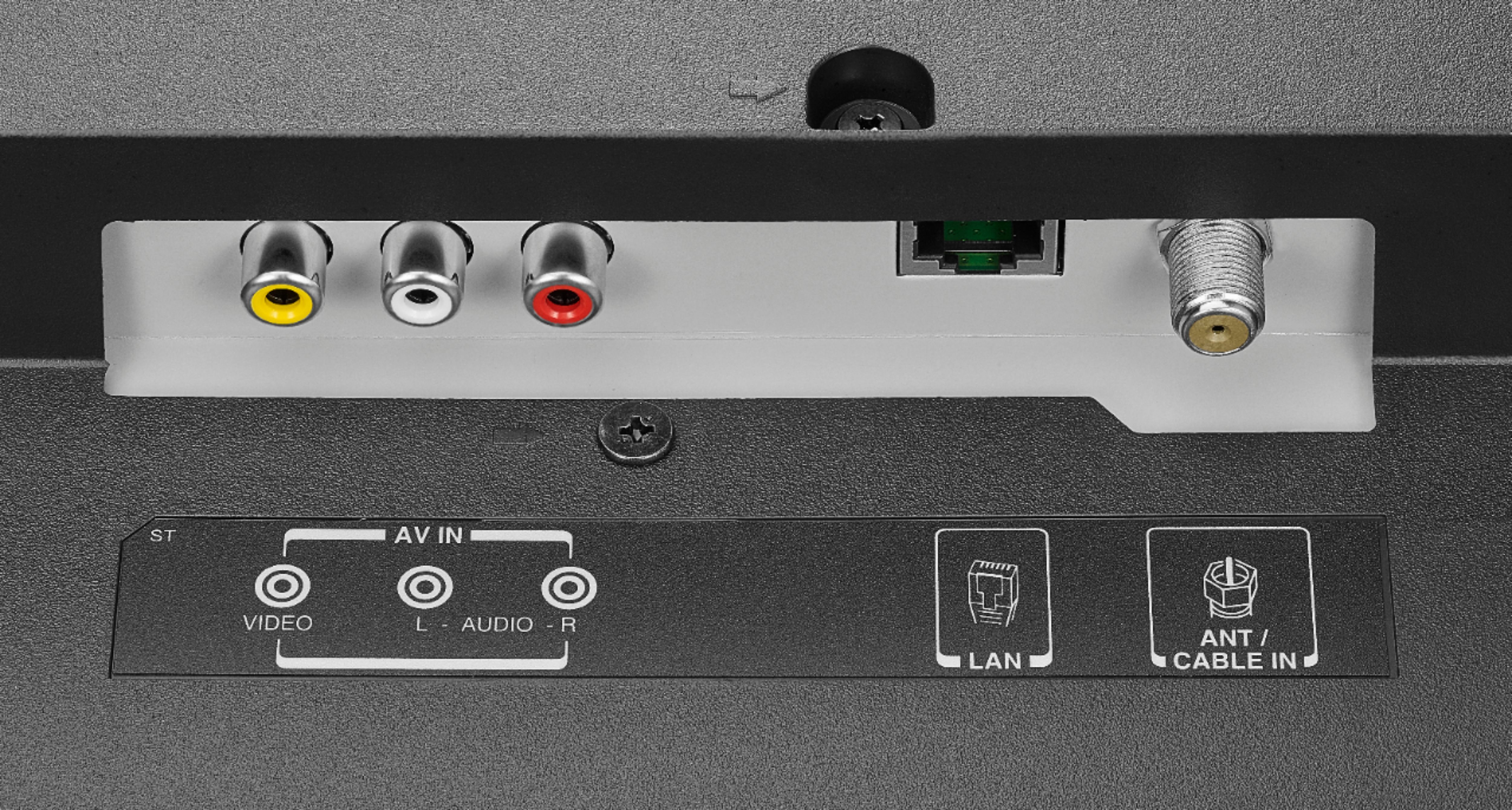
A:AnswerFire TV Edition television features the following Audio Outputs so you can connect external speakers:
3.5 mm (Headphone Jack) and Digital Optical Output.
David M. - Toshiba Support
A:AnswerTry this: Go Home > Settings > Display and Sounds > HDMI CEC Device Control and turn ON
Then Home > Settings > Display and Sounds > Audio Output > Turn TV Speakers OFF and Select Digital Audio Format Auto.
The Fire TV Edition television also features Digital Optical Audio Output, if you use this go:
Home > Settings > Display and Sounds > Audio Output > Turn TV Speakers OFF and Select Digital Audio Format PCM.
For product support please call 1 (855) 527-2411 available from 8 am to 9 pm CT everyday.
David M. - Toshiba Support