1-1 of 1 Answer
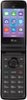
Hi. This is Cristy from TracFone Wireless. From the main screen, press the key below the word "Message". Press the key below the word "Compose". Using the dial pad, enter the mobile number for your recipient in the "To" field. To add a recipient from Contacts, press the key below the word "Contacts." Press the CENTER key. If necessary, go to the contact you would like to message and press the CENTER key. Then, press the key below the word "Done". Using the navigation keys, go to the "Enter message" field. Enter the message you would like to send. Press the CENTER key to send your message. To return to the main screen, press the PWR/END key. To get a handset tutorial, you can text the word TUTORIAL to 611611. Thank you.
Sorry, there was a problem. Please try again later.