Early Black Friday DealsNew Doorbusters every Friday.Shop now

Skip to content
Gift Ideas
26 Cypress St
Williston, VT 05495
Open until 9 pm
Find Another Store
Main Content

Questions & Answers

Page Showing 1-20 of 143 questions
  • QuestionIs this a speaker phone?

    Asked by Jack.

    • Answer There is NO speaker, other than the earpiece. This is not a speakerphone.

      Answered by ToddOfMich

  • QuestionCan this phone be mounted on the wall?

    Asked by Anonymous.

    • Answer This phone can be wall mounted which is what I was looking for when I bought it.

      Answered by Skipdawg

  • Questionwhat is the range from the base?How far (in ft) can a user go from the base station til call drops?

    Asked by Anonymous.

    • Answer I'm not sure of the exact feet but the cordless phone is plugged in downstairs and able to make calls upstairs and throughout the house. We can also use phone in garage and front yard area. Hopefully, this helps. =)

      Answered by Frauin

  • Questionvoice mailcan voicemail be picked up on handset do not see a button for it

    Asked by beanrags.

    • Answer There is no voicemail button but you can program your voicemail number into memory and access it easily.

      Answered by Sudsy

  • QuestionMy VTECH phone can call out, and I can hear the other party but that cannot hear me.

    Asked by Ron.

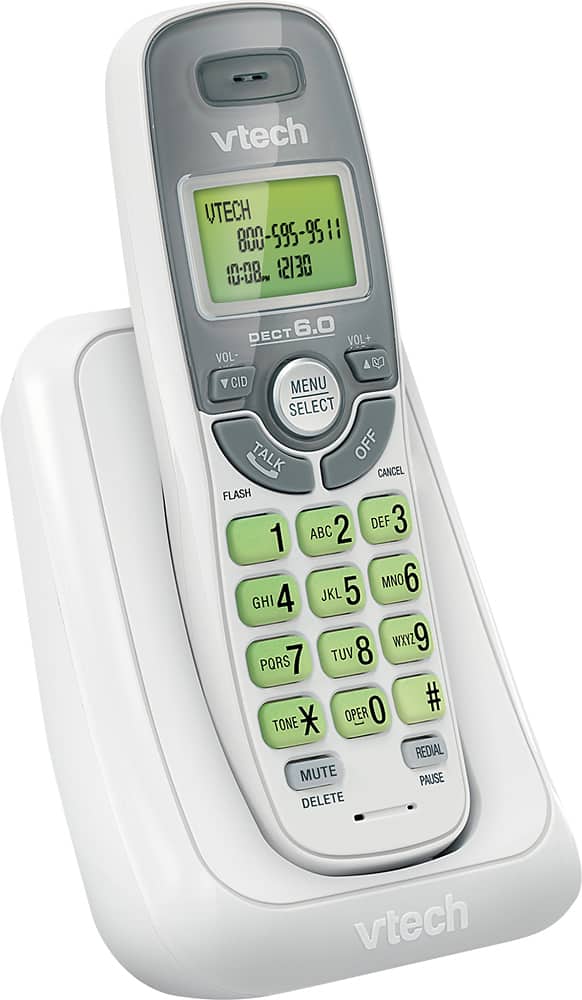
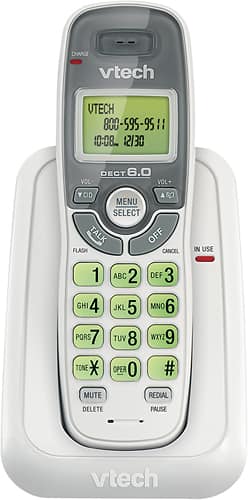
    • Answer Ron - We are sorry to hear that you are having an issue with the CS6114. Please make sure that the mute feature is not turned on and the mouthpiece is unobstructed. If this does not help, like many electronic devices, a system reboot may resolve the issue. You can try rebooting your phone system by disconnecting the power from the telephone base then unplugging the battery on the cordless handset for a minute. Reconnect and test. If the issue still persists, please contact VTech Customer Support for further assistance at 1-800-595-9511. We are open from 9:00 AM to 3:00 PM, Mondays through Fridays. When calling, please have your model number handy: CS6114. Thank you! - VTech Support
      Answered by VTech Baby Monitors Team

  • QuestionDoes this come with a line cord?

    Asked by Lillian.

    • Answer Yes it does.

      Answered by Sdoss66

  • QuestionDoes it come with a charging pack that needs plugged into a wall outlet ?

    Asked by Geno.

    • Answer Yes, the phone comes with the A/C power cord.

      Answered by CommunityAnswer

  • QuestionDoes this phone have battery backup during power failures?

    Asked by Anonymous.

    • Answer No, it does not have battery backup. I plugged mine in to a UPS by my desk.

      Answered by DecaturNC

  • QuestionDoes this phone have speaker phone?

    Asked by will.

    • Answer No

      Answered by Suzie65

  • QuestionCan I use this cordless phone with my AT&T cordless set. I need to replace one of the phones.

    Asked by Freedom.

    • Answer It most certainly can, I added a VTech cs6709, this is how I did it step one go to the cs6114 take the phone off the base and hold the find button for approximately 6 seconds this will put the base into registration mode take the phone that you want to register cs6709 and hold the pound key # it will say registering and it will take approximately 60 seconds and the phone will beep when registered mine said handset #2 registered, so don't believe what they tell you that you cannot expand this phone I don't know what other handsets will work but I imagine any 6.0 phone VTech or AT&t will work I'm not positive on that only the model that I registered I can say for sure it worked thank you.

      Answered by Anonymous

  • QuestionIs there a speaker phone feature with Model CS6114?

    Asked by lindy.

    • Answer No it does not, and the sound quality isn't very good. It sounds like the other person is speaking while in a tunnel. The hollow sound is horrible. I just needed an extra emergency calls only for my parents. Incase their cell phone goes dead. **I Don't Recommend This Item **Very Cheap Sound

      Answered by Disappointed

  • QuestionWhere can I find the owner manual?

    Asked by snowfox.

    • Answer It was in the box. Available on line.

      Answered by voytekd

  • QuestionDoes it have adjustable ring volume?

    Asked by John.

    • Answer Hi- Yes, you can adjust the ringer volume on the VTech CS6114. Here's the procedure on how you can adjust the ringer volume of the phone. 1. Press MENU when the handset is not in use. 2. Press ▼ or ▲ to choose Ringers and then press SELECT twice. 3. Press ▼ or ▲ to sample each ringer volume level. 4. Press SELECT to save. You will hear a confirmation tone. Thank you! - VTech Support

      Answered by VTech Baby Monitors Team

  • QuestionDoes this phone require a working telephone jack?

    Asked by Anonymous.

    • Answer Forgive me but how else would you use the phone if you didn't have a phone jack? So yes you need a phone jack and a working phone line.

      Answered by mexcio18

  • QuestionDoes this phone have a jack in the handset to plug in headset?

    Asked by Hollis.

    • Answer No jack for a headset

      Answered by karen123

  • Questioncan i use a headset with this phone?

    Asked by shrag.

    • Answer No jack for headset

      Answered by karen123

  • Questiondoes it have a speaker phone option

    Asked by Anonymous.

    • Answer No it does not have a speaker option

      Answered by Riverachick74

  • QuestionIs this phone comparable with ooma telo

    Asked by Salty.

    • Answer Hi - No, the VTech CS6114 is a single line telephone unit that requires connection to an active line. Thank you, -VTech Support

      Answered by VTech_Support

  • QuestionHi i didnt hear any alert tone if there is any incoming call while i am already on call.

    Asked by monika.

    • Answer It beeps when you're on the other line. I used this many times and this feature is included on this phone.

      Answered by Nateis4real22

  • QuestionIs the Vtech CS6124 expandable? If so what model please?

    Asked by jim.

    • Answer It most certainly can, I added a VTech cs6709, this is how I did it step one go to the cs6114 take the phone off the base and hold the find button for approximately 6 seconds this will put the base into registration mode take the phone that you want to register cs6709 and hold the pound key # it will say registering and it will take approximately 60 seconds and the phone will beep when registered mine said handset #2 registered, so don't believe what they tell you that you cannot expand this phone I don't know what other handsets will work but I imagine any 6.0 phone VTech or AT&t will work I'm not positive on that only the model that I registered I can say for sure it worked thank you...

      Answered by David













