“How do I change the volume on the ringer it keeps saying that it is off”
Answer This Question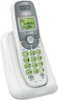
1-1 of 1 Answer
Noah - We are sorry if you are having difficulties setting the ringer on your VTech CS6114. Here's the instructions to turn it on: Step 1: Press MENU/SELECT when the handset is not in use. Step 2: Press ▼or ▲until the screen displays Ringers, then press MENU/SELECT twice. Step 3: The screen displays Volume: with the current setting flashing. Press ▼or ▲ to choose Off, Low or High. A sample of each r inger volume plays as you scroll through the choices. Step 4: Press MENU/SELECT to save your selection. You hear a confirmation tone. Hope this helps! ~VTech Support
Sorry, there was a problem. Please try again later.