1-1 of 1 Answer
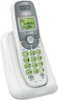
Hi - Here's how you can turn off the ringer on the VTech CS6114. Step 1: Press MENU/SELECT on the cordless handset when not in use. Step 2: Press the arrow down to scroll to Ringers, then press MENU/SELECT twice. Step 3: Press the arrow down to scroll to Ringers: OFF, then press MENU/SELECT. Hope this helps!
Sorry, there was a problem. Please try again later.