“The ringer is off on our phone & we can’t figure out how to turn it back on, can you help?”
Answer This Question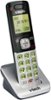
1-1 of 1 Answer
Lindz - Here's the procedure on how to adjust the ringer volume on the VTech CS6709 accessory cordless handset. 1. Press MENU when the handset is not in use. 2. Press ▼ to highlight Ringers, and then press SELECT. 3. Press ▼ to select Ringer volume, and then press SELECT. 4. Press ▲ or ▼ to sample each volume level. 5. Press SELECT to save your selection. You will hear a confirmation tone. Hope this helps. Thank you! - VTech Support
Sorry, there was a problem. Please try again later.