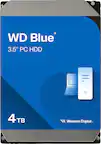
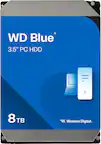
A:AnswerHello, Please be informed that WD Blue Internal hard drive are ideal for use as primary drives in desktop PCs. We recommend that you contact Host Device Support for drive compatibility information. However, the WD Blue 3.5-inch hard drive is designed for internal use. Please refer the link to know more about the drive- https://support-en.wd.com/app/products/product-detail/p/281
A:AnswerHello, Please be informed that WD Blue Internal hard drive are ideal for use as primary drives in desktop PCs. We recommend that you contact Host Device Support for drive compatibility information. However, the WD Blue 3.5-inch hard drive is designed for internal use. Please refer the link to know more about the drive- https://support-en.wd.com/app/products/product-detail/p/281 -Need Help? Please see our "'Contact Us" page for information.
A:AnswerThis drive is a SATA drive, my power supply in my pc had the power cable for it already, most PCs have them as for connecting your drive to the computer all that is needed is the standard SATA cable.
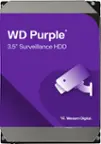
A:AnswerHello, Please be informed that we would recommend our customers to choose WD purple drive for DVR/ NVRs for mainstream surveillance. You could try using WD Blue drive it may or may not work with it. However, Please check with the manufacturer vendor whether the drive will fit and support the host device. For more information about WD purple drive: https://www.westerndigital.com/en-in/products/internal-drives/wd-purple-sata-hdd#WD10PURZ . For WD Blue Drive : https://www.westerndigital.com/en-in/products/internal-drives/wd-blue-desktop-sata-hdd#WD5000AZLX -Need Help? Please see our "'Contact Us" page for information.
A:AnswerHello, Please be informed that use a SATA cable to connect the hard drive to the motherboard. The SATA Connector usually comes with the motherboard. We would request you to purchase the cable from the third party websites or near by your store. If the issue persists then we would recommend you to open a support ticket at: https://support-en.wd.com/app/askweb ,the customer support team will contact you as soon as possible. Please refer the link to know more about the drive- https://support-en.wd.com/app/products/product-detail/p/281 -Need Help? Please see our "'Contact Us" page for information.
A:AnswerDepending on your data bandwidth it should be fine. in general, using SSD is better for live capture of video since it's faster, and HDD is better for long term storage if that footage. But if the amount of data your cameras generate is low enough for the HDD to handle then it's just fine.
A:AnswerHello, We would like the opportunity to gather more information to isolate the issue and to assist you directly or we request you kindly open a support ticket at: https://support-en.wd.com/app/askweb to elaborate on the issue and, our support team will get in touch with you at the earliest. -Need Help? Please see our "'Contact Us" page for information.
A:AnswerHello, thank you for contacting us. We recommend that you contact Host Device Support for drive compatibility information. However, the WD Blue 3.5-inch hard drive is designed for internal use.
A:AnswerIf you're looking for speed another hard drive is not an answer a hard drive is for capacity you need to faster processor which usually means replacing the motherboard or a new computer .
A:AnswerHello Rperry450, Please know that WD Blue Desktop hard drive is a storage drive and has 3.5 Inch form factor and tested and designed for Windows and Mac computers. Please check with the PC/Laptop vendor whether the WD drive will fit and support the host device. Please refer the link to know more about the drive- https://support-en.wd.com/app/products/product-detail/p/281 Need Help? Please see our "'Contact Us" page for information.