“Tranfer music to iPad? Will this work to transfer mp3 files to my iPad so I can play/see them in the music player?”
Answer This Question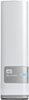
1-7 of 7 Answers
To access the data stored on the WD My Cloud 3TB Personal Cloud Storage External Hard Drive with your iPad you have to download and install the WD My Cloud app from the App Store onto your iPad. This allows you to access mp3 files or any other file types stored on the WD My Cloud 3TB Personal Cloud Storage External Hard Drive via the WD My Cloud App and for the mp3 files to be played with the built-in media player of that same app. They can also be stored onto the iPad but that folder is ony accessible through the WD My Cloud App itself due to limitations on iPad.
Sorry, there was a problem. Please try again later.Just tried this. It will stream music to your iPad and you can listen, but doesn't let you open in iTunes.
Sorry, there was a problem. Please try again later.You can stream them through the My Cloud app.
Sorry, there was a problem. Please try again later.I don't know about transferring music files, but I know you can stream them. Streaming is influenced by how good your WiFi signal and router is.
Sorry, there was a problem. Please try again later.You would have to save them on the drive and then transfer them over to the iPad.
Sorry, there was a problem. Please try again later.You can play your music through the WD My Cloud app, but not through the default iphone music player. It can be streamed or downloaded. You will be able to control the song on the lock screen or command\control center.
Sorry, there was a problem. Please try again later.You can access any file including mp3 thru the MyCloud app from anywhere in he world when connected to wifi or your carrier. You can also email a link to the file. You can listen to the file, however I don't think you can save it to your iPad library locally.
Sorry, there was a problem. Please try again later.