“is it possible to increase the disk space by added an external drive? I'm worried I will run out of space and would like to be able to increase storage space.”
Answer This Question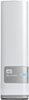
1-10 of 11 Answers
Yes. Typically at this point you would start to move the files that you use/access less frequent to the external drive, and leave the ones you regularly use on your computer. Typically a good idea to get a drive largest enough to back up your entire computer and have plenty of space left over for additional media.
Sorry, there was a problem. Please try again later.Yes you can add an external drive via USB 2 or 3.
Sorry, there was a problem. Please try again later.There is a USB 3.0 port on the back for additional storage.
Sorry, there was a problem. Please try again later.Yes but only for one as there is one USB for external hdd attachment.
Sorry, there was a problem. Please try again later.Yes just plug in another drive via usb.
Sorry, there was a problem. Please try again later.Yes
Sorry, there was a problem. Please try again later.You can use this device by connecting directly to your computer via USB cable or place it on your network as a file server (in the Windows world USB connection would make a new drive letter like U: if you use network this would be like \\mycloud\fileshare). As for "increasing the disk space" ... you won't be able to add the capacity of this unit to your old disk (i.e. you can't append capacity like OLDDISK + MyCloud = BIGGER OLDDISK). The better option if you want only a single BIG disk is to buy an internal disk that is larger than your old disk and copy data to it. Some internal disks come with the software to help you do this, but in reality it may be too complicated for the average user. If you buy any external disk (such as My Cloud) you could just connect it via one of the supported options and move files off of your OLD DISK in order to free up space. Good candidates for such moves are media such as movies, music, and documents. If you have USB3.0, you could even consider moving games to the external disk.
Sorry, there was a problem. Please try again later.You can hook other drive into this one for more storage space. I have not tried it yet but it seems pretty straight forward.
Sorry, there was a problem. Please try again later.Get a Seagate Device it's much better and more reliable!!! You can get one for 3TB!!!
Sorry, there was a problem. Please try again later.The purpose of the external hard drive is to provide more space. If space runs out on this hardware, you will need to purchase another hard drive, but 3TB is plenty of space.
Sorry, there was a problem. Please try again later.