“I read that you must be connected via WiFi? Is this true? What if you are just connected via ethernet?”
Answer This Question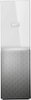
1-3 of 3 Answers
Hi RioVern, The My Cloud Home ships with a Gigabit Ethernet Interface. Best practice, to take advantage of the performance capabilities this device, is to directly connect to a Gigabit router or network switch with direct access to the Internet. It is important to understand you LAN's WiFi available bandwidth is shared with all connected devices. Please follow the link below to a useful article providing more information about this feature. "My Cloud Home Desktop Sync Setup and Configuration": https://support.wdc.com/knowledgebase/answer.aspx?ID=19597&s= Please follow the links below to useful articles providing more information. "Differences Between My Cloud and My Cloud Home": https://support.wdc.com/knowledgebase/answer.aspx?ID=18909&s= "My Cloud Home Desktop App Online User Guide for Information, Configuration, and Solutions/Adding Content": https://support.wdc.com/knowledgebase/answer.aspx?ID=18592#subject3 "My Cloud Home Web App Online User Guide for Information, Configuration, and Solutions/Software Setup - MyCloud.com Web App": https://support.wdc.com/knowledgebase/answer.aspx?ID=18592#subject3 You may be interested in our My Book family for large capacity storage solutions, if local only access is your main requirement. However, if you like the benefits of access to your data from anywhere with the security of your own personal cloud Need Help? Please see our "'Contact Us" page for information.
Sorry, there was a problem. Please try again later.You are correct. It has to be connected to the internet. Ethernet will not work on its own.
Sorry, there was a problem. Please try again later.You can connect via ethernet. I have some computers connected via ethernet and some devices connecting with wifi.
Sorry, there was a problem. Please try again later.