Black Friday is hereShop new DoorbustersShop now

Main Content

Questions & Answers

Your price for this item is $77.99
Clearance
The comparable value price is $389.99
Page Showing 21-40 of 76 questions
  • QuestionDo hisense tvs have warrantys?

    Asked by Maria.

  • QuestionHad TV for 7 months, turned on today & it stays on a screen that says Roku TV (never seen that screen before). Is there a way to fix this?

    Asked by Melissa.

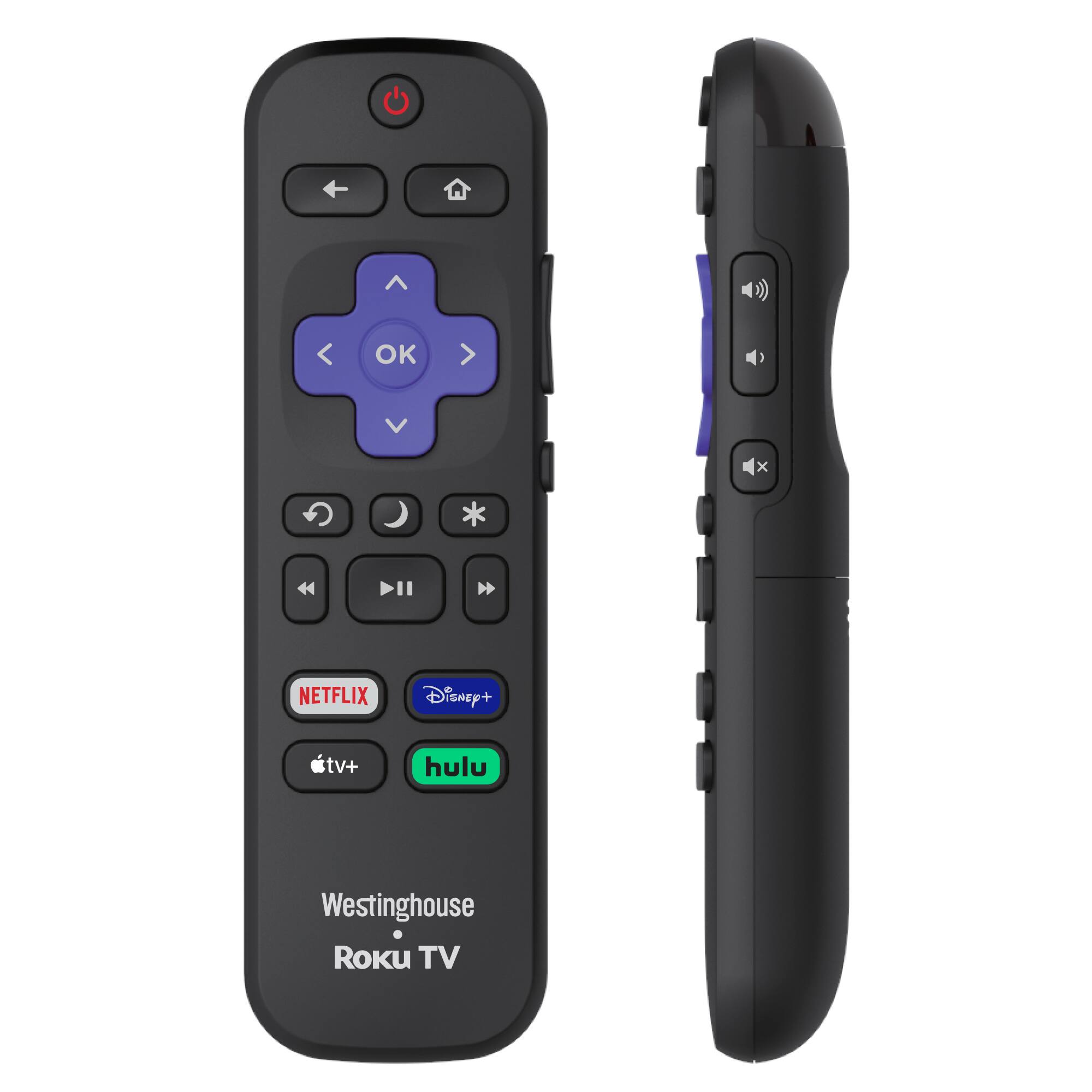
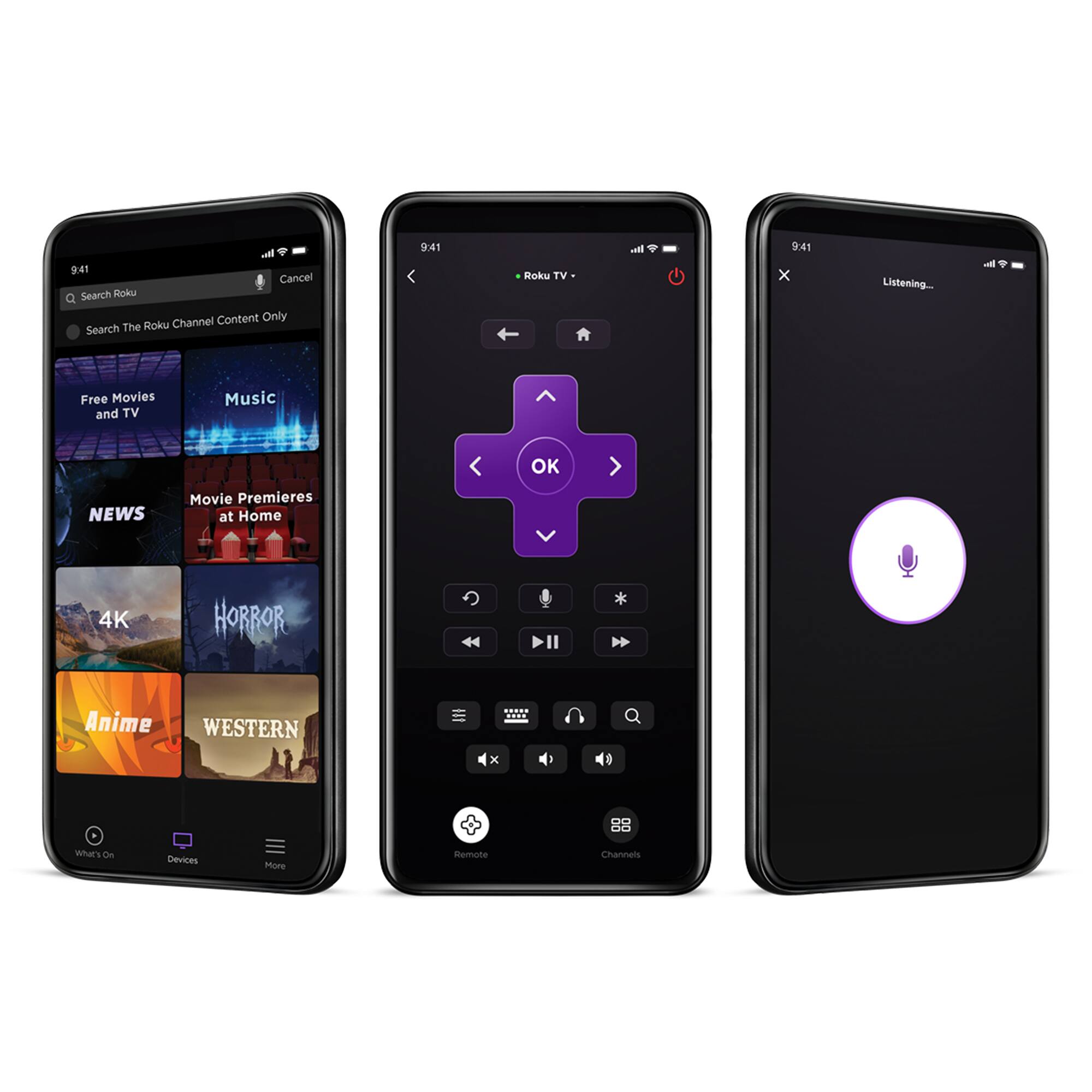
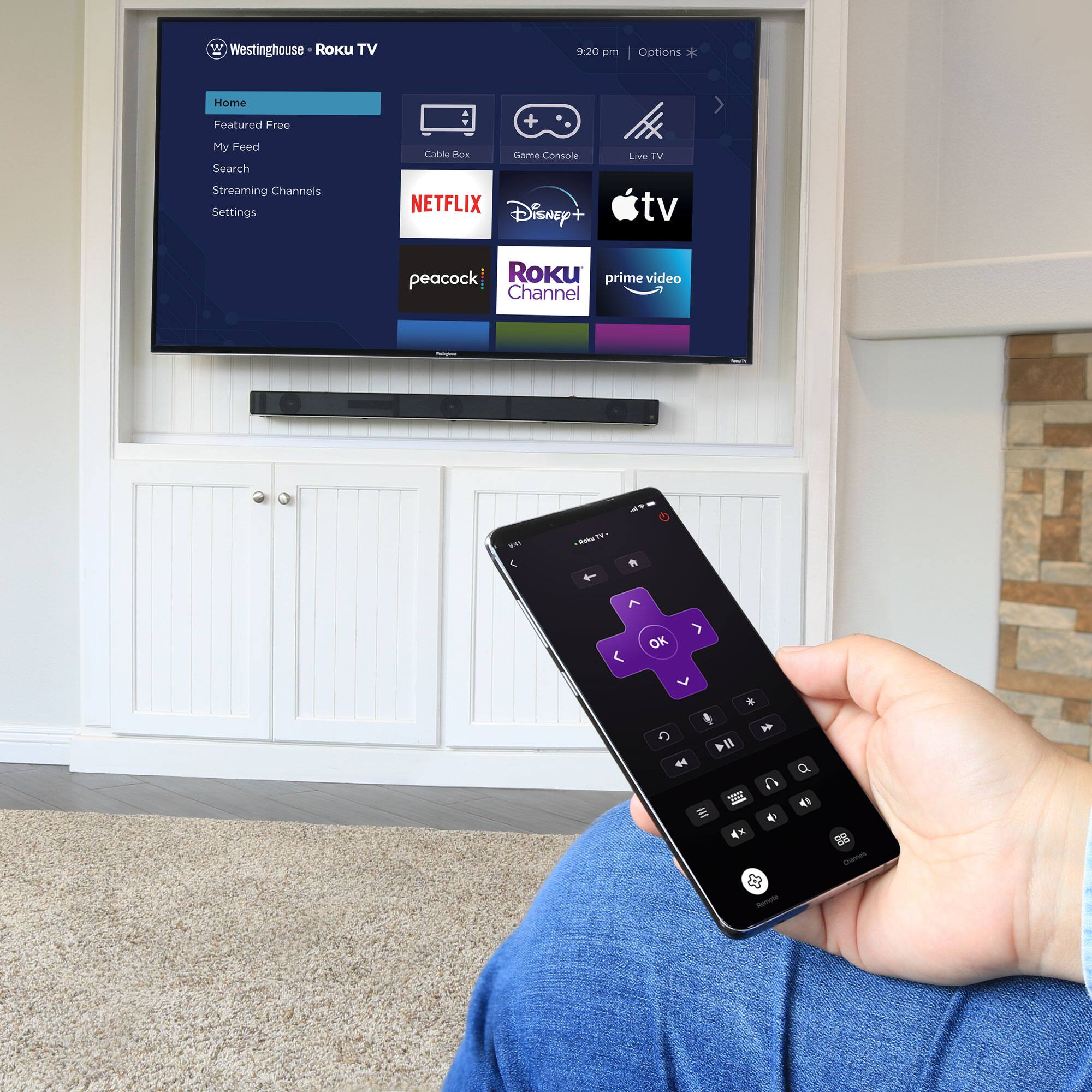
    • Answer What you’re describing doesn’t require a “fix.” That’s what you want to see! If you haven’t already, you’ll need a ROKU account first and foremost. The screen you should see - both after turning your TV on and also as a “screen saver” (which you can customize if you like) should be ROKU TV and show all streaming app tiles, which you can also customize. You’ll want to install ROKU’s apps - one to manage your account, subscribe to channels, etc and one as your remote. IMO toss the physical remote & use your phone instead. ROKU’s Remote is awesome! See photo below (last photo is my iPhone Home Screen). Enjoy this great TV!
      Answered by STEFFI

  • QuestionCan HDR be turned off

    Asked by Anonymous.

    • Answer No

      Answered by LalK

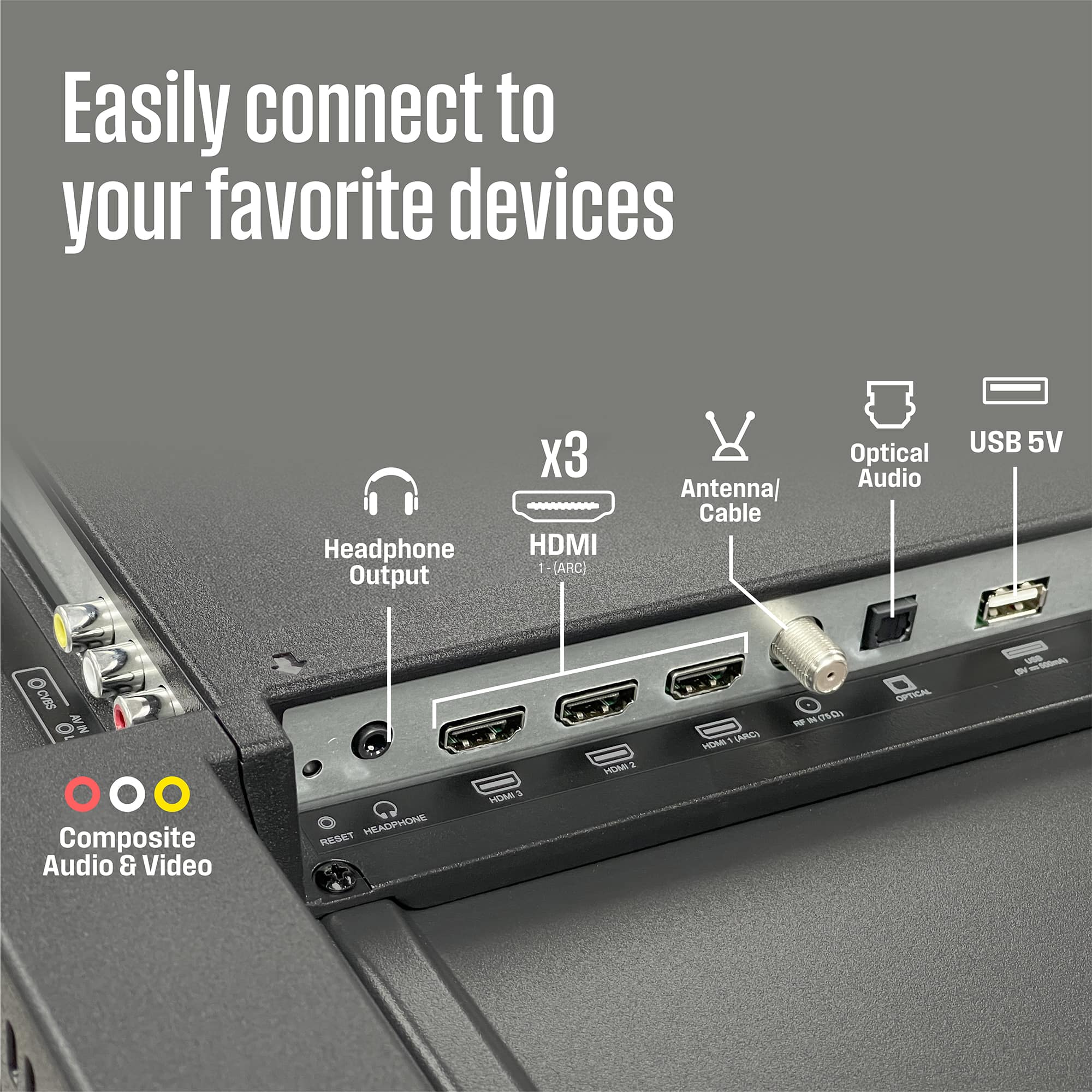
  • Questionwill this tv work with a regular antenna

    Asked by Anonymous.

    • Answer Yes, works great woth OTA antenna and even has tv guide with show information

      Answered by RobertS

  • QuestionWhy do i need to re hook up to WiFi every time I turn off then turn on the set?

    Asked by DavidS.

    • Answer No, once your password is in the tv it stays in.

      Answered by George1

  • QuestionDoes this TV have Alexa????

    Asked by Pammie.

    • Answer Yes

      Answered by WestinghouseElectronics

  • QuestionHow do I browse the Internet with this tv? Is there a browser app I can load?

    Asked by cary.

    • Answer Set up your ROKU account, install ROKU apps - both the ROKU and ROKU Remote apps. View instructions on YouTube on TV screen. Just use whichever browser you normally use (see your computer or smartphone’s Settings to see your which primary search engine and browser you use, see photo below). Simply pair your ROKU TV to your WiFi network using your smartphone. Do install using that ROKU Remote app! * Put that ROKU physical remote that came with your ROKU TV in a drawer. You’ll never use it after installing ROKU Remote!

      Answered by STEFFI

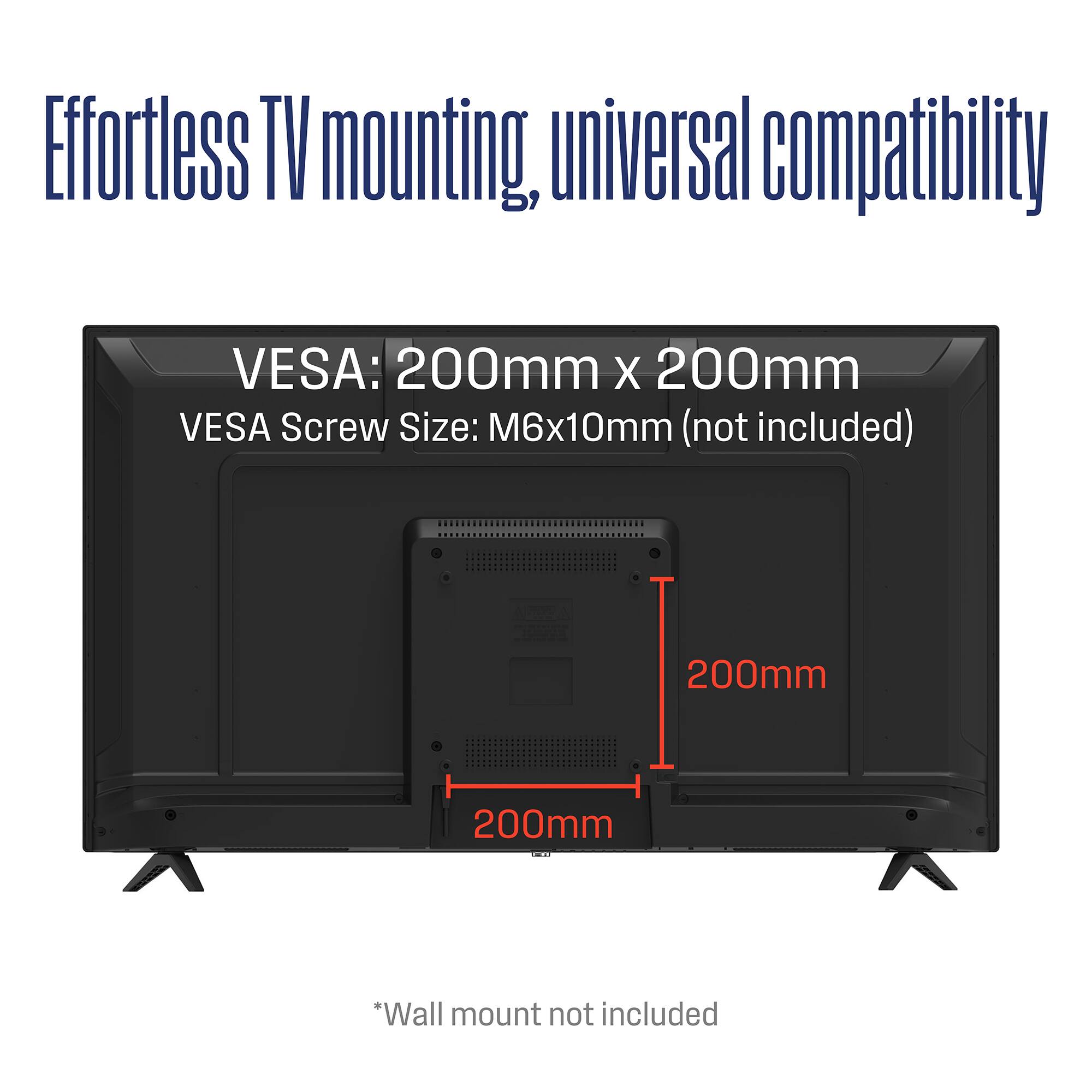
  • QuestionCan I mount this TV on the wall with a wall mount?

    Asked by Anonymous.

    • Answer Yes! Walk mount was pretty easy to put up and tv fits nicely.

      Answered by user328130

  • QuestionWhat ports on the back are AUDIO OUT?

    Asked by baabootoo.

    • Answer Please see the Specifications on the link

      Answered by WestinghouseElectronics

  • QuestionCan you use fire stick on this tv

    Asked by Lj.

    • Answer Yes

      Answered by LisaC

  • QuestionCan I plug my cable to this t.v

    Asked by Harris.

    • Answer There is an RF in (75 ohm) standard coax antenna / cable conection. The connections for rcs and coax are. I have my over the air antenna cable plugged into it

      Answered by EdVT

  • QuestionOn my old Westinghouse, I connected headphones to the jack, and a surround system via the digital optical cable. This no longer works. Any ideas? Westinghouse kept saying I need to buy a Roku surround system and the tech people didn't understand.

    Asked by baabootoo.

    • Answer Say goodbye to that TV ASAP and replace with HISENSE ROKU TV! Put the ROKU physical remote in a drawer and Install both ROKU AND ROKU Remote apps!

      Answered by STEFFI

  • QuestionHow can I connect my iPhone to this tv

    Asked by Gaby.

    • Answer Oh so easy! Took me awhile to figure out, but now? I use my iPhone (ROKU likes iOS vs Android) for all things ROKU. First: Install the ROKU app to set up your account Then: Install the ROKU Remote app. Make sure your WiFi is on lol and enable Bluetooth for pairing to devices like speakers (external and earbuds). I did find YouTube videos helpful. * Put the remote that came with the TV in a drawer. You’ll use only your iPhone for all things ROKU!

      Answered by STEFFI

  • QuestionCan I use blue tooth speakers with this TV ?

    Asked by KLB.

    • Answer Yes! I use external speakers, a soundbar, in-ear + in-ear headphones .. anything that’s Bluetooth enabled. For the best ease of access and to control your devices, INSTALL ROKU’s REMOTE APP FIRST! Do all Bluetooth pairing with that app! * Use ROKU Remote on your phone, pair phone with TV and all Bluetooth devices You’ll always see them in your phone’s Settings where all other Bluetooth devices are seen. That’ll find your speakers etc. Connect your Bluetooth speakers there! See photos here.

      Answered by STEFFI

  • Questioncan this be used as a computer monitor?

    Asked by flick.

    • Answer Any TV can! Depends what you’re using it for on whether you’d want to though. Computer monitors have faster response times with keyboard inputs which is why their preferable to TV’s for gaming, but for general use a TV can be a great giant monitor whatever you need.

      Answered by CaedmonC

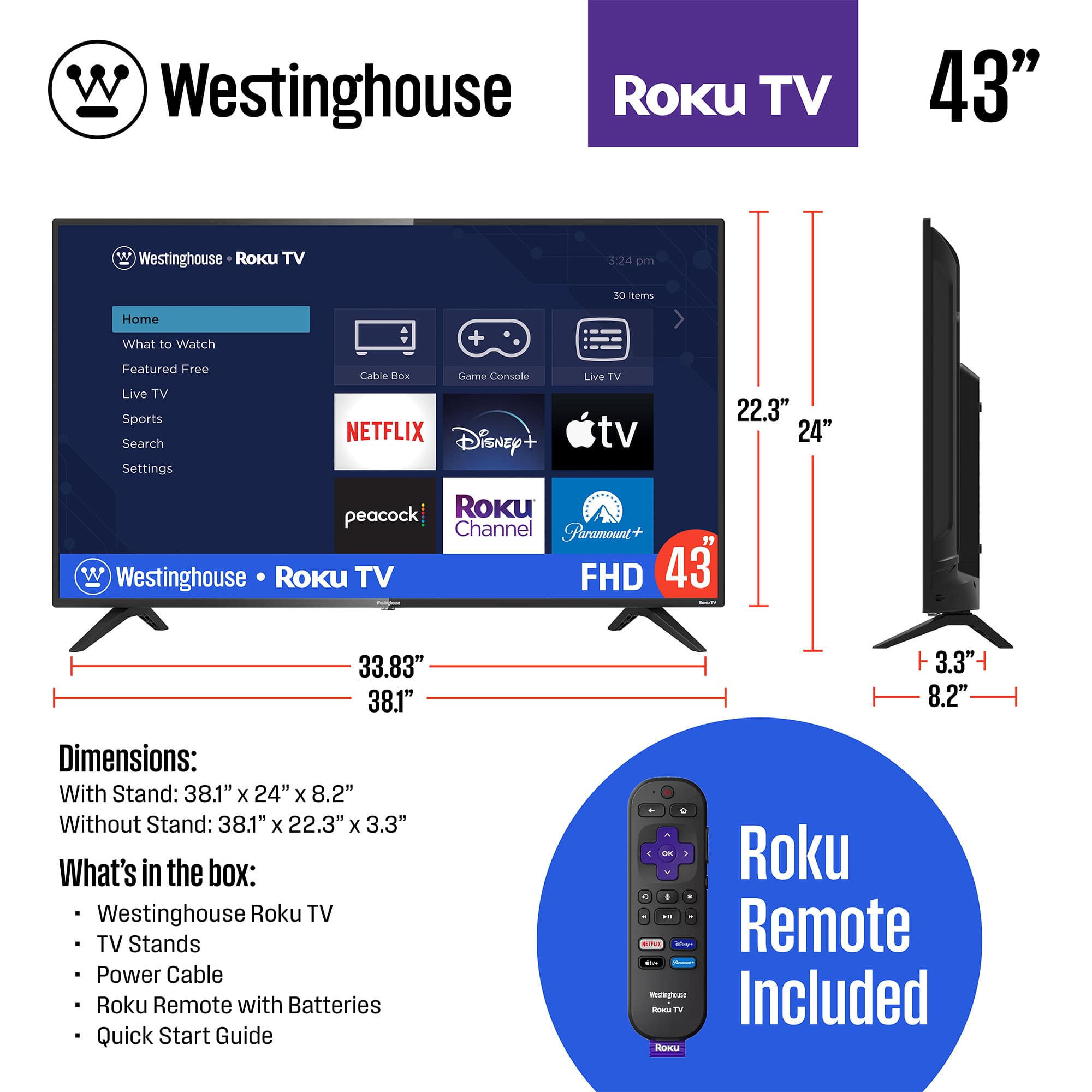
  • QuestionHow much does this TV weigh?

    Asked by AnneLace.

    • Answer The tv is relatively light for a television. I was able to set it up easily. Very light.

      Answered by Music

  • QuestionIs this tv able to broadcast local off air channels?

    Asked by Anonymous.

    • Answer Yes ! After you scan your channels they add them to the Roku live channels . They will not be in a separate area . There is no need to switch the input . It took me forever to figure this out.

      Answered by Julie

  • QuestionCan I hook up antenna tv

    Asked by Anonymous.

    • Answer Yes! YouTube how to do that. I use it for watching broadcast TV easily. Do install ROKU Remote app and use your phone to control all external devices!

      Answered by STEFFI

  • QuestionWill it play video through the USB and if so what formats

    Asked by DatDad.

    • Answer Yes, you should be able to plug in your USB to play video. Thank you

      Answered by WestinghouseElectronics

  • QuestionCan you put this tv in your garage?

    Asked by Willharper.

    • Answer Yes

      Answered by WestinghouseElectronics