Customer Ratings & Reviews








- Model:
- JCD543
- SKU:
- 6357396
Rating by feature
- Value
Rating 3.9 out of 5 stars
- Quality
Rating 4.1 out of 5 stars
- Ease of Use
Rating 4.1 out of 5 stars
Customers are saying
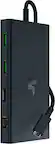
Customers appreciate the USB-C Triple Display Docking Station for its ease of use, USB-C connectivity, overall performance, and variety of ports. Many find the size and design appealing, and are satisfied with the display functionality and price. However, some customers have raised concerns about compatibility issues and the absence of a power supply.
This summary was generated by AI based on customer reviews.
Mehhh
||Posted . Owned for 1 month when reviewed.This reviewer received promo considerations or sweepstakes entry for writing a review.Cost too mich for what it does. This thing needs more C ports and less usb ports just saying. Get a cheaper vertion it will do the same for less.
No, I would not recommend this to a friend- Pros mentioned:Ease of use
Super Nice
||Posted . Owned for 3 weeks when reviewed.This reviewer received promo considerations or sweepstakes entry for writing a review.Super Nice, easy to use and practical for all devices.
I would recommend this to a friendBrand response from J5create Team
Posted .Hi,
The JCD543 docking station can add a lot of functionality to a laptop. It can add up to three external displays, Ethernet, USB ports, and more. Glad to hear that you think it is nice.
Thanks,
j5create
My office
||Posted . Owned for 1 week when reviewed.This reviewer received promo considerations or sweepstakes entry for writing a review.I purchased my own items for my office, may sound foolish to some but i like what i like. When inrecueve my new company labtop i will install. Like the clean look.
I would recommend this to a friendA must if tour working from home!
||Posted . Owned for 5 months when reviewed.This reviewer received promo considerations or sweepstakes entry for writing a review.Covid hit. I was stuck working from home. I had two monitors and not enough USB-C ports. This allowed me to connect two monitors, my speakers, my HD camera, my keyboard, and an SSD drives while charging it. There is even a port for Ethernet that I use to ensure my meetings are smooth. This is a must need for WFH setups.
I would recommend this to a friendBrand response from J5create Team
Posted .Hello,
Many people are working from home these days. Working on a laptop without extra monitors and other peripherals can really reduce productivity. Adding a docking station and peripheral devices can turn a laptop into a full-on workstation and make working much easier. Thank you for your review.
Cheers,
j5create
EK
||Posted . Owned for 1 month when reviewed.This reviewer received promo considerations or sweepstakes entry for writing a review.Tried several other docks to support multiple displays for home office without success. This one works perfectly so far! Satisfied!
I would recommend this to a friendVery Good Product !
||Posted . Owned for 1 month when reviewed.This reviewer received promo considerations or sweepstakes entry for writing a review.The j5create is an Excellent docking station in all facets: video quality, speed, USB component charging, audio, network, etc. Every bit of what is needed to expand a laptop for desktop system use.
I would recommend this to a friendBrand response from J5create Team
Posted .Create a triple-monitor setup with 4K HDMI, 1080p VGA, and 4K DisplayPort outputs and together with your laptop display, you can have a maximum of 4 displays.
Port replicator
||Posted . Owned for 1 month when reviewed.This reviewer received promo considerations or sweepstakes entry for writing a review.It works well, functionally but it's awkward when placed under the Surface laptop. Additionally, it requires 2 separate connections, one for the mini USB and the regular power supply. I returned it and purchased the Microsoft hub; whilst it's more expensive, I get the power supply and all other connections in one port.
No, I would not recommend this to a friendBrand response from J5create Team
Posted .I apologize for the experience you have had with your USB-C Triple Display Docking Station. We have other docking station solutions that may suit your needs. For assistance with finding a suitable docking station please reach out to our customer service team by visiting the j5create website then click on the "SUPPORT" tab at the top right of the webpage.
- Pros mentioned:Ports
USB Device Port Reset Failed
||Posted . Owned for 4 months when reviewed.This reviewer received promo considerations or sweepstakes entry for writing a review.Every time I plug this device to Dell XPS 13 2020, I keep getting notification "USB Device Port Reset Failed" for every few seconds. The ports work fine but I always get this error message even when there is nothing plugged into the docking station. please someone help me how to fix this?
No, I would not recommend this to a friendBrand response from J5create Team
Posted .Hi Shahin!
I'm very sorry for the inconvenience that this has caused you. The most common resolution for this is to reconfigure the USB host controller. If this doesn't work, please contact us and we'd be more than happy to assist you. Our information can be found on the back of all of our product boxes and on our website under the support tab. There you can find links to our livechat, phone, and ticketing services.
Thanks,
j5create
Waste of money!
||Posted .This reviewer received promo considerations or sweepstakes entry for writing a review.Bought this to utilize double monitors for work but it was a waste of money. Extremely disappointed in this docking station. Only one HDMI port works on a time.
No, I would not recommend this to a friendBrand response from J5create Team
Posted .If you have more specific details about the issue, please reach out to j5create customer support team for troubleshooting. Thank you.
Nice, But Beware!
||Posted . Owned for less than 1 week when reviewed.This reviewer received promo considerations or sweepstakes entry for writing a review.This is a nice device, but we bought it to go with a Samsung - Galaxy Book Pro 360 and when the laptop is placed on top it completely seals the (already minimal) vent on the bottom of the laptop!
I would recommend this to a friendBrand response from J5create Team
Posted .Thank you for your review. We may have a different product that may go with your Samsung. If interested, please contact our support team and we'll be glad to assist on finding the right device to fit your Samsung. Kindly, j5create.
Great docking station
||Posted . Owned for 10 months when reviewed.This reviewer received promo considerations or sweepstakes entry for writing a review.I have a laptop and 3 monitors connected and it works Great!
I would recommend this to a friend- Pros mentioned:Connectivity, Ease of use, Ports
Great Way to Expand Connectivity and Multiple Disp
||Posted . Owned for 2 weeks when reviewed.This reviewer received promo considerations or sweepstakes entry for writing a review.I’ve been using this USB-C docking station to turn my laptop into a more complete workstation, and overall I’m happy with how it works. It has significantly expanded my connectivity options by giving me multiple display outputs and extra ports in one place. The setup was straightforward — I just plugged it into my laptop’s USB-C port and it was recognized right away on both my Windows and macOS devices, which made getting started quick and hassle-free. I use it to connect two external monitors at different resolutions, and it handles them reliably most of the time. The ability to run extended displays has really boosted my productivity for multitasking. The extra USB-A and USB-C ports have allowed me to connect peripherals like a keyboard, mouse, and external storage without needing additional hubs. One thing I noticed is that when multiple displays and accessories are connected, the dock can get warm — nothing concerning, but something to be aware of during long sessions. I also made sure my laptop supported DisplayPort Alt Mode over USB-C to get the most out of the video outputs, and once that was in place everything worked well. Overall, this docking station has been a reliable addition to my setup. It’s especially useful if you need more ports and want to use multiple external displays without juggling adapters.
I would recommend this to a friend - Pros mentioned:Ease of use
Great dock for triple display
||Posted . Owned for 2 months when reviewed.This reviewer received promo considerations or sweepstakes entry for writing a review.One of the best docks I've used thus far. Easy to setup and very useful customization features. Great addition to my triple display work station and productivity.
I would recommend this to a friend Bring it home and plug it in
||Posted . Owned for 3 weeks when reviewed.This reviewer received promo considerations or sweepstakes entry for writing a review.Works great should have had a bigger monitor though
I would recommend this to a friend- Pros mentioned:Ease of use
Docking
||Posted . Owned for 1 week when reviewed.This reviewer received promo considerations or sweepstakes entry for writing a review.Love it works just as advertised! Definitely recommend
I would recommend this to a friend Unstable with MacBook Air
||Posted . Owned for 2 weeks when reviewed.This reviewer received promo considerations or sweepstakes entry for writing a review.Paired with MacBook Air and a pair of new LG monitors produces unstable results. I’m working from home via VM Ware. Something in this combo is unhappy as am I. When removing the docking station I return to a stable view.
No, I would not recommend this to a friendBrand response from J5create Team
Posted .Hi there!
I'm sorry to hear you're having trouble with our device. If you would reach out and contact us at either the information on the back of the product box or on the contact page of our website, we'd be more than happy to work through this issue with you and get you up and running again.
Thanks!
j5create
Definitely don’t recommend it
||Posted . Owned for 6 months when reviewed.This reviewer received promo considerations or sweepstakes entry for writing a review.The cable broke just after half a year . Don’t recommend it.
No, I would not recommend this to a friendBrand response from J5create Team
Posted .In the case where the cable breaks off we are able to exchange it as it is covered under a manufacturer's 2 year warranty. We are sorry to hear the JCD543 has made such a bad impression and if possible, we recommend contacting the support team and seeking an exchange.
Respectfully,
j5create
- Pros mentioned:Connectivity, Overall performanceCons mentioned:Power supply
Great Docking station - Power Supply not included
||Posted . Owned for less than 1 week when reviewed.This reviewer received promo considerations or sweepstakes entry for writing a review.Plug and play docking station - so far no technical problems, works as intended. Only one Con (see below). It does get warm, but I am charging my laptop with it so some warmth is expected (not hot, just warm). Not sure why a USB-C docking station would still ship with a VGA monitor port, but that has no functional impact in my setup so I can ignore it. Current setup: - Linux laptop connected & charging from docking station - Single 32" monitor on DP (2560x1440) - external USB keyboard and mouse - phone charging cord - wired gigabit ethernet Pros: Very nice to only have only one cable attached to my laptop. No issues with needing drivers or other software to install. I have not used this with Windows/MacOS - but I don't imagine there would be any problems with those since it works for me on Linux out of the box. I am able to get wired gigabit ethernet speeds through this docking station (tested with speedtest.net). I've had some docking stations in the past that have throttled the ethernet if monitors were connected using USB-C. This one handles everything through one cable just fine. I would recommend this if anyone needs a low profile docking station to plug and forget -- just keep in mind that you will need your own USB-C power supply (see below). Cons: The only negative thing I can think of is the lack of a power supply for this docking station. I took off a star for that since the box only mentioned "Need to use with the original factory AC adapter". That is too generic of a statement. Needless to say, there was no original factory AC adapter in the box, so I assume it means my laptop AC adapter? That didn't help since my laptop AC adapter is a barrel connector. I am currently powering this docking station using an older docking station that didn't have the video connectors I needed (lucky to have it around). I like to leave my laptop power supply in my laptop bag because I carry it around multiple times/week and I'd rather not have to unplug it each time.
I would recommend this to a friend - Pros mentioned:Ports
The ultimate productivity hub for multi-monitor se
||Posted . Owned for 1 year when reviewed.This reviewer received promo considerations or sweepstakes entry for writing a review.If you’re running a multi-monitor setup from a laptop, this docking station is a lifesaver. Being able to drive three displays through a single USB-C port has completely cleaned up my desk clutter. The build quality feels solid, and the port selection—including the high-speed USB-A and Ethernet—covers everything I need for a full workstation. I haven't noticed any lag or flickering across the displays, which was my biggest concern. Just make sure your laptop’s USB-C port supports Power Delivery and DisplayPort Alt Mode to get the most out of it. It’s a bit of an investment, but for a professional home office, it’s worth every penny.
I would recommend this to a friend - Pros mentioned:Connectivity
j5Create dock is worth it
||Posted . Owned for more than 2 years when reviewed.This reviewer received promo considerations or sweepstakes entry for writing a review.This dock is a great entry point to economy docking stations. It has the option of Display Port or HDMI for additional monitors, supports up to 3 external displays with DP, HDMI, and AVI, has USB-C data pass-through as well as PD, and a generally good expansion of I/O. The design is great for either being at the back of your system, OR at the front, depending on what kind of configuration you have. Using this as a dock as well as a prop to lift your system off a flat surface so it can breathe is also a benefit. There ARE drivers you need to install, though.
I would recommend this to a friend