Customer Ratings & Reviews

- Model:
- CB512-C1KJ
- SKU:
- 6451495
Rating by feature
- Battery Life
Rating 4.6 out of 5 stars
- Speed
Rating 4.4 out of 5 stars
- Display
Rating 4.3 out of 5 stars
Customers are saying
Customers are delighted by the Acer Chromebook 512's durability, long battery life, and lightweight design, making it perfect for travel and everyday use. Many appreciate its affordable price and spill resistance, enhancing its practicality. However, some customers express concerns about the screen resolution and speaker quality. The limited storage is also a point of discussion, though expandable storage options are available.
This summary was generated by AI based on customer reviews.
- Pros mentioned:Battery life, Durability, WeightCons mentioned:Screen size, Speakers

Light, Rugged, Fast
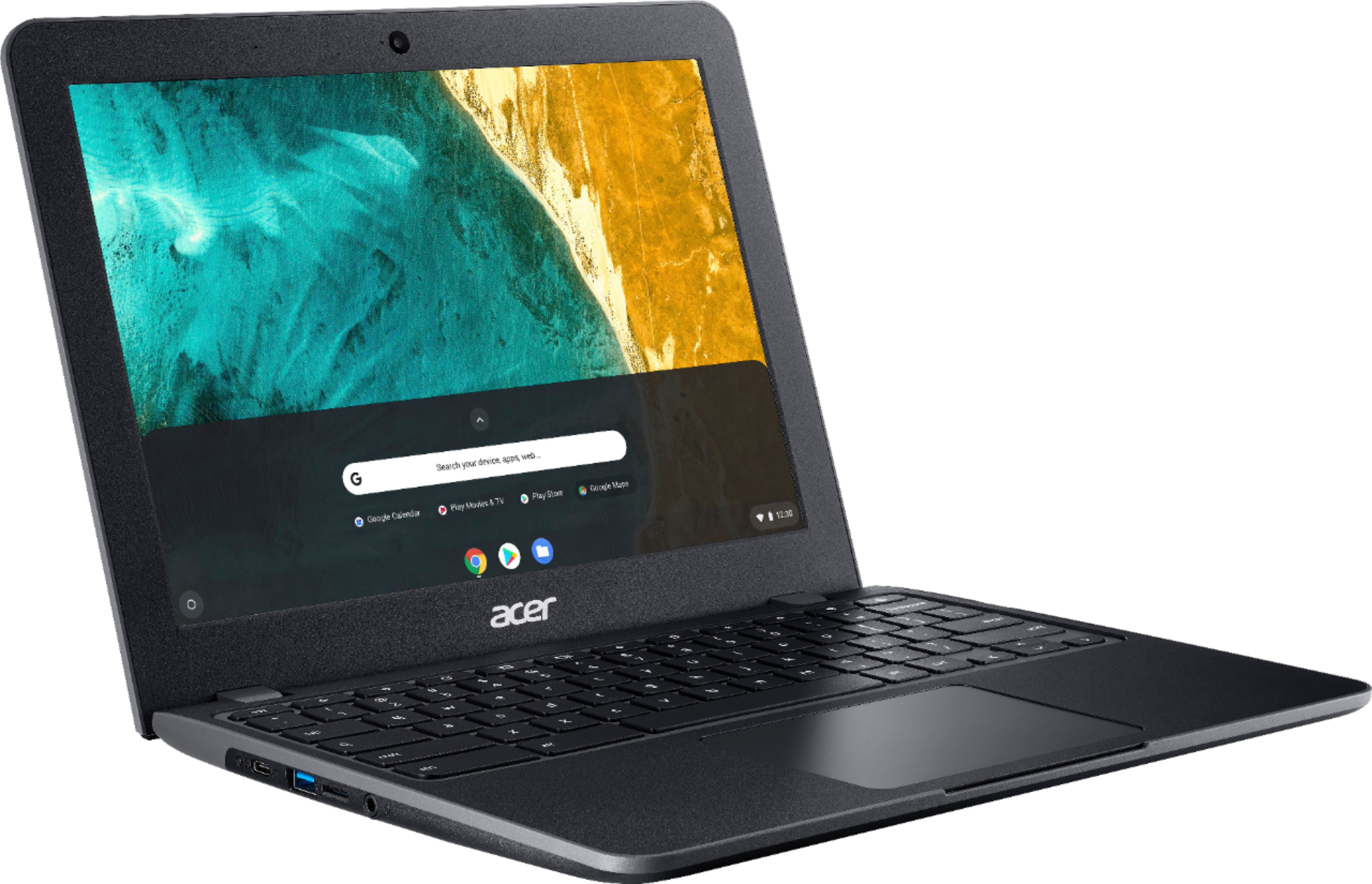
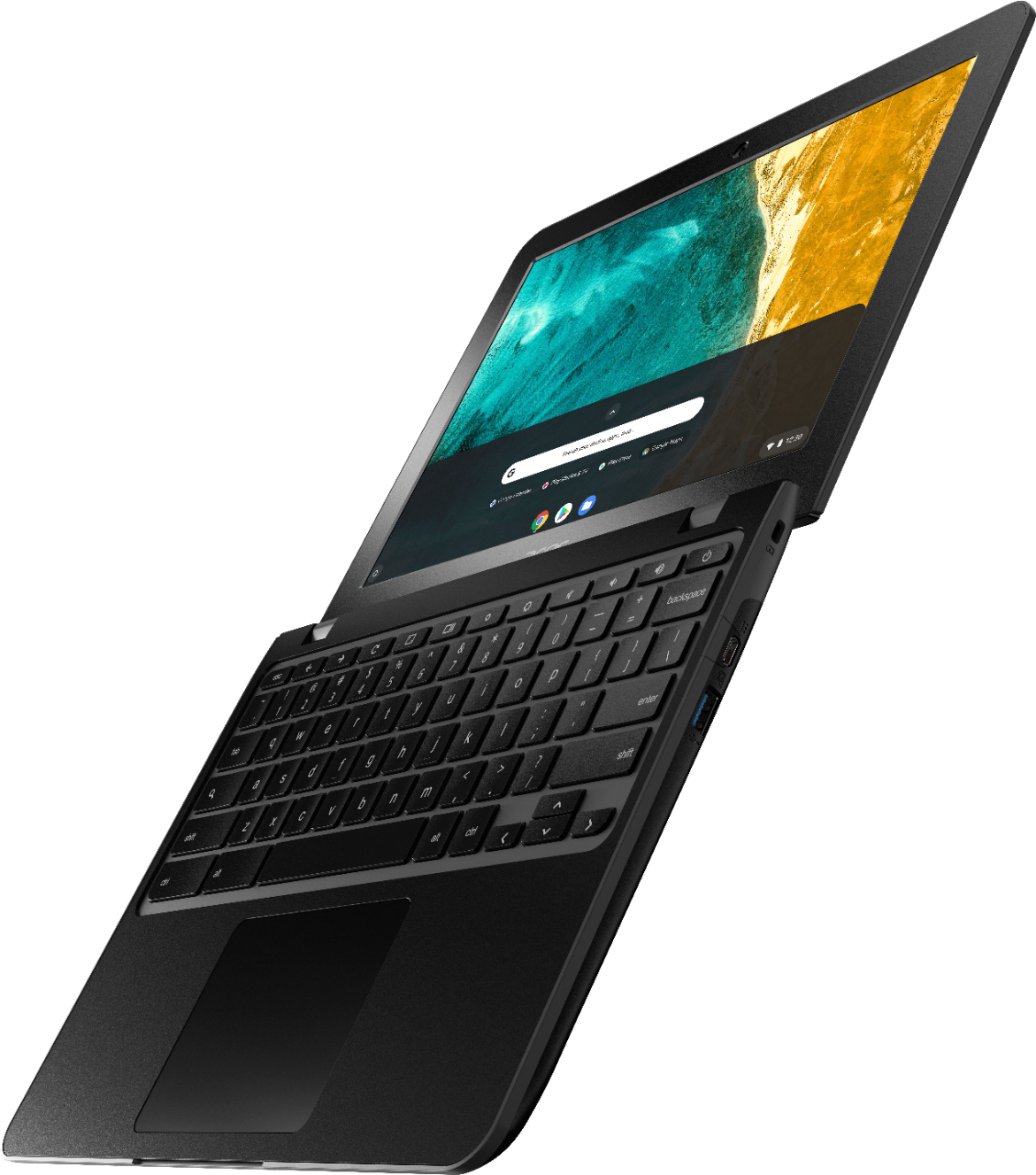
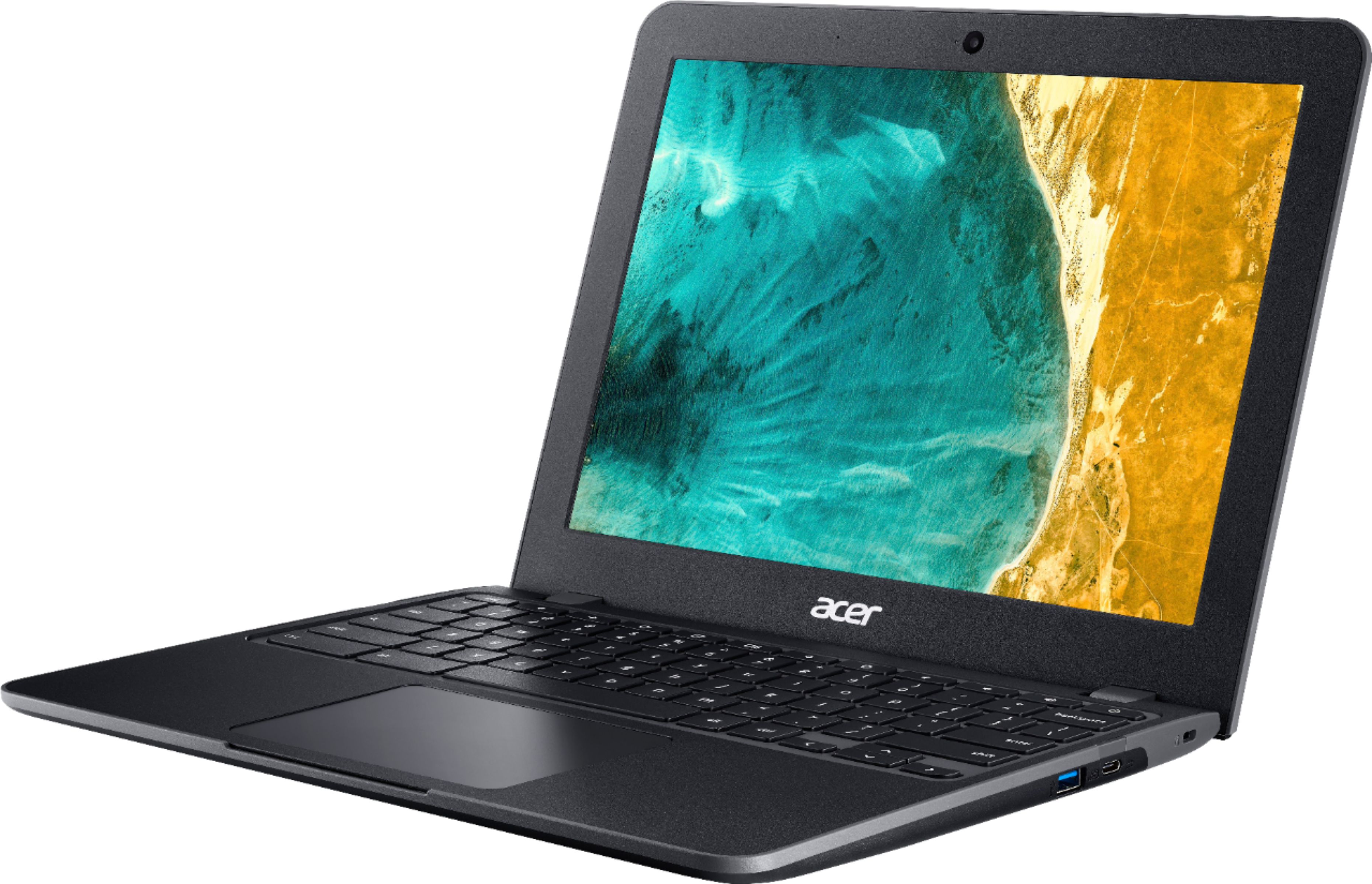
|Posted .This reviewer received promo considerations or sweepstakes entry for writing a review.Pros: * Lightweight. * Rugged case feels like it can take some bumps easily. * Fast and compatible. * Amazing battery life. * Drain holes for keyboard spills. * Useful ports. Cons: * No touchscreen. * Bottom-firing speakers are adequate but not great. * No keyboard backlight. * Power adapter is large. Summary: A ChromeBook is an odd beast. It behaves much luck a tablet but with the familiar design of a traditional laptop. For many people, this is all they need to be entertained or productive. I won’t focus on the ChromeOS itself because this ChromeBook runs it without skipping a beat. Instead, I’ll try to give you a feeling for how this particular ChromeBook stacks up to the other ChromeBook options out there. When you first pick it up, you’ll notice two things; it’s amazingly light and thanks to the rubber bumper surrounding it, it feels light it can take some moderate abuse without showing it. There are several useful ports on the left and right including a microSD slot. The textured screen back looks nice but in practice is seems to show fingerprints a lot. The speakers are bottom-firing which is OK if you have it on a solid table, but put in on your lap, carpet or even a blanket and the sound really muffles and suffers. Open the lid and it instantly pops to life from standby. The keyboard is roomy and comfortable with helpful shortcut keys for volume, screen brightness and OS navigation. No backlit keyboard here, though… not surprising given its low price point. It does, however, have drain holes under the notebook so if you spill something on it, it’ll be easier to clean up than most. The trackpad is roomy, too, and works well given that you’ll need to use it often since there is no touchscreen. The screen is bright and colorful and for its size, does the job well. Also don’t expect fancy things like slim bezels, but at least there’s a useful selfie video camera that performs adequately. I had no complaints about wireless performance it quickly got online and stayed online. Battery life is as amazing as you might expect from a ChromeBook, too. In fact, unless you’re streaming video 24/7, you might only need to charge it once a week! When it is time to charge, the provided brick connects via USB-C on either side. The brick is a bit larger and more cumbersome than I’d like, but at least you won’t need it often. Overall, on the understanding that the ChromeOS meets your needs, this ChromeBook is an amazing value. It’ll do just about anything you throw at it for a long time. Don’t expect a ton of frills and you won’t be disappointed.
I would recommend this to a friend - Pros mentioned:Battery life, Durability, Weight
Tough Basic Chromebook
|Posted .This reviewer received promo considerations or sweepstakes entry for writing a review.This entry level Chromebook is very durable, offers the security of Chrome OS and would be good for students, folks that work outside such as cable company installers and for people who just need something basic for web browsing who are worried about durability, since they get peace of mind as it is both drop and liquid spill resistant. I plan on using as a backup to the current laptop and for travel. First thing you notice when taking out the box is hard plastic shell around the Chromebook and strong hinges that should last awhile. Ever thing looks well built, sturdy but still is light weight and can withstand many heavy books inside a bookbag or up to 132 pounds of weight on its cover. Has shock absorbing bumper for drops. This Chromebook also has a Military Standard Certification for durability. Setup was easy as you connect to Wi-Fi and log into your Google account, all apps, bookmarks from previous Chrome browser that are compatible will sync on new device. I was surprised that the very secure Brave web browser was available on Chromebook, plus another nice feature is Smart Lock that uses your phone to unlock your Chromebook (no more passwords). Screen is little on the dim side for me but is matte. (Reduces amount of glare and reflections outside) Viewing angles are not bad on this IPS screen, colors are average, and this is to be expected at this price point. The 3:2 aspect ratio on this screen gives you more of the web site to view vertically when compared to normal wide screen laptops at the same size. Performance is not bad with instant boot time, the ability to run 10 tabs within the browser without much slow down. The dual core Celeron N4020 CPU handles most basic tasks with ease. The chiclet style keyboard offers decent travel and not much flex when depressing keys, while the touchpad is large and responsive. Two fingers scrolling is a little fast for my taste but can be adjusted in settings. The keyboard is spill resistant to certain liquids and is designed to drain out. Webcam picture is grainy with low quality. Storage is 32 gigs of internal and has a microSD slot for expandable storage which is good. Another option is installing the Google Drive app for access to free cloud storage. Two USB type-C, Two USB type-A ports for external flash drives. Sound gets loud enough on most content but does have a slight distortion when on max and a bit tinny. Battery is good, I got around 10 hours with mixed use of watching YouTube videos, music and general web browsing.
I would recommend this to a friend - Pros mentioned:Battery life, Durability, WeightCons mentioned:Screen size
Kid Friendly Chromebook
|Posted .This reviewer received promo considerations or sweepstakes entry for writing a review.I had the opportunity to obtain the Acer 512 Chromebook, this is the first Chromebook that we own. We have had other Acer products and have always been pleased with the purchases. If you are needing an inexpensive durable laptop that is great for on the road, camping, hiking or even for the kids to use for school, the Acer 512 won’t let you down. The Chromebook is impact resistant, can be dropped from four feet and withstand the fall. A can of Soda could be spilt on it and the drainage design would prevent it from entering the machine. I did not test that but there are some videos on you tube. It even states that it can take up to 60kg or 130 pounds sitting on it. This is another thing we did not test, I’m not sure how to explain bringing it back if it didn’t work. We did notice that the outside cover holds dirt and the oils from your hands, so we are always wiping it off. The keyboard has volume and screen controls for easy control. The key caps are hard to remove, which is a benefit for letting the kids use it. The Acer 512 has a great battery we watched several movies and played some games before it died on us. The speakers have a decent sound, great for movies or game, even to listen to music, but the lows blow out at mid to high volume. It takes some getting used to the 3:2 screen instead of the 16:9 screen we are all accustomed to. My wife loves that she can sync her chrome account and have all the apps from her phone on the Chromebook. It’s easy to go from your phone to the Chromebook or vice versa. Great for schoolwork and productivity. As I stated earlier this is a great durable laptop. I have confidence that even though it might get a little dirty and grimy, it will keep working and be a handy machine to have around.
I would recommend this to a friend - Pros mentioned:Battery lifeCons mentioned:Screen size, Speakers
Rugged aka Basic in all things
|Posted .This reviewer received promo considerations or sweepstakes entry for writing a review.I was looking for a durable laptop as I am out in the field a lot for my line of work. I came across this laptop and decided to try it out. Unfortunately when they said it was "rugged" and "Spill Resistant" they really meant it was "Basic" and "Droplets Resistance". This laptop has a small screen with a huge frame, the touchpad is not sensitive so have to make a conscious effort when using it. The speakers provided very simple mid range sounds, playing music sounds like 90's speakers. The imbedded camera is very basic, low quality. It functions and good with those zoom calls. Mic is ok as well. Battery life is good, since there is not much power / screen resolution to drain it. Spill resistance is average, it started raining so water droplets got on keyboard. A few keys stopped responding but thankfully after drying it worked again. Overall the most common theme is "basic" so I recommend only getting this at a discount or used. Not worth paying full price
No, I would not recommend this to a friend Ace in the Hole...
|Posted .This reviewer received promo considerations or sweepstakes entry for writing a review.I have to preface this review with the note that I have written this review on this Chromebook being reviewed, as this would give a good feel for the general everyday use case for a laptop like this. Chromebooks are great computers for general purpose office, web browsing, writing documents and entertainment and this Chromebook advantages include the always updated and virus-free nature of Chrome OS. ChromeOS is an easy to use, the safety-first operating system that is not Windows or macOS however, it can run Linux. This Acer Chromebook is a 2.8 lb Mil-Spec Chromebook that features such fancy things as ‘crush resistance’ and ‘drop resistance’ and ‘accidental water intrusion resistance’. The military specification nature of this laptop is worth every penny. The construction may be plastic but it's a hard plastic that feels solid in your hands. There is some weight, and the build quality feels solid. Opening the laptop for the first time, you can tell that there is something special here, the rigid hinges that hold the screen are made of solid plastic, and, just much like the textured cover that protects the screen, the rest of the body is made of solid engineered plastic. I have no doubts that this laptop will hold up to the stress of life, from dropping the laptop, storing heavier items on the laptop to the occasional accidental water spill. As part of the design, water expulsion holes are found on the bottom. I did intentionally empty out roughly 250 ml of water onto the keyboard and it all drained out through the holes on the bottom, all the while the laptop continued to work playing a looped video. For everyday use, this laptop is definitely worth keeping and buying. The keyboard took a bit of getting used to, but eventually, I found it quite good and a distraction-free writing experience was achieved. Surely, the keystroke depth needs getting used to, but the touchpad is non-intrusive when typing long articles. The screen quality is a nice crisp 3:2 (taller than wider) format 1366x768 resolution screen. It is not IPS but the quality of the image is perfect for everyday use. It is a low glare matte screen with enough brightness to dazzle your eyes. The good thing about its 3:2 format is that you can see a bit more of the screen when scrolling websites, than other format Chromebooks that use a wider but smaller viewport. The laptop features a USB-C video out that could be connected to a monitor. If you have a monitor that supports a single cable charging + video output, the USB-C connector works fine. For those of us with HDMI connectors on our monitors, a USB-C to HDMI adaptor would be required to output video. The included speakers on this laptop are amazing.. the speakers are on the bottom and provide clean, clear sound. I could not have asked for a better sounding Chromebook. Most subcompacts lack in the audio department, this one I have no complaints about. The webcam is 720P (1280x720 resolution), crisp and clear with a wide-angle of viewing. I find that after 2020, this crucial element is a much-needed want and need. The laptop supports all the popular conferencing software. My final thoughts on this are that if you are looking for a good walk around, take around, productivity laptop, you won't go wrong with this laptop. Surely, getting used to the concept of Chrome OS and storing files on the cloud (or MicroSD) could be a bit of a challenge. I find the extensibility of Chrome OS using the android play store, and chrome extensions, and including running Linux in parallel, combined with the safety of the OS from viruses is a plus for everyday use. Everyone should have a chromeOS powered laptop because for a lot of us, 90% of what we do on a daily basis (pay bills, surf the internet, watch Netflix, program, create documents and spreadsheets etc.) a Chromebook is all we need. Specs: Dual Core Intel N4020 Celeron , 4 gb of RAM, 32GB eMMC storage, 12" 1366x768 3:2 matte screen, Bluetooth 5.0, 2 USB-C and 2 USB-A Ports, 12 hour battery life, 1302g or 2.8 lbs
I would recommend this to a friendRoad Warrior Worthy Rugged Laptop
|Posted .This reviewer received promo considerations or sweepstakes entry for writing a review.If you're looking for a ruggedized, spill-resistant laptop that can take a beating, then this is the laptop for you. The Acer CB512 Chromebook512 packs enough power to get the homework done and is durable enough to survive life on the road or backpack abuse. The laptop has a rigid plastic and rubber case, with a hard rubber support bar under the front and a hard plastic support bar under the back. This provides enough spacing above a desk for better cooling and sound from the bottom-facing speakers. The keyboard has a nice feel and texture for smooth typing. The keyboard has a unique drainage design that withstands liquid spills and has two drain ports on the bottom. The Google Octopus OS was straightforward to set up and configure. It comes with the Google Store app for searching and downloading applications. After signing in with my Google ID, I. was able to easily install Instagram, OneNote, Google Docs, Google Sheets, Youtube, Netflix, Amazon Prime Video, and Zoom for online meetings. For gaming, I installed Eve Echoes and Stellaris Galaxy Command. The processor efficiently handled Galaxy Command, but it did have a challenge with Eve Echoes. Once I reduced the graphic settings, I was able to play without a problem. In favor of long battery life, the CB512 is not a high-performance Chromebook. I ran the Geekbench performance test and got a single-core score of 477 and a multi-core score of 881. In comparison, the Samsung Galaxy A71 gets a multi-core score of 1608. But, since I don't plan on utilizing this for high-intensity tasks, I can live with the slower performance. A nice feature of this laptop and the Google OS is the ability to turn on Linux. Via Settings > Advanced > Developers to enable the Debian 10 (Buster) Linux environment. Features • Intel-based Celeron N4020, 2 core processor • 32 GB of storage • 4 GB of memory • Mesa DRI Intel UHD Graphics 600 on a 1366 x 912 display with 160 PPI • Android 9 Google Octopus OS • Military-grade construction (MIL-STD 810G) • Unique drainage keyboard design for surviving liquid spills • 802.11ac Gigabit Wi-Fi • 3:2 aspect ratio 12", 180 degree fold-flat display • HD webcam with autofocus • Low power consumption provides up to 12 hours of battery life • 2 USB ports • 2 USB Type-C port • MicroSD card slot • Built-in microphone • Large trackpad For the price, this is a perfect Chromebook laptop for young children, students, road warriors, and even the elderly who might be prone to dropping it. It IS a rugged computer build for withstanding drops and spills.
I would recommend this to a friend- Pros mentioned:Battery life, Durability, WeightCons mentioned:Speakers
Tough Basic Chromebook
||Posted . Owned for 1 week when reviewed.This reviewer received promo considerations or sweepstakes entry for writing a review.Pros: - Durable - Light - Great battery life - Decent amount of ports Cons: - No touchscreen. - Weak Speakers - No keyboard backlight. The chromebook is durable. I like the screen size and battery life. It's really a basic laptop but that is expected. Does the job but be aware that this isn't the fastest thing in the world.
I would recommend this to a friend - Pros mentioned:Battery lifeCons mentioned:Screen size
Good choice for a school student
||Posted . Owned for 1 month when reviewed.This reviewer received promo considerations or sweepstakes entry for writing a review.I bought this Chromebook on a sale for my son about one month ago. It's very useful for in school use. Primary usage: browsing internet, composing documents, writing a code/programming (mostly though a web-browser). Battery life is quite good. Usually there is 50% charge left at the end of a school day (my son is in 11th grade). So you don't need to carry a charger with you. USB C charger from a phone can be used to charge it as well (but slowly). Plastic feels cheap but holds every day usage well. It's also lightweight. I'd prefer thinner bezels or a larger screen in this laptop chassis. But it is OK for the price I paid. It's not the best looking computer with a thin bezels, but it works fast and does what it should do. I think it's also a good choice for older parents. Laptop screen is relatively small. So the most likely you will need to connect it to an external monitor via USB C adapter (sold separately).
I would recommend this to a friend - Pros mentioned:Processor speed
This was bought for a dear friend...A
||Posted . Owned for 3 weeks when reviewed.This reviewer received promo considerations or sweepstakes entry for writing a review.And as is always the case with me, I do NOT purchase junque for either family or friends. This was purchased to replace an ancient HP laptop that would take several minutes to boot up and even more to logon and check email. It is a Chromebook. It is quite speedy not only compared to her old laptop but to other tablets I have purchased over the last few years. My friend is soooooooooooooooo happy with her Chromebook! She likes the speed, the ability to add storage via a MicroSD (I have alreadyinstalled a 64 gig card for her!) and the picture and sound are worlds ahead of her old HP. She can watch a film on it with ease. She can listen to her Pandora station on it too. With ease! So then...Do I recommend this little device? As Ralph Malph and Pottsie Weber might say, "Yowsah! Yowsah! Yowsah!" Yup. I do. Trust me. I know what I'm doin' when I'm reviewin'.
I would recommend this to a friend - Pros mentioned:PriceCons mentioned:Screen size
For use at coding club
||Posted . Owned for 1 week when reviewed.This reviewer received promo considerations or sweepstakes entry for writing a review.I purchased ten of these Chromebooks for my coding club to be used by kids who do not have laptops. I have set them all up, but we have yet to meet in person with the kids. I like Chromebooks because they are inexpensive and many of the kids have used them in their schools. I bought this specific model because I will be carrying them back and forth to the club sessions and the small children will be using them. All the projects we will be using them for are online (no software downloads). They are not touchscreen, but that feature is actually distracting for what we need them to do. They are also not full HD, but you get what you pay for. In summary, these Chromebooks are far from the best ones on the market, but I think they will suit our purposes quite well.
I would recommend this to a friend - Pros mentioned:Processor speed
Great device, not much competition when on sale
||Posted . Owned for 1 month when reviewed.This reviewer received promo considerations or sweepstakes entry for writing a review.Disclaimer: I got this device when it was a deal of the day at around $130, so my thoughts reflect this in mind. My niece already has a capable Chromebook (Lenovo Duet), but I noticed she leaves it at another home, and when she's here, has no device of her own. At the price I got it for, I figured why not just keep one here? The device is rugged and while plastic, feels sturdy. Rubber runs along the edges for shock absorption, and it has a good selection of ports for connecting devices and I LOVE that every single Chromebook uses USB-C for charging or hubs. Finding a replacement charger is a NON-ISSUE, where other devices up to 3x the cost of a cheap Chromebook all use proprietary connectors that make it more expensive or harder to get the right fit. The display for the price is excellent! Even at it's normal price of around $280 it is best in it's price point! IPS, I believe it's 250 nits which is about average, but the panel looks sharp! It is a square body to it as it's a 3:2 ratio, so great for my nieces school work having more vertical space, but know for movie watchin you will have big black bars running along top and bottom of your movies or YouTUbe in fullscreen. SNappy on the web for my niece's school work on Canvas and Clever, no complaints on use for Zoom, although the camera is just "fine", and Google Docs or Office.com for a 5th grader has more than what her level requires and we have a great Wifi setup at home with the Google Nest 2-pack router, so no drop off issues on the Wifi. My niece also did mention that Roblox from the Google Play Store on here does play faster than it did on the Lenovo Duet with this Acer's Celeron N4020 over that one's Mediatek 8183. She plays that Robeats minigame a lot and it's funny seeing her play pretty much a clone of DDR or Guitar Hero, just with familiar characters to her. She has been set up with a supervised Gmail account and I use the Family Link app to monitor usage, time allowed per game/app and a time to shut down, so school nights she doesn't stay up to late. Compared to everything else even at the regular price of just under $300, besides NOT being a touch screen, this device has great performance for the price and a much better than it's peers screen. Looked at Windows 10S devices like the HP Stream, but 64GB of storage on WIndows is a headache to deal with updates, and all the parental controls are handled online on a computer rather than an easier to use app, so not an option at all for simplicity. Highly recommend to parents looking for a rugged laptop to give to their kids for Canvas, Clever, MyOn or iReady with Zoom and online Office, or someone doing things primarily online in the browser that wants a good screen and small size for travel.
I would recommend this to a friend - Pros mentioned:Durability
12 inch 3:2 screen
||Posted . Owned for 10 months when reviewed.This reviewer received promo considerations or sweepstakes entry for writing a review.512 is specially designed for classrooms, meaning they can be chucked on the floor and flung around by children 512, have been designed for young students, and have passed U.S Military Standard (MIL-STD 810G) tests to ensure they are durable enough to survive the classroom. They have also passed two toy safety standards to make sure they're student-ready. This means Chromebooks can handle drops from heights of 122 cm (48 inches) and can withstand up to 60 kg (132 pounds) of downward force. They both come with a 3:2 aspect radio display, which Acer claims is ideal for education, as it can handle ebooks and media The 12-inch screens of the Chromebooks have a 1,366 x 912 resolution on each Chromebook, and comes with Antimicrobial Corning Gorilla Glass protection to prevent it being shattered. The keyboard on both Chromebooks are also child-friendly, offering tamper-proof designs that are easy to fix thanks to mechanically-anchored keys, and are spill-resistant as well. Ment for education and commercial customers
I would recommend this to a friend - Cons mentioned:Screen size
Moderate Expectations Met and Maybe Exceeded
||Posted . Owned for 2 months when reviewed.This reviewer received promo considerations or sweepstakes entry for writing a review.Good daily deal purchase. We bought to one as a replacement for 5 or 6 year old model. Wish it was available in white like it's predecessor as the black on black keyboard offers less contrast for those of us who kinda glance at the keyboard while typing. The all in one touch pad/left&right click pad are a little clunky and personally prefer dedicated click pads but overall value is great. Wish the screen resolution was better but again for the price paid it is adequate.
I would recommend this to a friend - Pros mentioned:Battery lifeCons mentioned:Screen size
Fantastic Deal
||Posted . Owned for less than 1 week when reviewed.This reviewer received promo considerations or sweepstakes entry for writing a review.This is a great price for budget Chromebook. A decent processor with just enough RAM and storage space. Super light weight and excellent battery life. The display is not full HD, but this increases battery life and not really needed. Will have security updates until 2026. Our previous Acer is over 5 years old and still going!
I would recommend this to a friend - Pros mentioned:Durability, Price
Perfect for School
||Posted . Owned for 3 months when reviewed.This reviewer received promo considerations or sweepstakes entry for writing a review.Perfect size for school. Good price and not too expensive so not too worried that kid carries it to/from school almost every day. So far no problems even after getting dropped once and being in a backpack that can get thrown and dropped from about three feet or so (probably several times a day at school).
I would recommend this to a friend PC user convert
||Posted . Owned for 2 weeks when reviewed.This reviewer received promo considerations or sweepstakes entry for writing a review.This was a purchase which I thought I would be returning in the 2 week window for returns. However, I have totally enjoyed my experience with this chromebook and have decided to keep it. At $140, such an incredible value. It's ruggedized which makes perfect sense for someone who is constantly throwing it in their nearest bag and travels a lot (me). It's simple to use. If you have an android phone, you will be totally used to the interface, right off the bat. For anyone who is prone to spilling things it's also excellent. I really only use computers for e-mail, internet and occasional streaming streaming these days (former gaymer). With an SD card slot to expand storage and a dock which I bought to expand input/output options (only an additional $40 for both) this laptop is everything I need in a compact form factor.
I would recommend this to a friend- Pros mentioned:Battery life, Durability
Worth the price
||Posted . Owned for 3 weeks when reviewed.This reviewer received promo considerations or sweepstakes entry for writing a review.Works exactly as it said it would. Very light and durable, I love the battery life I can take it to work and use it the whole day without breaking out the charger. I like that it also has a charge port on both sides of the computer so you don’t have to drag the wire behind the screen.
I would recommend this to a friend - Pros mentioned:Durability
Good Buy
||Posted . Owned for less than 1 week when reviewed.This reviewer received promo considerations or sweepstakes entry for writing a review.If you're looking for a ruggedized, spill-resistant laptop that can take a beating, then this is the laptop for you. The Acer CB512 Chromebook512 packs enough power to get the homework done and is durable enough to survive life on the road or backpack abuse.
I would recommend this to a friend Happy customer
||Posted . Owned for more than 2 years when reviewed.This reviewer received promo considerations or sweepstakes entry for writing a review.So far, knock on wood, I've had absolutely no problems even after having my laptop after 2years
I would recommend this to a friend- Pros mentioned:Battery life, Durability
Sturdy Little Machine
||Posted . Owned for 2 months when reviewed.This reviewer received promo considerations or sweepstakes entry for writing a review.Purchased this for my 10yr old. He loves it! Battery life is long, browsing is a breeze, and product feels solid. Looks like will last very long.
I would recommend this to a friend