Customer Ratings & Reviews




- Model:
- PO5-650-UB11
- SKU:
- 6533960
Rating by feature
- Value
Rating 4.5 out of 5 stars
- Quality
Rating 4.6 out of 5 stars
- Ease of Use
Rating 4.7 out of 5 stars
Customers are saying
Customers have good things to say about the Predator Orion 5000's performance and graphics capabilities, frequently praising its ability to handle demanding games smoothly. The stylish case and customizable RGB lighting are also highlighted as positive aspects. However, some users express concerns regarding CPU temperatures and fan noise at higher performance levels.
This summary was generated by AI based on customer reviews.
- Cons mentioned:Cpu temperature
Good foundation
||Posted . Owned for 3 weeks when reviewed.This reviewer received promo considerations or sweepstakes entry for writing a review.Overall it’s a good computer but when I first set it up there were a few issues I had to deal with one of which was as other reviews state, the temperature of the cpu when playing some games would easily reach 100°C despite having a case with good air flow and all the fans on high also the motherboard has 4 slots for ram but one of which is blocked by the cooler so if you wanted to add more you’d either have to upgrade to two 16gb sticks or replace the cooler so I’m thinking about replacing the cpu cooler, other than that just minor issues that don’t really have to do with the hardware itself. The PC overall is very good and can run pretty much anything as long as temperature isn’t an issue as all of the other components are very high quality so I don’t see myself returning it unless something were to cause it to not function properly. To sum it all up it’s a great start for someone that doesn’t want to build a pc themselves but also isn’t afraid to upgrade later on.
I would recommend this to a friend - Pros mentioned:Performance, Speed
Love It
||Posted . Owned for 1 month when reviewed.This reviewer received promo considerations or sweepstakes entry for writing a review.Fast, Cool and Quiet, Runs Apps and Games At Highest (Ultra) Settings.
I would recommend this to a friend - Pros mentioned:Performance
Great product
||Posted . Owned for 1 year when reviewed.This reviewer received promo considerations or sweepstakes entry for writing a review.I loved the product it makes me so happy to see it work so fast.
I would recommend this to a friend - Pros mentioned:Performance
Worth the price and performs excellently.
||Posted . Owned for 7 months when reviewed.This reviewer received promo considerations or sweepstakes entry for writing a review.I bought this back in late August 2023 and it is still holding up very well. It took 2 days to arrive and the packaging was good. The performance is great on all of the games I play. For 1800 this was a good deal and well worth the price.
I would recommend this to a friend review
||Posted . Owned for more than 2 years when reviewed.This reviewer received promo considerations or sweepstakes entry for writing a review.it is a really good pc but i would advise to buy the little more expensive one so you can connect to your phone and stuff.
I would recommend this to a friend- Pros mentioned:Case, Graphics card, PerformanceCons mentioned:Cpu temperature, Fan noise

Powerful but CPU runs Hot
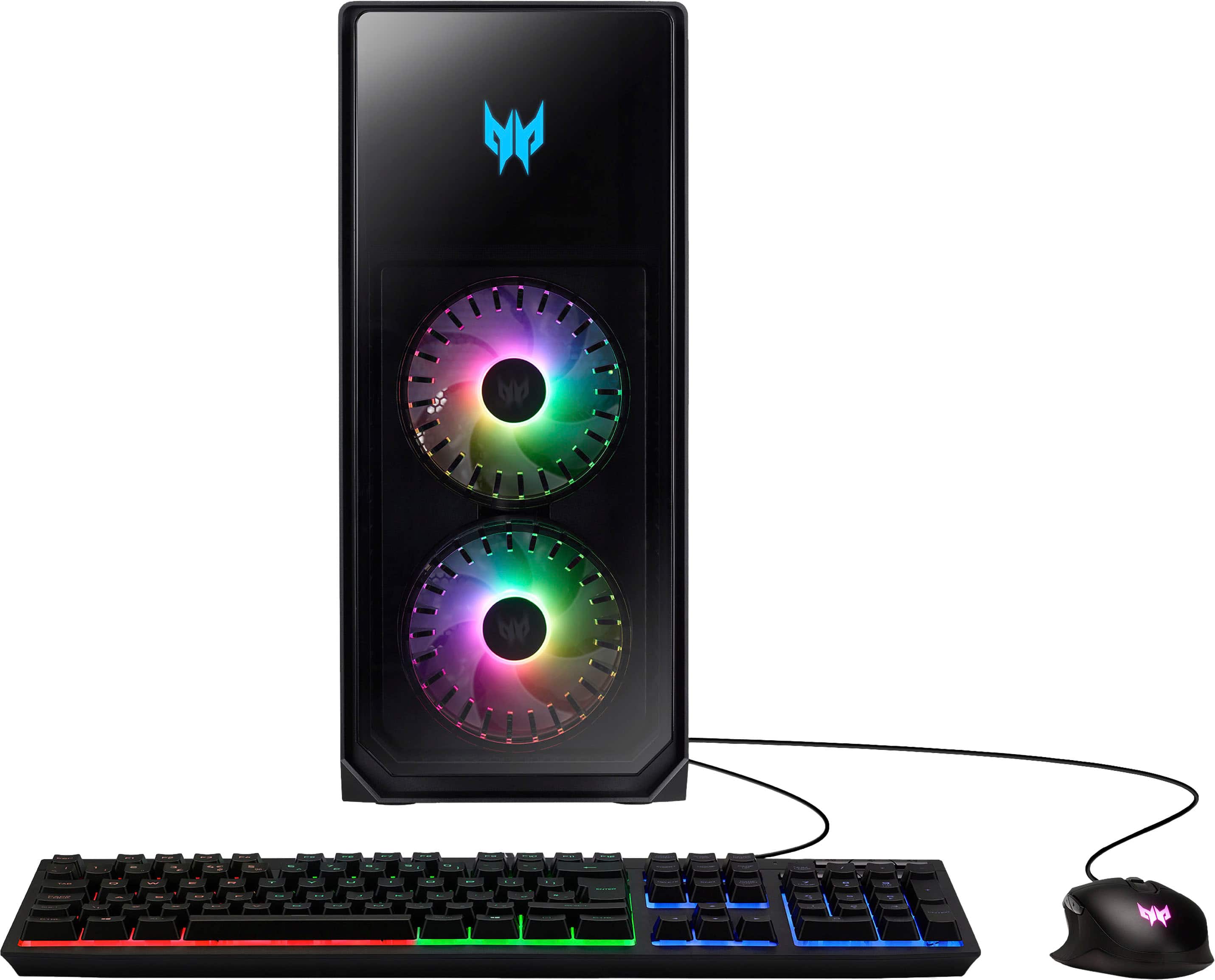
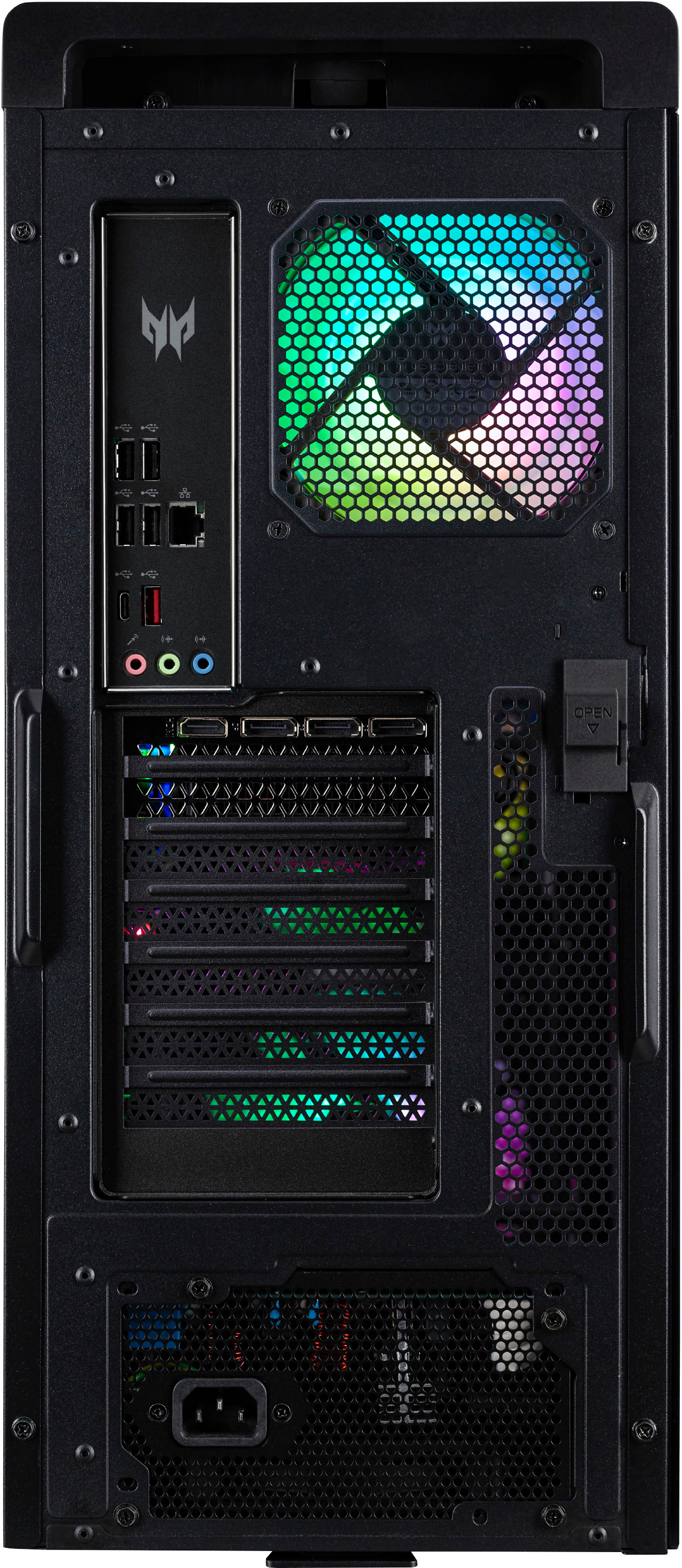
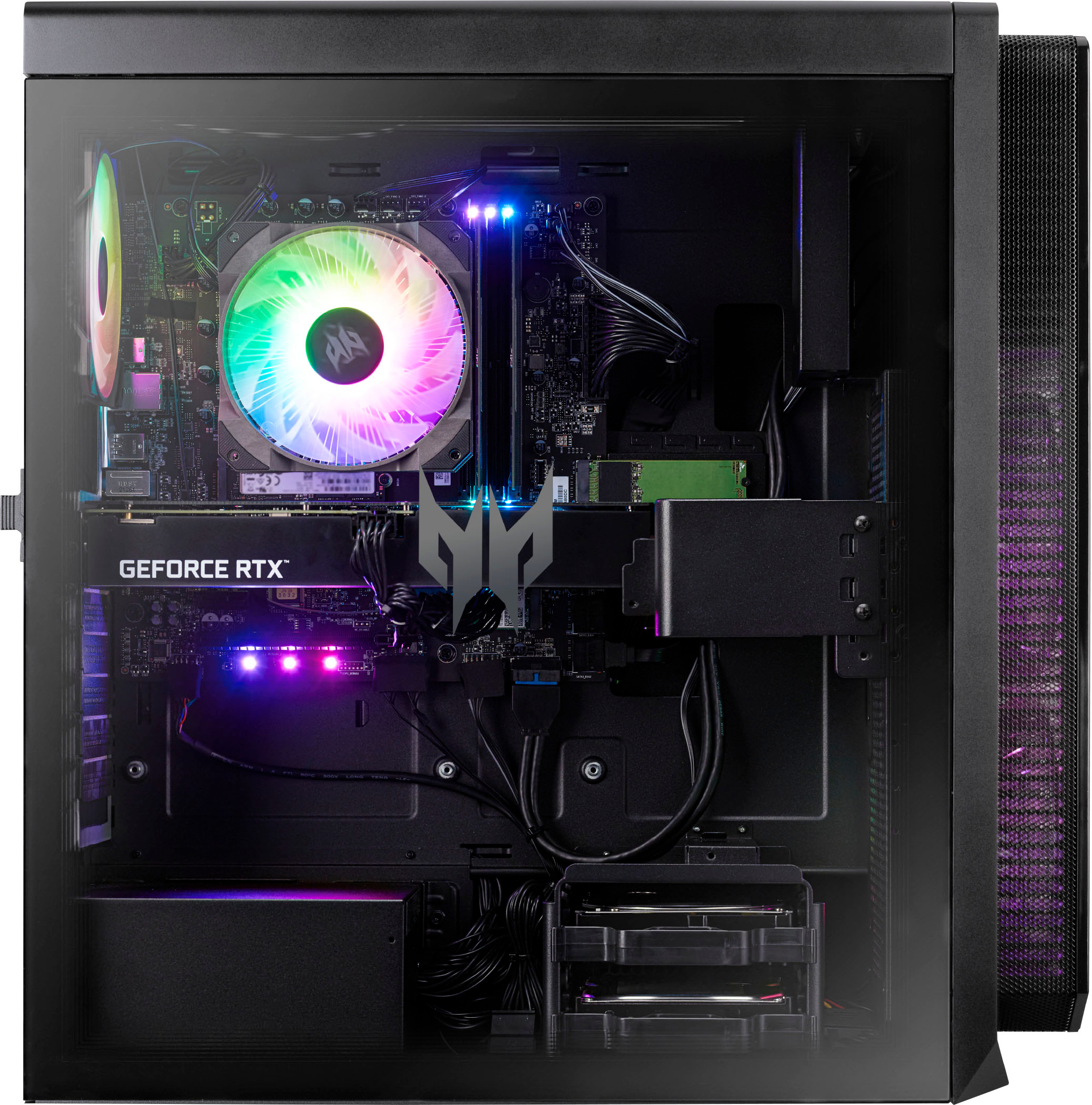
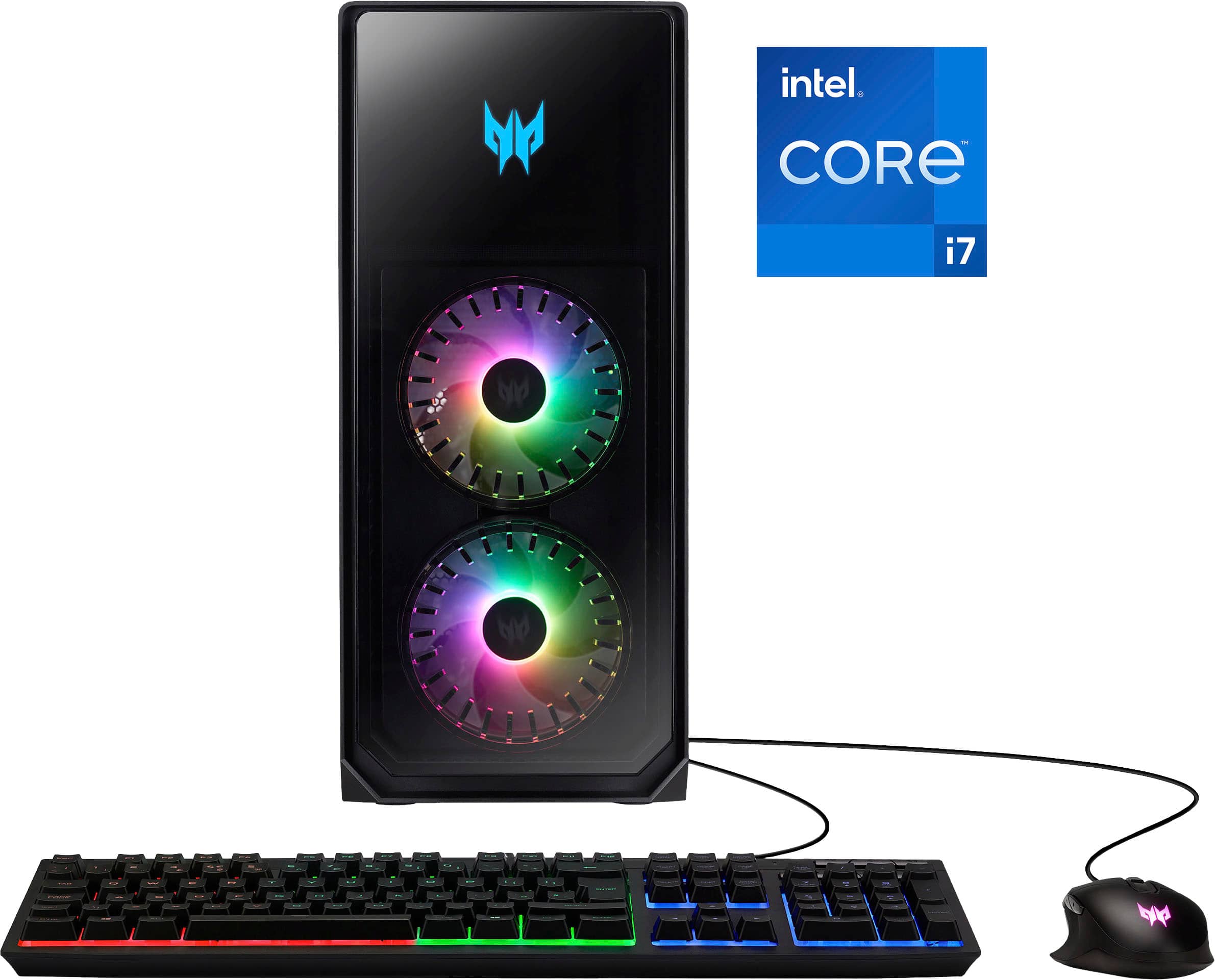
|Posted .This reviewer received promo considerations or sweepstakes entry for writing a review.Bottom line: This Predator Orion 5000 is powerful and it can provide stunning graphics with high FPS and low latency. (see the performance numbers below) But playing CPU intensive games or applications on this system can create extreme heat in the cpu which the stock cpu cooler has a difficult time controlling even with all the fans roaring at high speed. This is one of the best prebuilt gaming desktops that I have used and for non-hard core gamers who don’t mind running the fans on high it should be meet their gaming needs. For hard core gamers however I would recommend swapping out the cpu cooler as I described below or look for a system with a better cpu cooler. Here are things to know about this build’s performance and upgradeability: - The only issue with this system is that the stock cpu cooler that is installed does not dissipate the cpu heat efficiently when the cpu is highly utilized. When playing War Thunder Arcade mode the CPU temps stayed in the 80 to 100 degrees Celsius even with the fans running in game mode. When playing Forza 4 the temps were in the 60 to 90 degree area. I consider these very hot especially since the fans were running high in gaming mode. When gaming I was using a 2560 x 1440 QHD monitor with G-sync enabled and running at 165 hz refresh rate. Note that the temperature of the RTX 3070 was not that high. - The case is airy and has lots of ventilation in the top, front and rear. Acer includes two intake fans on the front, one on the cpu cooler and one exhaust fan and all of them are the RBG Frostblade-2 fans. The fans are very colorful and do a decent job moving the air through the case although they can be noisy at high rpms. There are two 120mm mounting areas in the top of the case if you want to add additional fans. - It is possible to replace the cpu cooler with a Noctua NH-U12A or a water cooler that fits in the top mounting area. One thing to note is that the motherboard rear mounting plate is solid. There are not any cut outs to reach the rear of the motherboard so to install the Noctua you will have to remove the motherboard for installation which is Noctua’s recommendation anyway. - The Ram memory consist of two 8gb DDR5 ram modules that are clocked at 4400 mhz and they have heat sinks which is good because of their proximity to the cpu heat sink. There are two open slots for ram if you want to install two additional modules. Note that the first slot is under the heat sink so to install the module you will have to remove the cpu cooling fan. It is possible to upgrade the Ram to higher speeds but you will have to remove the existing modules since only slots 2 and 4 can be used with XMP. The Motherboard/CPU will support up to 5600 mhz DDR5 in only two of the ram slots with XMP enabled in the bios. I upgraded my Ram by installing two 16gb of 5600 mhz DDR5 and it runs fine. Note that due to the height of the cpu heat sink you cannot install RGB ram modules unless you replace the existing cpu cooler with one that does not overhang the ram slots. - The system has great specs in the i7 13700F processor, the Nvidia GeForce RTX 3070 gpu, 1 tb NVMe Gen 4 drive and the DDR5 ram. It also has WiFi 6e and Bluetooth built in and 10 USB ports including four USB-A 3.2 and two USB-C 3.2. There are three Display ports and one HDMI. - There are no Overclocking options in the Bios which is typical with prebuilt gaming pcs. - There is a second NVMe slot that is available but it does not have a mounting screw. The slot is easy to access and I installed a 2 tb Samsung 980 Pro in my system. There is also a prewired HD/SSD bay for two drives as well as two SSD mounting brackets behind the motherboard. - Acer’s Predator Sense allows you to monitor the system, set fans speeds and set RGB color options. The fan speed options are Auto which is generally quiet, Gaming which is fans on high and loud and Custom which lets you set the fan speeds individually. The software is intuitive to use and provides good monitoring. - Acer includes a very nice RBG wired gaming mouse and keyboard with this system which by far better than the standard set up from most other prebuilt systems. - The case is well constructed and one of the better prebuilt cases out there. - The power supply is a LiteOn 800 watt 80 Plus Gold. It isn’t modular but the cables are routed cleanly and the spare cables are tucked out of the way. Performance: When playing my games I also monitored the temperature during the game play. Even though the temperature showed that the cpu hit 100 and hovered around 90 degrees Celsius I did not notice any falter or impact on the game when it did. As stated above the cpu ran in the 90 degree range when playing War Thunder so I was not surprised to see it hit that level in some of the benchmark testing as well. Here are some of the estimated game performance scores I got while testing with 3DMARK as well as some Geekbench 6 scores. 3DMARK Time Spy Score = 13392 Graphics Score = 12970 CPU Score = 16426 Battlefield V @ 1440p Ultra = 120+ FPS Apex Legends@ 1440p Ultra = 135+ FPS GTA V @ 1440p Ultra = 85+ FPS Fortnite @ 1440p Ultra = 70+ FPS Red Dead Redemption 2@ 1440p Ultra = 50+ FPS Geekbench6 Single Core Score = 2444 Multi Core Score = 14274 Open CL Score = 126383
I would recommend this to a friend - Pros mentioned:Case, PerformanceCons mentioned:Cpu temperature, Fan noise, Price
A Very, Very Well Built Gaming PC!
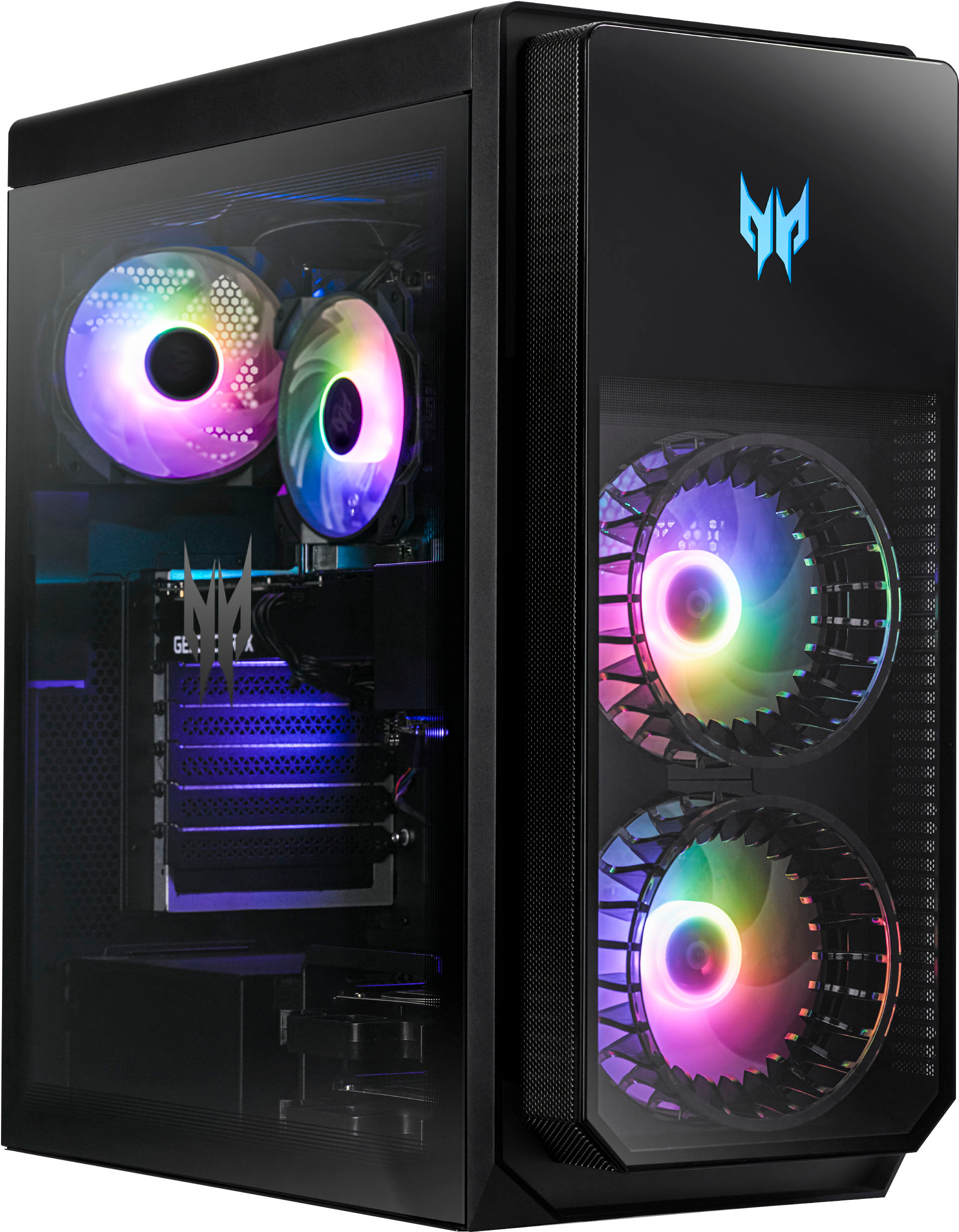
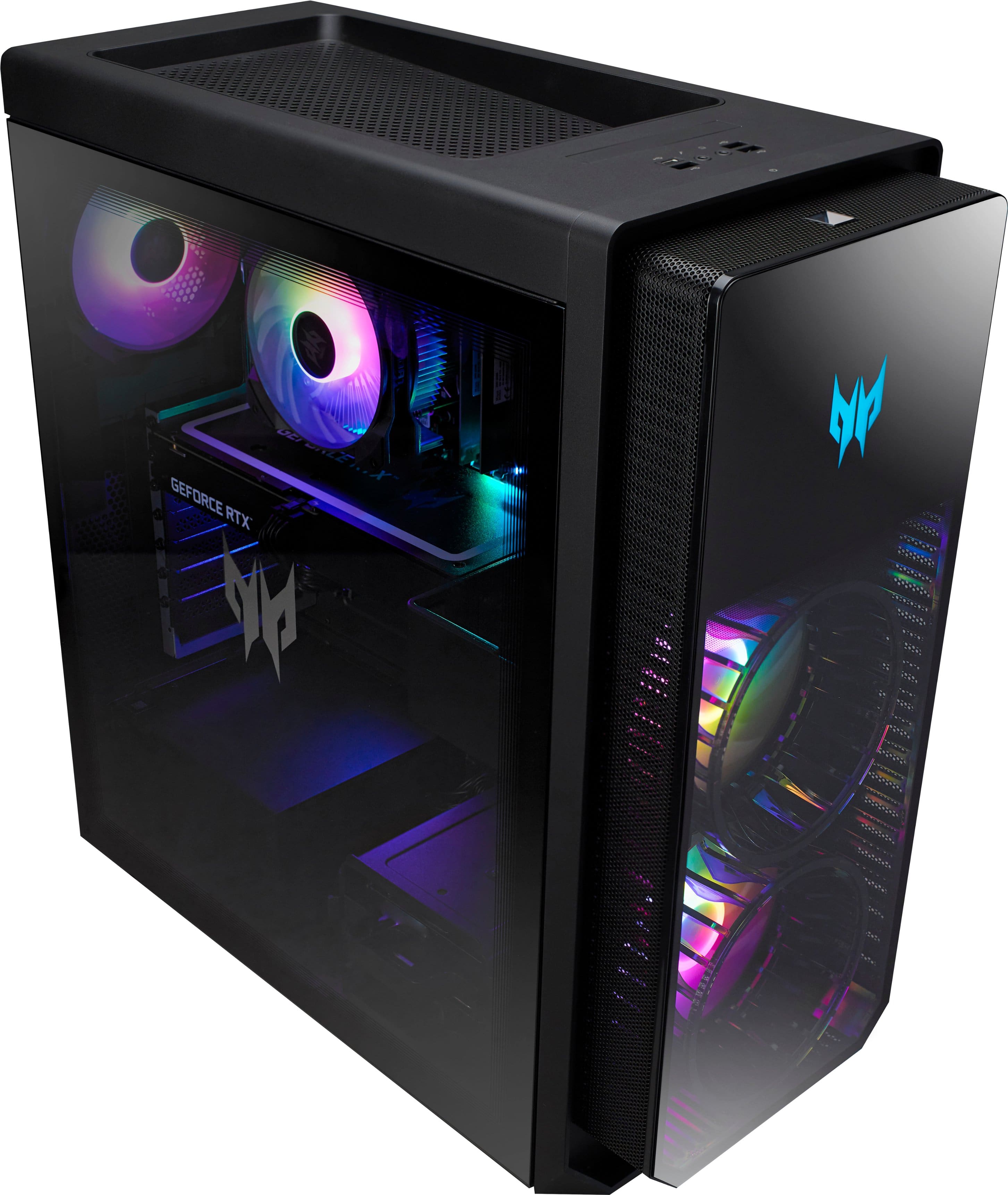
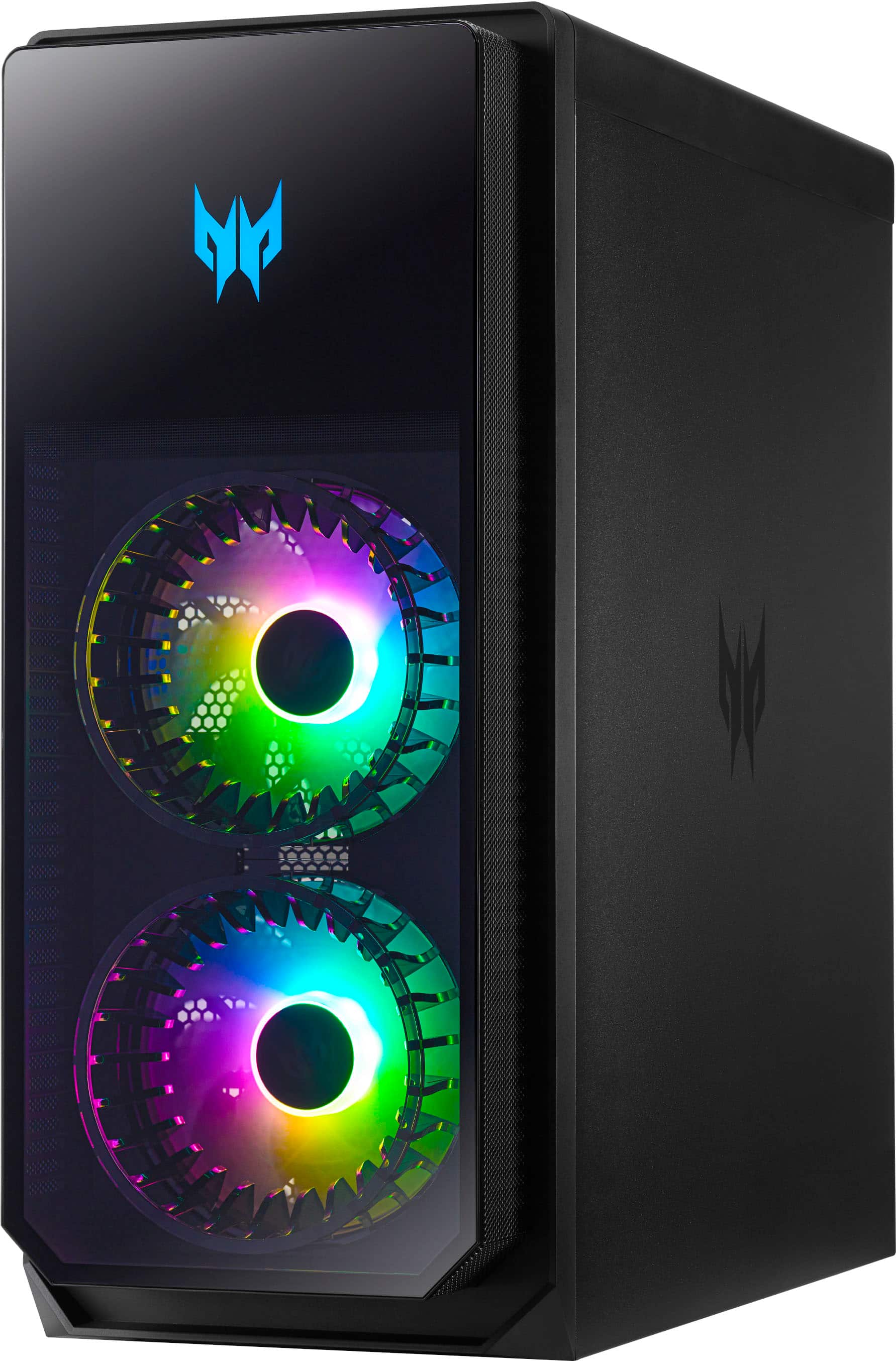
|Posted .This reviewer received promo considerations or sweepstakes entry for writing a review.I’ve been in the “DIY PC” camp for years…I’ve built numerous PCs for myself, for friends and even sold some along the way. I feel like that these past few years, system integrators like Acer and the like have come a long way in creating gaming PCs that are surprisingly impressive. This Predator Orion 5000 desktop PC is actually a very, very good PC built by Acer. Mid tower ATX PCs are pretty straightforward…cookie cutter if you will. I think Acer did an excellent job on this build, overall. Starting with the case, it is obvious that this thing is built like a tank. It is all-metal construction with a glass panel for viewing your components. There are two oversized RGB fans (they look larger than 140mm, to be honest) as intake fans, one 120mm RGB fan as exhaust, and one 120mm RGB fan affixed to a large CPU cooler. Yes, this is air cooling the Intel i7-13700F. The glass panel can be easily removed by removing two case screws and pushing a lever that dislodges the panel. I decided to keep the screws off so that I can easily remove the panel when I need to. I could be wrong, but the 3070 seems to be custom made for Acer as I couldn’t find any markings of any AIB brands. What’s cool is that the case provides a support on the far end of the GPU to keep it from sagging. The Kingston Fury Beast DDR5 memory sticks are properly placed onto the motherboard slots to provide maximum speeds. A Micron NVMe m.2 Gen4 SSD is also installed onto the motherboard. The power supply is non-modular, 800W. There are two 3.5mm HD bays that are plug and play ready, which I thought was really cool; just slide the drive in and you’re ready to go. Cable management is actually very good, except for how they routed the WiFi antenna which I found very, very odd. Finally, the motherboard itself is an Acer Predator microATX, so you’ll only have one additional PCI slot for any future peripheral you’d like to slot in. There is a lot of RGB on this motherboard. On the front exterior, there are 3x USBA ports and a single USBC port. The motherboard panel is not a whole lot….5x USBA, a single USBC and an ethernet port. Both areas have 3.5mm jacks for headphones and mics. As mentioned above, the CPU cooler is decent sized, but during tests, the Intel i7-13700F spikes to its throttle temp of 100 degrees celsius under load @ 5.2GHz. A test using 3DMark can consistently get the temps to this point. The GPU, on the other hand, stays relatively cool, between 60-70 degrees celsius. I believe the CPU temp issue stems from the heat out from the GPU feeding hot air directly into the CPU. I think a CPU cooler upgrade to an AIO would be in order as there are provisions for that in this case. A 240mm AIO would be hidden into the case, and the fans would sit underneath to showcase the RGB. The fan curves are a bit conservative, so I almost pegged the exhaust and CPU fans to 100% to keep the case cool, yet keep the PC altogether pretty quiet. The intake fans were kept at default speeds. So…can it play Starfield? Of course! In my opinion, this PC targets the 1440p market, which is the monitor I use for this PC. The default settings chosen for this PC was High, but I was able to bump the settings to Ultra and deem the game still playable with reasonably high framerates. High FPS averaged about 90, and Ultra FPS averaged about 70. Not too shabby, but we can thank DLSS for these speeds. GPU temps stayed under 70 degrees C. If you’re worried about CPU temps in this game…don’t. Most games are GPU intensive and only tax the CPU if games are multithreaded…but even Starfield only uses about 20-30% of the CPU. So there you go. Other honorable mentions include Acer’s suite of software to manage the Predator Orion: PredatorSense and PredatorArc. PredatorSense allows you to monitor CPU/GPU/System performance as well as change the fan and RGB settings on the PC. I don’t think there’s any other way to do this other than maybe changing fan profiles in the BIOS. PredatorArc allows customization of the included Predator mouse. Which brings me to the included mouse and keyboard…and they’re decent. Everyone will have their own preference for a keyboard, so I suspect that many of us will just swap it out anyway, so don’t really base your purchase decision on the peripherals. Finally, there is the price…and I may have some reservations based on it. In my honest opinion, the estimated total cost breakdown of all the components does not add up to the cost in MSRP. It’s not a crazy markup or anything…I’m just looking at this through the goggles of a DIY PC guy. I took a star off for that. If this were to go on sale, then I would say it is a good buy. But overall, I do recommend this gaming PC in terms of build quality and components used, and room for improvement down the road.
I would recommend this to a friend A Perfect PC
||Posted . Owned for 1 month when reviewed.This reviewer received promo considerations or sweepstakes entry for writing a review.Exactly what I wanted. Bought it on black friday and truthfully I think it’s worth the value you’re paying. I’ve had no problems with overheating and it runs 2k games quietly and efficiently.
I would recommend this to a friendGreat for a pre-built!
||Posted . Owned for less than 1 week when reviewed.This reviewer received promo considerations or sweepstakes entry for writing a review.An amazing upgrade from my old pc, this runs games very well. It did however need an aftermarket cooler to keep the temps down
I would recommend this to a friend- Pros mentioned:Case, PerformanceCons mentioned:Cpu temperature
Smooth ultra graphics. Runs cool and pretty.
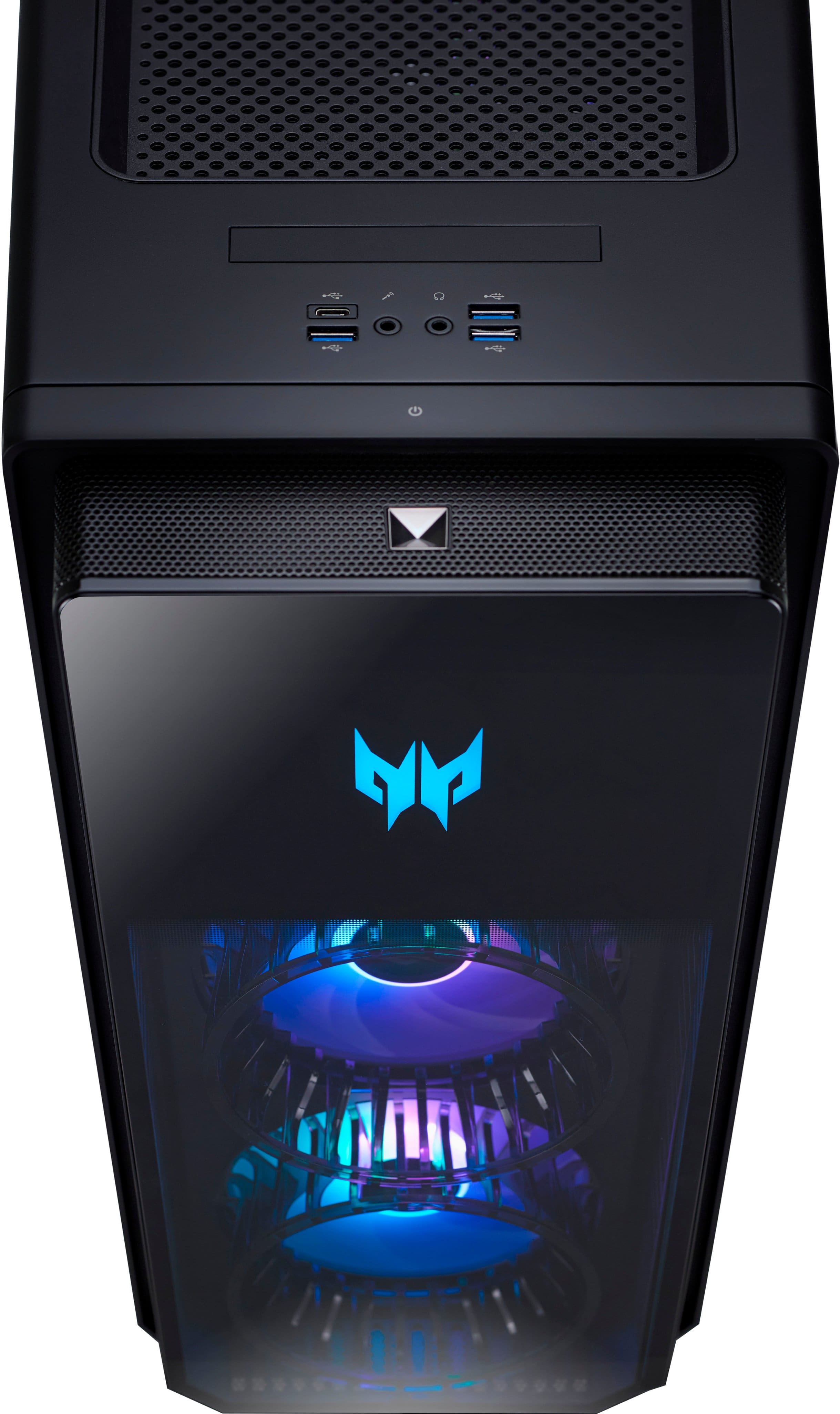
|Posted .This reviewer received promo considerations or sweepstakes entry for writing a review.This is an outstanding gaming PC. Sure there are faster CPUs and 40 series RTX cards now, but this hits an excellent balance between value and high performance gaming. Cyberpunk 2077 runs effortlessly at 3440x1440 HDR with ultra ray tracing on and is an absolute experience. Forza Horizon 5 is stunningly sharp and runs at 165 FPS set at extreme. But I’ve spent most of the time playing Starfield and while the game has some quirks, this Predator Orion 5000 barely seems to try. No matter what game I played and for how long, the fans never got louder than a whisper. Using the PredatorSense app you can easily customize the RGB lighting and monitor system performance and cooling. The “gaming” cooling profile runs all 4 of the fans at high speed which is notably loud and kind of sounds like an air purifier running at medium. However, with the “auto” cooling profile the fans turn slower and barely make a whisper. It’s seriously the quietest computer I’ve ever used and I’m beyond elated that the RGB fans aren’t just for looks. The tinted side panel offers a neat window into the guts of the computer, but the light show is where all of the action is. Everything from the included keyboard, mouse, and different zones of the CPU can have their lights customized through the PredatorSense app. It’s a fairly simple process and I spent a lot more time playing with it than I thought I would. The only downside of having a case this pretty is that it deserves to be seen. My old CPU was hidden away under a desk, so I had to change my whole setup to give this case the respect it deserves. It was worth it though. The case is gorgeous, but a little on the large size. There are perforations on the front, rear, and top to help keep things cool, but I imagine keeping it spacious inside for good airflow helps as well. In terms of upgradability, both side panels come off easily with 2 screws for each side. The motherboard has 4 RAM slots (upgradable to 64 GB total), 2 of which are used. Upgrading seems simple, but it looks like you’ll need to temporarily remove the CPU fan to install RAM into the furthest slot. For storage, there’s 2 bays for 3.5” hard drives, 2 mounts for SSD drives, and a spare m.2 slot. Unfortunately, PCI-E expansion is limited with only one PCI-E x16 slot open. There’s actually also a PCI-E x1 slot available, but it’s so close to the GPU fan, I’m not sure if a card would clear it. In terms of ports, there’s 5 USB-A in the rear with another 3 on top and a USB-C port on each of those sides too. If you’re looking for a new gaming PC, or even a high end media editing PC, you can’t go wrong with the Acer Predator Orion 5000. It’s physically gorgeous, extremely fast, easy to upgrade, and possibly the quietest computer on Earth. Starfield runs butter smooth and I’m stoked to see how it runs Forza 8 and Phantom Liberty. Great job Acer! PROS - Cyberpunk in 3440x1440 HDR @65FPS with ultra ray tracing is amazing - Plays Starfield in 3440x1440 HDR smoothly and barely gets warm - Runs Forza Horizon 5 in 3440x1440 in Extreme settings @165 fps - Fast, fast, fast - Nvidia RTX3070 is no slouch - Excellent cooling, fans never run high in auto mode - Gorgeous tower case with clear side window - DDR5 RAM - Good storage and memory upgrade flexibility - RGB lights galore - Plenty of USB-A ports - Easy to customize lighting through PredatorSense app - Spare M.2 slot available - Easy to open case for upgrades CONS - No optical audio output - Limited PCI-E expansion slots - Have to remove fan to install all RAM slots - PredatorSense limited to customizing lights and monitoring system temp/usage
I would recommend this to a friend Predator
||Posted . Owned for 1 month when reviewed.This reviewer received promo considerations or sweepstakes entry for writing a review.Was everything I expected. Awesome product, couldn’t ask for more!
I would recommend this to a friendPerfect
||Posted . Owned for 1 week when reviewed.This reviewer received promo considerations or sweepstakes entry for writing a review.Everything is great changing the cooler just makes it yhat much sweeter.
I would recommend this to a friendExcellent
||Posted . Owned for 1 month when reviewed.This reviewer received promo considerations or sweepstakes entry for writing a review.I am very satisfied with my purchase!!! 100% recommendable
I would recommend this to a friend- Pros mentioned:Case, PerformanceCons mentioned:Cpu temperature
A Surprise for Sure!
|Posted .This reviewer received promo considerations or sweepstakes entry for writing a review.I knew when I first got this prebuilt gaming PC that it would be good enough to play any game on the market. I wasn’t too worried, but I did want to test out the performance of the PC to see how it did with a variety of games. To say the least, this PC was able to run everything I threw at it. From gaming, office applications and even processing. Even better, it was able to do all these tasks flawlessly. This PC is perfect if you’re looking for something that is a jack-of-all-trades. But one would buy this for mostly gaming, and that is the task I spent most of my time on. This is my review of the Acer – Predator Orion 5000 Gaming Desktop. The case is beefy. Its very spacious and provides sufficient airflow. There is also space to place hard drives if you’re looking for that. Although, I did find the CPU fan did not cool the CPU enough while the PC was operating at its peak. I will certainly look into upgrading the CPU cooler to an all-in-one in the future. The CPU fan does unfortunately cover the first memory slot, which will need to be removed in order to add a RAM stick to that slot. The motherboard does have RGB which can be enabled using Acer’s PredatorSense software. The PC also contains plenty of USB ports for all your peripherals. I was able to run several benchmarks on this gaming computer. The following displays the results. I used 4 different benchmark software. 3D Mark for gaming, PC Mark to test the computer’s ability to handle office applications, Cinebench to test out the computer’s processing power, and finally, CYRI (Can You Run It) to see how many of the top 9,000 games on the market the gaming computer can run. 3D Mark Graphics Score: 13177 CPU Score: 16076 TimeSpy Score: 13543 *Bug in 3D Mark mentioned anomaly but there was no description? *Ran the test a couple of times with the same issue (likely a bug) PC Mark Overall Score: 8160 *Individual scores for a specific application in PC Mark image Cinebench CPU (Multi Core): 24430 CPU (Single Core): 1973 CanYouRunIt CYRI Score Min: 100% CYRI Score Rec: 100% The above scores show that this is a solid PC with many capabilities all around. I decided to put these scores to the test by testing several games on it. I was able to test out FPS games like Destiny 2. Racing games like Forza Horizon 5 and finally story-drive adventure games like Control. Note that I tested out all these games with a 1920x1080 monitor. I was able to set all these games graphics settings on the highest setting and everything ran smoothly. I was not getting anything below 60fps for all these games. Someone with a 2k or 4k monitor likely will have different results. Some notable features are the following: -Keyboard and mouse are provided and are probably the best included peripherals for a prebuilt I have tested out (they are also RGB!) -PC also has customizable RGB -Acer’s PredatorSense software is your go to for customizing RGB, fan control, and monitoring the temperature for certain parts -Motherboard has RGB which can be turn on or off -Motherboard has a built-in fault detection system, my RAM stick was loose on the motherboard and upon clicking the power button the motherboard made a beeping noise letting me know there was an issue (after a Google search, quickly figured out what the issue was) -PredatorArc software is used to customize the mouse and keyboard settings -Built-In Wi-Fi module so no strange looking antenna or “sticks” needed Overall, this is a solid prebuilt gaming PC that exceeded my expectations. The PC was able to handle everything I threw at it and it looks pleasing to the eye. A couple significant issues are that the PC tends to run hot, and the current CPU fan covers the first memory slot. I would look into upgrading the CPU cooler to a better one. I will likely upgrade it to an AIO. If you do plan to buy this gaming computer, I would wait until its on sale for an even sweeter deal!
I would recommend this to a friend - Pros mentioned:Case, Graphics cardCons mentioned:Cpu temperature
Fast and capable but needs better CPU cooling
|Posted .This reviewer received promo considerations or sweepstakes entry for writing a review.For those PC gamers that don’t want to assemble their dream gaming rig from hand-selected parts, a pre-built gaming PC might suit their needs. The Acer Predator Orion 5000 Gaming Desktop PC is fast, capable, well-built and has plenty of room for expansion. If going hard but not extreme is enough, this PC will meet your needs for quite a while. The CPU cooling system is slightly less than what is needed to drive this PC to the max, though. Pros: * Case is easy to get into and upgrade. * Plenty of interior room for expansion. * Easy-access power button, 4 USB (3xC, 1xA) and audio jacks on the top front. * Two colorful hub fans in the front and two more inside. * Motherboard RGB lighting. * Clear side door (to see all the cool interior lighting) that is easily removed for access. * Comes with a keyboard and a mouse that each have controllable lighting effects. Cons: * CPU cooling is not up to hard gaming. * Provided keyboard is acceptable but not great. * Provided mouse is better than average but not great. * Some pre-installed software to be removed after setup. Installation and Setup: This is a standard-sized metal desktop chassis that is probably best set up on the floor under your gaming area. When looking at the front, the left side door is glass and can be removed for easy access. Since the clear door is on the left, you might want to set up this PC on your right and facing you so you can see all the color effects if that’s you’re thing. The back panel has 6 USB connections (4x2.0/A, 1x3.2/A, 1xC) and 3.5mm for microphone, audio in and out, and an Ethernet port. The pre-installed graphics card has 3xDisplayPort and 1xHDMI ports. With those and the built-in WiFi and Bluetooth, you probably have everything you need to connect up your keyboard, controllers, monitor and headphones/speakers. The rest can be added separately with the open card slots or via a USB hub. Plug in a monitor, the provided keyboard and mouse (or others if you prefer) and the power cord, then start it up! Initial software setup was standard Windows with nothing special to mention. Get it up and running and then you can start your customization, remove any bloatware and install some games. Usage: The front of this PC looks nice but isn’t too crazy. There’s a convenient power button on the top front and the two front case fans have hub lighting that you can set up with the pre-installed app. On top near the front are also some extra USB and headphone/microphone jacks for easy access. Also on top is a deep tray where you can store controllers, thumb drives or snacks but nothing too moist as is it also part of the case ventilation ;-) The provided keyboard is not really gaming-specific, but it does have a few special things going for it. There are dedicated keys for volume up/down/mute as well as transport keys (play/pause/stop). You can turn on and adjust the keyboard backlighting brightness level as well. The best one, however, is the dedicated key that disables the Windows keys so you won’t interrupt your game by accidentally hitting the Windows keys that flank the spacebar. The provided mouse is nicer than average but is still on the lighter-weight side. It is sculpted to fit your hand (righties only) and has two side buttons, a rubberized scroll wheel and an extra top button. The sides of the scroll wheel and the Predator logo light up and are controllable, too. The Predator Sense software is the home for lighting, fan control, temperature status and a few other things. It can be used to adjust the colors of the interior lighting (fans, etc.) as well as the keyboard and mouse. It also provides temperature readouts for the CPU, the GPU and the system overall and allows for control of the fan speeds manually or automatically. The fans are reasonably quiet at lower speeds but under hardcore gaming stresses, the fan ramp up and get a bit loud. Nothing that a good (optional) headset can’t remedy ;-) The provided graphics card can handle some serious gaming as can the CPU, but under hard load, the CPU cooling just can’t keep up and the speed throttles down. If you like high-end gaming with the settings cranked up, you might want to invest in some upgraded cooling options. Otherwise, this system works well as-is. Overall: A reasonably fast and easy to expand gaming system for those who don’t want to hand-build their own and don’t have extreme needs. The CPU cooling supports moderate use but not heavy loads, so cooling upgrades should be a planned expense.
I would recommend this to a friend - Pros mentioned:Graphics card, Performance
A gaming beast with everything a gamer demands
|Posted .This reviewer received promo considerations or sweepstakes entry for writing a review.I am typically not easily impressed when it comes to performance from a gaming PC that comes directly from the manufacturer in comparison to a rig that is custom built. I know I am not alone in these thoughts being around other gamers who many share the same opinions. However, I am now rethinking that thanks to the Acer Predator Orion 5000 gaming PC and seeing the benchmarks I was able to squeeze out of this machine with the components they included on this rig. This Predator Orion 5000 comes well equipped with a 13th generation 16-core Intel i7 processor which is capable of handling a plethora of tasks at once from gaming, streaming, video, music and photo editing, etc. The PC includes 16 GB DDR5 dual channel 4400MHz memory, a 1 TB Gen 4 PCIe solid state drive and multiple ARGB-infused Predator FrostBlade 2.0 fans to help keep the high temperatures at bay during gaming. Combine all that with the killer NVIDIA GeForce RTX 3070 8 GB graphics card and you have a gaming work of art all bundled up and ready for some abuse. There are also additional slots on the rig to add more storage and easily accessible RAM slots in case you want to upgrade it. It has plenty of USB ports so there’s no need to worry about running out of slots, like I typically run into on my laptops, including one USB 3.2 (Type C) Gen 1 port and three USB 3.2 (Type-A) Gen 1 Ports on the top making them easily accessible. The rear sports one USB 3.2 (Type C) Gen 2x2 port, one USB 3.2 (Type-A) Gen 2 Port and four USB 2.0 (Type A) Ports. The rear also has three Display Ports 1.4a and one HDMI 2.1 port for those rocking several monitors. The PC includes the Killer E3100G 2.5G Ethernet controller and can handle Wi-Fi 6E although I was hoping it was also compatible with the latest Wi-Fi 7 since that’s what our mesh network is. One of the most fun things you can tinker with is the RGB lighting scattered throughout the internals and externals of the rig which you can customize in a variety of ways and can produce, believe it or not, over 16 million different colors which really turns heads when it’s on. Seeing the specs, components and features on paper doesn’t tell the whole story. Once I got the rig hooked up and software updated, I couldn’t wait to start pressure testing it to see what it could do in comparison to my previous gaming PCs and laptops. After installing all my security software, games, performed updates, etc., I finally ran several benchmarks. I was absolutely blown away at the numbers I was getting out of the Predator Orion 5000; the readings were substantially higher than any of my previous PCs and gaming laptops that had similar, and in some cases better, hardware and specs. It was running AAA games at over 120 fps while keeping the temperatures down due to the multiple fans. The Orion automatically overclocked itself to push it to the limit ensuring seamless graphics and incredible gameplay. Overall, this Acer Predator Orion 5000 exceeded all of my expectations including the build itself being aesthetically sound, to the hardware included and what it was ultimately able to handle when pushing it to its limits. I don’t see needing to upgrade any time soon and I’m even considering getting rid of at least one of my gaming consoles as it clearly outperforms them and is easily upgradable.
I would recommend this to a friend - Pros mentioned:Performance, Speed
Great for gaming, expansion and work!
|Posted .This reviewer received promo considerations or sweepstakes entry for writing a review.The Acer Predator Orion 5000 is a beast of a machine and I highly recommend it for any type of gaming or work. If you are interested in easy expandability and flashy looks, this is the desktop for you. In my week or so using this device, I have found very little to be unhappy about and any negatives I found do not impact my total score of five stars. Pros: -Speed -Quiet -Expandability -Good looks Cons: -Only 1 USB C Gen 2 port -Older 3070 video card Unboxing: The device comes in a large box with very little inside. There is the unit, a wired keyboard, a wired mouse and documentation. I received mine in the mail and the desktop arrived in great condition due to the extreme amounts of padding inside even though the box was somewhat beat up. Setup: As the computer is pre-built, set up is simple. Connect your monitor, power, ethernet (if not using Wi-Fi) and any accessories such as keyboards, cameras and mouse. Once that is done, there is the standard Windows setup process. There is an Acer registration/login screen in the setup to allow for further support and access to some of the Acer software features. Bloatware is present but minimal. Preinstalled software includes Dropbox, Clipchamp, McAfee, Express VPN and various Acer software tools. All items can be uninstalled. Performance: The hard drive is a Micron MTFDKBAT0TFH Gen 4x4 NVMe drive. In CrystalDiskMark It tested at 6510 MB/s read and 5077 MB/s write. This is in line with the rated specs of 6600 MB/s read and 5000 MB/s write. The modem is an Intel AX211NGW which supports Wi-Fi 6E and Bluetooth 5.3. I had no issues with networking via ethernet or Wi-Fi when connected to a Xfinity XB8 router on Wi-Fi 6E. I was a little disappointed with the USB ports. There is a good selection overall (see attached picture) but my main issue is with the USB-C speeds. The top USB-C port transferred about 500 MB/s which puts it in line with 3.2 Gen 1x1, whereas the rear port transferred around 1000 MB/s to my external drive putting it at 3.2 Gen 2x1 speeds. I personally would have preferred the faster port on the top as I tend to use those ports more often for I/O than the rear ports unless something is permanently plugged in. There are no SD card slots. Gaming: This desktop features a Nvidia RTX 3070. For most gamers this will provide outstanding performance up to 1440P. I was running my games on an ultrawide monitor at 5120x1440 resolution, so my performance is likely lower than a normal 1440P monitor. Jurassic World Evolution 2: 68FPS (max settings) Starship Troopers Terran Command: 60-70 fps (max settings) Starfield: 40-60 FPS (high default settings) Port Royal Benchmark: 8178 Fire Strike Ultra: 8365 Time Spy: 13443 I also played lots of Diablo 4, Forza Horizon, Doom Eternal with no stuttering unless I was running RTX ray tracing at 5120x1440. What I was most impressed with was how quiet this desktop runs even when doing stress tests. I expect quiet performance from a liquid cooled PC but this one is all air cooled and runs silent most of the time, great job Acer! Productivity: I do a lot of photo editing and noticed no hiccups in my work process. The device has 16GB of DDR5 RAM but has two open slots, so if you do photo and video editing, I recommend you upgrade. In Adobe Lightroom, when exporting 156 24 MP RAW photos to JPEG from a Sony A6500, exporting full resolution took an average of 2 minutes. When utilizing AI Denoise, a single image was processed in 8 seconds, this is in contrast to the three minutes it took my Xe equipped laptop to do the same AI processing. Cinebench completed the multicore test with 18202 points. Expansion: Being a large desktop, there is plenty of room for expandability. There are two open RAM slots, two hard drive slots for 3.5” hard drives, two 2.5” hard drive slots (on the other side of the motherboard vertically mounted), two open SATA slots, one open NVMe slot, and plenty of room for a larger video card if needed. Keep in mind the are no extra screws or cables included.
I would recommend this to a friend - Pros mentioned:Graphics card, Performance
Beautiful to look at and a super fast machine
|Posted .This reviewer received promo considerations or sweepstakes entry for writing a review.This Acer Predator Orion 5000 is a gaming beast that has not slowed down one bit since I unboxed it. Chock full of features like the Intel Core i7 chip, 16 GB RAM, Nvidia GeForce RTX 3070, and 1 TB SSD. You also get a wired keyboard and wired mouse that are ready to go for your gaming needs, and day to day tasks. Windows 11 works perfectly on this machine and the computer responds to every command in immediate responses. There are plenty of ports available on this Acer Predator Orion, which allows me to keep my various accessories ready to use and always available. The Pulsar Lighting system via Predator Sense is a beautiful sight to behold, as it allows for a customization of colors to choose from 16.7 million colors. The transparent side panel design looks absolutely stunning and will get your machine noticed. This Predator Orion operates at a low hum and is very quiet under full stress, and the computer also stays cool due to the Predator FrostBlade 2.0 fans. The computer has fast load times and gets my games loaded and ready in minimal time. The Nvidia GeForce RTX 3070 is a beautiful graphics controller. The games I've been playing have been so smooth and there is absolutely no lag or delay. This machine has been incredible for games I'm playing on Xbox Game Pass for PC and Steam. This computer has not slowed down at all no matter what I'm doing. Gaming is a breeze, video editing is a breeze, and watching entertainment has been amazing. DTS X sound capability is a big plus on this machine, and you'll want to make sure you have an audio system that takes advantage of this. This Orion 5000 is a spectacular machine that is prebuilt and budget friendly for anyone looking to have a fantastic gaming experience on PC.
I would recommend this to a friend - Pros mentioned:Case, Performance
Machine is an absolute beast
|Posted .This reviewer received promo considerations or sweepstakes entry for writing a review.This pc is very gamery and with the possibility of upgrades. The box includes an acceptable quality Predator-branded mouse and keyboard and a power cable. There is a side of the case that is glass, which allows you to see the interior of the PC and a metallic side. It has more than enough air vents on all sides for decent airflow. There are two intake cooling fans in the front, a CPU fan, and an exhaust fan on the back. There are four fans to cool the PC, and they are all RGB color lights. The performance of this machine is an absolute beast. The i7 provides good processing power and easily handles CPU-intensive applications. The 16GB of DDR5 RAM allows the computer to run smooth and lag-free applications even with multiple applications running simultaneously. The NVIDIA GeForce RTX 3070 GPU is great for running games at high resolution and fps. Even at high graphics, the fps can be over 100 on most games; this, paired with the CPU, gives a smooth and fun gaming experience. This computer would still work for you even if you are not a gamer. Having many applications open and running smoothly is excellent when you have a lot to do. Running web browsers flawlessly, even when you have many tabs open, is a great thing when working. Overall, I am delighted with this gaming PC.
I would recommend this to a friend - Pros mentioned:Performance
Great tower for a mid level PC
|Posted .This reviewer received promo considerations or sweepstakes entry for writing a review.The Acer Predator Orion 5000 is a full sized tower, and compared to the mid size towers I’ve had previously was larger than expected. That said, this is made to be a show piece, with RGB lights pretty much everywhere you look, and a clear case side to ensure full visibility into the clean and well lit inners of the computer. This PC boasts an RTX3070 graphics card, which is a mid level card first released last year. Running games like Ark can be done smoothly on Medium to High settings, but the PC struggles a bit with frame rate when boosting graphics to max settings. Compared to the RTX3080, there’s a noticeable performance difference on higher graphics settings, but for the majority of games with medium to high graphics settings, this card is capable of performing well. Overall, this PC looks great, and is a solid mid level PC, and will handle all current titles well. If you’re looking to push the limits of graphics and frame rate, you should look into the 40 series cards, or the higher level RTX30 cards, but for most people, this will likely fully satisfy your needs.
I would recommend this to a friend