Customer Ratings & Reviews

- Model:
- ASB1201P-100NAS
- SKU:
- 6517756
Rating by feature
- Value
Rating 4.2 out of 5 stars
- Quality
Rating 4.2 out of 5 stars
- Ease of Use
Rating 4.2 out of 5 stars
Customers are saying
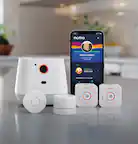
Customers appreciate the ease of use, overall performance, impeccable camera quality, added security, crash detection, and the small, concealable design of the Safe Family Bundle. However, some customers have expressed concerns regarding battery life, setup difficulties, and app functionality.
This summary was generated by AI based on customer reviews.
- Cons mentioned:Battery life
Arlo cameras
||Posted . Owned for 1 week when reviewed.This reviewer received promo considerations or sweepstakes entry for writing a review.Works fine, when you start up. Then they don't work a week later. Battery time is questionable.
No, I would not recommend this to a friendBrand response from Arlo Team
Posted .Hi Neil,
Thanks for sharing your review. To learn how to extend your Arlo camera's battery life, read this article: https://kb.arlo.com/291. For further assistance, please navigate to Settings > Support in the Arlo App for service options available to you.
We appreciate your patience and understanding.
Best regards,
Arlo Team
Kinda useless
||Posted . Owned for 1 week when reviewed.This reviewer received promo considerations or sweepstakes entry for writing a review.Kinda pointless, all phones and cars have the ability to send signals if in trouble. This is very useless
No, I would not recommend this to a friendBrand response from Arlo Team
Posted .Hi
Thanks for sharing your review. We'd like to learn more about the concerns you have shared above. Please reach out to our support team so they can further address your concerns and provide assistance by navigating to Settings > Support within the Arlo app to explore the support options available to you.
We appreciate your patience and understanding.
Best regards,
Arlo Team
- Pros mentioned:Ease of useCons mentioned:Battery life

Peace of Mind for the unexpected
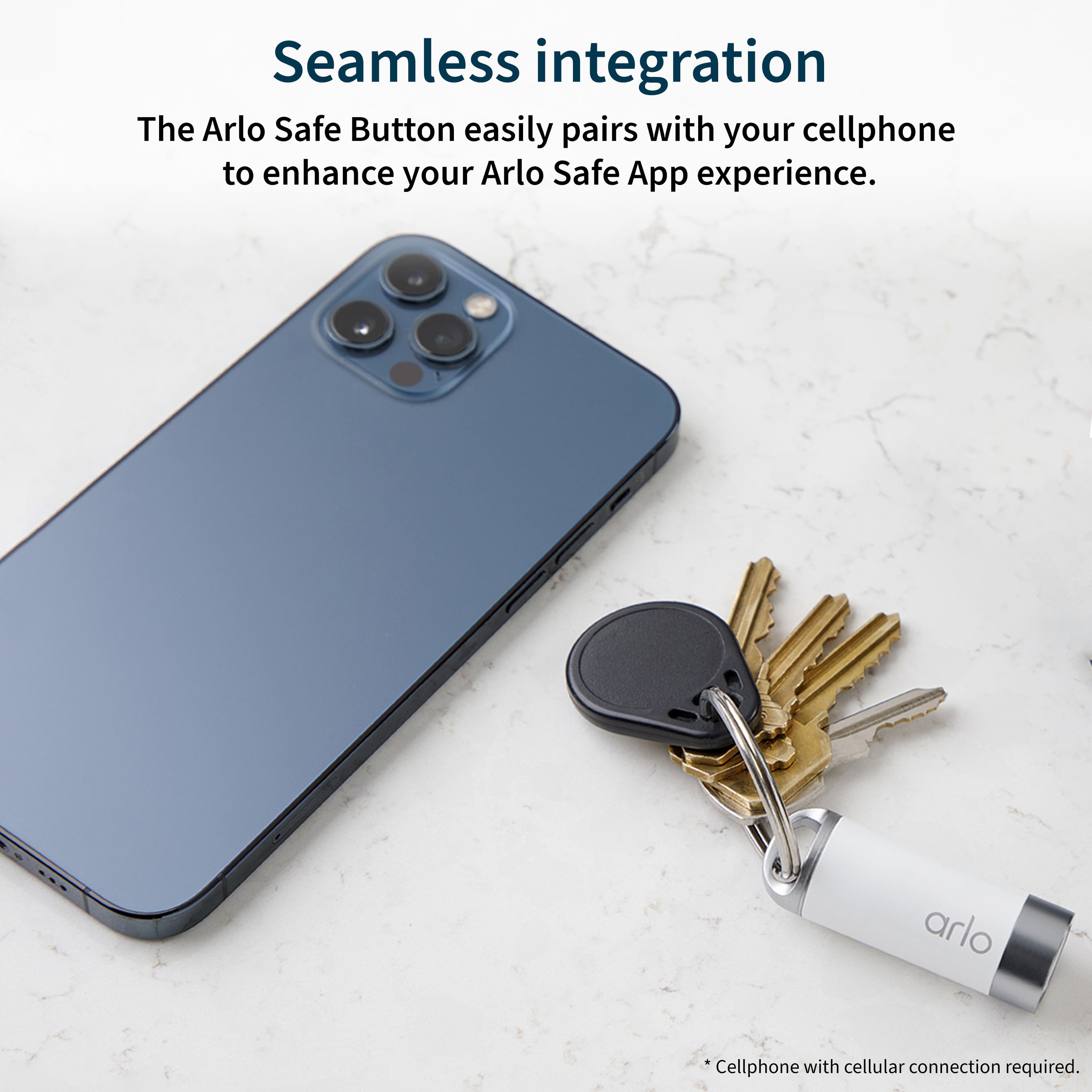
|Posted .This reviewer received promo considerations or sweepstakes entry for writing a review.My main reasoning behind picking this up was for an elderly parent. I help to take care of my mother and with being at work all day this gives me some peace of mind that when I'm away, help can literally be a button push away. Setting the device up was easy and quick. My unit I got had bad batteries out of the box. Arlo was quick to send out another set to me within a couple days. I won't let that affect the review though. Batteries sometimes go bad and it's not always within one's control. Once replaced though, they've worked perfect. I've notice that as soon as I get in my car when I head to work or leave the house, the button and the Arlo Safe app is very quick to see that I'm in my car. I appreciate this as it's handy to have something on me that, if in case of an accident, I can get help. With the recent weather over the last few weeks, it's certainly a welcome feature. I do like that it comes with a year of the Family Plan. We shall see in a year if I this will be something I'll keep going as anything can happen. If you're looking for something that's along the lines of say a LifeAlert, this could be a good option as it's not something where you're required or have to be tethered to having a landline in your home so this will likely appeal to many. The ability to have either EMT's, Police or Firefighters dispatched at the press of a button is fantastic feature. Couple that with the size of the device and that it can be easy to conceal makes it all that more useful.
I would recommend this to a friend Not necessarily a good thing
||Posted . Owned for 1 week when reviewed.This reviewer received promo considerations or sweepstakes entry for writing a review.I don’t see the point of this item seems finicky and unnecessary one more thing to break or not being a good idea maybe just a suggestion
No, I would not recommend this to a friendBrand response from Arlo Team
Posted .Hi Webs
Thanks for sharing your review. We'd like to learn more about the concerns you have shared above. Please reach out to our support team so they can further address your concerns and provide assistance by navigating to Settings > Support within the Arlo app to explore the support options available to you.
We appreciate your patience and understanding.
Best regards,
Arlo Team
Not good
||Posted . Owned for 1 week when reviewed.This reviewer received promo considerations or sweepstakes entry for writing a review.This is not really useful. When I bought the arlo cameras, this was an add on with the appearance that it would extend your arlo subscription to a year. It is not
No, I would not recommend this to a friendDisappointed, I should have read
||Posted . Owned for 3 months when reviewed.This reviewer received promo considerations or sweepstakes entry for writing a review.For some reason I thought this was a 1 year subscription for my cameras. This is still in the box.
No, I would not recommend this to a friendBrand response from Arlo Team
Posted .Hi Daniel,
Thanks for sharing your review. We like to learn more about the messaging on the box you have shared above. Please reach out to our support team so they can further address your concerns and provide assistance by navigating to Settings > Support within the Arlo app to explore the support options available to you.
We appreciate your patience and understanding.
Best regards,
Arlo Team
- Cons mentioned:Gps
Not What I Expected, Has Potential but is Limited
|Posted .This reviewer received promo considerations or sweepstakes entry for writing a review.The Arlo Safety Bundle with 2 Emergency Buttons is a great concept but falls well short of what I expected. The Buttons must be hooked up and within range of your phone or GPS enabled device like a tablet at all times. This is not what I was hoping for, I needed something for my kids to have outside in the yard, does no good for small kids without an electronic device on them that can intercept the signal. I tried everything to make them work outside but as soon as they leave the house, they disconnect from their Samsung Tablets and are useless. I decided to use one for my grandmother since she stays in our extra room and has a phone to connect too. The other I have my wife use for when she leaves work and it is dark out. Those are the 2 easiest people I could use for testing that was close to me. If these were LTE enabled and had a sim card slot, these would have been a killer device and could have been used for tracking cars, trailers and even motorcycles if they were stolen. Now, I will say the setup was fast and easy on the app, no more than 15 minutes for the whole setup. The buttons work and work properly but can be easily setoff and we got a call because of it. The button was accidently pushed in my wife's purse and she got a text and call within 20 seconds, that was impressive. The GPS is as good as the device they are stuck too as well, if you plan to use them for hiking or traveling, your phone must have data and good service to make worth buying. This product has major potential just needs better execution in my eyes. I do not take this idea as an entire loss for Arlo, they do work and can be used, but, they may want to stick to cameras unless they make a true GPD Safety Tracking System.
No, I would not recommend this to a friend - Pros mentioned:Crash detectionCons mentioned:App functionality, Setup
great concept - not ready for primetime
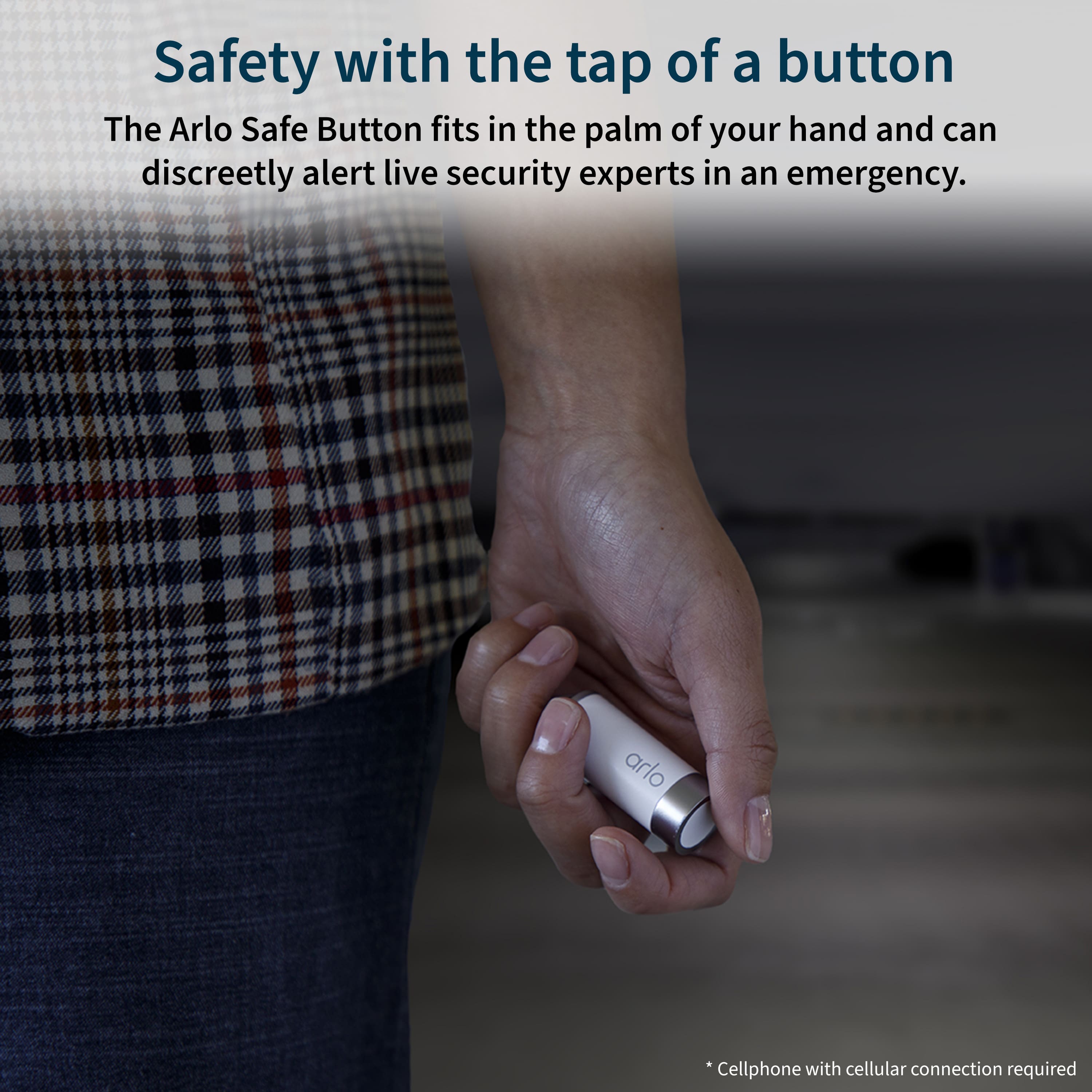
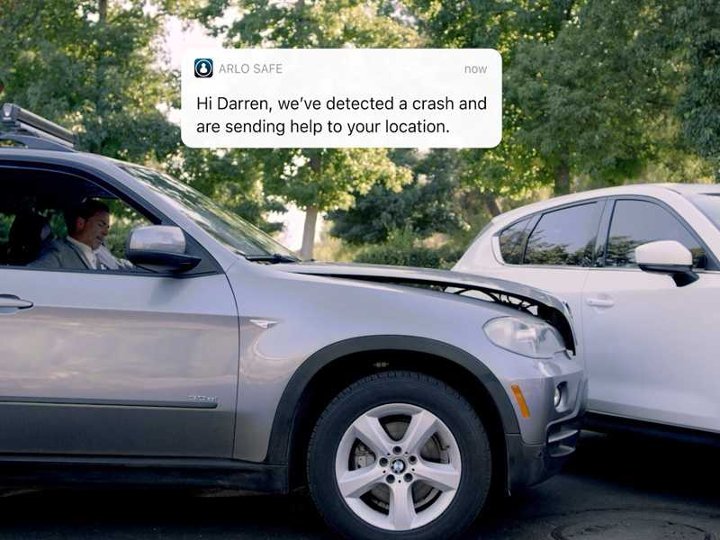
|Posted .This reviewer received promo considerations or sweepstakes entry for writing a review.The Arlo Safe Family Bundle is a great concept and the provided 2 safe buttons units look to be useful and are about the size of a fat version of an AA battery. The safe buttons pair to your phone via Bluetooth and are essentially a tracking device which can be pressed in case of an emergency. The Arlo Safe buttons also have crash detection which will automatically alert emergency contacts if a crash is detected. As an existing Arlo security camera user, I entered my login information and was ready to setup the devices. Downloaded the app and followed the very limited set of instructions provided. Received a message that I needed to contact a live agent, which I tried to do to no avail. In addition, I tried to setup two emergency contacts which also was unsuccessful. The app is clunky, for instance it wanted access to my contacts to use as my emergency contacts but could not consistently import that information, even manually entering a phone number led to a dead end as it never really took it as there was no option to continue, almost like it did not think I entered a complete 1 (area code) xxx-xxxx number. I have encountered many products, but this one seems to top the list of frustrating experiences. I am a tech guy and able to navigate complicated setup processes, but not this one. Online support material was lacking, some links for this product on the Arlo site led to a dead end. I see no way this product could be purchased and setup successfully without a call to tech support. This product must be adding to the support wait time in line as it was absolutely one of the worst setup experiences I have ever had.
No, I would not recommend this to a friendBrand response from Arlo Team
Posted .Hi,
Thank you for sharing your experience with the set-up of the Arlo Safe.
We would like to work with you to address the concerns you shared. Our team is available to help ensure you have an excellent experience with your Arlo Safe. Please send us an e-mail at [email protected] by including a screenshot of this review, your case number (if available), the email address associated with your Arlo account and your phone number so that our team can follow up with you. We appreciate your understanding.
Best regards,
Arlo Team
- Cons mentioned:Battery life
A good idea, even better once polished
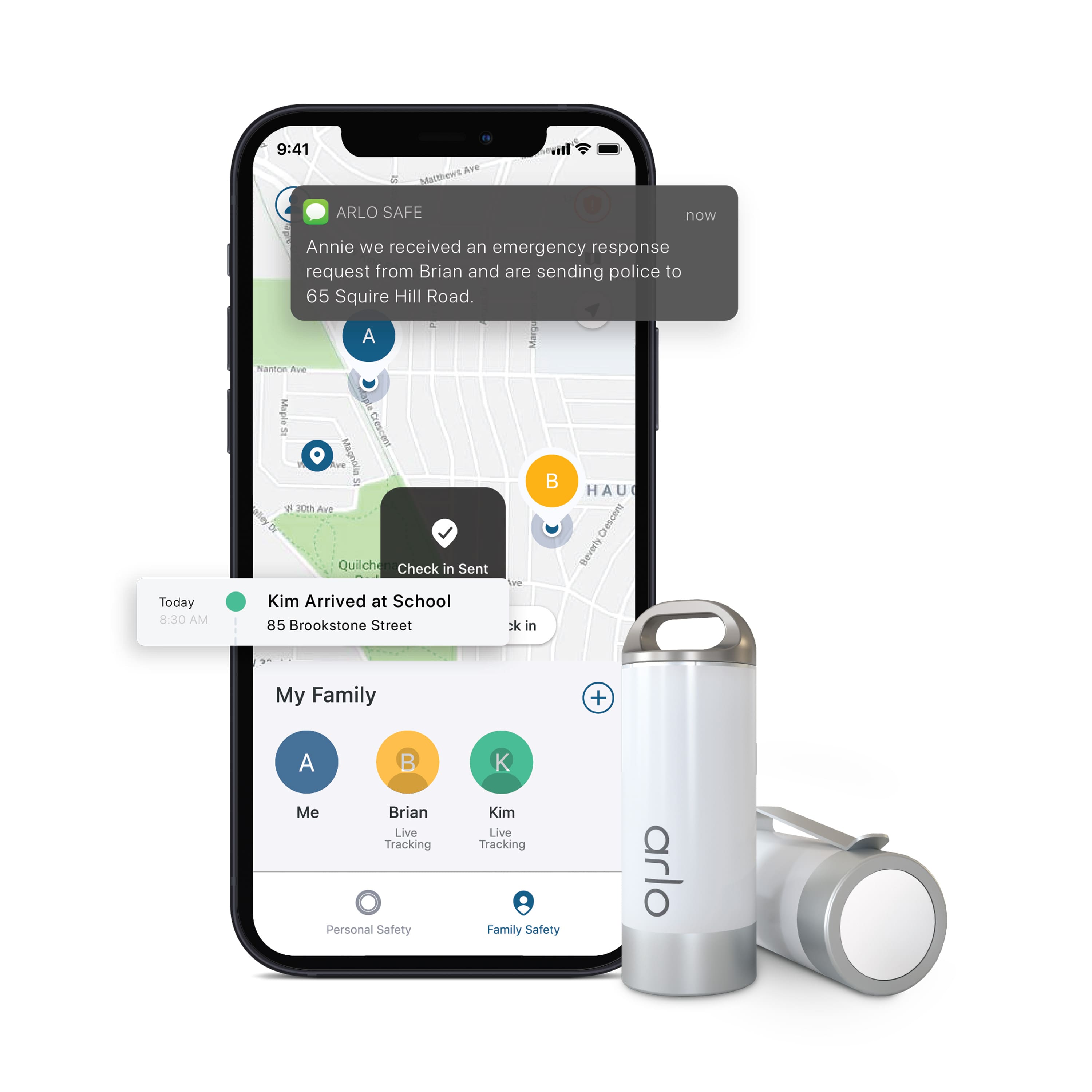
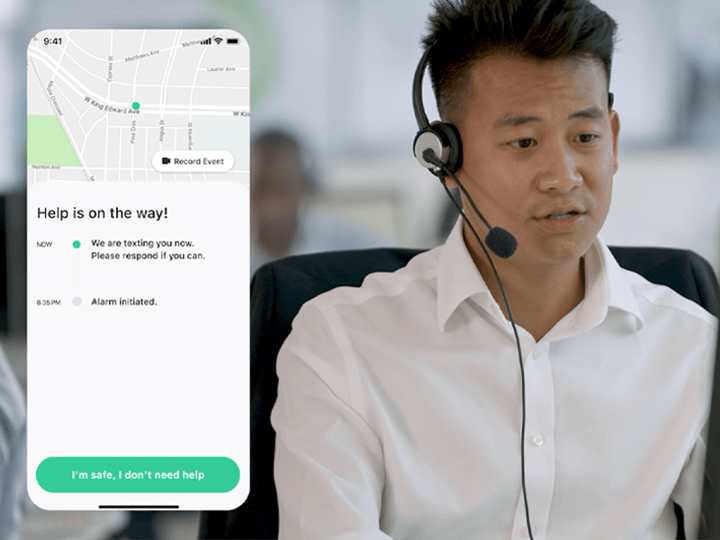
|Posted .This reviewer received promo considerations or sweepstakes entry for writing a review.The Family Safe package comes with 2 alarm devices that you can attach a shirt pocket with an included clip and / or a keyring ring to the cap. Both come with a battery. These little devices feel solid and well made. But setting them up and using them isn’t quite there yet. I do feel they will get there by making some minor changes to the instructions to explain that both devices in the bundle need a separate account for each phone that they are tethered to, and that the “trial account” is the 1 year account included with your bundle purchase. Setting up the app and the first device is easy. Adding the second wasn’t because nowhere in the app could I find “Add Device” to add the second and I ended up having to use Arlo’s tech support. I must say their tech support is first class. I first chatted with someone online and then they set up a scheduled call back time. A very helpful young lady called me at the appointed time and was very easy to understand, answered my questions and I got the information I needed as to why there was no Add Device and I needed to set up another account for the second device. The reason I got these were for my wife and my elderly mother. They can push the button and alert whomever you have added to the app and trained personnel at Arlo. If the PIN isn’t entered into the app to cancel the alarm, Arlo will text you and if no reply will call you and send help if needed. If they cannot contact you they will track your phone's location and send help. You can also summon Fire, Medical or Police directly from the phone app. You can use the app’s on screen button as if it’s the device itself. Another well thought out feature is the “hold until safe feature”. You hold the button down as you are passing through an perceived unsafe location and let up when you feel safe again. Then enter the PIN into the Arlo app to disable the hold until safe mode. My biggest concern with my mother is that it’s too complicated for her to quickly pull up the app and enter the PIN to disregard an accidental alarm in 15 seconds. Even though she’s had a smartphone for the past 15 years. She’s not as sharp as she used to be at 88. And if a child gets their hands on it, they’ll be pushing it at 180 beats a minute!! If your kid was to send an alarm while you're driving down the road. It would be dangerous to try to pull up the app and punch in the PIN while driving. In that event, drive on and let Arlo call you and you can tell them what happened. However, you do have to hold the button down for a couple of seconds to send an alarm, so I don’t think that should be a problem. Smartphones require a PIN of some sort to access it. Face ID and fingerprints are fine and work pretty good but are not perfect. Depending on the situation, it could take time to get into your phone, open the app and enter the Arlo app PIN. If you trigger it and don’t disarm it; they will text you, and then call you if you don’t answer the texts. However, I never got an alert of any kind on my phone when I triggered mom’s device during testing. But she got several texts and a phone call from Arlo confirming she was ok. I didn’t tell her I was testing it so I could see what happened and how she and Arlo handled the situation. The device and Arlo worked perfectly. Arlo has three plans to choose from once your year is up. A basic single person / device plan for $5 a month, unlimited multiple devices for $10 and if you have Arlo cameras the $20 a month includes multiple safe devices as well. I haven’t noticed any battery drain issues that others have. You will have to have location turned on to use the devices and give the app the permissions it requires to work. If you are not willing to do that, don’t buy this. Here’s the problem they need to correct. They need to state up front about needing a separate account per device. Nowhere could I find where it says that you need a separate account for each device. There’s no master account with multiple devices attached to it. At least that’s my understanding. You need an account for each device and each device is tethered via bluetooth to a phone or tablet that has a network connection either cellular or wifi. If your phone gets too far away from the device it will lose connection with it. The virtual button in the app will still work as long as your phone has a signal. Being able to have a master account and making the instructions clearer about needing to set up an account for each button would have earned it 5 stars instead of 4. I would recommend the Family Safe bundle.
I would recommend this to a friend - Pros mentioned:Crash detection
The Almost Perfect Safety Device
|Posted .This reviewer received promo considerations or sweepstakes entry for writing a review.I have a teenage daughter and have been looking at something like Arlo Safe for a year or so, especially now that she’s getting closer to being able to drive. This product seems to tick many checkboxes for an easy-to-use safety product, so I had to check it out. The Arlo Safe Bundle has everything you need to get started with the service. You’ll receive 2 Arlo Safe Buttons and batteries, some keychains and belt hooks along with some instructions on how to download the app. All setup and monitoring are done on the application, which I installed on both iOS and Android devices. The application installs were easy enough, although I found myself having to restart the application several times between steps for settings to take. It took a bit for the “join the family” requests to be received and for licensing to be updated, but after that the operation of the device is simple. Setting up the Arlo Safe Buttons was also fairly easy, although one of the firmware updates hung so I had to restart the application and wait a bit for the button to get synced again. The buttons are Bluetooth based and aren’t needed as all the functionality of the buttons is available in the Arlo Safe app, but they are much quicker to get to in case of an emergency for some people. The Safe Button can also “walk with you” by having you hold down the button until you feel safe until you deactivate the call for help. I currently have all 3 family members set up in Arlo Safe and I like being able to know where my daughter is. We’ve tested the alerting successfully by triggering alerts and then disarming them before the timer expires. When you press the button, the rest of the family gets an alert that you did so and then also gets an alert, via push and text, that you are safe. Arlo Safe also provides automatic crash detection on supported phones. All my iPhones and Samsung phones seem to support the feature, but of course testing it is a bit tricky. The feature is supposed to automatically activate when a higher-speed crash is detected, anything over 30MPH will trigger an automatic call out for help. This is such a great feature when you have a younger driver behind the wheel or even riding with friends. There are other features that are less advertised by Arlo, such as how it will record audio and send it to the cloud when an incident happens and how you can “check-in” with the app as well to let family know you’re safe, but these are all pluses to an already pretty good product. Overall I really like the feature set of Arlo Safe and for a reasonable yearly price, I think this product gives parents and loved ones the peace of mind needed in an uncertain world. Having one-touch access to assistance either via the Safe Button or your phone is a great feature that more people should have available to them. My only complaint is that the Arlo Safe app itself seems to be just a tiny bit buggy and that makes me feel uneasy that it might do something weird in an emergency. However, Arlo is a reputable company, and being that this is a new product, I believe we’ll see significant improvement in the app in the very near future.
I would recommend this to a friend - Cons mentioned:App functionality
good but could be better
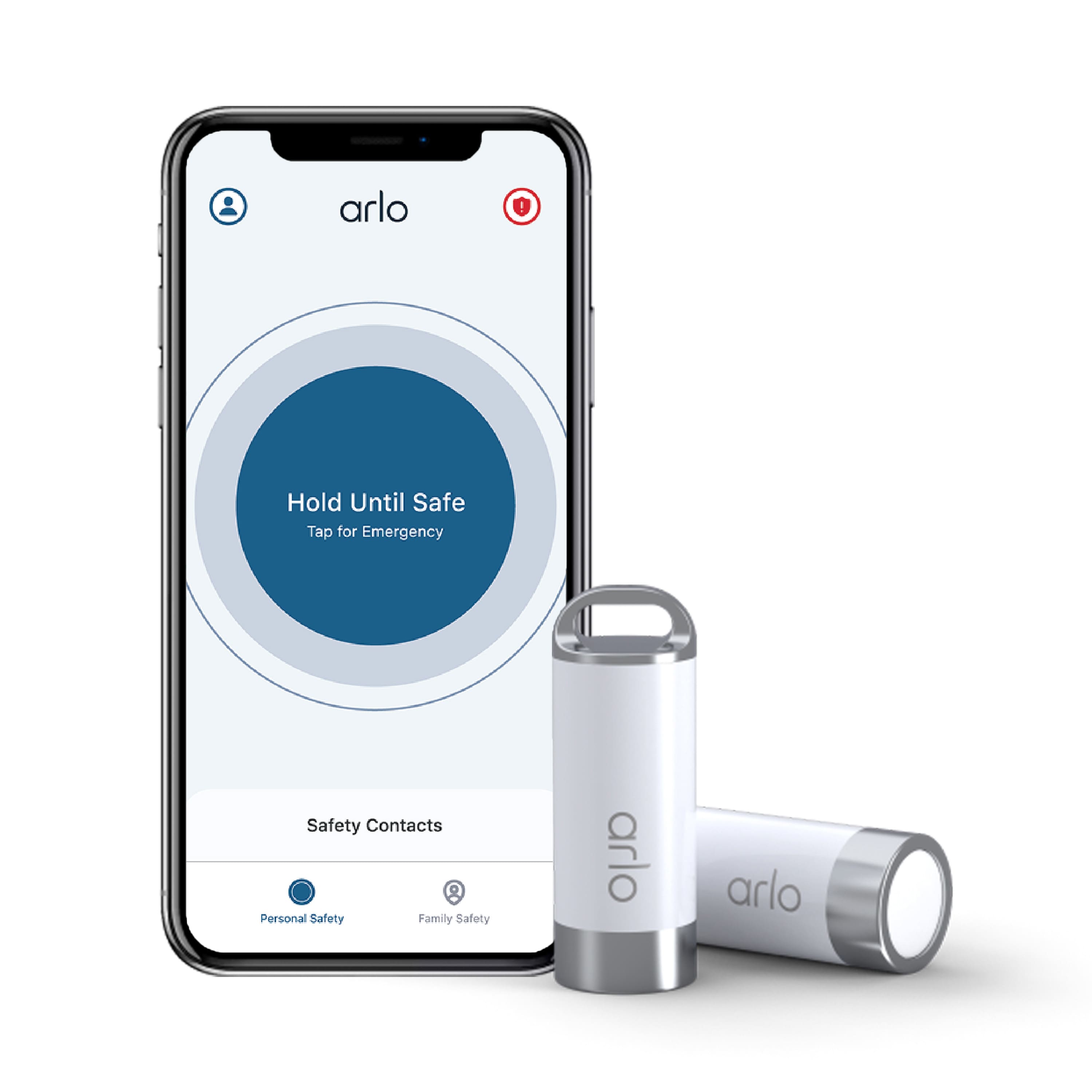
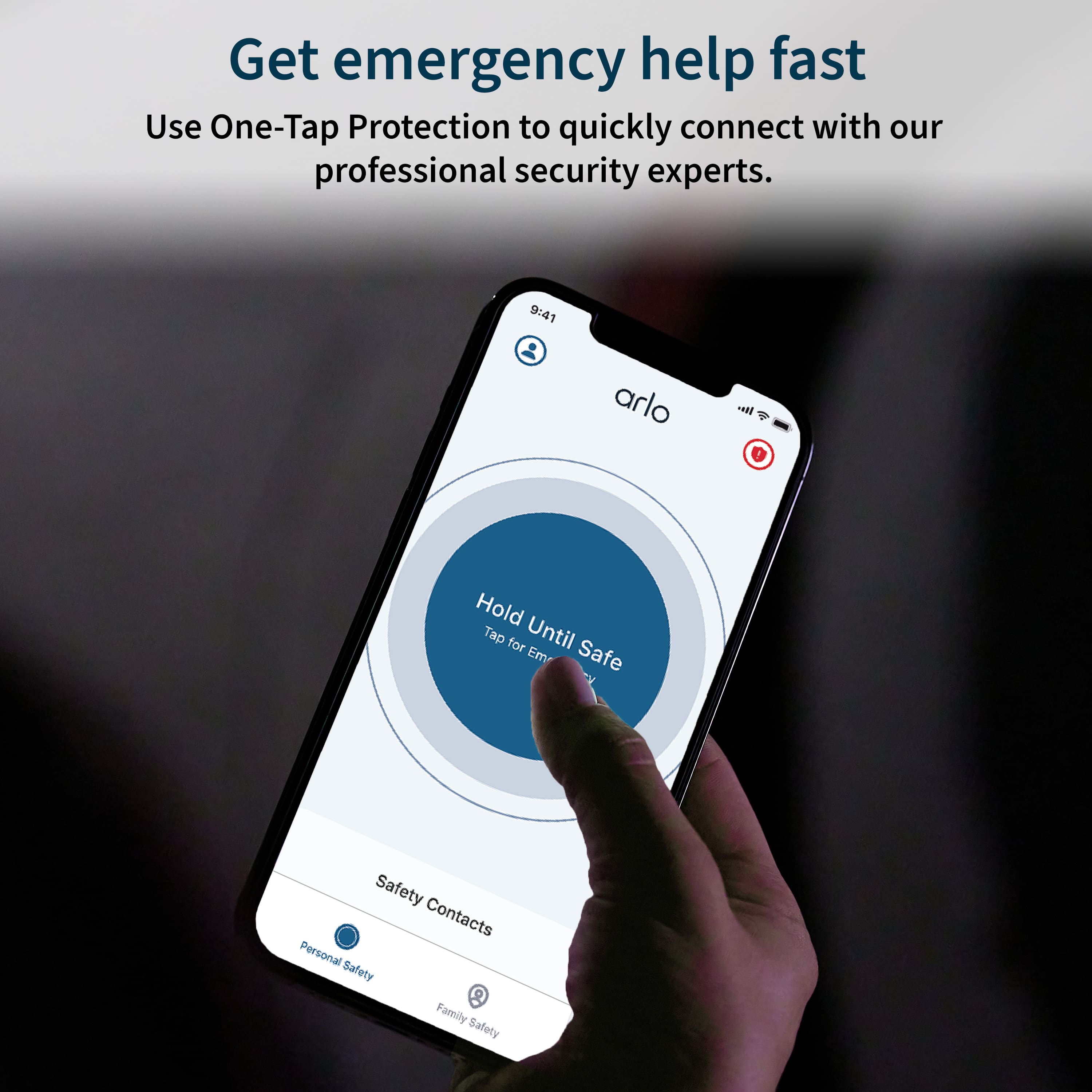
|Posted .This reviewer received promo considerations or sweepstakes entry for writing a review.So I picked up the Arlo Safe Family Bundle, Which comes with a year of Arlo Safe family plan, 2 of the Arlo Safe Buttons and the app. On the app you can press a button to call fire, medical or police. It also has family safety and car safety. Family safety lets you input all of your family members that have a smart phone. Through the app you will send them a text for them to install and join your Safety Family. This only works with smart phones, so my father-in-law is on his own. After your family joins you can see their location through the app, this helps if you are worried about someone or if they are running late, you can check on their status. In the Car Safety mode it will sense if you have been in a collision and will automatically send help to your location and notify your emergency contacts. The Biggest feature is personal safety. On the app there is a big blue button you press and hold until you are safe. The downside is once you let go of the button you have 10 seconds to enter your disarm code before it alerts the monitoring service. Hope you don’t have little ones that sees the big button and hit it and releases it, you might have some unnerving calls to your safety contacts. The other part of the plan is the safety button, which is a cylinder about the size of a double A battery. There are two ways to use the button, first there is one tap safety, you press the button till it vibrates then release the button, you then have 10 seconds to cancel the notification before it goes to the monitoring service. The second way is the walk with me safety. This is just like on the app where you hold the button in until you feel safe then you release the button. You once again have 10 seconds to enter your code before it calls the monitoring service. The Bad part about the buttons is that in both scenarios you have to pull out your phone to disable the alert. If you are going to do that already, you might as well use your phone instead of carrying around another electronic device that you have to keep up with and replace the battery. It is a good concept but it lacks on real world applications.
No, I would not recommend this to a friend - Cons mentioned:Battery life
Individual Safety Addressed
|Posted .This reviewer received promo considerations or sweepstakes entry for writing a review.I work at an office where I'm alone quite a bit of the time yet the office is open to the general public. There have been times when I just have not felt safe. Dialing 911 is not always an option either. So, when I saw this, I thought it was a great idea. The set up was very easy. I had no issues downloading the app nor setting it up on my phone. The app walks you through testing both from the phone as well as the buttons. It helps you set up a cancel code in case you accidently hit the button or find the situation you thought you were in is resolved and you no longer need assistance. It appears ot be a good individual safety device and it is reassuring to know that there is a person out there who can help wherever you are. The only issue I've had so far is that the batteries that came with it were already almost gone as I get a low battery warning within ten minutes of setting this up. It also was a drain on my phone battery which, if I want to have it on me at work, will be a problem. That said, this is supposed to be a family bundle yet I cannot see how that will work when the button can only be paired with a single phone so how can I share this with my family? I tried to see if I could purchase additional buttons figuring we could pair each button with individual phones but could not find how to purchase extra. Also you have to be within range of that phone so I found I could not go from one end of our building to the other and still stay in range. Overall, I think this is good for individual safety if the power drain can be addressed. However, given the information I have available, it's family use is limited.
I would recommend this to a friend - Cons mentioned:App functionality, Setup
Unfortunately designed for minimal added value.
|Posted .This reviewer received promo considerations or sweepstakes entry for writing a review.My family uses multiple Arlo products in our home, and have for the most part appreciated them. We were happy to incorporate Arlo into another aspect of our personal care/safety, and thought this would be a very helpful addition. Unfortunately, the set up process is incredibly difficult and time-consuming, and not in a way that could be logically thought through. Worse, as other TIN reviewers have mentioned, the ultimate payoff is fairly minimal compared to the competition. For example, in order to set up the Safe Button, the instructions indicate you must have an Arlo Safe subscription in order to activate them, though the bundle purportedly comes with 1 year of Arlo Safe included. This must be completed through a web browser, which is a mild inconvenience, but the main problem is with the app itself. After purchasing the subscription for which you are billed instantly, the buttons in the app will not function for several restarts and force-closes, which means you cannot even bring up the "Add Device" dialog screen initially. This behavior persisted on iOS 16 on both my iPhone 8 and my wife's iPhone 12 Pro. The challenge for the average consumer is how doggedly they will need to try and wait / repeatedly force close and reopen the app before it chooses to work. During the setup process to pair my wife's Safe Button, too, the app simply hung on the pairing screen for almost an hour without completing the process. It was only after we force closed and reopened the app that the Safe Button was paired. If the Family Plan offered very compelling safety features, it might be possible to overlook the very real and - I suspect for many buyers - dealbreaking setup experience. But the thing of it is that the Safe button and tracking features in the product are largely redundant. There are other apps on the iPhone - Arlo's included - that also allow for the pressing of a Safe button on the phone itself and releasing for safety, and are likely more convenient than having a physical button that must be specifically on your person at all times, especially since you need to have your phone on you to enter a PIN to cancel false or accidental triggers. Ditto for a potential Apple Watch- or WearOS-based option. The other aspects of the software, including family tracking, is actually more responsive and quicker to locate with Apple's built-in Find My app, and crash detection is now a standard feature on Apple's newest iPhones and Apple Watches. For all these reasons, the app doesn't feel like it offers a lot of added value - it would only help if it were incorporated fully into Arlo's entire security suite, and as it stands now the two separate apps only highlight the huge downside in functionality and usability of Arlo Safe. My wife and I really wanted to like this. I am sure that in time Arlo will find a way to make this product much more compelling. It will need to incorporate other features not included in the Family Plan - paywalled behind an even higher upgrade tier, Arlo Safe & Secure Pro, for $19.99 per month. As it stands now, the Family Bundle as offered has very minimal benefit over existing first- and even third-party options, and the setup disaster alone would have turned my wife or family members off from attempting to even get it set up at all. Even after all that, we are still waiting on a credit to show up somewhere - anywhere - acknowledging that we will not be billed for a year of the Family Plan after activating the safe buttons. Would not recommend this product until significant improvements are made to the app and feature structure.
No, I would not recommend this to a friendBrand response from Arlo Team
Posted .Hi Mizuno,
Thank you for sharing your experience with the Arlo Safe. Your feedback is truly appreciated as we are always looking to improve our product.
Our team would like to work with you and hear additional details on your experience with the set up process. We would also like to assist you with any continuing billing issues. Please send us an e-mail at [email protected] by including a screenshot of this review, the email address associated with your Arlo account and your phone number so that our team can follow up with you. We appreciate your understanding.
Best regards,
Arlo Team
- Pros mentioned:Ease of use
Not exactly what I expected, but effective
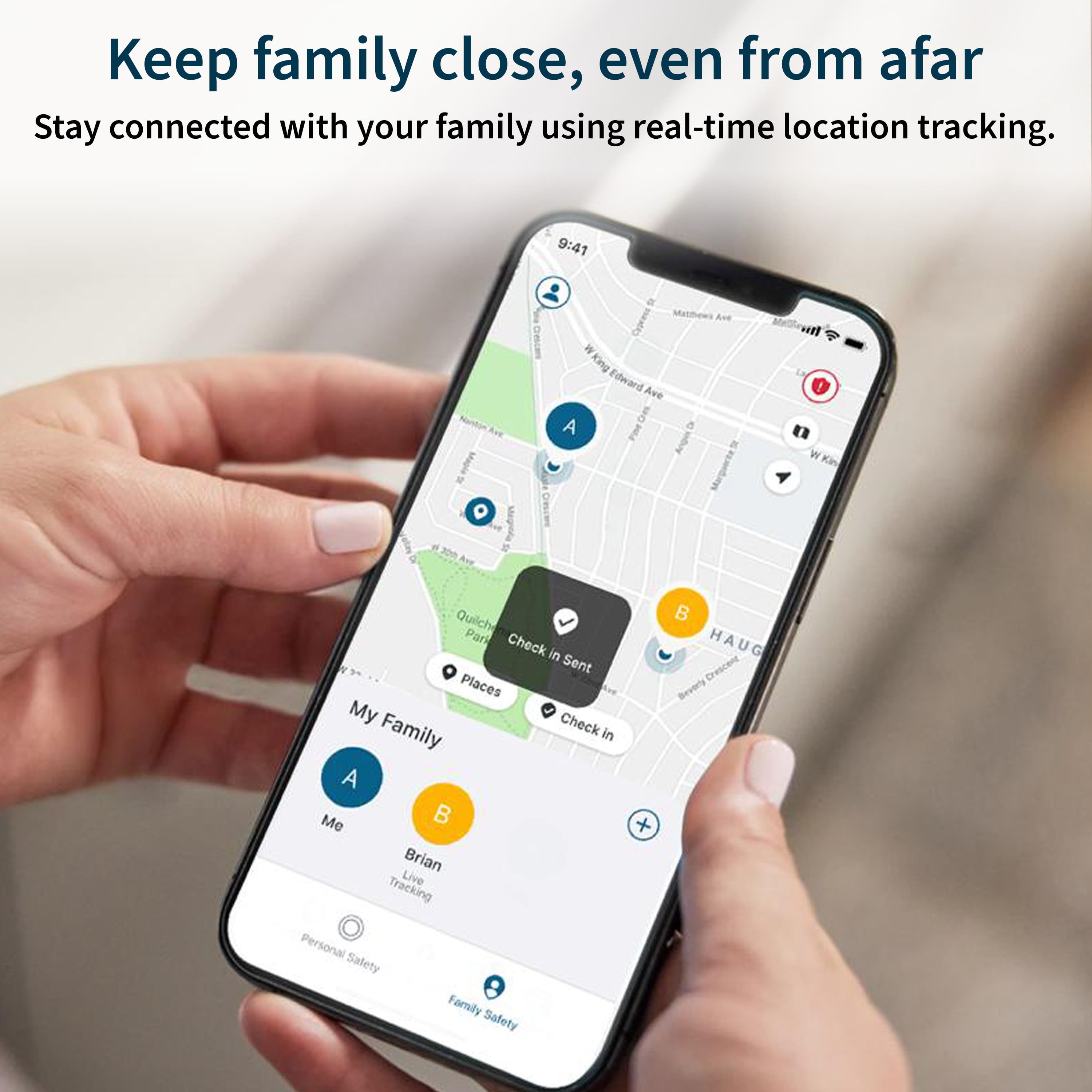
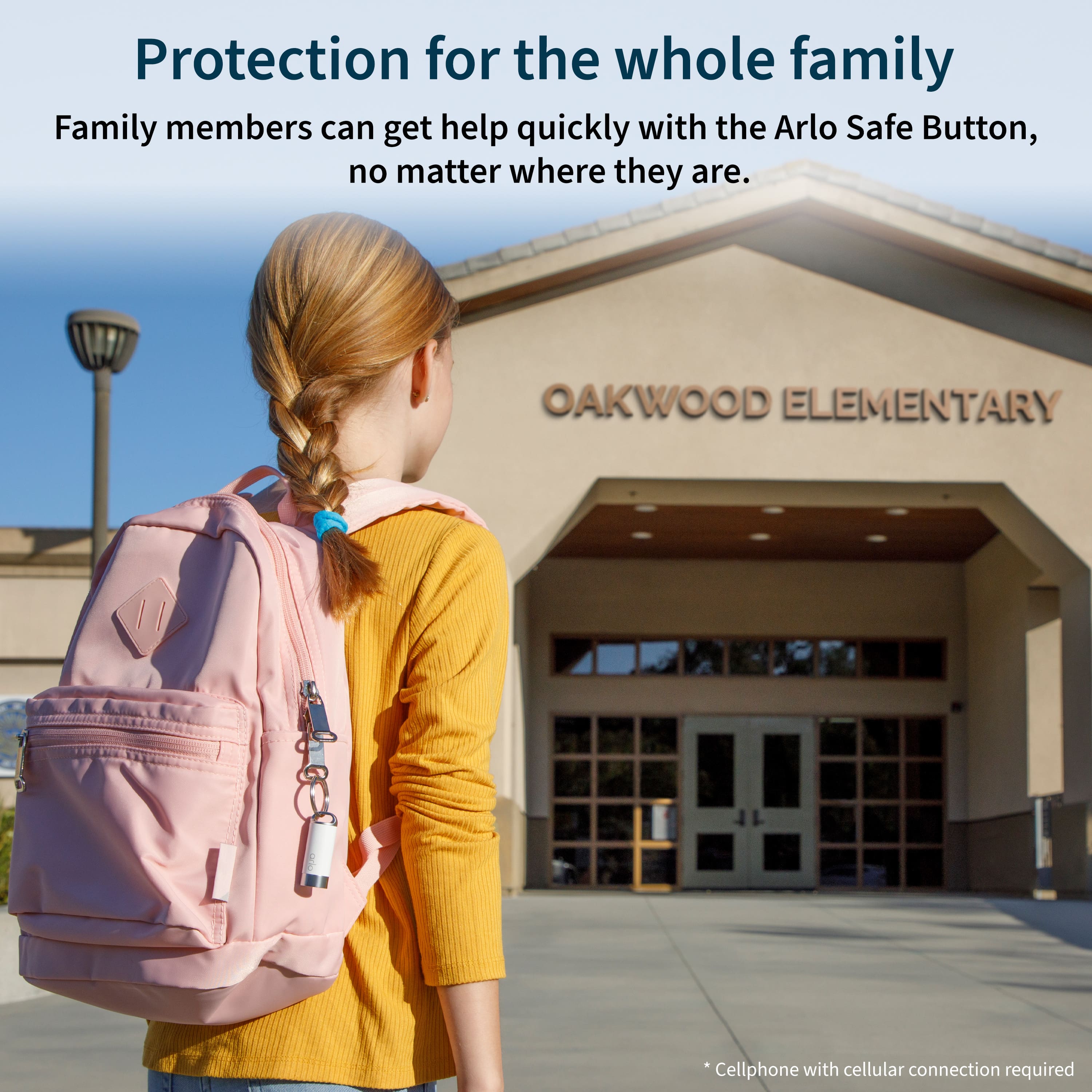
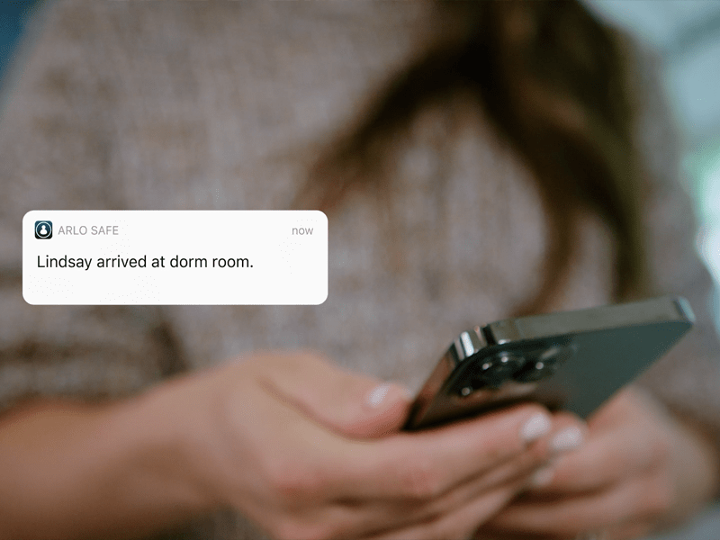
|Posted .This reviewer received promo considerations or sweepstakes entry for writing a review.With the current state of affairs in and around our country I elected to pick up this kit and gave the buttons to my daughter who is in middle school and my wife who is a teacher. I liked the idea of them having redundant and effective means of alerting me and emergency responders in the event of an accident or issue. This kit doesn't work exactly as I anticipated but it still provided all the functionality I was looking for. Allows you to mark commonly visited places, like a school, to alert you that your loved one has arrived on time or left when expected. This may seem a little bit like stalking to some, but when your kid rides the bus and with how many unhinged people seem to be floating around currently everyone was on board with using this kit. My only misconception about this system was that the button itself could alert authorities on its own. What I mean by that is the button would work regardless of a cell phone being present. Unfortunately this isn't true, you MUST use a cell phone for the emergency button to work. Because this requires a subscription I made the incorrect assumption that these buttons would have their own cellular connection, 3g or otherwise. The button uses a Bluetooth connection to piggyback off your phone. Either way it is still an effective and easy to use app, and the button provides a more streamlined way to alert loved ones and first responders in an emergency as you don't have to fumble with your phone in a time of panic. There is certainly still a valid use case for this system and it makes me feel a little more comfortable knowing they have options available to them.
I would recommend this to a friend - Pros mentioned:Crash detection
Peace of mind -- for now
|Posted .This reviewer received promo considerations or sweepstakes entry for writing a review.It's been a week since I've had this device set up. Luckily, I've had no real world problems yet (and hopefully none) to have to use it. If there is one thing for me, especially with all the random attacks you see on media, it gives me peace of mind, especially for my pregnant fiancee. Setting up is easy, just like any other device you need to set up on your phone. The device functionality itself is not any different from the actual phone app. If the app is on, you press the virtual button until you're safe, and of course, assuming there is trouble and you get dislodged from your phone, it will start calling for help. The device is the same, but the advantage is, you do not have to putt out your phone. Hold the physical button on the device and let go of it (voluntarily or not) and it calls for help. I placed it on my keychain. My fiancee has it on her purse or moves it to what purse she needs. It takes some getting used to-- because it's another device to carry. My keychain is always with me so it helps. For my fiancee though, she changes purses often and she doesn't carry a keychain. So there is a tendency for it to be left behind. It is more useful for her, but it's the getting-used-to-carry-it behavior that has to be established. After a week, the behavior we have established is that I remind her to make sure she has it. Because primarily, it's for my peace of mind (of course it's for her safety, but this is a new device, so the realization of the safety is not yet fully understood). I'm sure eventually, it will be second skin to her, especially we are in the second trimester of the pregnancy. So that is the true value for me. Other features, you can establish from other apps and devices, like crash detection, location check ins and tracking. Good to have it all, plus what I mentioned above, in one device/ system. I recommend this for people with special needs-- like us, expecting, or family members with physical limitations, because it helps to get help asap. Other than that, it is a good plus.
I would recommend this to a friend Does what it says but limited function
|Posted .This reviewer received promo considerations or sweepstakes entry for writing a review.I was initially excited about this product based on what I could find online but was a little underwhelmed once I got my hands on the button. At the heart of this product you are really purchasing a subscription to Arlo's safety monitoring service which works a lot like a traditional home security monitoring service, but is designed to keep you safe on the go. Overall the service is well thought out, the app works really well and gives you ability to track where your family is and request emergency assistance very easily if you need it. The button works by connecting to Bluetooth to your phone and giving you even quicker ability to signal for emergency if you need it. It is designed for this purpose and this purpose alone. I can see this being very useful for someone who walks through unsafe areas and wants the peace of mind that they don't need to reach for a phone in emergency situations. But, I really wish the button had a little more functionality and stood alone as its own product. The need to be connected to a phone by Bluetooth really limits it's usefulness. In the event you don't have your phone, it dies, or is stolen, the button can't be tracked or activated on its own. If I could track the button independently I could see this being an amazing device to clip to a kids backpack or a purse or belt. Overall, if you like Arlo's monitoring service and want the ability to trigger it very fast, this is for you. Otherwise, not a ton of use.
No, I would not recommend this to a friendBrand response from Arlo Team
Posted .Hello,
Thank you for taking the time to write your experience with the Arlo Safe and for providing feedback on the Arlo button. Your feedback helps us to get improve our services. We'll share your feedback to the relevant team. We appreciate your understanding.
Best regards,
Arlo Team
Really Neat Idea!
|Posted .This reviewer received promo considerations or sweepstakes entry for writing a review.The Arlo Safe Family Bundle includes (2) small, handheld devices, each about the size of a AA battery. Each one includes a clip so it stays in your pocket, and a ring if you wanted to attach it to your keys. What an easy set-up! Simply download the app and follow the instructions to add a device. I already had an Arlo account so logging in was easy. Otherwise, create an account with your email address and password! The device requires that you have your phone (and the app) nearby in order for the Arlo to work. The Arlo Safe has the ability to locate a family member as long as they have one of the devices and the app on their phone. The Arlo Safe also offers crash detection which can alert emergency personnel, or your emergency contact. The family bundle includes 2 devices so 2 people can use the devices, as long as they download the app. A Family subscription is very affordable but without the subscription, it will still notify your emergency contact , (but not authorities) as long as you have your phone with you. I will give it an A+ on location accuracy as it not only knows my address, but also that I am in the house, and even what room I am in! This is a really neat gadget and I give it 5 stars because it works as intended and does a great job.. It's small, easy to carry, and the alarm button is easy to push. It's a simple way to feel safe, and alert help if necessary.
I would recommend this to a friendA Great Way to Keep the Whole Family Safe
|Posted .This reviewer received promo considerations or sweepstakes entry for writing a review.The Arlo Safe Family bundle has so many ways to make sure your family is safe, and keep them that way. There are so many options for safety, and they all serve great purpose. Being the father of a teenager, I am happy for the location management, including location history. I don't like to keep close tabs on my kid, but if I ever suspect she is somewhere she shouldn't be, or has been somewhere she shouldn't be, I can just check. I also love that not only can police or fire professionals be contacted, but medical professionals can be contacted, allowing so much versatility in the availability of safety and security. Another great benefit to Arlo's security, versus other options, is the availability of unlimited users. This is fantastic, especially for those with larger families. It can provide some real peace of mind once your children move out to go to college, internships, summer trips, etc. Since this can work anywhere, it means you can have some peace of mind no matter what your family plans are, or how far apart you are.
I would recommend this to a friend- Cons mentioned:Connectivity
Arlo Safe Button Does Not Work
Posted .This reviewer received promo considerations or sweepstakes entry for writing a review.I've had this device for a year now and it still doesn't work correctly or consistently. Getting it paired the first time is easy. KEEPING IT CONNECTED IS THE PROBLEM. To be clear, it NEEDS the phone in very close proximety is critical. I had several instances where it would un-pair the the phone and button got separated. Had to keep re-pairing and in three cases, it would not pair. Calling Arlo support will be the worst experience of your existence as it takes at least an hour to actually find someone who understands how the Safe app and button work. Arlo support is soul sucking and don't seem to care the product doesn't work. Brutal. Do NOT purchase this product.
No, I would not recommend this to a friendBrand response from Arlo Team
Posted .Hi
Thanks for sharing your review. We like to learn more about the concerns you have shared above. Please reach out to our support team so they can further address your concerns and provide assistance by navigating to Settings > Support within the Arlo app to explore the support options available to you.
We appreciate your patience and understanding.
Best regards,
Arlo Team
Recommend!
Posted .This reviewer received promo considerations or sweepstakes entry for writing a review.Great security cameras! Detects every movement! Couldn’t be any happier!
I would recommend this to a friend