Customer Ratings & Reviews

Customer reviews
Rating 4.3 out of 5 stars with 11 reviews
(11 customer reviews)to a friend
Customers are saying
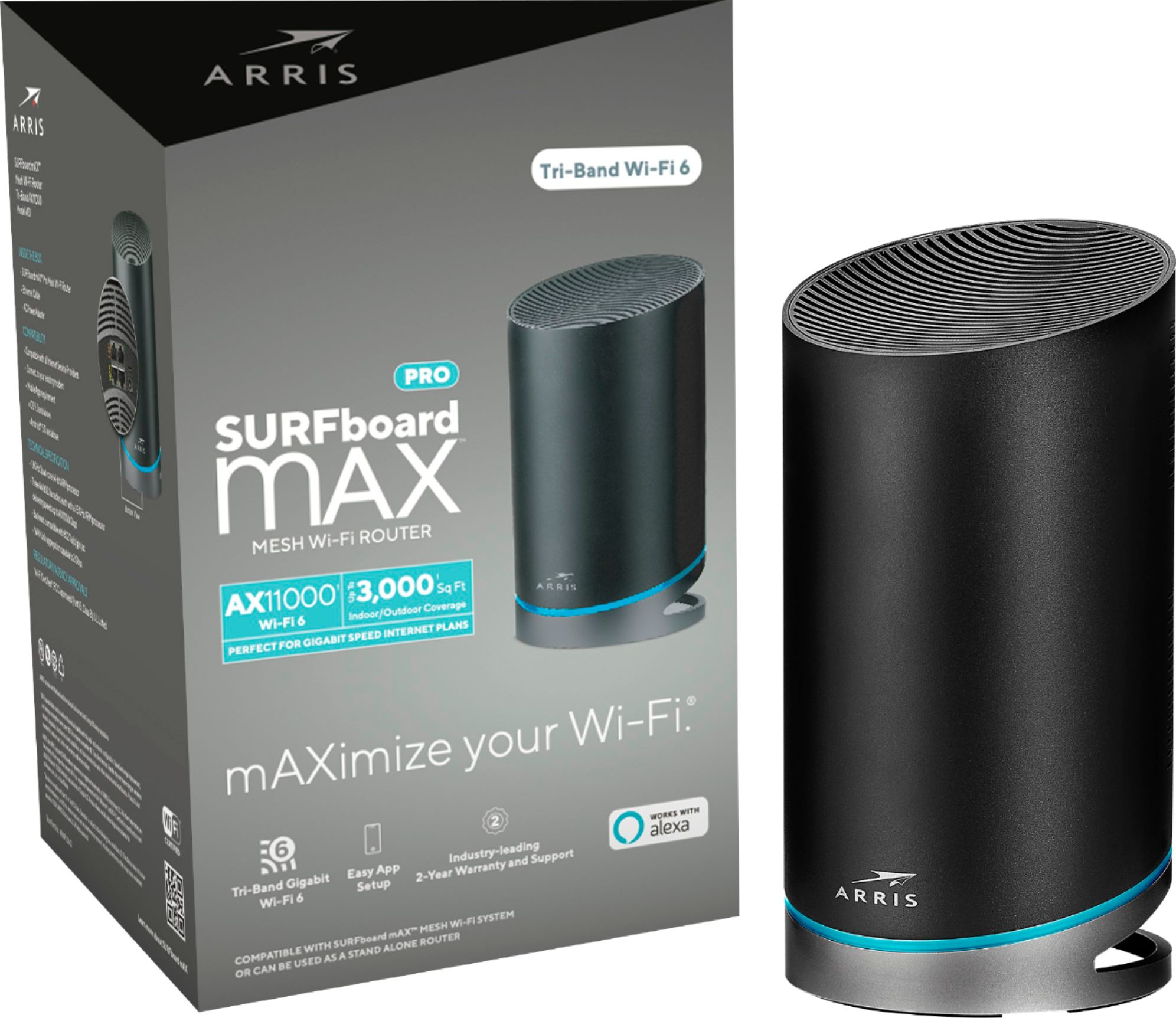
Customers frequently mention the easy setup process of the SURFboard mAX Pro Wireless-AX11000 Tri-Band Mesh Wi-Fi 6 Router. Many customers comment on how the router "works like a charm." The router also provides good coverage, with customers saying that the Wi-Fi signal is "very stable" and has "very good coverage."
This summary was generated by AI based on customer reviews.
Rated 5 out of 5 stars
Easy Set Up
||Posted . Owned for 3 weeks when reviewed.This reviewer received promo considerations or sweepstakes entry for writing a review.The Arris Surfboard is very easy to set up and get back to surfing. I’m having better range and speed than my old airport. It was time to upgrade and get rid of the obsolete airport. So glad I splurged on the Arris.
I would recommend this to a friendRated 5 out of 5 stars
Excellent product
||Posted . Owned for 1 year when reviewed.This reviewer received promo considerations or sweepstakes entry for writing a review.Excellent product, highly recommended. The Wi-Fi signal is very stable and very good coverage.
I would recommend this to a friendRated 5 out of 5 stars
Great
||Posted . Owned for 1 month when reviewed.This reviewer received promo considerations or sweepstakes entry for writing a review.At first I couldn't figure out how to hook this up, then I read the instructions and finally got it hooked up. Works like a charm now.
I would recommend this to a friendRated 4 out of 5 stars
Nice upgrade
||Posted . Owned for less than 1 week when reviewed.This reviewer received promo considerations or sweepstakes entry for writing a review.Nearly doubled my speed. Even though a connection might not be as good the speed is still x2
I would recommend this to a friendRated 4 out of 5 stars
A bit pricey
||Posted .This reviewer received promo considerations or sweepstakes entry for writing a review.Quick to set up it was fairly straightforward on app seems to work good
I would recommend this to a friendRated 5 out of 5 stars
No complaints so far
||Posted . Owned for 3 weeks when reviewed.This reviewer received promo considerations or sweepstakes entry for writing a review.We have had it running for a week and have noticed a significant increase in range of the wireless available at our home. I would highly recommend this router just based off of first impressions. The only thing that could have made it better would have been to have a modem integrated into it.
I would recommend this to a friendRated 5 out of 5 stars
great item
||Posted . Owned for 3 weeks when reviewed.This reviewer received promo considerations or sweepstakes entry for writing a review.Excellent home coverage upstairs and down stairs. It is expensive but worth it.
I would recommend this to a friendRated 5 out of 5 stars
MAX PRO
||Posted . Owned for 11 months when reviewed.This reviewer received promo considerations or sweepstakes entry for writing a review.Wanted wi-fi 6 and got it in an easy to use and setup system.
I would recommend this to a friendRated 5 out of 5 stars
Great Unit!
||Posted . Owned for 3 weeks when reviewed.This reviewer received promo considerations or sweepstakes entry for writing a review.Great Unit! East To Use! East Setup! Highly Recommend!
I would recommend this to a friendRated 3 out of 5 stars
I still have these but do not use them
||Posted . Owned for 7 months when reviewed.This reviewer received promo considerations or sweepstakes entry for writing a review.I still have my ARRIS system I bought 3 of these. And I have tried to use their TECH SUPPORT but I can never get speeds that I need. So I went out and bought the LINKSYS MX10 system. Sorry ARRIS but your support team could not even help me reach the speeds I needed on a 1Gbps connection.
No, I would not recommend this to a friendRated 1 out of 5 stars
Not ready for primetime! Too many flaws!
Posted .This reviewer received promo considerations or sweepstakes entry for writing a review.Just returned my W31 (Dual). It was dropping both wifi and hardwired connections (basically router not functioning) and messing up everything on network. I suspect I may have gotten a lemon but there are other things you should note below. You cannot put this router in bridge mode. So, it cannot be used with other routers such as pfSense or Edge4. Router IP range cannot be configured. You are stuck with only 192.168.7.xxx. Not a big deal for most unless you have your net subnetted or have more than one network to separate traffic such as camera traffic. This is were the bridge mode would have helped. You have to use Max App for phone. No way to connect via web interface. Would not be a problem if you could do more with the app, but you can only set up some basic parental time controls (that work sometimes) and the app doesn't have any troubleshooting logs or anything to help when issues arise. Apparently, you have to completely reset the router to factory defaults and do the entire setup again to get any feedback on errors. They must only check for errors when doing setup and then not care after that and don't even log anything so that you or they can troubleshoot it later. Spent way to many hours on phone. I will say the support was very good but the device just isn't ready for primetime. App is simple to use, but not advanced enough to use for any support or customization. You cannot change channels. I didn't see any issues since it seems to select a good channel. The ethernet wired backhaul doesn't work even though the manual and the app gives you the option to do wired connection to satellite. It just shuts down and turns on red led for fault when you connect satellite to wired ethernet. The range of 2 W31's is less than the range of my 1 airport extreme. This was the most disappointing aspect as I have a 2200sqft home and the apple airport extreme served me well but could have been a bit better on coverage. The W31 claims 3000sqft per unit and I had two but had about the same or worse coverage than I had with my airport extreme. Netspot says the router is operating in N mode and not AC or AX mode. But, not sure how accurate Netspot is on this parameter. However, I could do the same speed test at fast.com and others and 2 out of 5 speed checks would give me 250mbs (my max Xfinity speed) while the other 3 times it would drop to less than 60 or 80mbps without me moving and just repeating the same test. So, it seems the router would do something to cause your wifi performance to drop. Maybe it has to do with the phone as it keeps switching between 2.4 and 5 network but never saw this behavior on the airport extreme. It says tri-band which is only partly true. The 3 band is for backhaul only and you do not get it back if using a wired backhaul which also doesn't work anyway. Save yourself a lot of grief and wait a while to get the new Wifi 6 AX routers.
No, I would not recommend this to a friend
Customer reviews from arris.com
See all arris.com reviewsUser rating, 4 out of 5 stars with 33 reviews on arris.com.
4.0(33 reviews)