Customer Ratings & Reviews





- Model:
- Q546FD-BI7T14
- SKU:
- 6343292
Rating by feature
- Value
Rating 4.3 out of 5 stars
- Quality
Rating 4.6 out of 5 stars
- Ease of Use
Rating 4.3 out of 5 stars
Customers are saying
Customers are delighted by the fast performance, ample storage, and powerful capabilities of this gaming laptop. They particularly appreciate the 4K touch-screen display and the reasonable price point. However, some users have expressed concerns about the touchpad's functionality and the noise generated by the fans.
This summary was generated by AI based on customer reviews.
Beautiful laptop but with some issues...
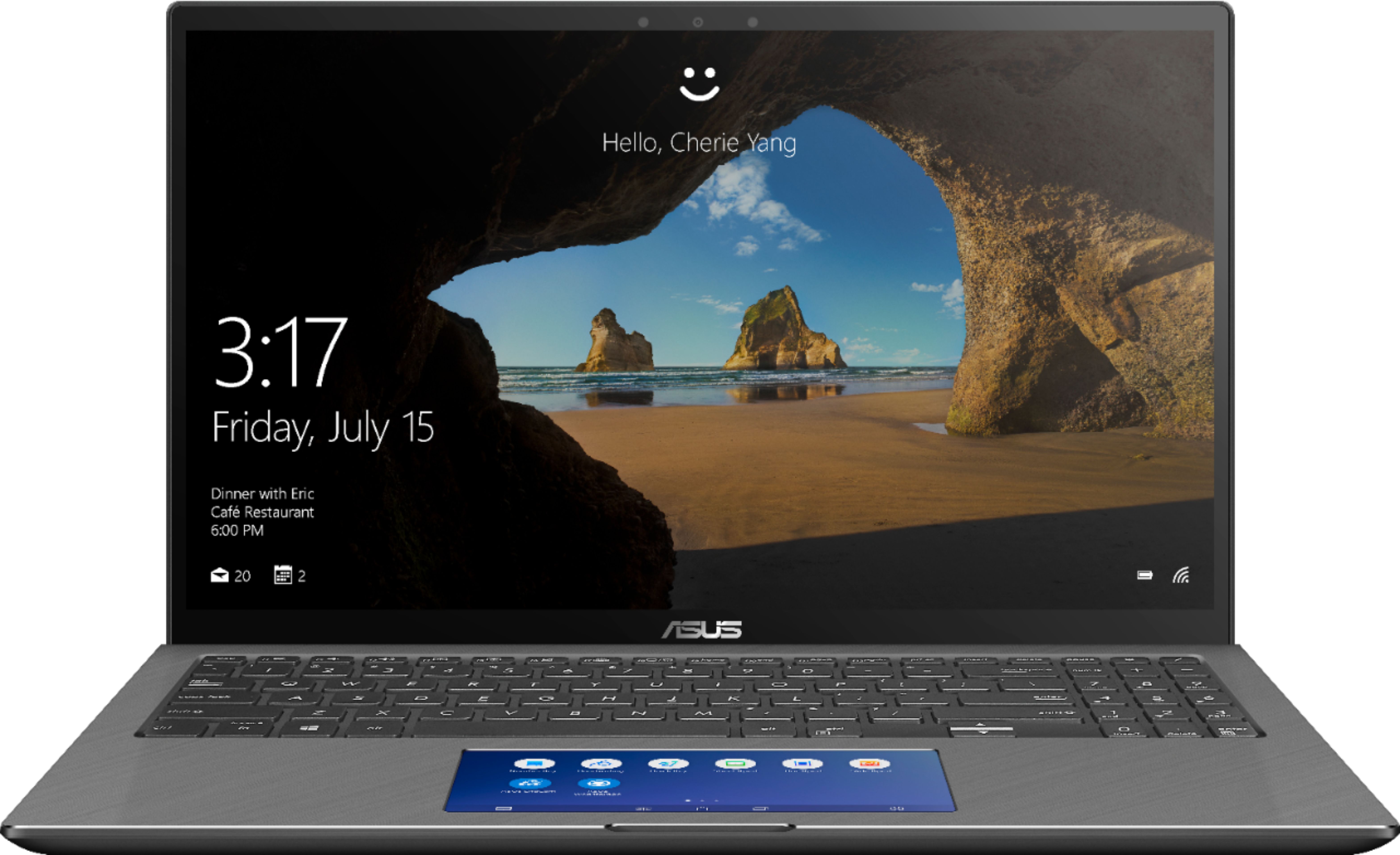
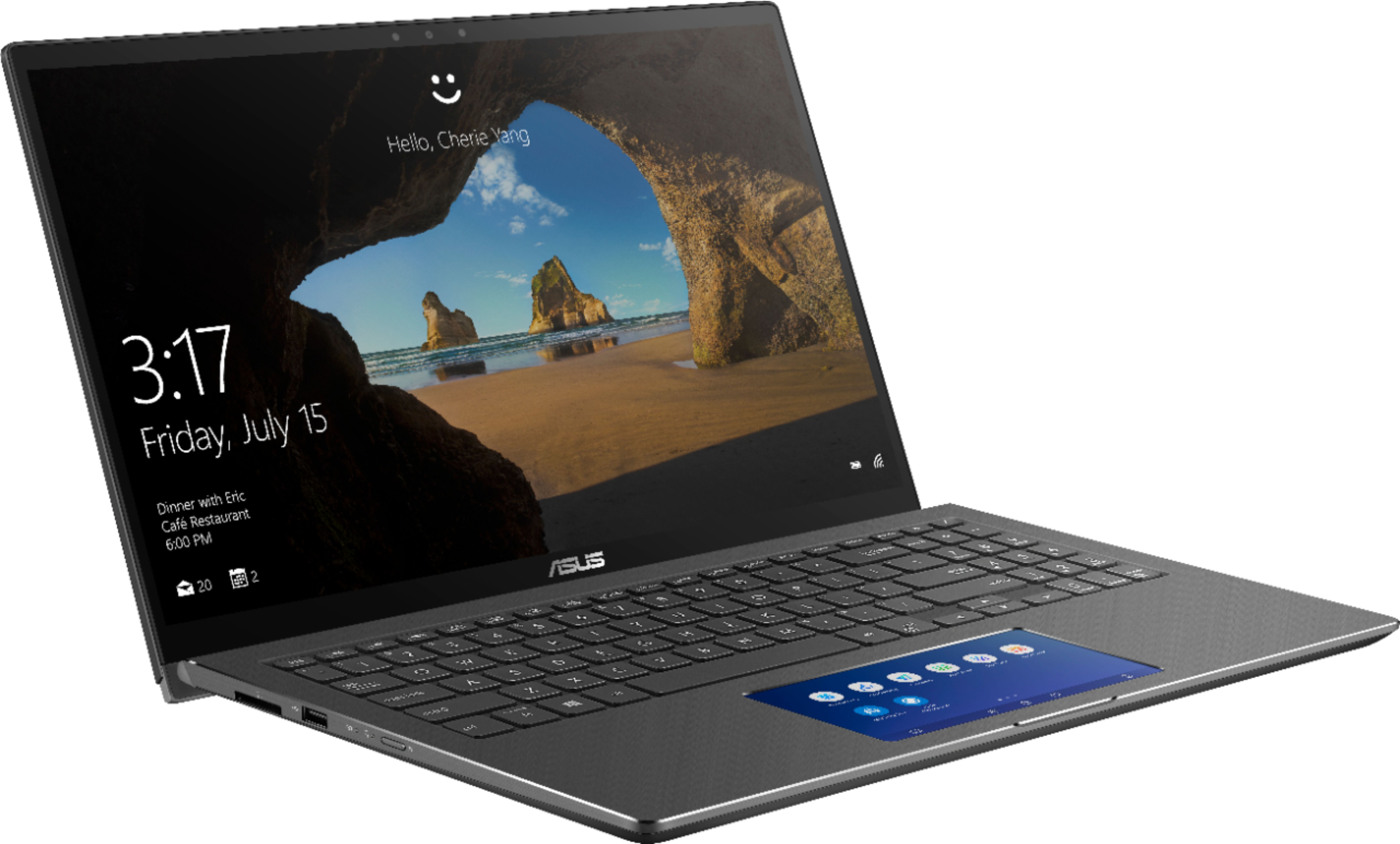

||Posted . Owned for less than 1 week when reviewed.This reviewer received promo considerations or sweepstakes entry for writing a review.This is going be long but very informative for people seeking more info on this laptop. I was torn between getting this Q546FD model or Q536FD. The former is an updated version with 1TB + 32GB Optane M.2 SSD and a Screenpad which, in theory, is very practical. The latter comes with a 256GB M.2 stick coupled with 2TB SATA 5400rpm 6GB/s HDD. Besides that, I saw no difference between the two. I also could not find any information on this Q546FD model anywhere! Not on google searches, not on YouTube and, most importantly, no where on Asus’s website. Officially, Asus only supplies Q536FD. So, did Q546FD appear from thin air? That question began my quest to finding out what the story behind this model is! I did not want to buy Q536FD until I was thoroughly educated on Q546FD. My concerns were if this is just a limited-time Best Buy exclusive and how will I be downloading any future driver updates from? I did had a feeling that this model is using the older Q536FD drivers. I was also assuming that since this model looks exactly like the outgoing model with same port configuration, there might actually be an unused SATA port and a blank caddy to add another storage media inside the Q546FD. So, I might be getting the best of both models- a dual storage system and a screenpad! But, I had no idea how reliable and accurately the screenpad will work, even with the ScreenPad 2.0 software running on it. I needed to find this info badly as I know it will help me a lot in my classes. So, after exhausting all my options, and finding out, in the process, that Q546FD is just a refresh of Asus Zenbook Flip 15 UX562UD with an added screen, and a Best Buy exclusive, on behalf of all of you and your curiosities, I splurged on this laptop. Once it was delivered to me, of course I had to take some pictures of the internals and try out the screenpad features. Below are my findings: 1. Shame on you, Best Buy, for not providing your customers with nearly enough information to decide on the products you are selling. Shame on you, again, for having this model on display at your stores but having none in stock anywhere in the northern US! You guys should have just advertised this laptop as Online only and you would have been in a better situation. Yes, I did check for it in at least 6 to 7 northern states using your “within 250 miles” search criteria. I didn’t go any further because it would just be a waste of my time. Finally, and hopefully a third “shame on you” might be the charm. Shame on you for having the demo model with a broken screenpad software. Actually, this shame should also go to Asus for installing such a broken demo. What I mean is the demo only has two things- “click on the window and drag to this button to move it to screenpad display” and “tap on this button to close the multitask apps- smartphone style”! I ask, is that the only demo you guys could think of with such a big innovation. It reminds me of that one Family Guy episode where a caveman Peter discovers the Wheel and Axle and uses his invention to have Lois pole dance in front of his cavemen buddies! Seriously? What about a demo for the number pad, the Calculator, Windows 10 shortcuts, Office 365 integrated shortcuts? The demo machines have Office 365 built-in, so why not utilize them? Very poor presentation, indeed! 2. There is no unused SATA port! So, we are stuck with only one PCI-e port for the SSD stick. 3. The space where the 2TB HDD resides in Q536FD is now occupied by a bigger battery. Yes, the battery is now 71Wh instead of 57Wh in Q536FD! So, we have 25% bigger battery that equates to one to three extra hours of running time, depending on individual usage habits. 4. The screenpad does have some useful apps and shortcuts. It also allows us to create our own shortcuts, like adding a virtual screenpad button for Windows+E key press to open a new explorer window. The bad part is that the screenpad touch sensor, after a few seconds of inactivity, wakes up and takes precedence over the mouse control. Basically, you go to a webpage, read a few lines and want to scroll down but the mouse is no longer in control, the screenpad has taken control and you are, instead of scrolling down, actually flipping the screenpad app pages. So, if you want constant control over your pointer, the screenpad needs to be off (by pressing the F6 key) unless you become a fan of three-finger tapping the screenpad to activate/deactivate it every few seconds. Asus, you guys need to fix this, ASAP! Some of us want the screenpad to be on most of the time but not have it battle over taking control away from the mouse functions. 4. There are no dedicated drivers for Q546FD. The BIOS and drivers are using F536FD versions. Why? F536FD does not have a screenpad, and it does not have a bigger battery, so why are it’s drivers being used in the updated model? I am not a smart person but I can certainly see this issue in effect as the battery, when fully charged, shows only 3.5hrs remaining but I get a full 6-7hrs of use out of it before the battery exhausts. And yes, I have calibrated the battery and conditioned it by fully charging it before using it for the first time and went through through four full charge/discharge cycles. Please release dedicated drivers for this model! I don’t know what other anomalies people will see as time progresses and many more but this model. 5. I don’t know if this is an issue with all 4K laptop screens but there is a light bleed on the top edge of the screen. This is clearly visible on the blue screen when I was setting up Windows. It disappears in the darker wallpaper background once the setup is complete and is only visible if the window is maximized or when a restart takes place. I saw this same anomaly on all display models I have seen, including the Q536FD when it was still on display, before being replaced with Q546FD. Poor quality control, maybe? 6. The laptop gets hot fast, due to the bottom facing vents which get covered when the laptop is sitting on my lap. Also, what’s with the back vents pointing straight at the 4K screen, Asus? Did you not even try to think of any other place to put those vents? If I have the laptop on my lap, the only place the hot air will come out of is after bouncing off of the 4K screen! God knows if the screen will last five years if this is how the vents are designed. 7. The lack of information for consumer is appalling! Will the battery last longer if the resolution of the display is dropped down from 4K to 1080p, say when traveling? Also, as we have two resolutions to choose from on the screenpad, namely 2160x1080 or 1000x500, and two refresh rates to choose from, 50Hz or 60Hz, which combination should I choose to prolong battery when traveling? I am not educated much on this but questions like these are expected to be asked and the Best Buy reps should be educated on answering such questions, which they couldn’t, at various stores. Overall, I like the build, the quality, the looks and the functionality of this laptop and made a great, albeit costly choice! I wish the presentation was better and proper information was posted at Bestbuy.com and provided by Best Buy and Asus reps. The copy-paste job from Q536FD page to Q546FD page just does not help and I doubt will sell enough of these laptops. Not enough info to differentiate between the two models, and the absurd fact that the latter is on display but not in stock anywhere whereas the former NOT on display but in stock all over just makes this whole conundrum ludicrous! I would have just gone with Q536FD and all the reviews and consumer reviews are already there for me to read through instead of scrounging for information for Q546FD. The screen, with its set of issues, is worth it. The ability to have one program or webpage or a movie running on the screenpad while doing designing or coding, or word processing on a maximized window is what a multitask should be all about. I can only imagine what smarter people will use this screenpad as. Hope they post it online so I can learn their tricks too. I apologize for the long review but I do not want you folks to go through what I had to go through to find out any sort of info on this laptop. I would not recommend this over the Q536FD as even I wonder, still, whether a screenpad, two to three hours of extra battery life and 750GB extra SSD storage is better than the 2TB SATA space with a non-headache and beautiful looking touchpad. With more refinement to the software, the screenpad could definitely be appealing and hands-down innovative and useful. Please Asus, fix it and folks, buy this if you want to support screenpad innovation. If not, you will be just as happy with the Q536FD.
I would recommend this to a friend- Cons mentioned:Face recognition
Regret
||Posted . Owned for 4 months when reviewed.This reviewer received promo considerations or sweepstakes entry for writing a review.It's ok. The second screen isn't nearly as useful as I imagined (it's not user friendly at all and you can't really program it to do things you want it to), and the 4k screen is useless and frustrating because all the apps I use have a messed up scale now. (For example in my photoshop type program some but not all of the buttons are MICROSCOPICALLY tiny! So I take a good half a minute just trying to press a button! I thought a 4k screen would be great for editing art-related things because I'd be able to see more color etc... but it's totally not worth it and very FRUSTRATING!) Face rec only works 1/2 of the time. The laptop itself is nice and light. But the last one I had was a 10lb behemoth. I wish I had gotten a computer that was more of a power house and didn't include the 2nd screen instead (for higher powered programs like video editing software). I also wish it came with a pen and a magnet to store the pen or something. I do also appreciate that it folds around 360*.
No, I would not recommend this to a friendBrand response from Asus_Answers
Posted .Dear Mishaaargh,
I'm sorry to hear that you are unsatisfied with both of your laptop's screens. This is absolutely not the type of experience we want any of our customers to have. Regarding your main screen concern, I recommend adjusting the scaling within Windows display settings. With a 4K display, using 150 or 175% scaling can help alleviate the small text issue. You can also adjust this in Photoshop to make the menus appear larger and easier to read. I will forward your feedback on the ScreenPad to the Product team for review. If you have any general or technical questions, please email me at cl-lane@asus.com and include case #N191216647 for reference.
Thank you for choosing ASUS!
Best regards,
Lane
ASUS Customer Loyalty – US Support
- Pros mentioned:PerformanceCons mentioned:Speakers, Touchpad
I like it
||Posted . Owned for 2 weeks when reviewed.This reviewer received promo considerations or sweepstakes entry for writing a review.I was pretty excited about buying this. Let me start with the touch pad: I don’t use it. It has the option of being off, being a normal touch pad, or being the screen pad. The screen pad is cool, I probably just don’t know how to best use it, so I leave it on the regular touch pad setting (otherwise it can get frustrating). Maybe In The future I will figure it out. Next, the performance is good. I just do some light video editing and it meets my greatest expectations EXCEPT: The speakers are on the bottom!!!!!!!!!! This is a big deal. I end up having to use headphones if I want to do anything that requires sound. My only other con: the ‘rubber feet’ on the bottom don’t do a good job on a smooth wooden surface. Oh, and the screen can be a slight annoyance when you’re opening it. Overall, I like it! I would recommend it, but if the measly little cons I mentioned above seem like they would annoy you, then you may look elsewhere for a laptop.
I would recommend this to a friend - Pros mentioned:Graphics, PriceCons mentioned:Overheating
Amazing Value with Minor Problems
||Posted . Owned for 1 year when reviewed.This reviewer received promo considerations or sweepstakes entry for writing a review.It was a choice between this laptop, the Dell XPS 15, and the Microsoft Surface Book and I am glad I chose this one. It offers you so much more than the other two at almost half the price. The GTX 1050 only has 2 GB of ram but it's enough for me to do impressive stuff on CAD without any lag. The battery life seems to be great as long as you have it on battery saver and the TouchPad display off. The start up time are also impressive and the face unlock is surprisingly accurate. The only downs I would say I have with this laptop is how hot it gets and the build quality. While the laptop is built with nice materials, the way they are put together isn't all that great. The hinge has started to make noises every time I move it and the vents are placed in front of the screen so it constantly blows hot air onto the sensitive screen. And it gets hot A LOT at random times. However, with the features you get at this price, there's not much to complain about, I'd recommend you get a warranty with the device just in case. Hopefully you find this review helpful.
I would recommend this to a friend - Pros mentioned:Fast, Performance, Storage
Has it all plus some extra perks
||Posted . Owned for less than 1 week when reviewed.This reviewer received promo considerations or sweepstakes entry for writing a review.Fast and powerful with a stylish look and plenty of storage. The additional screen built into the mouse track pad is an awesome feature. You can toggle between using it strictly as a track pad, screen, or both. Navigation is seamless once you get the hang of it. I haven't pushed the limits and started gaming yet, but streaming video while writing a paper, designing a PowerPoint, and being logged into a video chat classroom for school felt easy for this machine. Exceptional performance with no glitches.
I would recommend this to a friend - Pros mentioned:Fast
Heck of a laptop
||Posted . Owned for 3 weeks when reviewed.This reviewer received promo considerations or sweepstakes entry for writing a review.This laptop is excellent! Fast, sleek, and powerful. I bought this laptop as an open box in satisfactory condition, and to be honest, all the cosmetic blemishes are unnoticeable. Not to mention it was nearly fifty percent off the retail price. But either way, it would have been worth full retail. I haven't played games on this laptop yet, but I am sure it will handle most games at a lower resolution. I use this for work and entertainment and can honestly say it handles all of that without slowing down. Boot time is less than 5 seconds from cold start and it's fixed with a 1TB hard drive. The battery life is okay, better then the older laptop I had, but it won't last a third of the day at full battery optimization. However, the charging speed is pretty impressive on this with the factory 120watt charger. This fits my needs so no complaints.
I would recommend this to a friend - Pros mentioned:Price
Geek squad hire me
||Posted .This reviewer received promo considerations or sweepstakes entry for writing a review.I bought this for my wife because unfortunately her surface pro 3 could not run Photoshop or premier abymore. We went looking for other laptops but saw this is the open box case couldn't believe the price.(we paid half price) it was a display and didn't get reset. After we purchased it geek squad took it to factory reset it. After two hours or more they hadn't called us. When finally talked to someone they told me there was an issue with the touchpad and it might be defective. The screen in the touch pad was upside down. So myself having built repaired and toubleshot computer since I was a child told them to just give me the computer and if it didn't work oh well I got it for half price and didn't care off a gimmick feature didn't work. I had the computer at home for less than 5 minutes before finding a good patch in Asus app to fix the issue. So in five minutes I did what an entire IT team couldn't do in several hours.
I would recommend this to a friend Nice upgrade
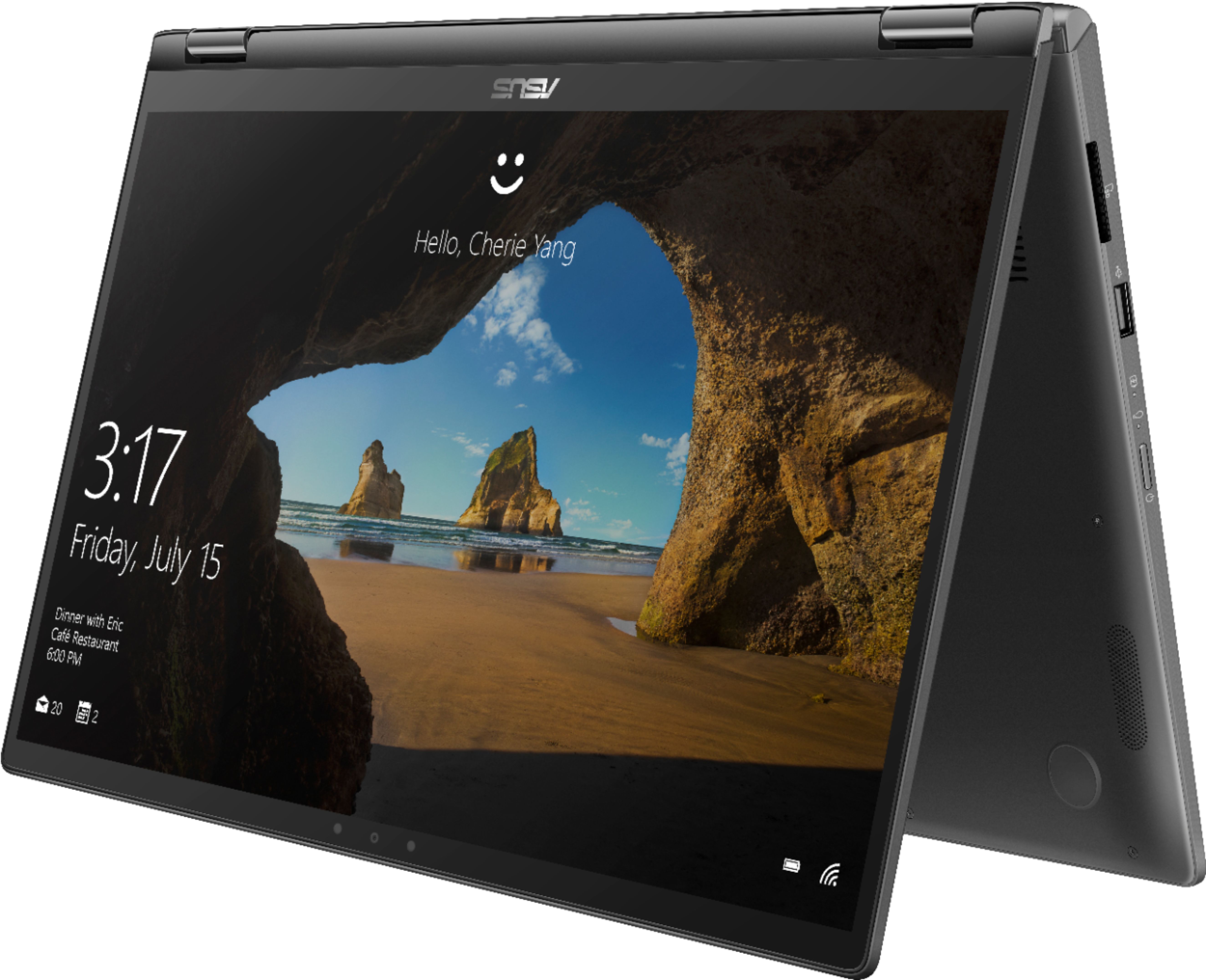
||Posted . Owned for 1 month when reviewed.This reviewer received promo considerations or sweepstakes entry for writing a review.I use to have the 13.3 Q324UA laptop and it served me well through college and traveling around the world. It was slim and versatile but it was time for an upgrade. I went through a similar research process as I did before comparing all 15' model laptops across each manufacturer looking at specs and comparing updated tech new to the market. I found myself running into the same issue as I did before. The market is swamped with overpriced and underperforming laptops however, ASUS always delivers. This laptop is beautiful, has a ton of memory, incredibly fast, has new tech that is exciting and usable, and it comes at an affordable price. I use my PC every day and push it to it's limits. I got this laptop for a little over 1500+tax and it'll last me at least the next 5 years. That's less than a $1 a day, I have to say it was a great investment. If you're looking for a powerhouse that you don't have to sacrifice this and that for buy this thing and you won't regret it! If you're looking to extended battery life, turn off wifi when you're not using it. I do that for notes and such and I get b/w 8-9 hours of battery life easy. The mouse pad can be turned to traditional mode as you're learning to utilize it. Once you get down all the features, you'll use it regularly even if you just use it for Spotify ... still useful and fun!
I would recommend this to a friend- Pros mentioned:FastCons mentioned:Touchpad
I LOVE THIS LAPTOP
||Posted . Owned for 1 month when reviewed.This reviewer received promo considerations or sweepstakes entry for writing a review.I've never had a nice laptop, but I knew I needed one when transferring into a big school for my premed major. I did so much research and it led me to this computer and I'm glad it did. It is so fast and never lags. I personally didn't like the mouse pad having a screen in it, so I just turned it off.
I would recommend this to a friend - Pros mentioned:Fast
FAST!
||Posted . Owned for less than 1 week when reviewed.This reviewer received promo considerations or sweepstakes entry for writing a review.I just received this and it’s super fast! I’m playing with the second screen now and right now I don’t have a purpose for it; however, it’s a cool feature. Nice weight to it and slick looking. I just got it but so far it’s really really really really good !
I would recommend this to a friend - Cons mentioned:Touchpad
So fast, great screen, love it!
||Posted . Owned for 1 month when reviewed.This reviewer received promo considerations or sweepstakes entry for writing a review.Got this to replace a Lenovo that died unexpectedly. The Lenovo Yoga i5 never did have the horsepower to do the things I needed without a struggle, but I lived with it. So, when I shopped for a replacement, it had to have i7 and at least 12g ram. Best Buy has some great options, but the floor manager ( I wish I could remember his name) recalled he had an open box ASUS. I’m someone who never minds a this type of deal, so I said “sure.” Retail, this model was way above my target, but the deal he made was simply too good to pass and well within my budget. I’ve had it a few weeks now and still just scratching the surface of its capabilities. Some of the reviews griped about the touch pad which can be very sensitive, but hitting F6 changes modes or turns it off altogether, so what’s the problem? I am very pleased with this laptop, the help I received from Geek Squad, and the staff on the floor was awesome. Great Job Best Buy.
I would recommend this to a friend - Pros mentioned:Fast
Overall amazing laptop!
||Posted . Owned for 3 weeks when reviewed.This reviewer received promo considerations or sweepstakes entry for writing a review.I had really been wanting to buy an all in 1 desktop for the purpose of having a powerful computer that also had great specs. However, being limited on space I needed to reconsider replacing my laptop and upgrading. I was pretty bummed when I saw how many laptops had poor RAM, SSD storage, and graphics cards. Then I happened upon this laptop (which I ended up getting open box) for much less. I was nervous it may run hot or loud but honestly it does well unless heavy gaming is involved. I got a lap desk with a fan for the gaming and everything has been perfect since. This computer is incredibly fast, easy to use, and beautiful! Heads up: Always keep the asus drivers up to date especially for the screen pad. I had some issues at first but upon realizing that I had bought the floor model and it hadn’t been updated in months, I updated all of the drivers and it worked perfectly!
I would recommend this to a friend - Pros mentioned:Price, Storage
Excellent laptop
||Posted . Owned for 1 week when reviewed.This reviewer received promo considerations or sweepstakes entry for writing a review.If you are a hard core hardware person and love upgrading your gear, then this probably won't be the laptop for you. BUT here is what it does have. Ample amount of FAST storage and it also has a 4k display. Works fantastic. Great for the price!
I would recommend this to a friend - Pros mentioned:Storage
ASUS Gaming Computer
||Posted . Owned for 1 week when reviewed.This reviewer received promo considerations or sweepstakes entry for writing a review.I went in to purchase a Lenovo, but after speaking with the reps and telling them exactly what I wanted in a computer, I ended making this purchase. I mainly wanted something with lots of space, great quality for my photography work, and for school as well. So far so good, I couldn’t ask for more of a better computer with lots of space. I’m still learning everything about it, but I know I made the best decision getting this ASUS.
I would recommend this to a friend Zippy, Bright, Responsive

||Posted . Owned for 1 week when reviewed.This reviewer received promo considerations or sweepstakes entry for writing a review.This laptop is: 1. Zippy at all tasks. 2. Bright when turned all the way up. 3. Responsive to being woken up and restarting. 4. Silent under normal load. 5. Screen is firm and does not wobble when typing. 6. Needs 2 hands to open. 7. Only 2 USB ports. 8. 4K Screen is a must. 9. Handles Cad work well. 10. Converts to tablet mode. 11. Comes with big brick power plug. (3 large cellphones stacked.) 12. Cortana is a must. Opens programs from other side of room, so its ready by the time you sit down. 13. Quality Screen, no ghosting effect. 14. Comes with no bloatware. 15. Touchscreen 16. 16GB ram. 17. Keyboard Lit. 18. Assign manually which graphics card each program uses. Also does it automatically. 19. Both metal and plastic. Not cold to the touch. 20. Thin Basel, yet still has camera on top for pleasant viewing of you to the other person. 21. SSD helps in reduction of noise compared to old HD that spin.
I would recommend this to a friend- Pros mentioned:GraphicsCons mentioned:Fan noise, Touchpad
Not good enough for the price
||Posted . Owned for less than 1 week when reviewed.This reviewer received promo considerations or sweepstakes entry for writing a review.I ended up taking two back within 30 days. The first one crashed and had a loud fan noise. The second one started in right awaybad would run for an hour. Far too annoying to me (if that was even supposed to occur) The fancy "mouse screen thing" was too confusing and didn't seem to work well on the second computer at all. Graphics and screen were exceptional but still overall very disappointed.
No, I would not recommend this to a friendBrand response from Asus_Answers
Posted .Dear SReed,
Thank you for posting your feedback on this model, we truly appreciate it. We are terribly sorry for the troubles you've had with the device and the inconvenience this have caused you. ASUS products undergo intensive quality control testing and final inspections for both hardware and software before we send it out to the stores worldwide. ASUS provides warranty for the unit in order to fix or repair any isolated factory escape defect. We would be happy to assist you. Can provided us with more detail information on what's happening with the device performance and ScreenPad? You can read the information in the link provided to learn more about the ASUS ScreenPad: https://www.asus.com/support/FAQ/1036962/, so it can be easier to use and less confusing. We truly appreciate your feedback. If you wish to discuss this further, feel free to contact us via email: customerloyalty@asus.com and provide this link for reference. Our customer loyalty department is dedicated to bringing a resolution to all issues related to our products. Have an extraordinary day.
Thank you for choosing ASUS
Best Regards,
Lamoya
ASUS Customer Loyalty US Support
- Cons mentioned:Touchpad
Confusing Touch Pad
||Posted . Owned for 2 weeks when reviewed.This reviewer received promo considerations or sweepstakes entry for writing a review.I found this laptop amazing in most aspects. I loved the 4K screen. It was slim and very fast. However, the touch pad was confusing. I could not get through the tutorial that automatically came with the laptop. The instructions were either not clear enough or the touch pad was not sensitive enough to track my movements. I would recommend this laptop for expert computer users.
No, I would not recommend this to a friendBrand response from Asus_Answers
Posted .Dear ReeRee,
Thank you for your feedback, we always appreciate hearing back from our customers. I'm glad to hear that you were impressed with the power of the laptop! Regarding your issue with the ScreenPad tutorial, please accept my apologies. We are always striving to improve our products and I will forward your comments to the Product team so that we can make improvements in the future. If you have more specific feedback regarding the tutorial or any general questions, please reach out to me at cl-lane@asus.com and include case #N191058168 in your email for reference.
Thank you for choosing ASUS!
Best regards,
Lane
ASUS Customer Loyalty – US Support
- Pros mentioned:Performance, Storage
Not top of the line, but still excellent
||Posted .This reviewer received promo considerations or sweepstakes entry for writing a review.to make a long story short, its a good laptop, with good guts, and good features. Don't really have to worry about performance or storage for anything, for the most part.
I would recommend this to a friend - Pros mentioned:Graphics, Storage
Great for College
||Posted . Owned for 3 weeks when reviewed.This reviewer received promo considerations or sweepstakes entry for writing a review.The computer is a graduation present for my Grandson. He lives it. The storage and the graphics are both hits with my Grandson.
I would recommend this to a friend Awesome for business!
||Posted . Owned for 1 week when reviewed.This reviewer received promo considerations or sweepstakes entry for writing a review.This laptop is awesome for business... very fast and easy to setup. I am a realtor in San Diego and this laptop is perfect for all my activities... I usually use two monitors in the office but since I am always on the go... I can't take the two monitors with me, boom the screenpad is a lifesaver... write up offers on the main screen and use the MLS on the screenpad for reference. Very comfortable keyboard oh and yes... fold up the screen and do my presentations to my clients... I look like someone from wall street. Again awesome laptop for business perfect for the multitasker and always on the go.
I would recommend this to a friend