Customer Ratings & Reviews
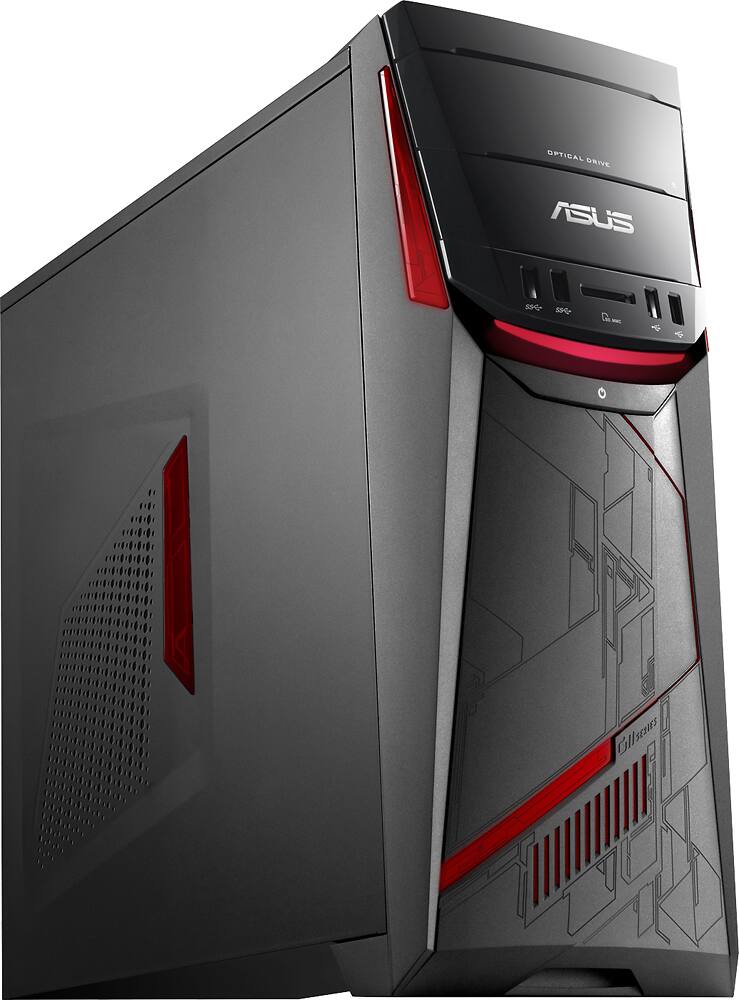
- Model:
- G11CD-B11
- |
- SKU:
- 4826600
Customer reviews
Rating 3.7 out of 5 stars with 36 reviews
(36 customer reviews)to a friend
Customers are saying
Customers express satisfaction with the desktop's gaming performance, noting its ability to run games smoothly. Users also appreciate the virtual reality experience, finding it easy to navigate and providing a great user experience. The quiet operation of the desktop is another positive aspect mentioned by customers.
This summary was generated by AI based on customer reviews.
- Pros mentioned:Gaming performance
Rated 5 out of 5 stars
A Nice Pre-Built Machine
||Posted .This reviewer received promo considerations or sweepstakes entry for writing a review.Easy to setup and use. Windows 10 runs fast. This is a great gaming computer. The processor only pulls 65 watts which means low heat. I would add an SSD boot drive for max speed and performance.
I would recommend this to a friend - Pros mentioned:Gaming performance, Speed
Rated 4 out of 5 stars
Awesome Machine
||Posted .This reviewer received promo considerations or sweepstakes entry for writing a review.Super Fast, great for games, the new oculus rift works really good on this machine.Costumer service from asus very poor.
I would recommend this to a friend - Pros mentioned:Noise level
Rated 4 out of 5 stars
Overall good.
||Posted .This reviewer received promo considerations or sweepstakes entry for writing a review.Easy setup. Quiet. No problems after two weeks. A bit pricey.
I would recommend this to a friend Rated 3 out of 5 stars
BARE MINIMUM for running rift, nothing else
||Posted .This reviewer received promo considerations or sweepstakes entry for writing a review.I would only buy this if you need the bare minimum to get your Oculus Rift going, and not good at that. I got mine on sale at $950 and it is very highly overpriced, especially with the price drops in video cards due to the release of the 1080. I would only buy this if you are someone who has no interest in saving money by building their own machine, or if you were like me and bought because you had to (as part of the Rift combo).
No, I would not recommend this to a friend- Pros mentioned:Gaming performance
Rated 5 out of 5 stars
Great computer for Gaming / YouTube / Streaming
||Posted .This reviewer received promo considerations or sweepstakes entry for writing a review.This was my first gaming computer in a few years and it has been an amazing choice. I use it for gaming, recording and editing YouTube videos, as well as livestreaming on Twitch/YouTube Gaming. I've experienced no difficulties with the computer its self and it is able to run Max Settings on every game that I've played since buying it. (Elder Scrolls Online, World of Warcraft, etc.)
I would recommend this to a friend - Pros mentioned:Noise level, Vr experience
Rated 5 out of 5 stars
great game machine
||Posted .This reviewer received promo considerations or sweepstakes entry for writing a review.This is a great gamer, very quiet and easily runs Oculus VR games.
I would recommend this to a friend - Pros mentioned:Vr experience
Rated 5 out of 5 stars
ASUS and Occulus bundle like PB & J
||Posted .This reviewer received promo considerations or sweepstakes entry for writing a review.This was a great purchase because of how well these two fit together. The troubleshooting and set up were flawless and for never using a VR system before it was extremely easy to navigate in and gave a great user experience.
I would recommend this to a friend - Pros mentioned:Gaming performance
Rated 4 out of 5 stars
Good Gaming Desktop
||Posted .This reviewer received promo considerations or sweepstakes entry for writing a review.My main use is for gaming and the Oculus. Works great for both.
I would recommend this to a friend - Pros mentioned:Gaming performance
Rated 3 out of 5 stars
Not too bad
||Posted .This reviewer received promo considerations or sweepstakes entry for writing a review.Bought this for my son for college. Works great for what he needs it to
I would recommend this to a friend Rated 4 out of 5 stars
Awesome but expensive
||Posted .This reviewer received promo considerations or sweepstakes entry for writing a review.I'm very satisfied with the package I bought although they don't tell you that you have to buy an adapter to be able to have a monitor and the oculus plugged in. Not horrible but kinda cheap in their part IMO.
I would recommend this to a friendRated 4 out of 5 stars
great pc for vr
||Posted .This reviewer received promo considerations or sweepstakes entry for writing a review.I bought the package with the oculus rift. The pc was great and the vr was super cool. I ended up returning the package as $1700 was a bit too much for the amount of content they have on oculus.
I would recommend this to a friend- Pros mentioned:Gaming performance
Rated 5 out of 5 stars
Dank
||Posted .This reviewer received promo considerations or sweepstakes entry for writing a review.Best computer I've ever had plays all games with ease couldn't ask for a better gaming device
I would recommend this to a friend - Pros mentioned:Speed
Rated 5 out of 5 stars
Nice Desktop
||Posted .This reviewer received promo considerations or sweepstakes entry for writing a review.I bought this for my 12 year old and I'm pretty happy with the speed and sleek look of the desktop.
I would recommend this to a friend Rated 4 out of 5 stars
Good enough for the Rift
||Posted .This reviewer received promo considerations or sweepstakes entry for writing a review.This is the cheapest option for a ready-made, VR-ready gaming rig. Enough room for upgrades.
I would recommend this to a friendRated 4 out of 5 stars
Good Value
||Posted .This reviewer received promo considerations or sweepstakes entry for writing a review.This is a good machine for the money, nice graphics, good speed, for $1000 its worth it.
I would recommend this to a friendRated 4 out of 5 stars
Great system
||Posted .This reviewer received promo considerations or sweepstakes entry for writing a review.Son is thrilled with it! Wish it had instructions for a more timely and easier setup
I would recommend this to a friendRated 3 out of 5 stars
Slow
||Posted .This reviewer received promo considerations or sweepstakes entry for writing a review.I won't recommend this item , because to slow speed
No, I would not recommend this to a friendRated 5 out of 5 stars
Good computer for my daughter
||Posted .This reviewer received promo considerations or sweepstakes entry for writing a review.Bought this computer for my daughter and she loves it
I would recommend this to a friend- Pros mentioned:Speed, Vr experience
Rated 5 out of 5 stars
READ THIS - Save yourself some grief!
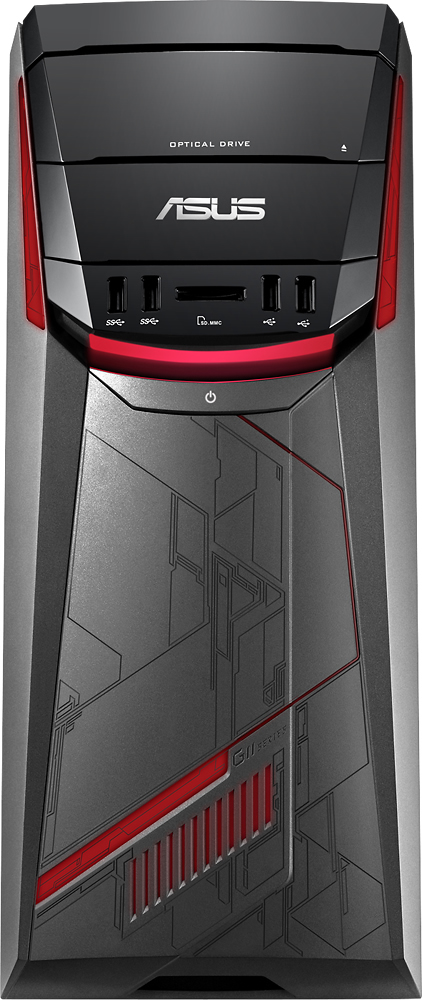
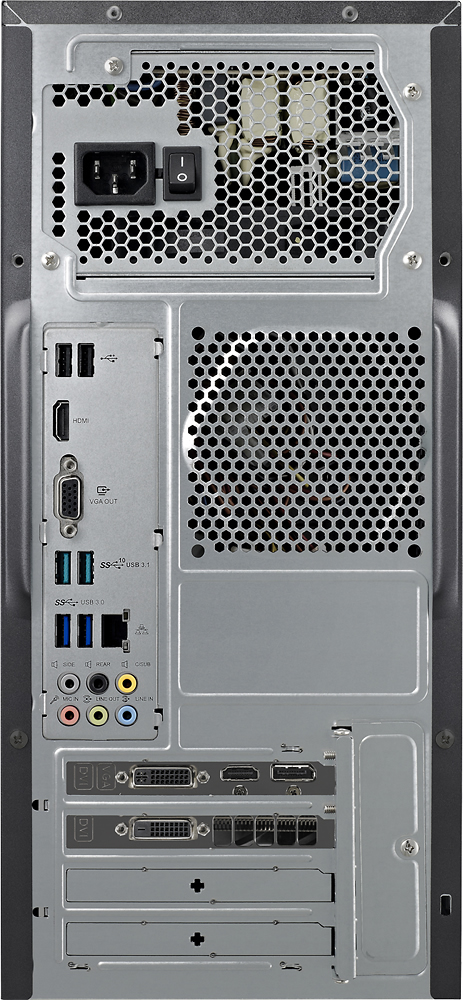
Posted .This reviewer received promo considerations or sweepstakes entry for writing a review.Gosh, where to start! Assuming the purchase of this computer was to use with Oculus Rift or you purchased the bundle like I did, you will find the following will save you a great deal of time and unpleasantness. First off, DO NOT install McAfee when you set up your computer or you will find that the Oculus Setup Software will not install. If it is installed or you don't know, go into the Control Panel (right-click on Window icon in far lower left and choose "Control Panel" from menu that pops up). Once in the Control Panel click "Uninstall Program" then look for McAfee from software list. Highlight it by left-clicking on it then left-click on "Uninstall or change a program" at the top of the page. Secondly, the covers on the on-board VGA & HDMI ports are NOT there as pin protectors but because this computer ships with them disabled in the Bios and they are not meant to be used. Instead, use the unlabeled ports on the PCI graphics card towards the bottom. The 4 unlabeled ports are 2 Dual Link DVI-I, HDMI 2.0, 3x DisplayPort 1.2 and unless you have a DisplayPort to VGA/HDMI cable or existing monitor with those inputs and appropriate cables, you will need to get creative & adventuresome as the one HDMI port is needed to configure the Oculus Rift hardware later in the setup process precluding you from using it throughout the whole process. This next part could've been avoided if Best Buy had only sent the correct monitor model that they advertise in the bundle which is supposed to be Model: VS207T-P/B SKU: 4975400 and instead it appears they've been shipping Model: VS207D-P to people given the comments I've been reading. The VS207D has a VGA port only and only the one VGA cable is included while the VS207T has 3.5mm audio, DVI-D, VGA connections and comes with DVI, VGA & audio cables. Here's what I did given all I had was the VGA cable that came with my ASUS monitor as part of the bundle and though I haven't used a Windows machine in 16 years I was bound and determined to get my VR working and all the stores were closed (pulled a late-nighter!). Turn off the computer and chances are you have a TV with an HDMI cable. Plug that cable into the HDMI port on the graphics card. Then, while holding down the Del key (the on on the number pad - lower right corner of keyboard), power on the computer and don't let up until the Bios screen is showing. Once in the BIOS choose "Advanced" from the top menu and then "System Agent (SA) Configuration" which is the 3rd choice down. Then you want "Graphics Configuration". For Primary Display I used "CPU Graphics" from the drop down menu and chose "Enabled" iGPU Multi-Monitor. From there chose "Exit" then "Save Changes & Reset". I also went into the Settings menu by this time left-clicking on the Window icon in the lower left and choosing "Settings" and then choosing "System" from the page that appears. I chose Display and made my VGA display the primary display. I think I did something else but I'm sorry I can't be more specific than that as I poked around a bit to make everything work and didn't take notes. I had no idea I would be sharing all this and am doing it from memory after finally figuring things out. Finally, be sure and download the current NVIDIA driver for the GeForce GTX 970 by going to geforce dot com/drivers as the current one was many generations removed from the one the computer shipped with. You can check what version your current driver is by right-clicking on that Window icon in the lower left and choosing "Device Manager" then double clicking on "Display adapter" and double clicking again on "NVIDIA GeForce GTX 970" then choose the "Driver" tab to get the info. I am still giving this 5 stars because the VR experience is sooo incredibly awesome!!! The computer ran all the free VR software beautifully and once all the Windows updates installed & McAfee was uninstalled it was quick and smooth. BTW, one last thing, in one of the comments on a review an ASUS technician mentions that Windows Automatic Update feature has been causing some issues and should be turned off. This computer ships with Windows 10 64bit home version and it would appear that only the Professional version gives you that option. It's 4am and I'm too tired to figure out a work around but I felt it should be mentioned.
I would recommend this to a friend - Pros mentioned:Speed, Vr experience
Rated 4 out of 5 stars
First things first
Posted .This reviewer received promo considerations or sweepstakes entry for writing a review.So I have very little knowledge about computer hardware. One thing that made it look like the PC was damaged was that the NVIDIA video card shuts off all the inputs on the motherboard and trying to plug stuff into it doesn't work unless you plug directly into the video card (little metal ports near the bottom of the back and they're not labeled). It was also a little misleading since the PC comes with the VGA cable, so I did have to buy a Display Port to HDMI since there was only one HDMI port on the video card and you have to connect your Oculus Rift to that. I couldn't find a problem with the internet speed on the PC (I had it plugged in directly through ether net cable). It did take me multiple tries to download the rift software but I did manage to finally install it and the oculus runs pretty well from what I can tell. So as a customer who tested the product and it worked (bumpy start but I did get it going) I would recommend it, but I would recommend some geek squad help if you don't know PC's that well. They're awesome and the guy at store didn't even ask if I had protection coverage and just knew what the problem was. VR is so new, so there's bound to be problems at the start, especially if you're an early adopter of new technology. If you don't want to spend the money, then wait until they fix a few things or if you really want to get your hands on it, do it. I think the experience is worth it.
I would recommend this to a friend