Customer Ratings & Reviews












- Model:
- G815LW-G18.U95080
- SKU:
- 10936991
Rating by feature
- Battery Life
Rating 4.0 out of 5 stars
- Speed
Rating 4.8 out of 5 stars
- Display
Rating 4.6 out of 5 stars

Powerful, large and in charge
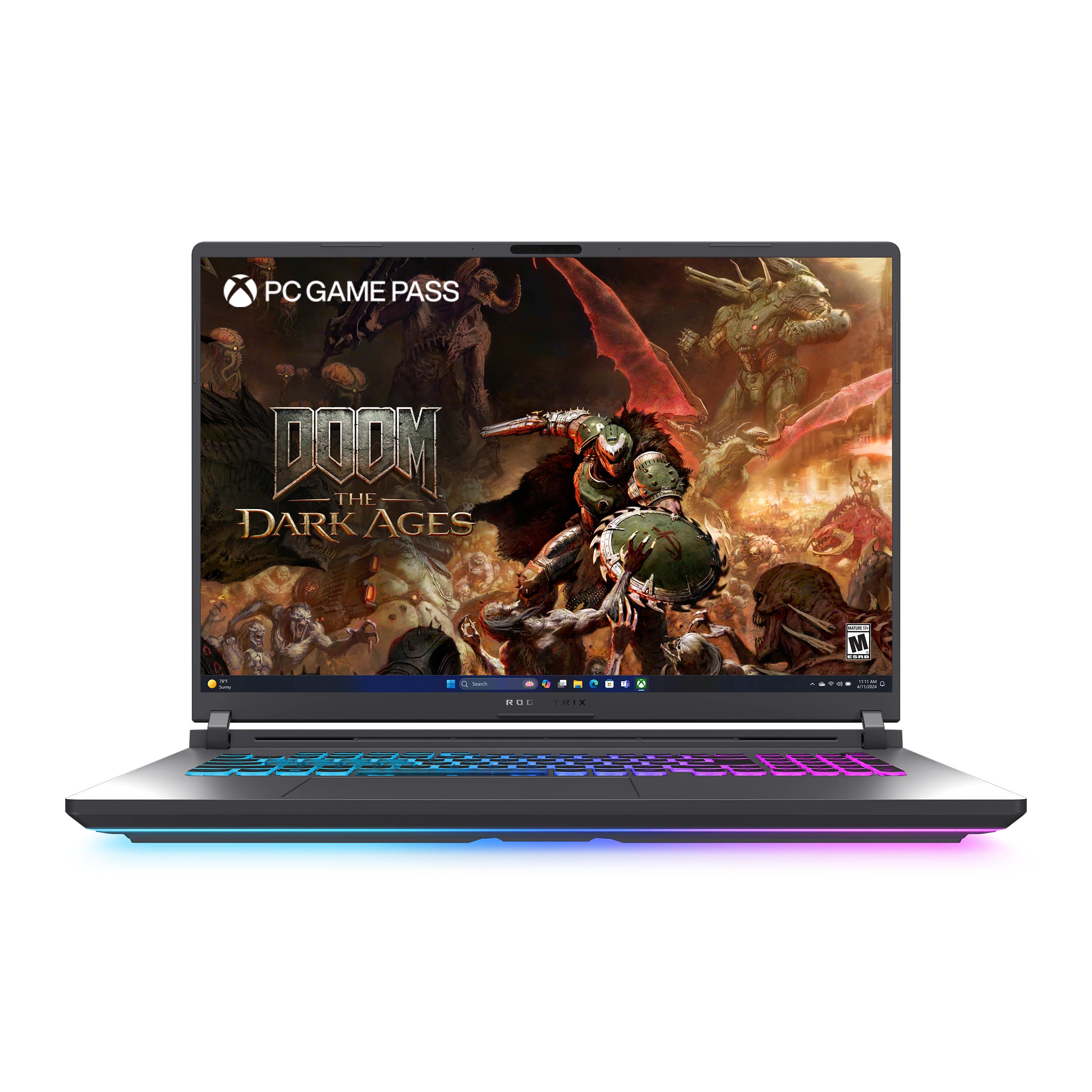
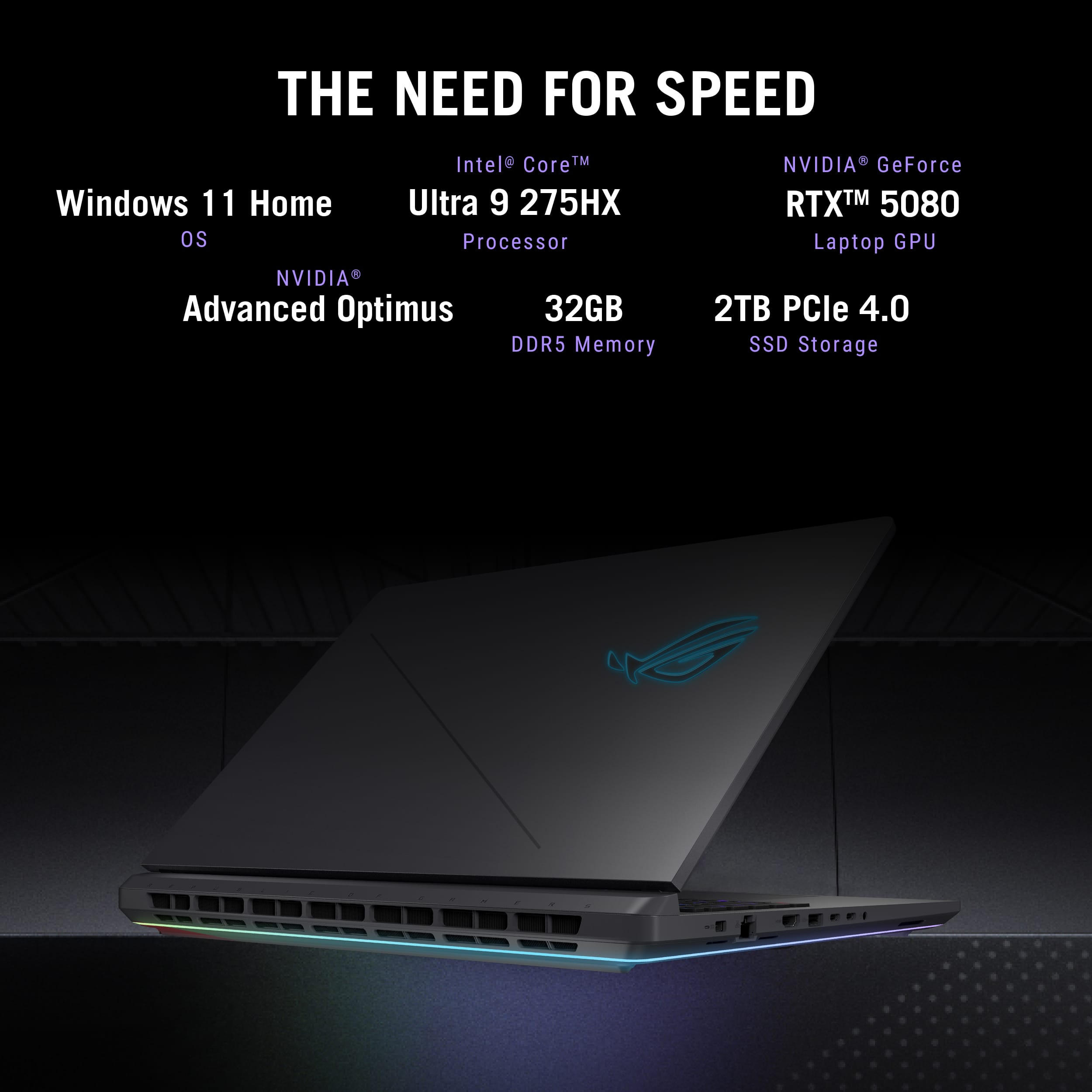
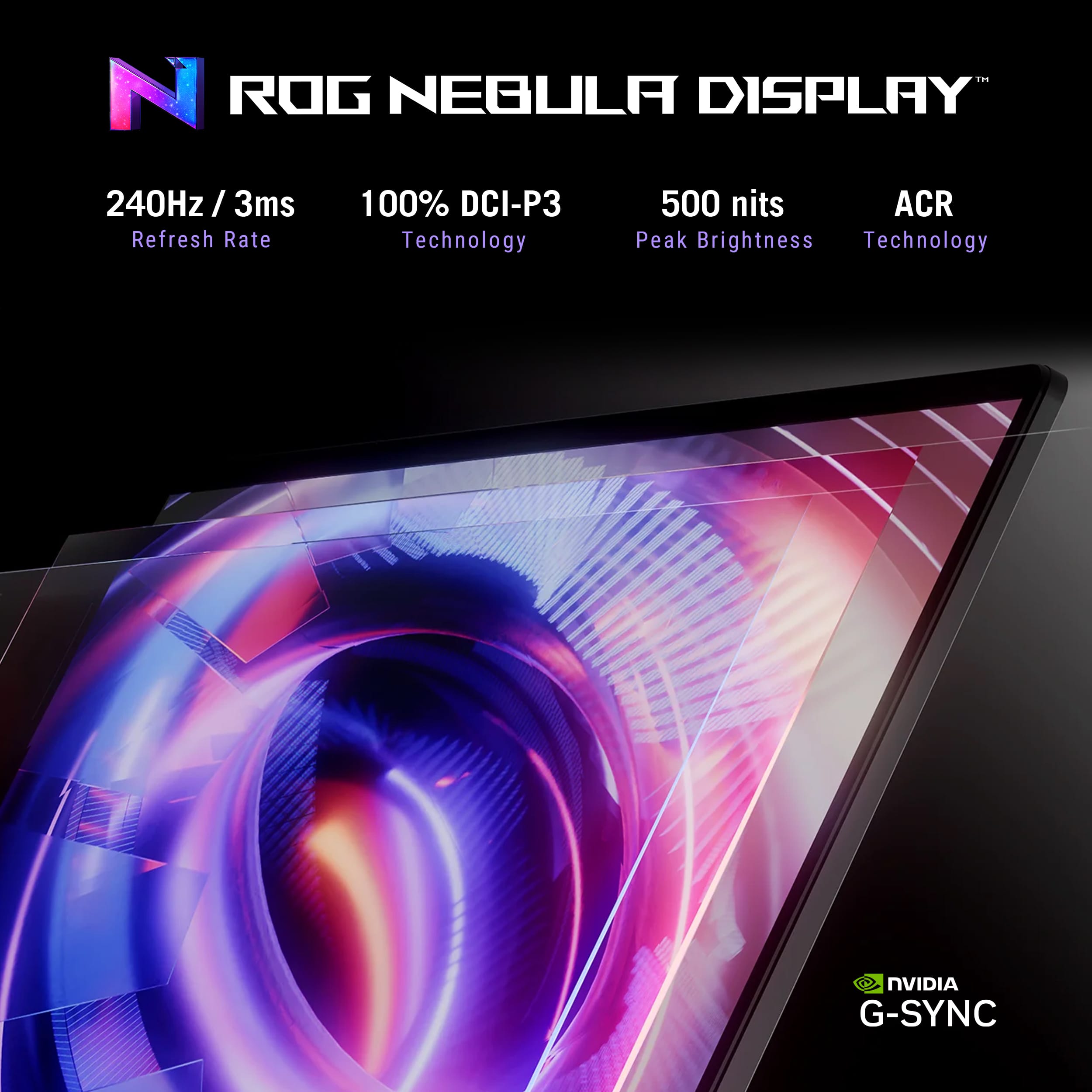
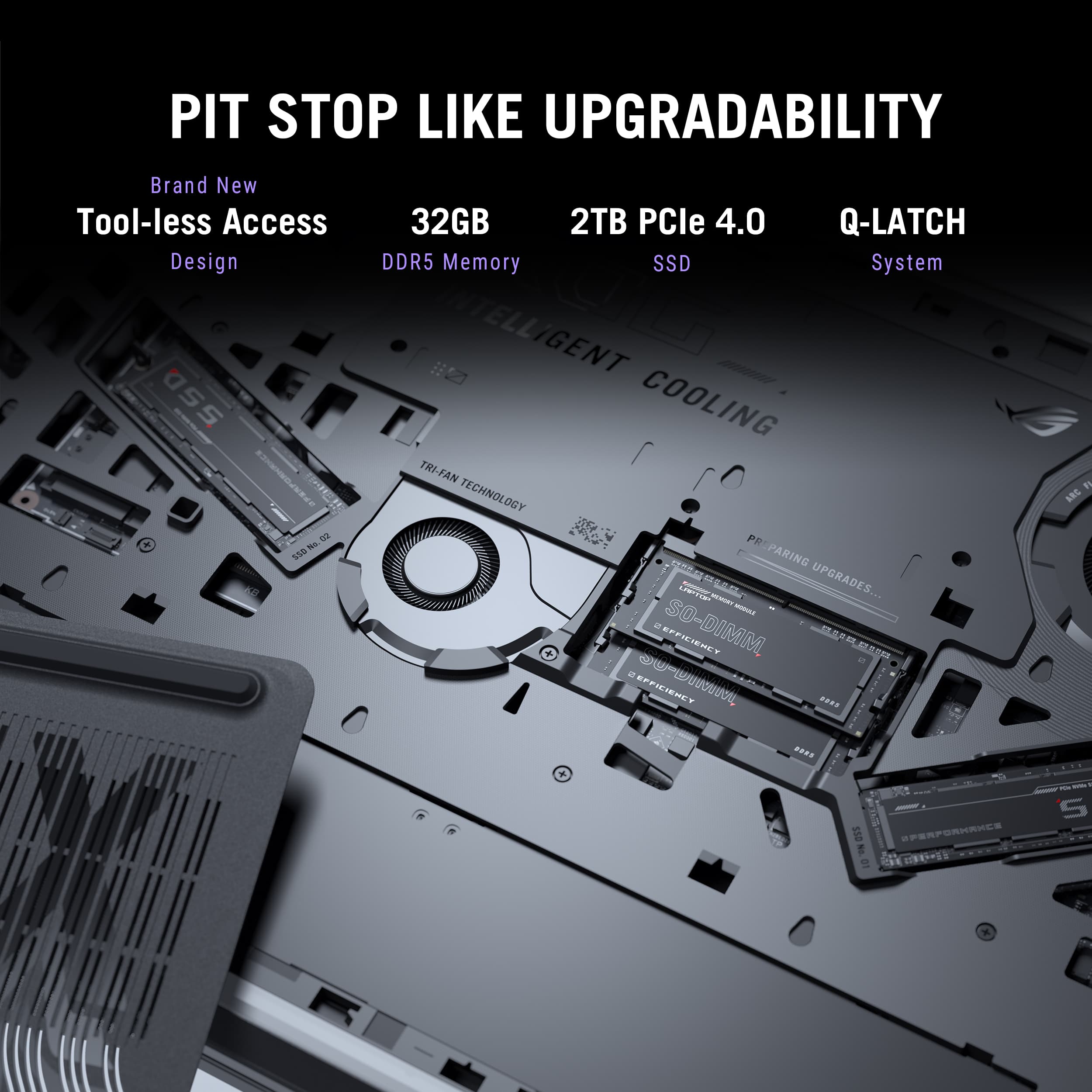
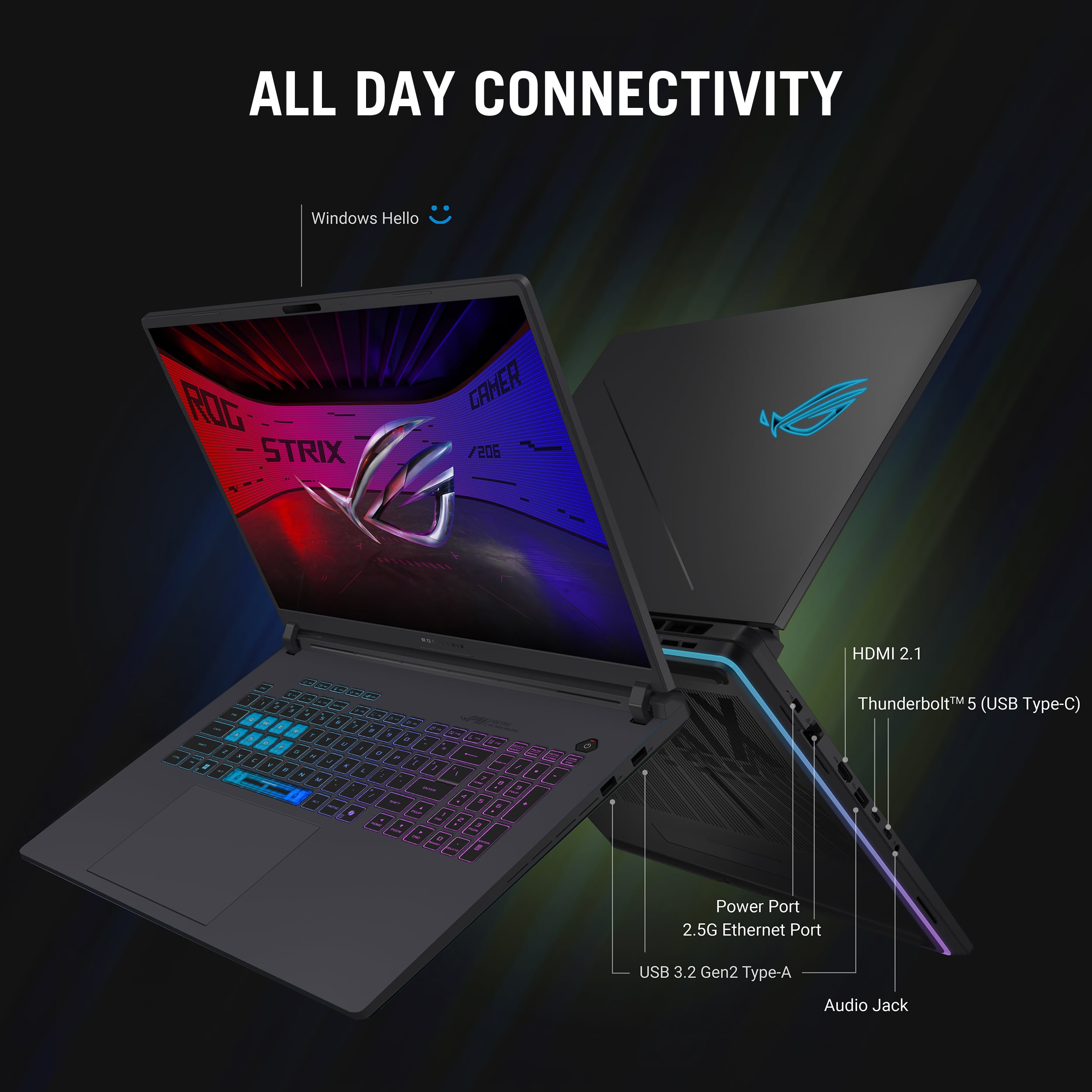
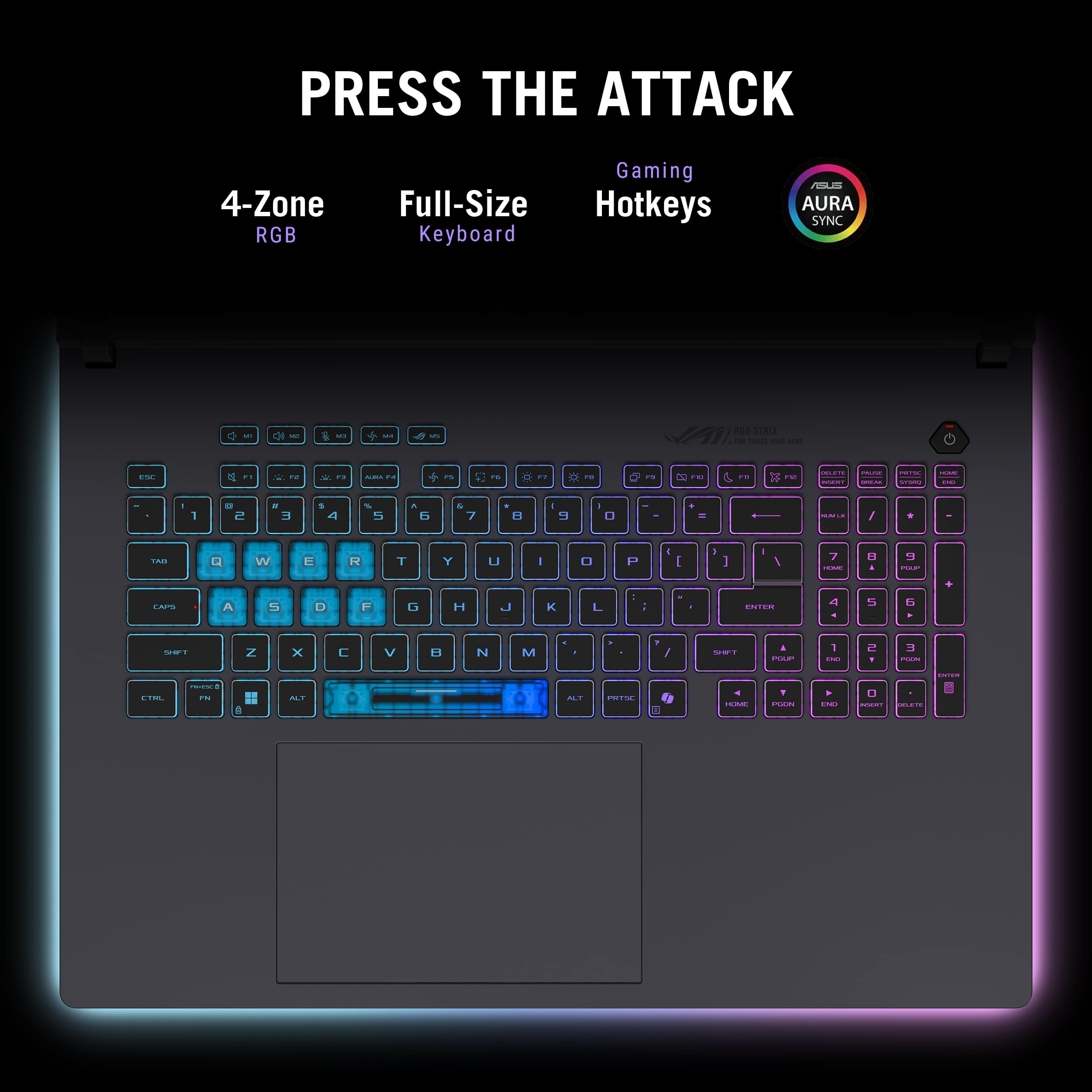
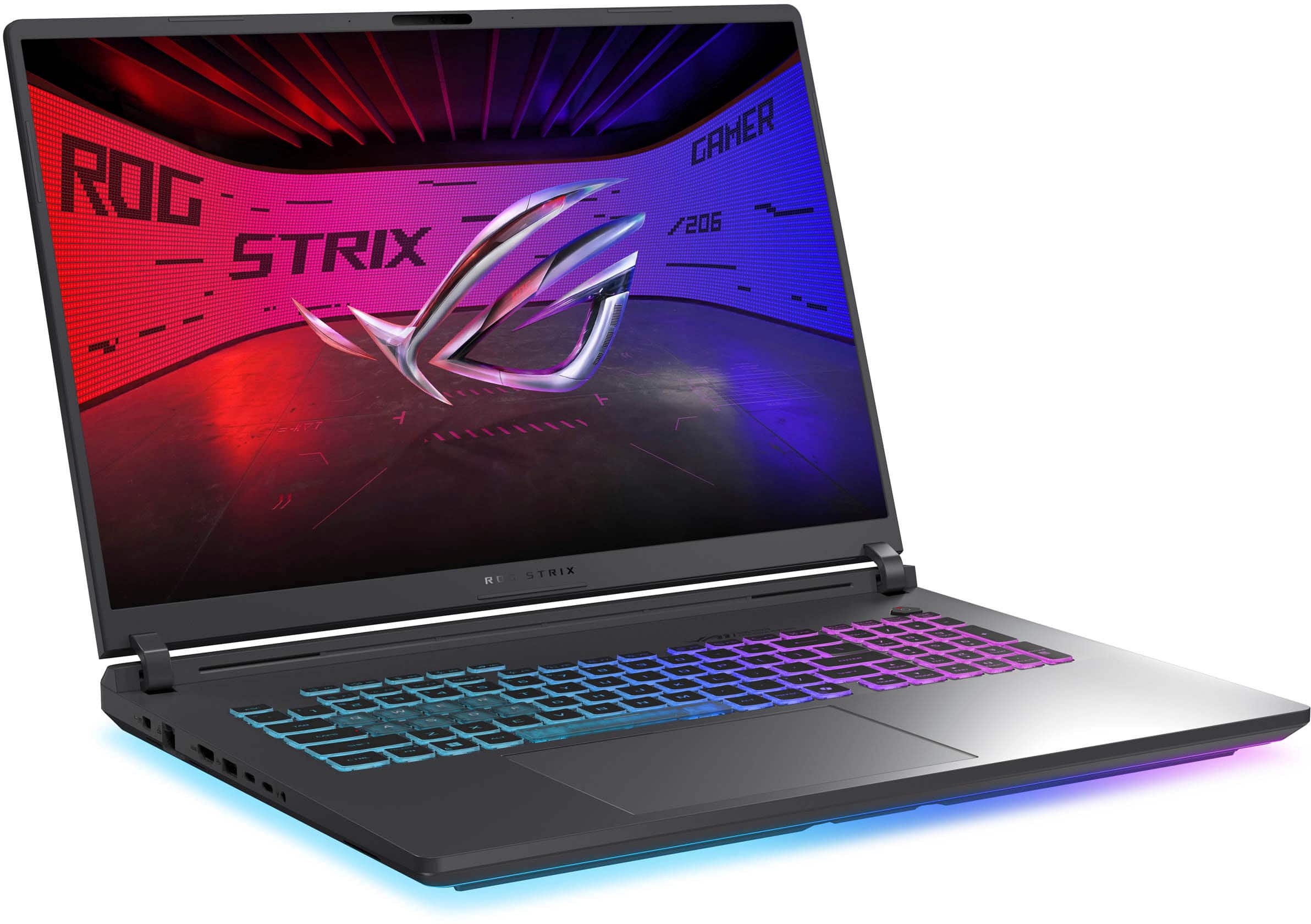
|Posted .This reviewer received promo considerations or sweepstakes entry for writing a review.As a gaming fan, I was super excited to get my hands on the ASUS ROG Strix G18, an 18" 2.5K 240Hz gaming laptop with Intel’s new (AeroLake) Core Ultra 9 HX, NVIDIA GeForce RTX 5080 with 16GB of DDR7 RAM, and a large 2TB PCIe SSD. The Eclipse Gray color is sleek and modern looking, but subdued and, this almost goes without saying, is a powerhouse machine and a great desktop replacement that I was looking for. Traveling with this beast is possible but weighing in at over 8 lbs. with the power supply, well, there are better options for that need. Additionally, the ASUS ROG Strix G18 comes equipped with 32GB of DDR5 RAM, offering even faster performance and improved multitasking capabilities and easily handled whatever I threw at it. This model runs on Windows 11 home, which provides a smooth and modern user interface. However, I wish it came with Windows 11 Pro instead, as the professional version offers more features and customization options. One of the first things that caught my eye was the amazing 2.5K (2560x1600) display with a 240Hz refresh rate that is G-SYNC compatible. We gamers know how important smooth and vibrant visuals are, and this laptop totally delivers some impressive eye candy indeed. The colors pop, and my games run smoothly, even in the most intense moments. The 18" anti-glare screen size is very large, bright (500 nits advertised) and very vibrant as I mentioned before. The performance on the ROG Strix G18 is seriously impressive. The Intel Core Ultra 9 HX processor, paired with 32GB of DDR5 RAM, makes multitasking and running heavy applications a breeze. I can switch between gaming, streaming, and other tasks without any lag. The NVIDIA GeForce RTX 5080 graphics card is top-notch, and when I play COD Black Ops 6, it can sustain a Frame Rate of over 120 and the graphics card temperature hangs around 71 degrees C, that is with the Graphics settings set to Ultra in the game and a resolution of 3440x1440. When I step that up to the highest setting to Extreme, it dips just a bit to around 110. Very smooth performance with out any issues or hiccups, and the GPU temperature stays in the acceptable range in my opinion. I tested with the 3D Mark Time spy and it scored a 20526 high score. Storage is usually something I worry about, but the 2TB SSD has more than enough space for all my games, media, and files. The fast read and write speeds mean minimal loading times, so I can jump into my games quicker and stay productive with the tasks that I have to accomplish. The laptop's Eclipse Gray finish looks sleek and professional when you turn off the RGB options using the “stealth mode option”, this will turn off the RGB Aura light bar which surrounds the base of the laptop that gives it the appearance of floating on your desk, and also the keyboard RGBs. The main chassis is mostly plastic, and the lid is made of aluminum and allows for a little flex, but despite that it still feels solid overall. Asus has come up with a great toolless access system to the underside of the laptop that allows for easy upgrades to the RAM and SSD among other components. You simply slide the rubberized lever and pull towards you to lift it off. Easy as can be! The laptop also includes multiple ports, which is great for connecting all of my peripherals. It has two thunderbolt USB Type-C, 3 USB Type-A, HDMI 2.1, and a 2.5G Ethernet port, audio jack, and power input, giving me plenty of options for connecting my gaming accessories and other devices. The only drawback is that it doesn’t have a SD/MicroSD card slot built in, but that is not a deal breaker for me. The keyboard is comfortable to type on, great tactile feedback and solid travel for the buttons and has customizable RGB backlighting, and the Q/W/E/R/A/S/D/F and spacebar keys are see-through which adds a cool gaming vibe. The massive trackpad is also a pleasure to use as well with a nice solid clicking feel. One downside is the weight. At around 8.5 pounds, it’s not the most portable laptop, but the power and performance it provides are worth it. The battery life is decent but not amazing, which is expected with such powerful hardware. I usually have it plugged in while gaming anyway, so it's not a big deal. Another downside is the very average 2MP camera that is built in. Not the best quality, and it would have been nice to see a much higher resolution camera for this price. Overall, the ASUS ROG Strix G18 is an incredible gaming laptop that offers top-notch performance, stunning visuals, and plenty of storage. It handles everything I throw at it with ease and provides an immersive gaming experience. If you're looking for a high-end gaming laptop that can tackle the latest games, replace your desktop, and more the ROG Strix G18 is definitely worth checking out and if you register your device with ASUS, you will get a complimentary year of accidental damage as well which is just icing on the cake.
I would recommend this to a friendAn excellent desktop-replacement gaming laptop
|Posted .This reviewer received promo considerations or sweepstakes entry for writing a review.=== Summary === The 2025 Asus ROG Strix 18 has replaced my MSI Aegis gaming desktop with an AMD Ryzen 7 5800X and Radeon 6700XT 12GB, and it did not disappoint as a desktop-replacement do-it-all machine. It provides and does everything I want from a laptop of this class – a powerful CPU and GPU combo for gaming and video editing, fast NVME storage (2TB) with room to add another drive, 32GB of DDR5 memory, a vibrant and fast-refreshing 18” display, a big and responsive touchpad along with a spacious and responsive keyboard with a usable number pad on the side, fast and stable Wi-Fi and Bluetooth connections without weird connection drop-outs, plenty of USB-A and USB-C ports, and a good and relatively quiet cooling system. For this much coin, one should expect all-around excellence in performance and stability, and the 2025 ROG Strix 18 delivers it. It’s a Win. _________ *Pros: -Powerful components that provide an excellent gaming experience. -Bright, vibrant, and fast-refreshing (250Hz) G-Sync display with even lighting and crisp resolution. -Spacious and responsive touchpad. -Comfortable keyboard with good feedback. -Useful and usable number pad. -Quick-access bottom panel for easy access for upgrades and cleaning. -Wi-Fi 7 and Bluetooth 5.4. -Decent audio speakers. -Plenty of ports. _________ *Neutral: -The 1080P webcam is grainy under low-light conditions. -Can’t open the lid with just one finger. _________ *Cons: -None === Design and Build Quality === The Asus ROG Strix 18 is my third high-end gaming laptop, and its design and build quality have met my expectations for a device at this price point. It’s a dark and handsome machine with great fit-and-finish and solid build materials. Some people may be disappointed that only the lid is made of metal with the rest being plastic, but I don’t mind it since Asus did not utilize the rough, cheap, and grainy kind of plastic but the kind that feels smooth, hard, and durable. The 18” display has relatively slim bezels with excellent brightness, color accuracy, and viewing angles, and with enough room on the top bezel for both a 1080P webcam and an IR module for Windows Hello facial recognition, which I appreciate. The display tech may be IPS but it’s a good one, and I don’t notice a big difference between the 250Hz IPS panel on the ROG Strix 18 and the mini-LED 240Hz panel on my 2024 Acer Predator Helio 18 gaming laptop. As I get older, I appreciate larger displays, and 18” is my favorite display size on a laptop. The keyboard layout is spacious, and the keys feel soft and gentle with good uptake and snappiness. The Microsoft Precision touchpad is also big and spacious, and it’s an absolute pleasure to use. I like that a numpad was included since I use it when doing my finances and calculations. Thanks to the variety of ports offered, I can avoid using any dongles and I love it. I appreciate having three USB-A ports (one on the left, two on the right), two USB-C ports, an ethernet port, an audio jack, and an HDMI port. Gaming laptops usually come with some bling, and the ROG Strix 18 is no different, with a rectangular LED strip on the bottom panel as well as an RGB keyboard with multiple lighting effects. It’s not too over-the-top nor garish – I think Asus provided just the right amount of bling and customization. I absolutely love the tool-free, snap on and snap off design of the bottom panel. It made it so simple and easy when I added another 2TB NVME drive. Even the NVME drive doesn’t require any tools or screws as a plastic lever is used to hold down the drive in its slot (see picture). It’s a brilliant design touch from Asus, and I hope all other manufacturers copy and implement these features. At 7.05 lbs (3.20 kg), the Strix 18 feels heavy, but this is par for the course when it comes to desktop-replacement level gaming laptops, so I won’t knock any points off for that. Just make sure you get a backpack with ample shoulder padding and padded compartments for when traveling with the Strix 18. All in all, the ROG Strix 18 is easy on the eyes, easy on your hands and joints, and it’s a well-designed laptop that is a pleasure to use. === Performance === With a 24-core, 24-thread Intel Core Ultra 9 275HX CPU, Nvidia GeForce RTX 5080 with 16GB of GDDR7 memory, 32GB of DDR5-5600, and a Micron 2TB NVME PCIe 4.0 hard drive, the ROG Strix 18 is a champion of a laptop that can handle pretty much everything in a fast and performant manner. For a machine such as the Strix 18, my primary usage scenario is playing games followed by video editing, and the Strix 18 was very well-equipped to make me a happy customer. I played a variety of games such as Clair Obscure Expedition 33 (turn-based RPG), Dragon Age the Veilguard (action RPG), Stalker 2 (shooter), Final Fantasy VII Rebirth (action RPG), Cyberpunk 2077 (shooter), The Elder Scrolls IV Oblivion Remastered (RPG), and Split Fiction (arcade & puzzler), and the Strix 18 handled all of them very well, delivering high and stable frame rates. The latest DLSS and frame generation technology from Nvidia can boost the framerates higher without much detrimental visual artifacts, and I think it’s a game-changer that will only get better with time. The Strix 18 comes with Wi-Fi 7 (latest) and Bluetooth 5.4 (latest), and they provide fast and stable speeds for a smooth and lag-free gaming experience. I currently have a Bluetooth keyboard (Corsair K100 Air Wireless), a gamepad (Corsair SCUF Envision controller), and some noise-cancelling headphones (Bose QuietComfort Ultra) connected to the Strix 18, and with the laptop connected to my 55” TV in the living room, it’s a satisfying and fun gaming experience on par with a traditional gaming desktop system. When it comes to performance, I’m completely content and satisfied, and I expect to use the Strix 18 as my main gaming system for many years to come. === Windows, Apps, and Software Experience === At first boot-up, I was kind of annoyed by how long it took to get Windows 11 set up and ready to go. There were many updates to be downloaded and installed, and the laptop was automatically rebooted several times to finish the installations. I know this is good for me and the machine, but I was feeling a bit impatient because I was so excited by the ROG Strix 18 and wanted to unleash the beast as soon as possible. 😊 Thankfully, BIOS and firmware updates did not take as long. Once all the Windows updates finished and my setting preferences were restored after logging in to Microsoft account, it was smooth sailing afterwards. There is not much bloatware installed, and whatever you don’t want is very easy to uninstall and remove. I only uninstalled one preinstalled app, and it was a video editing software called CapCut from Bytedance due to privacy concerns. There are many preinstalled Asus apps but they are useful and don’t take up much space, so I kept them. The Asus Armoury Crate is a good example of an excellent preinstalled manufacturer app, and it offers several useful customization features, such as quickly togging between various fan modes (Windows, Silent, Performance, Turbo, and Manual), setting RGB lighting effects, creating custom performance profiles for apps (e.g., games vs productivity apps), and creation of macros. Windows 11, compared to Windows 10, still kind of sucks, but I was able to customize it and make it more functional and easier to use by installing the ExplorerPatcher app (by Valinet), which allows for Taskbar and Start Menu customization, among others. Windows 11 has come a long way, and it has been very stable, and I made my peace with it. === Everyday Usage and Livability === The ROG Strix 18 is an easy machine to live with and comfortable to interact with. The big, bright 18” screen is very comfortable on the eyes and excellent for gaming, watching movies, working on spreadsheets, and anything else, really – the bigger the screen, the better, I say. The touchpad is big and very responsive, and the Microsoft Precision touchpad software makes it easy to customize and create your own touch and tap gestures. The keyboard is spaciously laid out and the keys are responsive with good feedback, uptake rate, and organization. I REALLY love that the arrow keys are full-size, and I also appreciate the gaps between the Function keys, which makes quickly finding and tapping on the desired Function key, like the F5 key, much faster and easier to memorize via muscle memory. When I’m not gaming, I set the operating mode to Silent via the Armoury Crate app, and the Strix 18 becomes either completely silent or whisper quiet while still offering enough power for non-demanding workloads such as office productivity apps, web browsing, and streaming movies and music. For gaming, I press the M4 keyboard button to switch over to the Turbo mode for maximum performance and frames. Doing so does increase the fan noise quite a bit but if you wear headphones or turn up the volume on the soundbar, then it’s a non-issue. For a big and heavy 18” gaming laptop, the Strix 18 is surprisingly easy and comfortable to live with, and I have no trouble recommending it as a desktop-replacement machine. === Is it worth the coin? === I absolutely think so. For this price, you’re getting top-notch CPU, GPU, HDD, and memory components, as well as a high refresh rate display that is vibrant and color accurate. The touchpad and keyboard are spacious and comfortable, and with Wi-Fi 7 and Bluetooth 5.4, it’s pretty future-proof. Upgrades and maintenance are dead-simple thanks to the tool-free bottom panel that easily pops off. The ROG Strix 18 will remain performant and relevant for many years due to its powerful components, and it’s definitely worth the high cost of entry price. It’s a Win, and I give it 5 Stars.
I would recommend this to a friendPortable Upgradable Power
|Posted .This reviewer received promo considerations or sweepstakes entry for writing a review.This ASUS ROG Strix laptop is a BEAST! It has the power to handle just about any game you throw at it while still being portable. The roomy gaming-inspired keyboard and beautiful 18” 2.5K 240Hz screen makes remote gameplay immersive and fluid. When it’s time to upgrade the already powerful components like the memory or storage, you just pop open the bottom cover, no tools needed. Highlights: * Impressive unboxing experience. * Sleek and attractive design. * 380W power adapter! * Relatively slim for a laptop with an 18” screen. * Bright and fluid 18” 2560x1600 screen. * Easy-access tool-less bottom cover for upgrades. * Easy to replace RAM, Storage or Battery. * Massive cooling that is quiet even at higher speeds. * Full keyboard with special hotkeys and numeric keypad. * Fun but classy RGB keyboard and underside lighting. * Tons of ports; RF-45 Ethernet, HDMI, USB-C, USB-A, Headphones * Built-in Webcam and Microphones. Room for Improvement: * Huge power adapter with a proprietary connector to the laptop. * Single power port on the left side of the notebook. Setup: This thing is impressive even before you even set it up or power it on. Open the box and the laptop is presented like a jewel. As the lid to the box is opened, the laptop rises on an elevated platform - presenting you with your prize. The inside of the lid has illustrations that highlight some of the cool features of this laptop and are almost framable. There’s not much in the box - just the laptop, the substantial power adapter and the removable power cord. A few small pieces of paper are there but don’t have much you need. Once you remove this laptop from the box, the rest is straightforward. Plug the huge power adapter into the wall and the port on the left side of the laptop and start going through Windows setup. Once done, you’re greeting with your new gaming beast. Note that the special power port is only on the left side of the notebook. Usage: I’ve been using this laptop for a little while now, and it’s honestly one of the better gaming laptops I’ve come across. Right out of the box, it feels solid and well-built—definitely not flimsy. It’s a bit on the heavier side, but that’s expected with the kind of hardware it’s packing. Performance-wise, it handles everything I’ve thrown at it. Whether it's newer AAA games, some video editing, or running multiple apps at once, it doesn't lag or stutter. The combination of a high-end Intel processor and an RTX graphics card really shows when you’re pushing it hard. Games run smoothly even on high settings, and the high-refresh-rate screen makes everything look super fluid—great if you're into fast-paced titles. The display itself is surprisingly good. Colors are sharp, brightness is decent even during the day, and it's just a pleasure to use for both gaming and general stuff like watching videos or editing photos. The roomy keyboard feels nice too—responsive with good travel—and there's customizable RGB lighting if you’re into that. I’ve also been using it to run local language models with Ollama, and it performs better than I expected. Models like LLaMA 3 or Mistral load up fast and respond quickly, especially with GPU acceleration enabled. The 32GB of RAM helps a lot, and the RTX 5080 GPU cuts inference times significantly. If you're into local AI workflows, this laptop can absolutely handle it without needing cloud compute. It’s great for experimentation, coding assistance, or even running small private chatbots. It does get a little loud when it's working hard, especially when gaming or rendering, but the cooling system keeps the temperatures in check. You’ll hear the fans, but they’re doing their job. I wouldn’t say it runs hot, just audible under load. Battery life is about what you'd expect for a gaming laptop. It’ll get you through a few hours of light use—web browsing, writing, maybe some Netflix—but once you start gaming or doing heavier tasks, you’ll want to keep it plugged in. The huge adapter has plenty of power to keep the laptop running under full load, but it does add a bit of heft to your travel bag. One thing I appreciate is that it comes with a good range of ports—USB-C, HDMI, Ethernet, the usuals—so I never felt like I needed a dongle or hub. And the Wi-Fi is fast and stable, which makes a difference in online games and large file downloads. The RGB keyboard is a bit gimmicky. The see-through keycaps are not uniform so you get light and dark areas. The trackpad is large and a trackpad, either you love them or hate them. Overall: This laptop is intended to be an all-in-one gaming beast that you can either set up on a table with limited space or take with you anywhere inspiration hits. It has more than enough guts to speed through just about any task you throw at it. When the time comes to increase the memory or storage, the tool-less bottom cover pops off without feeling like you’re voiding a warranty or breaking anything. A huge, fluid screen, all the ports you need, power to spare, easy upgradability - all in a slim and portable chassis!
I would recommend this to a friendIncredible performance and nice form factor
|Posted .This reviewer received promo considerations or sweepstakes entry for writing a review.Asus has been doing so well lately with their hardware choices, and the ROG Strix G18 is no exception. It includes some of the absolute best performance components you could as for in a gaming laptop, and still manages to be reasonably compact, especially for an 18" laptop. - Hardware/Design The laptop itself, while maybe a bit thicker than other modern laptops, but doesn't feel cumbersome or too heavy. It feels like a higher-end device where many considerations were made to deliver the best end result. My favorite of which, being the toolless access to upgrade the laptop by simply hitting the release and opening the entire bottom of the laptop to swap out components. Very, very cool. While the 32GB of RAM is excellent, I may upgrade this, just because it is so easy to do. Slotting in an additional 32GB of RAM in the unused slot is an easy upgrade. The 2TB SSD is also excellent, but with the option to upgrade it down the road, it's something to consider too. I also really like the way the lighting can be subtle and reactive with what you're doing. Whether it's reacting to performance or audio, it's a very nice touch. The lighting may not be for everyone and can easily but disabled as well. One of the benefits of the larger form factor in this 18" laptop, you can the added benefit of a numeric keypad, which can be great, especially if you do any sort of 3d work, like in Blender. The trackpad is also nice and large. It's smooth to use as well. The backlit RGB keyboard is also cool. Offering the same reactive color the bottom lighting does. The ports on offer are also a nice touch. Especially having an ethernet port built in. This just makes every aspect of gaming able to reach the best performance possible. The screen and audio are also standouts. the screen is nice and bright, it's also capable of some very high refresh rates (240hz), which is excellent when paired with some of the higher frames this laptop is capable of. Speakers are also much better than you may expect. They're rated for Dolby Atmos, and they sound great during use. Lots of clear highs and a surprising amount of bass. - Performance If you're looking for a top performing laptop, this is near the best you can get. I believe there is a model with an RTX 5090 as well, but I think the value for performance is probably better with the RTX 5080. The Intel Core Ultra 9 seems up to the task as well. Since the CPU is equally as important when it comes to gaming and other intensive tasks. I have been pushing this laptop pretty hard, and its performance has far exceeded my expectations. As far as gaming goes, I think Cyberpunk 2077 is still one of the games that pushes hardware to its limits. I tested both on the laptop screen itself, and outputting at 4K. Utilizing some of the new DLSS tech these 50 series cards are capable of, like frame generation I was getting very impressive numbers. I was able to get over 100 FPS at 4K with ray tracing and nearly everything maxed out. Using the laptop screen at 2560x1600, I was able to get well over 180 FPS. Other games are easily performing well at maximum settings. Maxing out Forza Motorsport, with all raytracing, I was able to get 60FPS, and this is without utilizing DLSS at all. Enabling DLSS, I was able to push the framerate much higher. If I made a few extra tweaks, it would be fairly easy to get 120 FPS. The fans weren't too overpowering either, even when being pushed too hard. They are noticeable, of course, but not as loud as other gaming laptops that I have used. One final note, on the battery life. When not gaming, and not pushing that Nvidia card, the laptop can get some reasonable battery life. However, like any other gaming laptop, when being pushed hard, you're likely to need to keep the charger handy. I was getting a little under 2 hours during some gaming sessions. I do like the option to put the laptop in a battery health mode, that keeps its charge under 80% to help preserve the battery when it's being kept plugged in, which is what I often do. Using it for gaming while I'm home and plugged in, then take it with me on trips. If you're looking for a gaming laptop with no compromise, this is easy to recommend. Pros: Comfortable to use, nice build, excellent performance, great screen, clean sounding audio, lots of ports (including ethernet), excellent upgradeability with easy to open case. Cons: Battery life isn't always the greatest when gaming, even though it's a large (18") laptop, I still wouldn't mind if there was room to shave off some of the size.
I would recommend this to a friendOne incompitent mistake
||Posted . Owned for less than 1 week when reviewed.This reviewer received promo considerations or sweepstakes entry for writing a review.Truly, it is an awesome machine with REALLY high benchmarking scores. Though mine came with a stark backlight bleed that absolutely detracts from visual comfort. It is extremely distracting and I will return this device if I can't either RMA or have Geekbench fix it. It isn't ips glow, it's actual bleed and it is horrible. Please Asus figure out a way to fix this.
No, I would not recommend this to a friendBrand response from ASUS Answers
Posted .Dear JunkyMonky,
Thank you reaching out.
We certainly understand your concern about the backlight bleed and the inconvenience this may have caused. We recommend you send the product in for service to determine if the backlight bleed exceeds industry standard so this may be resolved immediately. A RMA number is required to send it in for service. For RMA details, please go to: https://www.asus.com/us/support/article/818/.
If you need more information or further assistance with the warranty for the product, please email me at [email protected] and I would be more than happy to help. Or, you are most welcome to call Product Support Hotline at: 1(888) 678-3688. Also, you can chat with an ASUS live support agent from the link: https://www.asus.com/us/support/article/1135/.
Thank you for choosing an ASUS product.
Regards,
Rodel
ASUS Customer Loyalty
BF6 runs great
||Posted .This reviewer received promo considerations or sweepstakes entry for writing a review.Bought this so I could play BF6! Didnt realize the difference a 5080 would make
I would recommend this to a friendThis one I don’t like
||Posted . Owned for 1 month when reviewed.This reviewer received promo considerations or sweepstakes entry for writing a review.The laptop is good and powerful, but it will definitely not be durable because there is an active overheating problem even despite the liquid metal applied to the processor and video card
No, I would not recommend this to a friendBrand response from ASUS Answers
Posted .Dear Yan S,
We apologize for the overheating concerns you are experiencing with your ASUS G815LW gaming laptop. To address this, we recommend reviewing the steps in the troubleshooting guide linked below. If the issue continues, please contact our support team at https://www.asus.com/us/support/CallUs so we can assist you further or arrange repair service if necessary.
We stand behind our products and continuously strive to improve our products and processes to achieve customer service excellence. For more information, email us at [email protected] and include the case number "N2507030258-0003" as a reference. We will do our best to resolve your case quickly. Your feedback is very important to us and enables us to improve our support channels. Thank you for choosing ASUS.
Best Regards,
Chantae
ASUS Customer Loyalty US Support
[Windows 11/10] Troubleshooting - Overheating and Fan issues - https://www.asus.com/support/faq/1015064/
Unusable after 1month & full of errors
||Posted .This reviewer received promo considerations or sweepstakes entry for writing a review.- weekly freeze with error and forced restart - random no-boot on battery (only way to make it boot by plug in any charger for 1st boot after this issue) - final fatality: black screen after the startup logo- something to do with gpu's mux switch or motherboard issues when on ultimate. Unable to enter bios. LAPTOP UNUSABLE This is not what I expect from $2.5-3k. Lost my time to troubleshoot and try to fix a laptop that should not be released until tested properly. Lost money when this issues happen especially last one. Save yourself from getting stuck with an unusable buggy laptop. If you just watch movies and keep it plugged in all the time then this is for you! If you plan to game, switch between mods, use usb-c charger when traveling and battery usage forget about it. I got lucky I bought it in holiday extended return window and just return it before 15 Jan. Otherwise who knows how long the warranty will take yo fix it and what about after that warranty ends? Asus.. just PLS don't reply with your standard customer services texts. Just take your laptop back in testing.
No, I would not recommend this to a friendBrand response from ASUS Answers
Posted .Dear ITechGamer,
We are truly sorry for the unacceptable experience. We understand your frustration with the weekly freezes, no-boot on battery, and the final black screen/MUX switch problems that rendered your notebook unusable. This is not the quality we stand for. This feedback is being escalated immediately to our engineering and quality control departments. We are committed to thoroughly investigating these specific failures to prevent similar issues in future product releases. We deeply regret that our product failed to meet your expectations and caused you such significant inconvenience. Should you need assistance sending the unit in for warranty service, You can reach me at [email protected].
Thank you for choosing ASUS!
Best Regards,
Adrian
ASUS Customer Loyalty – US Support
A Portable Gaming Powerhouse
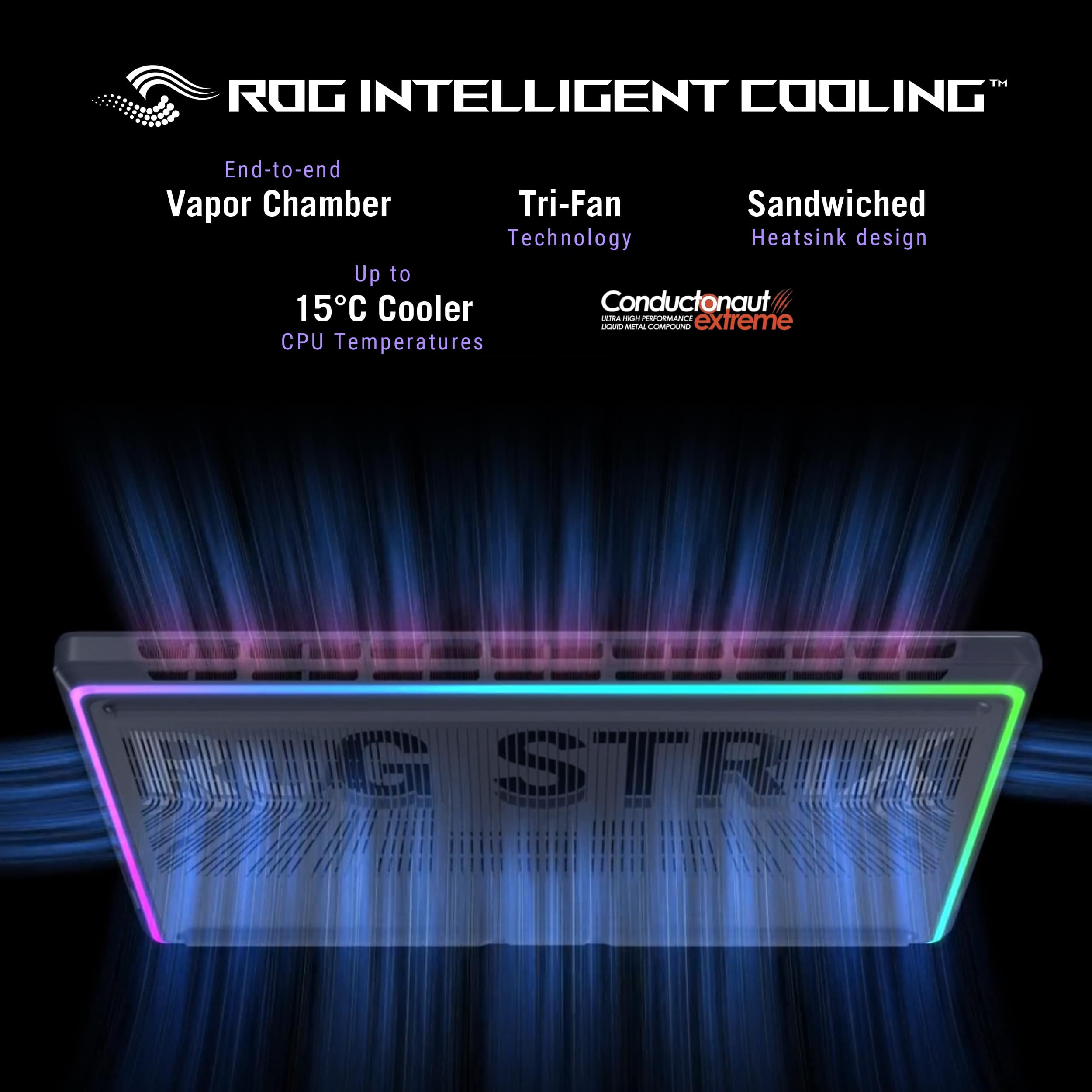
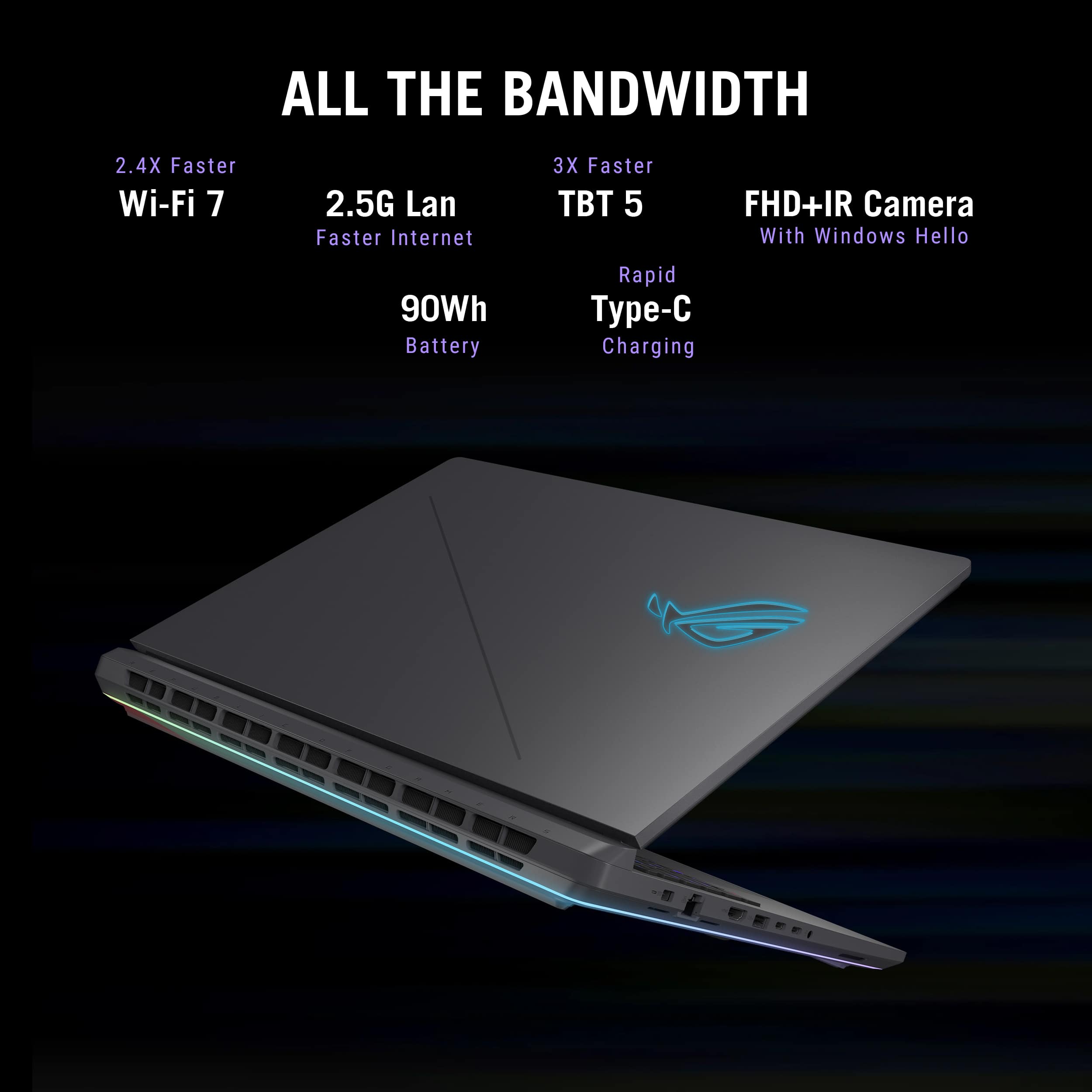
|Posted .This reviewer received promo considerations or sweepstakes entry for writing a review.A Portable Gaming Powerhouse PROS + Blazing fast gaming performance + Solid battery life when not gaming with smart GPU switching + Great cooling, especially by gaming laptop standards (e.g. won’t burn you to touch laptop deck while gaming) + 240hz high-refresh rate screen has great motion resolution + 5080 laptop GPU is full wattage version (175w) & supports all of the latest Nvidia DLSS features, which work amazingly well in games which support them + Great I/O selection, including two thunderbolt 5 ports + Tool-free entry to internals is amazing if trying to access things like SSD storage + Great use of RGB under the laptop & keyboard (as someone who doesn’t like overly gamer looking laptops) + Solid (& heavy) build quality and materials, with very minimal screen flex and strong hinge for lid CONS - Fans can get quite loud as heat & fan speed increases (I recommend staying away from Turbo mode unless you have a good pair of noise cancelling headphones) - Chassis is a bit of a fingerprint/grease magnet SO-SO * Keyboard keys are serviceable, but not the best laptop keyboard I have used for long typing sessions. Works well for gaming though * Screen picture quality is fine, but far from the best I have seen on a laptop from a contrast and color perspective. For this much expense, it would have been nice to have a more vivid screen. Great viewing angles though if that matters for you. * There is no getting around the fact that this is an expensive device. You get what you pay for though THE LONG AND SHORT OF IT UNBOXING The Asus ROG Strix G18 is a beast, both physically and from a gaming perspective. Normally I don’t pay much attention to packaging (I unbox everything and don’t really remember it the moment it's gone), but this laptop sets the stage right from the start with the most unique unboxing of a laptop I have had. It comes in this cardboard box, which when opened, has a mechanism that lifts the laptop up on a small cardboard platform as the box lid is raised, like it is presenting the laptop to you. Above the platformed laptop on the lid is a graphic design showcasing everything the laptop has to offer from a hardware perspective. It’s a small touch, and has nothing to do with the laptop itself, but is without a doubt impressionable and sets a great first impression for the device. When a laptop costs a premium, it helps when the unboxing experience feels above and beyond. FIRST IMPRESSIONS & SET-UP From a hardware & I/O perspective, you get a lot here. To start, because this isn’t trying to be a thin and light laptop, you get the benefit of a lot more I/O than a lot of modern laptops. Specifically, you get a 3.5mm headphone jack, 2.5G ethernet port, 3x USB-A 3.2 ports, an HDMI 2.1 port, and 2x Thunderbolt 5 USB-C ports, along with a power input port for the custom Asus Power Adapter (it can charge as a slower rate over USB-C as well). The dual thunderbolt 5 ports are a particular benefit for me here, given how rare they still are on modern PCs and how much bandwidth (80Gbps bi-directional or 120 Gbps uni-directional), they offer compared to Thunderbolt 4. This can be used to power higher resolution/refresh rate displays, but could also help future proof the laptop a bit when thunderbolt 5 based eGPUs become more common. On the build quality side, it feels quite premium, with a mostly metal and hard plastic chassis. The screen hinge in particular is something that stood out to me, it feels very strong and actually doesn’t let you open the screen one-handed (which is surprising given how heavy the base is), since it actually lifts the base with it. There is very minimal screen flex, and the screen itself looks pretty good. Asus calls it the “Nebula Display”, which can display 500 nits of peak brightness and 100% DCI-P3 color gamut. It also comes with an anti-glare coating which is almost matte looking. The result is a display that gets plenty bright, has good viewing angles, and combats reflections quite well. Combined with the 240hz refresh rate it feels very snappy for gaming. Where I think the display falls short for me is in the contrast, as it still feels like an IPS display. Coming from using OLED and mini-LED displays, it is a far cry from that level of picture quality, and while you can still go up in trims to get a SCAR model with the nicer display, it would have been nice if this more “base” G18 model had a bit nicer of a display from a contrast perspective. Again, it’s not bad at all, but for my standards, I think it is “acceptable”, which on a premium gaming laptop, can be more or less acceptable depending on your preferences. I tend to use external monitors already for 90% of my gaming, so it isn’t a big issue for me. I also want to mention two other quick hardware things that I think are nice touches. The first is the RGB, which I think is nicely done using a lightbar that runs the full perimeter of the bottom of the laptop, and reflects on the tabletop (as well as doubles as the light for the keyboard backlight). It's not too showy, but gives a nice flair to the laptop that is totally unique. The second thing I really liked is that the laptop features this Q-latch system which allows you to open the bottom of the laptop quickly without any screws. It's so much nicer than dealing with tiny screws you might lose, and it makes it easier if you are trying to clean the laptop, add additional storage, or for maintenance. It's a small touch, but very nicely implemented. On the software side, if you have ever set-up any PC with Windows, then you know what the set-up process for this device is like, so I won’t go into too many details here. What I will say is that the webcam works quite well with Windows Hello, and you do have a fair amount of Asus software pre-installed that you need to configure. I am generally not a fan of pre-installed bloatware, but I do think Asus does it better than most, with MyAsus being the general device software for managing system settings/updates, and Armory Crate being the gaming center for things like performance mode tuning, RBG, game library, and more. I am generally a fan of Armory Crate, although it can be a bit laggy at points, but it is far from unusable and keeps things simple. Apart from this, there was minimal additional software pre-loaded, and you can configure your additional gaming software (Steam, Epic, Razer, etc.), to your liking. GAMING EXPERIENCE What matters more than anything, when investing in a gaming laptop, is how it performs playing games, and thankfully this is where the Strix G18 exceeded my expectations. With a laptop 5080 (at the full 175W TGP), and an Intel Ultra 9, you are getting some of the best mobile hardware you can get for gaming, but where this tends to fall apart for me with gaming laptops is heat & noise. I am happy to say though that I think Asus has done a great job with cooling. It has a tri-fan design and a vapor chamber design that extends all throughout the laptop, with a fairly thick heatsink. Heat is vented out the back which keeps the keyboard deck from getting too hot. I played the laptop via wall power in the Performance power profile, and found that the GPU was surprisingly staying around 70C when gaming and while the CPU was getting warmer near 85-90C, it never tended to exceed that mark too far in my longer gaming sessions. What was more surprising though was that while the fans can get quite audible in performance mode, I didn’t find them unbearable. I would of course recommend using headphones, but the fans didn’t need to be full blast to achieve acceptable heat. I would say to stay away from Turbo mode though, which is the exception to this rule for me. In my benchmarks I found that you get at most around 5-6% more FPS, but at the cost of full fan-speed and heat which to me doesn’t feel worth it. In terms of performance benchmarks, I ran several games, including Cyberpunk 2077, Indiana Jones and the Great Circle, The Quarry, & a few more games. Across the board gaming was great to exceptional. In games which support all of the latest Nvidia features, like Cyberpunk & Indiana Jones, it can perform its best. DLSS multi-frame gen is almost like magic with how well it increases the fluidness of motion without introducing much additional latency. I tend to play using a TV with a controller typically, and in these cases I couldn’t tell any difference in latency, but the visual fluidity was massively improved with minimal to no noticeable artifacts. Coming from a laptop with a 4080, the typical performance in games without DLSS features, like the Quarry, wasn’t as huge of a difference. However, in games which support these features, it really makes the experience much better. For example, with every setting maxed (including path tracing) in Cyberpunk 2077, I was able to regularly get 80-100fps (~40-45 fps before frame gen) using multi-frame gen. While a laptop will never be able to scale to the heights of a desktop in terms of raw gaming performance, this really does feel like a desktop replacement, with AAA quality performance, top-end features, and great cooling, while also still being portable. Definitely the best gaming mobile gaming experience I have had to date. CONCLUSION The G18 has so many things it does right. The hardware looks and feels top-notch, cooling is great by laptop standards, I/O is full-featured, gaming performance is excellent, and it does it all well. Yes, I think the software could be a bit better (but you can only do so much with Windows), the screen contrast could be better at this price point, and at full power the fans can get very loud. But all of these cons feel negligible for me in the face of all of the pros. You get a gaming laptop to game, and this is where the G18 is at its best. If you are in the market for a high-end gaming laptop and don’t have size constraints, I think this is an excellent choice.
I would recommend this to a friendLaptop Not Functional
||Posted .This reviewer received promo considerations or sweepstakes entry for writing a review.This has had to be the worse laptop I have ever bought. What I play: Fortnite Marvel Rivals Borderlands What went right: 1. The screen size was amazing. The 18" helps you feel immersive and allows you to see things clearly. 2. I also enjoyed the lighting around the laptop because it added pops of color that I appreciated. There is nothing else positive about this laptop. 3. The laptop never got hot. At least not to where I would notice What went wrong: 1. I was unable to connect Bluetooth headphones without games getting a hang error. 2. My screen would go black and then get status 3. The laptop would just turn off 4. I contacted ASUS and they said lets update the bios. Once I did this the computer then started shutting off once an hour no matter what I was playing or doing. 5. The error longs showed I was facing a problem with "Blue Screen," but when I test the system it says everything is working fine. 6. Customer service could have been sigificantly better, but instead they said it could take up to 4 weeks to fix and at that point the return period would be over. Overall, on paper this laptop is one of the best, but I found it didn't work for me. It could very much all be software, but I don't have time to sit around and fin out. I spent hours updating drivers, BIOs, and even restarting the computer from scratch 5 times within a 30-day period. I thought maybe I just got a lemon of some sort. But I went and got another from BestBuy, and I was faced with the same problems once again. I will stick with Lenovo going forward as this is simply not with the headache.
No, I would not recommend this to a friendBrand response from ASUS Answers
Posted .Dear Breanna,
Thank you for sharing your experience with the ASUS G815LW gaming laptop. We sincerely apologize for the issues you encountered, from system instability to the challenges with support. We understand how frustrating it is when a product doesn’t perform as expected, especially after multiple troubleshooting attempts and even replacing the unit.
While we're sorry to hear the laptop was ultimately returned, we appreciate your detailed feedback and will ensure it’s shared with our internal teams for further review.
We stand behind our products and continuously strive to improve our products and processes to achieve customer service excellence. If you require any further assistance, please email us at [email protected] and include the case number "N2504022705-0008" as a reference. We will do our best to resolve your case quickly. Your feedback is very important to us, and it enables us to improve our support channels. Thank you for choosing ASUS.
Best Regards,
Chantae
ASUS Customer Loyalty US Support
Outstanding Performer
|Posted .This reviewer received promo considerations or sweepstakes entry for writing a review.The ASUS ROG Strix G18 gaming laptop is a powerhouse for gaming. The G18 chewed through my favorite games like a hot knife threw butter. Its 3Dmark Time Spy benchmark score was 22,827. The Mobile 5080’s individual score was 21,815 while the Intel Ultra 9 275HX CPU score was 16,574. I keep reading reviews about how weak the Intel Ultra 9 is for gaming. Not only did this CPU bench well. It games well. Gaming: Mechwarrior Online, or MWO for short is a Direct X 9/11 game that is about 12 years old. It is also the game I play the most and am the most familiar with. There is No DLSS, no Ray Tracing, and no ALLM. Instead, this game is solidly in the class of system destroying, brute force, high horsepower graphics rendering that leverages TXAA anti-aliasing, Post-Processing, and, of course, max fidelity settings. Well, it was back in its day. At 2560x1600, the G18 completely owned MWO. FPS ranged from 130 to 90 with an average of around 100 FPS. In my experience, 130 is where this game tops out. Considering how poorly optimized this game is, 100 to 130 is perfect. Better yet, I was able to maintain this performance connected to my external 34” 1440 monitor. Next, Diablo IV. This game runs great at medium high settings with DLSS turned on. DLSS is fine when walking around a town. When bossing or in a tough fight, where timing is everything, then DLSS simply gets in the way, and in some cases, will get your character killed. With DLSS on, I was steady around 130 FPS. With DLSS off, the G18 was able to maintain a steady 100 or higher FPS. Graphics settings were set to medium-high with some Ray Tracing on. Finally, Call of Duty Black Ops 6. The first thing I did was run the built-in benchmark/calibration routine. I posted a screenshot so you can see all the numbers. The system scored 150 with DLSS on and 136 with DLSS off. For competitive play, turn DLSS off. It will save you a lot of frustration. Actual game play, the FPS hovered around 100 FPS. This was more than good enough to remain competitive. There was not screen tearing, no lag, and not ghosting on the screen. I actually had some of my best matches on the G18. That is, after I turned off DLSS. With DLSS on, I had some of my worst matches due to the lag or delay in real time, screen rendered information. Overall, less DLSS, my gaming experience was excellent. DLSS has its place. Just not in online competitive gaming. Fan Noise: The G18 has five power profile modes that directly impact system noise. Amory Crate has three pre-configured profiles: Silent, Performance, and Turbo. Amory Crate also has a mode that works directly with Windows Power Plan. Finally, there is the option to build your own power profile. Silent is exactly that. Fans are off. The system will get warm but not hot. Performance mode has a range from quiet to loud depending on system load. Energy consumption increases on the system. This in turn causes more heat which demands the fans run to keep the system cool. While gaming, the fans ramped up to about 80% to 90%. I would recommend a good pair of noise canceling headphones while gaming. Turbo mode is full peak system power, peak heat, and peak leaf blower fan performance. At 100%, the G18 fans are loud. Headphones with good noise isolation is required. The fans running at 100% does a good job of keeping up with the heat. But, the system will still heat up and you will run into CPU throttling. Overall, I feel that the Performance pre-set power profile is an excellent balance between energy consumption, heat management, and performance. Keyboard and RGB lighting: The keyboard is well laid out, comfortable to type and game on, and the keys have a good resistance and return. The only thing I do not like about this keyboard are the translucent Q, W, E, R, A, S, D, F, and space bar keys. In a dark room, or a room with poor lighting, it is nearly impossible to read the silk screened letter on the key cap. I found this challenging in situations where I need to see the key. For example, I use a rare key function in one of my games and want to visually confirm before pressing the key. Not all my games are FPS games. This is not an issue in a well-lit room. The RGB, as a whole, is very well done. The letters, number, and words on the regular key caps are shine through. And each key cap allows light to purposely blead around the edges. The bottom of the G18 has four RGB light strips that can either coordinate with the keyboard RGB or act independent of the keyboard. I kept them on for a few days and then turned them off. The RGB strips are well done, well placed, and cast a lot of light. Asus provides a way to change RGB via some presets. It also provides the ability to turn the lighting off. One place where Asus seems to keep missing the mark is keyboard lighting customization. Aura Creator is a nice to have, assuming it will even detect your keyboard and chassis light bars, but it is insanely difficult to use to any effect. And tying custom profiles to games has always been a hit or miss exercise. Sound: The speakers are clear and good enough for laptop speakers. They won’t compete with a dedicated headset or dedicated external speakers. They are good enough for YouTube, pod casts, Netflix, internet radio, and other leisurely listening activities. While gaming, the fan noise will overwhelm the speaker audio quality. They are still useful for gaming. However, the competition with the fan noise will eventually force you into a headset. Screen Performance: I think Asus nailed it with the screen. Colors are bright and vibrant. The refresh rate at 240Hz is excellent. I did not notice any ghosting, artifacts, or screen tearing while gaming. Even the fast twitch movements associated with playing CoD6 was clean, fast, and completely immersive. The only thing that would make my experience better is upgrading the laptop’s screen to an OLED. Or connecting to an external OLED gaming monitor. Upgradability: I upgrade my laptops. Back in the day, laptops had doors and drawers to access hard drives, memory, CD players, and batteries. Today, everything has screws and plastic clamps which are time consuming, difficult to work with, and can often lead to scratches or other unintended damage. Thank you, thank you, thank you Asus for bringing “easy” back to user-accessible upgrades. The bottom cover has a latch that slides, clicks, and then the bottom cover simply slides off. It could not be any easier. Ram, battery, and SSD slots are easily accessible. The main board is protected by a secondary plastic cover. Final thoughts: This is a beast of a system. The system will get warm regardless of what power mode is selected. Under load, the system fans get loud. Gaming performance is excellent. Daily productivity is excellent. There are power saving features, such as CPU Core Configuration and nVidia Optimus, that will help make this laptop perfect as a workstation and gaming computer replacement. Overall, I am very happy with the G18. I think it is an excellent system.
I would recommend this to a friendThe Best of the Best!!
|Posted .This reviewer received promo considerations or sweepstakes entry for writing a review.Usually whenever you think about upgrading your PC you always want the best of the best. “I wish my new computer could be the ultimate gaming machine with the best graphics card a big, beautiful screen, a high-end processor that will handle anything I throw at it and oh, it wouldn’t hurt if it was easy to upgrade too.” Well luckily for you the new ASUS ROG Strix G18 is the exact computer you’re looking for, and no this is not an Obi Wan Kenobi mind trick. Initial unboxing of an ROG product is always an enjoyable experience and the G18 is no exception. The theme of the box has the feel of a high-performance car and upon opening you’re greeted with a stencil highlighting some of the aspects of the design of the laptop. Holding the laptop for the first time it’s evident this model isn’t made to be super portable clocking in at 7.5 pounds. But nonetheless it’s a beautiful piece of machinery. Booting it up for the first time and seeing the RGB lights shimmer rainbow colors on my glass desk was an awesome experience. Whoever thought of putting a light bar around the bottom of the laptop should get a raise. Really cool feature that I never knew I needed! The keyboard immediately stands out as well. You’re either going to love it or hate it, but the Q,W,E,R,A,S,D,F and Space bar are all translucent style keys that are affected more by the Aura gaming lighting than the other keys. The keyboard is full-sized with keys that feel soft but responsive. There are additional hot keys for gaming as well. You can’t help but notice how big, bright (500 nits) and beautiful the screen is on this laptop. I’ve owned a lot of different gaming laptops, and this is the nicest I’ve probably ever seen. ASUS has spared no expense with this computer, throwing the literal gambit of high-end parts that any gamer would be looking for. The Ultra 9 275HX is an absolute beast of a processor. The RTX 5080 can handle any game at max setting. There are 32 gigs of ram and a 2TB SSD. It should also be noted this laptop has a super cool way of upgrading the ram and HD’s with a latch system underneath that allows easy access in seconds! The cooling on this laptop is another standout feature with the ROG intelligent cooling. Their designs allow the laptop to run cooler and quieter and it’s noticeable when pushing the laptop during gaming. It’s probably one of the quietest high-performance laptops I’ve ever tested. The laptop comes with a slew of different ports; 2 Thunderbolt 5 USB-C, 3 USB-A, HDMI 2.1 a 2.5g ethernet port or WIFI 7 to choose from. The speakers on the laptop are impressive with a Dolby Atmos quad speaker setup. I’ve been playing Clair Obscur: Expedition 33 nonstop and the music sounds gorgeous. The laptop comes with Windows 11 Home and utilizes Copilot which is something I’ve grown to use quite a bit. Xbox game pass is the best deal in town and gets you access to so many great games and luckily the computer comes with a 3 month trial to test it out! After putting this computer through the ringer and playing countless hours of gaming, I could be happier with the results. The ASUS ROG Strix G18 is a powerhouse laptop that suits anyone’s needs whether you’re a gamer, professional editor or creator/streamer. The RGB lighting along the bottom makes this laptop a head turner. If you’re looking for a top-of-the-line laptop you can’t go wrong with this model. It’s without a shadow of a doubt the best gaming laptop I’ve ever owned.
I would recommend this to a friendMonster specs and monster game play
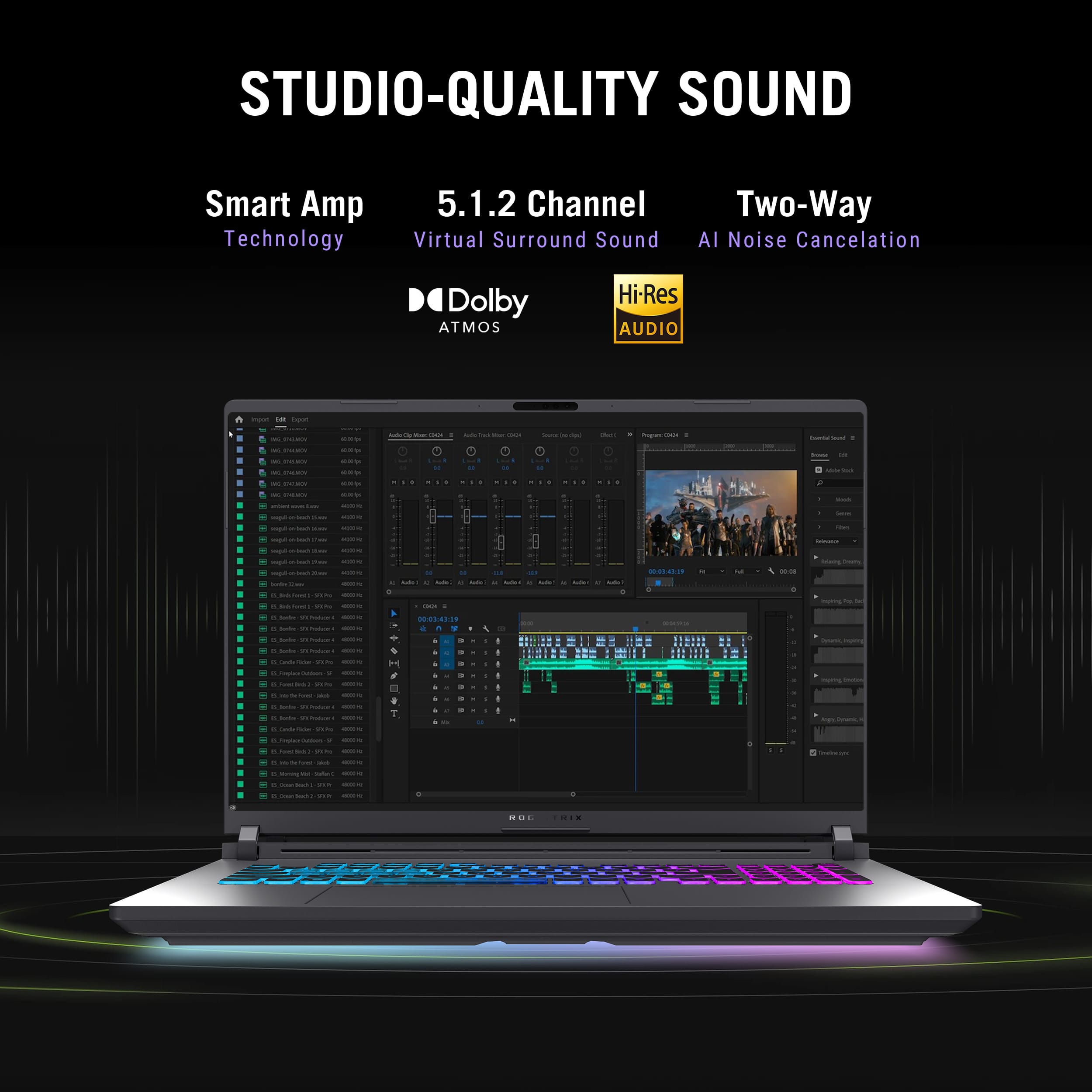
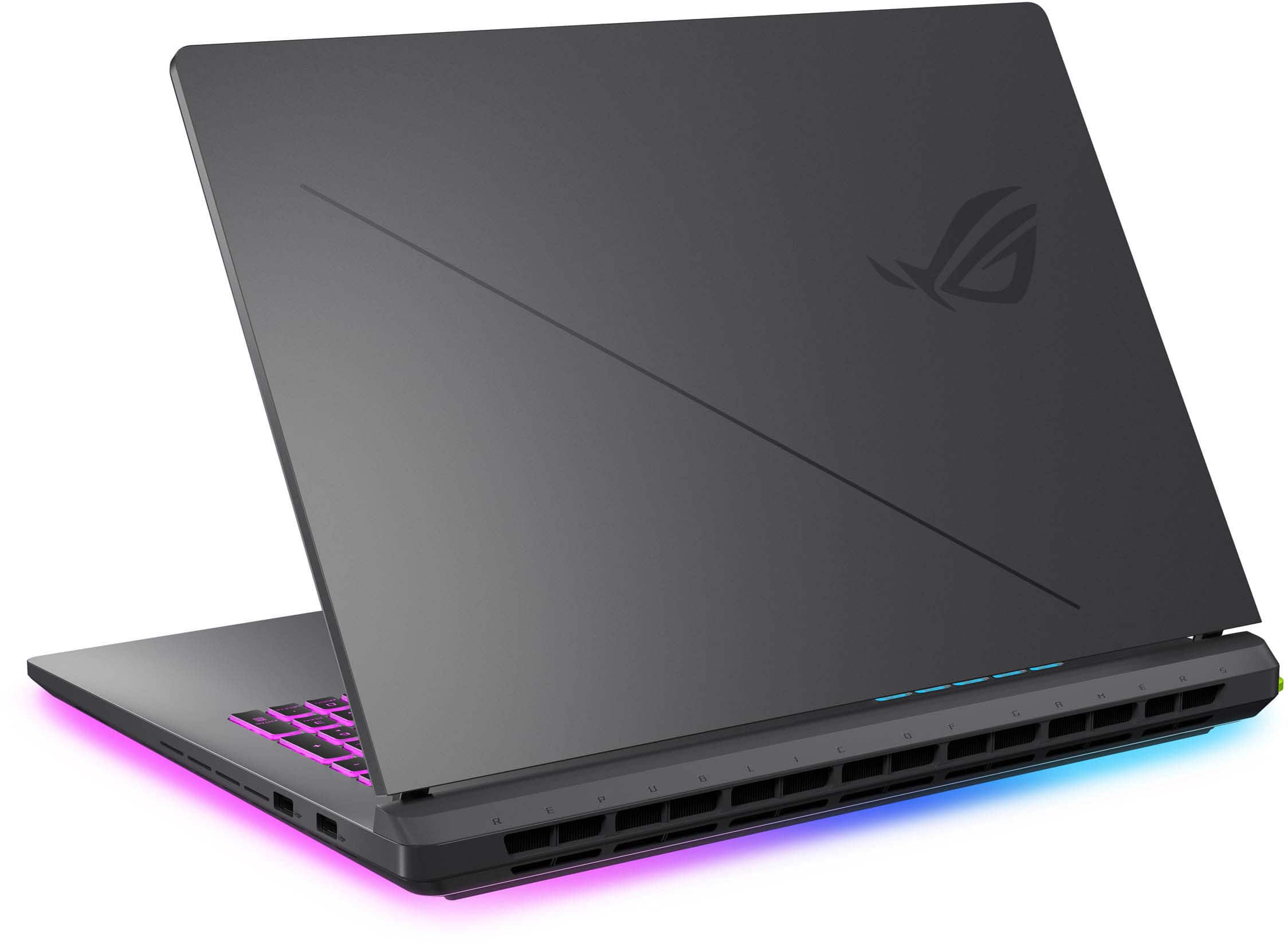
|Posted .This reviewer received promo considerations or sweepstakes entry for writing a review.Gaming machines come in a wide variety of shapes and sizes and whether you prefer a stationary desktop setup, or a more portable approach that you can bring to a friends house, they all come down to the same individual pieces that collectively, determine the strength of your game system. Unfortunately there is a huge trade off between quality and affordability that generally determines what system you'll ultimately be playing on. The ASUS ROG Strix line can be configured with a variety of options that can lower or raise the price and performance. My review is based on this machine model as it is sold by ASUS. The ASUS ROG Strix G18 is without question a machine on the quality side of that equation. But if you're a serious gamer who loves the portability aspect of gaming machines (or you happen to not care how much money a great machine costs), this is definitely one to consider. I find that most gaming PCs do, at some point, start pulling their punches when it comes to putting together a consumer rig. Usually skimping on things like the amount of memory, the quality of the display and graphics card and even the CPU. For those who don't know, and may find the machine name confusing, ROG is what ASUS refers to as Republic of Gamers. These is a high quality gaming machine line. The Strix refers to a type of owl, and its qualities, which is why the logo is an owl's eye. Build, look and feel ASUS has packed a ton of great features into this machine and they have done so from the ground, up. The entire build is based on a solid frame and even though some might whine that it's not made of solid titanium, the look and feel is a beautiful dark gray color that doesn't seem to show a lot of fingerprints. The deck slopes towards you slightly and all the corners are gracefully rounded. All the exhaust venting, points out the back, which is really a big plus to me. I have several other laptops that vent out the right side (right where you hand naturally works the mouse), which is insanely annoying. Venting out the back keeps all the hot air (which is considerable thanks to the great cooling system that's been implemented) away from the user. The entire rear edge is used as exhaust and has a really cool “grill” type look to it. Overall, it's a sleek and pleasantly minimalist design. The display hinges are unique and solid offering the right amount of resistance. This is a machine that tops out at just over 7 lbs., so it has a very solid feel to it. Generally, people always seem to balk at a heavier laptop but they don't seem to realize that a lighter machine is going to have more of a flimsy feel and less internal support. If you ever wanted to max out the RAM on your laptop or add more drive space, you will totally appreciate this machine when you flip it over. Releasing a small latch at the front and pulling forward on the bottom panel, allows the entire panel to be removed, giving you a view of the internals of the machine. Now you have direct access to the RAM, but that's not all. There are also two M.2 slots as well that are directly accessed (one is filled with the 2TB drive, but the other is empty). It appears that the battery may also be accessible. I didn't try to remove it, but it looks like that would be possible. The bottom panel is as easy to put back on as it is to remove. This is a really nice feature, and will be appreciated by anyone who has ever tried to update their laptop and been frustrated by the lack of access they usually have. Features Anyone looking for a high end gaming laptop is able to look up the long list of features and specs for themselves, so I don't want to waste a lot of time here (I mean the list literally goes on and on), but I need to at least highlight what I consider to be the stand out components. All these components combine to eek out as much speed and performance as possible. Intel Core Ultra 9 processor NVIDIA GeForce RTX 5080 graphics processor 32GB of DDR5 memory 2TB M.2 PCIe 4.0 SSD 3 individual processors (Intel Ultra 9, NVIDIA 5080 and Intel NPU for AI) 18” IPS, LED display, 240Hz, 2560 x 1600 resolution monitor with anti glare screen Fantastic cooling and heat exhaust system I could certainly go on, but you should, by now have the impression that this is a machine that will handle (with ease) any current game you care to throw at it. If I could sum it up, it's fast, smooth and insanely competent. Playing Doom Eternal is just a pleasure. This is the first machine I've played that game on where the machine speed can actually go much faster than the user can. This is not to say other machines can't handle the game properly, it just seems that this machine has horsepower to spare and will go as fast as you could possibly need it to. Keyboard and lighting effects The keyboard is laid out well, with the inclusion of a full set of number keys along with the standard dual use function keys. There is also a great set of five keys dedicated to volume up and down, microphone off/on, fan mode (which allows you to cycle through different fan speeds on the fly), and a key to directly open up the Armoury Crate program. While these five keys have specific icons on them, you can configure them for different options if the standard ones aren't to your liking. There's also a dedicated and easily identified power button, along with an absolutely huge touch pad. I like the feel of the low profile keys. They seem to have a higher resistant action that feels very solid and not mushy. One thing I do wish this very full size keyboard had was more definition and isolation of the arrow keys. It seems they could of done a little better here by making them more obvious. As they are, there is a generous amount of space between the Copilot key and the left arrow key, but the rest of the arrows just flow into the keys next to them without an easy way to feel any definition. Not a big deal, but something that I personally miss. The lighting and effects controls are all customized through the Armoury Crate and Aura Creator programs. Basic lighting controls can be handled through Armouuy Crate (along with other system settings). Aura Creator will allow you to set to different color and effect profiles. This is where you can change the way you would like the the ground effects lighting (Full-Surround AURA) and key zone lighting to look and act. There are four key zones that divide up the keyboard, but unfortunately, this particular model does not allow for per-key assignments. While the dedicated look of the standard gaming keys is nice, I feel that if you want to be able to actually read the keys, it helps to use a darker color as the print on the keys is white. With the huge color palette and effects offerings, this will certainly afford you hours of customization fun. Also, you can save different profiles 'til your heart's content. Usually, in my experience, the selection of color choices seems to be far greater than what the actual LEDs can reproduce, and that is still the case here, but anyone familiar with this type of customization will probably expect that. Display and audio The display is a 2.5K, 16:10 size with a 240Hz refresh rate. It includes features like Dolby Vision (on video playback), Pantone color validation (which is a way of keeping colors true to the Pantone color palette), it's able to use NVIDIA G-SYNC on games, inherently uses blue light filtering and has a matte finish that shows rich and deep colors from any angle without an annoying room reflection. In short, it's a beautiful display experience. The built in sound on this laptop is better than I've heard on most others. It includes virtual Dolby Atmos (5.1.2), from two speakers somehow. I don't know how they do it but I did hear a noticeable difference in the sound quality, over many (if not all) other laptops I've played on. I can only describe the sound as extremely spatial. Sound seems to come from more places than just the speakers. Conclusion Anyone that has a desire to buy a high end gaming laptop with specs out the ceiling, should at least give this machine some consideration. It's components are really outstanding and without question allow you to play any game you want. This will certainly be a good fit for content creators, and photo/video creation and editing. People looking for this quality will have no trouble spending what it takes to get that feature set, and I will say the cost is not for the faint of heart. I like everything about this machine and appreciate all the small touches it includes like the beefy, dedicated power supply (with the owl eye logo as well), but if you don't want to take the supply with you, you can also charge it with a USB-C input. The light colors and effects are great, especially the unique ground effects lighting. The overall look and feel with the curved corners and dark gray finish. The way the keyboard stays nice and cool even though the exhaust is blasting out scalding hot air from intense gaming (truly, this is a really spectacular and underrated achievement). RJ-45 network connection, which in itself is an average inclusion, but this is a 2.5GbE port, so good job there. Any true gamer will thoroughly appreciate the specs, the layout and the fun this machine brings to the table. Exceptional job ASUS!
I would recommend this to a friendClosest thing to a full-sized rig that I've owned!
|Posted .This reviewer received promo considerations or sweepstakes entry for writing a review.Ever since I have stopped buying/building full tower gaming rigs, I have gravitated towards those gaming laptops that are a bit sleeker and portable, like the ASUS ROG Zephyrus (which is a fabulous computer in its own right), but this time I wondered if I was doing it all wrong and should have instead been looking at laptops like the Strix. Well, I can safely say that after a week of playing, and testing, and playing some more on the ROG Strix G18, that I WAS wrong and should have been looking here all along. I'm not going to get all bogged down in specs, temperatures, and FPS numbers. There are reviewers out there (and probably here on Best Buy), that do a far more comprehensive job than I ever could. What I will say, is that the G18 is the closest to a full-sized and loaded gaming rig that I've ever owned in a laptop format. BTW, I'm old and have been PC gaming since the Commodore 64! Heck, I remember when my first custom built tower came from Micron computers back in the *cough* 90's, and the awesome new monitor was a 17" CRT beast! The thing I like the most out of the ASUS ROG Strix G18, is that I don't feel like I'm giving up too much for the portability. Now part of that is because the G18 is NOT as portable as any laptop I've owned before. I remember days of hauling my tower and monitor to a friend's house to set up big gaming LAN parties, and for some reason I've always had in my head that a gaming laptop HAS to be ultimately portable, but that has almost always come at a cost of playability. Plus, as an older gamer, I also don't tend to travel with my gaming gear as much, so I was prioritizing the wrong thing. Hence, the G18 is a great device that I can keep on my shelf and pull out whenever I get the itch to play but not take up a ton of space. I really dig what ASUS has done with their laptop packaging, software, and upgradability with the G18. Opening up the box, you are served up the G18 like the prized possession it is about to be and getting it up and running was the easiest thing I've EVER done with a gaming PC. I started cutting open the box at 0645 on the day after it arrived and I was waking up in the dungeon of Cyrodiil in 'Elder Scrolls IV: Oblivion' at 0831. And that is with doing ALL of the updating, from the software, to the BIOS, to cleaning up what very little junk ASUS puts on their systems, to downloading and installing the game from Game Pass Ultimate. The longest part was downloading the game. Easiest time ever with a gaming computer. Also, if you like to tinker a bit with your computers but are no longer in the mood for entire builds or re-builds, the Strix is really nice too. I wanted to add some additional storage space, and it was the easiest thing ever. Flip the laptop over, slide the lever to the left, slide the bottom case toward you, lift up, slot in the SSD, turn the locking knob, and slide the case back on until it locks. Done. Peak efficiency. While it was open I could see that it would be relatively easy for me to tinker with other things if I ever get the itch, but I don't see that happening any time soon. And that's because this thing is a gaming BEAST. I ran Oblivion at the best settings (not max mind you), and the game played like a champ, always staying right around the 60fps target. And it looked beautiful on this screen. I personally believe that the 2/2.5K resolution is the best for gaming. You get beauty without it killing your system. And like I said, the Strix handled it like a pro because one of the other benefits of going with a larger system like this is the better air flow. Even when the Strix was running it's hardest, the fan never got to 'jet engine' levels like I would get with her more svelte cousins. There has only been one little 'meh' thing for me and that hasn't been all that bad, and that is the sound. I was expecting the Strix to be able to push out some bigger and bolder sound, but I didn't find that to be the case. While the sound is perfectly useable, and you even get some decent separation in right and left channels because of its size, it will not on its own blow you away. That's OK, because I tend to play with headphones anyway, and the Strix drives those just fine. All-in-all I'm super stoked with the G18. I found that I have been looking in the wrong place all along for the best combo of capability, size, and portability. It's the first time that I feel that I haven't really given up anything with a laptop over a tower. That's pretty cool.
I would recommend this to a friendThe Latest & Greatest packed neatly in an 18" box
|Posted .This reviewer received promo considerations or sweepstakes entry for writing a review.Over time I've had a number of gaming laptops; most recently a previous model of this ROG, and an Alienware M5. To date, each of these have had some performance or design details that were either not included or resulted in poor performance. I've been a reader to the Asus forum many times, and when I had a problem or complaint, I could always count on others with the same concern. So, I'd have to say that in designing this model, Asus has read, studied, and addressed a number of issues that the ROG gamers had presented; the result being this ROG Strix G18. I have to first comment on the presentation - it comes in a unique box that upon lifting the lid, the laptop itself rises up and presents itself to you. I'm surprised they didn't include a voice chip like you'd get in a greeting card that announces itself with a flourish of trumpets - TA-DA! Nice touch, but what else you got!? The machine itself has a nicely sculpted lid with a crisp, clean design. Lid is a little heavy to open, but the dual hinges are solid and swing smoothly. The thin edge bezel also has a solid feel, I've had bezels that actually bend under the stress of opening, not so here. But far & away, the feature I most appreciate is the "no tool" back cover. There's a small slider on the underside, slide it open, push the lid up a notch, and the cover is off, revealing all the internals. No need to deal with a half dozen or more tiny screws, you can get your vacuum working in there in less than ten seconds. All the fans (3 of them) are exposed and easily cleaned. I used to dread doing this job on my Alienware, took the better part of an hour or more. This will surely be the cleanest laptop I've ever owned. Thanks, Asus. Can't say I play a variety of games, but do have one I've committed thousands of hours to - the Civilization series - I've owned every one from the beginning, but since Civ 6, and now 7, you can reaglly ratchet up the performance sliders to place high demands on the processing & video power. I would set the framerate & other video specs to half peak values, and that machine would sound like it had emphysema with the fans pouring out heat into the room. This would be my performance test for the G18. I could finally turn the detail sliders up to their max, and enjoy gameplay as the creators intended. The color palette of the screen is gorgeous, I could zoom in to hotspots and enjoy the detail the game artists created. There is one detail I'd like to nitpick with the Asus designers, as I see they are scanning the reviews here. The keyboard lighting. If you're working in the dark, it's pretty near impossible to see the special characters (when shift key is used) - only the numbers light; not the characters above them. Yes, it's a gaming pc, but I do work with it, emailing, etc., and since I'm not a professional typist, I have to use a flashlight to find my ampersands and hashtags. One other reason that draws me to Asus is their online support forum - I've owned Asus products for over 20 years, I would think that the ROG gamer participation is probably one of the beat in the industry. That, and the included Armoury Crate software which offers a myriad of customization & performance settings to improve your experience. These guys are serious about gaming.
I would recommend this to a friendAMAZING LAPTOP. DESIGN/PERFORMANCE- 5080 BEAST!
|Posted .This reviewer received promo considerations or sweepstakes entry for writing a review.I was blown away by this gaming laptop, the design, size and performance is amazing- exceeds all expectations. It has numerous features and ease of access to upgrade RAM/SSD make this a must have gaming PC. I will focus on the gaming aspect as that is it's designed purpose. FIRST OFF, It looks amazing- the screen size 18" 2.5K 240Hz Nebula Display looks amazing. The brightness, refresh rate and color pops- the graphics look great while gaming or watching movies- the other use I have for it. The refresh rate is pretty standard in gaming laptops, no blur, smooth motion without any lag. NVIDIA GeForce RTX 5080 Laptop GPU- Beast of a video card- the Nvidia App also lets you run auto-tune for better performance. The Design of the laptop allows for the air circulation to come in thru the underneath and exhaust all the hot air thru the rear of the laptop. The fan does get a little noisy but when i am gaming the volume is up or i have head phones on so it not an issue for me. It has blazing 32GB DDR5, the 2 slots are used so you can't add memory without replacing the installed sticks. It does have spare SSD slot if you want to add storage, I am adding a SSD for dedicated gaming drive. The bottom panel has a manual switch/lever which allows you to remove the panel without tools. The SSD can be removed with a manual Q-Latch, no tools needed. It is a very nice and simple design. The Keyboard has a very satisfying feel, the travel and click makes for a very responsive and spaced out keys. You don't feel like the keys are jammed together. The trackpad, is a decent size , i don't use it much but it looks good. The aura RGB is nice, bright and adjustable...I am not huge fan so I turn it off. The speakers are very loud, it was surprising how nice the bass sounds and how clear the sound it at the upper volume levels. The IR camera is a nice bonus because it allows for Microsoft Hello login feature, makes it pretty seamless to just boot up the pc and have bypass the lockscreen. I downloaded Battlefield 2042 and Skyrim, i have an xbox style controller connected via bluetooth and the screensize, color quality, refresh rate and GPU make this a top tier gaming PC. Battlefield -OPTIMIZED Settings gave me an average of 122fps, and the GPU temp hovered at about 72 degrees...the fan was pretty much going non-stop and it was fairly loud but like i mentioned earlier I play my games with the sound pretty high. The performance of the has left nothing to be desired, so far no complaints but there are some things to aware of...the power adapter is a brick, it's heavy and big. The laptop itself is very heavy and not really meant for use on the go..as in using it on a plane/uber...its pretty big but well worth it.
I would recommend this to a friendPerfect replacement for gaming desktop
|Posted .This reviewer received promo considerations or sweepstakes entry for writing a review.The ASUS ROG Strix is a very functional gaming and multi-use laptop, though at this size, it's really to replace my desktop. I picked the 18 inch version because to fully enjoy gaming, any smaller screen may be too small (unless you value portability more). The screen is beautifully bright and sharp. I really liked that the keyboard's QWERT and ASDF keys are transparent, along with the space bar. The LED lights are a nice ambiance touch and give the feel the laptop is almost floating. You can edit the lighting with the AURA function (F4). It comes with Armoury Crate installed, which enables you to customize cool aura and breathing wallpapers that are synchronized with the laptop's LED lighting. There are two USB A ports on the right and 3 ports on the left (1 USB-A and 2 USB-C). This seems well designed to me because for gaming, you'd want to connect the mouse on the right side and not have a wired mess interfering with it. The trackpad is quite enormous, and I had to disable it for gaming with a mouse because my left hand (lower thumb area) kept accidentally clicking it. While there is plenty of keyboard real estate, the number pad on the right is a bit crammed, as the "right/end" key sits just below the #1 key. The numbered keys on the right are also smaller adding to that squeezed in look. That said, I do appreciate them being there for numerical functions. The keys are quiet and not as flat as a normal laptop. They have enough height to where it feels comfortable switching from a mechanical keyboard. The build quality is fine. It's not amazing or terrible, it does the job. The focus here is the GEFORCE RTX 5080 and the large screen anyway, so the build quality isn't an issue to me. Performance-wise, the laptop does well. You can expect the fan to run quite loud when the NVIDIA settings auto select the optimal graphics for your game. When you exit the game, the laptop is quiet as a mouse. The F5 function will also let you quickly select the fan mode (turbo, silent, performance). I was able to run Fornite on maxed out settings with no issue. All the heat blows out the back, and the laptop seems to be efficient at moving air to stay cool. All in all, I'm very satisfied with this laptop as a PC replacement.
I would recommend this to a friendFantastic Performance, Excellent Thermals!
|Posted .This reviewer received promo considerations or sweepstakes entry for writing a review.The ROG strikes G 18 2025, 5080 is it extremely well built gaming machine. The RGB lights at the bottom of the laptop are a very cool feature that I did not know I needed. I’m used to seeing RGB on laptops, but having it go fully around the laptop adds a ton more flare and it looks amazing. Stellar feature. The lid is metal and well built.Everything else is plastic, which isn’t a problem for me. It does have an HDMI 2.1 port that is connected to the dedicated GPU, which is nice. As for airflow, which was nice to see that they adjusted this, the vent ventilation is on the back as opposed to the sides so you don’t get your hand burned while gaming. Gaming wise, whatever I was playing, I was about to stay well above 80 fps on average. Temps stayed cool from what I can see and never did I the keyboard feel to hot to use (which is a huge plus for longer sessions). I really cool feature I loved was the toolless back removal. While it seems simple, I do not dread removing the back like I have with other machines that require tools and for you too keep with the very small screws. Huge plus. Overall, this is the complete package when it comes to gaming laptops. Performance, excellent thermals, all with a large 18in screen. Asus killed it with this one.
I would recommend this to a friendOne Month Honest Review
||Posted .This reviewer received promo considerations or sweepstakes entry for writing a review.Please read this before buying. No proper reviews are out yet, not even on YouTube, so I’m sharing everything I found, including two big issues that many older models had: backlight bleeding and improper liquid metal application. 1. Display – Backlight Bleed? Nope. Some people said this laptop has backlight bleeding issues, but mine didn’t have any. In fact, none of my friends who bought the same laptop had this issue either. The screen is honestly majestic – it’s huge, super smooth, and bright. No complaints at all. 2. Fan Noise & Thermals – Not Bad at All In Performance mode, fans do get a bit loud, but if you wear headphones, you won’t even notice. Turbo mode makes it louder, but I personally didn’t see any major FPS gains from it, so I just stick to Performance mode. Surprisingly, the laptop doesn’t heat up much, even after long gaming sessions. I’d recommend tilting it slightly using the power brick or a stand to help with airflow underneath. 3. Keyboard & Trackpad – Smooth Experience Trackpad is massive – feels great to use. Keyboard’s solid – no flex, no rattles, just smooth and responsive typing/gaming. 4. Battery – Don’t Expect Much If you’re planning to game on battery… don’t. I got around 1 to 1.5 hours max while gaming. This laptop is built to be used while plugged in, simple as that. 5. Gaming Performance – Rock Solid Every game I tested gave minimum 60-80 FPS on Silent Mode (with Very High to Ultra settings, plus ray tracing and path tracing with dlss set to quality). With Performance Mode, I was getting around 120-130 FPS on the same settings. And yes, I played on native resolution, which is 2.5k. Games I tested: Cyberpunk 2077 Elden Ring God of War (2018) Sekiro Red Dead Redemption 2 Expedition 33 Spider-Man Remastered (2022) I mostly use Silent Mode, which gives me super quiet gameplay and smooth 70 FPS. Honestly, that's more than enough for me. 6. GPU Issues? Initially, Yes – But Now Fixed When I first got the laptop, I faced: Screen flickering Black screen after sleep Laptop not waking up properly after heavy gaming After updating all the drivers (especially the GPU ones), everything works perfectly now. Also, Intel GPU drivers aren’t installed from factory, so make sure you download those manually if you want to switch to iGPU when using battery. 7. Hinges – Tight & Solid The hinge feels very sturdy. No wobble or looseness. Feels premium and long-lasting. 8. Liquid Metal Application – No Issues for Me One major issue people mentioned with older models was bad liquid metal application, but my unit seems fine. How to check? Run Cinebench R23 and see your CPU score. I ran it on Turbo mode (default settings), and got 35,900. As long as you're getting between 35,000 to 36,000, your liquid metal is probably applied correctly. 9. RGB & Looks – Chef’s Kiss The RGB is just beautiful. Especially the underglow around the bottom chassis – looks insane in low light. Feels like a proper ROG beast. 10. Misc Some people recommend undervolting it. But I’m on stock settings and haven’t felt the need. So it's up to you. There is no need for overclocking. This thing’s already powerful enough.
I would recommend this to a friendBig, Beastly, Powerhouse
|Posted .This reviewer received promo considerations or sweepstakes entry for writing a review.Gaming has come a long way. In fact, this laptop has better specs than what most desktops would consider top tier only a mere few years ago. I have been using this laptop for a few weeks not and have had nothing but positive experiences. This gaming laptop offers (nearly) every bell and whistle you'd ever want on a laptop. There are countless reasons on why I enjoy this set up but below are my top reasons. Storage - This latop comes with a wopping 2 TB of storage via SSD. As games require more and more storage, ASUS is stepping up their end of the bargain too by offering storage in TB vs GBs. This will give ever gamer plenty of lead way to jam out to their 100 GB + fav game that is on their radar. Speed - With 32 GB of memory and a GeForce RTX 5080, this rig will tear through and need you may have. Again, as mentioned above I recall having 8 GB in an older pc which was upgraded from 4GB. The 32 stock GB of ram will satisfy ever top setting modes for most games out there, and when paired with the 5080... an immersive experience awaits. Design - This laptop is big, heavy but built very sound. Its 18 inch screen towers over most laptops and its LED screen will make any game or movie pop. Its colors are bright and its blur it minimal to none. This laptop will light up any room with its screen. Its weight is said to be about 7.5 lbs which is the polar opposite of other laptops, but with more computing comes more weight. The outputs provided are exactly what you are looking for too with several thunderbold to usb to hdmi to usb c ports to feed your needs. All in all when it comes to gaming, ASUS is stepping up with this line of gaming laptops. They are big, tough and jam packed will of performance. If you are a gamer on the go then consider a laptop vs a desktop with all of the bell and whistles you may be looking for!
I would recommend this to a friend