Customer Ratings & Reviews

- Model:
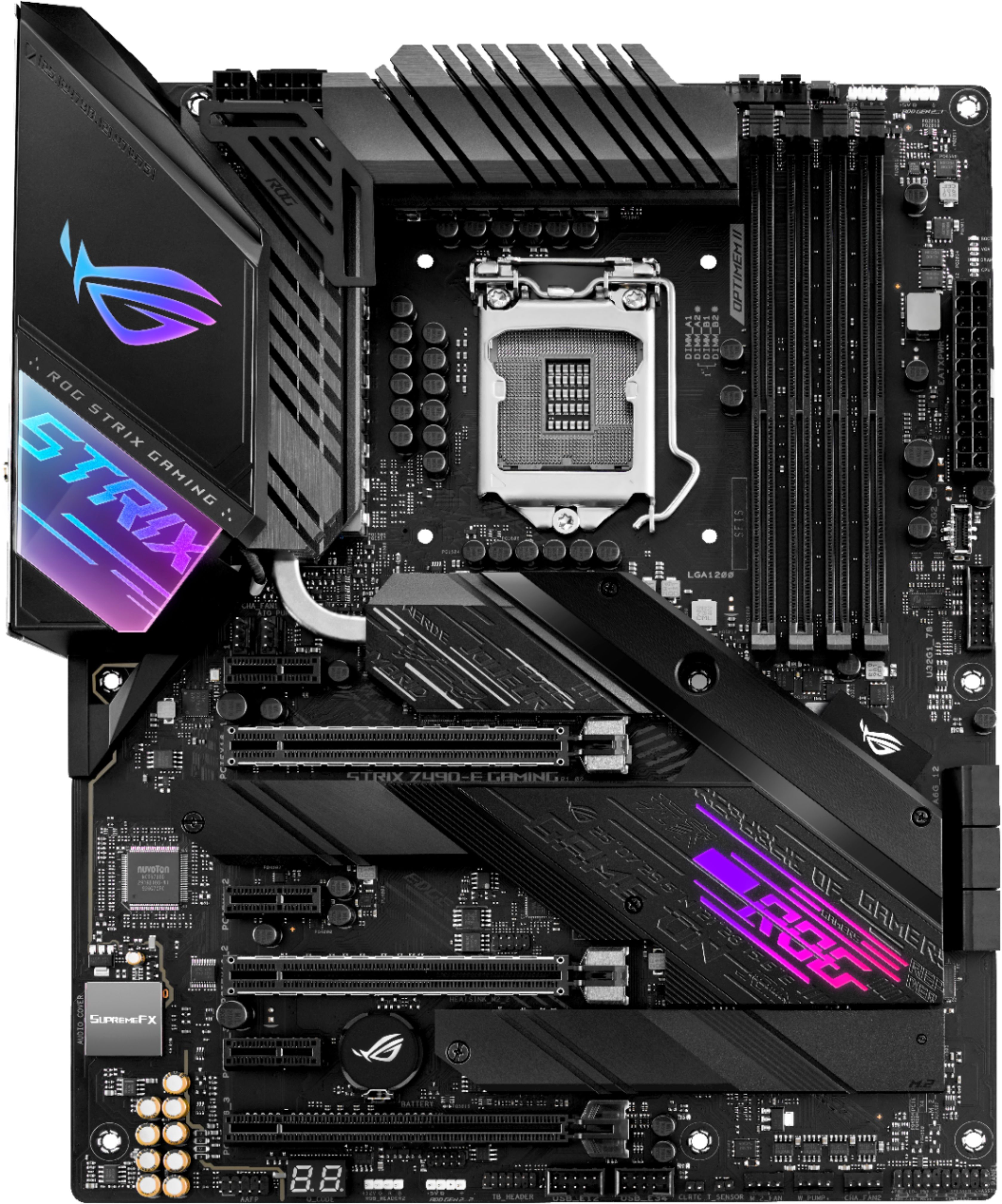
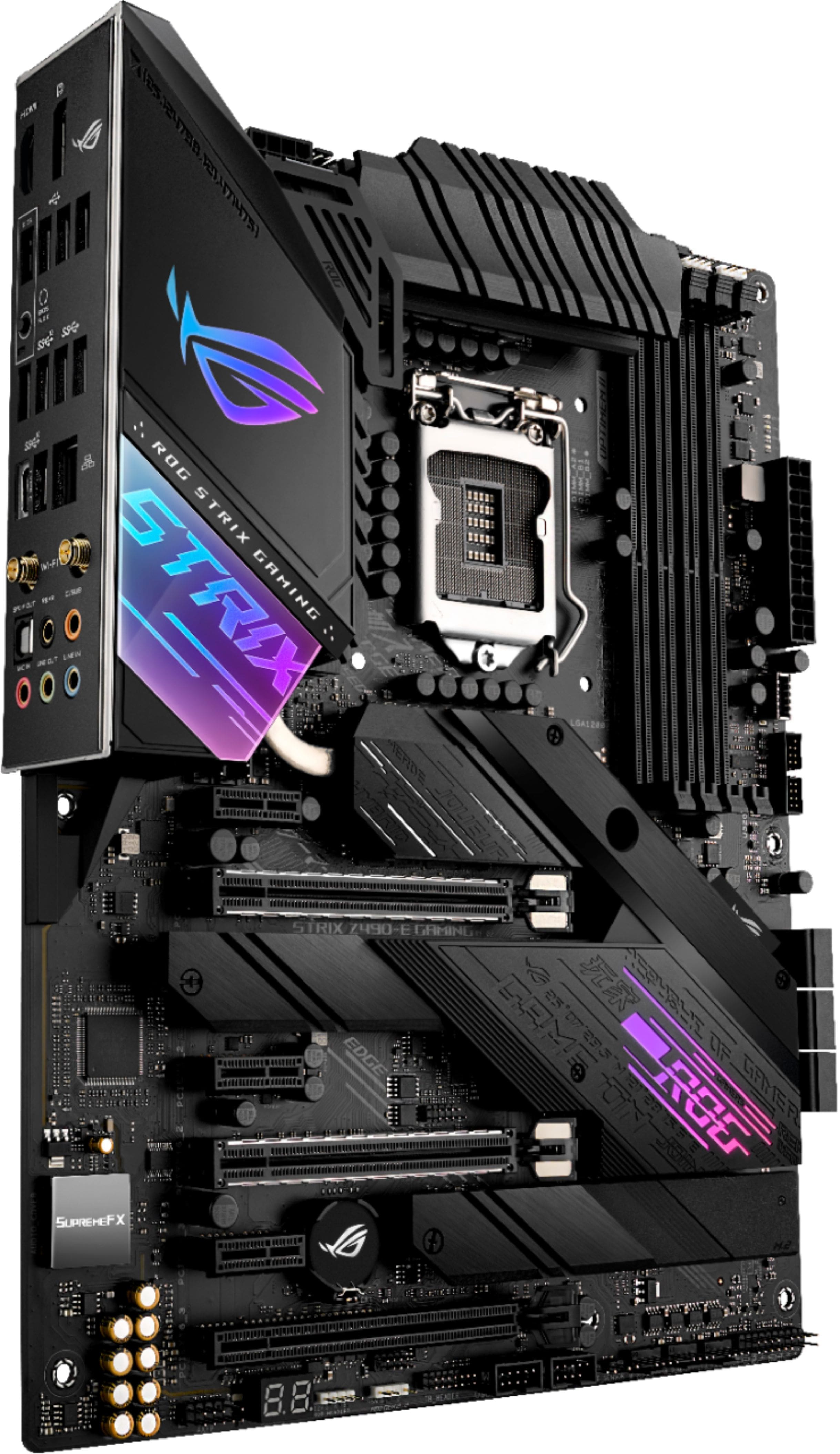
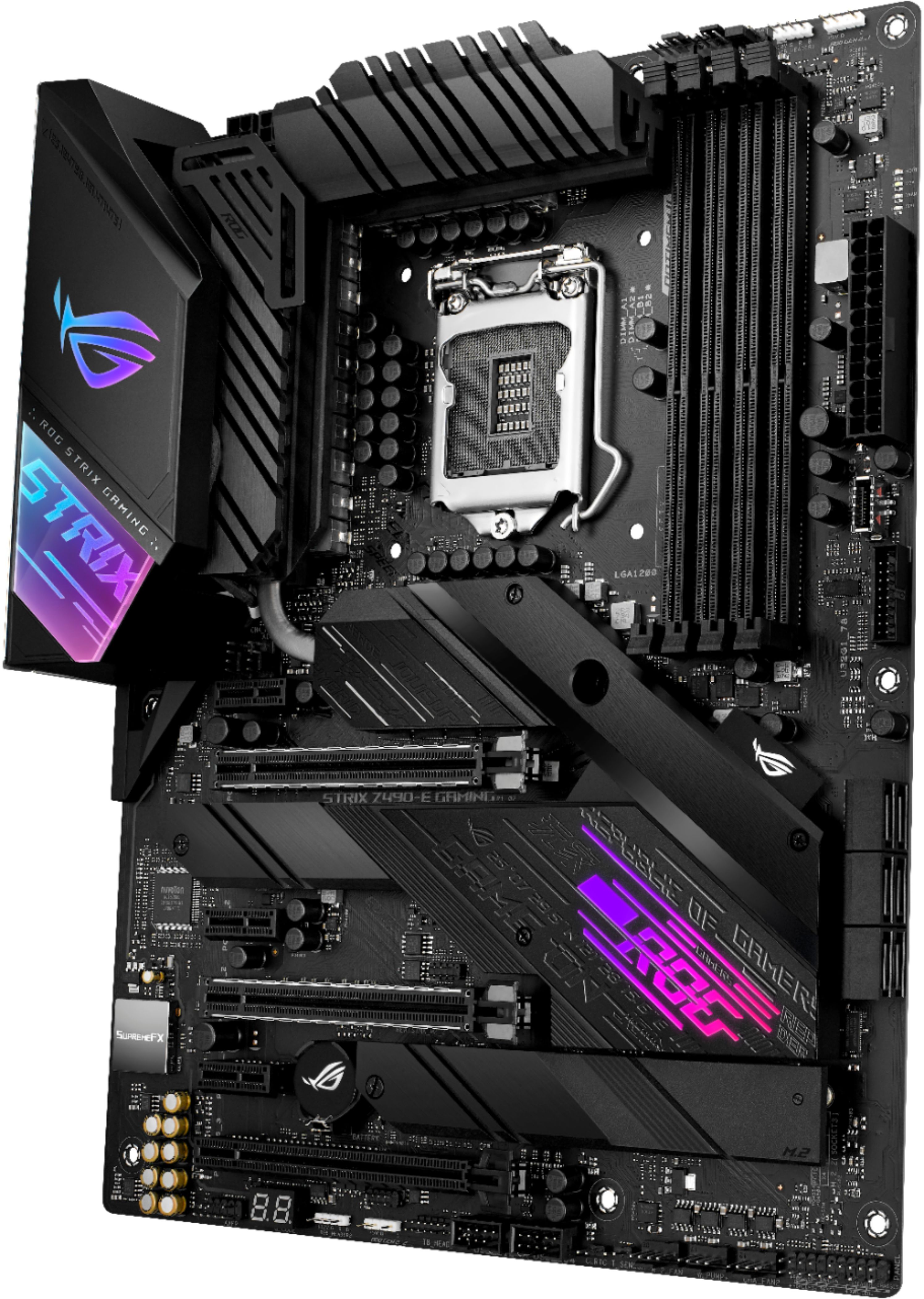
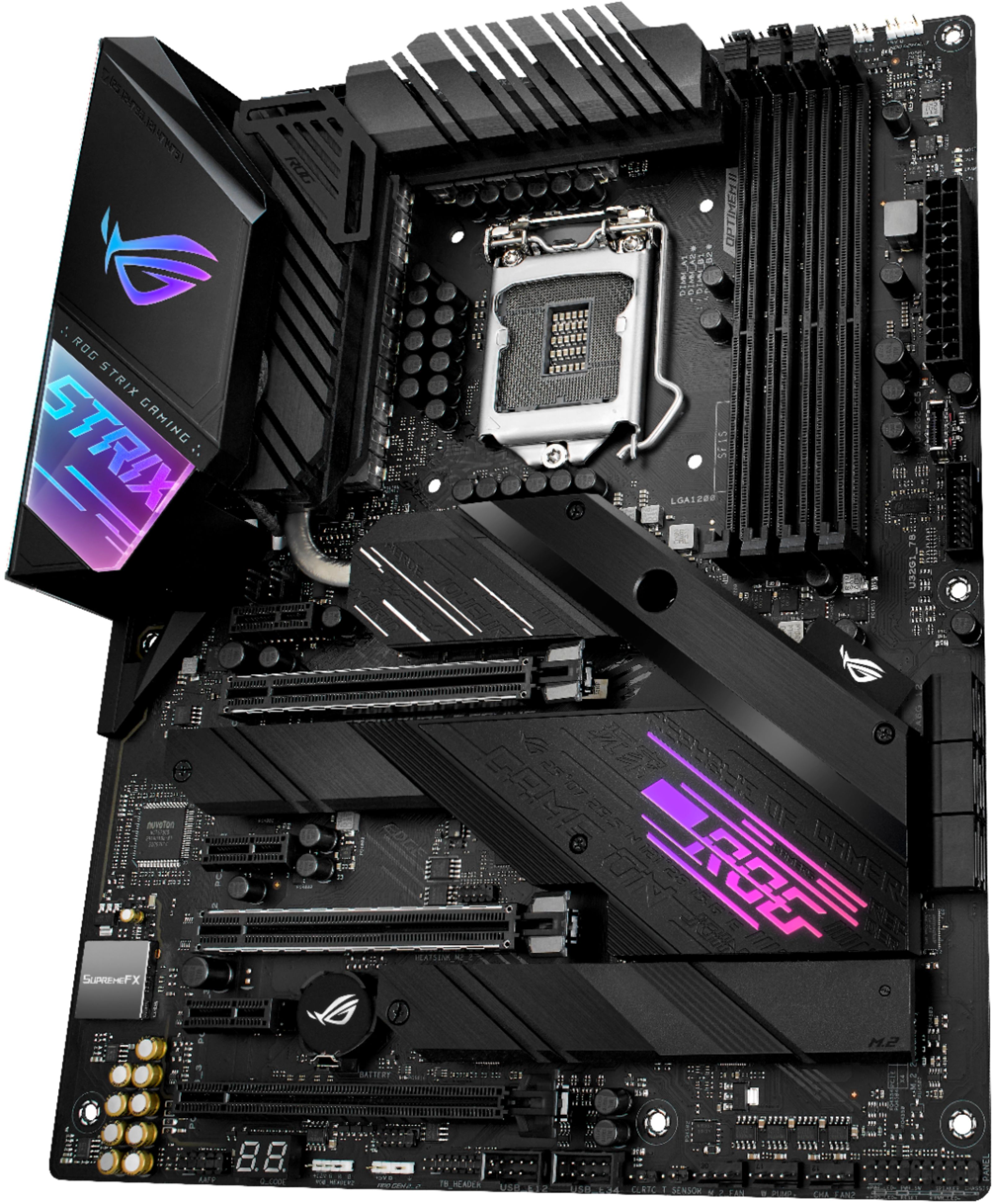
- ROG STRIX Z490-E GAMING
- |
- SKU:
- 6416651
Customer reviews
Rating 4.6 out of 5 stars with 339 reviews
(339 customer reviews)Rating by feature
- Value4.5
Rating 4.5 out of 5 stars
- Quality4.7
Rating 4.7 out of 5 stars
- Ease of Use4.5
Rating 4.5 out of 5 stars
Customers are saying
Customers appreciate the ROG STRIX Z490-E GAMING motherboard's USB 3.2 connectivity, overclocking capabilities, and high-quality build. Many found it easy to install and use, highlighting the positive user experience and the customizable RGB lighting. While some users experienced challenges with RAM compatibility, the overall feedback points to a feature-rich motherboard. The included WiFi and numerous features were also frequently praised.
This summary was generated by AI based on customer reviews.
Rated 5 out of 5 stars
Very nice Board
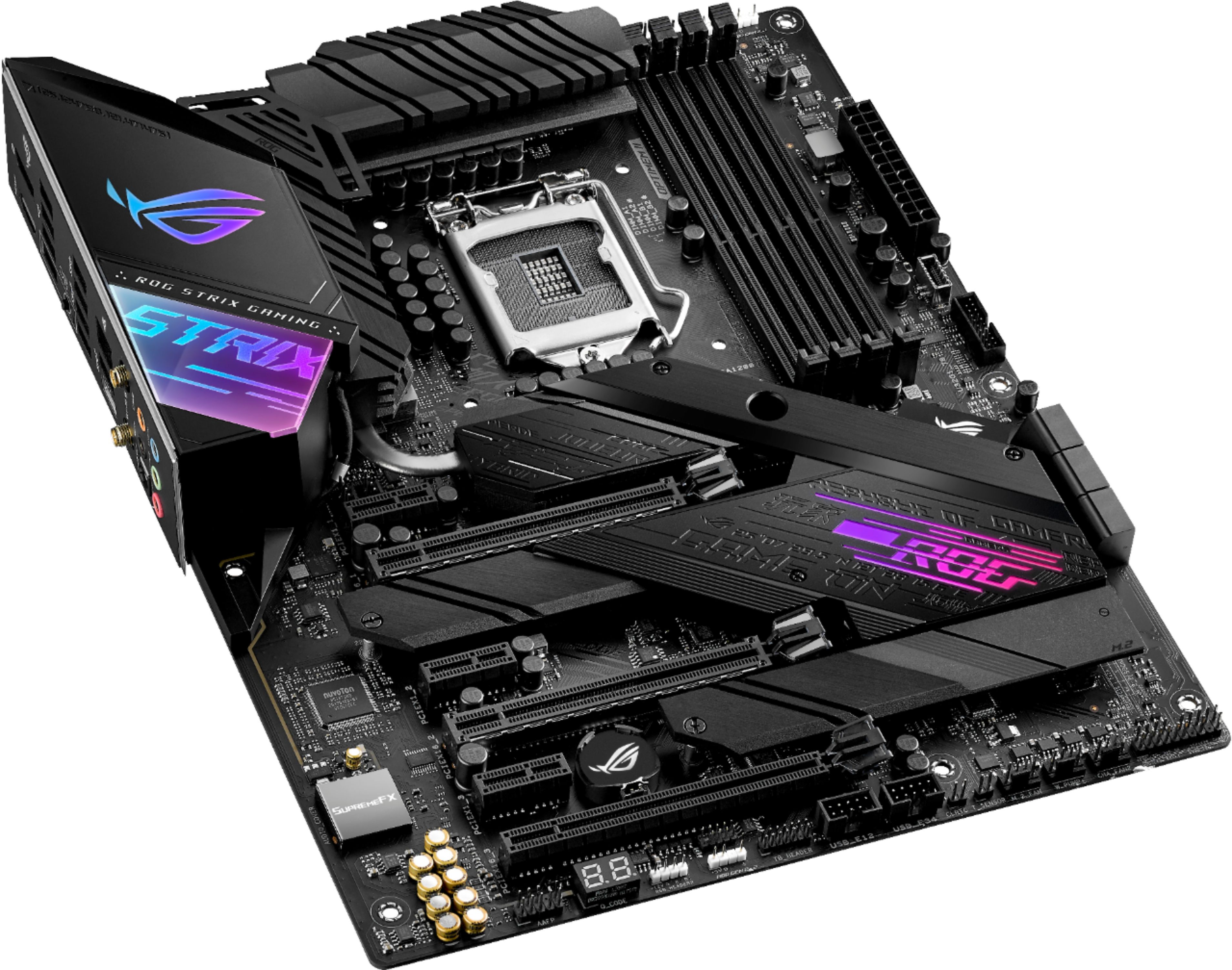
||Posted . Owned for 3 weeks when reviewed.This reviewer received promo considerations or sweepstakes entry for writing a review.Great board, all the features work nicely. Bios update from USB without turning on the board.M.2 socket with heat dissipation. LED controllers for different type of LEDs. Logo illuminated. Space for water cooling.
I would recommend this to a friendRated 5 out of 5 stars
ASUS - ROG STRIX Z490-E
||Posted . Owned for 2 months when reviewed.This reviewer received promo considerations or sweepstakes entry for writing a review.So far this is by far the a awesome Motherboard. I love Asus motherboards. This is my 3rd computer I have built in the last 30 years all with Asus motherboards.
I would recommend this to a friendRated 5 out of 5 stars
Solid
||Posted . Owned for less than 1 week when reviewed.This reviewer received promo considerations or sweepstakes entry for writing a review.Bios options galore. Stable voltages and no quirkiness here. Great IO. Everything just works well. I run no RGB so thankful to be able to turn that off easily.
I would recommend this to a friendRated 5 out of 5 stars
Hits my trifecta of demands.
||Posted . Owned for 1 month when reviewed.This reviewer received promo considerations or sweepstakes entry for writing a review.Bios utilities are awesome and simple. It's also very attractive visually. Solid performance.
I would recommend this to a friendRated 5 out of 5 stars
Great motherboard
||Posted . Owned for 11 months when reviewed.This reviewer received promo considerations or sweepstakes entry for writing a review.I couldn't be happier with my purchase. Paired with a 10700k, msi 3080 and 32g of ram. Love it. No issues.
I would recommend this to a friendRated 5 out of 5 stars
Great motherboard
||Posted . Owned for less than 1 week when reviewed.This reviewer received promo considerations or sweepstakes entry for writing a review.Great motherboard, fácil de instalar y con todo sus accesorios, restaure mi vieja pc gaming cybertronpc
I would recommend this to a friendRated 5 out of 5 stars
The Best Decision I make
||Posted .This reviewer received promo considerations or sweepstakes entry for writing a review.A Beautiful Motherboard whit all I need for my Gaming Pc I love it.
I would recommend this to a friend- Pros mentioned:Overclocking, Usb 3.2
Rated 5 out of 5 stars
Awesome, just awesome.
||Posted . Owned for 3 weeks when reviewed.This reviewer received promo considerations or sweepstakes entry for writing a review.I'm a second time builder, but installation was a breeze with the help of the manual and some youtube videos. A little skeptical on the details for proper fan header usage, but that could be more related to my noob builder status (despite probably falling well into the category for PC gamers) more than the documentation itself. Installing an i7-10700K, GAMMA GT RGB cooler, 2 memory sticks for 32GB total, and 1 m.2 drive all went off easily, as did the necessary power and I/O connections. Everything worked properly the first time. From a feature perspective, it has all I could possibly need and more. Wifi 6, 2.5gbe (though not very useful until someone starts building 2.5gb routers), Bluetooth 5.1, all easy to use and good reception. Occasionally I pick up the wifi from a nearby hotel that's gotta be at least a quarter of a mile away. Perfectly matches the amount of USB ports I need, and it's got loads of them in every flavor that's relevant in 2020. (At least one good thing to say about 2020) I'm strictly a headphone user, but it's got superb 7.1 audio available, too. I can't even think of something I would like to have that isn't there. Overclocking is a piece of cake, especially for newbies. I've got my proc running at 4.9GHz, and 3400MHz on the memory and it's completely stable. Could probably do even better if I really knew what I was doing, but I'm just relying on the AI overclocking for now. Conventional wisdom is that the LGA1200 socket is going to support at least up to 11th Gen when it comes out (and Intel's 7nm woes make that even more likely), so future drop in upgradeability is built in. Also a good chance (but no guarantees) that it will support PCIe 4.0 when it shows up on the processors, though I'm not sure how useful that will be until several generations down the line. If gaming is your primary concern, this MB paired with the 10700K is where it's at today. For a productivity heavy workload, AMD is probably still a better bet, but personally I'll only be using some light to moderate Photoshop work, and possibly future personal/youtube video editing so I have no need to push things to the productivity limit with the radical price increases involved in doing so. YMMV. Overall, a strong recommend from me on this product.
I would recommend this to a friend - Pros mentioned:Overclocking
Rated 5 out of 5 stars
Foundations of stone
||Posted . Owned for 3 weeks when reviewed.This reviewer received promo considerations or sweepstakes entry for writing a review.Building on this foundation is about as good as it gets! I was upgrading from a 10+ year old i7 3000 series setup. I used this main board with an unlocked i9 CPU and was amazed at how far along overclocking AI has come. The BIOS features have changed a bit in modern times where most features were set to Auto overclock and is stable for high demand applications like games and so on. However, you can disable the AI and push it to your limits. The motherboard is packed with features and I was surprised to learn it has a built in WiFi NIC that works well but you will want to use the Ethernet LAN port for large downloads. It has 4 DDR4 memory sockets so expanding your memory will not be cheap if you already populated the 4 slots. I added two 16GB kits for a total of 32GB of memory and it is much more then I need at the moment. The PCI slots are limited also. So for a simple 1 video card setup works great but SLi would work for 2 cards. The unlocked Socket 1200 i9 CPU works great with it as it will idle about 1Ghz above the rated speed of the CPU with air cooling. Overall it was a problem free installation. However, I used my existing SSD HDD’s and it took a little work for the Operating system to boot up but that is not the fault of the motherboard but my decision to use my old drives. You will have to be mindful of how you installed the OS to the drive in the first place. It is obviously better to start with fresh drives but I needed my environment that I was used too work in. After it finally booted I had to reactivate Windows. It has run flawlessly since. The point being - using your existing drives can be done. I rated the ease of use as fair because it will require a bit of PC knowledge to install and get working - (installing a mainboard is not an easy project for most . I also need to mention I have worked in IT for over 20 years)
I would recommend this to a friend - Pros mentioned:Overclocking
Rated 4 out of 5 stars
Great MOBO for overclocking
||Posted . Owned for more than 2 years when reviewed.This reviewer received promo considerations or sweepstakes entry for writing a review.ASUS has some bloatware software for sure, had it for over 2 years. Been great I am overclocking my i9-10900K to 5mghz and my RAM to 4000mghz (from 3200 XMP ii). It comes with AI overclocking as well which isn't bad but of course if you're going to overclock, do it manually. This thing is pretty nice.
I would recommend this to a friend - Pros mentioned:Rgb
Rated 5 out of 5 stars
Board came with B3 stepping of Intel I225-V LAN
||Posted . Owned for less than 1 week when reviewed.This reviewer received promo considerations or sweepstakes entry for writing a review.Bought this board for my 10850k despite people claiming that the Intel I225-V LAN adapter is faulty. I took a chance with it and hoped that it came with an adapter that had the updated B3 stepping that alleviates most, if not all, of the issues that people were having. After manually updating the drivers, I can confirm that recently manufactured versions of this board does come with the B3 stepping of the Intel LAN adapter. I'll admit that Windows 10 wasn't able to automatically install drivers for the LAN port which lead me to manually install drivers instead. What I did was connect using Wi-Fi, download an older version of the driver (1.0.0.13) from the Z490-E driver page, went into device manager, and right clicked the LAN adapter and manually installed it. Then I updated the older driver to the newest I225-V driver, version 26.0 dated 2/1/21, from Intel's website. After everything was updated, I went into Network & Internet Settings, clicked on "Change Adapter Settings", right clicked the LAN adapter and went into properties, hit "Configure", and finally turned off its power saving setting. It's a hassle having to spend 5-10 minutes doing this and was almost enough to drop it down to 4 stars since not everyone knows how to fix it, but its a relatively simple process to go through and the steps to get the driver working is out there on the internet. I wasn't even the one that thought up these steps; I followed what other people did and it worked out for me. Other than that, it's a fantastic board with an ASUS bios. RGB on the board looks great, but I keep mine either off or plain white to go with the rest of my build. Both M2 slots are wired to the chipset so you don't have to worry about your GPU getting bumped down to 8x. 2nd full length PCIe slot shares lanes with the GPU so I'd keep that clear. Bottom full length PCIe slot is wired through chipset at 4x lanes; perfect to add another NVMe drive with an adapter or even a 4K60 capture card if you're into streaming. If you're putting together a build with a 10th gen CPU and looking at both Z490 and Z590 boards, I'd highly recommend you check the wiring of each slot to see if anything is sharing PCIe lanes. There is a very, very small performance hit when a GPU is running at PCIe Gen 3.0 8x versus 16x and sometimes an NVMe drive installed into the wrong slot can bump down your GPUs available lanes to 8x and cost you some FPS. As stronger GPUs come out, the difference between 8x and 16x will widen, but right now, it's very minimal. All things considered, this board is amazing despite the initial hiccup with the LAN adapter.
I would recommend this to a friend - Pros mentioned:QualityCons mentioned:Software
Rated 5 out of 5 stars
Good board for OC, weird driver issues at first.
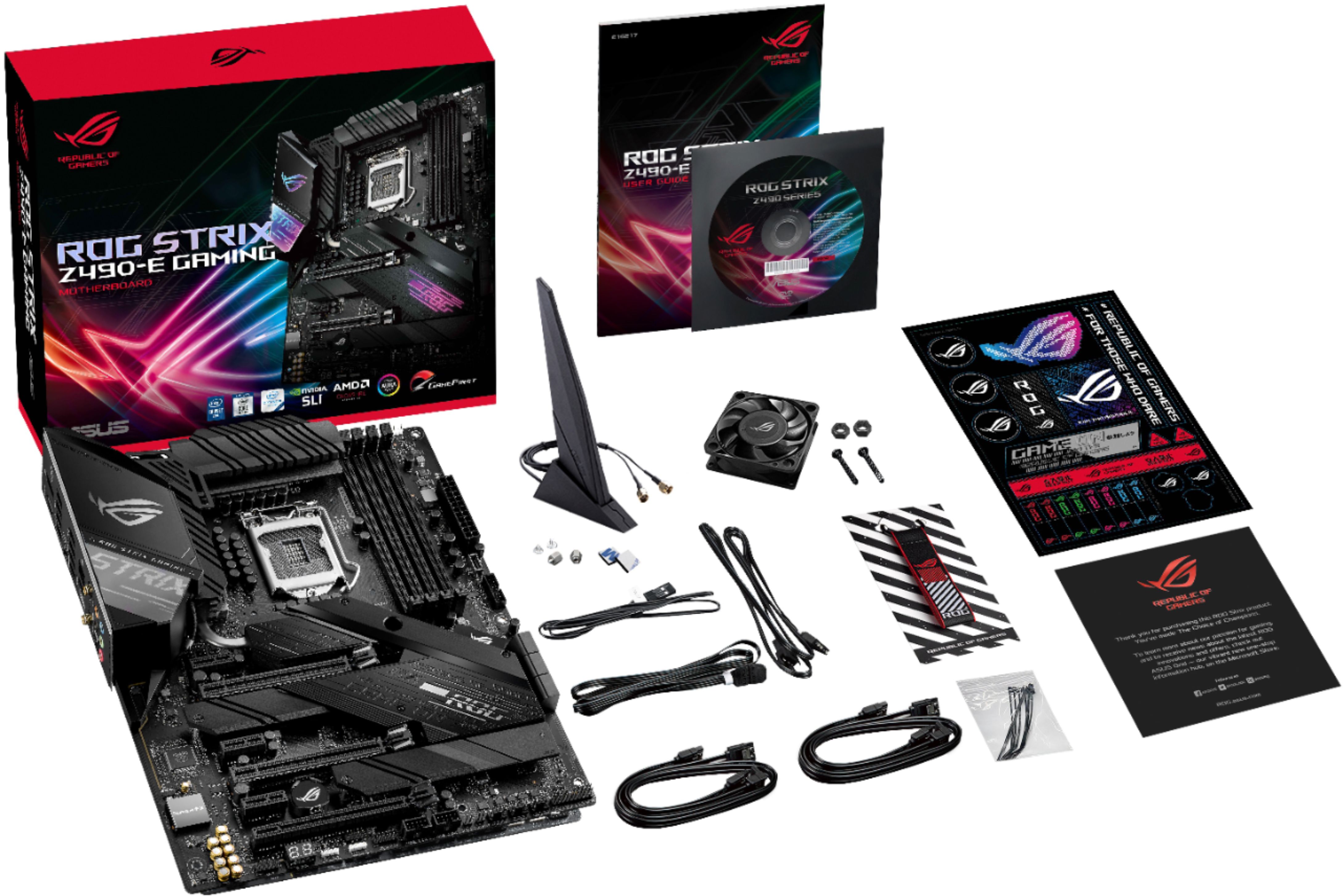
||Posted . Owned for 2 weeks when reviewed.This reviewer received promo considerations or sweepstakes entry for writing a review.Excellent quality Mobo especially if you want to OC, even includes a separate VRM fan and bracket, nice swag inside and tons of personalization through suites of software but heads up it’s borderline annoying with the amount of software it takes to get all the parts features to work. Also make sure you have good vision, the lettering where you plug in the case connectors are tiny, wish they had a adapter included to make it easier. And heads up, there’s a weird issue with LAN/WIFI drivers not accepted with my Win 10 even though I had the correct drivers, luckily I got around that with a spare USB WiFi adapter to download the latest Windows update and then I could continue the rest of the update.
I would recommend this to a friend - Pros mentioned:Overclocking, Usb 3.2
Rated 5 out of 5 stars
Too many usb ports!
||Posted . Owned for 1 month when reviewed.This reviewer received promo considerations or sweepstakes entry for writing a review.I’m not complaining about the USB ports. Someday I will probably need that many USB ports, but right now I’m not even using half of them. I was not able to install the tiny fan the motherboard brought so I decided to try installing it later, but then I discovered that I would have to unmount the entire motherboard if I ever wanted to install the little fan. Other than that little gripe, the MB is amazing and looks real good.
I would recommend this to a friend - Pros mentioned:Rgb
Rated 5 out of 5 stars
Perfect upper to mid tier motherboard by ASUS
||Posted . Owned for 1 month when reviewed.This reviewer received promo considerations or sweepstakes entry for writing a review.Great upper mid level motherboard for your 10th gen + 11th gen intel processors. The heatsinks allow for decent cooling for Z490 chipset and the Intel 10th gen cpu chips which are notorious for running warm with mid to heavy loads. I'd still suggest a solid air CPU cooler or AIO cooler for this CPU. The soundcard on this motherboard is an absolute steal as well. This a great entry or mid level PC board to build around whether you are a vet at building or a first time PC builder like myself. The AI suite III is a great software to monitor everything regarding your cpu and come complimentary with this board in the armoury crate software. The RGB is a nice touch and the LED ticker tells you if there is an issue. I'm sending the link for the full specs of this motherboard below from asus in case best buy doesn't show all of the specs. https://rog.asus.com/us/motherboards/rog-strix/rog-strix-z490-e-gaming-model/
I would recommend this to a friend - Pros mentioned:Ease of use, Quality
Rated 5 out of 5 stars
Top tier MoBo
||Posted . Owned for less than 1 week when reviewed.This reviewer received promo considerations or sweepstakes entry for writing a review.Bought this as part of my new build, the pure weight of this product threw me off at first. Very hefty and high quality, fairly easy to understand how to build on this mobo for newer PC builders which is nice!
I would recommend this to a friend - Pros mentioned:Ease of use, Usb 3.2
Rated 5 out of 5 stars
Great motherboard
||Posted . Owned for 3 weeks when reviewed.This reviewer received promo considerations or sweepstakes entry for writing a review.I purchased this motherboard because I was looking to build a gaming computer using a i9 10th gen Intel chipset and this mobo made it a easy to build. It came with all the needed cables, ties to accomplish what I wanted. The bios are easy to navigate and OC is a breeze here. I couldn’t be happier with my purchase.
I would recommend this to a friend Rated 3 out of 5 stars
Fine, not great, sometimes concerning
||Posted . Owned for more than 2 years when reviewed.This reviewer received promo considerations or sweepstakes entry for writing a review.I was excited to use this monitor when I got it q couple years ago. Sleak look, brand I knew to be solid (at the time), all accesses and ports I needed, was ready to keep it for awhile. But over time, I kept having issues with my PC that I traced to the motherboard. USB ports not getting adequate power (my PSUs were fine, had same issues on different PSU swap outs), blue screens when system wasn't even running a big load, things that in isolation I would blame on things like drivers, overclocking, or other stand alone parts. But when all happening together seems to point more towards the mobo for me. Recently swapped this board out for a newer one and all my issues went away. Was fine for the most part, but many concerning small issues piled up over time. Maybe do a bios update and pray if you have one and see weird issues.
No, I would not recommend this to a friend- Pros mentioned:Rgb, Usb 3.2
Rated 5 out of 5 stars
Best Z490 MB under $300
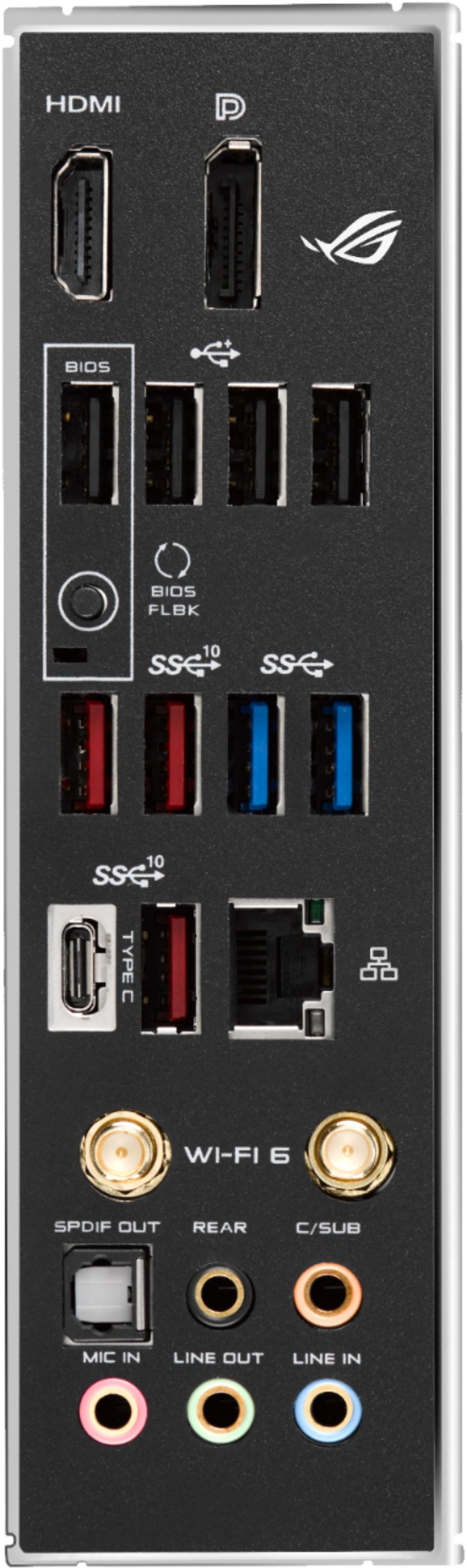
||Posted . Owned for 1 week when reviewed.This reviewer received promo considerations or sweepstakes entry for writing a review.Best Z490 MB I could find under $300. I really love the fact it comes with 10! USB ports in the back panel. I can now connect all my devices with ports to spare. Oh yeah, it also looks awesome with clean lines and RGB accent on the MB.
I would recommend this to a friend - Pros mentioned:Overclocking, Usb 3.2
Rated 5 out of 5 stars
Great Motherboard!
||Posted . Owned for 8 months when reviewed.This reviewer received promo considerations or sweepstakes entry for writing a review.Beautiful motherboard, works great and have had no issues since purchase. Running an i9 10k and just ordered my new 3000 series gpu so will be able to test out full functionality then but so far very happy!
I would recommend this to a friend Rated 5 out of 5 stars
Nice budget z490 board in the ROG family line
||Posted . Owned for 1 month when reviewed.This reviewer received promo considerations or sweepstakes entry for writing a review.Very nice motherboard, easy to install into appropriately sized ATX cases. Has all the necessary accessories built in (WiFi, Ethernet, sound card, USB C, USB 3 and USB 2 ports). Even has a Thunderbolt header for use with the Thunderbolt option card (not included) for those who want to use Thunderbolt devices. Only thing that I think is missing would be an additional USB 3.0 header for additional USB 3.0 ports to be added (there is only one). Note - if you use both nVME M.2 sockets on board, you will not be able to use SATA 2, 5 and 6 as they share resources with the M.2 sockets.
I would recommend this to a friend