Customer Ratings & Reviews
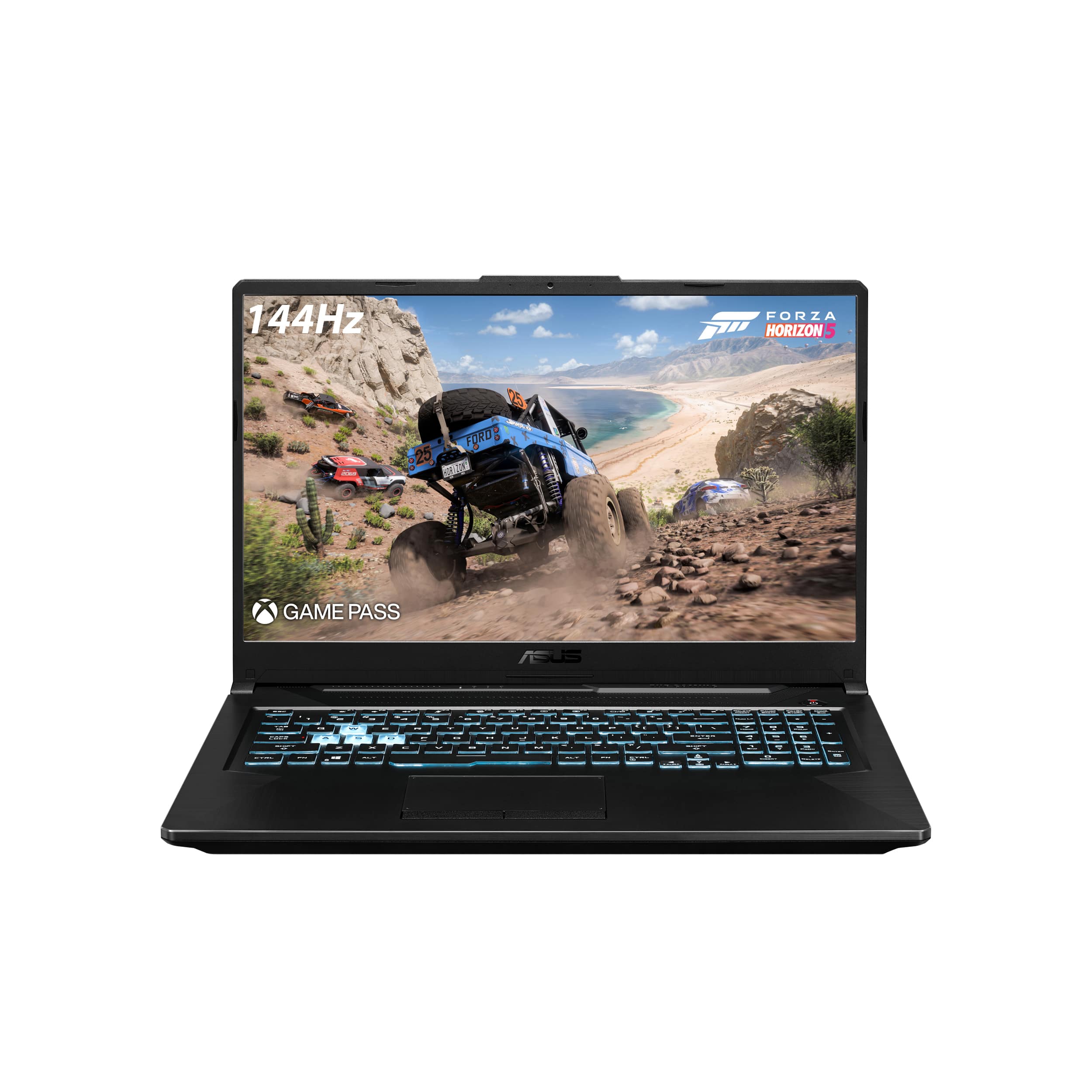
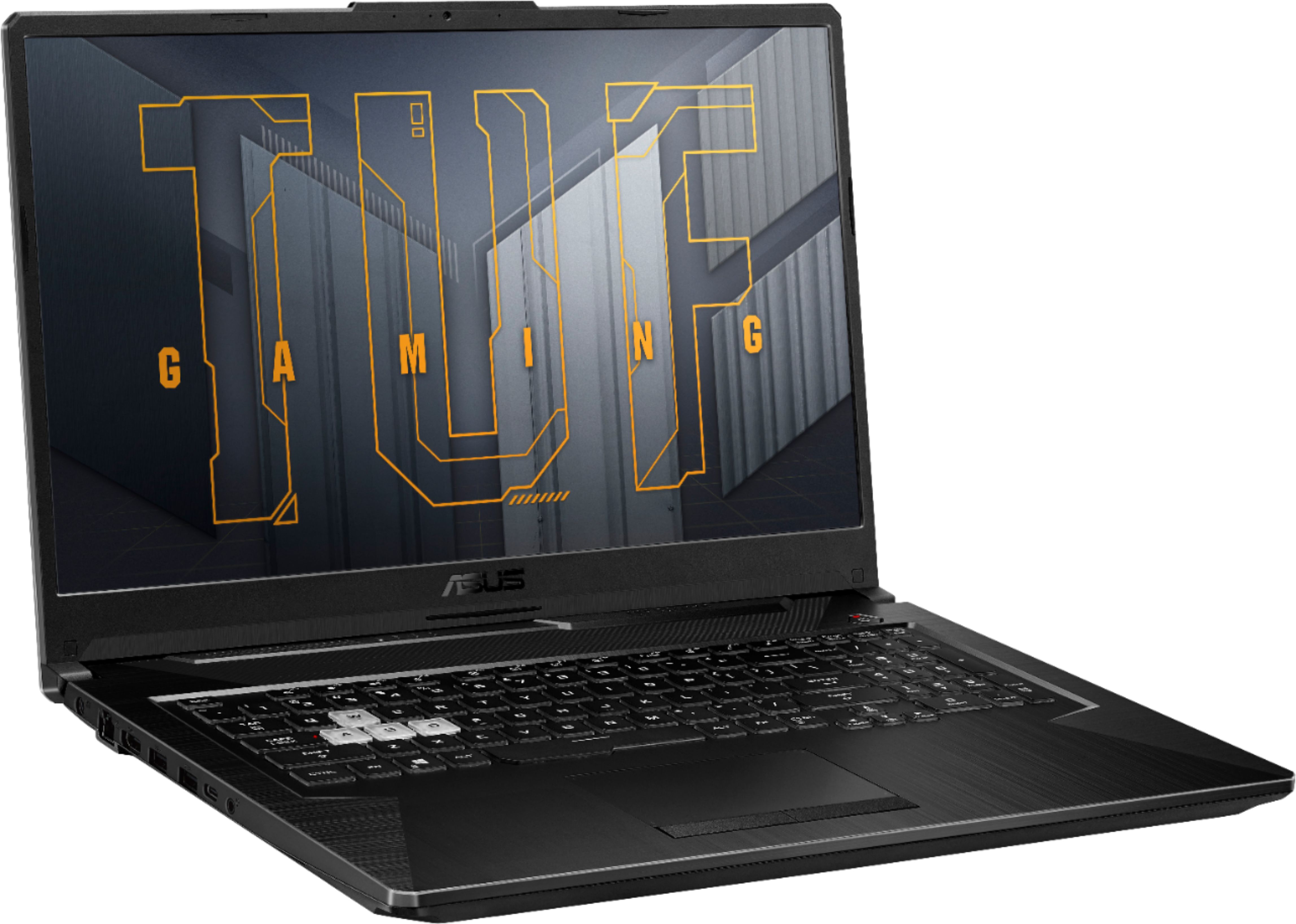
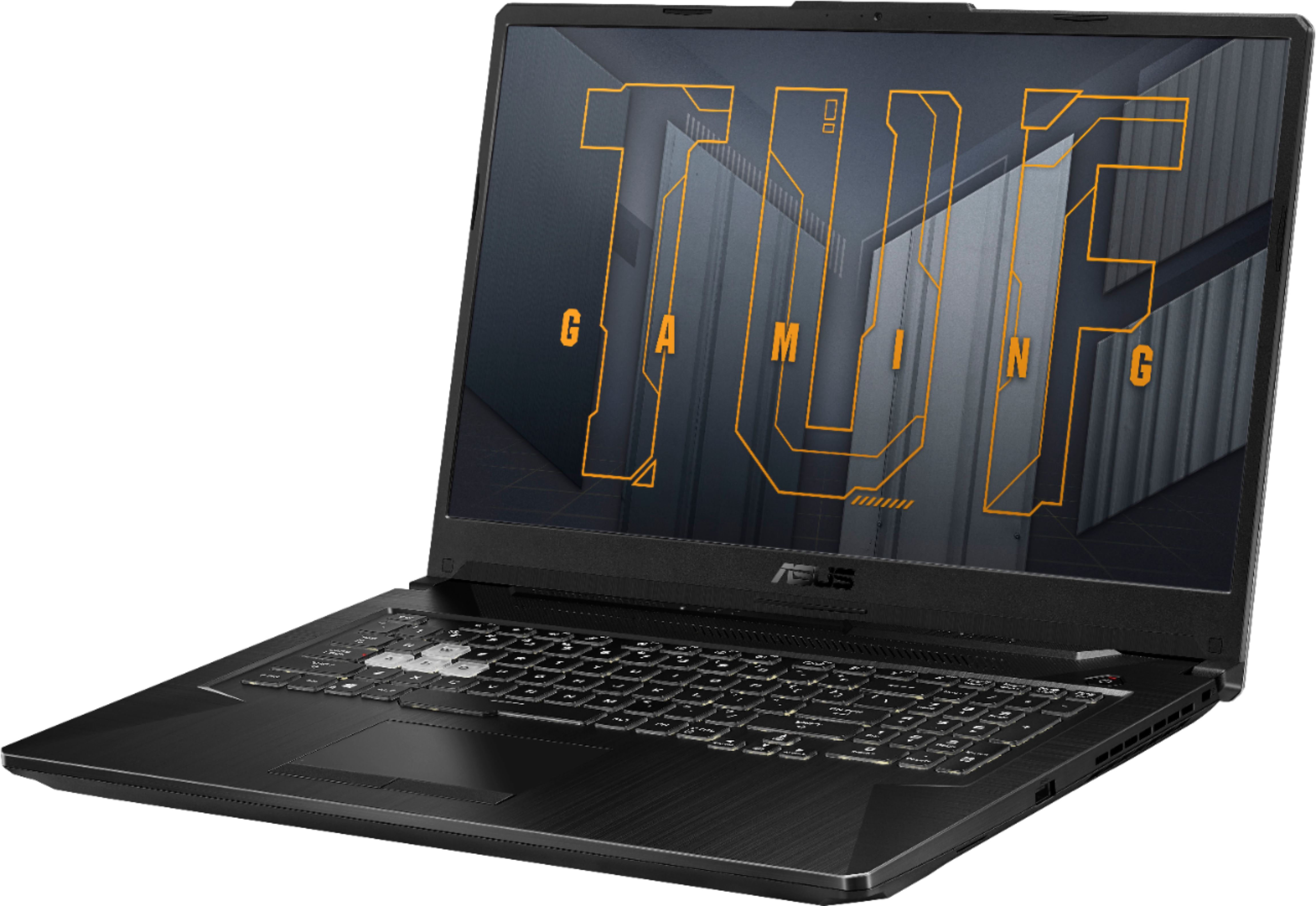
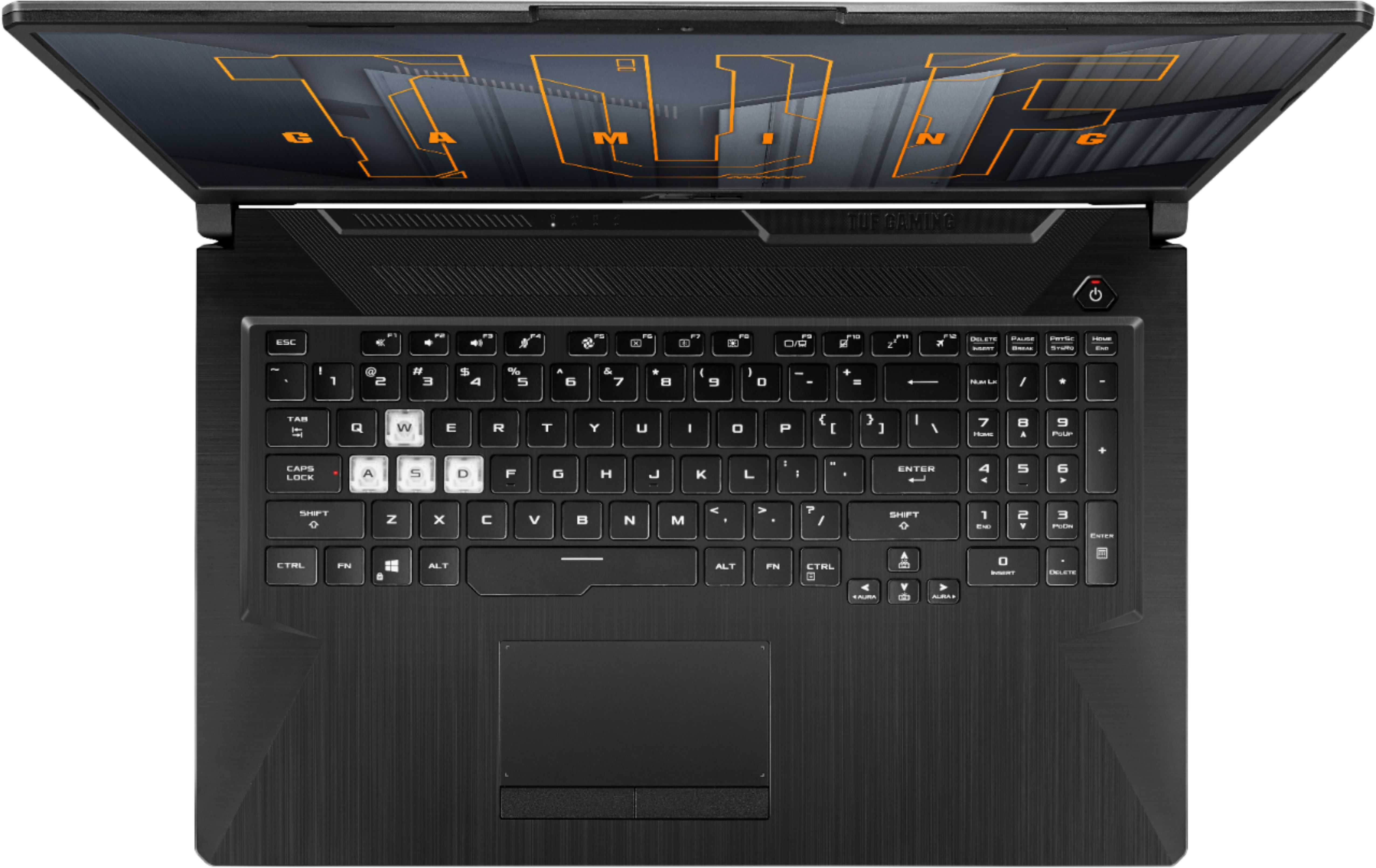





- Model:
- FX706HE-211.TM17
- SKU:
- 6464212
Rating by feature
- Battery Life
Rating 3.7 out of 5 stars
- Speed
Rating 4.5 out of 5 stars
- Display
Rating 4.5 out of 5 stars
Customers are saying
Customers have good things to say about the ASUS TUF Gaming laptop's performance, large screen size, and build quality. Many appreciate the upgradeable RAM and the crisp graphics and sound. However, some customers point to the battery life and the laptop's weight as potential drawbacks. Concerns were also raised regarding heat and fan noise under heavy use.
This summary was generated by AI based on customer reviews.
- Pros mentioned:Graphics, Performance, Ram
Worth it!
||Posted . Owned for 3 weeks when reviewed.This reviewer received promo considerations or sweepstakes entry for writing a review.This Laptop is genuinely awesome! I would not say I'm the most intense gamer, but I do enjoy gaming. Every game I've thrown at this bad boy has been handled with ease. No lag, no stuttering, full HD, and extremely satisfying. I've played Genshin Impact, GTA V, Phasmophobia, TemTem, and Plants Vs. Zombies Battle for Neighborville. Genshin was played on best settings at 60fps with no problem! and GTA was started up with no issues and played with zero lag or stutter; I'm not sure what the fps was but it looked great so take that for what you will lol. On top of it performing well, it just looks rad as heck! RGB keyboard, and an awesome casing that looks rugged but stylish. I did upgrade the RAM to 16GB which I definitely recommend, especially if you want to game and listen to music. and as for "bottlenecking", I haven't noticed anything tbh. This is a laptop for under 1k that you can comfortably game on. If you want 4K gaming at 120fps invest in something more expensive or get an Xbox.
I would recommend this to a friend - Pros mentioned:Screen sizeCons mentioned:Fan noise
Phenomenal
||Posted .This reviewer received promo considerations or sweepstakes entry for writing a review.Phenomenal. This laptop is stunning. It has what I need in a laptop, a decently bright screen and decent thermals with quite fan noise. The 3050 ti was getting me well over 100 FPS so that’s amazing. Don’t listen to what people say about the 3050, it goes ham whether you wanna admit it or not and 17.3 inch screen is money
I would recommend this to a friend - Pros mentioned:Build quality, Graphics, PerformanceCons mentioned:Battery life

Good gaming & large screen
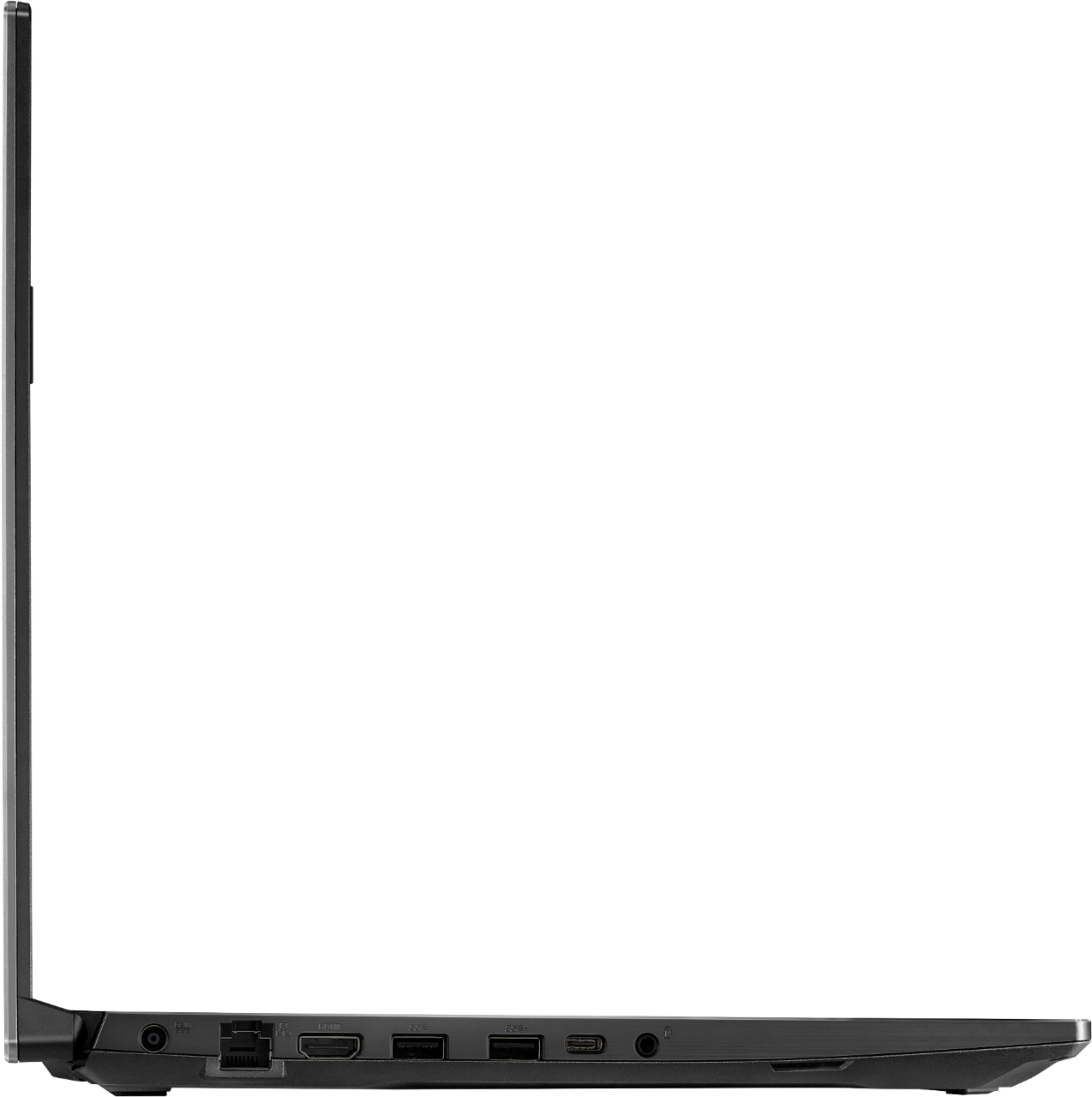
|Posted .This reviewer received promo considerations or sweepstakes entry for writing a review.My current gaming laptop just died last week so a replacement with a better & bigger LCD, newer graphics card is surly welcomed. Also looking at good heat management, decent typing experience, good amount ports and adequate sound from speakers. The Asus Tuf F17 affordable gaming laptop manages to strike the right balance between performance and value. It has strong 1080p performance, tough build quality, and large selection of ports that will win over the majority of folks. Games & Performance, since gaming is the main reason why most are buying this laptop let’s address it first, while this gaming laptop does not have the most powerful tech GPU wise but does offers excellent performance with modern games at this price point. Note: I added additional 8 gigs of ram for a total of 16 gigs: Crucial RAM 8GB DDR4 3200 MHz & another SSD. This was easy to do on this model with the extra open ram and SSD slots very accessible on mother board. This laptop offers a free trial to Game Pass so you can try out games and see how they play. Even if you’re not interested in a long-term subscription, you can try out full games for free before buying them. Gaming benchmarks on a few games (All games tested in 1080p) Control (Medium settings) DLSS On: 84 FPS AVG “GAME PASS” Control (Medium settings) RTX On, DLSS On: 52 FPS AVG “GAME PASS” Doom Eternal (High settings) DLSS (Balanced) On: 97 FPS AVG “GAME PASS” Microsoft Flight Simulator 2021 (Recommended medium settings w/60 fps lock) 64 FPS AVG “GAME PASS” Doom 2016 (Ultra settings) 80 FPS AVG “STEAM” Latest Geforce Game Ready Driver ver 471.41 release date 07/19/21 was used. Geekbench 5 (Single Core) 1381 Geekbench 5 (Multi Core) 5977 PC MARK 10 score: 5758 [PCMark 10 test simulates different real-world productivity and content-creation workflows. It is used to test overall system performance for office-centric tasks such as word processing, spreadsheet jockeying, web browsing, and videoconferencing.] As you can see, the graphically demanding game like Control runs at 84 fps (frames per second) with DLSS. A bit of tweaking with settings, you’ll get it to play over the magic 60fps mark, while still looking fantastic and on some newer games like Doom Eternal you have to set the textures to medium while leaving everything else on high because the 3050ti vram is 4GB and the game requires more vram with high textures. With less graphic intensive games, like Apex Legends or Fortnite, you’re going to be able to really take advantage of the 144Hz screen for fast and responsive gameplay. Having premium technologies like ray tracing & DLSS options on an entry level video card is awesome, some games do benefit visually and have increased framerates, these options future proofs your system since many game developers will add these features in newer games. General performance is quite good while system boots up in 11 seconds and the intel 11th Generation Core i5 is capable of multitasking various programs and more intensive tasks. The Asus Tuf is quick and responsive as I had 15 tabs open in Brave Browser, converting videos with Handbrake and watching YouTube at the same time with no noticeable slow down. (I should note that adding additional ram is a factor in this also) CPU temp stays around 60C during general tasks like browsing, watching videos etc. Laptop bottom only gets slightly warm compared to prior laptop that got hot during these tasks, so air flow with vent design seems good. Gaming CPU temp was 68-72C on heavy loads, laptop gets hot under load but not too bad. Under regular task the fan noise is barely noticeable and does not get very loud at all on load. After initial Windows setup I went to the MyAsus App which informed me of a Bios update, after installing new Bios and reboot had no problems, went to the Geforce Experience App to update video drivers and had an issue of them not installing properly, got the blue screen of death. This was my fault because I should have update Windows first before the video drivers. After the long process of Windows update Geforce video drivers updated without issue. The Asus Tuf laptop emphasis build quality and durability at the forefront of its design. The result of this gives you a well-built and sturdy laptop with stiff hinges, metal on top of LCD screen and no flex on the keyboard while depressing keys. It has a modern industrial look to it that’s certainly a design that doesn’t dispute the fact that this is a gaming machine, but it’s not completely overdone with bright flashy colors either and if you’d like to give it some more of a gamer’s look, the Asus TUF comes with a sheet of stickers. I should add that this laptop, although bigger, is lighter (5.73 lbs) than my last 15 -inch laptop. The laptop is thicker than other laptops (which I prefer due to better air flow & heat dissipation) and this design also allows a decent number of ports, with an Ethernet port, HDMI, two standard USB ports and a USB-C port on the left-hand side, along with a port to plug in the power supply, while on the right-hand side there’s another standard USB. The matte IPS LCD screen on this laptop is 1080p (1920x1080) with max brightness around 270 nits with 144HZ refresh rate, 127 ppi, 16.9 aspect ratio and Adaptive Sync. Videos, games and browsing all look good but screen does not have a wide color gamut so colors may not be as accurate as some other screens. Display test results: Contrast 831:1 - sRGB color space 60% - Adobe RGB profile 47.3% - DCI-P3 color gamut 40.1% - Response time 27 ms. I do enjoy having a bigger 17-inch though since a larger screen is good for the type of work I do, and gaming of course benefits from this as well. My last laptop also did not have a webcam so the fact that this does with a decent quality 720p one is a bonus since now I can do work Zoom calls in my living room. Typing experience is excellent with keystrokes having good travel, clicks are precise with keys being spaced out nicely and comfortable, plus the added number keys really helps me work wised. Typing noise is at a minimal except for some keys like the space bar which has a clicky and audible feedback. I got use to typing on this keyboard right away. RGB light are nice also and are controlled via the Armory Crate App, backlight brightness on keys can be made very bright or low if you wish. Touch pad is responsive, good gestures and two finger scrolling (Windows Precision Drivers) but is a lot smaller than the larger trackpads I am used to and picks up the oils from your fingers rather easily. The Wi-Fi 6 card is just phenomenal with speeds up to 473 Mbps blowing away my prior laptop that only got 270 Mbps. Wi-Fi connection has been stable with no drops. Battery life is around 5.30 hours with general web browsing and YouTube viewing with battery saver mode enabled, battery type is a Li-Ion 3 cell 48WH. The battery life is not really a deal breaker for me since using it at home mostly. Sound does not get very loud even on max with sound quality just being average, I tried tweaking the sound options in Armory Crate App in effort to increase sound and didn’t notice any difference. Final thought & gripes, great laptop for gaming and light to medium productive work. The 17-inch laptop serves well as desktop replacement but still portable enough for Lan parties. Everything is just better with a bigger screen, more real estate on web pages and gaming. Gaming performance is not bad with card having certain tech options that future games will utilize. This is a quality build device with a good typing experience that can handle modern games. Overall, this is a killer system for gamers on a budget who wants a bigger screen and gaming is a primary concern regarding this laptop for me, so I can overlook some of the short comings. Gripes: I was expecting a bigger battery on such a large laptop and not the supplied 3 cell 48WH so battery life is a little below average, Touchpad kind of small for my taste, average speakers, colors on screen not very accurate, no Micro SD card slot.
I would recommend this to a friend - Pros mentioned:Build quality, Ram, Screen sizeCons mentioned:Battery life, Weight
Frag ‘em All … The best all-around gaming laptop
|Posted .This reviewer received promo considerations or sweepstakes entry for writing a review.If you are looking for a gaming laptop, this Asus TUF Gaming Laptop featuring the 11th generation Intel Core i5 11260H is the one to get. The laptop features a beautiful crystal clear matte 17” 144hz screen that is easy on the eyes running on an Nvidia GeForce 4GB 3050Ti GPU, 8 GB of DDR4 3200 MHz ram and 480GB of NVMe SSD (SK Hynix) storage. The laptop also features a backlit LED keyboard, DTS Surround sound, Wifi 6 capabilities, Thunderbolt 4 with USB-C (for video, high-speed data transfer) and best part - a really good thermal solution that actually works. The laptop is also clearly one of the more easily expandable laptops that I have seen in a while, with an extra memory slot available, and a second NVMe SSD (M.2 2280) storage connector. The biggest issue with gaming laptops is the amount of heat a laptop generates when gaming or doing intense work. The heat generated during gaming will throttle the CPU processor in speed, and to an extent your GPU processor, making frame rates drop and ruining the experience of the game. During the last few days, I have been extensively gaming, far more than normal. Everything from CS:GO to Forza 7 to Age of Empires and Battlefield V. I even managed to play a bit of Microsoft Flight Simulator 2020. It helps that the laptop comes with a free one month pass to Microsoft XBox Game Pass, making downloading and trying out new games a breeze. Talking about thermals, I never saw the 6 cores, 12 threads of the CPU go past 85c in gaming, Which I think is very respectable, the CPU in no way seemed to throttle down. Even the GPU temperatures were between 78-82c depending on the game being played. The cooling solution on this laptop does work. There are air intakes on the top above the keyboard and on the bottom, and I could feel the heat coming off the exhaust vents in the back and on the side. Temperatures that soar during gaming, quickly came down when games were turned off. One could always add a laptop cooling pad to the bottom to improve airflow and cooling should the need arise, as the laptop standoffs are rather tiny and would only be effective on a hard surface. The initial setup experience of the laptop was quick and easy. There was no bloatware to remove. The “MyAsus” app registered my laptop, and then applied updates to the firmware BIOS and graphics subsystems. I also updated Windows 10 to the latest iteration. After poking around the Asus TUF Aura app to change the fan speed and colours to my preference, I got to gaming. The initial gaming experience was less than satisfactory, with constant screen tears and frequent freezes. It seemed to do it in everything from Rocket League to CS:GO. Knowing that the Nvidia driver did an upgrade during the initial setup and update process, I checked the version of the driver, and it was 462.xx, the latest drivers (at the time of the review) were 471.41. So I downloaded the latest drivers from the Nvidia website and installed them. The latest drivers definitely fixed the stuttering issue and improved overall gaming performance. Rocket League was smooth as ever, and my kill ratio in CS:GO was no longer affected by dropped frames. The beauty of this laptop is that one could really game on the go. There is plenty of video processing and CPU power to game without being plugged into an outlet. Though overall gaming time is about 90 minutes at best with a fully charged laptop, the fact that the ability exists to game on a laptop without being hamstrung by lack of frag time is admirable. In the past, gaming laptops were just that, tethered to a wall for power because they were energy hogs. I’d say, this laptop isn’t very far from that - as the power brick is a 20V, 180W, 9 Amp power supply. That is far more than I expected for a laptop, but given the power consumption on the video card, you will need the power to drive the laptop operations. I did notice a slight performance hit when gaming on battery vs. when plugged in. CS:GO overall frame rates fell from an average 100+ fps to 60-70 FPS, which is still completely acceptable for smooth gaming action. Talking about gaming on the go, the build quality of this laptop is good. While I am not completely impressed by its ability to pick up oils from my hands on to the plastic, the overall build quality is very good. There are stickers in the box that you can adorn your laptop to solve the problem. This laptop is not light, I’d say about 7 pounds or more, but it is built to a MIL-Spec - and should hold up to the daily grind and more. My final impression of this laptop is nothing short of a “must buy” rating. Sure, you could pay more for a faster processor, or more ram or storage space, but given that you are going to have to upgrade or add the storage and ram anyway, the cost differential between a higher-priced laptop with upgraded components and this one is rather large. For gaming, you will want a 17” matte screen, a keyboard feel that is springy and yet tactile, good processing power for the GPU and the CPU to drive your games. Storage and RAM are always things that require upgrading. Given that most games are in the 100’s of gigabytes in space, the 480 GB SSD will be one thing that will need quick augmentation to be able to install your games properly. The 8 GB of ram is also barely adequate these days, but it’s plenty to get you started, and upgrades can be done rather easily. As a launchpad for gaming on the go, this laptop is the one to have with plenty of CPU processing power and a modern GPU. Pros: * 17” Matte Screen * Excellent thermals for gaming and laptop performance * A fantastic keyboard that has good springy action and tactile feel. I wrote the review on the laptop as the keyboard is so good for a typist. * USB 3.1, USB4 & Thunderbolt 4 with USB-C + HDMI Out Cons: * The webcam, seriously - even though it’s 720P it is quite low quality, it could be so much better given how prevalent gamers stream on platforms like Twitch. * Gaming battery life, though normal use its fine * Weight of the laptop * No way to set the LED keys to map the colours for the game keys to only light up. * Should have come with a mouse, hard to game without a mouse.
I would recommend this to a friend - Pros mentioned:Graphics, Ram, Screen sizeCons mentioned:Battery life
Entry level ASUS gaming laptop is a bargain
|Posted .This reviewer received promo considerations or sweepstakes entry for writing a review.It’s true! You can have a respectable gaming experience from a $900 laptop with 17.3-inch screen, so long as it is this new model from ASUS. Powered by an 11-th gen Intel Core i5-11260H processor, with 8GB RAM and a half terabyte SSD, a good NVIDIA GeForce RTX3050 Ti graphics card, this laptop scoots along speedily! To be clear, this is an entry-level gaming computer. **WHAT’S IN THE BOX** • ASUS TUF Gaming F17 laptop • 180 Watt Power supply • Documentation, including two bonus items – Trend Micro Internet Security 3-device/3-month Subscription and Microsoft Xbox Game Pass Ultimate 1 month token valid for new Game Pass Members Only. **THE SETUP** Unbox, plug in and start the new-PC setup experience, as with any new PC. Ports include Ethernet, HDMI, a total of three USB-3.0 spots and a single Thunderbolt 4 port, all of them with the latest technology. It is customary that there are many updates to do on a newly-lit PC. Once completed, I did as I always do on a Windows 10 Home PC. I upgraded to Windows Pro. I like the added features and capabilities this upgrade affords. My fingers immediately felt at home on the full-size keyboard with a nice pitch and all around ease of keyboarding. It is backlit with AURA RGB colorful eye candy I thought would be annoying. To the contrary, it is not! The 144Hz 1080 screen works well for gaming as does the 720P webcam, a welcome addition not included on all gaming rigs. A pleasant surprise is the up-to-date Wi-Fi 6 support and the latest Bluetooth 5.0. This laptop is not going out of style any time soon. Another reason for this is its uncustomary expandability. Upgrade memory (RAM) into an empty and waiting slot! Upgrade storage into a second SSD slot! Sweet, indeed. The included Microsoft Xbox Game Pass Ultimate 1-month token is the best way to try an unlimited variety of games before committing to a monthly subscription after the trial ends. The laptop feels sturdily built, too, not that I will be less than careful to not drop it. Battery life is not expected to be exemplary. I would expect that users would typically push the gaming limits of this laptop while externally powered, through it should not be unusual to get shy of about two hours on battery while gaming and significantly more while doing more mundane, everyday tasks. Delving into settings is ASUS’ ARMORY CRATE software, users can trick out sessions for maximum performance, pushing the processor and memory to speedier heights than needed when not gaming. The harder it’s pushed, the harder the efficient dual 83-blade fans work to keep the innards cool. Still the noise is not overly loud. Equipped with DTX Ultra sound, the virtual surround when very close is effective. Time to dive in! **PUT TO THE TEST** Using the supplied Xbox Game Pass, I tried several favorites from series including a choice of standard bearers under the Halo umbrella, Final Fantasy, Streets of Rage, Forza, the newer Doom Eternal, and, of course, World of Warcraft, to name just a few. Experienced gamers have their faves. Newbies will find what they like. There is something for everyone. Just remember, game choices are very personal. With such a treasure trove of titles from which to choose, just go for it! There are many, many thousands of other games outside of the world of Microsoft to try. Be sure to check out FREE games on Steam, Epic Games, itch.io and elsewhere. Search on “FREE PC GAMES.” Nothing disappointed me to the point of being a deal breaker. Be sure to learn the best and favorite ARMORY GRATE performance and sound settings for maximum gaming enjoyment. Heat management is excellent. Even on my lap, the ASUS did not get burning hot owing to ASUS’ heritage and reputation in gaming laptops. Adding RAM will allow for a better multitasking experience, but it might not improve the gaming experience because the GeForce graphics card does the graphics intensive heavy lifting during play. **BEYOND GAMING** This ASUS is capable beyond gaming for everyday use. You know, work and play from Zoom meetings to streaming, email and all the rest. Into the ARMORY CRATE app to reduce performance from the max, this laptop loafs along, happily doing as asked. No, it is not going to win at video editing or graphics production, but short of these, the Intel Core i5 is perfectly competent and should be a pleaser for any student or low-demand gamer, as well as for their parents! **ON MY WISH LIST** I wish the laptop supported Windows Hello facial recognition for sign on, but it does not. The webcam does a fine job otherwise. Short list! **CONCLUSION** With its large screen, powerful gaming performance and smooth graphics, this ASUS TUF Gaming F17 is a good dual-purpose laptop ready for pure fun and just about anything else. On that basis, it’s a bargain! **WARRANTY** Manufacturer’s one year parts and labor with paid extension available.
I would recommend this to a friend Great gaming laptop!!
||Posted . Owned for 1.5 years when reviewed.This reviewer received promo considerations or sweepstakes entry for writing a review.Great gaming laptop for the price. I'm not a hard cir gamers so I didn't need an expensive unit. This is perfect. Fast and a great price.
I would recommend this to a friend- Cons mentioned:Battery life
Good but battery life disappoint
||Posted .This reviewer received promo considerations or sweepstakes entry for writing a review.Ok let me start by saying that this laptop is fast…no no no , I mean fast. I play COD MW T 150 FPS on medium settings 1080p. I use this for my potable music recording studio, but I have a proble with it, and is that the battery only last about 2 hours fully charged and that’s with the keyboard lights off and screen lights dimmed out. I have 2 desktops one with a ryzen 9 5950x rtx 3060 ti for home music production and gaming And my second pc have a ryze 5 2600 exit 580, and let me tell you, this laptop destroy this pc. I like my laptop, but I want to love it, and the battery life kind of kill it for me, and now I have to carry an extra power bank witch is making my backpack less traveling friendly. Thank you best buy I got this on sale for $800. But more importantly thank you Asus.
I would recommend this to a friend - Pros mentioned:Build quality, Graphics, Ram
Replace the desktop and power game anywhere!
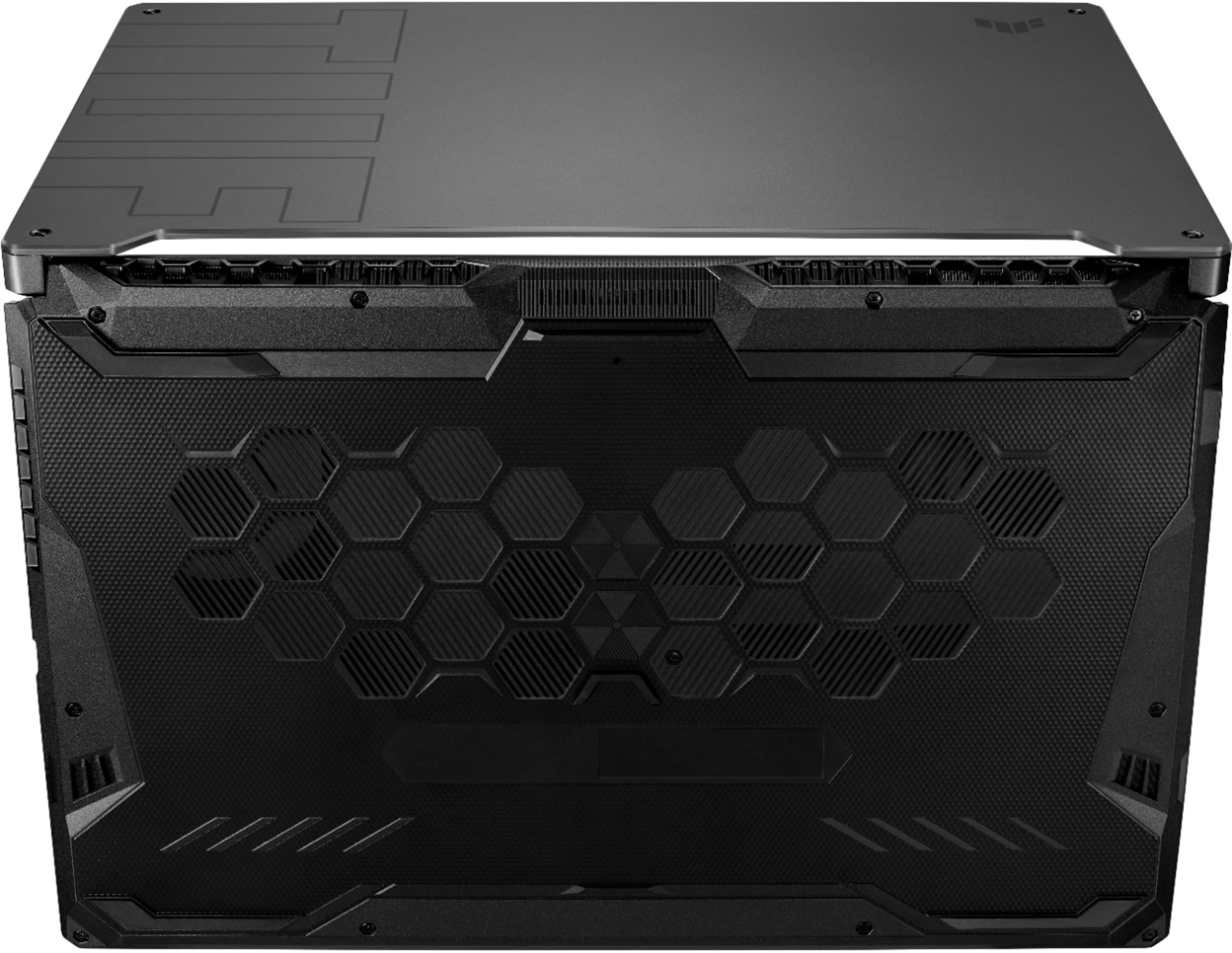
|Posted .This reviewer received promo considerations or sweepstakes entry for writing a review.The ASUS TUF Gaming F17 Laptop is the ultimate in portable gaming. As a writer, web developer, and gamer, I wanted a laptop with a large screen, high performance, and the durability to handle life from a bag. The TUF Gaming F17 fulfills these requirements and more. Setup and Configuration Right out of the box, the look and feel of the F17 screams power and durability. I got the Black case design with the TUF etching on the top, beveled edges along the sides, and a honeycomb pattern along the bottom. With the 17-inch screen size and the full-size keyboard, the texture of the chassis allows for a firm grip when moving the laptop. The F17 comes with Windows 10 Home edition. The initial setup, installation of updates, and configuration with my Microsoft account went smoothly. The OS comes with the standard Microsoft applications and ASUS utility applications. I didn't have to uninstall a bunch of unwanted third-party programs. There are two graphics processors - Intel internal and the Nvidia RTX 3050-Ti. As default, the F17 will use the Intel graphics driver for the main screen. To switch this, I used the Nvidia Control Panel and selected the Gforce driver as the default. Although I like to use angled laptop support for keeping the hardware cool, the F17 has an impressive dual-fan cooling system with a self-cleaning design. Air is pulled in via the bottom vents and is exhausted through two rear-facing vents. A big complaint of many gamers is that a laptop is not expandable. However, the F17 has additional slots for RAM and another Solid State Drive. Armory Crate Software The F17 comes with the ASUS Armory Crate software, which provides the ability to configure the computer's performance, fine-tune the responsiveness of the graphics, configure the keyboard backlighting, and monitor the performance of the hardware. It also scans for installed games and has configurable profiles for each game. Armory Crate is convenient to have open for monitoring performance while working and gaming. Gaming My primary games are Microsoft's Flight Simulator and No Man's Sky. Both of these are graphics intensive and can work the GPU. With Flight Simulator, I can maintain a consistent 50 frames per second with high-quality graphics. The fans come on at a low rpm, and the computer stays cool. No Man's Sky has impressive graphics quality with this computer. Again, I get a slight fan hum, and the laptop stays cool. I'm a big advocate of using a laptop stand to give the bottom of the laptop more breathing space. Working and Writing As a work computer, the F17 does an excellent job. The screen is big enough to fit multiple code windows and a browser with debugger open. As a web developer, on average, I will have 10 to 15 different tabs open in my browser. The F17 has no problem with refresh rates and keeping up. The built-in WiFi 6 keeps up with the necessary network communications and is my primary connection method. As a writer, I generally utilize an attached mechanical keyboard. However, when I'm away from home, the F17 keyboard does nicely. It has a soft touch and is very quiet. My only complaint is the narrow keys on the numeric keypad took some getting used to. My Software I installed the following software on my F17: • Steam • Microsoft's Flight Simulator 2020 • No Man's Sky • Visual Studio Code • Adobe Creative Cloud • Apple iCloud • Snagit • Scrivener • Zoom • Microsoft OneNote, Word, Excel • Handbrake Hardware Configuration • Processor: 11th Gen Intel Core i5-1126H @ 2.60 GHz ○ 6 cores, 12 threads • RAM: 8 GB, Micron 4ATF1G64HZ • Graphics: Nvidia RTX 3050-Ti, 4GB GDDR6 • Drive: Nvme SSD, 512GB • Display: 17.3" 1920x1080, 16:9, anti-glare, 144hz Adaptive Sync • Keyboard: Full keyboard with backlighting • Sound: 2 2W speakers, DTS:X Ultra technology, array microphone • Military-grade (MIL-STD-810H) rugged build • Battery: 90WHrs, 3-cell Li-ion • WiFi 6 (802.11ax) connectivity • Ports: RJ45, HDMI 2.0b, 2 USB 3.2 Type A, 1 USB 3.2 Type C, 1 USB 2.0 Type A • 1 3.5mm Audio Jack • Camera: 720P HD • Bluetooth 5.1, 5.22135 UserBenchmark.com Performance Rating • CPU: 97.1% Outstanding • GPU: 66.9% Good • Drive: 261% Outstanding • Memory: 42% Average Summary Overall, the ASUS TUF Gaming Laptop F17 provides me with the perfect combination of graphics, processor power, ruggedness, and screen size for gaming and serious work. If you're looking for a portable computer with the ability to replace a desktop, I highly recommend this one.
I would recommend this to a friend - Pros mentioned:Ram
Your going to love it!!!
||Posted .This reviewer received promo considerations or sweepstakes entry for writing a review.Great computer for the price! We upgraded the RAM to 32 GB and added a 2nd PCIe SSD 1TB to our system. My son loves it! This was his first laptop. I liked it so much I bought one myself and did the same upgrades! Definitely recommend if you want a good mid-range gaming laptop!
I would recommend this to a friend - Pros mentioned:Ram, Screen sizeCons mentioned:Battery life
Gaming to the medium
|Posted .This reviewer received promo considerations or sweepstakes entry for writing a review.I really enjoy Asus gaming products. I have had several of their gaming computers and laptops over the years, which are usually ROG, this is my first TUF model. This is their budget friendly version of gaming laptops, but still capable of playing most current games. On most games I would range about 30 to 80 fps at 1080p with low to mid settings while plugged in. The default power saving mode while on battery would drop that down to 20fps and dim the monitor, which can all be customized to your liking. Just the more you change the less time you will have on the 48Wh battery. With the NVMe solid state drive everything loads blazingly fast. Makes the laptop feel real snappy and fast regardless of some of its limitations. I was shocked to see in my 3D Mark tests that the score was lower than my older ROG laptop with a GeForce 1070 card in it. However, at the time I bought that laptop it was 2.5 times the price of this one, so I guess it is expected. The good thing is that you can easily install more RAM and another M2 SSD for additional storage space. The fact that this doesn’t have a typical HDD does make it a little more durable to shock, but I wouldn’t be misled by their “military grade” claims. The MIL-STD they claim is just a process in which devices are tested for the environment they are intended to be used in. The laptop is still mostly made of plastic, which is good for keeping it light weight and still meant to be used in your typical computer environments. The 17.3” 144hz screen is pretty big for a laptop, which is nice for gaming, as well as clear and sharp. You can select some customizations of the color tone and brightness through the pre-installed Armoury Crate application. The keyboard is backlit with a single color LED, but is customizable in what color and changing pattern through Armoury Crate as well. The WASD keys are clear, so the LED shines through them, making it quick to locate. The speakers are under the laptop which works nicely if you are playing on a table or desk and not your actual lap. The reflection helps give a virtual surround effect, but lacks any lows. When playing games this laptop puts off some heat, but they have really improved on the sound that they create as it is barely noticeable. WIth Thunderbolt 4 USB Type-C port, two USB 3.2 Type A, a USB 2.0 Type A, RJ45 and HDMI 2.0b port you can expand from this laptop even more. Overall, this is a decent mid-range gaming laptop. It looks really impressive with a brushed metal style despite it being all plastic. Adding more RAM and even another SSD can make things a little faster, but depending on your expectations it is not needed as it is capable as is.
I would recommend this to a friend - Pros mentioned:Build quality, Graphics, PerformanceCons mentioned:Battery life
Amazing Screen, Fast/Responsive, Horrible Battery
|Posted .This reviewer received promo considerations or sweepstakes entry for writing a review.I was in search of a gaming computer with a large screen and decided to go with Asus. I have always been a fan of Asus products and glad I went with this laptop however very disappointed in the battery life. Screen: 144hz 17.3 Screen is bright and beautiful! I love that they reinforced the back and top for continual lifting of the screen. The refresh rate is a huge importance for my eyes and games. Unfortunately due to how impressive this screen is it drains the battery fast even on highest battery saving settings. Keyboard: I thought it was really cool the keyboard lights up however it probably attributes to small battery drain over time. A huge bonus that they threw in the num key pad with the keyboard. It is great when having to perform work along with playing games. Keys are responsive and made well with the A S D W keys standing out. Hardware: The laptop casing is nice however it is prone to scratches. I recommend to be sure to use a sleeve when transporting the laptop. Overall the ventilation works great and hours of heavy usage never got too hot for my lap. There is an expandable RAM slow available to update. I enjoy how the speakers are positioned along with the touch pad which also was very responsive. The power button is plushed inside to prevent accidental pressing Gaming: I loved playing games on this laptop. Every game FPS, RTS, RPG, MMO's and Emulators worked great. This laptop comes with bundled software that tries to optimize graphic settings and its does a pretty good job. I would go in the game settings afterwards to find most games were able to play at max or very high settings with a smooth unlocked frame rate. the 144hz is what really makes the games shine! Battery: Unfortunately this is where it falls short. With highest battery saving settings I barely hit 2 hours. I found to save battery had to modify screen and performance settings in addition to battery setting in Windows 10. Always plan to carry that power cord wherever you go. Overall this is a very impressive gaming laptop and is perfect for gaming on the go. As for business / work use, the num key pad is a great bonus however the battery will not last long. So be sure to bring your power brick with you if you are going to be in meetings longer than 2 hours.
I would recommend this to a friend - Pros mentioned:Build quality
Great laptop Gaming
||Posted . Owned for 1 week when reviewed.This reviewer received promo considerations or sweepstakes entry for writing a review.Good gaming laptop although it is the ASUS entry range but it brings good components and is made with quality materials, the keyboard is what I like the most since it has an excellent touch and limitlessness!
I would recommend this to a friend - Cons mentioned:Battery life
Asus 17.3
||Posted . Owned for 3 weeks when reviewed.This reviewer received promo considerations or sweepstakes entry for writing a review.The battery and the 4gb of vram really hold this thing back but its still a good laptop for gamers who can keep it connected to a power source.
I would recommend this to a friend - Cons mentioned:Battery life, Storage
Oh That Screen!
|Posted .This reviewer received promo considerations or sweepstakes entry for writing a review.Initial thoughts are that this would definitely suffice as a gaming laptop. Haven’t ran into any issues with Shooters and Action Games. The 144hz screen is awesome!! This also doubles as a work computer. The biggest limitations out of the box will be storage. Rated at 512GB, 456GB formatted with 348GB available before installing. Playing the latest AAA Games especially anything from the Call Of Duty line will take at least 100GB, so you will fill up storage pretty quickly. Thankfully ASUS built-in a secondary M.2 port. 1TB drives have dropped in cost, but still a little pricey for larger ones. Thankfully it is pretty easy to upgrade/add Storage and Memory (extra slot as well) once you get the back cover off. About 10 screws holding the case on, however, ASUS went a little overboard with the snap locks. Typically I start in the front and work my way around, but the bottom cover wraps around the hinge and in doing my typical routine, broke some of the snap locks in that area. I’d recommend starting on the sides in the back and wrap around the corners to the back side; then work your way towards the front. While the build quality is definitely where ASUS had to cut some costs. The chassis is all plastic and the palm rest and trackpad are bad at attracting smudges; the keys too. The design is definitely geared toward the traditional gaming design and the RGB keyboard adds to the flair. It would be hard to call it a gaming computer if doesn’t have these features, it just goes with the territory. The ports are definitely put in strategic spots; single USB-A for a mouse on the right, mic/headphone jack on the left side closest to the front. I would like to have seen another USB-C, but at least it has 1. I will say that the I have not seen so much thermal cooling in a laptop before. The RAM has a thermal tape on both sides and so does the M.2..it’s literally wrapped in it. The dual-fans definitely have some decibels, but are not overly distracting. Most likely you will be wearing a gaming headset, ASUS does bundle its own software for tweaking the hardware specs and even its own Game Store, but it really is just pulling from Steam Store. I wouldn’t call it official overclocking, but it will let you set the processor to Turbo which makes it stay running at top speed. The software helps if you are looking at running different power profiles for battery life. It also has a nice battery save feature that lets set to maximum battery health where it won’t allow the battery to charger more than 60% for when the laptop will be used mostly as a desktop and always plugged in. Speaking of the battery, I was pretty shocked to see it was only 4220mAh in size it is 48Wh, so it can put out the juice, but if you plan on gaming while on battery, don’t plan on any extended sessions. There is definitely some room for them to add some more battery, but probably not a good idea given the amount of heat that could be expected. The laptop is definitely well ventilated, but I’m sure most will also leave this plugged in all the time, so a larger battery would end being a bit overkill. The charging block is a traditional circular plug, not the USB-C of modern slim laptops, however, its also pumping out 180W at 20.0volts and 9A, so it will definitely recharge at a fast rate. Battery life is going to be a mixed bag for you depending on what your use is unplugged, but the ASUS CRATE software that lets you tweak everything, automatically shuts down the Nvidia GPU, switches screen to 60hz and a few other settings to conserve battery. I’m not sure if this laptop is “The Ultimate Force” (TUF) ASUS brands it as, but I definitely think it holds its own. My only issue I ran into was some light bleed from the lower border of the screen mostly on the left and right sides. This is only noticeable in the darkest of scenes. I would like to have seen a 1TB drive and of 16GB RAM given this just a bunch of plastic (which does make it quite light). Given the shortages for chips, I think it is priced competitively and you wouldn’t be disappointed.
I would recommend this to a friend - Pros mentioned:Build quality, Performance, Screen size
Cost effective entry into mobile gaming.
|Posted .This reviewer received promo considerations or sweepstakes entry for writing a review.Since I am used to my notebook, my immediate reaction was “boy this is a big laptop!”. I certainly appreciate the industrial look. The dark gray faux-brushed aluminum finish, angular accents, grilled vents, and subtle TUF Gaming branding, as well as the honeycomb vents on the underside, make this device very cyberpunk. I noticed that the top and dashboard do attract many fingerprints, so keep a microfiber cloth around. Just to ensure people know this is a gaming laptop, there is plenty of bright RGB on the keyboard, and the WASD keys are clear as well. Although it is mainly built of plastic, ASUS claims that the A17 is “military-grade” tough and should resist bangs and even drops. Hopefully, this is the case as this is not a light device (over 5.5 lbs.!) and it is not as easy to carry around while in use as a smaller notebook. You need two hands to open the huge, thin bezel 17.3” screen and it stays well in place with minimum wobbling. I am enjoying typing this review on this rather quiet full-size keyboard. The Chiclet keys have good travel, are on the soft (but not mushy) tactile side, and are responsive. I notice that the edge at the bottom can dig in a bit into the wrist, so a wrist pad may be a good idea. The tracking pad is large enough and responsive. It features two nice physical click buttons, but I would rather have more real state instead of those. The 144Hz Adaptive Sync 1080p display is decent. It is bright enough (probably 300+ Nits?) to play in bright conditions, with the matte antiglare helping greatly. The default colors are vibrant, and I did not detect much backlight bleeding on the edges. I did notice that the viewing angle is not very good in daylight, but OK in a darker environment. Unfortunately, the impressive 144Hz refresh rate is hardly utilized due to the spec limitations, which seems a bit of a waste. ASUS claims that the sound quality is much better than most, but I honestly am not impressed. Sure, it seems to be louder, but the bass is still lacking as with almost every other laptop out there. That’s why a good set of headphones will always be needed, especially since the A17 features DTS:X Ultra with virtual surround. I am pleased with the connectivity of the A17. It covers all I/O ports that may be needed at any time. From ethernet to USB-C Thunderbolt 4, this laptop has me covered. Also, it is future-proof with Wi-Fi 6 and Bluetooth 5.2, which is great for a mobile device. The 720p camera, as with most laptops is mediocre at best. It is decent enough for video conferencing, but I would not use it for serious streaming. The mic is rather nice, as it picked my voice well at a good 6 ft. away. The 48WHrs battery life is what you would expect from a gaming laptop. I was able to game for a little less than 2 hours before needing to plug it in. I am sure it will last much longer when simply surfing the net or doing light work. When it comes to performance, I was pleasantly surprised. One must keep in mind that this is an entry-level gaming laptop, and expectations should match that. The i5-10300H and RTX 3050 Ti combo work well when playing mid-tier games at decent framerates. I saw 100+ fps on popular games such as Forza H4, Witcher 3, WoW, Apex, Fortnite, R6 Siege, Overwatch, and CS: GO at high/max settings. However, on other titles such as BF5, DOOM Eternal, RDR2, AC Valhalla, COD CW, and Cyberpunk, the settings must be toned down to at least medium or high with several tweaks -specifically raytracing, before hitting a nice 60fps. By no means this is a deal-breaker, as playing at medium-high settings is still a great portable experience on this laptop. The companion ASUS Armory App is decent, and it does not seem like bloatware. There, you can see what’s going on in your PC, change the RGB, add macros, change screen color and resolution, optimize performance, and update drivers. Another thing to keep in mind is that this version has only 8GB of RAM, which may not really affect gaming as much, but will affect multi-tasking -especially if you stream, photoshop, or edit video. It also has only 512GB of space. For a gaming rig, this certainly is not enough. Unless you have an external hard drive or SSD, you must constantly delete and reinstall the software, which is not fun. Having said that, ASUS made an excellent move to alleviate this by making it extremely easy to upgrade both memory and most importantly, space. Simply open the back and the available slots are fully visible. This allows for the lower-priced option, and the ability to upgrade when possible later. In the end, the large screen, great keyboard, good build, decent specs (for the price), and the ability to upgrade as needed, make the TUF A17 a great option for portable gaming on a budget
I would recommend this to a friend - Pros mentioned:Performance
Good lapto
||Posted . Owned for 8 months when reviewed.This reviewer received promo considerations or sweepstakes entry for writing a review.I love this lapto.I have 8 months with it and it has been the best purchase I can play any game with it
I would recommend this to a friend - Pros mentioned:Build quality, Graphics
WOPR: Shall we play a game?
|Posted .This reviewer received promo considerations or sweepstakes entry for writing a review.If you're looking for a solidly built gaming laptop, this one, for the price, is one of the best deals out there. The Intel i5, NVIDIA GeForce RTX3050, and 144Hz Adaptive Sync screen technology combine for an incredibly impressive gaming experience on a laptop, at a price point half what you'd expect to spend. It's solidly built and the keyboard is really comfortable to use. It's also nice to have a variety of ports including USB 3.1, USB 4, Thunderbolt 4 with USB-C, and HDMI Out. I've seen some feedback that the laptop is large and heavy, but hey, you bought a 17.3" laptop. What do you expect? The games I've played on the laptop ran well. No problems. No heat issues. Fast load times with the 512GB SSD. The cooling framework on this laptop seems to work well from my experience. The only negative is the sub-par (720p) webcam that comes with it. For me that wasn't an issue at all because I prefer to game off cam.
I would recommend this to a friend - Pros mentioned:Performance, Ram, Screen size
High performing, great value
|Posted .This reviewer received promo considerations or sweepstakes entry for writing a review.When I look at what this laptop can do when compared to its competitors I am often boggled. This brand has really stepped up when it comes to performance and reliability. I have been gaming since I was in my early teens and am now an every day gamer, I typically jump between console and PC but have been pretty into my PC set up as of recently. This laptop has blows me away in most categories when it comes to gaming, more specifically... comfort and processing. The design of this laptop is amazing, its wide both from a key layout but also from the screen as well being 17.3" inches. I am not a fan of the more condensed laptops layouts as they make me feel extremely cramped. On the other hand the performance of this laptop is better than expected, it has a RTX3050 and 8GB of ram.....I was hoping for a larger SSD but the stock 512 GB seems sufficient enough. 144hz makes the experience even better too compared to other lower hz models out there. All in all, for the price, this laptops really shows that the respective brand is stepping up their game, especially to those who enjoying elite gaming without needing an entire rig set up. I highly recommend.
I would recommend this to a friend Entry into gaming PCs
||Posted . Owned for 2 weeks when reviewed.This reviewer received promo considerations or sweepstakes entry for writing a review.Great entry into gaming PCs. CPU and GPU pair well, but the single 8GB stick of RAM is a bottle neck. With that said, a simple upgrade of RAM quickly solved that issue.
I would recommend this to a friend- Pros mentioned:Build quality, Screen size
Nice Gaming Laptop!
|Posted .This reviewer received promo considerations or sweepstakes entry for writing a review.I have a gaming PC and another gaming laptop as well as an Asus Tuff gaming monitor. This laptop is 17.3 inch which is the largest laptop I have. I personally find the built-in speakers acceptable for a laptop but I wish the screen would get a little brighter and the keyboard backlighting. The keyboard is top knotch quality as far as the keys go but I can not seeem to get them as bright as I would like. This laptop does very well with the games I play on it and I do appreciate the low lag high refresh rate screen. I love the Asus Tuff gaming series of equipment I just wish the screen and keyboard were a little brighter. I have it plugged in to the wall outlet and checked alll of the settings I just want it brighter. Other than those two complaints this laptop is very high quality and the keyboard feels outstanding and super high quality. My 27" 4k Tuff gaming monitor has no brightness issues so I will keep searching for settings and driver upfdates but I have gone through everything. It is a great-looking laptop with an outstanding feel to the keyboard. It performs well in games but to me it needs a brighter keyboard and a brighter screen to compete with other brands I have. This is in despite of the keyboard and build quality being top-notch and it being a great machine. I will keep .searching but I have tried driver updates and every possible setting option through all avenues of setting Right now it just barely gets bright enough for me to use it halfway comfortably. Which to me should not be an issue. It is a very well built machine and I love everything about accept for the lighting. Sorry but unless I find a way to increase it the settings or an update it fallls behind my other gaming laptop which is a 15.6 inch.
I would recommend this to a friend