Customer Ratings & Reviews

- Model:
- UX3405CA-U9321TB
- SKU:
- 10357921
Rating by feature
- Battery Life
Rating 4.7 out of 5 stars
- Speed
Rating 4.8 out of 5 stars
- Display
Rating 4.7 out of 5 stars
Helpful, knowledgeable, but understaffed
||Posted . Owned for 3 weeks when reviewed.This reviewer received promo considerations or sweepstakes entry for writing a review.The person who helped me was knowledgeable and certainly helpful, but he was seemingly a one-person show in a department that needed another person to keep the wait times down.
I would recommend this to a friendASUS Zenbook
||Posted . Owned for 1 month when reviewed.This reviewer received promo considerations or sweepstakes entry for writing a review.I was impressed with the quality of this Asus laptop.
I would recommend this to a friendgood overall
||Posted . Owned for 3 months when reviewed.This reviewer received promo considerations or sweepstakes entry for writing a review.Great laptop overall but having issues with some adobe apps
I would recommend this to a friendexcellent computer
||Posted . Owned for 1 month when reviewed.This reviewer received promo considerations or sweepstakes entry for writing a review.A good, fast computer that has served me very well at work. I love it and would buy it again.
I would recommend this to a friendDream power laptop for the money!
||Posted . Owned for 3 weeks when reviewed.This reviewer received promo considerations or sweepstakes entry for writing a review.Exceeds expectations in ease of use and efficiency!
I would recommend this to a friendGreat Specs Great Price
||Posted . Owned for 3 weeks when reviewed.This reviewer received promo considerations or sweepstakes entry for writing a review.It has all the specs needed for a higher teir laptop but for a really good price!
I would recommend this to a friendI love my lab too
||Posted . Owned for 3 weeks when reviewed.This reviewer received promo considerations or sweepstakes entry for writing a review.I am so happy with it I just love it size price and everything
I would recommend this to a friendExcellent
||Posted . Owned for 1 month when reviewed.This reviewer received promo considerations or sweepstakes entry for writing a review.Good functionality. Excellent relation between characteristics and price
I would recommend this to a friendAsus Zenbook
||Posted . Owned for 3 weeks when reviewed.This reviewer received promo considerations or sweepstakes entry for writing a review.The computer is definitely worth more than the price tag on it.
I would recommend this to a friendLight and small but does the job of bigger laptops
||Posted . Owned for 3 weeks when reviewed.This reviewer received promo considerations or sweepstakes entry for writing a review.Good laptop for the price. Helpful staff at the store.
I would recommend this to a friendbeautiful Laptop
||Posted . Owned for 3 weeks when reviewed.This reviewer received promo considerations or sweepstakes entry for writing a review.Is a beautiful and efficient Laptop, the speed is excellent
I would recommend this to a friend- Cons mentioned:Noise level
Getting lot of spinning sound on a new laptop
||Posted .This reviewer received promo considerations or sweepstakes entry for writing a review.Getting lot of spinning sound on a new laptop in the middle of processing some applications
No, I would not recommend this to a friendBrand response from ASUS Answers
Posted .Dear SudheerA,
Thank you for sharing your experience with the ASUS UX3405CA Laptop. We sincerely apologize for the issue you’ve encountered with the spinning sound while processing applications. We understand how concerning this can be on a new device, and we want to ensure it is properly investigated. We recommend contacting our support team directly at https://www.asus.com/us/support/callus/ so that our specialists can assist you further and provide the appropriate solution.
We stand behind our product and we continuously strive to improve our products and processes in order to achieve customer service excellence. For more information, send us an email at [email protected] and provide the case number "N2509015349-0006" for reference. We’ll do our best to provide a quick resolution to your case. Your feedback is important as it helps with improvements to ASUS Support channels. Thank you for choosing ASUS.
Best Regards,
Chantae
ASUS Customer Loyalty US Support
Enjoying
||Posted . Owned for 3 weeks when reviewed.This reviewer received promo considerations or sweepstakes entry for writing a review.Love my laptop very easy to use not to big. Anyone can understand on how to use it
I would recommend this to a friendGreat purchase
||Posted . Owned for 1 week when reviewed.This reviewer received promo considerations or sweepstakes entry for writing a review.Great lap top! Screen is a little small but I use it with a separate monitor so it's not an issue.
I would recommend this to a friendAsus zenbook 14
||Posted . Owned for 2 weeks when reviewed.This reviewer received promo considerations or sweepstakes entry for writing a review.Everything is fine until I saw the screen freezing since yesterday as soon as I saw it was hanging I restarted it and it's fine till now
I would recommend this to a friendBrand response from ASUS Answers
Posted .Dear SagarChadaram,
Thank you for sharing your experience with the ASUS UX3405CA laptop. We're glad to hear that the device is working fine now, but we're sorry to learn about the screen freezing issue you encountered. We understand how disruptive that can be, and we appreciate you bringing it to our attention.
If the issue happens again, we recommend reviewing the steps in the troubleshooting guide linked below. If the issue continues, please contact our support team at https://www.asus.com/us/support/CallUs so we can assist you further or arrange repair service if necessary.
We stand behind our products and continuously strive to improve our products and processes to achieve customer service excellence. For more information, email us at [email protected] and include the case number "N2505019960-0013" as a reference. We will do our best to resolve your case quickly. Your feedback is very important to us and enables us to improve our support channels. Thank you for choosing ASUS.
Best Regards,
Chantae
ASUS Customer Loyalty US Support
[Windows 11/10] Troubleshooting - Resolving System Error Messages or Unresponsiveness (Freeze/Black Screen/White Screen during usage) - https://www.asus.com/us/support/faq/1038855/
- Pros mentioned:Oled quality, Overall performance, Portability

A workhorse...
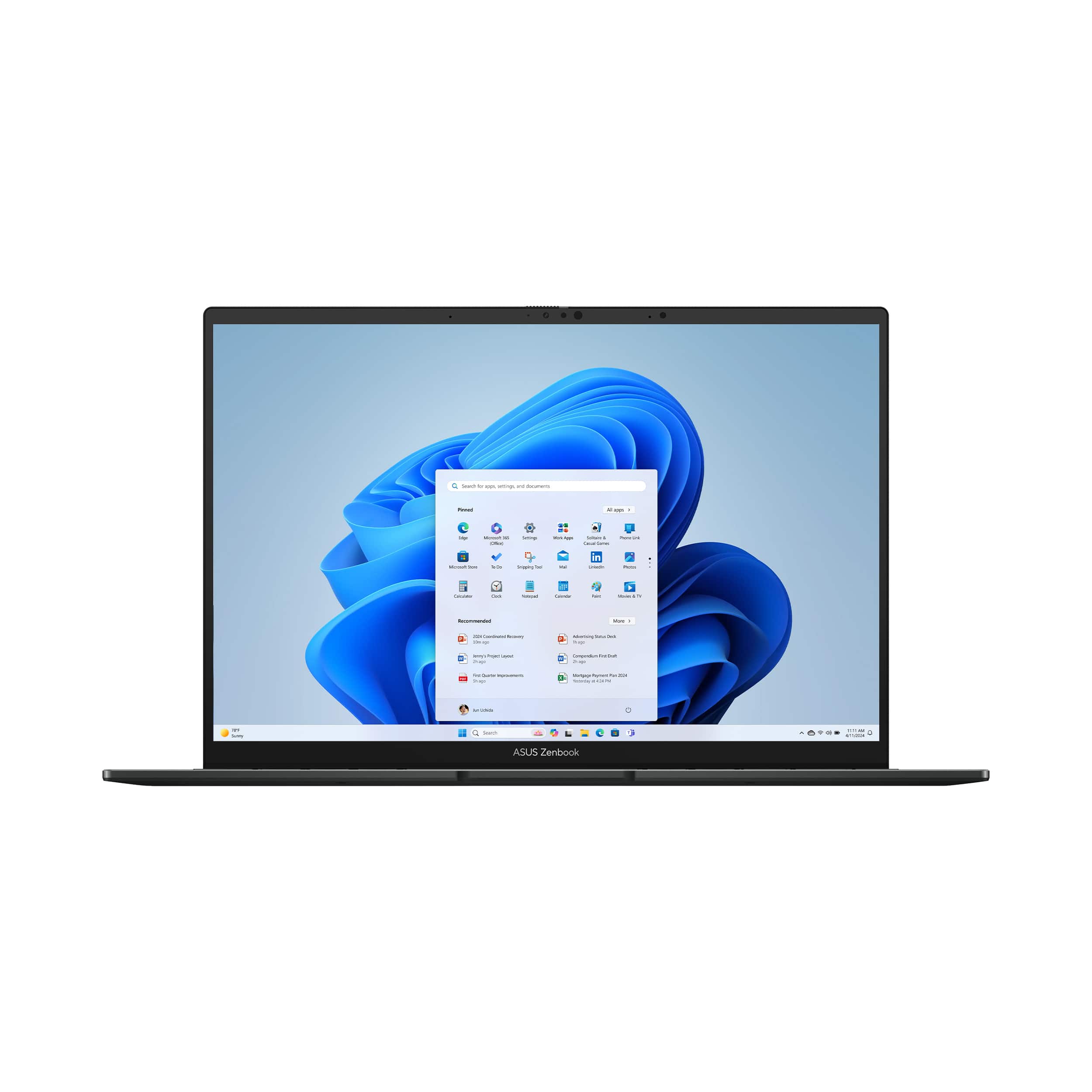
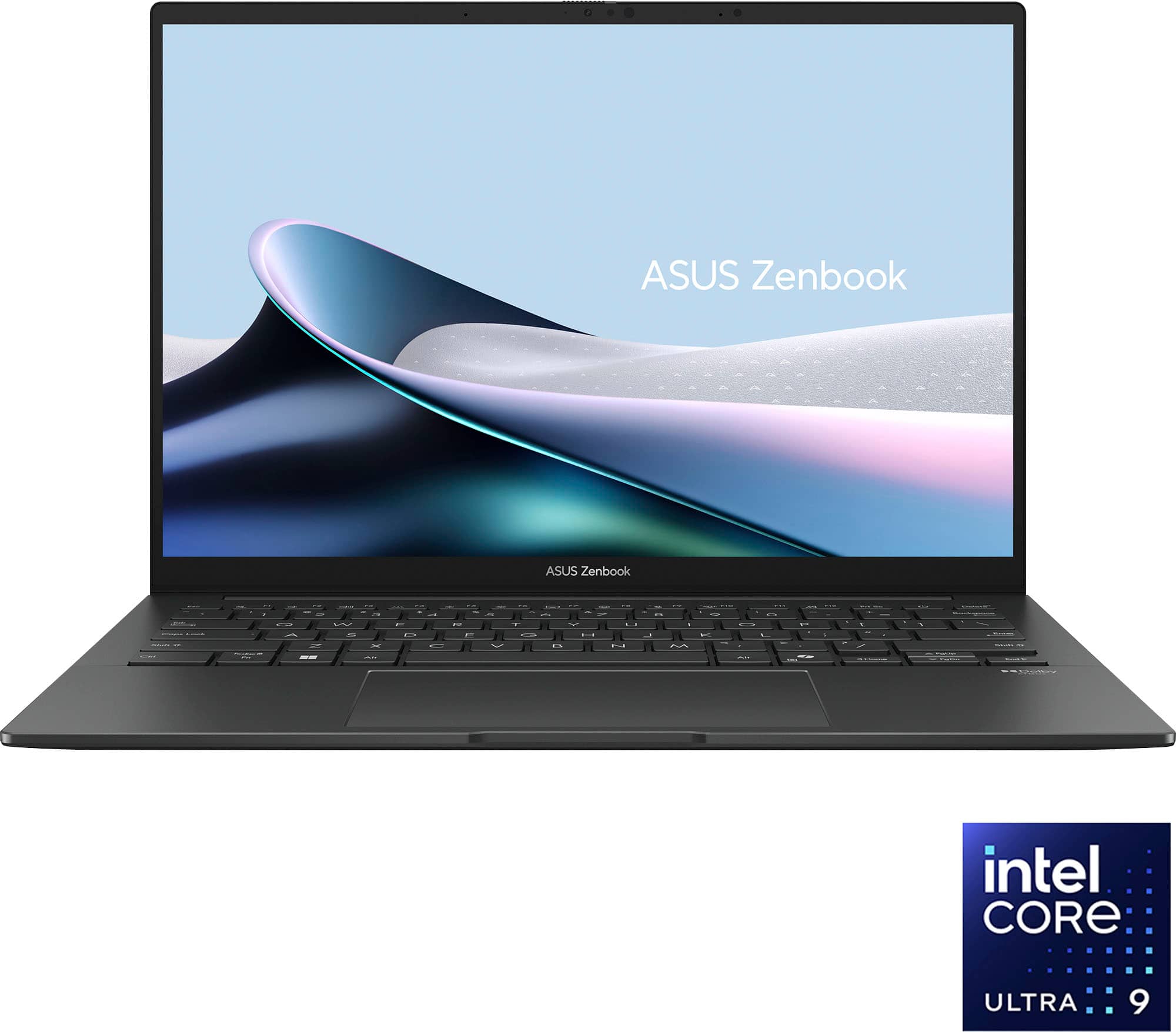
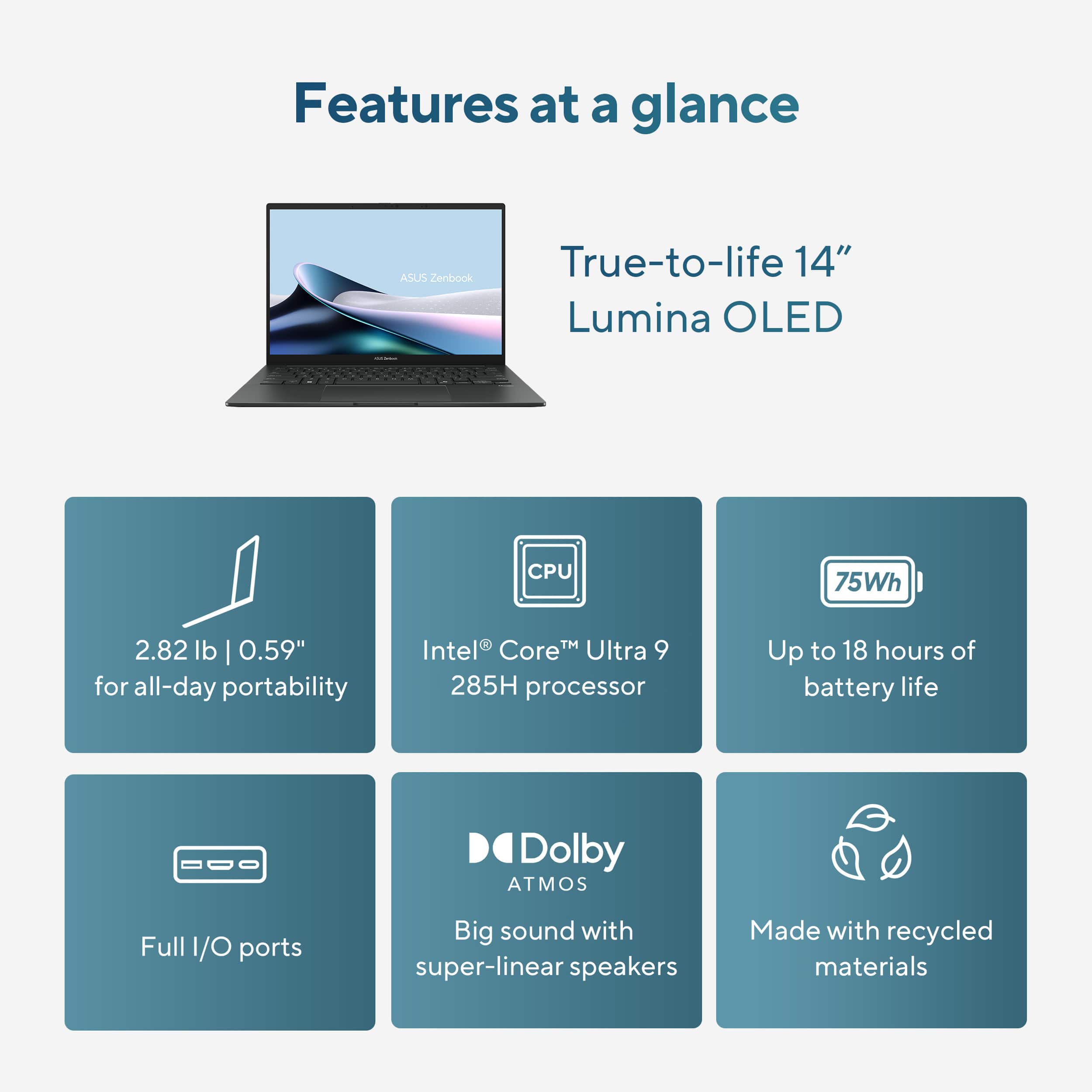
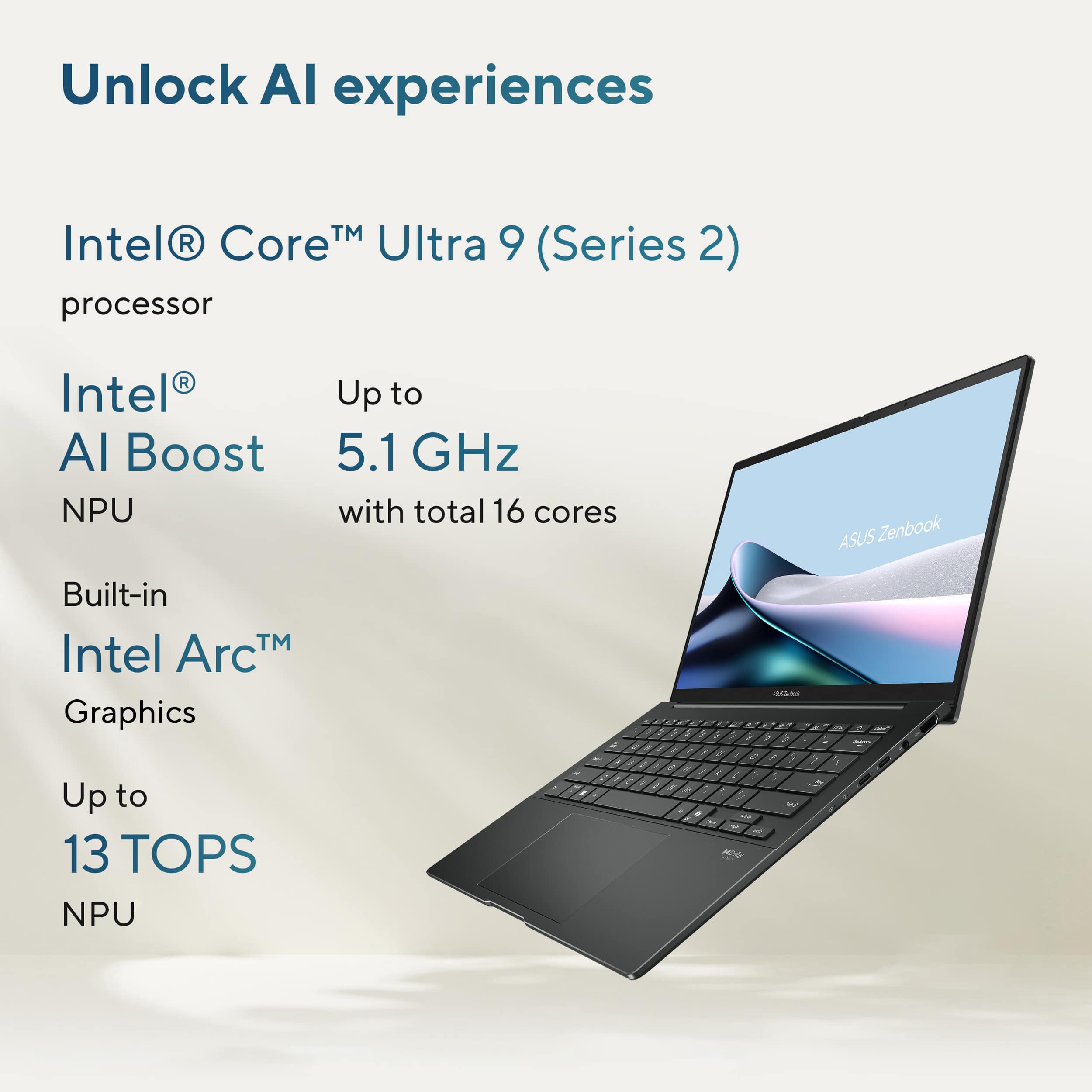
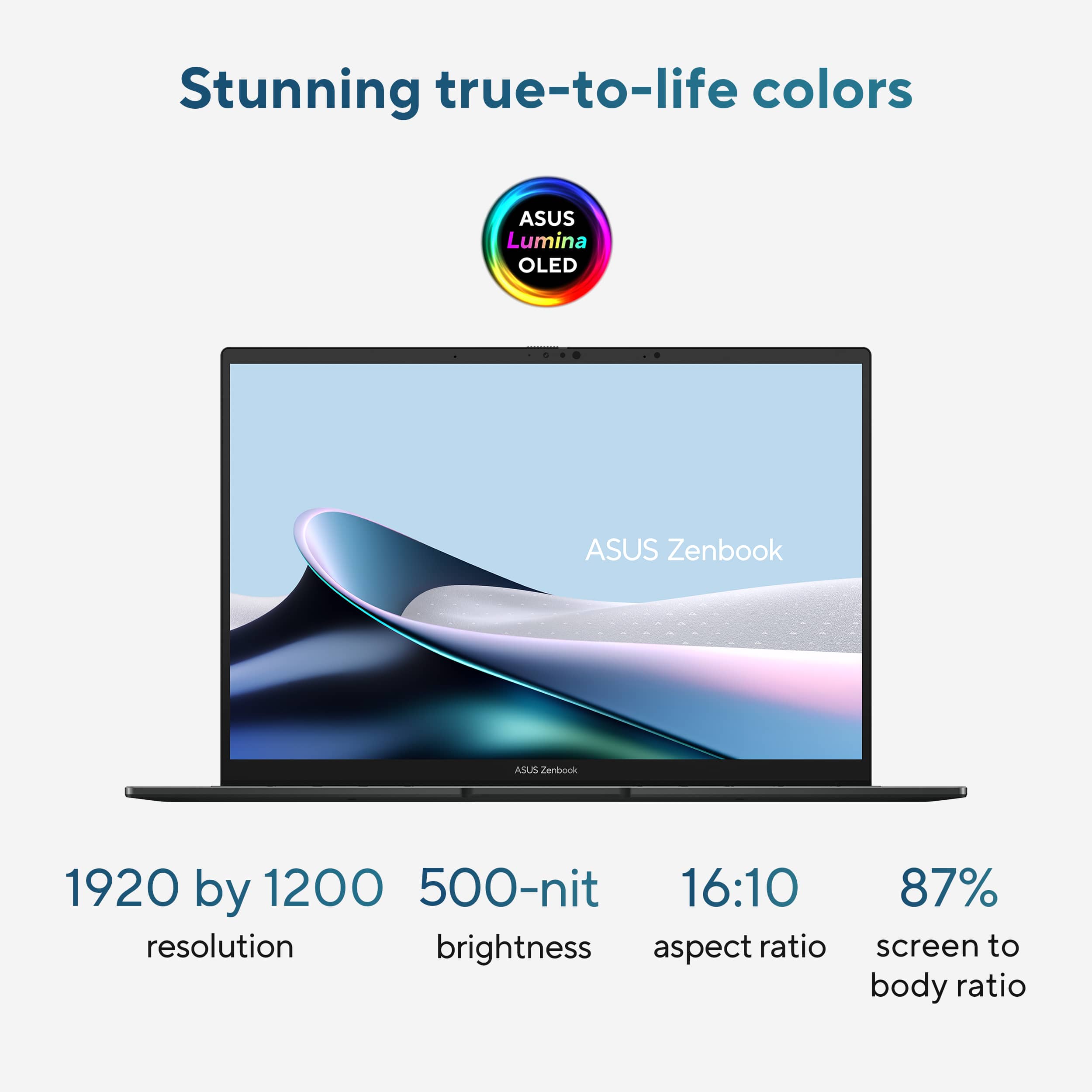
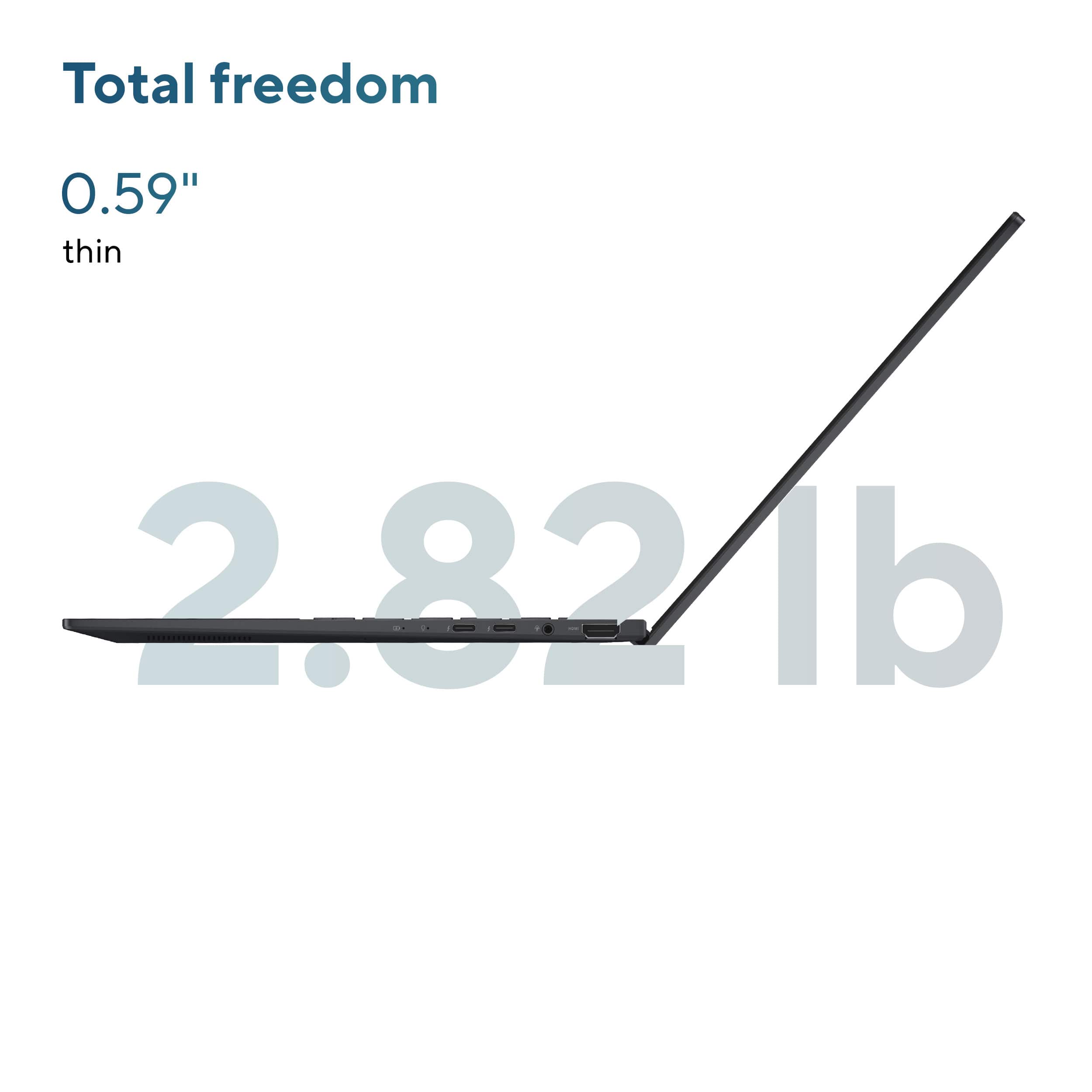
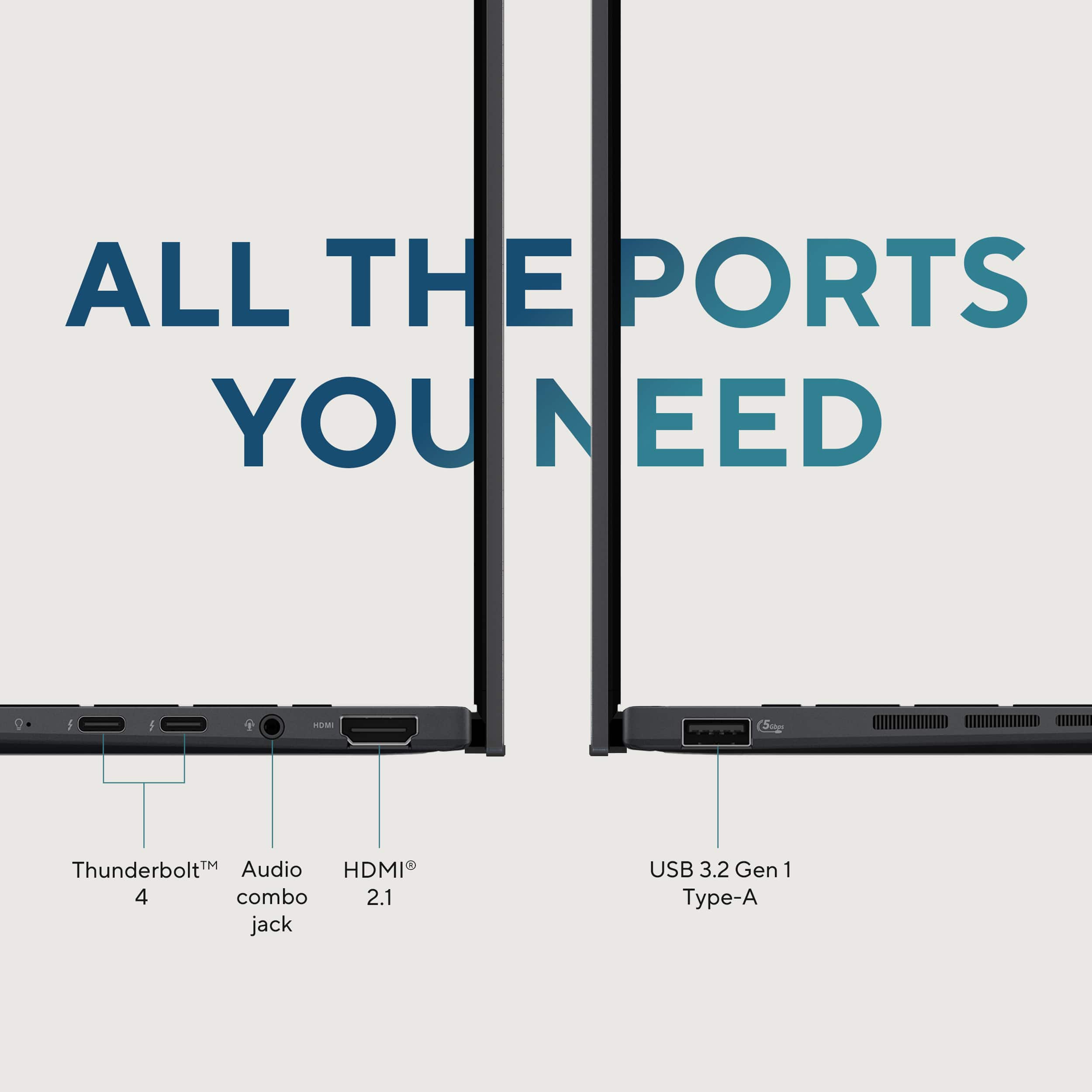
|Posted .This reviewer received promo considerations or sweepstakes entry for writing a review.This review is for the ASUS Zenbook 14, featuring a 14" FHD+ OLED touch screen, Intel Core Ultra 9 processor, 32GB RAM, and a 1TB SSD. Right out of the box, I liked the color (Jasper Gray) and finish — and that’s about where the sexiness stops. The lines of the laptop are a bit blockish. Not the smooth, tapered, pencil-thin design that so many late model laptops have. Maybe that’s not a bad thing. It certainly makes it easy to grasp and lift. While we’re mentioning ‘lift,’ know that this Zenbook 14 comes in at about 3 oz shy of 3 pounds. I do like the rubber feet which act to raise the laptop above a flat surface for proper ventilation. Their design also makes the unit easy to grab and go. Hooking up peripherals and accessories should be a breeze since the Zenbook has connection ports consisting of one USB-A, two USB-C Thunderbolt ports, HDMI, and one good ol’ round headphone/external speakers jack. Gotta love it. When open, it’s hard not to be impressed by the OLED touch screen. You can’t really get blacker blacks than an OLED. Awesome display. I find that the keyboard suits me just fine. I like the responsiveness of the keys. When I feel like resorting to my tablet skills, the touch screen performed just fine. (Why is it that some laptops with touch screens don’t open past 180 degrees…like 360, so you can actually hold and use it like a tablet? Oh, well. I guess that’s beyond my pay grade.) The keyboard also has the MS Co-Pilot key. I’ve got to learn more about that and how to use it. I guess it leads you into the world of AI…? The specs of this model Zenbook 14 are impressive. With 32 gigs of RAM and Intel’s Core Ultra 9 processor, I don’t think I’ll ever got bogged down working on different projects at the same time…while streaming some music…while watching a movie…while making homemade pasta… You get the picture. The one thing I might question is why would ASUS load this machine up with this much RAM and the Core Ultra 9 processor without also adding a beefier graphics card (this uses Intel ARC)? The ONLY reason I bring this up is because Best Buy lists this as ‘entry level graphics’ in the product description. Note: I am not a gamer — but there was absolutely nothing deficient regarding graphics as I streamed an action movie (The Beekeeper) and beautiful YT 4K display clips — no jittering, no ghosting, no delays whatsoever. Did I mention how awesome the OLED display is? I searched for more info on the ARC graphics and it seems to be just fine for gamers. There you have it. This Zenbook 14 is a workhorse. It will not disappoint.
I would recommend this to a friend - Pros mentioned:Battery life, Processor speed
An amazing ultra-portable laptop
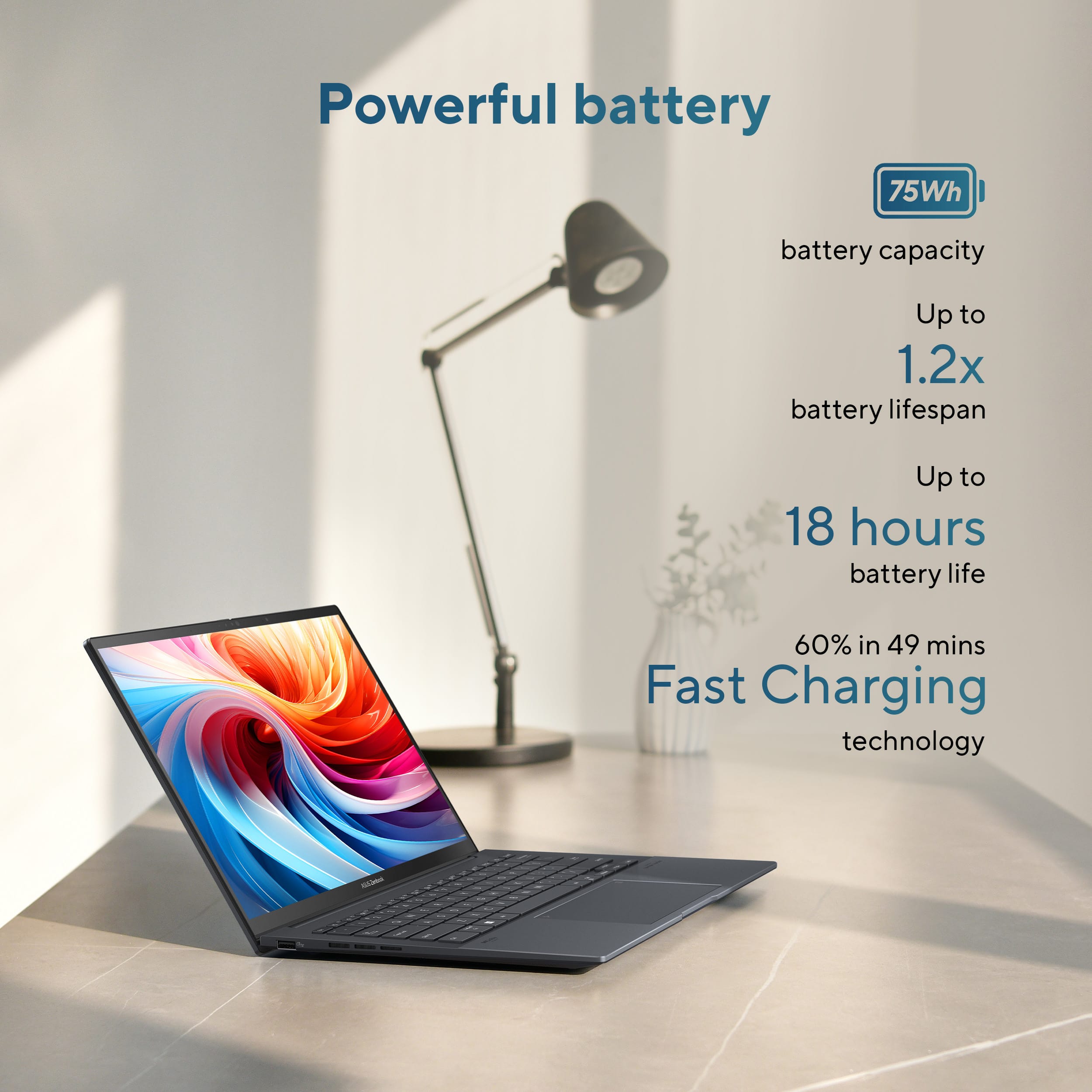
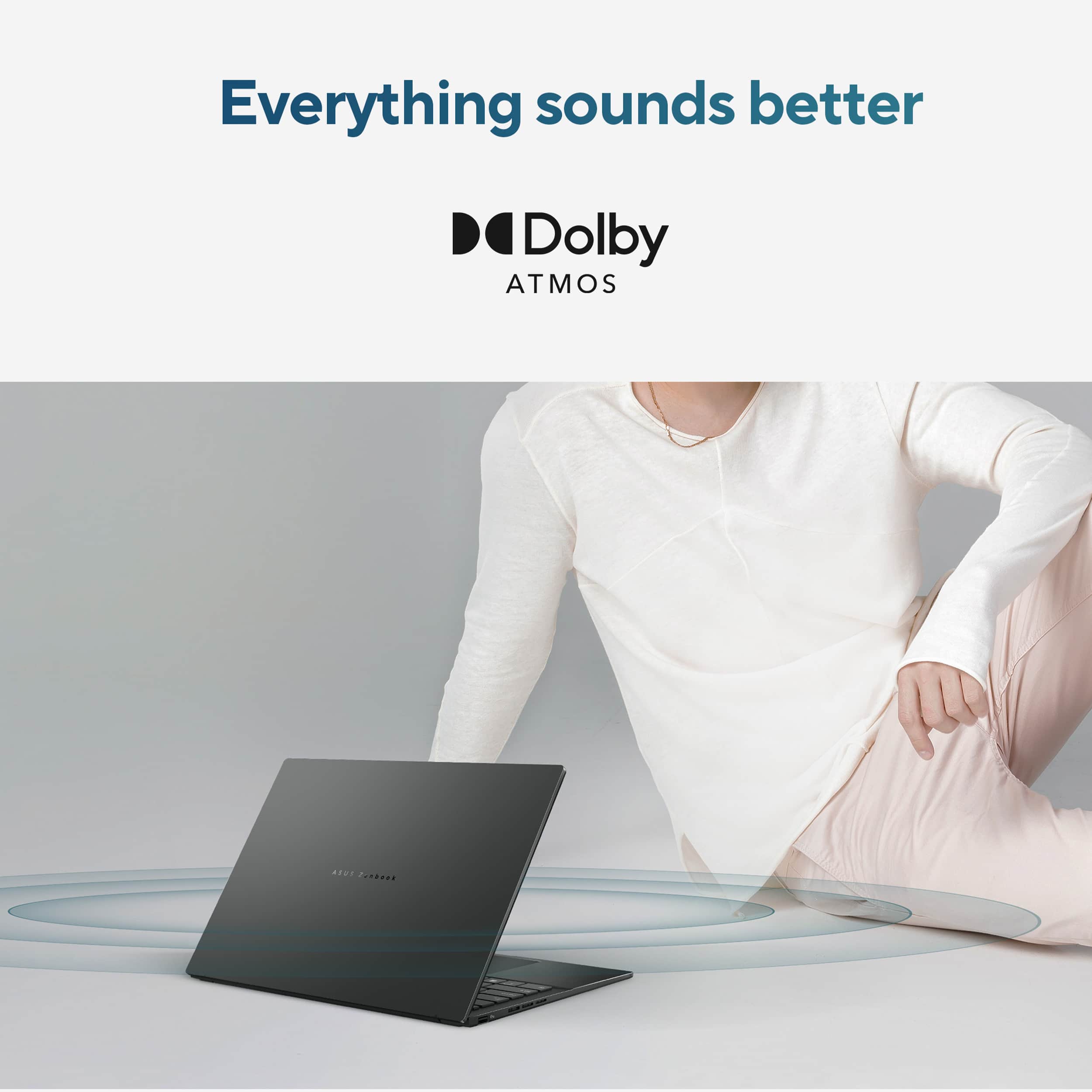
|Posted .This reviewer received promo considerations or sweepstakes entry for writing a review.First impression: My first impression of the Asus Zenbook 14 laptop is that it is a lightweight, well-made laptop. The keyboard offers good response without any bounce. And the large keys make it much easier to type at a decent speed for 2-finger typists like me. The hinges are smooth and do a good job holding the lid at any position. It’s attractive, and the minimalist logo on the top looks real nice. And finally, this laptop is MIL-STD 810H certified in vibration, shock, high temperature, low temperature, and altitude. Technical Specifications: • Display size: 14 Inches • Screen Resolution: 1920 x 1200 • Display Type: OLED Touchscreen • CPU: Intel Core 9 Ultra Series 2 • RAM: LPDDR5X 32 GB • Memory Speed: 5.6 GHz • Hard Drive: 1 TB SSD • Graphics: Intel Arc Graphics • Chipset Brand: Intel • Network: Wi-Fi 7 802.11ax Bluetooth 5.4 • Ports: 1 x USB 3.2 2 x Thunderbolt 4 1 x HDMI 2.1 1 x 3.5mm Audio Jack • Battery: 4-cell Li-ion • Avg. Battery Life: 18 Hours • Weight : 7.54 pounds • Dimensions: 12.34W x 0.57H x 8.58D inches Setup: Setup was a typical Windows 11 configuration without any issues. Performance: This laptop is fast. The bootup time from power off to desktop is 13.98 seconds. I did benchmark it, and the final score was 8898. That’s pretty good for an ultra-portable, non-gaming laptop. The i9 Ultra CPU makes for a very responsive laptop. Apps open quickly and with 10 apps open at the same time, it doesn’t slow down the performance of the laptop. At one point, I had 10 apps open, including Adobe Creative Cloud. I opened Apple Music and started listening to music. Finally, I opened AutoCAD, and it opened and performed as good as if it was the only app open. Looking at the performance monitor, the resources were taxed pretty hard, but as an end user, I did not feel the effects. For the gaming test, I ran the DRL drone simulator via Steam. The streaming didn’t have any issues at all. The flying was smooth and no matter how much I pushed the drone, doing flips, loops, and high speed, rapid turns and direction changes, I could not cause the laptop to show any signs of stress. Next, I streamed 4K movies from Netflix. While the 14” screen is not optimal for watching movies, the display was clean with vibrant colors. And while that was impressive, the audio is what stole the show. For audio, Asus simply states it has Smart Amp technology with built-in speakers. This screams low volume with a tinny sound, especially from an ultra-portable laptop. But the audio is amazing. It is loud compared to all my other laptops. It is clear with full sound without sounding harsh or empty. The bass sound is there but doesn’t have any oomph behind it. But it is there, and that’s also surprising. My other ultra-portable has zero bass. This is my favorite part of this laptop, amazing audio from a small case. Conclusion: The Asus Zenbook 14 (UX3405CA) ultra-portable laptop is an amazing laptop stuffed into a lightweight, small body. The graphics are really good, the touch screen is smooth and accurate, the performance is outstanding, and the audio is amazing. As an IT engineer, almost all my work is in the cloud. This is such a lightweight and easy laptop to use, it is now my regular carry laptop for both work and home. If you are looking for a good ultra-portable laptop with features rivaling bigger, more expensive laptops, then I highly recommend the Asus Zenbook 14 (UX3405CA).
I would recommend this to a friend A hot laptop
||Posted . Owned for 3 weeks when reviewed.This reviewer received promo considerations or sweepstakes entry for writing a review.Great product; does heat up quickly, but that is expected of laptops
I would recommend this to a friendBrand response from ASUS Answers
Posted .Dear Sara S,
Thank you for your feedback on the ASUS UX3405CA Laptop. We're glad to hear you're enjoying the product overall. While some warmth is expected during use,we understand that excessive heat can be concerning.
To help resolve this issue, we recommend reviewing the steps in our troubleshooting guide linked below. If the issue continues, please contact our support team at https://www.asus.com/us/support/CallUs so we can assist you further.
We stand behind our products and continuously strive to improve our products and processes to achieve customer service excellence. For more information, email us at [email protected] and include the case number "N2505019960-0004" as a reference. We will do our best to resolve your case quickly. Your feedback is very important to us and enables us to improve our support channels. Thank you for choosing ASUS.
Best Regards,
Chantae
ASUS Customer Loyalty US Support
[Windows 11/10] Troubleshooting - Overheating and Fan issues - https://www.asus.com/support/faq/1015064/
Good but not great
||Posted .This reviewer received promo considerations or sweepstakes entry for writing a review.Easy setup& needs another USB port,battery life not as claimed.
I would recommend this to a friend- Cons mentioned:Noise level
Bad battery and loud fan.
||Posted . Owned for 3 weeks when reviewed.This reviewer received promo considerations or sweepstakes entry for writing a review.Battery doesn’t last long and the fan louder than I was told it would be.
No, I would not recommend this to a friendBrand response from ASUS Answers
Posted .Dear Lee M,
We sincerely apologize for the inconvenience you are experiencing with your ASUS UX3405CA laptop, specifically the reduced battery performance and the louder fan operation.
To help improve performance, we recommend reviewing the step in the troubleshooting guide linked below. If the issue continues, please contact our support team at https://www.asus.com/us/support/CallUs so we can assist you further or arrange repair service if necessary.
We stand behind our products and continuously strive to improve our products and processes to achieve customer service excellence. For more information, email us at [email protected] and include the case number "N2509015349-0005" as a reference. We will do our best to resolve your case quickly. Your feedback is very important to us and enables us to improve our support channels. Thank you for choosing ASUS.
Best Regards,
Chantae
ASUS Customer Loyalty US Support
[Windows 11/10] Troubleshooting - Short Battery Life (Rapid Battery Drain) - https://www.asus.com/support/faq/1043914/
[Windows 11/10] Troubleshooting - Overheating and Fan issues - https://www.asus.com/support/faq/1015064/