Customer Ratings & Reviews

- Model:
- GRI070800G516
- SKU:
- 6370586
Rating by feature
- Value
Rating 4.3 out of 5 stars
- Quality
Rating 4.1 out of 5 stars
- Ease of Use
Rating 4.1 out of 5 stars
Customers are saying
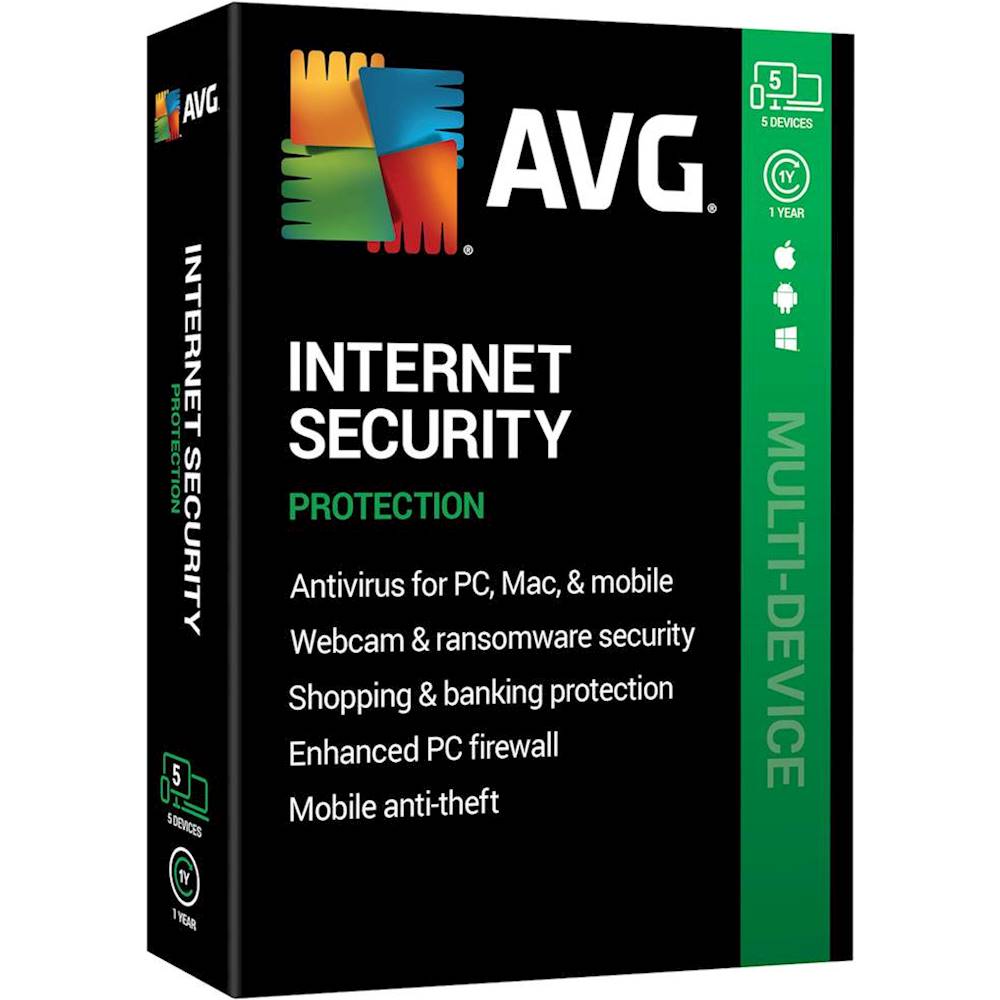
Customers admire AVG Internet Security for its reasonable price, user-friendly interface, and reliable virus protection. Many users appreciate the ability to protect multiple devices with a single subscription. However, some customers express annoyance with the product's attempts to upsell additional features and services.
This summary was generated by AI based on customer reviews.
Works good.
||Posted . Owned for 2 weeks when reviewed.This reviewer received promo considerations or sweepstakes entry for writing a review.I bought this because I needed one and it was deal of the day.
I would recommend this to a friendGreat
||Posted . Owned for 5 months when reviewed.This reviewer received promo considerations or sweepstakes entry for writing a review.Can’t go wrong with security especially extra security
I would recommend this to a friendExcellent
||Posted . Owned for 1 month when reviewed.This reviewer received promo considerations or sweepstakes entry for writing a review.It cleared all my viruses and computer start working faster
I would recommend this to a friendGood program
||Posted .This reviewer received promo considerations or sweepstakes entry for writing a review.Good program for your computer system, no issues with it.
I would recommend this to a friendGreat
||Posted . Owned for 3 months when reviewed.This reviewer received promo considerations or sweepstakes entry for writing a review.Nice collection. Never get problems. Can buy it always
I would recommend this to a friendGreat product!
||Posted . Owned for 2 months when reviewed.This reviewer received promo considerations or sweepstakes entry for writing a review.Bought this as deal of the day. Easy to setup and use!
I would recommend this to a friendGreat price, no issues
||Posted . Owned for 2 weeks when reviewed.This reviewer received promo considerations or sweepstakes entry for writing a review.downloads and works great, no computer issues or viruses.
I would recommend this to a friendInternet Security
||Posted . Owned for 1 month when reviewed.This reviewer received promo considerations or sweepstakes entry for writing a review.Great product at an awesome price. Will purchase again.
I would recommend this to a friendGreat product
||Posted . Owned for 1 month when reviewed.This reviewer received promo considerations or sweepstakes entry for writing a review.This product is the best antivirus that I used !!!
I would recommend this to a friendGreat protection
||Posted . Owned for 1 month when reviewed.This reviewer received promo considerations or sweepstakes entry for writing a review.I used the free version liked it and bought this one
I would recommend this to a friend- Cons mentioned:Upsell

Almost Perfect
|Posted .This reviewer received promo considerations or sweepstakes entry for writing a review.It’s undeniable that our computers need protection. I have been the victim of malware/viruses in the past (three years ago). There’s a certain panic that runs through you when you realize that all of your documents, files and photos might not be accessible. Then comes another level of anxiety when you think about your passwords that are connected to sites that you frequented. Have those passwords been compromised? All of this frantic unfolds in the span of the first ten minutes all while you restart your computer thinking that doing the restart will miraculously fix the invasion. Since then, I’ve been extremely careful when visiting sites (news, YouTube, entertainment news, gaming sites, etc.). Even being careful still subjected me to those ANNOYING ‘Congratulations’ pop-ups that force you to close out your browser only later you discover that there’s a hidden malware inside your computer because of it. I decided to give AVG Security a go to allow myself peace of mind. Yes, I was already using a browser that had various web securities built into itself but didn’t remotely have the features that AVG Internet Security offers. But my current experiences with AVG are a mixed bag of good and bad. There are A LOT of security options: File Shield scans any files added onto your PC. Enhanced Firewall Webcam Protection Sensitive Data Shield One that I like is Anti-Spam protection. I hate seeing SPAM in my email and yet no matter how many times I’ve marked certain emails as Junk/Phishing/SPAM, there is always that string of junk mail that makes it into my inbox all because some of the body of it is worded differently than the previous. The Email Shield scans the inbound emails and their attachments. However, the Anti-Spam is meant for MS Outlook email accounts only. In the AVG anti-spam filter settings, you will have to enter the Subject lines that the Junk emails will usually contain such as RE: Netflix, RE: PayPal to get a fine filter applied to your email account. It’s not 100% perfect but I believe that the program is learning the more it’s used. There’s a Quarantine Tool where an isolated space is created for the dangerous file to be stored or can be sent to the AVG Threat Labs for analysis. And then there’s File Shredder that nukes sensitive files permanently compared to simply sending the file to the Recycle Bin for deletion. AVG also has an AVG Secure Browser. At one time or another, we all have experienced those notices that read: CONGRATULATIONS! You Won (insert prize here)! Then you have to close out the browser entirely and reopen it only to have that same pop-up return later on. And then you have to find the PUP (Potentially Unwanted Program) that is residing inside of your computer and remove it. If you don’t know where to look for the malware, it can be frustrating. Most people aren’t even aware that malware has been injected into their system because of those PUPs. Using the Secure Browser eliminates those opportunities of malware being introduced into your computer. I also love the ad blocker. More and more we are seeing various news sites being laced with all sorts of ads and data tracking mechanics whenever you just want to simply read an article. There are a lot of times where I want to watch a trailer for a movie or a game on YouTube but sometimes, I have to sit through an entire commercial to watch what is a commercial. The Secure Browser eliminates both the ads and data collecting. There are a lot of settings for your browsing security but it won’t feel overwhelming if you’re not exactly a tech-savvy user. My only complaint with the browser is that it lacks a Dark Mode option. Maybe they will update it down the road. And if you’re just wanting to know if your computer is safe then you can simply open the Internet Security shortcut and you will be informed if anything in your system has been compromised. Computer-Web & Email- Hacker Attacks- Privacy & Payments: all are reviewed and will be given a green checkmark. With all the positive features that I have mentioned, I can’t help but feel that AVG is trying to ‘upsell’ me on other features that I assumed were included with the initial package. The AVG Secure VPN isn’t included. Yes, there’s a Free Two Month Trial but it requires you to enter payment information which you will have to cancel before the trial comes to a close. Also, when you do open the Internet Security scan, even though everything checks out with the green checkmarks, at the bottom of the window there is a message that reads: You’re Not As Protected As You Think. I click on the tab and the results reveal that my disk space is being occupied by “pests”, there are broken registry items and other programs that are “slowing down your PC”. All of these issues are marked in red, looking as if it’s imperative that they are fixed. When I click on the Resolve All tab, I am brought to AVG Tune-Up which is ANOTHER subscription fee. When I declined to subscribe to the Tune-Up and the VPN services, I was later subjected to a few pop-up notifications that reminded me that I wasn’t getting all facets of service. These notifications have seemed to have stopped recently in the past three days since using the AVG Internet Security program for over the past week. The AVG Internet Security offers A LOT in its base subscription model that will allow you to explore the internet without the worry of data collecting, malware and overall hacking hanging over your head. It does what it promises. However, experiencing the ‘upsell’ pop up notifications cheapen the experience of a yearly subscription model.
I would recommend this to a friend - Pros mentioned:Virus protection
Maintains your online security
|Posted .This reviewer received promo considerations or sweepstakes entry for writing a review.So its been a number of years since I’ve used any antivirus software. I’ve mainly been relying on Windows Defender (comes with Windows 10 by default), as well as browser script blockers, and common sense. Back when I had Windows 7 machines I routinely used antivirus software due to greater vulnerabilities, and greater exposure to online threats. In those days I alternated between ESET (paid) and Avast (free). A couple of years ago Avast acquired AVG, and incorporated the AVG offerings into their portfolio. I always had a positive experience with Avast, and it was routinely the top recommended free antivirus software available to broke college students. These days I exclusively browse on Firefox with the NoScript browser extension to protect me from malicious scripts online. Now I couldn’t say for certain say my computer was infection free. Windows Defender and Firewall do a pretty good job of protecting a computer, but are not as robust of a security suite for detecting malware and zero day vulnerabilities (new viruses/worms/vulnerabilities as they hit the wild). I installed the software on my two machines. One is a fairly new laptop that has had limited browser time and is mostly used for offline stuff. The other is my main tower that has been running on the same installation for almost 2 years (its overdue for a reformat). Running scans on both machines was pretty straight forward once you install the software and activate it. My 3 month old laptop was given a clean bill of health as well as my tower. So my browsing tactics have paid off. However, that shouldn’t discount what this antivirus suite has to offer. On top of basic antivirus features (spam filter, malware detection, etc). - improved firewall - ransomware protection for file folders you select - ability to disable your webcam - sensitive document protection – limits applications and users that can access your sensitive docs/info - fraudulent website detection to protect your payment info. - Installs on 5 devices So far I haven’t found any of these features to be intrusive. That’s a gripe I have about some of the other big players in the industry. Going through the scan process doesn’t take long – less than a minute on my laptop with a 250GB NVME drive. My tower took a bit longer, north of 2 minutes – I have a 250GB NVME, 250GB SSD, 2TB SSHD, and 1TB HDD. I expected this one to take longer just for the volume of drives and the slower speed ones. I’ve monitored my system resources as well. Both systems register the program as a nothing blip when its running in the background. Even with a scan running, the system resource hit is still pretty small – maybe around 5% CPU usage. So far I haven’t put to test with any malware/spyware intrusions. However, my experience in the past with Avast was pretty positive, and did a good job with threat detection. Overall the software is pretty good. For someone like me, I go to a lot of lengths to protect myself online that your average person would not put up with. This software provides a solid backup plan to people only utilizing Windows Defender. Compared to free software, AVG certainly provides a more robust solution, and its not trying to upsell you to the ‘paid version.’ I do think you can get away with the free software if you are somewhat tech savvy, and are OK with he buy-up prompts. This software is the best value for new users, non-tech savvy users, and anyone a concerned with their online security.
I would recommend this to a friend - Cons mentioned:Compatibility
Bad News
||Posted . Owned for 4 months when reviewed.This reviewer received promo considerations or sweepstakes entry for writing a review.Not worth buying it and wouldn't work for me on either computer.
No, I would not recommend this to a friend Antivirus
||Posted . Owned for 1 year when reviewed.This reviewer received promo considerations or sweepstakes entry for writing a review.Free version seems just as useful but it was a good price
No, I would not recommend this to a friendChuong-ATL
||Posted . Owned for 1 year when reviewed.This reviewer received promo considerations or sweepstakes entry for writing a review.Slow down the computer and too many additions option price.
No, I would not recommend this to a friendTHIS IS AN ADVERTISING PRODUCT
||Posted . Owned for 1 month when reviewed.This reviewer received promo considerations or sweepstakes entry for writing a review.This product is absolutely worthless, The free versions of other companies' products is better than this, because this doesn't do anything but tell you what issues you have wrong, and then you need to pay for a monthly subscription to get rid of them. F cking ridiculous.
No, I would not recommend this to a frienddoesnt show up on your active account
||Posted .This reviewer received promo considerations or sweepstakes entry for writing a review.doesnt show up on your active account on avg, my account
I would recommend this to a friend- Cons mentioned:Freeze
Nightmare
|Posted .This reviewer received promo considerations or sweepstakes entry for writing a review.I had high hopes for this product. I installed it right away and....it froze my computer. I thought it was an error. I restarted my computer. Tried running AVG again. And it froze. So I tried deleting the program. Couldn't. It kept freezing. Now, it started freezing my computer whether or not I ran the program or tried uninstalling. No matter how much I tried deleting the program, I couldn't. I tried the online AVG removers. It didn't work. It kept freezing. I tried safe mode. Nope. Nothing worked. I literally had to reset my computer to prevent it from becoming a brick. I just can't recommend this product.
No, I would not recommend this to a friend Webroot
||Posted .This reviewer received promo considerations or sweepstakes entry for writing a review.I did not like AVG at all I have used both AVG and Webroot Webroot I did not like AVG performance It did not do the job. I went back to Webroot
No, I would not recommend this to a friend- Pros mentioned:Easy to use
Light on devices, could use more feature
|Posted .This reviewer received promo considerations or sweepstakes entry for writing a review.AVG internet security is an easy to install, one purchase for up to 5 devices including Android and windows. Setup is very straightforward and doesn't require any experience at all. features are ok, it does protect you from harmful viruses, and worm, and offers email scanner if you want it. the biggest issue I have with it is that you will need to buy and unlock more feature and that AVG keeps popping up asking you to do so. Yes you can disable them but why not include them in the software in the first place. Scanning your computer or phone is fairly fast and it gives you the feeling of being protected. It doesn't eat up a lot of memory and background services are not a lot like other anti virus or internet security software. when booting or restarting, AVG seems to not slow your device down. This is a good purchase for someone who just want to install internet security and forget about it on multiple devices, and the price is right.
I would recommend this to a friend