Customer Ratings & Reviews
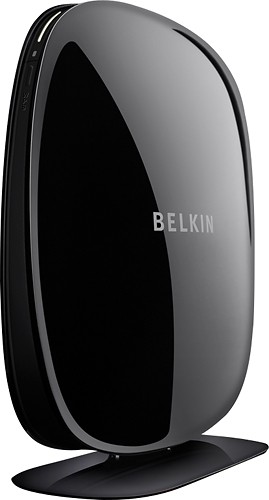
- Model:
- F9K1106
- |
- SKU:
- 3410068
Customer reviews
Rating 3.9 out of 5 stars with 633 reviews
(633 customer reviews)Rating by feature
- Ease of Use4.0
Rating 4.0 out of 5 stars
Customers are saying
Customers appreciate the ease of use, range, and signal strength of this product, with many commenting on how easy it was to set up and how much it improved their Wi-Fi coverage. Positive feedback also highlights the product's value for its price. However, some customers experienced issues with the reliability of the device, reporting the need for frequent restarts.
This summary was generated by AI based on customer reviews.
Rated 1 out of 5 stars
negative
||Posted .This reviewer received promo considerations or sweepstakes entry for writing a review.not a simple plug and play. It still does not work.
No, I would not recommend this to a friend- Pros mentioned:Setup, Signal strength
Rated 4 out of 5 stars
Great for a large home
Posted .This reviewer received promo considerations or sweepstakes entry for writing a review.So i bought the extender a couple weeks ago. It was very easy to setup and use. It made my signal from 1 bar to 5 bars. I play call of duty on my xbox alot and i was getting major lag spikes while playing. I did some research and found that belkin made a updated firmware for the device. This saved all of my problems and now the device is too perfect. F9K1106 Dual-Band Wireless Range Extender - Firmware Post Date: 04/04/2012 Release Notes Implemented wireless setup feature so Range Extender can be setup over Wi-Fi. Disabled automatic self-healing function on the Range Extender to prevent cut offs for client devices. Corrected 5GHz bands supported in ANZ version of the product to include both band 1 and 4. Corrected issue connecting to certain routers configured with WPA-PSK. Corrected various minor GUI issues. Corrected Range Extender's ability to accept special characters in the network password. Improved function in the signal strength indicators in the home page.
I would recommend this to a friend - Pros mentioned:Range, Setup
Rated 4 out of 5 stars
Very satisfied with this item
Posted .This reviewer received promo considerations or sweepstakes entry for writing a review.The unit works as advertised. It does extend the range of the typical wireless, and it has allowed us to use wireless throughout our three-story home. An added benefit is we configured it for the adults' devices, but we haven't given the kids access, so they don't have wireless access in their bedrooms, but we can share that with them when we feel comfortable with that. I liked the unit and installation so much that I bought a second unit for my in-laws. Warning though: follow the installation steps to the end. The installation is assisted by a web-interface that can be slow, and you might assume the installation is complete when there is actually a step or two to go.
I would recommend this to a friend - Pros mentioned:Ease of useCons mentioned:Reliability
Rated 4 out of 5 stars
Good value
Posted .This reviewer received promo considerations or sweepstakes entry for writing a review.Easy plug and play setup. Once it grabbed the signal, I was able to get my full broadband speed wired to this device as if I was wired directly to the modem downstairs on the other side of the house. I bought two of these to cover my entire home. One of them died within a week. When I returned it, it was on sale for a lower price, so I used the price difference to pick up an extended warranty. Hopefully that was just a fluke.
I would recommend this to a friend - Pros mentioned:Ease of use
Rated 4 out of 5 stars
Serves intended purpose.
Posted .This reviewer received promo considerations or sweepstakes entry for writing a review.This thing was a breeze to set up, not literally of course. It has improved the overall connection in my house.
I would recommend this to a friend - Pros mentioned:Setup, Signal strength
Rated 5 out of 5 stars
Works Great!!!
Posted .This reviewer received promo considerations or sweepstakes entry for writing a review.Pros: Easy 2 min setup, able to repeat 2.4GHz and 5 GHz at the same time. Boosted signal to around 100% throughout rear part of house and the entire backyard. 4 LAN ports built in. Cons: Pretty steep price for what it is... Other Thoughts: The main reason I bought this range extender was for the 4 LAN ports on back. It was around the same price as a Xbox wireless adapter but with this you get the benefit of an increase signal too. Range extender creates an extension "_xt" to your existing SSID so you can choose the stronger signal. This range extender is setup with 3 Belkin N600 Dual-Band Wireless-N+ USB Adapters to PC's in bedrooms. Main signal is coming from a Belkin N600 Dual-Band Wireless-N+ Router.
I would recommend this to a friend - Pros mentioned:Ease of use, Range
Rated 2 out of 5 stars
Easy to install and set up but..
Posted .This reviewer received promo considerations or sweepstakes entry for writing a review.I had high hopes of this device to extend the wireless range in my house. My previous unit (Amped Wireless) worked for over a year before it fell on the floor and the antenna broke off rendering it very limited in range. I read good reviews about the Belkin device. It looked like it was a good value for the money. It was easy to install and the instructions were very good. One thing I didn't see is a way to change the starting IP address. The existing wireless router is 192.168.2.1 and I wanted to change the starting IP address to 192.168.3.1. After the install I configure my computer to connect to the new unit. Everything worked great. The next morning when I tried to connect to the internet it did not connect... local access only. I disconnected the power to the unit and plugged it back in and after about a minute I was back in business. I went off to work. When I got back I tried to access the internet and again it only had local access. I unplugged it and then plugged it back in and once again I was connected to the internet. The same thing happened the next day and the day after that. I made sure the bios was up to date. I thought maybe I had done something wrong with the install so I reset the whole unit and re-configured it again. Same issues as before. I packaged it all back up and took it back to the store for a refund. I ended up getting an Amped Wireless SR10000 and it has worked flawlessly for weeks. The SR10000 is only a single band range extender but I do not have any devices that use 5.0GHz connections.
No, I would not recommend this to a friend - Pros mentioned:Setup
Rated 4 out of 5 stars
Quick setup, reliable connection
Posted .This reviewer received promo considerations or sweepstakes entry for writing a review.I have a DirecTV DVR and an internet ready TV with wired network connections. This was purchased specifically to eliminate the cat5 cables running from one end of my house to the other. You can get cheaper wireless extenders but I needed two wired ports for my AV equipment. For this purpose it works well. The connection is fast enough to stream HD to my plasma and also for the kids to watch recorded Disney programs from the DVR on their laptops. The setup was easy enough. I followed the quick start quide to the letter. It did not take much longer to cold boot the spare laptop than to get the range extender connected to my network. In the month I have used this the connection has not dropped once. Granted it is only 75 feet from my main router.
I would recommend this to a friend - Pros mentioned:Ease of use, Range
Rated 5 out of 5 stars
Easy Setup and Highly Efficient!
Posted .This reviewer received promo considerations or sweepstakes entry for writing a review.We have a fairly large home and eliminating the majority of dead spots, in our wireless network coverage, can be tricky! We've tried various makes and models over the years, but this Belkin beats them all for ease of setup, simple operation, available options, and eliminating dead spots! The Belkin Dual-Band extender allows me to extend and connect to either the 2.4 or 5 GHz band OR both. This seems to work extremely well for streaming movies, while other family members browse the Internet! I literally had the extender out of the package, connected to my wireless network and installed in less than 10 minutes. I could not be happier with my purchase!
I would recommend this to a friend - Pros mentioned:Range
Rated 5 out of 5 stars
Works very well, best of the three I tried
Posted .This reviewer received promo considerations or sweepstakes entry for writing a review.This was my pick of the 3 available extenders I tried (Netgear & Linksys). It's the only dual-band unit. Setup was fairly easy except I had to enter 2.4GHz WPA manually. Range is very good, on par with Netgear, better than Linksys. (range on 5GHz is less than 2.4GHz but that's normal#. Speed is excellent. Settings are maintained if the unit is unplugged. It allows you to rename the SSID of the extended signal #so you can distinguish between the extender or the router#. My only beef is the unit is much larger than it's competitors...pretty much the size of a router...but that's probably to accommodate the 4 ethernet jacks. For the size there could be more status LED's like the Netgear. #See my review of the Linksys & Netgear extenders too).
I would recommend this to a friend Rated 4 out of 5 stars
Works Great, Difficult Set Up
Posted .This reviewer received promo considerations or sweepstakes entry for writing a review.I can see now why this extender got so many 1 stars and so many 4-5 stars. I spent hours trying to install it myself and could not get it to connect to Belkin.range for set up. I got the message that my computer was unable to connect to that link. I tried another one that is an IP address with the same problem. Finally I called Belkin support. I was only on hold about 10 seconds, and a tech support person came on. He was extremely patient, took me step-by-step through many, many steps, mostly checking settings and making changes in my computer to configure it so the extender works, for almost 2 hours until it worked for me. He kept apologizing for it taking so long, but it was not his fault. The installation process requires an expert in my opinion. I have a decent working knowledge with computers, but when it gets into DNS servers and router settings I get lost. Actually I got stuck in dowloading firmware (problem with my settings), and he handed me off to his supervisor who helped me finish. He told me I get 90 days free tech support, which is a great deal. He also was very polite and friendly. The bottom line is now it works and my weak/dead, unstable wifi spot in my house is now at 2-3 out of 3 solid bars, so I am not using 3G and losing internet connect when wifi signal drops off. This is not plug-and-play and the instructions and manual are totally deficient. If you want a quick, easy installation, dont buy this extender. If you like tinkering with computers and don't mind being on the phone with tech support for a long time, then I think it's worth it to finally have a product that works. I tried two other brands of range extenders before this one. One only extended wifi to components of same brand, the other I could not get to install at all.
I would recommend this to a friendRated 3 out of 5 stars
Poor instructions - nearly returned. Great finally
Posted .This reviewer received promo considerations or sweepstakes entry for writing a review.Purchased this unit because it advertised 300mbps connections on wireless N. While it connected very easily and setup (initial) was easy it did not connect at 300, but rather 144. Product loses 1/2 star for not having anything about this in the setup screens or manual. Loses another half star as Belkin website WOULD NOT let me set up an "account" to lodge a technical question about the issue (why should you have to set up an account anyway just to ask a question?) after trying three times. Loses a full star for having online help available (from India) that gave me completely useless "advice" on fixing the issue. I came within a few heartbeats of returning the product to Best Buy as dysfunctional. Then I tried something, just on a sneaking suspicion - I ONLY activated the 5gig band (my router is dual band). Voila! Stable 270-300 mbps connection. The setup encourages you to setup both the 2.4 and 5 gig bands, and in fact when I reset everything it became concerned and asked me if I was really sure that I didn't want to set up the 2.4 as well (shades of Microsoft nanny mentality). Anyway, it works just fine now and my linksys WRT610N router which was giving me 54-130mbps upstairs is no longer slowing things down with this unit in place. The only other issue is that in this day and age the ethernet ports should be gigabit, not 10/100 (when will manufacturers toss that old standard once and for all?).
I would recommend this to a friend- Pros mentioned:Setup
Rated 4 out of 5 stars
Good enough for the price, if it's on sale.
Posted .This reviewer received promo considerations or sweepstakes entry for writing a review.Does a great job - if you're on the low band (2.4). Very difficult to stay online if you're on the high band (5.0). I'm going through three walls, which is why I bought this product in the first place. Easy to set up, dependable, worth the price if it's on sale. Since I use the low band most of the time, I'm fine. It would be nice to be able to depend on the high band, but seems to have difficulty picking up the 5.0 signal. Overall, a good product but don't pay the full price for it. I'm glad I didn't.
I would recommend this to a friend - Pros mentioned:Range
Rated 4 out of 5 stars
Works well and as intended
Posted .This reviewer received promo considerations or sweepstakes entry for writing a review.This extender does the job I was hoping it would. I have a Belkin router also and all works well together. The extended range is good both upstairs and down. Only real issue was updating the firmware. The instructions don't exactly guide you to a first time (or forth time) solution. However, tech support was great and finally got it all figured out. Overall, very happy with this purchase.
I would recommend this to a friend Rated 3 out of 5 stars
Does what it does well... with one huge flaw
Posted .This reviewer received promo considerations or sweepstakes entry for writing a review.Been running a wireless network in my home since the dawn of 802.11xxx. As more and more devices become wifi compatible, we add these devices to our network with all the trials and tribulations that a wireless radio ip stack by various vendors and manufacturers bring to the table. We run strong encryption and mix a variety of ascii alphanumeric and symbols as part of our WPA2-AES passkey. It's extremely difficult to break. Every device including OS by Microsoft and Apple and OEM manufacturers from Motorola, Dell, Sony, HP, Samsung, Nintendo, Barnes and Noble, etc. work flawlessly and have been for years to months. So, the question and reason for Star Reduction for this product... Why doesn't Belkin support a passkey that can include special characters like the "@" symbol? Two hours with very competent tech support and a firmware upgrade couldn't address the problem. It's obviously a software/firmware flaw. Yet, a four year old Belkin USB wifi adapter for a Windows XP machine can in their wireless networking client software. Go figure... One other point. Yes, you can change your SSID to match your primary network name for seamless and ubiquitous network throughout your house. But first, you must go through the quick setup and let the device sync with your wireless router to get on your network and adopt your desired IP address (through static or DHCP assignment). Then, you re-access the Extender through this network address once it's online and then you can change the SSID. Right now, I am leaving them separate to compare different network SSID signals to find the best location for the extender. This way, my Analyzer App will see both my primary SSID and the new extender SSID separately and show my dB measurements side by side. Right now, I am getting between -10 and -25 dB gain with the extender. That works for me. It's the difference between an unstable connection, a slow connection, and mediocre speeds becoming stable, fast, and meeting 802.11n compliance respectively. It's worth the price, when on sale. Oh, and another complaint to Belkin to allow special characters has been made. Will update in a few months.
I would recommend this to a friend- Pros mentioned:Signal strength
Rated 5 out of 5 stars
It reliably boosted my Wireless N signal as needed
Posted .This reviewer received promo considerations or sweepstakes entry for writing a review.I am using it with a Linksys WRT160N wireless router, assorted computers, and a Roku 2 device. It significantly boosted signal to an area of my house that was getting weak signal from the router. Prior to adding this range extender, my Roku device and computers had slow connections, dropped connections, buffering issues. After adding this device and connecting to/through it instead of the router, those connection problems are gone. So far it has been reliable and doing a great job.
I would recommend this to a friend - Pros mentioned:Signal strength
Rated 4 out of 5 stars
Extended my wifi range as needed
Posted .This reviewer received promo considerations or sweepstakes entry for writing a review.I bought the Belkin - Dual-Band Wireless Range Extender on the advice of the BB associate, who thought the dual-band feature was a competitive advantage. My wireless router is in a front bedroom in our 3-BR condo, and its signal was too weak on the back deck for my iPad to connect. I placed the Belkin extender in the room next to the deck and now have full strength (all bars) in that room and on the deck. Now my iPad works great on the deck.
I would recommend this to a friend - Pros mentioned:Signal strength
Rated 5 out of 5 stars
It Works!!
Posted .This reviewer received promo considerations or sweepstakes entry for writing a review.I decided to stop by the local Best Buy after I returned a non-working, already used but unknown by me, aggravating wireless range extender to another store. My salesman at Best Buy didn't seem very old but was very knowledgeable about all the products that were offered. He showed me the three extenders they had, then gave his recommendation on what he would use. I went with this Belkin because he not only preferred it, it was also on sale. Before opening the box, I read all the reviews on this extender. I copied some of the main points over to a document and then printed them out so I'd have in front of me. I won't bore you with the description of hooking it up.......but before I disconnected it, I did update the firmware, as recommended in one of the reviews. Unhooked it, took it into the dining room, plugged it back in and away it went. It works perfect and has since the day I brought it home. My original router is in the northwest corner of my house, therefore I could get only a very weak or no signal from the middle of the house to the other end. This extender gives me full bars of signal even in the far southeast corner. I'm very, very pleased with its performance!!
I would recommend this to a friend - Pros mentioned:Setup
Rated 5 out of 5 stars
Great Solution for Home Theater
Posted .This reviewer received promo considerations or sweepstakes entry for writing a review.I use this range extender to increase my wireless network and provide coverage into our bedrooms. My current wireless router is on one end of our home in my office. Our living room is in the middle, and our bedrooms are on the far side of the home. This range extender replaced a previous wireless bridge that I had been using for my home theater. The Belkin range extender is a terrific value because it not only extends both my wireless G and my wireless N networks, but it also acts as a 4 port gigabit bridge for my home theater. This range extender allows the wireless network to reach all of our bedrooms, and our deck on the back of our home. Setup was very easy and the instructions were surprisingly clear. I'm an IT guy, but these instructions were written so that anybody can get this up and operational quickly and easily. Step by step they explained exactly what needed to be done. I would suggest that this is a great unit for anybody needing to extend their wireless network. It can also bring the wireless network to your wired devices like a TV or Xbox.
I would recommend this to a friend - Pros mentioned:Signal strength
Rated 4 out of 5 stars
First unit was defective! New one set up in 10 min
Posted .This reviewer received promo considerations or sweepstakes entry for writing a review.First unit was defective after spending 2 hours trying to set it up (includes half hour with Belkin Tech support). Replacement unit was up and running in less than 10 minutes! HUGE signal increase for PC and wireless printer at end of house opposite router.
I would recommend this to a friend