Customer Ratings & Reviews
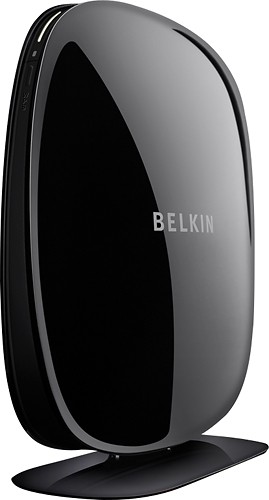
- Model:
- F9K1106
- |
- SKU:
- 3410068
Customer reviews
Rating 3.9 out of 5 stars with 633 reviews
(633 customer reviews)Rating by feature
- Ease of Use4.0
Rating 4.0 out of 5 stars
Customers are saying
Customers appreciate the ease of use, range, and signal strength of this product, with many commenting on how easy it was to set up and how much it improved their Wi-Fi coverage. Positive feedback also highlights the product's value for its price. However, some customers experienced issues with the reliability of the device, reporting the need for frequent restarts.
This summary was generated by AI based on customer reviews.
- Pros mentioned:Range, Setup
Rated 5 out of 5 stars
Excellent booster - just what I needed
Posted .This reviewer received promo considerations or sweepstakes entry for writing a review.In our 7500 sq ft house the signal just didn't reach to the other end of house. Installing this booster gives us a strong signal throughout the house and on the patio. It's perfect. And it was SO easy to install. In less than 10 minutes it was up and running.
I would recommend this to a friend - Pros mentioned:Range
Rated 4 out of 5 stars
Does what is it supposed to do
Posted .This reviewer received promo considerations or sweepstakes entry for writing a review.Slim profile, easy to set up and use. Has great range to compensate for drop-out WiFi areas. Occasionally it will lose connection to the host, but an easy reset on the extender fixes this.
I would recommend this to a friend - Pros mentioned:Signal strengthCons mentioned:Reliability
Rated 2 out of 5 stars
Easy to setup, but connection dropped all the time
Posted .This reviewer received promo considerations or sweepstakes entry for writing a review.It is very useful for range extender, with very strong signal. However couple months later internet connection dropped all the time while I am watching online program. I have to reset it again and again , and its really unreliable for connect to wireless network. I setup wireless network ( XP, Vista, Win 7.. Mac...) for my friends, and told them try not to using this one, that will getting more troubles for me.
No, I would not recommend this to a friend Rated 4 out of 5 stars
Decent product for the price
Posted .This reviewer received promo considerations or sweepstakes entry for writing a review.I found the best performance using this product was to set it up near a window.
I would recommend this to a friend- Pros mentioned:Range
Rated 1 out of 5 stars
Trouble from the start, returning
Posted .This reviewer received promo considerations or sweepstakes entry for writing a review.First, I couldn't conect to the extender via the web browser to even start the setup. Spent maybe an hour. It wasn't till I disabled all my other network interfaces that it would find the extender. This should be mentioned in the "manual". For those having a problem getting started and connecting with the extender for the first time, disable all your other connections #including WiFi# and only leave your one wired connection active #the one connected to the extender#. After I finally got into the configuration, it was quick and easy to setup. I was also able to easily connect devices to it and the connection was very powerful with a great range #finally, my entire house was covered#. Then, after about 30 minutes it stopped working. The extender had a blinking red light. Reset the router, and there's about a 50/50 chance it will even work. When it does work, it only works for about 30 minutes average #sometimes 2 minutes#. Total garbage. For those that complained that it creates two new SSIDs, it does that by default, you can simply change the SSID and passcodes to the same as your current SSID and your devices will connect to the strongest signal. To do this, find out the IP address of the extender on your network and connect to that IP address with your browser. There's a VERY simple interface to control a VERY few number of parameters. Which also leads to another problem, it's too simplistic. My current network only allows certain MAC address devices. With this extender connected, it totally removes that layer of security. I run a multi-million dollar company from home and have confidential information on a couple of my networked devices so I want this additional layer of security. I have a Linksys WET610n with 4 devices connected and it passes the MAC address to my router to block/allow. Not the same with this device, it's wide open. Other than encryption, there's no security with this thing. Unacceptable. In all, it was a waste of a few hours of frustration. Oh, and Belkin's tech support is non-existant. You can't create an account to ask a question on their forums. Going back tomorrow.
No, I would not recommend this to a friend - Pros mentioned:Setup
Rated 3 out of 5 stars
Good product, setup instructions need help.
Posted .This reviewer received promo considerations or sweepstakes entry for writing a review.I have use other items from this company and they have all work very well, and this was almost the same except, the instruction are to general and do not cover it's options very well. After calling the company and they pointed out why the setup didn't work at frist. Add a couple more steps and a little information and it came right up and works great. I made notes in my setup papers.
I would recommend this to a friend - Pros mentioned:Signal strength
Rated 5 out of 5 stars
Great Range Extender
Posted .This reviewer received promo considerations or sweepstakes entry for writing a review.I bought this to try out because I had a Hawking Range extender and it would drop signal. This Belkin took 5 minutes to setup, and as soon as I powered it on all my devices were setup in seconds. The extender grabs my signal from over 40 feet away and rebroadcasts it at over 17Mbps. My LAN speed is 28Mbps so this is quite a signal over wi-fi. My Hawking unit was only doing about 8-10 Mbps. The other great part besides the speed is the ports on the back. It has 4 ports to connect devices that have LAN connections. I have apple tv and my PS3 hooked up and I watch Netflix and Hulu perfectly. Great value for the money, and works like a champ.
I would recommend this to a friend Rated 3 out of 5 stars
Good extender past nightmare installation
Posted .This reviewer received promo considerations or sweepstakes entry for writing a review.I had no problems with the installation until I hit the password request. I had no doubts what I was entering was correct but it refused to accept it. I finally realized that I needed to have its MAC Address and enter it into my Router's Access List. All access to my network requires a devices MAC Address to be registered. However, this Belkin product was not like all other wireless devices I have used in that no where did it provide that information. finally gave up and was headed back to return it. On the way there I prayed for a solution. All of a sudden it hit me that I could temporarily turn of the wireless access list and retry the install. So I returned home and did just that and the install went smoothly. Then I ran my Advanced IP Scanner which recognized the Belkin and reported it MAC address which I then captured and entered it into my router's wireless Access List. After saving it I then put the extender up in the other part of the house and my iPad accessed it just fine. This is just plain stupid for Belkin, and experienced network product developer, to overlook something as critical as supplying a MAC address. Additionally, their setup offers no troubleshooting options and their website is as equally useless! I would have rated the product higher for performance but it all starts with setup which is a huge factor in my mind in rating quality of product. This item is not for the faint of heart.
No, I would not recommend this to a friend- Pros mentioned:RangeCons mentioned:Reliability
Rated 1 out of 5 stars
Keeps dropping signal
Posted .This reviewer received promo considerations or sweepstakes entry for writing a review.I see people in these reviews saying how difficult setup was and how they had to change IP addresses of existing devices, I did not encounter any such thing. I found the setup extremely easy and had it up and running in minutes. I placed the unit in the middle of my house where I had a 50% signal from my existing wireless and it then gave me great coverage in the back part of my house where my exisitng wireless doesn't reach. What did not work well for me was the reliability. Once I connected to the range extender, every 10 or 15 minutes it dropped the connection for 1 or 2 minutes. I have contacted support to no avail. Seeing that there are others who seem to have this unit working great, it may be a defective unit. I will be taking this one back to the store but now that I have had a problem it has given me a bad taste on this model so I will try another brand.
No, I would not recommend this to a friend Rated 4 out of 5 stars
Easy to setup and use
Posted .This reviewer received promo considerations or sweepstakes entry for writing a review.This device was exactly what I looking for to extend my 11n network from one side of the house to the other. The Belkin Dual-band wireless series has two distinct broadcast frequenies. This allows you to run two separate networks plus there is a guest feature for each network. During the installation I hooked up my laptop to the device with CAT5 cable which made it easier to get to the setup screen. Setup as simple and easy to follow. The key to success was connecting directly to the device instead of trying to get to it via the wireless feature. I've replaced all of my Linksys wireless devices with Belkin Dual-Band wireless routers and have had no problems with them after more than six months of operation.
I would recommend this to a friendRated 4 out of 5 stars
Works well
Posted .This reviewer received promo considerations or sweepstakes entry for writing a review.The Belkin was the 3rd device I tried when trying to move my desktop PC to the other side of our 2000 sq ft house. I tried one other wireless range extender device and one power line extender, both of them delivered pitiful speed to my PC. The Belkin was easy to setup and upgrade the firmware and I'm getting a steady and stable 9 Mbps of my 18 Mbps AT&T Uverse connection coming through versus 1 - 4 Mbps from the other products. I wish I could get more of the speed, however, running cable is not an option in my house and I'm happy I can stream 1080p HD video over the 9 Mbps I'm getting from the Belkin. Be careful where you place the device, it can have a dramatic affect on network throughput.
I would recommend this to a friend- Pros mentioned:Coverage
Rated 4 out of 5 stars
Best available
Posted .This reviewer received promo considerations or sweepstakes entry for writing a review.Although slower than main router it does provide additional coverage in my home. Some difficulty connecting to iPhone, it is slower and fails on occasion. Seems to work fine with Laptop and Desktop.
I would recommend this to a friend - Pros mentioned:Ease of use
Rated 4 out of 5 stars
Does what I bought it for.
Posted .This reviewer received promo considerations or sweepstakes entry for writing a review.Real easy to set up. Had it up and running in less than 5 minutes. Wireless router didn't quite make to all parts of the house. With the extender half way between, I have strong coverage everywhere
I would recommend this to a friend - Pros mentioned:Signal strength
Rated 4 out of 5 stars
works very well
Posted .This reviewer received promo considerations or sweepstakes entry for writing a review.Good value. Works as advertised. Set it up on a computer as close to end of your existing wireless network that still gets a good signal.
I would recommend this to a friend - Pros mentioned:Ease of use
Rated 5 out of 5 stars
Too simple!
Posted .This reviewer received promo considerations or sweepstakes entry for writing a review.I inserted the disc (in my Mac), opened a browser, and it automatically found the web page and a few clicks later I was done. The whole process took about less than 5 minutes and is running great. This is my second unit, and I plan to buy several more to connect my wired units to my network. Highly. Recommended!
I would recommend this to a friend - Pros mentioned:Signal strength
Rated 3 out of 5 stars
Works great sometimes
Posted .This reviewer received promo considerations or sweepstakes entry for writing a review.I bought this about 3 months ago. At first, and in fact most of the time, it works great. I get wireless signal throughout my entire house now. But sometimes it doesn't work. I'm not sure if it is the extender or my internet company (lord knows they are less than reliable).
I would recommend this to a friend - Cons mentioned:Reliability
Rated 1 out of 5 stars
Hard reboots needed too often
Posted .This reviewer received promo considerations or sweepstakes entry for writing a review.I'm a Minnesotan and try to support their businesses but its poor judgment by Best Buy to sell this equipment. If you want to use this you need to hard reboot it daily. Its like it times out or something. Its extremely annoying and if I had the receipt I'd return it.
No, I would not recommend this to a friend Rated 2 out of 5 stars
Terrible setup guide and 50% failure rate
Posted .This reviewer received promo considerations or sweepstakes entry for writing a review.I read the previous reviews and thought I would try the Belkin Extender out. Yes it is new and only has one version of firmware available, so be mindful, you are an early adopter of the Belkin Range Extender!!! I have a media room upstairs at the back of the house. The WiFi coverage from the router is low and drops intermittently. With two teenagers that use iPads, computers and internet enabled smartphones this was becoming a pain. Like others, I was pleased with how simple it was to configure and get up and running, then within a few hours the unit stopped responding to the web interface and would not respond to the setup process. I was a bit annoyed that holding the reset button in while power cycling the unit did not reset it to factory default. Why would Belkin not support an "age old" reset procedure? This really ticked me off as I now had no way to recover the device. I reread another post about a unit dying within 30 minutes and my experience was pretty much the same. Off to my local Best Buy to exchange the unit. I returned home and went through the configuration, within minutes the second unit was up and running. I saw marketed improvement in signal quality and wireless performance. I then decided to attempt to configure a second (guest) 2.4Ghz SSID only to find references about it, but no instructions. I guess I didn't look hard enough as I overwrote the primary SSID and locked myself out completely. After a few minutes of cussing myself, I reconfigured my router, gained access to the extender and reconfigured it. As for those of you that did not reconfigure the SSID (removing the "_xt" extension) you can simply edit the SSID after the initial configuration is complete and saved. I was pleased at how simple that part was and happy there would be one SSID to contend with. As of now, the second unit is working fine, appears there may have been a bad production run and those units fail pretty much immediately or within the first 24 hours. Rating reasoning: Value - This is a bit pricy for the features and limited user interface Ease of use - well this is probably my own fault, but still can't get over the unit not resetting to default with the reset & power button Performance is good if you get a good unit Ease of installation is fair for the type of device this is - I would think setup via WPS for the range extender itself would be a simple but big improvement Best Regards - Happy New Year!!!
I would recommend this to a friend- Pros mentioned:Ease of use
Rated 3 out of 5 stars
Range extender
Posted .This reviewer received promo considerations or sweepstakes entry for writing a review.It's an ok extender, easy to set up. Range is not as great as it should be.( should cover my whole house but barely does.) The first two weeks I had it, it would randomly lose signal, requiring a reboot. ( reboots in less than 30 sec.). All in all, not the greatest piece of hardware I ever used, but it gets the job done for the price.
I would recommend this to a friend Rated 4 out of 5 stars
Very good equipment for a large house
Posted .This reviewer received promo considerations or sweepstakes entry for writing a review.I bought these equipment after orientation of the store staff in Houston. I brought it to my large apartment home in Brazil, where I could not have WiFi signal in all rooms due to big number of walls, rooms, elevator shafts, etc .. It was perfect for all my aplications and equipments including cell iPhones, iPad, iPod, desktops, notebooks and, the most important for my kids, the Playstation PS3 ....
I would recommend this to a friend