Customer Ratings & Reviews

- Model:
- AVC001BTBK
- SKU:
- 6409319
Rating by feature
- Value
Rating 4.6 out of 5 stars
- Quality
Rating 4.8 out of 5 stars
- Ease of Use
Rating 4.9 out of 5 stars
Customers are saying
Customers value the compatibility and ease of use of the USB Type C-to-HD D-Sub/USB Type C Cable, frequently praising its seamless setup and functionality with various devices and monitors. They also appreciate the clear and crisp video quality produced, along with the ability to extend their screen to larger displays. The reasonable price point is another frequently cited positive aspect.
This summary was generated by AI based on customer reviews.
Works Well
||Posted . Owned for 3 weeks when reviewed.This reviewer received promo considerations or sweepstakes entry for writing a review.Serves it's purpose. Took it back to get a dock hub.
I would recommend this to a friend- Pros mentioned:Compatibility, Ease of use

Plug and Play
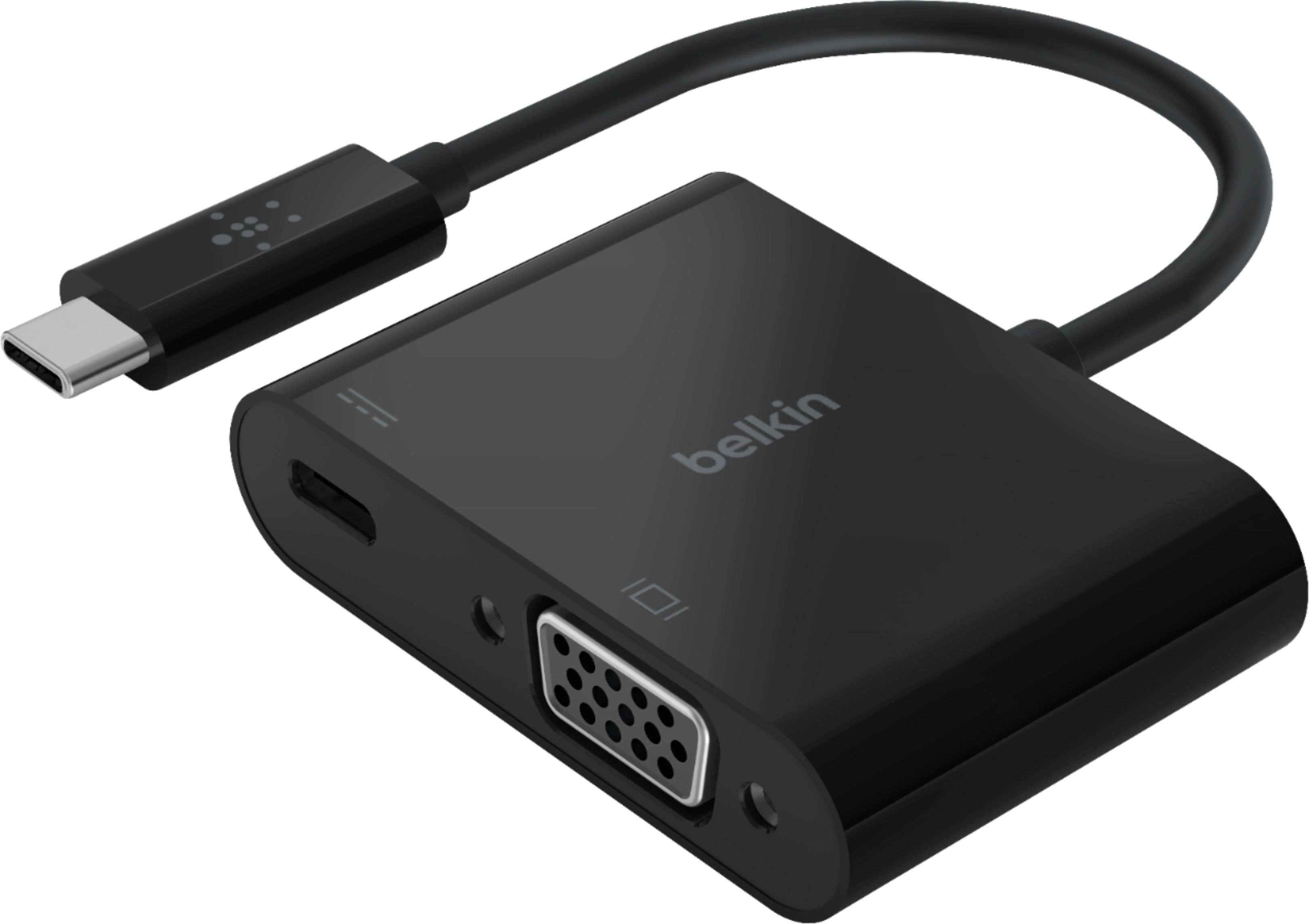
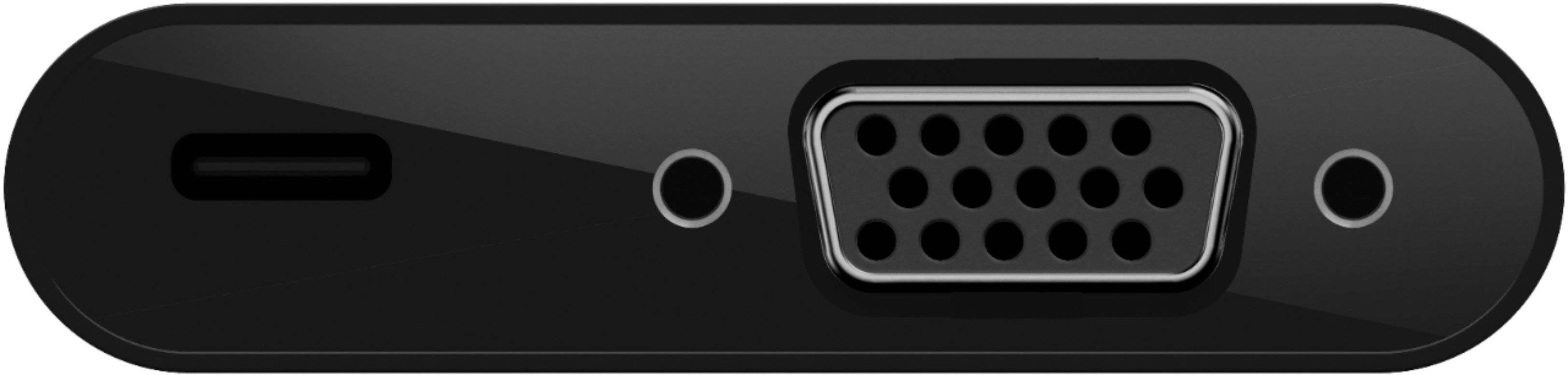
|Posted .This reviewer received promo considerations or sweepstakes entry for writing a review.--- SETUP --- The Belkin USB-C to VGA adapter is easy to set up. No download was required, just plug and play into a USB-C type port. --- FEATURES --- This device helps connect your older tech (items with no HDMI or USB-C) to modern tech. Additionally, there’s a USB-C slot so that you don’t lose the availability of the existing one. --- PERFORMANCE --- Whenever I connect a new device to my computers, I always make sure I have the most updated version available. After my computer update (optional), I plugged in the Belkin USB-C to VGA adapter to my Windows laptop and then a VGA cable (pictured) to the adapter. The other end of the adapter ended at my projector. My projector recognized the connection and it showed a mirrored version of my laptop. I was able to change the display settings to extend the projector image to use it as a second screen. No noticeable lag detected. --- EXPECTATIONS --- This adapter was easy to use and worked flawlessly the first time I plugged it in. It won’t take up much space and securely connects without being loose if it needs to dangle. --- VALUE --- Belkin products have become a household name in my family and I have grown to trust their reliability. Thus, I feel this product is aptly priced. --- APPROVAL --- I recommend this USB-C to VGA adapter for people who have working legacy devices that need to be brought up to modern standards. Teachers often work with outdated projectors, so this is ideal for that.
I would recommend this to a friend A Solid Plug and Play Solution That Works as Label
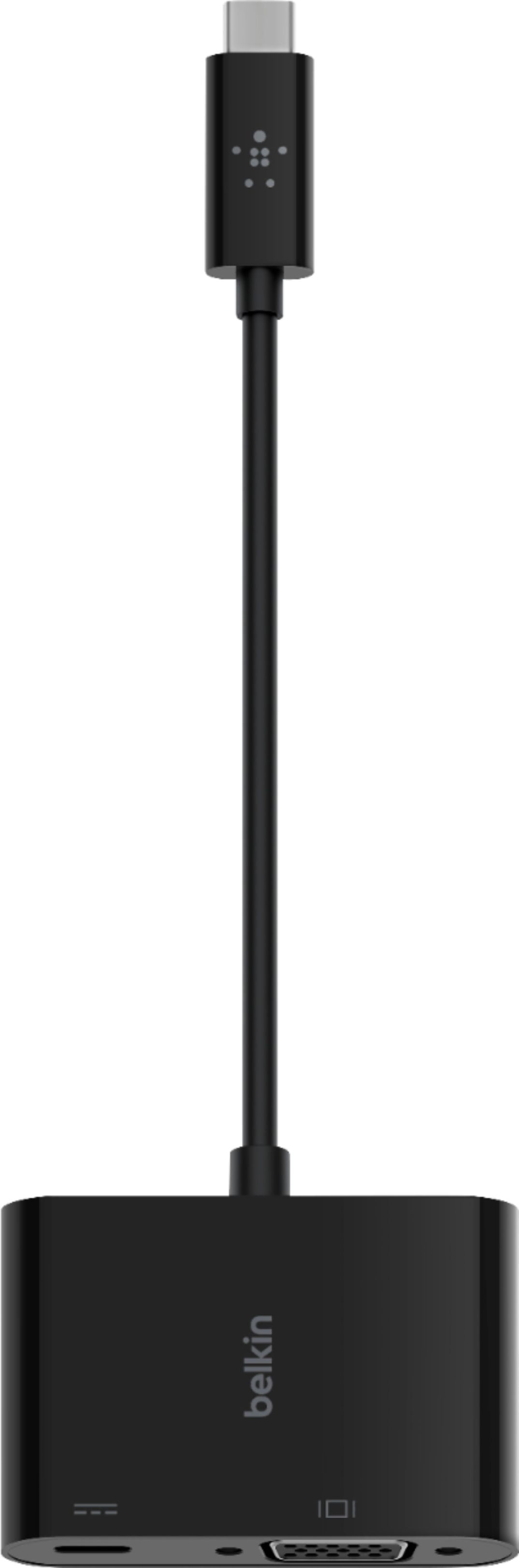
|Posted .This reviewer received promo considerations or sweepstakes entry for writing a review.This Belkin adapter let you connect to a VGA display or projector from a USB-C or Thunderbolt 3 port on your PC. Using it is intuitive, plug the VGA cable into the adapter, then plug the short USB-C cable into your computer. There are NO drivers or software to install, and NO switches to set. The Belkin also has a USB-C port for POWER pass-through to your laptop if needed. Plug your AC Adapter into the Belkin to run off AC power. Be warned the adapter only supports up to 60 Watts as noted on the packaging. Enough for a Chromebooks and low power laptops. But not powerful PC’s. For example a 15” Surface Book 3 with i7 AC Adapter is 127 watts. As Belkin notes on the packaging, this USB-C port on the Belkin adapter supports up to 60 Watts of power. Pictures of the box are included with my review. Why 60? The USB-C port supports either 3 or 5 amps. Check with your laptop vendor’s specs to see which one your model supports. The maximum voltage permitted by the current USB Specification is 20 Volts. Converted to watts and you get 60W over a 3A cable or 100W over a 5A cable. So Belkin is going with 3 Amps, which may save a 3 Amp USB-C port on a laptop from being damaged. I’m not sure what would happen if you plugged a power adapter in that supplies more than 60 watts and if the laptop drew more than 60. Would the adapter limit it to 60 watts, would something be damaged? I don’t have a high power adapter to test that, nor would I with my gear. I found nothing on this on their web site. I would not use a power adapter larger than 60 watts until I found out for sure. There are no directions or documentation to explain this with the adapter. Judging from other reviews, there should be as many seem to miss this. There are no directions or documentation to explain this with the adapter. Judging from other reviews, there should be as many seem to miss this. You CAN NOT use this port for any other peripherals such as a memory stick, drive, wired Ethernet cable, or other adapters. Nowhere does Belkin state these are supported. But just to verify that peripherals wouldn’t work via some undocumented or unsupported feature, I tried plugging an Anker USB C to Ethernet Adapter and a SanDisk - Ultra 128GB USB 3.1, USB Type-C Flash Drive into the Belkin USB-C port on my Chromebook and Surface. Nothing happened at all on my PC, they did not show up as even an unknown device. If you need to plug a USB-C peripheral in and you have no other ports on your laptop, such as on a Surface Book 3, then look for a USB-C hub that will support all the adapters and memory sticks you will need to plug in. Make sure the hub on your PC will also support the power requirements of all your peripherals. I tested the Belin adapter with my HP Chromebook model 14-ca061dx and by default it added the external monitor as a second display. This can be changed in the Chromebook System Settings to mirror your laptop display if you wish. I plugged my Chromebooks 45 W AC power adapter into the Belkin adapter and my Chromebook showed as charging. It works as advertised. I also tested with my Surface Book 3. The Belkin adapter worked perfectly here as well. I plugged my 45 watt Chromebook USB-C power adapter in the Belkin and it supplied power to my laptop. Maybe not as fast as it was using it, but it would help extend the run time. The 102 Watt Surface power supply does not use a USB-C connector, it’s a proprietary connector. Belkin provides a solid plug and play solution with this adapter. It has the excellent build quality you expect from Belkin and comes with a 2 year warranty. My only suggested improvement for Belkin is to emboss or label the adapter with a note that that the USB-C port is for power ONLY and limited to 60 Watts. I’m not going to carry the box in my laptop bag and I may not remember this a year or two from now. A very minor gripe and my only one. I’d ding this .1 point for a score of 4.9 stars, which rounds to 5. Being as guy, I of course have a label maker and put a label on it with this. Now it’s perfect. I received this PC due to my affiliation with the Tech Insider Network Program. Reviewers in this invitation-only program are provided products for the purpose of writing honest, unbiased reviews.
I would recommend this to a friend- Pros mentioned:Screen size
GREAT FOR LEGACY VGA DEVICES (via USB-C)
|Posted .This reviewer received promo considerations or sweepstakes entry for writing a review.GREAT FOR LEGACY VGA DEVICES (via USB-C) REVIEW: Belkin - USB Type C-to-HD D-Sub/USB Type C Cable - Black Best Buy Tech Insider Network If like me you have monitors and projectors laying around that just won’t die. Eventually, you need a way to connect to them with a standard VGA cable (DE-HD15). The problem is that almost no modern systems have VGA output any more. As soon as I retire a VGA monitor, a few weeks later I find another use for it. When I travel for business it is still a 50/50 chance that the customer’s conference room only has a VGA connector. If I only had way to convert a modern standard like USB-C to VGA that would be great. The Belkin USB-C to VGA adapter works exactly as it should. Plug in one end to your computer (must have Video Enabled USB-C Port) and the other end to a VGA device (monitor or projector) and you are off and running. I tested it on a Dell Laptop < 1 year old that has a USB-C, Thunderbolt enabled port. The VGA monitor was instantly recognized and configured with Windows 10. TIP: At first Windows Cloned my primary 4K laptop screen to my 1080P VGA monitor. Is was trying to do some sort of downsizing / resampling, as both screens reported they were 4K. I had a strange wavy image on my VGA monitor as it was trying to deal with the input. Once I went into settings and told it to extend not duplicate, it properly recognized the VGA monitor as 1080p. I have no idea if this has to do with the adapter or just a glitch in windows (I assume windows). Anyway, once I made the change everything worked perfect. TESTING: I put the adapter through a variety of test, including running Doom at 60FPS. It worked perfectly fine without any issues. I don’t have a computer that charges through USB-C so I could not test the “pass through charging” capability of the adapter. So now I am happy to add one more of a growing number of “emergency” adapters to cover myself and my co-worker when we encounter VGA devices. I like to be prepared at meetings when someone asks if anyone has a particular cable. I dig around in my computer bag and like magic I find the right thing. I would recommend this to anyone who need an easy to use VGA adapter for a modern computer.
I would recommend this to a friend - Pros mentioned:Screen size
Great Adapter For Older TVs or Monitors
|Posted .This reviewer received promo considerations or sweepstakes entry for writing a review.If you want a larger screen for your phone or tablet this is an easy fix if you only have a VGA outlet on your TV/monitor. Set up for a TV/monitor is simple, just plug in a VGA cable (not included) into the TV/monitor and plug the other end into the adapter and then plug the USB-C cable on the adapter into the device you want to see on the monitor. Setting up video with audio to your TV/monitor (if you want to watch movies, etc.) is a bit more complicated. Follow the steps above so the video will work. Then you will need a 3.5 mm audio cable which you will plug into the Audio In on the back of your TV and the other end into the headphone jack of your phone or laptop. If you have RCA (red and white) jacks on the back of your TV instead, purchase an RCA to 3.5 mm adapter. HINT: If you don’t have internet and you have a great data plan, you can watch Netflix, Hulu or any other app on your phone. You will be able to watch the app on your TV/monitor instead of viewing on your small phone screen. This could save you bundle of money.
I would recommend this to a friend - Pros mentioned:Video quality
Perfect for presenting from laptop & mobile device
|Posted .This reviewer received promo considerations or sweepstakes entry for writing a review.This Belkin adapter is excellent for transmitting video from a laptop or mobile to a projector or screen monitor via VGA connection. I have been using it almost daily to connect my laptop and mobile phone to a projector with a VGA connection. The device transmitting the video must have a video-enabled USB-C port. The adapter is Thunderbolt 3 port compatible. I use it with my laptop and Galaxy Note 10+ phone, and the video quality is perfect. Projecting my phone to a projector using the adaptor is like using a desktop, and the phone screen acts as a mouse touchpad. I really enjoy this option of using this adapter to project my phone screen to a VGA projector. The VGA cable pins align properly with the adapter, and the connection screws lock the connection securely. Note that for a VGA cable used for a temporary connection, it is always wise to protect the pins with a cover or a VGA turnaround. The pass-through charging power works fine. This adapter is a great product, easy to use, fits easily in a small pocket, and works with no issues.
I would recommend this to a friend - Pros mentioned:Vga
Compatible with everything I've thrown at it!
|Posted .This reviewer received promo considerations or sweepstakes entry for writing a review.Multiple use cases with a specific type of "adapter" or dongle - hardened with that Belkin name we love and trust. Really glad to have picked this up, mainly to have on hand in my laptop case for when I need to connect to a larger display, perhaps a TV or projector - but only have a single HDMI, a USB 3.0 and a USB C on my lightweight notebook. This also works with my Note 10+ to allow a monitor & Samsung DeX to function w/out a PC! Yes. Directly via USB C port on phone to a VGA cable to monitor (as pictured). Not only do you have the ability to extend your phone to be able to be used as a workstation, but you can also use the phone screen and the mouse/touchpad. Product is lightweight, and also features a pass-through USB-C port for up to 60W - thats the SuperFast speed on your Samsung, so you can charge your device while playing your content, or when using as a DeX workstation. This will be especially handy when travelling gets back to being a thing and you want to leave the laptop at home. You can pack this and with your phone almost guarantee any hotel room will have a TV with a VGA port to use.
I would recommend this to a friend - Pros mentioned:Vga
Bridging Old School and New School
|Posted .This reviewer received promo considerations or sweepstakes entry for writing a review.I don’t use a VGA connection very often to so I was just in need of a simple, inexpensive VGA adapter to connect my laptop to a projector for work. Occasionally I use my laptop for presentations and my laptop only has USB-C and USB-A connections so I was on the hunt for some adapters to help me with work. This adapter checked off all the boxes. It is inexpensive, compact, simple, and has a USB-C passthrough so that you don’t lose that USB-C connection on your laptop. Again, I won’t be using the adapter daily, but the build quality looks like it would hold up well, and Belkin has a reputation for making quality accessories. My only gripe/suggestion would be to not make it out of the super-glossy plastic. I feel like that might scuff up over time. This would be an easy recommendation to make for anyone in need of connecting their devices to a VGA connection. It is simple and gets the job done.
I would recommend this to a friend - Pros mentioned:Vga
Sturdy, compact USB-C to VGA/charger dongle
|Posted .This reviewer received promo considerations or sweepstakes entry for writing a review.This Belkin - USB Type C-to-video and charger cable allows you to connect your laptop to a large monitor. I plugged in this dongle to a late-model Apple MacBook Pro, attached the video cable to my monitor, and it worked instantly. I also plugged in the Apple MacBook charger, and the laptop gained a 30% charge in about 30 minutes. This cable (dongle) is sturdy, compact, and works well. It is great for working from home, and for connecting large-screen monitors, TVs or projectors for business or entertainment purposes. I would recommend it to others.
I would recommend this to a friend Works great w/ Samsung DeX (cell) & laptop to VGA
|Posted .This reviewer received promo considerations or sweepstakes entry for writing a review.Multiple use cases with a specific type of "adapter" - hardened with that Belkin name we love and trust. Really glad to have picked this up, mainly to have on hand in my laptop case for when I need to connect to a larger display, perhaps a TV or projector - but only have a single HDMI, a USB 3.0 and a USB C on my lightweight notebook. This also works with my Note 10+ to allow a monitor & Samsung DeX to function w/out a PC! Yes. Directly via USB C port on phone to a VGA cable to monitor (as pictured). Not only do you have the ability to extend your phone to be able to be used as a workstation, but you can also use the phone screen and the mouse/touchpad. Product is lightweight, and also features a pass-through USB-C port for up to 60W - thats the SuperFast speed on your Samsung, so you can charge your device while playing your content, or when using as a DeX workstation. This will be especially handy when travelling gets back to being a thing and you want to leave the laptop at home. You can pack this and with your phone almost guarantee any hotel room will have a TV with a VGA port to use.
I would recommend this to a friendAlmost 5 Stars. Pass Through USB C issue.
|Posted .This reviewer received promo considerations or sweepstakes entry for writing a review.I would give this 5 stars, but I could not get the USB C pass through to work. I am running Microsoft Surface Book 3 and Android Pixel 3XL all current drivers and latest updates installed. I triple checked. I even went through to make sure USB 3.0 was up to date with the driver. All drivers were up to date. Other than that this was really good to use with external monitor for multiple screens or to just use a bigger single screen. This product does a job great. Plug and play. No need to install any special software for the extended display function. I would still recommend this product even though I had issues with the pass through USB C function.
I would recommend this to a friend- Pros mentioned:Ease of use
The best of the best
||Posted . Owned for 7 months when reviewed.This reviewer received promo considerations or sweepstakes entry for writing a review.This adapter is really one of the best ones that I have ever used because it connects to seamlessly. With no software to worry about it really is as easy as plugging in and watching.
I would recommend this to a friend - Pros mentioned:Compatibility
Perfect
||Posted . Owned for 3 weeks when reviewed.This reviewer received promo considerations or sweepstakes entry for writing a review.Works perfectly.Works perfectly. My my new work laptop has no VGA port for a third montor so got this hoping it would work. No problems.
I would recommend this to a friend - Pros mentioned:Ease of use
Adapter
||Posted . Owned for 3 weeks when reviewed.This reviewer received promo considerations or sweepstakes entry for writing a review.This item was great. Super easy to plug in projector and adopt to your MacBook laptop.
I would recommend this to a friend Great
||Posted . Owned for 2 months when reviewed.This reviewer received promo considerations or sweepstakes entry for writing a review.This was great. Needed to use to connect to projector. Happy with the price too.
I would recommend this to a friend- Pros mentioned:Vga
For a new Surface
||Posted . Owned for 3 weeks when reviewed.This reviewer received promo considerations or sweepstakes entry for writing a review.This worked great to hook up an additional monitor to my new Surface.
I would recommend this to a friend Belkin - USB Type C to HD D Sub/ USB Type C Cable
||Posted . Owned for more than 2 years when reviewed.This reviewer received promo considerations or sweepstakes entry for writing a review.This Belkin USB Type C Cable was a great first time purchase for way to connect different devices to my Dell Laptop. I have since upgraded to a Multiport Device.
I would recommend this to a friendConvenient
||Posted . Owned for 1 year when reviewed.This reviewer received promo considerations or sweepstakes entry for writing a review.I’ve gone through some different converters but this is by far the best one. The connection doesn’t take long once plugged in.
I would recommend this to a friendMac Mini VGA adapter.
||Posted . Owned for 1 month when reviewed.This reviewer received promo considerations or sweepstakes entry for writing a review.This little VGA adapter was all I needed to connect to my older 24” monitor.
I would recommend this to a friendOverall Great Adapter
||Posted . Owned for 5 months when reviewed.This reviewer received promo considerations or sweepstakes entry for writing a review.No known issues so far from this adapter for daily use.
I would recommend this to a friend