Customer Ratings & Reviews
- Model:
- 54392BBR
- SKU:
- 6438546
Rating by feature
- Value
Rating 4.0 out of 5 stars
- Quality
Rating 4.3 out of 5 stars
- Ease of Use
Rating 4.3 out of 5 stars
Customers are saying
Customers highly value the keyboard quality, particularly praising the precision touchpad and build quality. Positive feedback also highlights the excellent battery life and ease of use, with many appreciating the straightforward setup process. While some find the weight to be a drawback, others appreciate the satisfying key travel. The price point is also frequently cited as a positive aspect of the product.
This summary was generated by AI based on customer reviews.
Stick with Basic Cover
||Posted . Owned for 1 month when reviewed.This reviewer received promo considerations or sweepstakes entry for writing a review.Keyboard has had a few issues in only a couple weeks of use. The rubber covers for the screen holder move easily so if not super careful, could break your screen. 2nd and more importantly, tracker pad stopped working makes mouse features useless (yes, I followed all suggested upgrades and reinstalls). This is too expensive to only serve as a screen protector.
No, I would not recommend this to a friendOk
||Posted . Owned for 2 weeks when reviewed.This reviewer received promo considerations or sweepstakes entry for writing a review.Rhe keyboards performs pretty good. The curor seems a bit out of sync, moving kind of clunky.
I would recommend this to a friendNot what you think at first
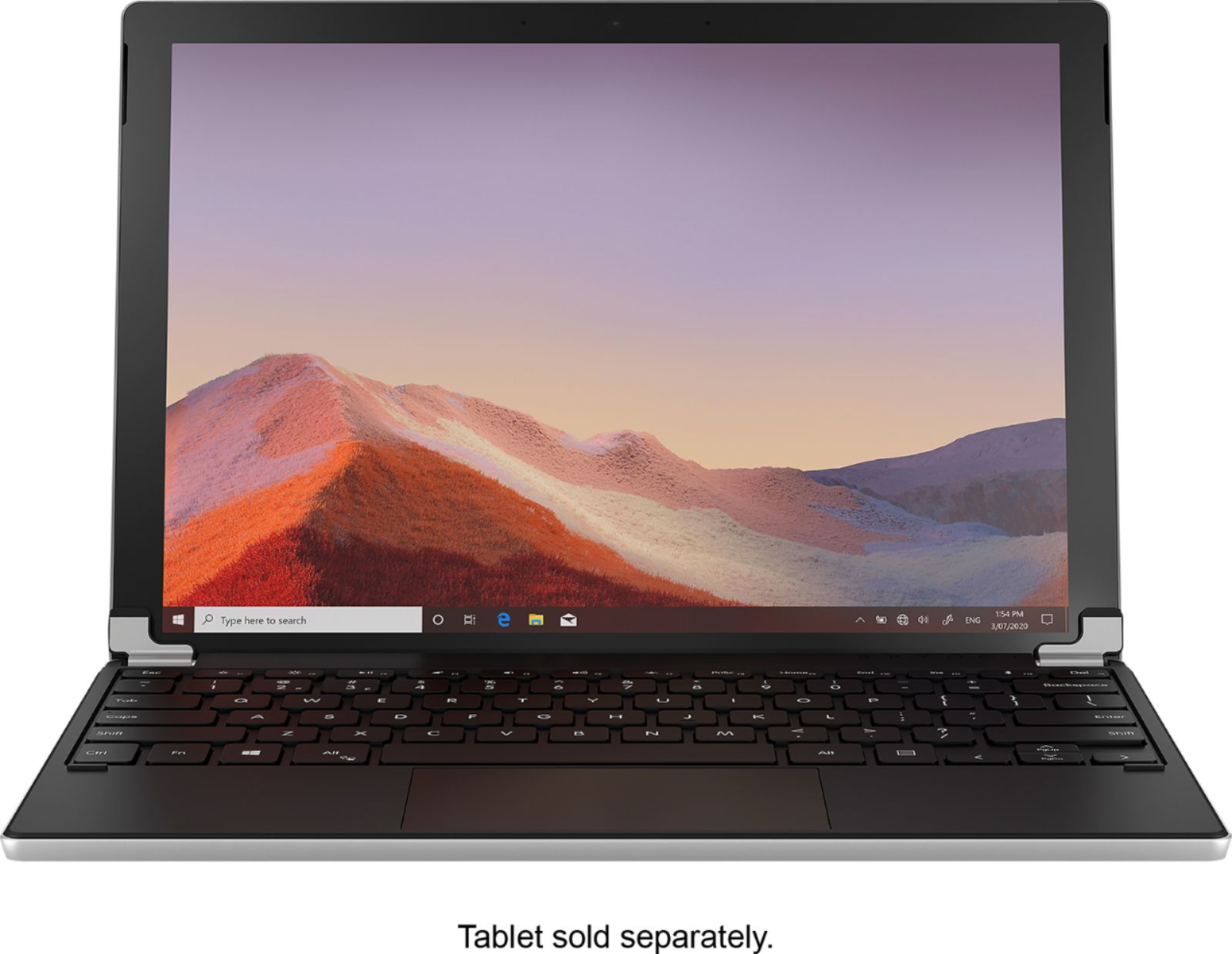
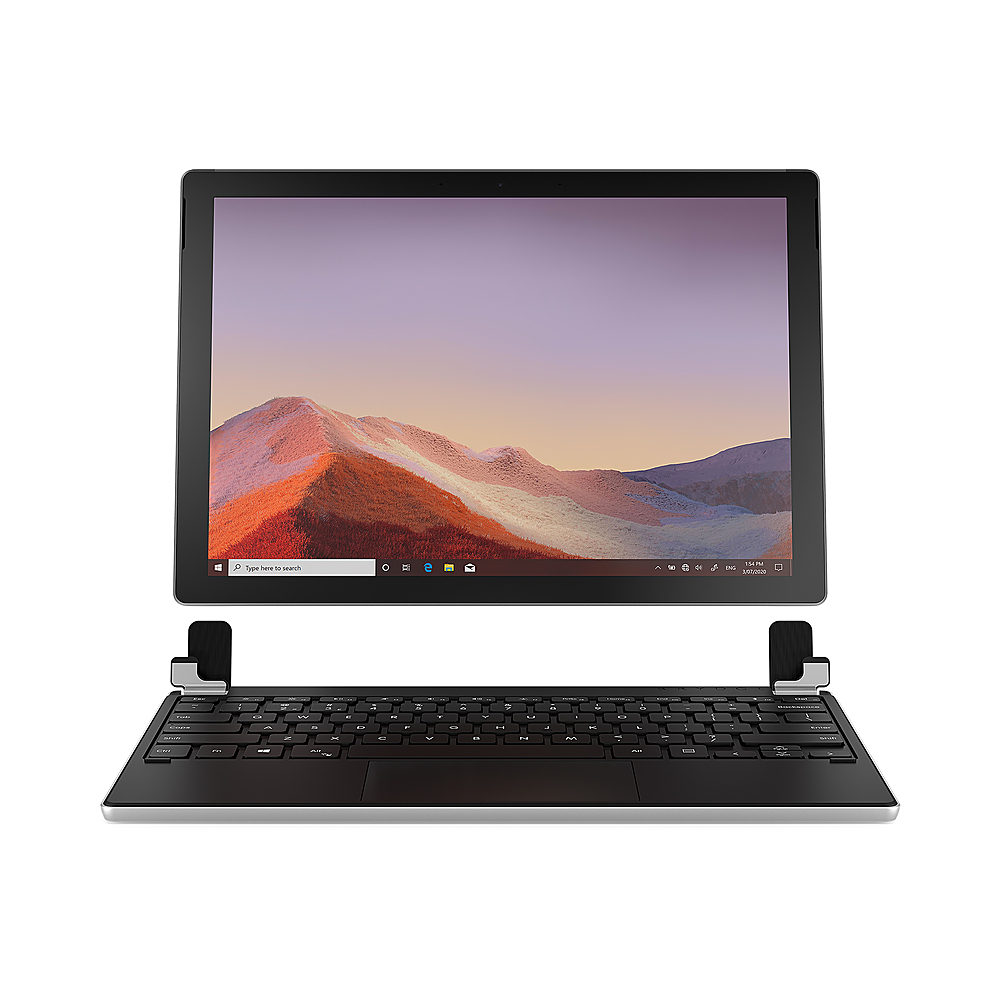
||Posted . Owned for 1 month when reviewed.This reviewer received promo considerations or sweepstakes entry for writing a review.Accidentally bought this thinking it was a laptop. It is not. Just the keyboard. Warning to all
I would recommend this to a friendKeyboard
||Posted . Owned for 1 week when reviewed.This reviewer received promo considerations or sweepstakes entry for writing a review.Arrived quickly and is just as advertised. Seems sturdy. Looking forward to using.
I would recommend this to a friendIt's okay
||Posted . Owned for 1 week when reviewed.This reviewer received promo considerations or sweepstakes entry for writing a review.I did not like the lag in the keyboard. Will hopefully return for the actual Microsoft one.
No, I would not recommend this to a friend- Pros mentioned:Battery life, Keyboard quality

How a Surface Should Come
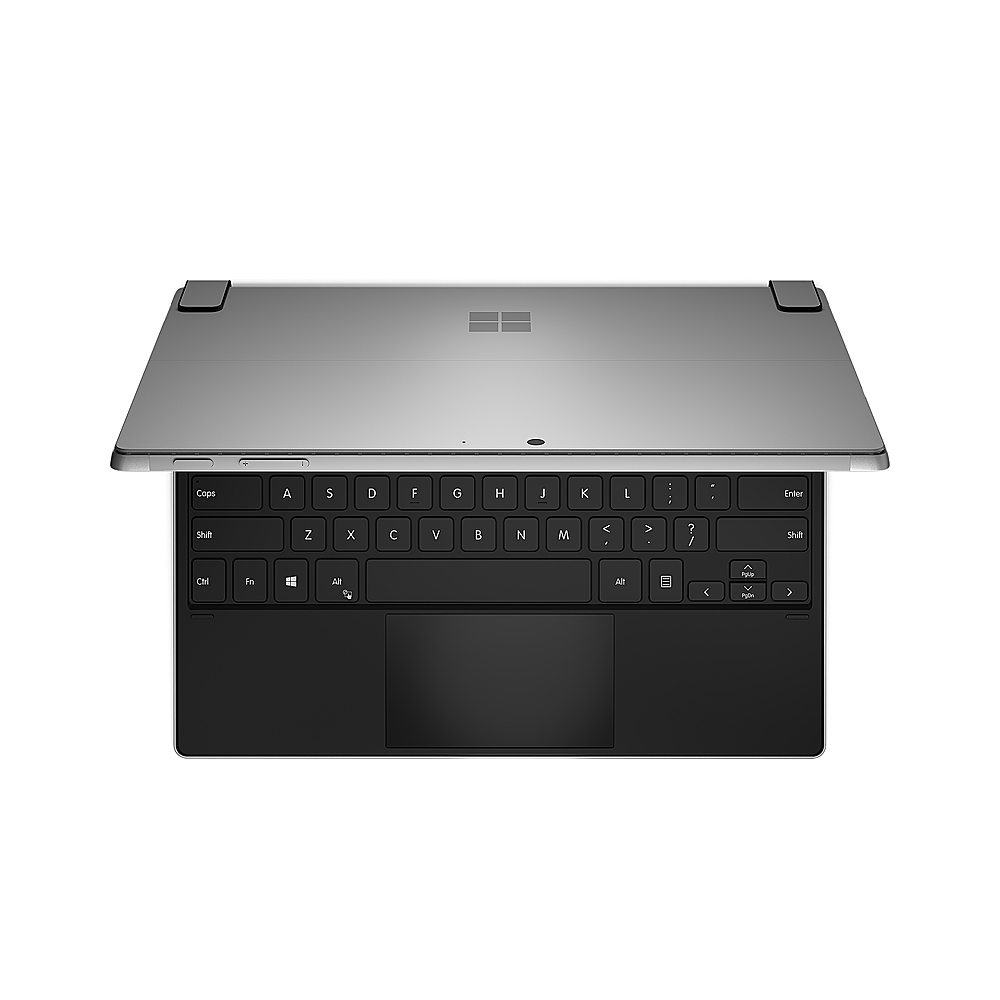
|Posted .This reviewer received promo considerations or sweepstakes entry for writing a review.I love my Surface Pro. I use it for work, I use it for pleasure, I use it for all of my needs. Its a great product. But this Brydge Keyboard makes it better! When you buy a Surface, you buy it for portability. You want the tablet feel, but not the tablet limitations. With the tablet style approach, the keyboard is typically an after thought. The Surface isnt too much different. The keyboard is there, it attaches easily, it has keys, and it kind of doubles as a screen protector. Thats good. But I always felt that the ergonomics were just a little off. This feeling was magnified by trying to use the Surface as a laptop while sitting on the couch, laying in bed, etc. But this Brydge Keyboard takes care of all of that. After the initial charge, I attached the keyboard to the Surface by way of the U shaped retention brackets that are included. There is definitely a positive retention and once you have the Surface deep enough into the brackets, you will feel that it isnt going anywhere. Opening and closing the Surface/Keyboard combo, it just has a more rigid feel. Tougher. Stronger. Im less worried about breaking my Surface. Once attached, you will power on your Brydge Keyboard by holding the power key, then put it in pairing mode by holding the Bluetooth key for 3 seconds. Once you do this, search for Bluetooth devices on your Surface. It will be obvious which item is your Keyboard as it will be labeled Brydge Keyboard in your pairing screen. When you select the keyboard, it will have to type a pairing code on the keyboard, and wala! Good to go! The feel of the keyboard is pretty good. Its much better than the stock supplied keyboard. The addition of a track pad is amazing as well. It really tracks well, is responsive, and doesnt have any lag feel. I feel so much more comfortable using my Surface now that I have an adequate keyboard! I have not had the opportunity to run the keyboards battery down to zero (or even close) as the battery seems to last a very long time. I have quite a few hours into its use and still no sign of needing recharged. So if you are a power user, battery life should be in your favor. If I had any gripes about the Brydge Keyboard, it would be the U shaped retention clamps it uses to secure to the Surface. They do their job and do it well as they get a good bite. They just don't look the most appealing. I will take function over form any time, but maybe future updates could pretty up the mounting points? But that is the only concern I have had at all. If you are in the market for a keyboard upgrade for your Surface, give this Brydge Bluetooth keyboard a long hard look. Its worth the pricetag.
I would recommend this to a friend - Pros mentioned:Keyboard quality
Converts to a "real" laptop
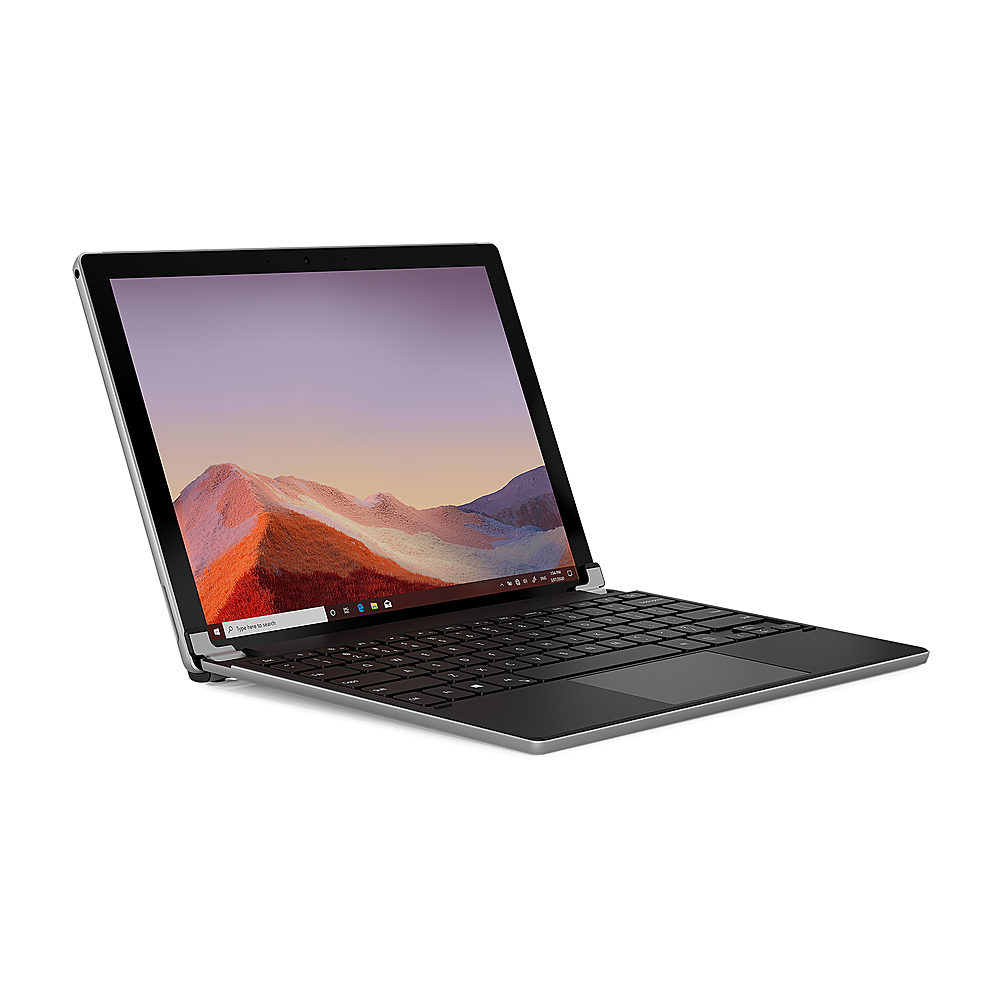
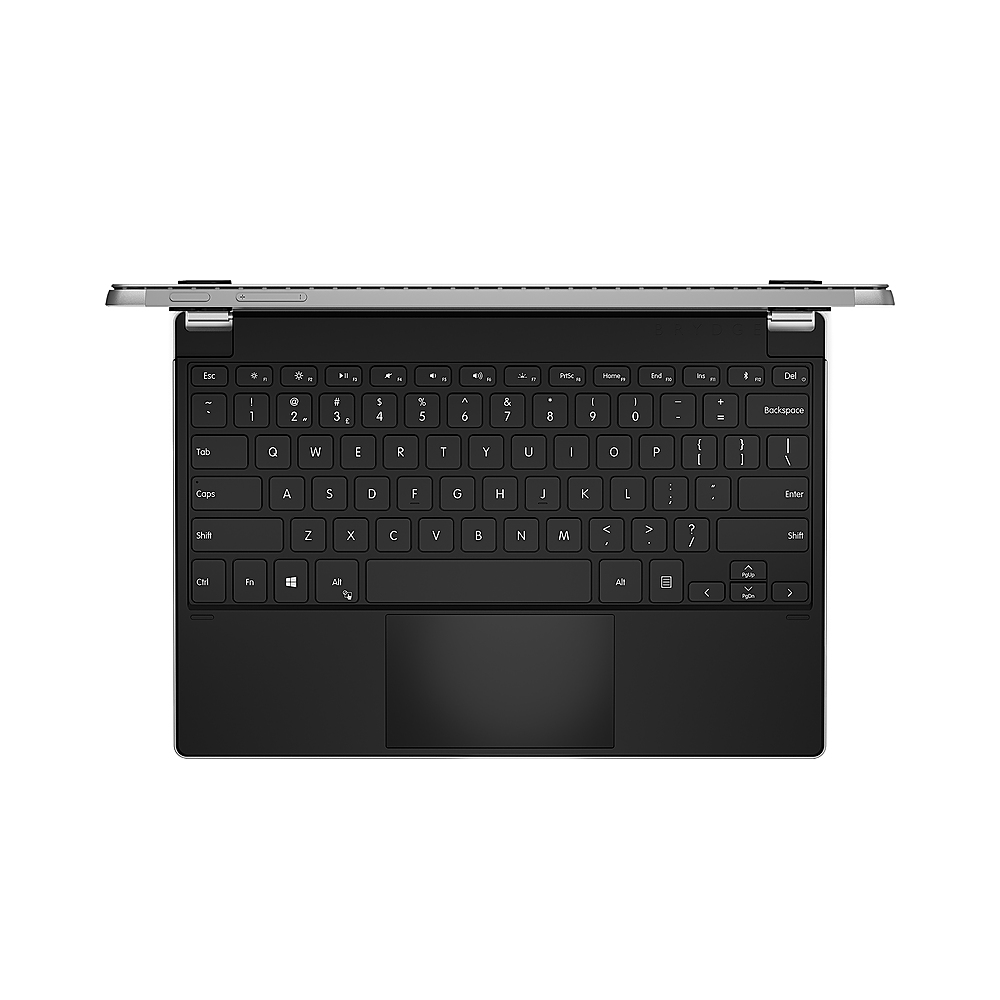
|Posted .This reviewer received promo considerations or sweepstakes entry for writing a review.One of my biggest complaints for the Surface Pro 2's keyboard is its flimsiness. Sure it's lightweight and made for the Surface but the one thing it lacked was the ability to use the Surface Pro 7 as a true laptop. If you don't place the Surface 7 Pro on a stable surface with ample room in the back for the stand you lose your laptop conversion. The Brydge 12.3 Pro+ takes care of that problem and makes the Surface 7 Pro a real laptop. It doesn't snap in but it held in with foam rubber grips. I tried shaking the tablet out and it held pretty tight. There was slight movement and with enough shaking I'm sure I could coax the tablet out of the clamps but that scenario is unrealistic for me. I've placed the Brydge/Surface combo on a pillow, on my lap, on the floor, desk, etc and it remains upright. It's at about 130 degrees where I'd be worried about it falling backwards. You can only open it to 180 degrees, so you can't use it as a flip KB. This may be a downside for some since when you go for tablet use you'll need to keep track of the Brydge. There are three levels of back light. I always use the lowest setting if I use backlighting. Pairing with the Surface didn't have any hickups, but I did see they missed a step on the instructions. After pairing for the first time the trackpad was unresponsive. You may need to turn the trackpad on with Fn+Atl to get it working. Pairing back up from sleep or reboot takes a few seconds so have a little patience upon waking. Closing the lid will put the device to sleep and after 15 min of idle the KB will go to sleep also. I like the fact that the trackpad uses MS precision drivers. This is one driver that MS has gotten better at than most 3rd party drivers, especially with the customization. The keyboard is decent to type with. I'm used to mechanical KB's so I'm a bit biased against membrane KB's but no real complaints on the quality. I love the versatility that Brydge has given to my Surface. If in need lightweight flipping I'll take the Type Cover, but if I want a real laptop feel I'll bring out the Brydge. It does add heft but in needs to so that it can offset the tablet weight.
I would recommend this to a friend - Pros mentioned:Battery life, Keyboard quality
Great alternative to Microsoft type cover keyboard
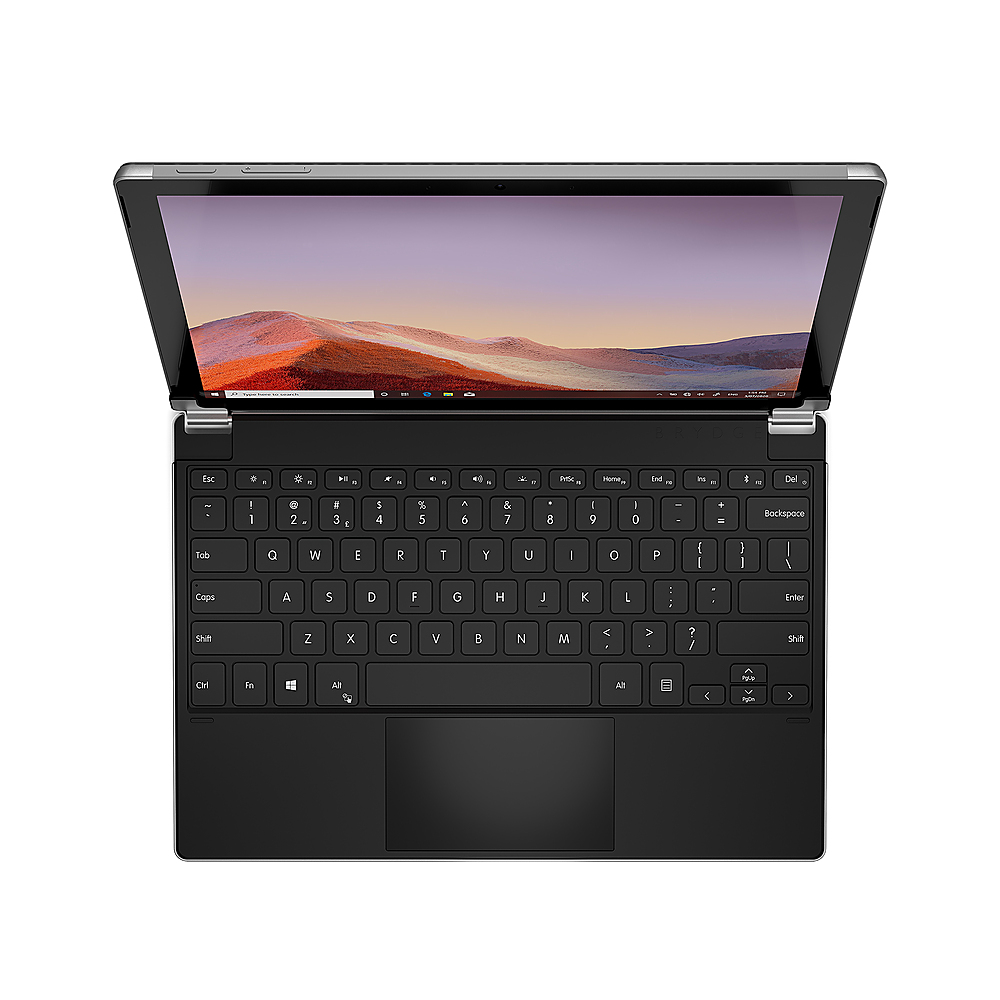
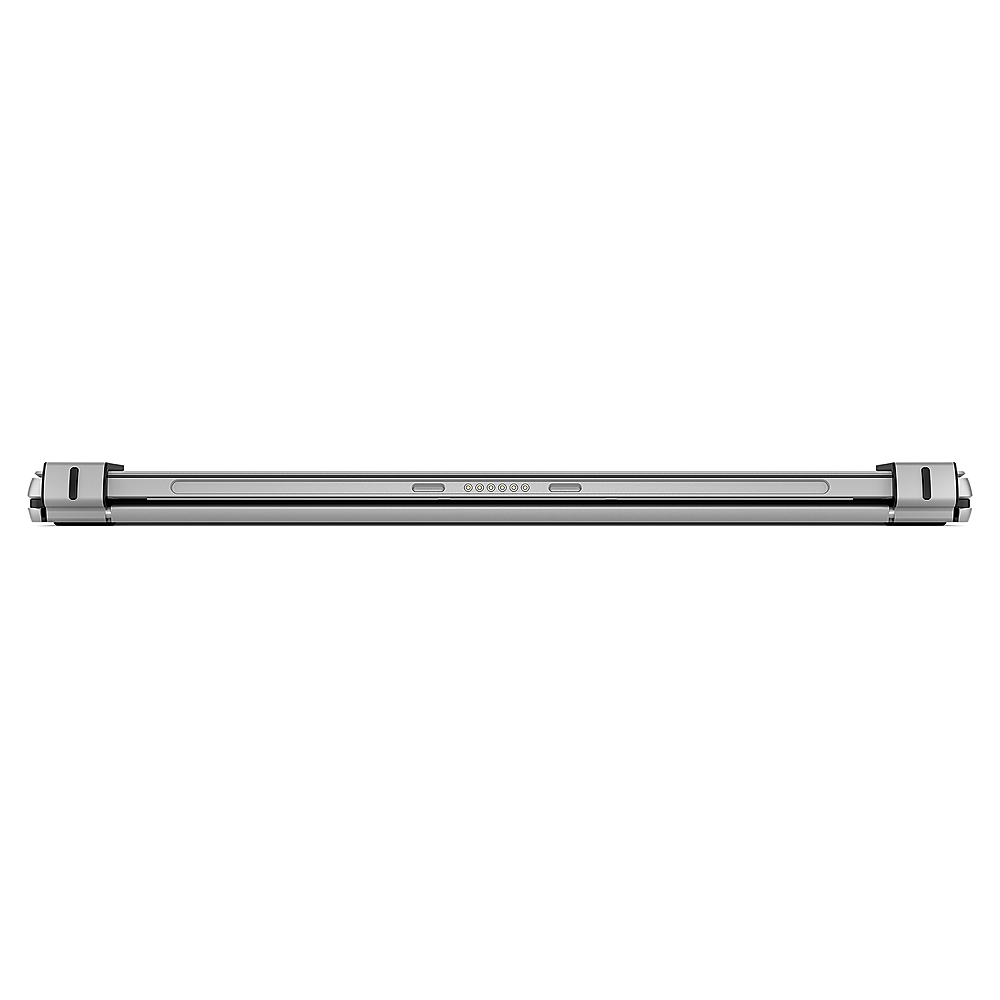
|Posted .This reviewer received promo considerations or sweepstakes entry for writing a review.My biggest gripe with my surface pro 4 was that fact that the type cover made it flimsy and hard to use in many situations so I ended up eventually upgrading to a surface book 2. I can now dust off my surface pro 4 and use it as a secondary device in my home office. The Brydge -12.3 Pro+ wireless keyboard and touchpad match the wonderful build quality of my surface pro 4. The Brydge keyboard has a wonderfully designed aluminum body with hinges that easily allow you to insert a surface pro 4-7. The keyboard features Bluetooth 5.0. backlit keys that can be adjusted with different levels of brightness. There is also a nice sized touchpad that can be turned on and off by simply pressing fn + alt. The touchpad has multitouch capabilities so you can use all native Microsoft gestures with ease. The hinges are comfortably stiff which allows to adjust viewing angles up to 180 degrees. I had no issues connecting my keyboard to my surface by simply holding down the Bluetooth key for 3 seconds placing the keyboard into pairing mode. I experienced no lag with the keyboard or touchpad and was able to use all gestures as I normally would. The battery life is reported to be 6 months on the box with 2 hrs. of use per day and that seems to be accurate based on my usage at work. The one great thing is that the fine people at Brydge decided to place a USB C port on the keyboard in order to charge it. Overall I am impressed by the overall build quality and functionality of the keyboard. I would definitely recommend the Brydge - 12.3 Pro+ keyboard to anyone who is looking for a keyboard for their surface pro 4-7.
I would recommend this to a friend Frustrating connections, Scared of breaking it.
||Posted . Owned for 3 months when reviewed.This reviewer received promo considerations or sweepstakes entry for writing a review.First one I bought was cracked near the hinge. I exchanged it for another one, but after getting it paired I found it frustrating to have to reconnect to bluetooth from time to time. The hinge that attaches to the surface seemed sturdy but the fact that the first was broken tells me someone must have broken and returned it, so I'm not certain how long it will last. Ended up returning the second one.
No, I would not recommend this to a friendDeception at its core
||Posted . Owned for 1 week when reviewed.This reviewer received promo considerations or sweepstakes entry for writing a review.Disappointing that it was just the keyboard. The picture shows the entire finished product already assembled. Very deceptive selling practice.
No, I would not recommend this to a friend- Pros mentioned:Battery life, Keyboard quality
The improvement we wanted but didn't expect.
|Posted .This reviewer received promo considerations or sweepstakes entry for writing a review.The new Bridge 12.3 Pro + is a plus in every way conceivable. It has a better layout of keys, improved even-ness to backlighting, USB Type-C charging, and a MUCH improved touchpad to it's predecessor. This is finally a TRUE converter for your Surface Pro 4,5 (2017), 6 or 7 into a full-on Laptop. There are a few quirks: - There is no FN-Lock feature, so if you need ALT-Fx capabilities in terminal emulators and other apps, this keyboard cannot supply it. The F-Keys default to their media/control functions and there's no way to change this. The only way to use Fn keys is to hold the Fn key while pressing. Unfortunately, Alt-FN is also the trackpad power toggle, so Alt-F4, for example, won't work. This is only a hinderance for several old business apps, so this will only affect certain use cases. - The keyboard is NON-functional in BIOS or during Windows Setup. This will only affect a limited number of use cases, but was problematic when trying to use the keyboard to help my Daughter set up her new Surface Pro 5. I ended up going back to the keyboard cover during setup and config, then setting up the Brydge unit afterward again. The battery life, even with backlighting is WEEKS of regular use. This thing is an unexpected new version with every improvement imaginable so its a FULLY RECOMMEND from me!
I would recommend this to a friend Doesn't Work, Poor Support - Don't Purchase
||Posted . Owned for 5 months when reviewed.This reviewer received promo considerations or sweepstakes entry for writing a review.This thing is a hunk of junk. Used it exactly 2x times and now there are at least half of the keys that do not work. Emailed the company's support about the problem and they told me to check the drivers. I am not even sure they read my question because they never even mentioned my problem in their response. Buy this heap at your own risk!!!!
No, I would not recommend this to a friend- Pros mentioned:Battery life, Keyboard quality
Transforms your Surface Pro into a laptop
|Posted .This reviewer received promo considerations or sweepstakes entry for writing a review.The Brydge keyboard is a must have accessory for your Surface Pro. This literally converts the Surface Pro into a legitimate laptop. I really like the Type Cover that I got with my Surface Pro, but at times (like on an airplane with small trays) I prefer the need for proper base support, this definitely transforms the Surface Pro into a versatile laptop. I have used the previous version of this keyboard, but this one is for sure an upgrade. It is sturdy, compatible with Surface Pro 4, 5, 6, and 7 and I like the fact that it charges via USB C, which is supposed to last up to 6 months of battery charge. The keyboard has a bigger precision touchpad compared to the previous model and supports multi-touch gestures, which are fully customizable. The backlit keyboard comes with 3 levels of brightness option. It connects to the Surface Pro via Bluetooth 5.0. The hinges hold the Surface Pro very well and provide 0-180 degrees of viewing. Overall, this is a solid accessory for your Surface Pro and would recommend this as a perfect pair.
I would recommend this to a friend - Pros mentioned:Keyboard quality, Price
Work as well as any non MS brand
|Posted .This reviewer received promo considerations or sweepstakes entry for writing a review.I do like this keypad. It has a great touch and feel. It does come across as flimsy as a lot of the surface keypad seem to. As for set up and connect it was easy and found no issues. I will say like every non MS brand keypad I have very used the reconnect was not 100%. I never had any connection drops however did have a couple of time it did not connect on power up. Was able to reconnect and it work correctly, just a bit of a pain. I would say for the price it would be hard not to justify this purchase over the MS version. I little extra reboot time every 20 or so times is not to bad
I would recommend this to a friend - Pros mentioned:Keyboard quality
Laptop mode for your Surface Pro
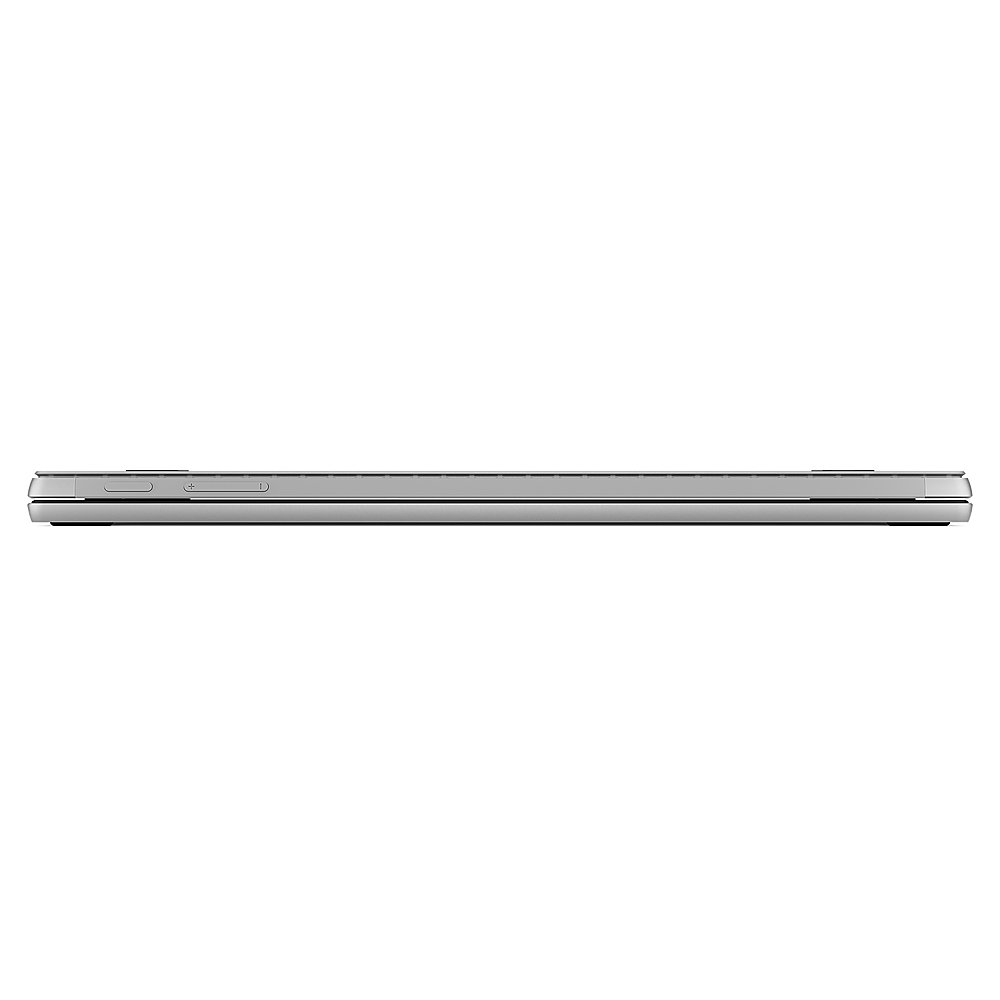
|Posted .This reviewer received promo considerations or sweepstakes entry for writing a review.Quick summary: I think the Brydge 12.3 Pro+ is a great accessory that I would strongly consider as an alternative to the official type cover. If you're buying a new Surface Pro to be your primary computer, I think it's worth considering the Brydge Pro+ as your keyboard instead of the type cover. The Brydge Pro+ enables you to use the Surface Pro like a traditional laptop and that's a big boon especially if you aren't used to the limitations of the Pro's design. Straight out the gate I will give my biggest "pro" to the Brydge keyboard: I'm typing this review on my SP4, on the couch with my legs folded up under a blanket. Ergonomic specialists be damned, this is a comfortable seating position for short reviews, and not normally possible with a traditional surface type cover. Build quality of the Brydge appears to be very good. The new Pro+ version I have has a textured plastic deck and an aluminum shell. When closed the Brydge + SP4 are obviously thicker than SP4 + type cover, but that's to be expected to enable this form factor. Typing on the keyboard feels great and I'm really impressed with the typing experience for this price and for a bluetooth keyboard. The trackpad also has a great feel with a caveat to be discussed below. The trackpad is multitouch so you can use multi finger gestures in Windows 10. I can't quite give the Brydge 5 stars, though. Out of the box the hinges did not get a super tight fit on my SP4 - they were enough to hold it if I was sitting still, but I wasn't comfortable carrying the combo by holding the keyboard as my SP4 would easily slip out. This was fixed really easily with a pair of robo-grip pliers - I took my SP4 out and squeezed the hinges to be a tighter fit. Now it's got a perfect grip. Also, just like on a Surface book. the design of the Surface Pro + Brydge combo will always have a 'weird' weight distribution since there's so much weight in the tablet itself. When open, the combo will feel heavier than it really is if you try to pick it up from the front of the keyboard. It's not that the Brydge keyboard is heavy, it's just the weight of the tablet is putting the center of gravity much farther back than a traditional laptop. When closed the weight feels totally normal. The other minor gripe is just a fact of life for any bluetooth accessory. Bluetooth's refresh rate just means that the touch pad will never be as 'perfect' as a direct connected accessory like the type cover. It is not any better or worse than any other bluetooth pointing device I've ever used. I just felt it had to be mentioned as it's one of the first things I noticed vs the official type cover.
I would recommend this to a friend keyboard
||Posted .This reviewer received promo considerations or sweepstakes entry for writing a review.didn’t work that good also didn’t wanna connect correctly
No, I would not recommend this to a friend- Pros mentioned:Battery life, Keyboard quality
Excellent Keyboard Replacement For Surface Pro
|Posted .This reviewer received promo considerations or sweepstakes entry for writing a review.I was so tired of my Surface Pro keyboard I'd just about given up on it; typos, line skips, invoking other pages, etc. Then I see an email from Best Buy touting a replacement keyboard called Brydge Wireless Keyboard with Touchpad. Yes! I could hardly wait for it to arrive! The Brydge v12.3 keyboard is everything I hoped it would be with a solid durable aluminum body, battery life of up to 6 months, bluetooth pairing with the surface Pro, adjustable backlit keys, power button, USB-C charging cale, nice sized tiouchpad and a 1 year warranty. This is the keyboard I wish had come with the Surface Pro when I first bought it. The new Brydge keyboard is like getting a whole new laptop!
I would recommend this to a friend Touch pad broke immediately
||Posted . Owned for 1 month when reviewed.This reviewer received promo considerations or sweepstakes entry for writing a review.Touch pad broke and i havent even had this for a month. It conveniently broke when the return period ended. I would not recommend this product, as it will probably cost you double the money.
No, I would not recommend this to a friend- Pros mentioned:Keyboard quality
Makes the Surface Pro a laptop
|Posted .This reviewer received promo considerations or sweepstakes entry for writing a review.I've used a Brydge keyboard in the past and loved it. It turns a tablet into a laptop. So I open the box. First thing I notice is Brydge still has a nice reusable box with a magnetic clasp to keep it closed. I take out the keyboard and it has about a 60% charge. I place the tablet in the hinges and like my other one, the hinges are tight, which is good. You don't want it moving around or falling out. The hinges are also really stiff, almost too stiff, but you don't want the tablet flopping around...do you? So I fire up the tablet and read the instructions on how to pair the Bluetooth. I follow the 6 steps or so and it pairs nicely. It doesn't take much, just turn on both the keyboard and tablet, go into Windows settings, device and click add a Bluetooth accessory. Press the Bluetooth key on the keyboard (the F11 key) and Brydge Pro 12.3 will appear in Windows. A key will be given and type it on the keyboard and hit enter. You won't see anything on the tablet, but once you hit enter, the pairing should complete and your mouse pointer will appear and move. Now that it was pair, I tried it out. I use various games and applications to see if there was any lag. I didn't experience any. It was as if the two were manufactured as one unit. The large touchpad works very good. As it's a precision touchpad, I was able to use Windows gestures to zoom, scroll, open Cortana and more. I must say I'm truly impressed with the keyboard, but then I was with my other one as well. Once I finished running it through it's paces, I had less than 50% and I wanted to see if it charged as quickly as listed in the manual. It says a full charge in about 3 hours. I spun the keyboard around looking for the port and nicely found a USB-c port...yeah! Since my smart phone used one, I have a cable and charger right handy. The keyboard does include a cable, but why unroll a new cord when I have one already hooked up with a charger? I plugged it in and like my phone, completely forgot about it. I remembered it was charging when I started the review. I went and checked and sure enough, the red light was out and that means it's fully charge. I can't say if it was more or less than 3 hours, but it charged fast enough for me. So usually I post my likes and dislikes, but I don't think I have any dislikes. It just works, like I expected and wanted it to. I like the white backlit keys and the response they give. I use mechanical keyboards on all my desktops and love em'. I learned to type on the old IBM tanks and anyone that hears me type...yes hears, will tell you I bang the keys. It's just the way I was taught. The Brydge keyboard may not be mechanical, but I think it can take my banging and I get some feedback from the keys and that works for me on laptops, which is what the Brydge keyboard does for the Surface Pro.
I would recommend this to a friend - Pros mentioned:Keyboard quality
Good keyboard for your Surface Pro
|Posted .This reviewer received promo considerations or sweepstakes entry for writing a review.The Brydge keyboard is a nice accessory for your Surface Pro, but it isn’t perfect. The typing experience is excellent. The keys feel really nice with plenty of key travel and responsive. It makes the Surface Pro much easier to type in your lap compared to the folio style keyboard. When used it my lap it doesn’t feel like your typical laptop. The bottom of most laptops have the battery, motherboard, and components that are evenly distributed on your lap. The added some weight to this keyboard to keep the the Surface Pro from tipping over, but you can definitely feel that all of its weight is near the henge area and Surface Pro itself. Most laptops, if you lift the part of the laptop nearest you it will rock back onto your lap. The slightest lift with this setup will have your Surface Pro tipping over and falling backwards onto the floor. The trackpad was nice and fluid when I first got it, but now it seems to stutter and lag at times. It comes with a backlit keyboard, but there is terrible light bleed. Most of light is shining from around the sides of the keys and no so much the letters inside the keys. Overall it’s a good keyboard, but it can still use a bit of refinement.
I would recommend this to a friend