Customer Ratings & Reviews

- Model:
- SC400D
- SKU:
- 6412686
Rating by feature
- Value
Rating 3.9 out of 5 stars
- Quality
Rating 4.2 out of 5 stars
- Ease of Use
Rating 3.9 out of 5 stars
Customers are saying
Customers regard the SC 400D Dual-View Smart Dash Cam highly for its exceptional camera quality and ease of use. Users appreciate its simple installation, overall performance, and ideal size, along with its good resolution and GPS feature. However, some customers have expressed concerns about the app's functionality, battery life, price, and limited voice command capabilities.
This summary was generated by AI based on customer reviews.
TERRIBLE PRODUCT
||Posted . Owned for 2 months when reviewed.This reviewer received promo considerations or sweepstakes entry for writing a review.Absolute trash. Nothing but problems and the technician doesn't know how to fix it. This camera stops working constantly and has been a waste. I DO NOT RECOMMEND ANY COBRA PRODUCT OR USING THE INSTALLER AT SAN BERNARDINO
No, I would not recommend this to a friendBrand response from Cedar Electronics Team
Posted .We're sorry you're having issues! Most issues can be resolved with basic troubleshooting. Please ensure that your camera is on the latest version of firmware. If you need further assistance, please contact us at 800-543-1608. We're happy to help!

Didn't last long at all
||Posted .This reviewer received promo considerations or sweepstakes entry for writing a review.Touchscreen stopped working after a few months. This is during the cooler months so it didn't even go through any hot summer days.
No, I would not recommend this to a friendBrand response from Cedar Electronics Team
Posted .We are sorry to hear about the issues you are having. Please ensure that your camera is running the latest version of firmware. If this does not resolve your issue or if you need further assistance, please contact us at 800-543-1608 and we'll be happy to help.
Nice dashcam.
||Posted . Owned for less than 1 week when reviewed.This reviewer received promo considerations or sweepstakes entry for writing a review.Is a very nice dashcam, beautiful design,very modern but the app is a nightmare.. unstable conexión....
No, I would not recommend this to a friendIssues powering up the unit
||Posted . Owned for 2 months when reviewed.This reviewer received promo considerations or sweepstakes entry for writing a review.I have had the dashcam for a few months and have had issues with it powering up when starting the vehicle. Now the power button doesn't seem to work at all.
No, I would not recommend this to a friendCobra Dash cam
||Posted .This reviewer received promo considerations or sweepstakes entry for writing a review.I returned my dashcam because everything was bad with it. I do not recommend people buy it.
No, I would not recommend this to a friendCould do better
||Posted . Owned for 9 months when reviewed.This reviewer received promo considerations or sweepstakes entry for writing a review.App never connects. The file format it uses says it’s corrupted no mater what card or pc i use. No way to get footage
No, I would not recommend this to a friendBrand response from Cedar Electronics Team
Posted .Thank you for your valuable feedback. To connect to our Drive Smarter app, please make sure that you have granted the necessary app permissions. The SC 400D is compatible with Micro SD cards of up to 256GB. Be sure to format the card in-camera before use. We recommend using Class 10 high-endurance cards from reputable brands. If you need assistance, please contact us at 800-543-1608. We’re happy to help!
Got burned on this
||Posted . Owned for 2 months when reviewed.This reviewer received promo considerations or sweepstakes entry for writing a review.Very grainy video quality out of the box. Had to bring back to the store. Looks like 1980s quality vhs tape style.
No, I would not recommend this to a friendBrand response from Cedar Electronics Team
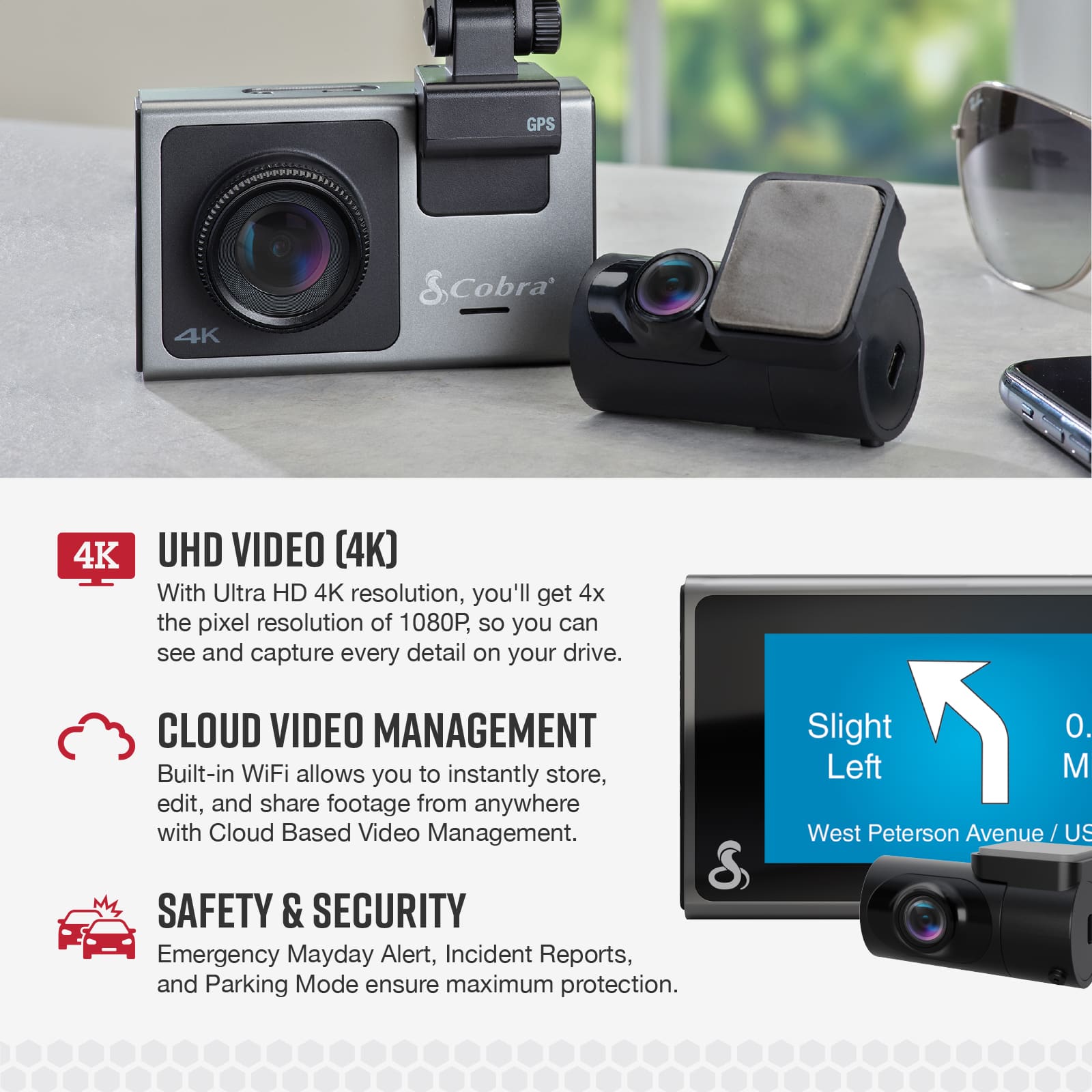
Posted .Thank you for your review. We apologize for your dissatisfaction. The SC 400D provides Ultra HD 4K resolution along with a glare-reducing polarized lens, which allows for four times the pixel resolution of 1080P. If you have any questions or concerns, please don’t hesitate to contact us at 800-543-1608.
Don’t waste your money. JUNK!
||Posted . Owned for 1.5 years when reviewed.This reviewer received promo considerations or sweepstakes entry for writing a review.I purchased this camera for $400. It did not work from the start. After a recent firmware update the touch screen quit. It is junk now. Hard to imagine why Cobra is in business. Do yourself a favor and buy any other companies product. This one is awful. I would not recommend it to my worst enemy.
No, I would not recommend this to a friend- Pros mentioned:Camera quality
Cobra - SC 400D
||Posted . Owned for 3 weeks when reviewed.This reviewer received promo considerations or sweepstakes entry for writing a review.Item appears to be solid and meets my requirements.
I would recommend this to a friend My dash cam set
||Posted . Owned for 4 months when reviewed.This reviewer received promo considerations or sweepstakes entry for writing a review.This would be better if the rear camera was WiFi instead of wired But all n all it works great and when my horn my Elantra failed I could not warn this lady in a while Toyota who blew threw a light and almost T Boned me I was able to use my I phone and look and save this and show it to Hyundai as proof
I would recommend this to a friendCam dashboard
||Posted . Owned for 1 week when reviewed.This reviewer received promo considerations or sweepstakes entry for writing a review.I like it I have not used it yet but I already installed in my truck
I would recommend this to a friend- Pros mentioned:Camera qualityCons mentioned:App

great quality camera
|Posted .This reviewer received promo considerations or sweepstakes entry for writing a review.The main reason I am giving this a 4 star. I don’t like the mounting option myself. I feel it makes it more of a permanent solution. I have a couple other cameras that I have used and one goes over your rear-view mirror. While the other one has a section type mount. I like those because I can take them easily to another car and back as needed. This set comes with a double back tape and once mounted its mounted. My other gripe is the app is not the best. I feel like as I do things within the app, it disconnects and then has to reconnect. This, I am sure can get fixed thru updates. So not a deal breaker, but just annoying. Lastly, I wished the rear camera was universal with the option to have it be able to mount next to the camera to capture inside vehicle with a short 6 inch or so cable, or provided a third camera for that. I also wished it had a screw mount so that I could just use it as a webcam lol. But that, I don’t count towards giving it a 4 star, just an idea. Overall, though, with the 4k this looks amazing. Video quality if great. It also comes with a 64gig SD card. Other brands I have tried out don’t come with a SD card at all. I love how it looks. Its small and looks like a camera and not all huge and bulky. If you are looking for a high end quality camera, I do suggest this if you don’t mind it installing on a more permanent level.
I would recommend this to a friend - Pros mentioned:Camera quality, ResolutionCons mentioned:App
A nice solution that has some issues
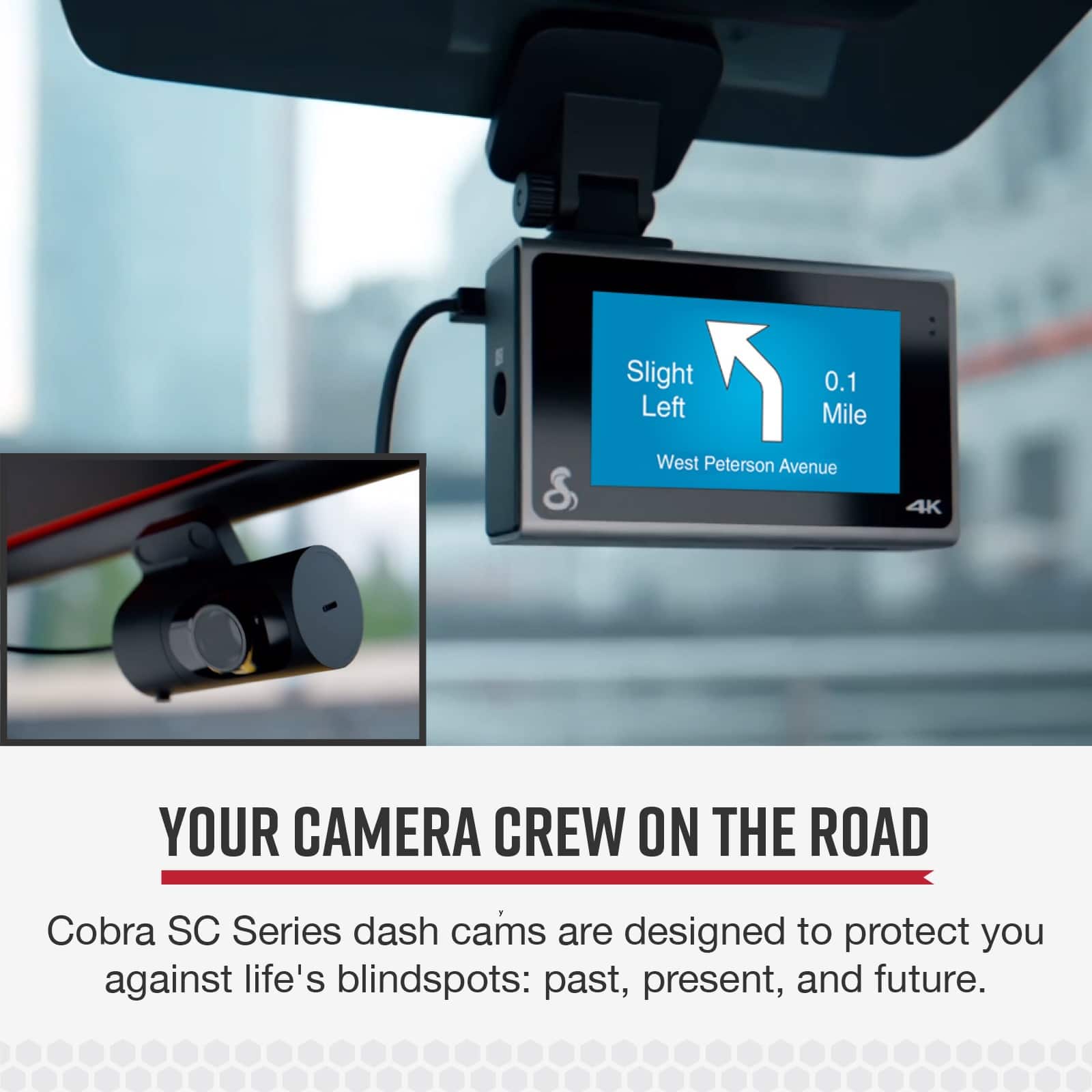
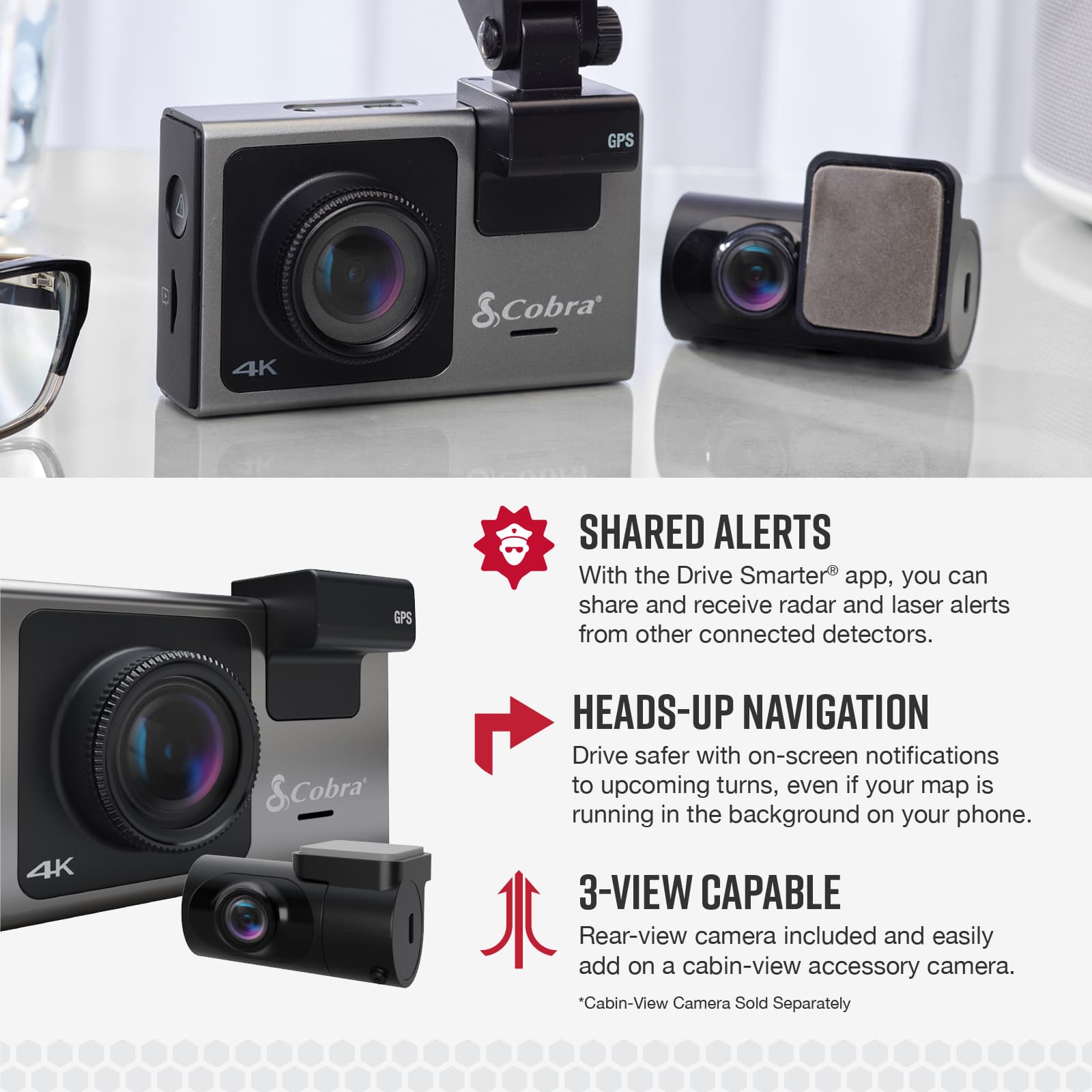
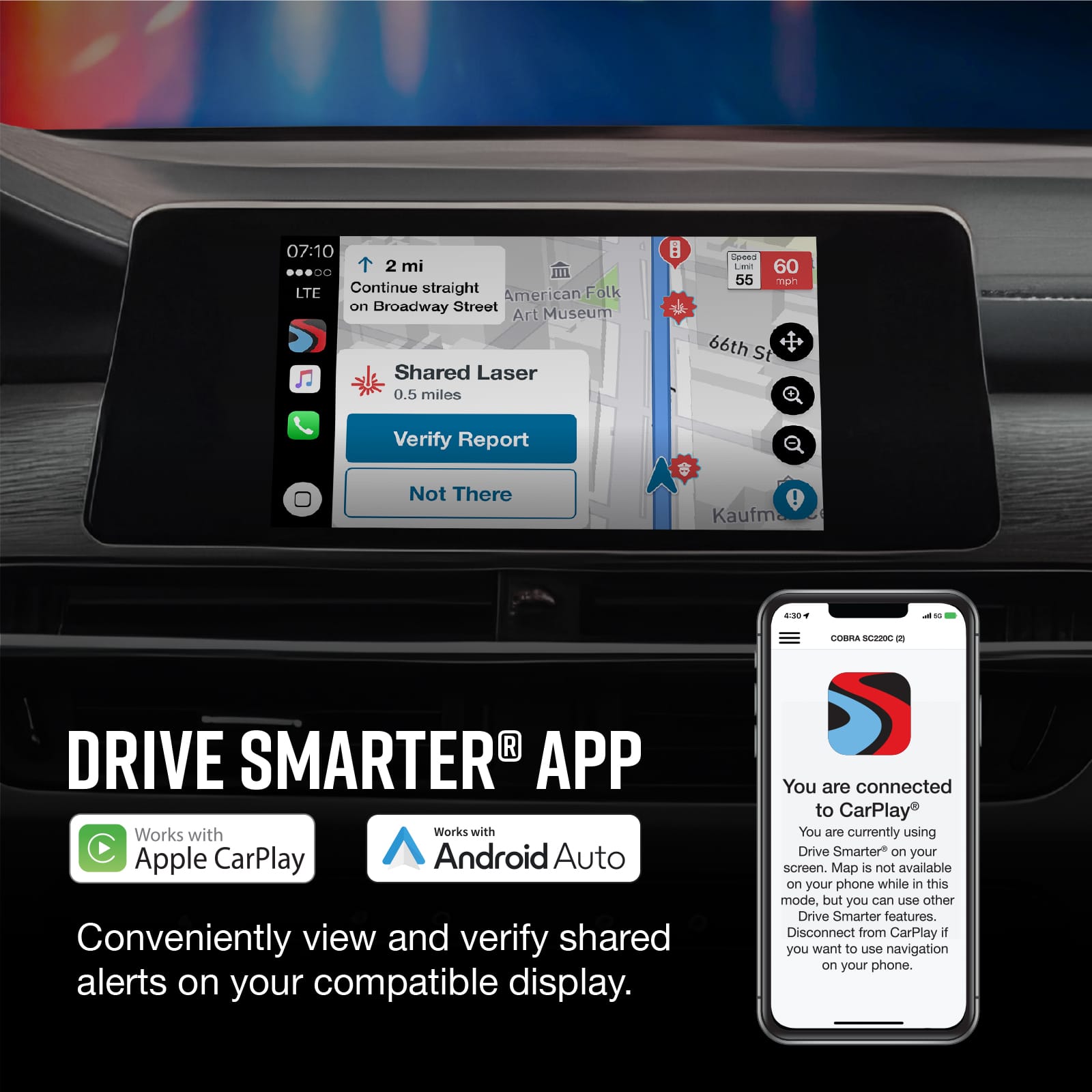
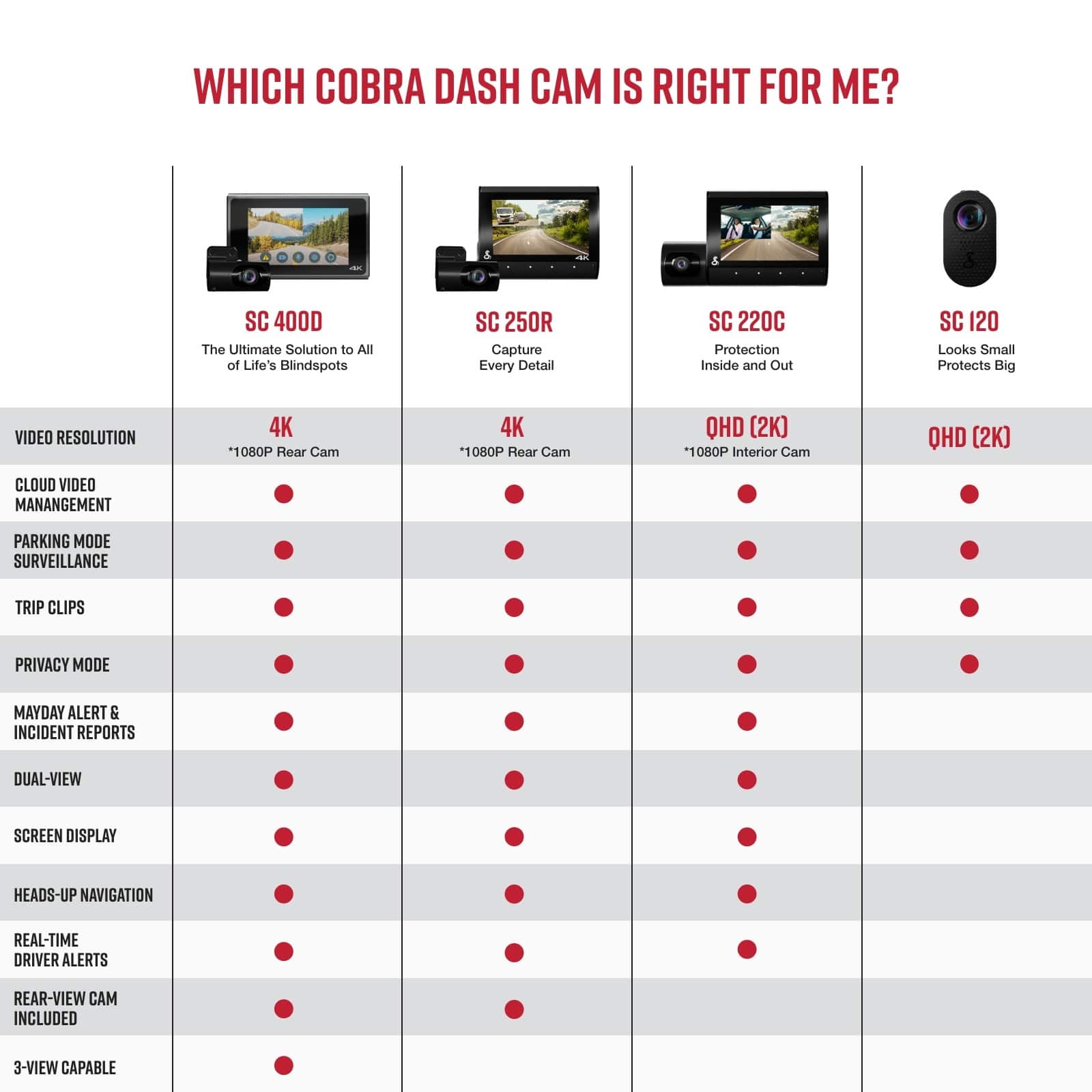
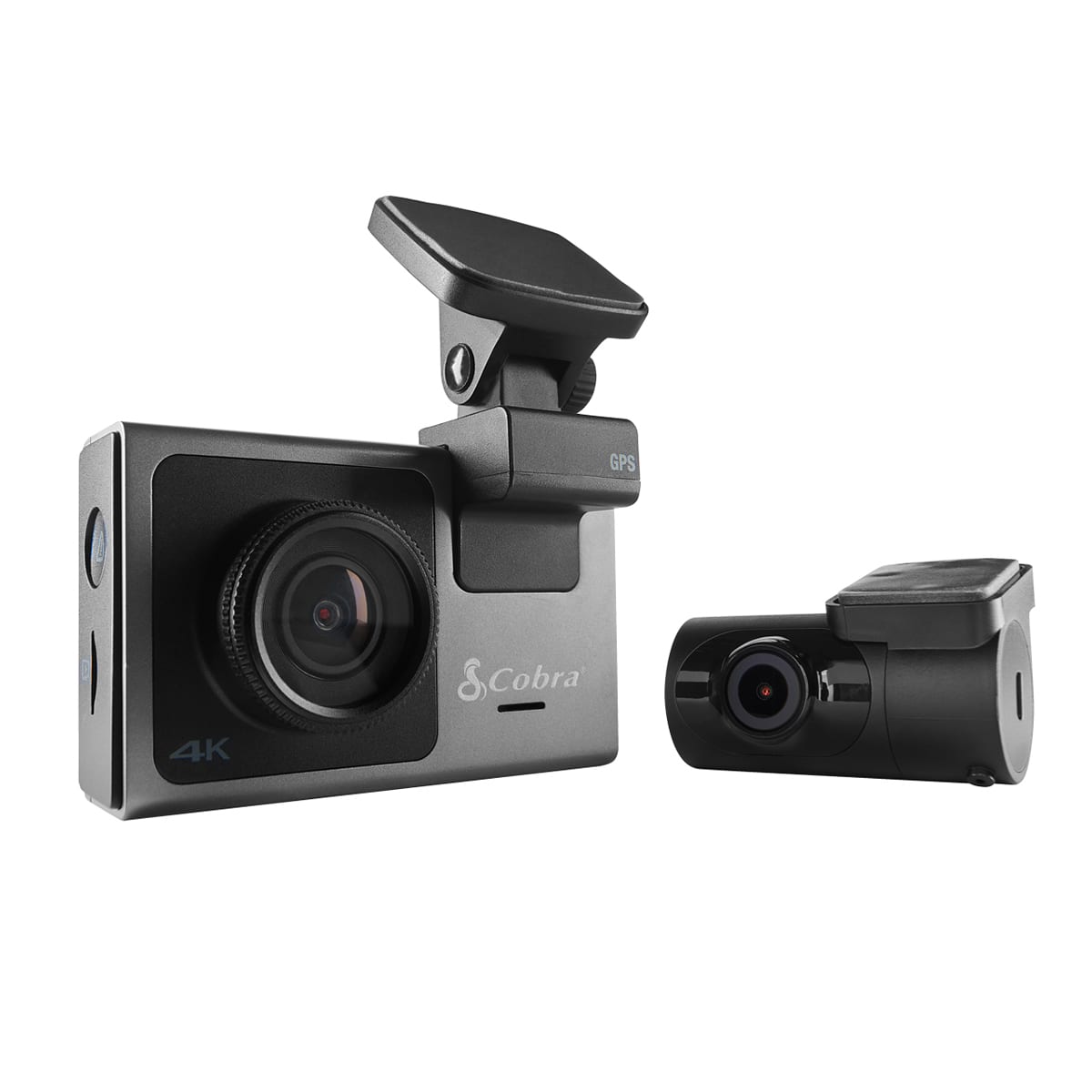
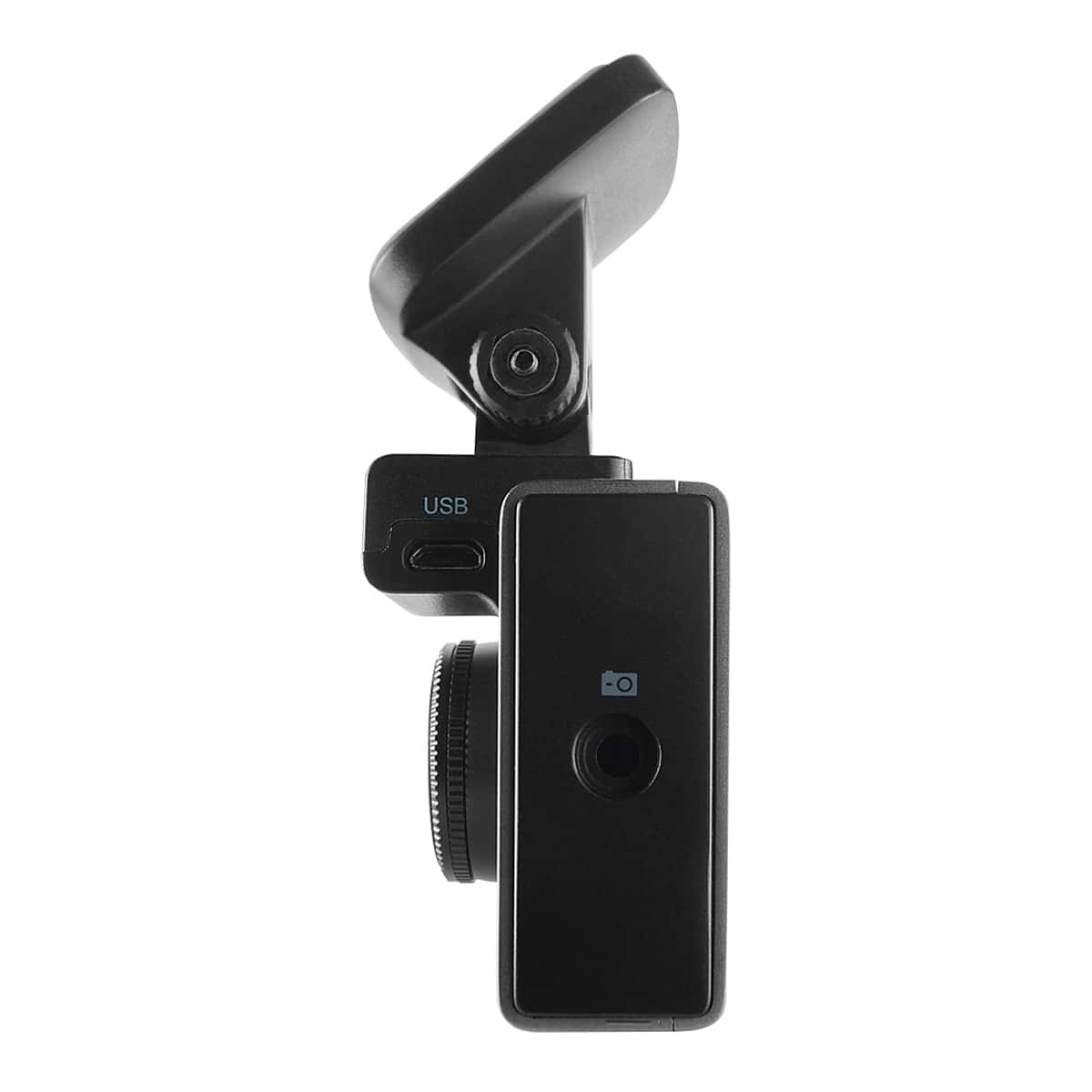
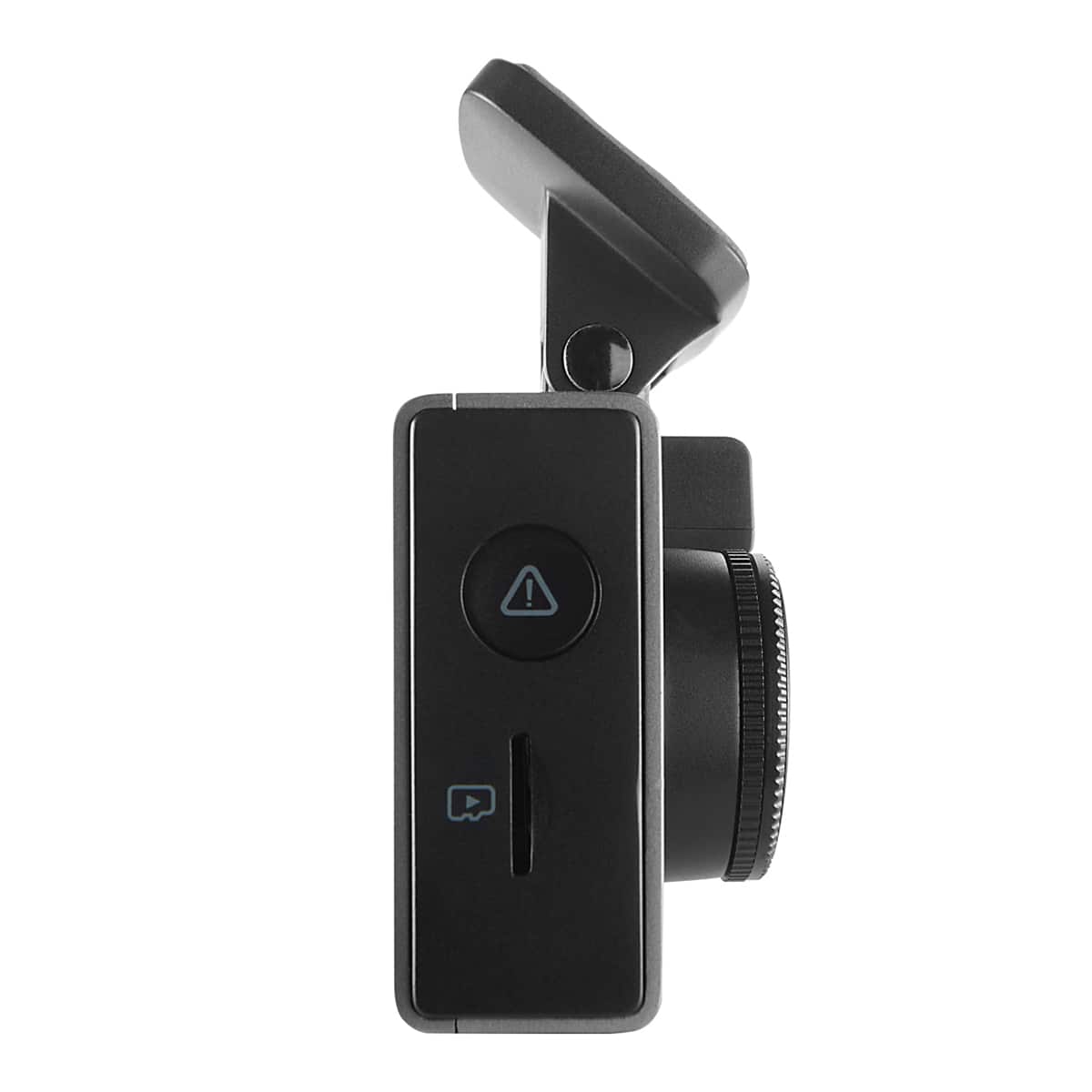
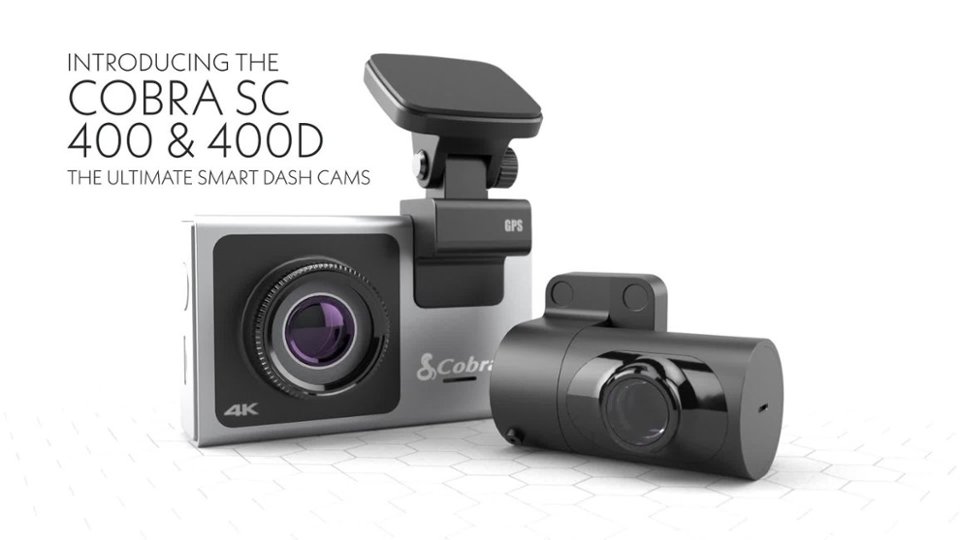
|Posted .This reviewer received promo considerations or sweepstakes entry for writing a review.The SC400D will be my second dashcam, my first being a unit from Escort that shares power with my Escort radar detector. The SC400D’s front-facing camera is quite an improvement over my older one, what with Ultra HD 4k pixel resolution and more options. This system also comes with a rear-facing camera, and it can additionally support an additional1080P cabin-view camera. The SC400D has Alexa built-in, and I’m sure many people will be familiar with it. Not me, however, as Google Assistant has been my go-to assistant for years. The SC400D has an accompanying app called Drive Smarter – which provides real-time alerts for Red Light and speed camera locations, as well as police activity, viewing your videos/photos, and more. In my time using the Drive Smarter app, I found the app to be a work-in-progress. The functionality mostly works, while some features are a bit flaky. For example, when I bring up a video for viewing, the Drive Smarter app connects to the dashcam. Once you view the video and return to the list of other videos, the app once again must connect to the dashcam to see the next video. These connection efforts can take 5-15 seconds each time. I’m doubting that that’s what the developers had in mind. I found it quite irritating and plan on connecting the dashcam to my laptop for quicker transfers. The dashcam itself feels solid. And it offers a good number of selectable features. Features can be turned on using the Settings option on the dashcam’s screen (recording has to be turned off), or by using the Settings option in the Driver Smarter app. The front- and rear-facing cameras offer Ultra HD 4K resolution, while the cabin-view camera offers Full HD at 1080 resolution. 4k recordings, by the way, have 4 times the resolution than 1080 has. The cabin-view camera has a swivel-mounted design that gives you 140 degrees field of view of the cabin’s interior and includes Infrared vision for clear inside video. I don’t have the cabin-view camera, but t from what I know about it, it should install in just a matter of seconds. Front-Facing Camera: ----------------------------- The front-facing camera looks and feels like a small point-and-shoot camera, although it feels solidly built, not flimsy like some I’ve looked it. On the top of the camera, there are two ports. One is a Micro USB port for the power. The second is the port where you plug in the cable to the rear-facing camera. The top/front of the dashcam is where the GPS/magnetic connector sits along with the adhesive pad to secure the dashcam to the window. On the right side of the camera is a slot for your Micro SD card slot, as well as a button that functions as a Lock Video/Emergency Recording button. A 32gb Micro SD card is included with the camera. On the bottom of the camera are two buttons. One is the camera’s power button, while the second is the Alexa mute button. On the left side of the dashcam is the mounting port for the interior cabin-view camera. Rear-Facing Camera: ---------------------------- This camera is small, barrel shaped, and very light weight. On its side is a USB port that connects this camera to the Front-facing camera by way of an included cable. After testing the dashcam out for a while, I made only a few changes from the standard settings. One such setting was the G-Sensor. This setting, which defaults to “1”, determines the amount of jarring a vehicle must experience to automatically generate a video. This could be something as simple as going over a speed bump to experiencing an actual vehicle accident. Changing the G-Sensor setting to a “2” makes it less sensitive, while a “3” is the least sensitive. If you find the camera is automatically recording too many unnecessary events, change the G-Sensor from a “1” to “2” or “3”. Mine is set to “3”. I’ve ordered an installation wiring kit so I can permanently wire the dashcam to my car’s power. Once done, I plan to turn on Parking Mode and Motion Detection. Do keep in mind that these functions will only work if you have constant power going to dashcam. If the dashcam is powered down when the vehicle is turned off, then you can ignore this. If you plan on having continuous power going to the dashcam irrespective of the vehicle being turned off, I suggest you use the Auto-Shutoff setting. If not, you could slowly but surely wear down your car’s battery due to the dashcam’s continued power draw. Let’s say that you have Auto-Shutoff set to 4 hrs because the dashcam is always powered. That means that four hours after no more motion is detected by your dashcam, the dashcam will automatically shut itself off. However, when you start your vehicle the next day, the dashcam will not auto-start recording. If you set Auto-Shutoff to 20 hours, then the dashcam will likely still be active the next time you start your vehicle (as long as it is within 20 hours of the last time your vehicle was used). That means you won’t have to manually turn the dashcam back on. If Auto-Shutoff is not used, you could conceivably run down you battery if left running for too long - especially if the battery is old. For local storage, a 32gb SD card is included with the SC400D. Creating 4k recordings with a 32gb card will probably only last 3.5 – 4hrs before the oldest videos are overwritten. Because of this, I replaced the 32gb card with a 128gb card. Please note that videos/photos that are locked will not be overwritten. One last feature is the Cloud storage. This is a planned free service in which any/all locked videos/photos will be auto-copied to the Internet for later retrieval. Per my research, this free service won’t be available until sometime in 2022. From a purely functionality perspective – that is, its ability to record video/photos using the front- and rear-facing cameras - I very much like this solution and believe 5 stars is appropriate. From a whole system perspective, meaning using the Drive Smarter app and Cloud storage ability, I think 4 stars is appropriate.
I would recommend this to a friendBrand response from Cedar Electronics Team
Posted .Thank you for your feedback and for testing the SC400D. We're glad you liked it overall!
Drive Smarter App
--------------------------
We are working hard to improve the app experience and have released updates since launch to improve stability. We will be continuing to release updates to improve the experience for SC400 users.
Parking Mode
-----------------------
Please ensure you hardwire using part number CA-MICROUSB-003 as that is the Cobra hardwire kit rated to handle the SC400's power requirements.
The Cobra hardwire kit is also designed with built in low-voltage protection to prevent battery drain on your vehicle. The hardwire kit itself will detect when you vehicle's battery is running low on voltage and will shutoff the camera system, preventing the situation you describe above.
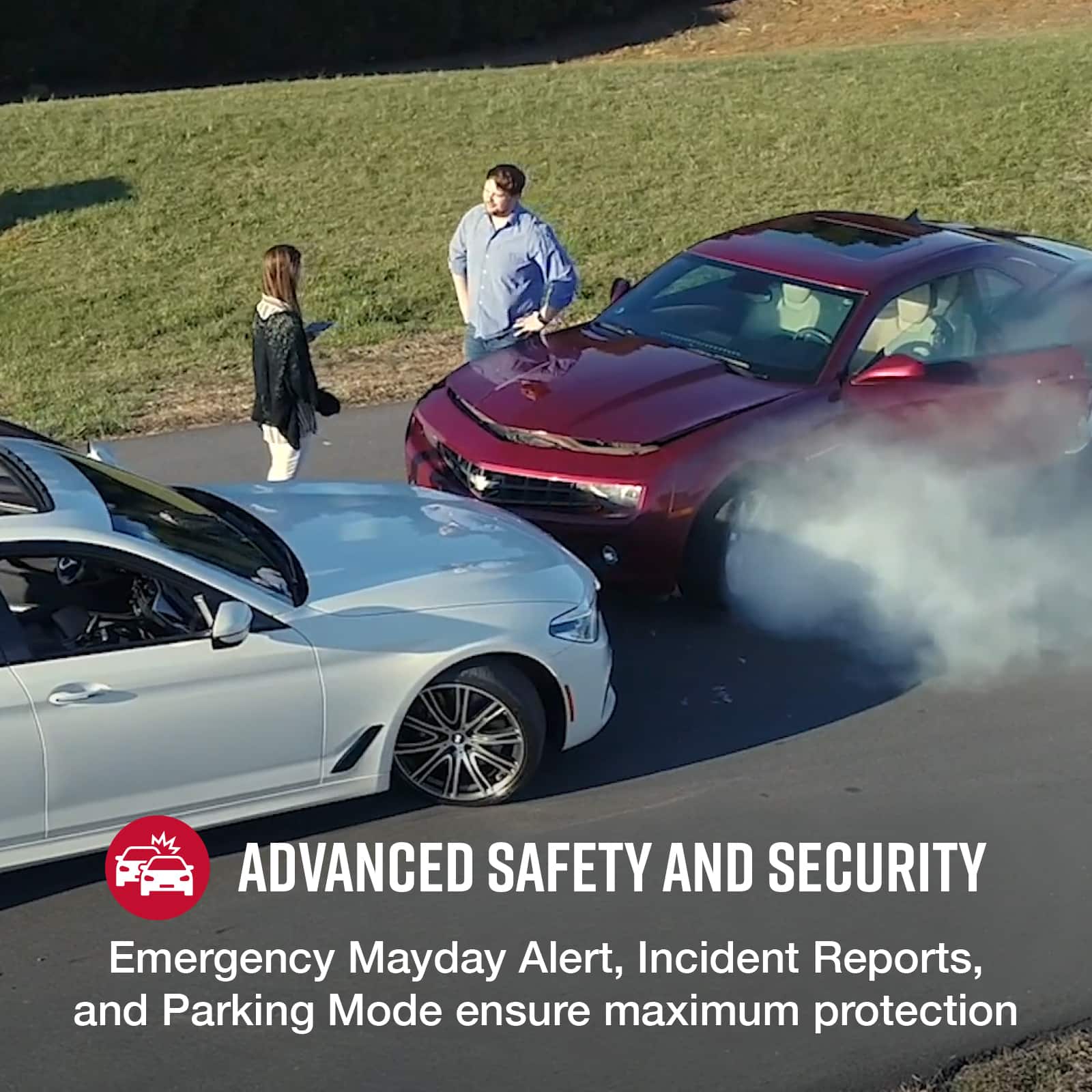
The Auto-Shutoff is a feature that let's you add a second level of protection to your vehicle's battery and works a bit differently from what you described. In any settings configuration (4 hrs, 20 hrs, etc), when you power on your car and drive away the camera will begin recording. Please keep in mind that the dash cam is in a low-power surveillance state during Parking Mode and is drawing minimal amounts of power to watch for impacts and changes in light. It will only record if an impact or a large change in light occurs (you can choose which you want the camera to monitor for based on your parking location by selecting 'motion detection' or 'parking mode'/impact detection).
Cloud Storage
-------------------
The cloud storage service is available to all SC400 users right now! Simply find a video you'd like to protect using the Drive Smarter App and press the upload button. Once done, you can log into Drivesmarter.com on your PC/laptop using the same account credentials and find your uploaded videos are available to download/share.
Thank you for your feedback!
Cobra Team
- Pros mentioned:Camera qualityCons mentioned:App, Battery life
Great quality dashcam, troublesome app
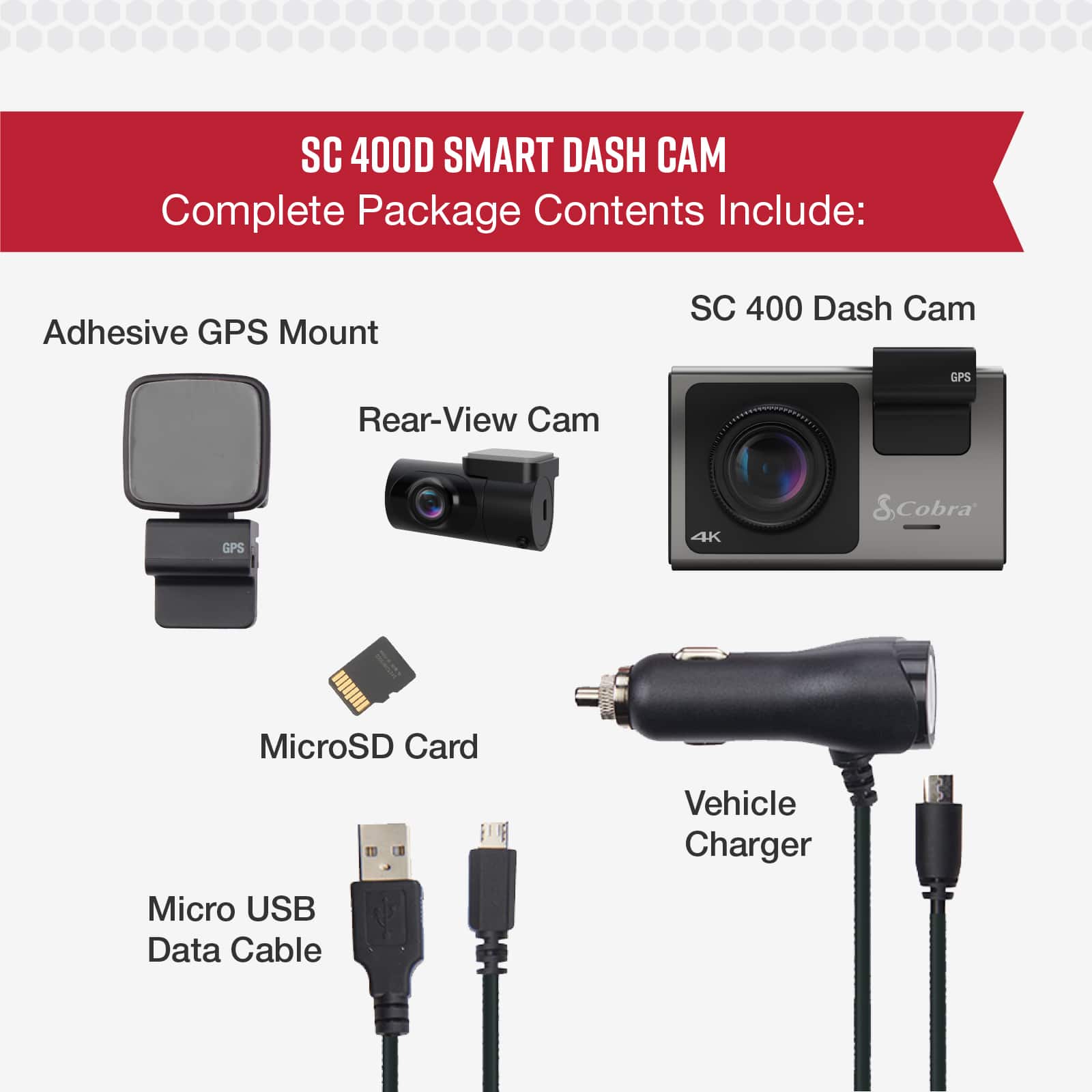
|Posted .This reviewer received promo considerations or sweepstakes entry for writing a review.I have had many dash cameras and the video quality of this one is by far my favorite. 4K video is amazing and allows me to see license plates more clearly than ever before and with a 140 degrees field of view. That being said, the Cobra SC 400D has some flaws currently and I recommend you wait to purchase to see if they can iron out the issues that the Drive Smarter app currently has. If you just want something to record video and don’t care about the “smart” features, then by all means, you can’t go wrong with this unit. It was easy to set up and install using the adhesive stickers that are already attached. They have provided a spare set incase you want to relocate the cameras. The main mount is magnetic, so you can remove the dash camera and hide it away if you want very easily. The screen is easy to see in the right light, but with some sun glare, you won’t be seeing much. It is a bit small for my liking, but it is not too bad. In the box you are given a short USB cable, a long 12V to USB micro cable for the main camera, camera mount with GPS built into it, two sets of adhesive stickers, rear mounted camera, and a long rear mounted camera cable that is a small single post connector to USB micro. It took me a little while to figure out that the rear camera connector is located on the top of the dashcam and the side connector spot is if you wanted to add an additional in cabin camera, which would be great for those who do ride sharing. Also included is a 32GB microSD card, but you really should upgrade this if you want to record more than a few hours of video, especially at 4k resolution. The microSD slot is located on the side of the camera, and it is easy to get to. The camera lens also has a feature to reduce glare on the screen. The camera does not have any type of battery or capacitor built in so if you have a car where the 12v power turns off when you turn the car off, then the dashcam will power off as well and not provide any of the advanced feature such as parking mode using the g-sensor or motion detection. If you want to use those you will have to purchase a hard wiring kit. They are not very expensive; just be sure you find one that is compatible with the micro-USB connector…most of them are Mini USB. It would have been nice for them to have included some sort of internal battery though. My main gripe with this unit is the terrible Drive Smarter app. It is pretty good to make the settings changes to the dash camera and the map feature with reporting police, traffic, or cautions seems to work well, but they are reliant on a network of other users to all do the reporting…think Waze. So, I am not sure how many users there are, but over time it may grow and depending on where you live, this might be a useful feature. For me the main feature of this app is to view the video on the camera. It will use a Wi-Fi connection to the dash camera to view the list of videos. Each time you view a video, you must reconnect back to the Wi-Fi connection, and it is quite annoying. I am not sure if this is an issue with my phone (Galaxy Note10+) or I am doing something wrong here. Each connection takes about 5 to 10 seconds to reconnect and if you don’t know what you are looking for exactly, this could be time consuming. Hopefully this will get resolved on an update, but for now this is the main reason I cannot recommend this dashcam. Pros: Video quality included rear camera ability to add in dash camera bright screen built in GPS micro-USB included 32GB card Cons: Price no internal battery Drive Smarter app
No, I would not recommend this to a friend Radar detector ripoff
||Posted . Owned for 2 weeks when reviewed.This reviewer received promo considerations or sweepstakes entry for writing a review.This is advertised as a radar detector/dashcam, but it’s only is useful as a dashcam.
No, I would not recommend this to a friendBrand response from Cedar Electronics Team
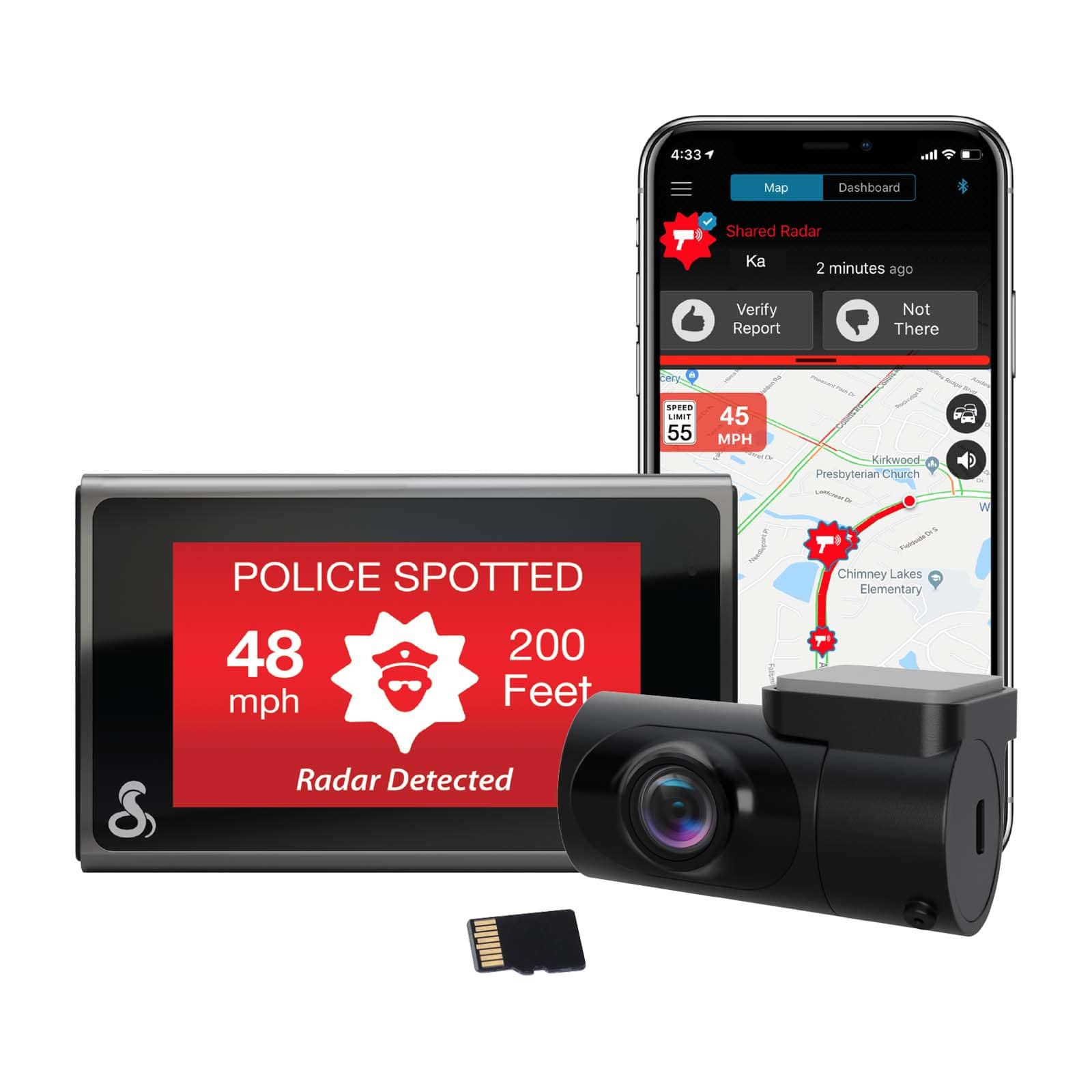
Posted .The SC 400D connects via Bluetooth to the Drive Smarter app, enabling your camera to receive real-time driver alerts for upcoming road conditions, including live police locations, radar threats, red light cameras, speed traps, and more. For additional information and details about the Drive Smarter app and how it works in conjunction with your camera, please reach out to us at 800-543-1608. Thanks!
- Pros mentioned:Camera qualityCons mentioned:Voice commands
Dash Cam 3.0
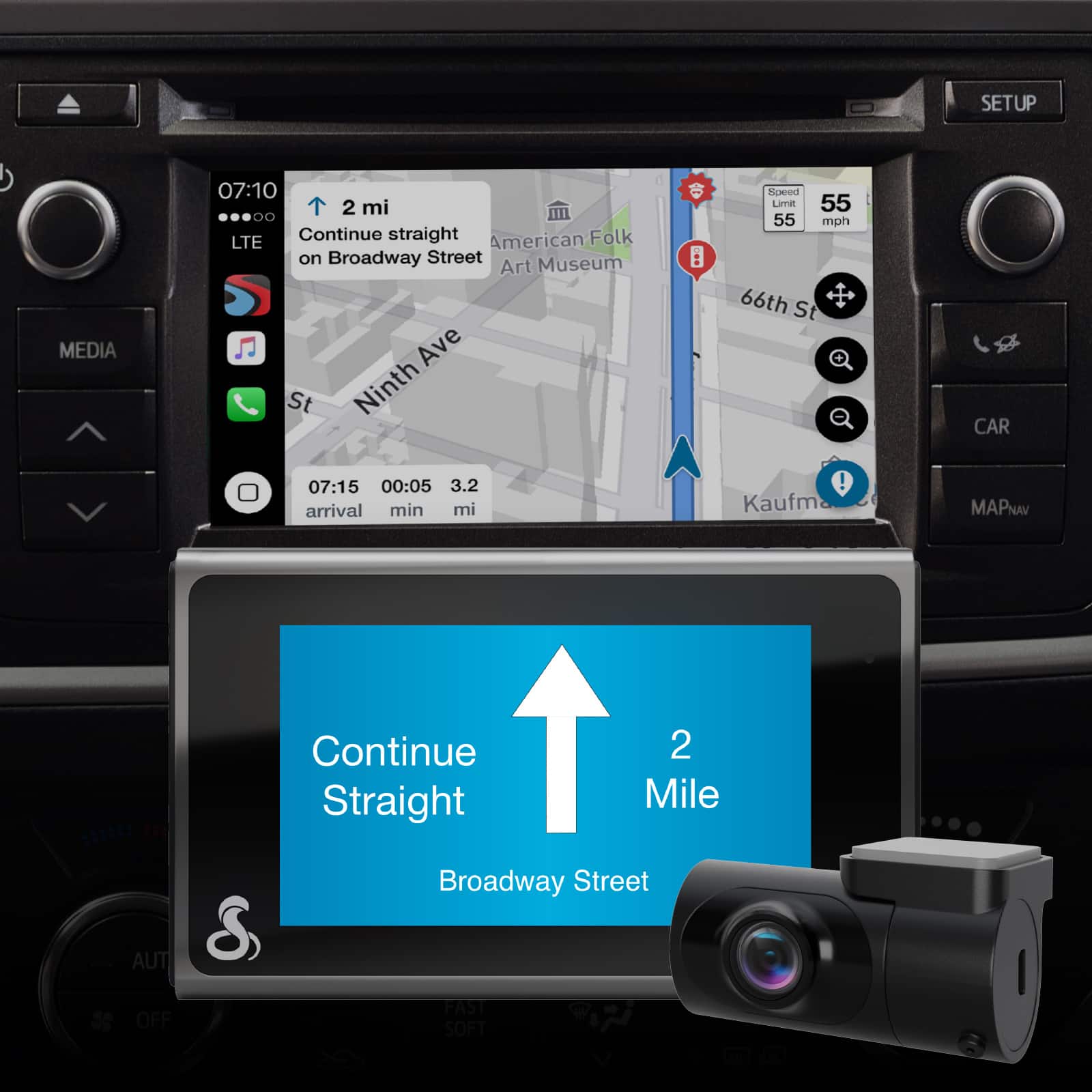
|Posted .This reviewer received promo considerations or sweepstakes entry for writing a review.Over the years there have been many iterations of the dash cam. For the most part they are quite limited in their functional capacities, and typically don't offer much of anything new or useful. However, the Cobra SC 400D is an exception as it strays well off the path of simple duplication. Cobra is well-known for production exceptional quality radar detectors. There is Cobra, and then there are "all the others." So when the opportunity arose for me to get the SC 400D, I knew that I was going to get a high-quality product. In all honesty, I wasn't really prepared for a product that so outweighed my expectations. As I unpacked the camera from the box, the first thing I encountered was a quick-start guide that is built into the box, that is, when you open the box, the quick-start guide pops up. Pretty cool. So I followed the very limited set up, and in a matter of minutes I was ready to install and start using the dash cam. (This included the download and setup of the companion Drive Smarter app.) Basic installation is nothing more than choosing the spot on the interior windshield where you want to mount the camera, and then peeling the sticky tape on the mounting base and attaching it to the window. Then plug in the power cord to a lighter outlet and plugging the other end into the camera. After connecting the power, the unit goes through a startup routine and makes itself ready to use, and begins recording. What I first noticed was how unbelievably clear and detailed the display is. I have mine set to record at 4K. There are also two other settings, which although not 4K, are QHD and full HD...both very high and clear quality. I then left it in the car the rest of the day, and when I got home that evening I checked out the recordings. Before I cover the quality of the recordings, I want to point out that the camera is capable of understanding a basic set of voice commands, such as "Turn Screen Off," "Turn Screen On," and "Take Photo." There are a few more as well. As I was driving, I made it a point to take several photos, including night-time photos, full-direct-sun photos, and various other photos under differing conditions. I disconnected the camera from its mount, took it inside and connected it to my computer via the included USB cable. In all sincerity, I was stunned by the superior quality of both the videos and the photos. My expectations were exponentially surpassed. I have included a few photographs for you to see. Once the camera is connected to your computer, it is just a matter of accessing the photos and videos via your file manager. As far as the very basic operation of the dash cam goes, that just about wraps it up. HOWEVER, there is so much more to know about the Cobra SC 400D! The unit is Alexa capable. After enabling the blue tooth and connecting the camera, the Alexa app pretty much set itself up. The dash cam comes with built-in GPS. The app will display a map that can be used to give an overview of notifications supplied by other users, such as speed traps, traffic patrols, accidents, etc. There are several touch buttons on the screen you can use which change depending on whether the unit is set to record or not. When set to record, these are "Stop Recording," "Take Photo," "Toggle Audio Recording," "Lock Video/Emergency Recording," and "Alexa Wake Button." When recording has been stopped, there is the "Begin Recording," "View Videos," "Toggle Audio Recording," "Enter Settings," and "Alexa Wake Button." In "Settings" there are several items to choose from. That is a basic overview of what the dash cam will do. So let me go into a few other aspects. The voice commands make using the SC 400D fairly simple to use as far as basic functions go. There are seven commands you can use, most of which can also be accessed via the on-screen buttons. The GPS component allows a watermark of your location to be imprinted on the videos and photos. Although these are the numerical coordinates, you can simply plug these in to google maps to find out the exact location. The watermark also includes the date, time, and the speed at that moment. All videos are recorded in one-minute intervals. So, with all this being said, what do I think about the Cobra SC 400D? Overall it is a superior, very-high-quality dash cam. The video resolutions available are all extraordinary. It is easy to use and it is a very user-friendly piece of equipment. The learning curve is very small, and even first-time users of dash cams will find the SC 400D easy to use. The camera has a ton of features and options, including automatic crash detection, and automatic alerts. Seriously, it is an amazing product. With that being said, there are a few downfalls. Let me explain. One of the first things I noticed is that once you mount the base via the sticky tape, it is mounted. There is no changing your mind and moving the base somewhere else without risking damage to the base. To Cobra's credit, they utilize only very-good quality components, including the sticky tape. The base is designed to swivel front to back, but not side-to-side. This is a bit disappointing as I can visualize a multitude of situations where one might want to adjust the field of view right or left. The complete library of recognized voice commands is limited to seven different commands. There is no ability to voice control the unit to stop recording video. There are various other voice commands that would go a very long way in making the SC 400D easier to use. If one doesn't want the power cables visible, it would take a lot of effort for a novice to run the cords along the trim and/or through the headliner, especially the rear view camera. I intend to hide all my cables, and will have to figure out a time when I can set aside a couple of hours to do so. The last thing that is somewhat of an issue for me is that the network depends on drivers providing useful information. There is no ability to do this without serious distractions if you are driving. This surely creates a lack of provided information as most people would probably be unwilling to pull over and upload this information to the network. So the question remains, is the Cobra SC 400D a good investment? Would I recommend it to a friend or family member? The answer to both is a very loud "YES!!" There is no product on the market that doesn't have some issues that some people won't like. Those same issues for one might never cross the mind of another. So all criticisms should be taken with a grain of salt, and these have been provided simply to help you make an informed decision. This is the absolute best dash cam I have ever owned. It's quality is flawless, and I truly expect this to be one product I will consistently encourage others to buy. As I said, I would HIGHLY recommend the Cobra SC 400D to anyone who is thinking about purchasing a dash cam.
I would recommend this to a friend Dissapointed
||Posted . Owned for 3 weeks when reviewed.This reviewer received promo considerations or sweepstakes entry for writing a review.Dead out of the box. Returned for refund after it took a month to arrive.
I would recommend this to a friendUSELESS CAMERA
||Posted . Owned for 6 months when reviewed.This reviewer received promo considerations or sweepstakes entry for writing a review.Useless camera ! Only records when the car is on ! My parked car got hit lastnight and didn’t record nothing !
No, I would not recommend this to a friendIt Failed
||Posted . Owned for 1 week when reviewed.This reviewer received promo considerations or sweepstakes entry for writing a review.Best Buy Tech (a great guy) tried to install this dash cam twice and the wiring harness failed. I am done with it.
No, I would not recommend this to a friendBrand response from Cedar Electronics Team
Posted .We are sorry to hear you had issues with the wiring! If you have any questions or concerns, please contact us at 800-543-1608, option 3 on the menu.
Cobra rc4000
||Posted .This reviewer received promo considerations or sweepstakes entry for writing a review.Can’t sync to phone. Customer service not knowledgeable for this item.
No, I would not recommend this to a friend