Customer Ratings & Reviews

- Model:
- CT1000P510SSD8
- SKU:
- 10732639
Rating by feature
- Value
Rating 4.8 out of 5 stars
- Quality
Rating 4.7 out of 5 stars
- Ease of Use
Rating 4.8 out of 5 stars
Very good
||Posted .This reviewer received promo considerations or sweepstakes entry for writing a review.Its fast, It works, And its 1tb, Everything advertised and its pretty
I would recommend this to a friendCrucial
||Posted .This reviewer received promo considerations or sweepstakes entry for writing a review.One of the best m2 super fast good for gaming fps+
I would recommend this to a friendVery happy and confident in Crucial drives
||Posted .This reviewer received promo considerations or sweepstakes entry for writing a review.Built my last system using a Crucial M2 sata drive in 2018 and it is still running strong, so my new build runs on this ssd; running extremely fast on an Asus z890 board with 265k processor. Very happy and confident in Crucial drives.
I would recommend this to a friendSpeed and price
||Posted .This reviewer received promo considerations or sweepstakes entry for writing a review.The speed is promising. and of course its price (I got good deal $99). May consider install heatsink if concern overheating.
I would recommend this to a friendGreat SSD.
||Posted .This reviewer received promo considerations or sweepstakes entry for writing a review.Great SSD. Don't over buy on your SSD for gaming PC's. I'm running in a pretty high end build with a 9800x3d and 5070 ti.
I would recommend this to a friendInternal hard drive review
||Posted . Owned for 3 weeks when reviewed.This reviewer received promo considerations or sweepstakes entry for writing a review.I needed to replace thehard drice for my laptop. I purchased this one. It works well
I would recommend this to a friendGood ssd
||Posted .This reviewer received promo considerations or sweepstakes entry for writing a review.It's a really good SSD drive was easy to install on my computer and works really well
I would recommend this to a friendUpgrade to 1tb SSD
||Posted . Owned for 1 month when reviewed.This reviewer received promo considerations or sweepstakes entry for writing a review.So far so good. It's only been about 2 months. Unless it was bad from the start, I would hope a hard drive would work as intended.
I would recommend this to a friendGreat purchase
||Posted .This reviewer received promo considerations or sweepstakes entry for writing a review.It was great but make sure to back up your original drive just incase it gets errors from cloning
I would recommend this to a friendCannot beat Crucial
||Posted . Owned for less than 1 week when reviewed.This reviewer received promo considerations or sweepstakes entry for writing a review.Great brand, even better price!!!! Crazy fast read/write speeds. Don't overspend. Get Crucial.
I would recommend this to a friendGood SSD drive with plenty of storage
||Posted .This reviewer received promo considerations or sweepstakes entry for writing a review.I had to replace a failed drive in a notebook computer, and this one did the job. Plenty of storage means I can install a lot of those modern games that take up tons of space.
I would recommend this to a friendWorks Great and Works Fast
||Posted .This reviewer received promo considerations or sweepstakes entry for writing a review.Had no problems installing in my new PC build. Works well and has not had any issues. Great option for the price.
No, I would not recommend this to a friendAmazing!!
||Posted .This reviewer received promo considerations or sweepstakes entry for writing a review.still works great to this day i love em. will be recommending to my family
I would recommend this to a friendBought on compatibility & price but details matter
||Posted .This reviewer received promo considerations or sweepstakes entry for writing a review.I bought this as expansion for my son's college laptop because it was less expensive and more recent tech (Gen5) than other brands with similar capacity. After buying, I was researching fit and found that while the laptop is compatible with GEN5, it will not make use of the enhanced features and will actually generate extra heat vs. a Gen4 alternative. This may not apply to you, but after researching I bought Samsung - 990 PRO 1TB Internal SSD PCle Gen 4x4 NVMe for $30 more.
I would recommend this to a friendCORSAIR - VENGEANCE RGB 32GB (2x16GB) DDR5 6000MHz
||Posted .This reviewer received promo considerations or sweepstakes entry for writing a review.Does a great job and is gen 5 so great for future upgrades Does need better directions including if to keep plastic on piece.
I would recommend this to a friend
Great Gen 5 NVMe SSD!
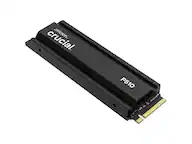
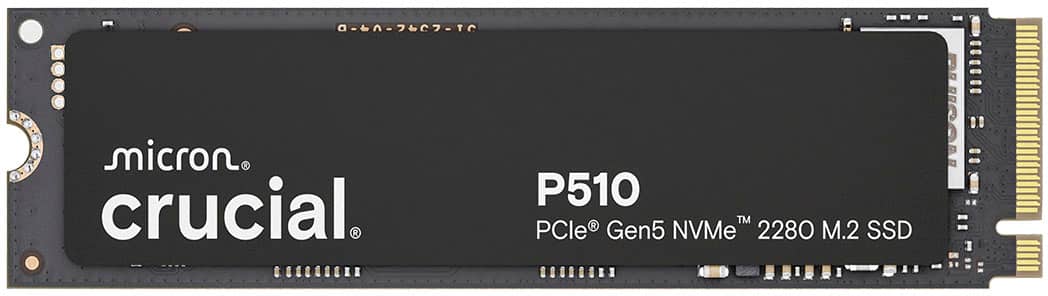
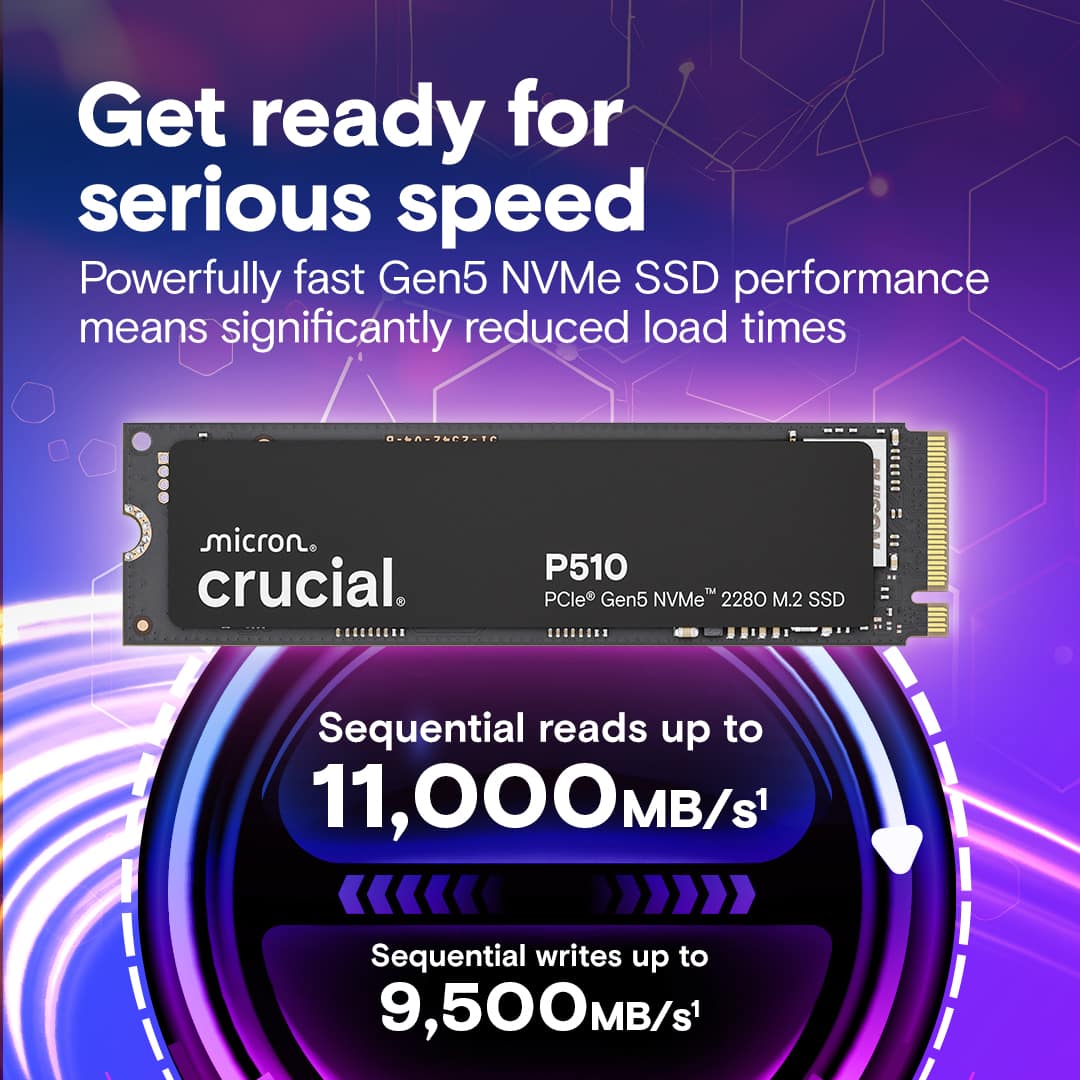
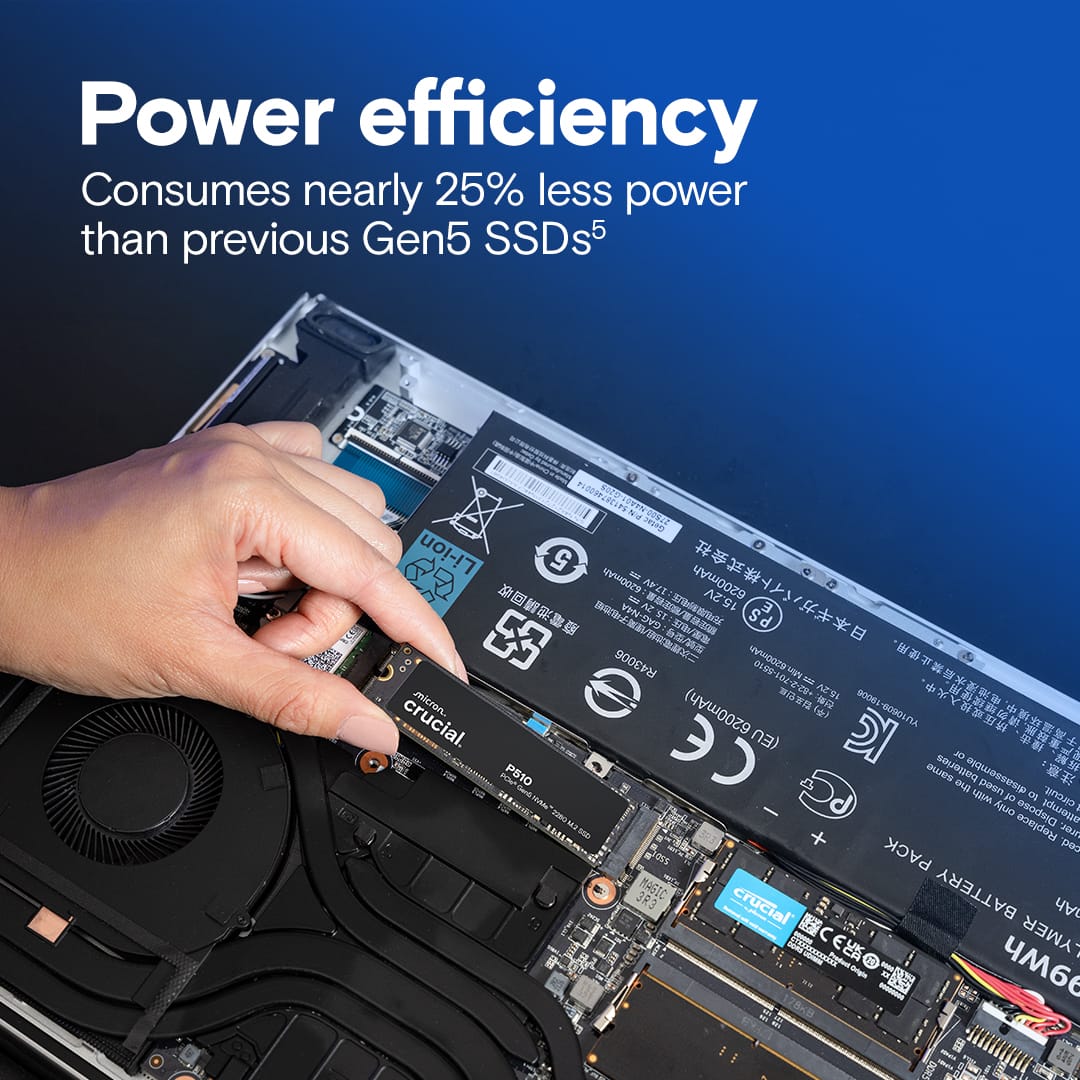
|Posted .This reviewer received promo considerations or sweepstakes entry for writing a review.I recently installed the Crucial P510 1TB Gen5 NVMe SSD into my desktop, and as a hands-on tech enthusiast, I immediately put it through its paces. This is a PCIe 5.0 x4 drive in the standard M.2 2280 form factor, boasting blazing fast sequential speeds up to 11,000 MB/s reads and 9,500 MB/s writes. In practical terms, that means Windows boots in seconds and large game levels load almost instantaneously. Coming from a PCIe Gen4 SSD, I noticed slightly snappier file transfers and reduced loading times in heavy apps – not night-and-day, but definitely a measurable bump in performance for large workloads. The backward compatibility is a nice touch too: I tested the P510 in an older Gen4 slot and it still worked (just capped at Gen4 speeds), so you can use it now and get full Gen5 speeds later if you upgrade your motherboard. Installing the P510 was straightforward. It’s a single-sided NVMe drive, which fit easily under my motherboard’s existing M.2 heatsink. (Crucial offers an optional heatsink model as well.) I was a bit concerned about thermals, since early Gen5 SSDs had a reputation for running hot, but Crucial clearly optimized this drive for efficiency and cooler operation. In my real-world tests copying hundreds of gigabytes and running disk benchmarks, the P510 only became mildly warm. I didn’t observe any throttling, and the drive remained cool even during extended heavy operation. This is likely thanks to its design – it uses Micron’s 276-layer TLC NAND and a Phison E31T controller in a DRAM-less setup, which reduces power consumption by up to 25% compared to some high-end Gen5 drives. The result is a drive that’s laptop-friendly (power-efficient) and doesn’t turn into a furnace under load. Still, for absolute worst-case workloads (like continuous 4K video recording or very large file writes), a heatsink or good airflow is advisable to maintain peak performance. In daily use, the performance of the P510 is fantastic. Booting Windows 11 and launching applications feels instantaneous. I moved a 100GB game install in a flash – the transfer speed averaged in the several gigabytes per second without breaking a sweat. Loading large projects (like 4K video edits and Unreal Engine scenes) showed off the drive’s high IOPS and throughput. Even with its DRAM-less design, I didn’t notice any hitching or slowdowns; the Host Memory Buffer feature seems to compensate well. For those interested in benchmarks, the CrystalDiskMark numbers I got were in line with the specs (around 10 GB/s sequential reads). More importantly, real-world tasks like game level loads and bulk file copies were among the fastest I’ve experienced. The P510 also supports Crucial’s Storage Executive software, which I used to check firmware and enable Momentum Cache. It’s a handy tool to monitor drive health and even squeeze out extra performance by using some RAM as cache (though honestly, the drive is already so fast I didn’t feel a big difference). Reliability and longevity appear solid. The endurance rating is 600 TBW for this 1TB model, which means you could write 600 terabytes to it before expecting any issues – far more data than I’ll likely ever move in the drive’s lifetime. It also carries a 5-year limited warranty, which gives peace of mind. After a couple weeks of constant use, including installing OS and software on it, I haven’t encountered any glitches. My system has been rock-stable with the P510 as the boot drive. One thing to note: the drive does not support hardware encryption (it’s a “drive-only” approach), so if you need BitLocker hardware acceleration or TCG Opal encryption for work, that’s a potential downside. For most home users, this is not a big issue, but it’s worth mentioning for a security-conscious buyer. In summary, I’m impressed by what Crucial delivered here: Gen5 performance at a very reasonable price point. It truly feels like a next-gen SSD made accessible to enthusiasts on a budget. You’ll get the most out of it if you have a cutting-edge PC that supports PCIe 5.0 (like newer Ryzen 7000 or Intel 12th/13th gen platforms). If you’re on an older system, the P510 will still work (no wasted compatibility) but you won’t see its full speed until you upgrade your motherboard. For my use – heavy multitasking, some content creation, and a lot of gaming – this drive has been a dream. Load times are minimal, big file operations fly, and I don’t have to worry about it overheating or wearing out prematurely. Below I’ve outlined some quick pros and cons based on my experience, and who I think will benefit most from this SSD. Pros: - Exceptional read/write speeds that meet the Gen5 spec (truly insanely fast transfers and game loads). - Runs cool and efficient under real-world loads – suitable for desktops and laptops (doesn’t require extreme cooling). - Competitive pricing for a Gen5 drive (offers high-end performance at about the cost of last-gen premium SSDs). - 5-year warranty and high endurance (600 TBW) for long-term reliability. - Easy installation; standard M.2 form factor with optional heatsink if needed (plus works in older PCIe slots albeit at lower speeds). Cons: - To fully benefit, you need a new PCIe 5.0-capable system – otherwise it performs like a (still fast) Gen4 drive. - Lacks built-in encryption support, which might matter to professional users who need hardware-level security. - Diminishing returns for everyday tasks: in normal use (web browsing, Office, etc.), you won’t feel a huge difference over a good Gen4 SSD – the advantages show up in heavy workloads. - No included heatsink in the base package (the drive is efficient, but heavy sustained writes could throttle without some cooling, so consider using a motherboard heatsink or buying the version with one). Ideal For: PC builders and upgraders who crave top-tier storage performance – gamers with the latest motherboards, content creators handling large media files, or tech enthusiasts doing AI/model training and needing rapid data access. It’s also great for laptop users who want a speedy upgrade without sacrificing battery life, given its efficiency. If you have a need for speed and plan to keep your rig current, the Crucial P510 is a fantastic choice that delivers Gen5 thrills. Casual users or those on older systems might find a Gen4 SSD more cost-effective, but if you want to future-proof your storage, this drive hits a sweet spot of performance, thermals, and value. Overall, I’m thrilled with the P510 – it’s made my high-end PC feel that much more responsive and ready for anything.
I would recommend this to a friendDirectStorage Drive, runs fast, no heatsink needed
|Posted .This reviewer received promo considerations or sweepstakes entry for writing a review.This is a nice laptop SSD for newer laptops that can take advantage of this Gen 5 drive. The reason why I described it as good for laptops is because it runs fairly cool temperature for the performance it achieves, no heatsink needed. I cloned the Gen 4 SSD my latest Gaming Laptop came with to this drive and used it as the system/game drive and repurposed the Gen 4 SSD as storage. For top performance just make sure your computer supports Gen 5 drives. I got speeds near the listed speeds of 11000 on the product box. This drive works very well with DirectStorage capable games, Forza Motorsports and Horizon Forbidden West run super well from this SSD. Loading times are much reduced. I am impressed by how fast this drive works combined with how cool it stays compared to most drives. It is a really good balance of performance and heat efficiency, great for gaming laptops. I would recommend this for anybody looking to add a gaming SSD to a laptop for use as the system/game drive, as long as the device is PCIe Gen 5 Capable.
I would recommend this to a friendI only wish I had tested it better.
||Posted .This reviewer received promo considerations or sweepstakes entry for writing a review.I should have done more testing.. I ran a chkdsk a week ago and noticed bitmap issues. But chkdsk /scan came back clean. Today, after 24 days I have more bitmap issues. Running chkdsk /scan says it fixes the issues but re-running a chkdsk shows errors. I'm beyond the 15 day return period so I'm onto Crucial's return process. Arggh, as this is my system drive. I'd still recommend the drive as this is probably a one-off but I can't give it more than one star not knowing so.
I would recommend this to a friendA Fast Solid Performing Gen 5 SSD
|Posted .This reviewer received promo considerations or sweepstakes entry for writing a review.Crucial has delivered on a cost effective Gen 5 M.2 SSD with the P510. This is a 2280 length M.2 SSD. My motherboard has one Gen 5 M.2 SSD slot which accommodates a 2280. The P510 fit just fine. I needed an SSD without a heat sink and with the P510 there isn’t a heatsink. My motherboard has a built in heatsink so I didn’t need an SSD with one. The heatsink on my board flips up so you can insert an SSD, then flip it down and a latch holds it down. The P510 worked with it and I had no issues there. I’m not a fan of M.2 SSD’s having a sticker/label over the chips on them. This one does, but my use of it so far isn’t showing a heating problem. If it does at some point in the future, I may end up removing it, but I don’t consider that a big deal. Speed I was able to get up to the advertised read speed out of the P510. Crucial says 11,000 MB/s and my read tests were close to that. This is so much faster that my other SSD’s. The difference to me seemed night and day. Regarding write speeds, I was getting a little over 9,000 MB/s. My next fastest M.2 SSD is thousands of MB/s less. I’m happy with the speeds, both read and write, that I’m getting out of the P510. Heat I wasn’t having any issues with heat. This was helped by the built in heatsink of my motherboard, but even without that, I have good airflow across the board, so I didn’t expect to have too much of an issue there. Apps/Games I moved a few game directories over to the P510 along with the cache directory for DaVinci Resolve. I did see a significant improvement with games starting up. I didn’t see much improvement during game play with first person shooters, but initially launching the games did have a noticeable improvement. For DaVinci Resolve, which is what I use to edit video, I saw improvements with some elements of video editing. After files are dropped on the timeline, no improvement there, Resolve will cache a lot of that. It will hit cache a bit hard when moving across the timeline. I did see speed increases with that. That alleviates slow down due to reads from the cache files, but I’m still, overall, limited to my CPU and GPU. The P510 helps with some aspects of my use of Resolve. Final Thoughts Stepping up to the next generation of M.2 SSDs has the benefits one would expect. These Gen 5 SSDs, at this time, can help improve speeds with games loading and some aspects of NLEs. The benefit of the Crucial P510 is that it doesn’t break the bank and has good solid performance. This is a good option for someone wanting to step up to Gen 5 and not have to put a lot of money into it until the larger capacity ones come out and prices settle down. Overall, I’m happy with the performance of the P510 and would recommend it.
I would recommend this to a friendFast Entry level GEN 5 NVME
|Posted .This reviewer received promo considerations or sweepstakes entry for writing a review.The Crucial P510 is a Gen 5 NVMe 2280 M.2 SSD promises high speeds with low temps. I put this to test in my MSI Meg Ace X670e MOBO as it has the Gen 5 M.2 ports. My teste Bench Setup: 9800X3D ASUS Astral 5080 64 GB DDR5 1 TB Crucial P510 Gen 5 1 Tb S. Pro TB Gen 4.0 Testing it on the benchmarks my read Speeds hit 11,004.68MB/s with a write speed of 9,256.81 MB/s. This is very impressive speeds in the synthetic environment. While the other speeds were nearly identical to my existing gen 4 RND speeds, I felt that my actual real life pc boot times were almost the same with in a few seconds of each other. Using it to test gaming performance wise, I couldn’t see a speed bump in non-Direct Storage games, but when I used Ratchet and Clank: Rift Apart which is a Direct Storage optimized game, I noticed a significant difference in the game’s performance versus a gen 4. Additionally, the speed burst from portals showed a considerably removal of lag loading and almost seamless transition in game scene rendering. Given that it does show some gains in direct storage I wanted to time test it against the GEN 4 in COD and BF 5 load times. The P510 Gen 5 NVME showed better load times in both COD and BF5 by roughly 3 average seconds overall versus the GEN 4. One last test was for file copying tests. I used a basic 10 GB file, and I got roughly 1.2k better MB/s than the Gen 4 file. In conclusion, the Crucial P510 is a very nice addition to any GEN 5 capable pc. While the difference might be small for those going from a gen 4 at time, the leap from gen 3 is massive. I believe the Direct storage benefits is a very welcome addition for a gamer like me and will be utilized as more companies adopt the format and process. Lastly, the price point makes it very appealing for those looking to add a gen 5 nvme ssd.
I would recommend this to a friend