Customer Ratings & Reviews

- Model:
- CT1000P510SSD8
- SKU:
- 10732639
Rating by feature
- Value
Rating 4.8 out of 5 stars
- Quality
Rating 4.8 out of 5 stars
- Ease of Use
Rating 4.8 out of 5 stars

A Fast Solid Performing Gen 5 SSD
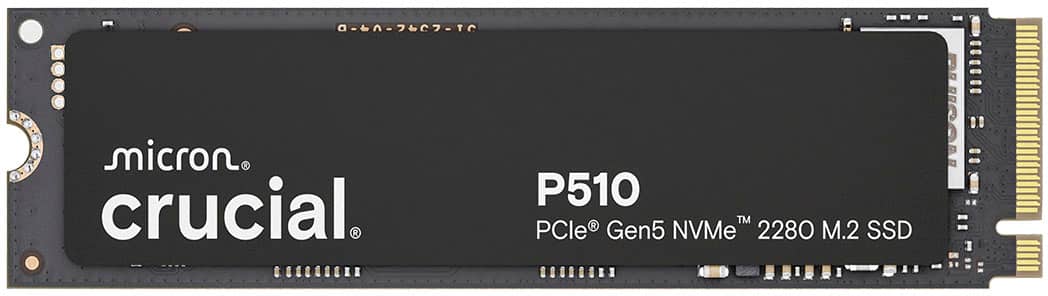
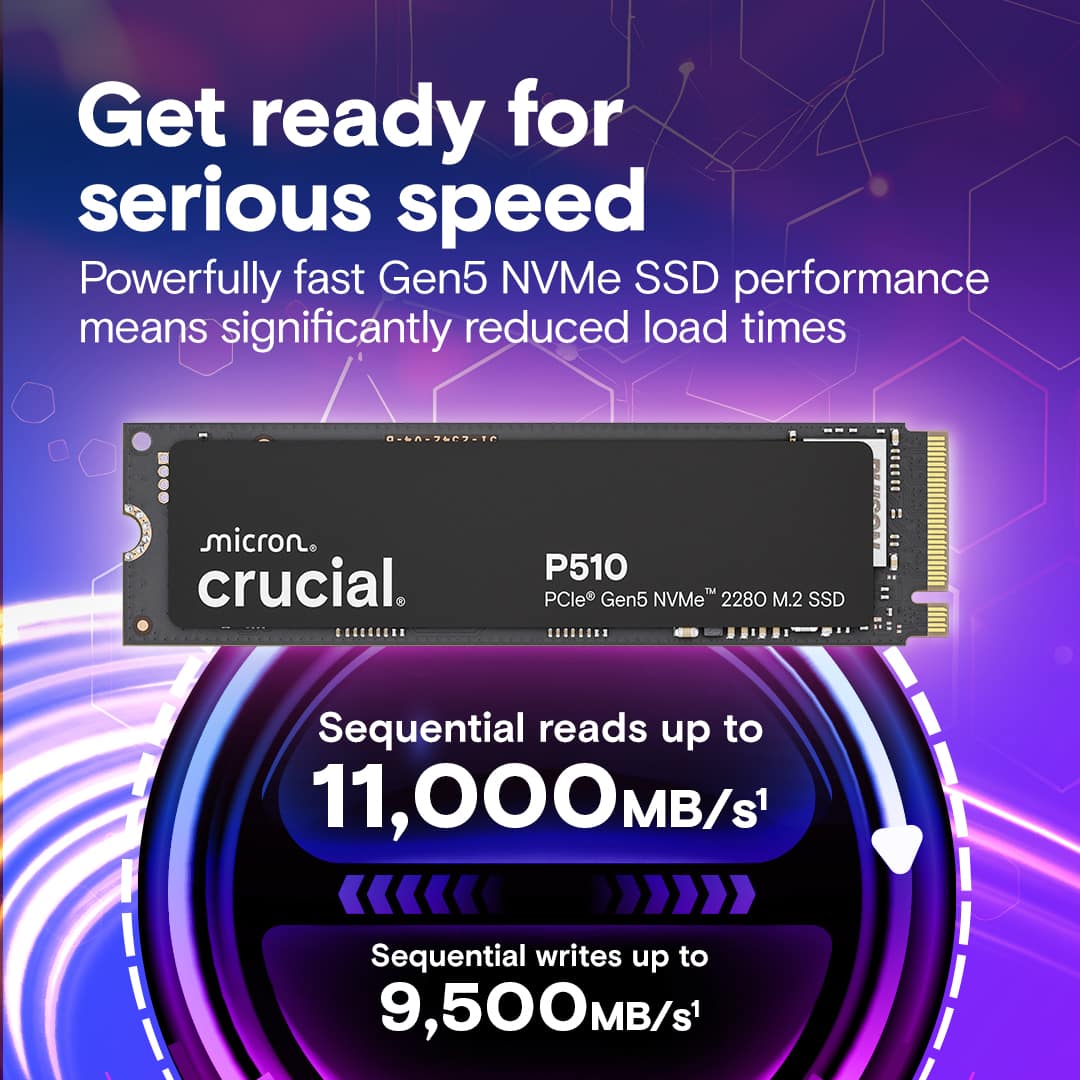
|Posted .This reviewer received promo considerations or sweepstakes entry for writing a review.Crucial has delivered on a cost effective Gen 5 M.2 SSD with the P510. This is a 2280 length M.2 SSD. My motherboard has one Gen 5 M.2 SSD slot which accommodates a 2280. The P510 fit just fine. I needed an SSD without a heat sink and with the P510 there isn’t a heatsink. My motherboard has a built in heatsink so I didn’t need an SSD with one. The heatsink on my board flips up so you can insert an SSD, then flip it down and a latch holds it down. The P510 worked with it and I had no issues there. I’m not a fan of M.2 SSD’s having a sticker/label over the chips on them. This one does, but my use of it so far isn’t showing a heating problem. If it does at some point in the future, I may end up removing it, but I don’t consider that a big deal. Speed I was able to get up to the advertised read speed out of the P510. Crucial says 11,000 MB/s and my read tests were close to that. This is so much faster that my other SSD’s. The difference to me seemed night and day. Regarding write speeds, I was getting a little over 9,000 MB/s. My next fastest M.2 SSD is thousands of MB/s less. I’m happy with the speeds, both read and write, that I’m getting out of the P510. Heat I wasn’t having any issues with heat. This was helped by the built in heatsink of my motherboard, but even without that, I have good airflow across the board, so I didn’t expect to have too much of an issue there. Apps/Games I moved a few game directories over to the P510 along with the cache directory for DaVinci Resolve. I did see a significant improvement with games starting up. I didn’t see much improvement during game play with first person shooters, but initially launching the games did have a noticeable improvement. For DaVinci Resolve, which is what I use to edit video, I saw improvements with some elements of video editing. After files are dropped on the timeline, no improvement there, Resolve will cache a lot of that. It will hit cache a bit hard when moving across the timeline. I did see speed increases with that. That alleviates slow down due to reads from the cache files, but I’m still, overall, limited to my CPU and GPU. The P510 helps with some aspects of my use of Resolve. Final Thoughts Stepping up to the next generation of M.2 SSDs has the benefits one would expect. These Gen 5 SSDs, at this time, can help improve speeds with games loading and some aspects of NLEs. The benefit of the Crucial P510 is that it doesn’t break the bank and has good solid performance. This is a good option for someone wanting to step up to Gen 5 and not have to put a lot of money into it until the larger capacity ones come out and prices settle down. Overall, I’m happy with the performance of the P510 and would recommend it.
I would recommend this to a friendFast Entry level GEN 5 NVME
|Posted .This reviewer received promo considerations or sweepstakes entry for writing a review.The Crucial P510 is a Gen 5 NVMe 2280 M.2 SSD promises high speeds with low temps. I put this to test in my MSI Meg Ace X670e MOBO as it has the Gen 5 M.2 ports. My teste Bench Setup: 9800X3D ASUS Astral 5080 64 GB DDR5 1 TB Crucial P510 Gen 5 1 Tb S. Pro TB Gen 4.0 Testing it on the benchmarks my read Speeds hit 11,004.68MB/s with a write speed of 9,256.81 MB/s. This is very impressive speeds in the synthetic environment. While the other speeds were nearly identical to my existing gen 4 RND speeds, I felt that my actual real life pc boot times were almost the same with in a few seconds of each other. Using it to test gaming performance wise, I couldn’t see a speed bump in non-Direct Storage games, but when I used Ratchet and Clank: Rift Apart which is a Direct Storage optimized game, I noticed a significant difference in the game’s performance versus a gen 4. Additionally, the speed burst from portals showed a considerably removal of lag loading and almost seamless transition in game scene rendering. Given that it does show some gains in direct storage I wanted to time test it against the GEN 4 in COD and BF 5 load times. The P510 Gen 5 NVME showed better load times in both COD and BF5 by roughly 3 average seconds overall versus the GEN 4. One last test was for file copying tests. I used a basic 10 GB file, and I got roughly 1.2k better MB/s than the Gen 4 file. In conclusion, the Crucial P510 is a very nice addition to any GEN 5 capable pc. While the difference might be small for those going from a gen 4 at time, the leap from gen 3 is massive. I believe the Direct storage benefits is a very welcome addition for a gamer like me and will be utilized as more companies adopt the format and process. Lastly, the price point makes it very appealing for those looking to add a gen 5 nvme ssd.
I would recommend this to a friendFast upgrade to gaming laptop
|Posted .This reviewer received promo considerations or sweepstakes entry for writing a review.Need a fast replacement for your failing SSD or want more speed and storage? This is the real deal. I got this and imaged my older one right away. Installation was quick and once I transferred my info over, I was set to go. Here are highlights on this item> 1. 1TB storage with no large drive slow down (if you know what I mean) 2. formats fast and once you get your OS installed (if you need it for that) it is lighting fast on boot up. 3. read/write was big improvement over last gen drive I have. The Gen5 tech makes it easy to use and programs work smoother as well. 4.can be used on Gen4 interface, but still not give you full speed of the Gen5 5. does not seem to heat up much, even under load for long periods (like gaming or video render) 6. copy from both internal drives are snappy and take almost no time at all. 7. gaming is on a whole another level. My WoW and Steam load faster and play smoother with the new drive. So all in all, I am extremely happy with this drive and can't wait to see what other situations improve with this faster drive.
I would recommend this to a friendFast drive
|Posted .This reviewer received promo considerations or sweepstakes entry for writing a review.This PCIGen 5 SSD is blazing fast with ample space as well with 1TB of capacity. Maybe not high for gaming if you install a lot of games but great for a secondary drive if you do. The read and write speeds for this is amazing compared to my previous laptop with a Gen4 PCI4 drive. It's also backed my Crucials 5 year warranty so you don't have to worry about it as well. It also includes Adobe creative cloud all apps plan with a one month subscription which is nice for those who use it. The benefits of having the faster read and write speeds with PCI Gen 5 drives like this is great for games where you have large files being transferred when you download the game or even while playing the game. Loads in the assets from the game faster which means you're not waiting at a loading screen as well. Faster speeds also benefits content creators as well so this drive is great for them as well. Faster you can load your videos when you're trying to edit them as wellwith 4k videos taking a lot of memory that is crucial.
I would recommend this to a friendFast and reliable
|Posted .This reviewer received promo considerations or sweepstakes entry for writing a review.I've been using nvme drives exclusively for years, and have become something of a snob in that department. Do I need these insanely fast transfer speeds in my day to day computing? No. Do I need them in exceedingly rare circumstances? No. But who cares? Why go slow when fast is an option? So yeah I was happy to grab this gen 5 drive and add it to the pack. And it's great! Installation took about 10 minutes, I have to remove my GPU to access my nvme drives. I have one of those motherboards with a unified heat spreader so it takes some time. Good news, for me, is that I only had to remove 2 screws, installing the drives themselves on my system is completely toolless. Just pop the drive in and you're good to go. If this is your first nvme drive be sure to check your system requirements to confirm it's supported, and you'll want to see how installation works as well. Sometimes the nvme slot is behind the GPU, sometimes it's up by the ram, in some cases it's even on the back of the motherboard ... and if you don't have a cutout in the back that's going to be a massive pain. You also might only have one gen 5 slot, or worse none at all! So do your research first to minimize headaches. One thing to be aware of that is entirely dependent on your hardware is pcie lane-sharing. On a lot of motherboards installing a gen 5 drive will halve the speed of your top GPU slot - taking it from 16 pcie lanes to 8. This shouldn't be a problem since even the current highest end GPU doesn't fully saturate those lanes, but it is something consider. This is the case on my system so I'm running my GPU at x8 now, but according to the benchmarks I did before and after adding this drive there's no difference whatsoever in my gaming performance. Performance loss is expected to be in the 1-3% range depending on your resolution. Just something to keep in mind if you're one of those fanatics that stresses about every single frame. Once everything was buttoned up I hopped into windows and set up the partition in disk management. Don't worry if you don't see your drive in explorer on boot, that's completely normal. just go to disk management and create a new partition and that's it. You're done. Ran some tests after that and confirmed the advertised speeds. Not a surprise from crucial. I've been using them for years and they're very reliable. This is actually the second crucial drive in this system, first gen 5 tho. Moved about 500GB of games over from other drives, which only took a few minutes. Bear in mind that if you're doing data transfers from gen 4 drives to gen 5 you're not going to hit the max speed as you're obviously limited by the slowest device in the chain. Still it only took a few minutes. Don't know what else there is to say. It's a fast drive. It works as advertised. Thumbs up!
I would recommend this to a friendGreat storage drive for a gaming machine
|Posted .This reviewer received promo considerations or sweepstakes entry for writing a review.The P510 is not the first PCIe 5 NVMe drive to hit the market. It is, however, one of very few affordable options for those not looking to spend an arm and a leg on their storage. I'll admit some concern when first installing it that this might have resulted in a compromised product, but I was pleasantly surprised to find a capable storage drive that offers a great deal of performance for its price. To begin with, let's cover the drive's greatest strengths. Obviously, it is fast. Synthetic benchmarks clocked it at almost exactly its rated read speeds of 11Gb/s, which should (at least in theory) be a huge win for anyone hoping to make use of the DirectStorage architecture to improve responsiveness. What came as more of a surprise is that it doesn't get all that hot doing it either. Even without an integrated heatsink operating temperatures were only slightly higher than what I'd expect from a Gen 4 drive, making it one of very few good options for getting a PCIe Gen5 drive into a laptop. That said, it is not entirely without some compromises. To start the drive does not include an onboard DRAM cache, meaning it's relying on system memory instead. While I can't say I've noticed this impacting performance in my time with the drive, there's no question that the same chips paired with a cache would do better - so it may not be the most future proof option out there. That said I'm also unsure how much it matters, because at the moment I have to admit that the massive disparity in performance under synthetic loads has shown up in real world use. In an attempt to give it a fair test I swapped this drive in for another 1TB Gen4 drive I'd been using to store my Steam library and while I did note a few improvements in load times, they were all quite minor. I really don't think this is a failing of the drive - more likely it's just that our development practices haven't quite caught up to the hardware specs yet (and may not for another few years.) So the only place you really get the effect of the improved speed is when you're doing large file transfers or streaming media over a LAN (which I do somewhat regularly, but then I'm a bit weird.) Ultimately though, I would still give the P510 a recommendation. Even if we don't yet have the games to fully put it through its paces that's a situation that may well change within the drive's useful life, and you aren't getting any of the downsides you might get with a PCIe 5 drive that would normally make me question if it really made sense to include it in a build.
I would recommend this to a friendThis is a Crucial upgrade!
|Posted .This reviewer received promo considerations or sweepstakes entry for writing a review.I am amazed at how much smoother my system is operating now that I am using the Crucial P510 1TB Internal SSD PCIe Gen 5 x4 NVMe M.2. This SSD, which is a solid state drive, is already faster than a traditional hard drive that relies on spinning disks. But what sets it apart is its use of flash memory and the PCIe Gen 5 x4 NVMe M. 2 interface. This means it can store and retrieve data much faster than a traditional hard drive, making everything from booting to managing processes significantly faster. Gen 5 takes it even further with apps opening almost instantly, cached webpages are noticeably more stable, and gaming feels more responsive with less tearing. I am not the most computer-savvy person, but I know enough and have the confidence to install upgrades or to install replacements in my system. That said, I was nervous about swapping out the SDD in my system. My build only allows for one generation five PCIe slot on my motherboard. After a quick tutorial on Crucial’s website and a more in-depth review of my manufacturer’s owner's manual with a bit of a yolo mentality, I was able to easily upgrade my SSD to the P510. I was shocked that it was a straightforward and seamless swap. I upgraded the RAM before and had more issues. Crucial also offers an additional download after the fact, a software tool that assists with firmware updates and system optimization. After I got everything set back up, it was very noticeable that I was doing more, quicker, and faster. Multitasking, even with resource hogs like tier one games or software packages, shows internal usage is less strenuous on the system than before. At this price point, if your system can support the Gen 5, I would highly recommend this slight investment. The performance jump is substantial and obvious, making it a worthwhile upgrade for any system.
I would recommend this to a friendI should have gotten the 2TB... LOL
|Posted .This reviewer received promo considerations or sweepstakes entry for writing a review.With technology adapting at a break neck speed hardware is a driving factor. Faster processors supporting AI, more powerful graphics cards, faster and larger memory and high definition monitors with fast refresh. Heck, it wasn’t that long ago we had spinning hard disc drives and those had increasing RPM ratings with 5600 RPM pretty much the standard and then pushed to 7200 RPM for faster read/write speeds. We’ve come a long way! A lot of the new AAA games require or strongly recommend a SSD to reduce buffering of cinematics and for smoother game play. Up until now the Gen4 NVME drives were maxed out around a read of up to 7000 megabytes per second with a write around 5000. The latest Crucial Gen 5 offering is the P510 series and has a blistering read speed of up to 11000MB/S and write speeds of up to 9500. Put one of these in your M.2 NVME Gen 5 compatible laptop or PC and never look back and for just under $130 it’s not much more than a Gen 4 NVME and you get a lot of bang for your buck on your next PC build or upgrade. I got the 1TB drive and installed it in a new small form factor gaming rig with the new B790i with laptop X3D motherboard/CPU, 32GB of DDR-6000 SODIMM memory and a RTX-4060 graphics card and the Crucial drive helps with snappy performance. Now I wish I had gotten the 2TB model… maybe an upgrade soon.
I would recommend this to a friendPerfect storage for my new MB
|Posted .This reviewer received promo considerations or sweepstakes entry for writing a review.I am old enough to remember getting my first Best Buy Credit Card, to purchase as 200mb (yes MB) hard drive, that was at a $1 a mb. Now here we are with 1TB of LIGHTNING fast storage, for a fraction of that price. Super simple to install into your MB as your primary or secondary storage. I added it as a 2nd drive to my system. Windows instantly recognized it, formatted and ready for usage in just a few clicks. Lighting fast. Using it for video editing storage, as well moving over one of my larger games over to the drive, was amazing. No delay in loads, system is not pausing. and SILENT. Adding this in gives my desktop, performance like my laptop. Massive size, 1TB is still a lot of room. Speed tests showing me top performance in data read and write. Minimal spikes on my task manager, and just fluid usage. This is going to be a very nice addition to my daily usage. Per specs, this Gen 5 will work on older mother boards, but if you have a Gen 5 slot, then use it there to get the most out of it.
I would recommend this to a friendHigh-performance and affordable 1TB
|Posted .This reviewer received promo considerations or sweepstakes entry for writing a review.Verdict. The Crucial P510 1TB Solid State Drive (SSD) adds high speed and efficient storage at a great price for laptops and desktops. If you have a compatible computer (newer models) and an open M.2 slot, this is the way to go. Before you buy. You must have an NVMe Gen5 compatible device to get the benefits of Gen5 speeds. To check your computer, press the Windows Key and “R” together. Then, type “msinfo32”. From here, take down the information for your BaseBoard manufacturer and model, as well as the processor info, and google to see if it’s compatible with PCle Gen 5. Finally, you need to make sure that you have a free M.2 slot. Installation. I was fortunate that my gaming laptop had a second (and free) M.2 slot. Installation was pretty straightforward; if you have never done this before, watch a video online first. Essentially, open the back of the laptop, load the SSD into the available slot, screw down the SSD, put the laptop back together, and format the new drive. Performance. I hadn’t cared before, but it turns out that my current SSD was a Gen4 SSD so it’s exciting to add Gen5 storage. I do a lot of editing of video content on my laptop, so I will use the Gen5 SSD for all those massive files to capitalize on the faster speeds. Benchmarks clearly show that it’s faster than my Gen4. Not sure I can really feel the difference because the Gen4 wasn’t slow per se. Nevertheless, I know it’s faster and I have an extra 1TB space to store all my video files for editing. I added this drive to a vacant slot, so I didn’t save any power on my laptop since I didn’t replace a less efficient drive, but I now have more space at lower comparable energy requirements. Win-win! Things I love. - Gen5 performance – high speed! - Low heat and more power efficient – great for laptops - 5-year warranty - Nice dashboard; makes updates and management much easier; never had that before - Great price for additional storage with the latest technology Overall, the Crucial P510 1TB SSD is a solid choice: fast speeds, less heat, and more efficient at an affordable price! You can’t go wrong with this one.
I would recommend this to a friendMiddle-of-the-pack, but super reliable!
|Posted .This reviewer received promo considerations or sweepstakes entry for writing a review.I was drawn to this SSD because of the brand name and the reliability that I have come to know from their products. Spoiler alert - this one is no different, however, that reliability comes with a "gotcha" - it's not the best performer out of the lot of Gen 5 SSDs. I'd put it in the middle of the pack for that matter. Not that it's slow - in CrystalDiskMark it averaged 11,100 on read tests and 9,300 on write. So, sure, it's not the winner of the derby, but it's not tail-end-charlie either. Compared to Gen 4 SSDs I'm familiar with, that's a significant jump in speeds, but (again), it's not a "hair-on-fire" speed demon either. I made sure that when I ran the tests that I applied a heatsink as well as thermal paste but did not see a noteable increase due to that. Dependability - that's this drive's wheelhouse, and Crucial has built their reputation on just that , long lasting, durable products that do what they are supposed to - store data, and not fail you when you need them the most! At the end of the day, you data is safe, sound, and ready to be quickly accessed when you want it.
I would recommend this to a friendSSD replacement
Posted .This reviewer received promo considerations or sweepstakes entry for writing a review.After the original SSD failed, I tried using the PC with just the disk HD. Disappointing. Response time on my PC is now much improved with the new solid-state hard drive. Money well spent
I would recommend this to a friendNice and smooth running SSD
Posted .This reviewer received promo considerations or sweepstakes entry for writing a review.I got my SSD crashed, and I got this one from BestBuy, No issues till now. They helped me choosing the one which can support my laptop configuration. Happy after purchase.
I would recommend this to a friend