Customer Ratings & Reviews


- Model:
- ARC-01
- SKU:
- 6098895
to a friend
Customers are saying
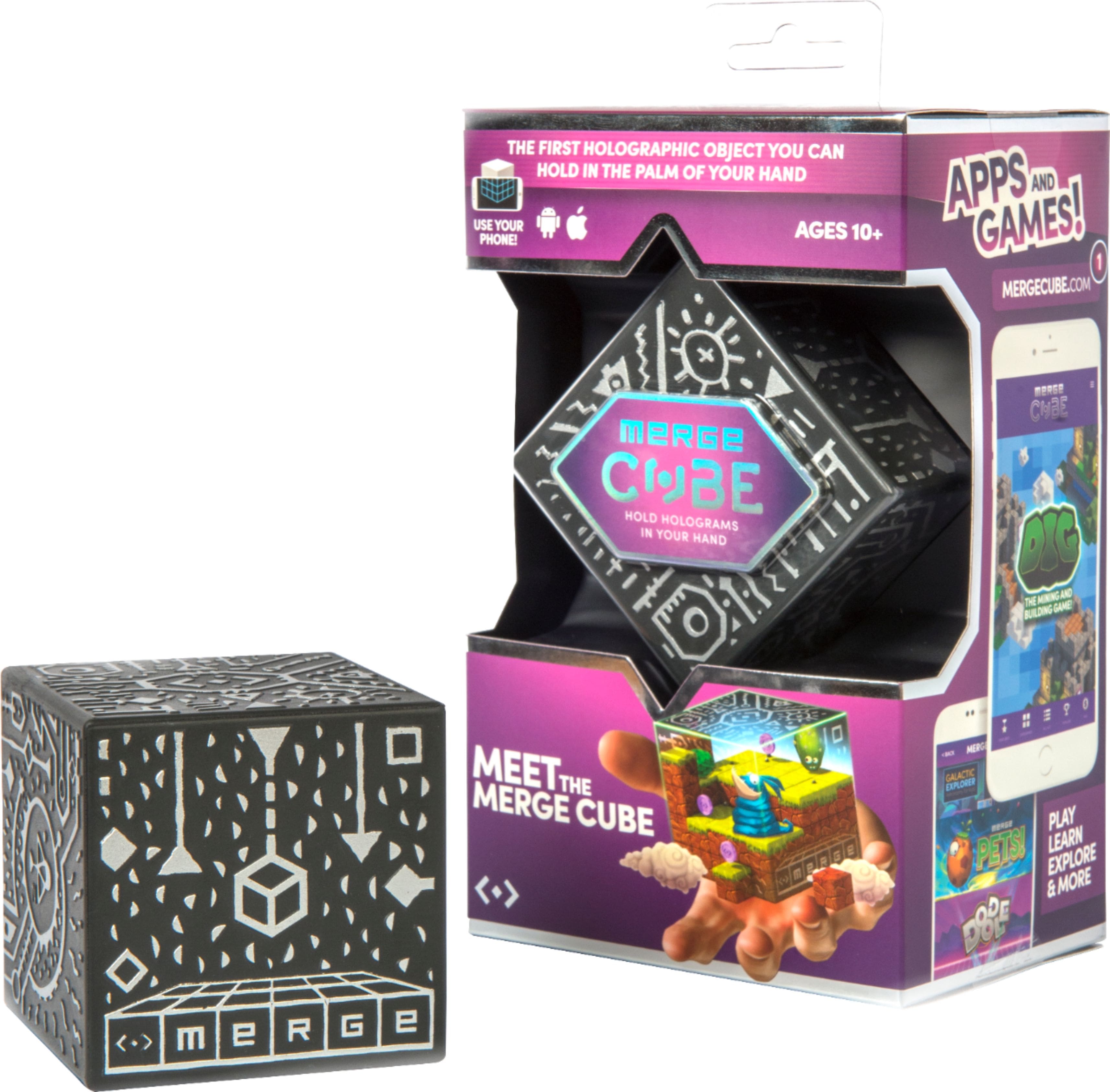
Customers find value in the Cube's affordability, ease of use, and compatibility with both Android and Apple devices. Many appreciate its VR capabilities and the augmented reality experiences it offers, although some note that many apps are not free. The Cube's sensitivity to light is also a recurring concern for some users.
This summary was generated by AI based on customer reviews.
- Pros mentioned:Vr

Amazing!
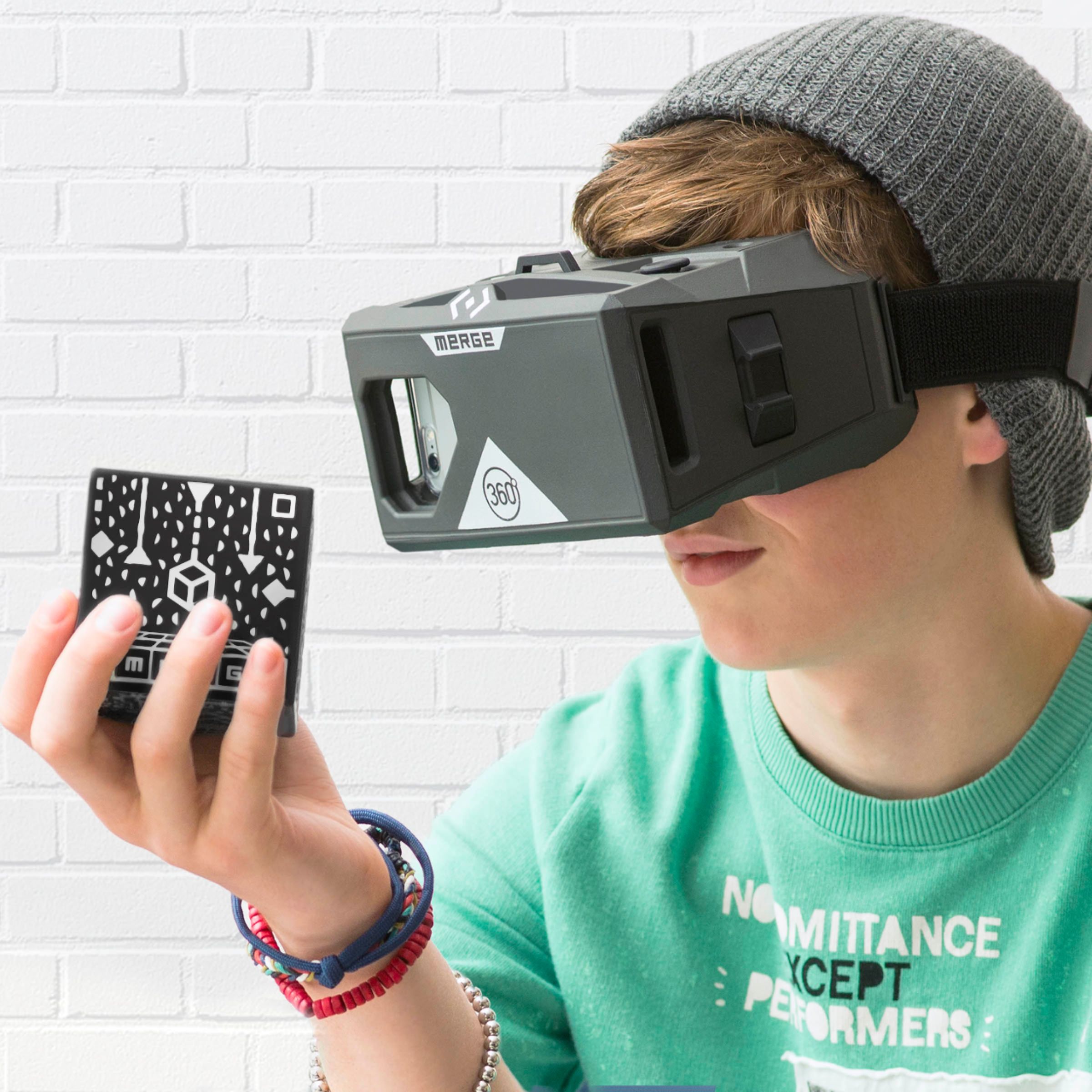
|Posted .This reviewer received promo considerations or sweepstakes entry for writing a review.Trying out the Merge Cube with the VR Goggles was truly amazing. I was actually really impressed by this. You have to register it online and then use your phone with the VR Goggles to essentially sync them up. The first game I tried with the Cube was Tiltball. The Cube gives you a 3D playing surface in your hands, and you have to turn it to maneuver the ball through the course without it falling off the edge. Honestly, I wasn't very good at it! Part of that could be because I need practice and the other part is (as I mentioned in my review of the goggles) I actually got motion sickness from using the goggles, which made focusing on things a little difficult (I know, I'm lame). I was truly impressed by how this worked though. Because of the way the virtual reality works, you can't see your fingers or any part of your hands when they're on the cube. They're blocked out so you only see the game. I'm definitely looking forward to trying out more games with this. My only real complaint and my reason for giving this 4 stars instead of 5 is as far as I can tell, there are no free games with Merge Cube. There are free games for the VR Goggles only. But if you want to use your Cube, you'll have to shell out more money. The Tiltball game was one of the cheapest at $0.99. But they went up from there (one of the featured games was $7.99 - that's half the price of the Cube right there). While I'm sure some of the games are totally worth the money, I would have liked to try one or two out first to see how things worked. But it was worth it for me because this thing really is pretty cool!
I would recommend this to a friend - Pros mentioned:Ease of use, Vr
Entertainment value at its best
|Posted .This reviewer received promo considerations or sweepstakes entry for writing a review.I received this as part of combo pack along with the Merge VR goggles. While there are many descriptions & reviews online of the goggles & how they function with the cube; i think the best part of the cube is that it can be used standalone with your phone loaded with an app. When you use the goggles, it's a one person experience - someone uses the goggles while others are watching wondering what he/she's seeing causing them to bob about weirdly. But with the cube, the whole group can experience it together. It also can be used as a teaching experience, as in 3D body. Pair this up with one of your old phones laying in the desk drawer, load the app, and you've got one of the best entertainment values around. Just don't leave it on the coffee table when you're done, the dog might think you bought him a brand new foam toy!
I would recommend this to a friend - Pros mentioned:Vr
Fun Concept - Only as Good as the Apps Though
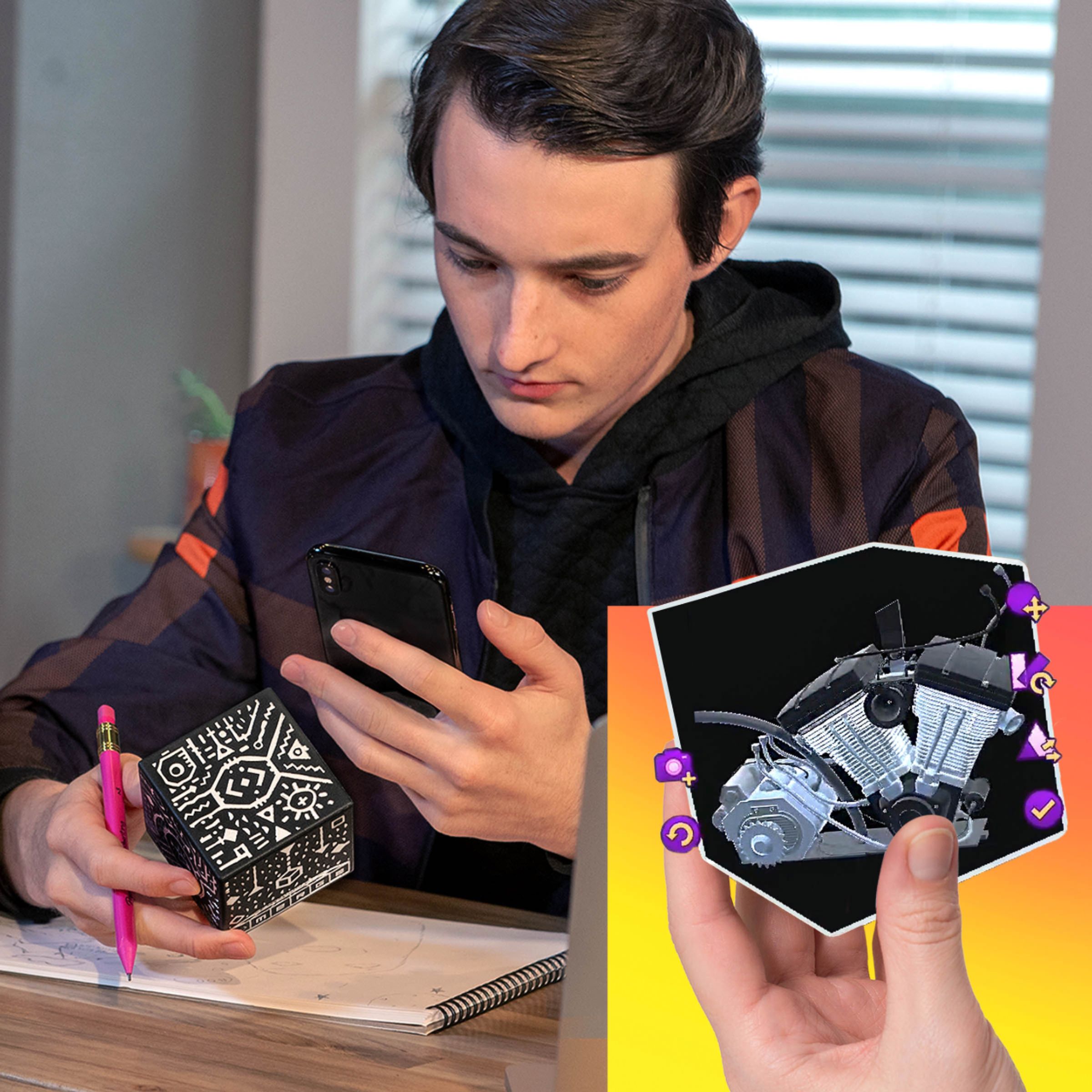
|Posted .This reviewer received promo considerations or sweepstakes entry for writing a review.When you take the Merge Cube out of the package, it looks like it's just a piece of foam with silver patterns on each side. In reality, that's all it is. However, those patterns printed on the side allow Augmented Reality (AR) apps to replace the cube and make it look like something else entirely. AR apps work by showing you the real world through your smartphone camera/screen, but superimposing text, graphics, etc. on top of the real world image. It's like those filters for chat apps that let you replace your own nose with a bunny nose, or your own eyes with cartoon eyes. The Merge Cube and compatible AR apps work on the same concept... but instead of identifying a part of your face and replacing it with a cartoon version, Merge Cube apps identify the cube and replace it with something else. So, as you move the cube around, turn it in your hands, etc. you're controlling the image that you see. Combine the Merge Cube with a pair of VR Goggles like the Merge VR, and the experience is really immersive. You'll find yourself looking around at the real world you're in, holding a foam cube in your hands, but instead of seeing the foam cube, you're seeing a game tool, a puzzle piece, etc. Overall, the technology is very cool, and the experience is impressive. The cube itself is just the placeholder, though. It's only as interesting as the apps that work with it. I'm hoping that over time, more exciting apps are released that take advantage of the Merge Cube's capabilities.
I would recommend this to a friend - Pros mentioned:Price
Unique experience and so much fun to use!
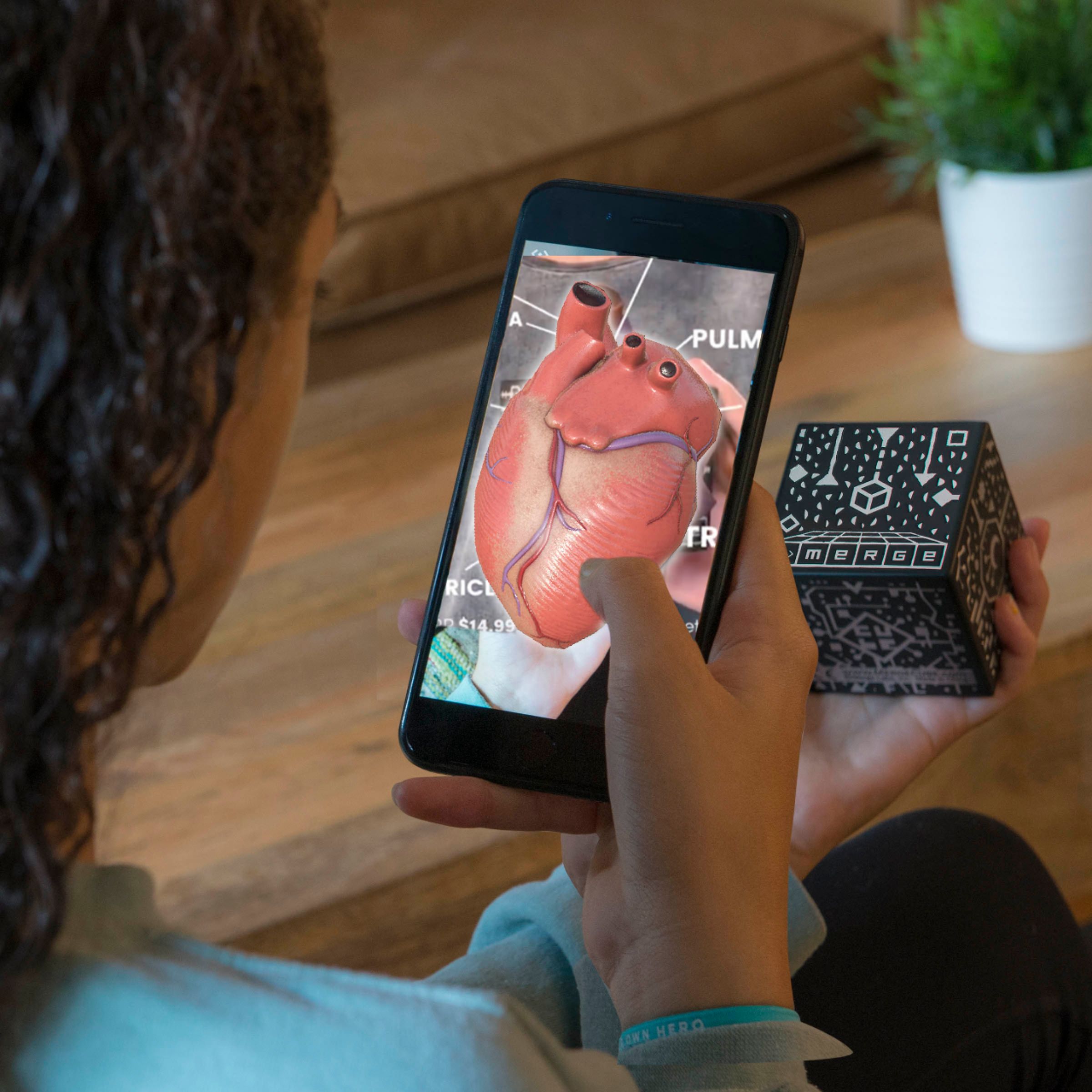
|Posted .This reviewer received promo considerations or sweepstakes entry for writing a review.The Merge cube, when used with the Merge VR goggles makes interacting with the apps more interesting, it adds a whole new dimension to games and videos. I downloaded “Dig” and “Merge Things”, 2 of the approximate 14 apps that were recommended on Merge’s website (miniverse.io/cube). With the cube, now you can do more than look around at a 3D image, you can interact with the game or app you’re using. It’s quite amazing, you’re holding a sponge cube, but once you put on the goggles, that cube becomes whatever the app wants it to be, In Dig, the sponge becomes a platform that you can build and dig (think Minecraft), in the Merge things app, you can set off fireworks, hold a beating heart or skull, fly and shoot at spaceships. This is a very unique and innovative experience. Some apps, such as Dig, even allow you to record a video of what you’re seeing with the goggles on! A potential con is that you are dependent on Merge to come out with interesting apps for the cube. The Merge Things app had a few interactive experiences that got boring quickly. Overall, this is an amazing add-on to the Merge goggles, it’s priced very reasonably as well. If you do purchase it and grow tired of it, it’ll make a nice stress relief cube!
I would recommend this to a friend - Pros mentioned:Price
Extreme Fun to play with!
|Posted .This reviewer received promo considerations or sweepstakes entry for writing a review.This is a very exciting "toy" to play with which can be used through your phone. Toy if you play games with it and a learning center if you use with educational apps. It's literally made of foam which means you can drop the device and it won't break. This little foam cube will actually turn into a hologram if you download certain apps on your smartphone. It's really affordable for all that you can do with it. Users can download Merge Cube's official app "Merge Multiverse" which is a portal of 100s of other apps There are 3D games and puzzles, but there's also some cool educational apps as well. An experience where you can hold a game in the palm of your hands, manipulate the games in virtual reality; is pretty cool experience for the price! You'll feel like what you're holding is really there. This makes it extremely fun to play the AR games. So far I haven't found any drawback of this fun gadget, except its really "addicting". I will definitely recommend this to everyone.
I would recommend this to a friend - Pros mentioned:Price
Adds some "sizzle" to the VR headset...
|Posted .This reviewer received promo considerations or sweepstakes entry for writing a review.This is very innovative and provides lots of variety to keep things interesting when paired with the Merge VR headset. I have used some "cards" in the past that go with some VR or AR apps and provide a nice 3D image on top of the card, but this takes it a lot further with a multi-sided cube that provides more images and interactive use. The fireworks display is absolutely cool, and there are enough other choices to keep the kids engaged for quite a while. Being so new on the market, I expect there will be many more apps for the Merge Cube as it gets out on the store shelves. The field of view for the cube takes some getting used to, as the temptation to look around with the headset will move you away from the cube, and loses the images. Focusing back on the cube puts things right back in order, so once you get the hang of how far you can move the headset it works OK. For a modest price, the cube adds some interesting capabilities and a different way of using the VR headset, so I would recommend it particularly for younger users as some extra "sizzle" for the Merge headset.
I would recommend this to a friend Cool Idea, Needs Work
|Posted .This reviewer received promo considerations or sweepstakes entry for writing a review.In combination with the Merge VR goggles, this cube is a pretty sweet VR toy. I say "toy" because I'm not entirely sure the use is practical just yet. The free "Things" demo app held a lot of interesting surprises and a lot of novelty and very interesting ideas, but I started thinking about how an augmented reality device like this would really function. Depth is still an issue (and let's be honest: nobody is good at depth perception when you're wearing VR goggles), The tracking app easily got confused with some complex twists and turns, and so motion sickness can quickly result as you try to figure out where the cube went or which orientation it's in. I kinda wish Merge had spent more time curating content with partners rather than leaving the curation of this content to their website... and keep in mind this 4-star rating is mostly a result of the initial lack of content (so if you're buying this in the future, your mileage is likely vastly improved). At this point, we're really just waiting for content creators (and our stodgy caveman biology) to keep up.
I would recommend this to a friend- Pros mentioned:Ease of use
Fun toy
|Posted .This reviewer received promo considerations or sweepstakes entry for writing a review.This is a pretty nifty toy for your kids, a good amusement for adults both with and without a AR headset. The packaging is pretty simple, the device is on a plastic tray with some simple plastic around it. The box shows the website you can get compatible apps at. I found that if you just search “merge” on iOS you can save a step and find a lot of the apps directly. Using the cube with just the phone is pretty cool. I downloaded a app that let's you explore the human body, it was more for kids but still entertaining. It does a good job of tracking the cube and superimposing the image on top of it as you rotate it. It is probably best used with a headset that supports AR but I found it very easy to use without one. I recommend this product primarily to child as it is entertaining and can be used as a learning tool. The only problem I came across is there are not too many apps I could find so I would browse your app store first to see what is compatible.
I would recommend this to a friend Merge hits it out of the park!
|Posted .This reviewer received promo considerations or sweepstakes entry for writing a review.After getting the cube I was hoping it would be more enjoyable than the goggles; and it was! The Cube is made of a similar foam as the goggles with distinct patterns on all six sides. The related apps view the patterns and then display the images accordingly. The Cube works well with using the goggles or equally as well with just your smartphone or tablet. In fact, I found myself using it more without the goggles since I wasn’t a fan of those to start with. But it’s the software that makes the cube so much fun. You can use it to view a heart, animals, anatomy, other objects and rotate to view from all angles. There are even a couple cute games that I tried, but stuck with only those that were offered at no cost. After you load an app from the AppStore, you enter the verification code that comes with the Cube and you’re on your way. With settings to switch easily between goggle mode and smartphone only mode the operation is dead simple. I had lots of fun exploring, but with a cost. Grabbing the realtime images and then calculating the geometry of the images IS resource intensive. You’ll see battery life take a serious hit, but it’s worth it. After all, I do have a high speed charger at the ready. :) All in all, this is a worthy purchase. I was seriously unimpressed with the goggles, but Merge really hit it out of the park with the Cube. One bit of advise though, make sure you have decent lighting in the room where you’re using it. If it gets too dim the software will loose the ability to accurately determine the grid patterns. But this is more common sense really. This one’s a keeper for sure!
I would recommend this to a friend- Pros mentioned:Vr
Pretty Cool VR Augmented Reality Device
|Posted .This reviewer received promo considerations or sweepstakes entry for writing a review.The merge cube brings augmented reality (AR) to the virtual reality world - though with a catch - it only works with the merge VR goggles. Once an appropriate app is loaded, you can view landscapes and other things - kind of like holding a snow globe via the cube, control video game objects and characters, and interact with the world. It does require that you keep the cube in view, so make sure the phone you're using the VR goggles has a good camera! The merge cube definitely is a pretty interesting way to bring AR to the VR world. That said, it's still in its infancy, so good, free apps are sparse. There's a bit more selection on the paid side, but many are variations on the same theme. The merge website isn't the best to navigate when searching for apps, so the app store is best, using keywords "merge cube". I'm giving this four stars due to the concept, promise, and actual fun I had playing with the cube.
I would recommend this to a friend - Cons mentioned:Apps
Good Product but Limited Apps
|Posted .This reviewer received promo considerations or sweepstakes entry for writing a review.The Merge Cube definitely works as stated and is a pretty cool concept. It is pretty easy to setup and fairly easy to understand. When holding the cube and viewing through a virtual reality (VR) device, the VR interacts pretty quickly with the cube. In other words, you can move the cube around quite a bit without it affecting the experience. If you move the cube too quickly or your fingers or hand get too far in the way the cube momentarily stops working with the VR app. On the negative side, there are very few apps that currently use the Merge Cube. I would expect this to change quickly as the product is brand new. Also, most of the apps are not free. I purchased an anatomy app that was only one dollar, but it was very limited and only kept my kids' interest for a few minutes. I would expect that more apps will be created soon. Overall, for the price and quality of this product, I would recommend it.
I would recommend this to a friend - Pros mentioned:Price
Interesting product
|Posted .This reviewer received promo considerations or sweepstakes entry for writing a review.This is a product that works with the Merge VR headset. It's an interesting product. You use it with certain Merge apps. It is a foam cube that the apps can use. It is like augmented reality as the app uses your camera to detect the cube and turn it into a digital item for use in the game. I have to say kudos to Merge for coming up with an idea like this! It isn't too pricey. It was fun to play with. However, I got bored of it really fast. Individual mileages may vary, but the apps were repetitive. It may also depend on your phone camera quality/phone processor but sometimes you couldn't detect the cube which was annoying. I think something like this is an interesting step and something that I hope app developers will take a closer look at. All in all, I think it can be an interesting product, but I'm not entirely convinced of its utility at this point.
No, I would not recommend this to a friend - Pros mentioned:Ease of use
my child was mind blown by this!
|Posted .This reviewer received promo considerations or sweepstakes entry for writing a review.very easy to set it up, you go to the website and enter the code supplied with the cube, and you can then download a bunch of games to transform this foam cube into a 3D hologram to play games and the cool thing about the cube is that you can see the holograms either using the Merge glasses or on your cell phone. my kid who is 9 years old spent hours messing with it yesterday and he downloaded a bunch of games (some of them are not free) and he couldn't be happier.
I would recommend this to a friend Neat
|Posted .This reviewer received promo considerations or sweepstakes entry for writing a review.AR is the new "thing"! With the new AR frameworks in both Apple and Google operating systems, AR is really picking up steam. This little cube actually does some neat things even if it has some drawbacks. For starters, the registration code thing is kind of weird and stupid. It's a physical thing but the app requires you to "register" it like you were proving you purchased it. I found this off-putting and would love to be informed on what the point was. Another drawback is the lack of "free" apps. Testing this thing was tough to do because all of the apps recommended by the starter websites cost money. Some as much as $50. Most around the $2-5 range. I found the "Th!ngs" app which is a demo app with a bunch of little mini "things" to play with. Even if it was a little limited in functionality, it was a pretty good demonstration of what can be done with the cube. Another small issue makes a lot of sense because you're holding this thing in your hands. The marks all over the cube are for your camera to read to find out how the cubs is sitting and where to draw stuff, so you will occasionally block some of the things the camera needs to see and the fun little thing disappears on you. Not much you can do about this as you naturally want to move the cube in your hand as it appears you're holding something else. There's 2 ways to use this cube. You can use "VR Mode" with the merge goggles or just regular old AR mode with the included packaging/phone stand. I used the VR mode and would recommend this but AR mode is cool too. Depending on the apps your using, you hold the cube in your hand and your phone, with the camera on, tracks it and renders cool stuff on top of it. So it usually looks like you're holding something else in your hand. In AR mode, when you're looking through the phone on a stand, it has an OK effect. In VR Mode, when your phone is inside a pair of goggles, it does a decent job of making you feel like you're really holding that thing. I didn't try any of the paid apps but I gave all of the demos a shot in Th!ngs and some of these really showcase what can be done. Bottom line, I think it's a neat little toy. Would work well for kids. If you have a GearVR or Google Cardboard compatible goggles, it's really cool to play with in VR mode.
I would recommend this to a friendNot worthy
||Posted .This reviewer received promo considerations or sweepstakes entry for writing a review.It is very difficult to use this with the VR goggles.
No, I would not recommend this to a friend- Pros mentioned:Vr
Really enhanced my VR experience
|Posted .This reviewer received promo considerations or sweepstakes entry for writing a review.So this cube takes the experience with the Merge VR goggles to a whole other level. Naturally, I don't care for having to pay for the apps but the experience is worth it! You can really hold the cube in your hand only to use an app that turns it into a set of lungs. Sooooo cool! I don't really care for the use of the Merge VR goggles by itself but this cube does wonders for the experience. If you have kids that want to be a doctor or scientist, there's a VR app for that. I haven't seen or used any other product like this cube in conjunction with VR goggles. Two thumbs up to the creator(s)!
I would recommend this to a friend - Cons mentioned:Apps
Cool toy but not much to do with it..
|Posted .This reviewer received promo considerations or sweepstakes entry for writing a review.As the world of Augmented Reality (AR) is evolving, Merge Cube is my first tryst with it. At a price tag of $15, it's affordable. When you open the box, you are surprised to see a "cube" of foam :) The good thing is that it is durable and as there are no electronic circuits etc inside, it will not break if you accidentally dropped it. It took me a while to fully grasp how it is supposed to be used and I am pretty tech savvy :) I downloaded few free apps from merge web site (via Google Play Store). I started with "Merge Things" and was excited to see the cube transform into so many things. Then I tried "Dig" and liked it. But it's really difficult to operate games/apps when one hand is holding the cube and the other is holding the phone. Your hands get tired pretty soon as well. I had better experience with my Merge VR goggles. The initial excitement died down in a day or two though :( There is really not much to do with it at the moment. There are apps and games but the overall experience is tiring as you can really hold the cube too long. I also tried putting the cube on it's stand and that was better but still it's not there yet! Of course, the AR technology is in it's infancy at the moment and I am sure it will only get better from here. I am looking forward to that. So, overall, its an interesting little gadget. As it does not cost too much, I will recommend it to my friends who are tech savvy and want to stay up-to-date with the new and upcoming technology. I will not recommend it to average users at the moment though. I think they will be disappointed with lack of applications.
I would recommend this to a friend - Pros mentioned:Vr
Great inexpensive VR experience
|Posted .This reviewer received promo considerations or sweepstakes entry for writing a review.First note that this works with just a smartphone AND with Merge Goggles. The phone only thing is cool, but nowhere near as fun as the immersion brought when using the Goggles with the Cube. This piece of foam made me feel old and like a kid all at one time. It really is just a foam cube with hieroglyphics all over it. It's a bit larger than a Rubick's Cube and very comfy in the hand. As soon as you load a Merge Cube VR app on your phone and go through the very simple steps of scanning the cube, you forget the cube itself. Instead you are physically holding a Pirate's spyglass, or a fuzzy pet, or an entire city block in your hand. The visual trips up your tactile side of the brain, and it feels like you're holding the object you're seeing. I played a hidden object game where I was searching for objects on another planet in 3D--IN MY HAND. Pass and play games take on a whole new facet when used with the Cube as well. There is no way to fully appreciate the experience if you haven't done it.
I would recommend this to a friend Nice novelty toy
|Posted .This reviewer received promo considerations or sweepstakes entry for writing a review.For a simple novelty toy, it's a nice concept. It's a foam cube with markings that let's you play AR (Augmented Reality) games on your phone or VR Goggle and rotate the cube in virtual space. The fun factor all depends on the apps, but in all of them that I tried, it can only track slow movements and precision is difficult. Most games cost a few dollars and are basic, but should hold your attention for a bit at least. Not much else to say, it's cool for awhile but I doubt I'll pick it up again.
I would recommend this to a friend- Pros mentioned:Ease of use
Best VR Goggles for Phones
|Posted .This reviewer received promo considerations or sweepstakes entry for writing a review.There's nothing not to like about the Merge VR Goggle . I have a few other goggles based on Google cardboard which look high quality but are heavy, only fit one model and are usually uncomfortable and hard to control. The Merge VR goggles do not look cheap although they are made of foam - a high quality one as they claim, comfortable, easy to control, and the phones fit tight but it's not a problem because the foam stretches. Quality was better using an iPhone 7 Plus but a regular iPhone 7 was not bad. Personally, I do not really love VR goggles on any phone because the image always look grainy but once you get over it, the Merge will not disappoint. The usual roller coaster and a few other apps worked well but my best experience was when I ran the AnatomyAR+ app along with the Merge Cube which is an accessory that you can purchase separately. Both my 8- and 17-year-old loved it and I must admit I liked it too.
I would recommend this to a friend