Customer Ratings & Reviews
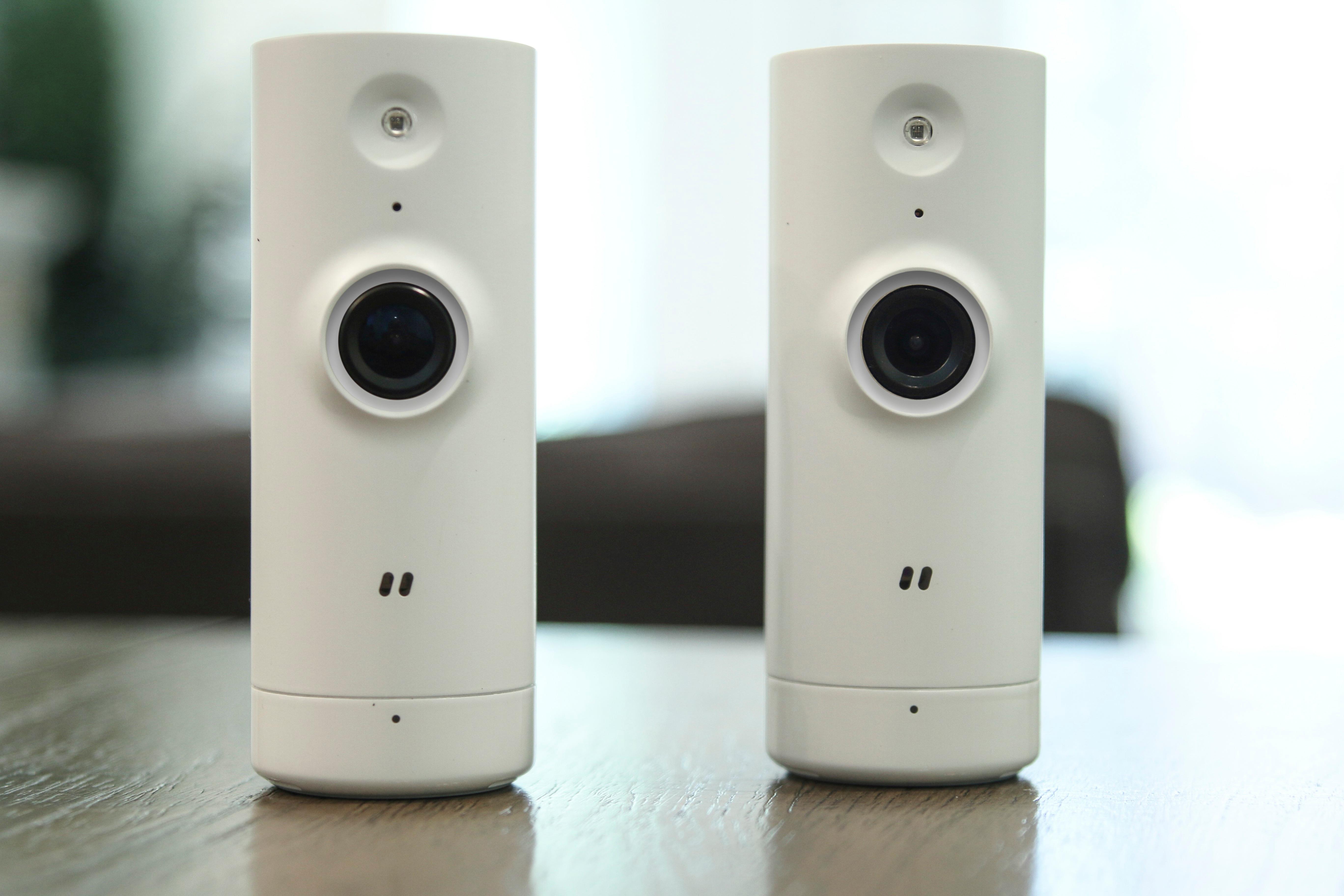



- Model:
- DCS-8000LH/2PK-US
- SKU:
- 6031403
Rating by feature
- Value
Rating 4.3 out of 5 stars
- Quality
Rating 4.1 out of 5 stars
- Ease of Use
Rating 4.2 out of 5 stars
Customers are saying
Customers regard the DCS Indoor 720p Wi-Fi Network Surveillance Camera favorably for its image quality, ease of use, and affordability. Many appreciate the camera's night vision capabilities and reliable motion detection. However, some users find the app challenging to navigate and express disappointment with the lack of cloud storage options. The need for a constant power source is also a recurring concern.
This summary was generated by AI based on customer reviews.
- Pros mentioned:Camera quality, Motion detectionCons mentioned:Cloud storage

Nice Wide Angle HD Streaming Video
|Posted .This reviewer received promo considerations or sweepstakes entry for writing a review.These mini cams work very nicely with a lot of features packed in, 2-way audio, motion & sound detection, recording ability. The 720p video is crystal clear and smooth. Setup was easy,I had no trouble connecting to my wireless network. The only thing I was disappointed in is there is no cloud storage of video available, the videos will only store on my phone's sdcard, which has limited space, and it won't auto record. You have to manually start record when you receive sound and/or motion notification. It's nice for it's intended purpose though, which is to remotely monitor your home to look in on old folks, pets, baby's room, etc.
I would recommend this to a friend Great cameras to keep an eye on your home or pets
||Posted .This reviewer received promo considerations or sweepstakes entry for writing a review.Great cameras to keep an eye on your home or your pets. Push notifications when needed from your phone. Available 24/7!
I would recommend this to a friendgreat cameras for the home
||Posted . Owned for 1.5 years when reviewed.This reviewer received promo considerations or sweepstakes entry for writing a review.These camera are awesome we use them through out our home, I love that it has an app
I would recommend this to a friendone here one there
||Posted . Owned for 1.5 years when reviewed.This reviewer received promo considerations or sweepstakes entry for writing a review.still own and use this to this very day. best set and quality at the most budget price
I would recommend this to a friend- Pros mentioned:Camera qualityCons mentioned:Cloud storage
Decent Cameras, But No Cloud Storage
|Posted .This reviewer received promo considerations or sweepstakes entry for writing a review.The two pack of cameras is really inexpensive, the video and sound quality decent, and the feature set appealing. The cameras are small and relatively inobtrusive. However, Dlink needs to address some serious limitations in order to make these cameras a real bargain. The registration process for each camera is straightforward, if a bit klunky; if you make a mistake, be prepared to start over, and some of the steps can take a minute or so to complete. You must create or login to the mydlink.com portal. It is pretty much a requirement that you install the "Mydlink lite" app on your phone or tablet to configure. Once configured, the camera shows up as a device on your mydlink.com portal page and can be accessed by app or through a web browser (which also requires a plugin to function and does not yet support Microsoft Edge). Dlink does not yet provide any cloud storage, although it might be added later and there is no local storage on the camera. Cloud video storage would vastly improve the utility of the cameras. The only way currently to record video is to be viewing the video, push the record button in the app, and record it on your phone/tablet/computer. For checking on a recovering relative(have they fallen and can't get up?), or to watch the pets while you're not home, these cameras are great. For home security, where the motion notification can take a couple of minutes, I think not so much.
I would recommend this to a friend Simple Security
||Posted .This reviewer received promo considerations or sweepstakes entry for writing a review.Simple to install , gets the job done. The app is easy to maneuver as well and it has optional upgrades.
I would recommend this to a friendGreat setup
||Posted .This reviewer received promo considerations or sweepstakes entry for writing a review.Nice for price and functionality giving a multiple camera setup and without the need of a hub to do so
I would recommend this to a friendGreat Camera
||Posted .This reviewer received promo considerations or sweepstakes entry for writing a review.This camera system is easy to install and is everything you need to get you in-home system started.
I would recommend this to a friendFAST INTERNET
||Posted . Owned for 1 year when reviewed.This reviewer received promo considerations or sweepstakes entry for writing a review.Perhaps my best investment of the year!! Rarely lose signal , fast internet everywhere
I would recommend this to a friend- Pros mentioned:Camera quality, Night vision
Could have been good but software is weak.
|Posted .This reviewer received promo considerations or sweepstakes entry for writing a review.I have installed and used many different IP security cams – Interlogix, Samsung, and Arlo. All have their set up quirks, some worse than others, and D-Link is not exception. The reality is that D-Link was the worst of the bunch. The software is just poor. First I tried Android. I loaded up the software, made sure the phone and cameras were on the same network and started the set up process. D-Link was smart and put a QR code on the bottom to scan and assist the set up of the camera. The problem is the app would not discover the camera and you cannot get past the section to set up an account unless the software can discover the camera. I tried resetting the phone ( Google Pixel XL,) reinstalling the software, trying a second camera. Nothing worked. Next ,I tried manually entering the camera info with the PIN ( on the bottom of the camera) and still nothing. All of this was within 3 feet line of site to the router. After several days I gave up and tried running the set up on a 2017 Ipad Pro. Surprisingly, everything set up as described. However, the cameras would not show video and there was an error code. I restarted the app and Ipad and still nothing. Very frustrating. I figured I would sign into the app on my Android just to see what would happen and , surprisingly, both cameras appeared on the Android. Two days later a D-Link rep called me and I told him about the trouble I was having and he asked me to walk him through steps and look up the error code on the Ipad. When I turned the Ipad on and opended the app, everything was working. Very strange. The rep wanted me to uninstall everything and see if I could recreate the issue but I did not have the time. These issues seem to be all software related. Once everything was set up, the cameras worked very well. The video was crisp and clear. On the home network there is little to no latency. Off network there is a slight bit more latency but that is probably because it is on 4G. I mention latency because Samsung and Arlo showed more latency and they are far more expensive. When I first looked at the software and the box, there was several mentions of cloud use. That gave me the impression that you could record video in the cloud. That is not yet the case, it appears you can only record to the mobile device you are on. It does look like the web access mydlink.com will be eventually set up to record but for now, you are stuck recording to mobile devices. There is no SD card option as well so if you want to record the event, you must manually do it from your mobile device. Again, I can see D-Link changing this but not now. For the mydlink lite App, it is has no other functions except running the camera and some basic settings. You cannot set triggers , change the settings per camera ( it is a global setting for all connected cameras) and really not much else. Too basic. I downloaded the mydlink Home App but there was not much I could do with that as well and it caused the mydlink lite app to crash. Let’s review the pros and cons Pros: - 2 cameras for less than the price of one camera form the competition - Small and unobtrusive - Clear picture and audio with low latency. - Night vision is excellent as well. - Rock solid once installed. No drop outs. - No base or hub required Cons: - Set up is hit or miss. - Poor software. No ready for prime time. - No SD card nor cloud recording. - Web based platform cuts off some of the picture. - Web based plug in for Safari fails to install. Chrome works fine. - No wide angle In summary, remember that these are $60 cameras ( 2 for $120) that do mostly what the competition does. Is this in the same ball park as Arlo or Samsung. No , not close. However, brands like Arlo are 2.5 times the price. To me , it looks like DLink was shooting for a specifc price point but sacrificed on the software side. That is a good thing. Hardware inadequacies you cannot fix, software is fluid and can always be updated. At this point I am neutral on the product but cannot recommend it until the software gets better.
No, I would not recommend this to a friend Not bad!
||Posted .This reviewer received promo considerations or sweepstakes entry for writing a review.So far I am liking these cameras! The only downside is that they don't record automatically :(
I would recommend this to a friendGreat
||Posted .This reviewer received promo considerations or sweepstakes entry for writing a review.This product has great distance for wifi but the resolution isn't great in the dark
I would recommend this to a friendCams Ok- Software Average
||Posted .This reviewer received promo considerations or sweepstakes entry for writing a review.Easy to set up the cams, the software is too involved. Canary does a better job here.
No, I would not recommend this to a friendGreat security camera!
||Posted .This reviewer received promo considerations or sweepstakes entry for writing a review.This is a very good security camera with very clear screen! Double camera at a bargain price.
I would recommend this to a friendGreat Deal
||Posted .This reviewer received promo considerations or sweepstakes entry for writing a review.This was a great purchase. This works as advertised and I have nothing negative to report!
I would recommend this to a friendNot so clear
||Posted .This reviewer received promo considerations or sweepstakes entry for writing a review.Picture isn’t so clear as compared to Ring device. Does do it’s job for the price.
No, I would not recommend this to a friendVery easy to set up
||Posted .This reviewer received promo considerations or sweepstakes entry for writing a review.Set up fast and simple. Resolution limited but that is expected of 720p device.
I would recommend this to a friendGreat first camera
||Posted .This reviewer received promo considerations or sweepstakes entry for writing a review.Great first camara. Would be better if it had micro sd and recording function
I would recommend this to a friendgreat for home cameras
||Posted .This reviewer received promo considerations or sweepstakes entry for writing a review.we use these camera for a home build cloud based camera system. works great
I would recommend this to a friendnice
||Posted . Owned for 5 months when reviewed.This reviewer received promo considerations or sweepstakes entry for writing a review.Wow this is great two for one getting ur money. Try it
I would recommend this to a friend