Customer Ratings & Reviews
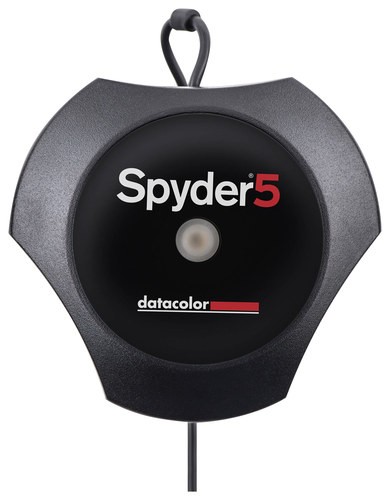
- Model:
- S5P100
- |
- SKU:
- 7183017
Customer reviews
Rating 4.7 out of 5 stars with 7 reviews
(7 customer reviews)to a friend
Customers are saying
Customers are enthusiastic about the Spyder5PRO Monitor Calibration Tool for its color accuracy. They appreciate the print to screen accuracy it provides.
This summary was generated by AI based on customer reviews.
- Pros mentioned:Color accuracy
Rated 5 out of 5 stars
Excellent and easy
||Posted .This reviewer received promo considerations or sweepstakes entry for writing a review.I purchased this unit to perform both monitor calibration's in calibrations for a projector. I am extremely happy in both scenarios The Spyder5 did an excellent job of calibrating my dual monitor set up on a Mac design and Publishing station, making two monitors from two different vendors look pretty much spot on. You will be hard-pressed to get a better value for doing these kinds of calibrations under $1000.
I would recommend this to a friend - Pros mentioned:Color accuracy
Rated 4 out of 5 stars
Great product if your printing
||Posted .This reviewer received promo considerations or sweepstakes entry for writing a review.Great product at a great price if your printing or you have your name attached to the photo you've edited and your reputation is on the line. I have used the spyder4pro in the past with great results on my mid-2012 MacBook Pro 15 (non- retina) and also a non-retina iMac; print to screen accuracy is quite good. I have now used the spyder5pro to calibrate a surface 3 (non-pro model) running full Windows 10 and the latest 13" MacBook Pro retina model. Both screens are very close to one another, however, the reference photo I edited to compare on each screen looks warmer in both PC Lightroom and Windows 10 viewer, than in the MacBooks equivalent. Based on past prints and calibrations, my gut tells me the surface 3 calibrated better (which is why I gave it 4 stars) as a reference to actual prints. I will update this when I get my reference print back from the lab. Unless your printing or require accurate color temps, the factory calibrations on the macs and newer surfaces (pro and non pro) have fairly accurate colors out of the box. I have never sat down to watch Netflix or Hulu, and thought, wow I am glad I spent close to $200. I just feel that my non- retina apple products calibrated better. However, I do like my Spyder product user interface better than iDisplay or Color Munkie products.
I would recommend this to a friend - Pros mentioned:Color accuracy
Rated 4 out of 5 stars
True colors
||Posted .This reviewer received promo considerations or sweepstakes entry for writing a review.Using a calibration tool is a must if you use photoshop or lightroom, the color that I see on my screen is the one I see on the printed pictures. It is easy to use, but I wasn't able to calibrate my 2 monitors to the same exact settings, it is maybe because one is BenQ an the other LG... but they are really close...
I would recommend this to a friend - Pros mentioned:Color accuracy
Rated 5 out of 5 stars
Great Tool for photographers!
||Posted .This reviewer received promo considerations or sweepstakes entry for writing a review.I take a LOT of photos, and print just as many. For great, color-accurate edits and prints, this calibrator is a must have tool.
I would recommend this to a friend Rated 5 out of 5 stars
Gives accurate color
||Posted .This reviewer received promo considerations or sweepstakes entry for writing a review.I bought this as an upgrade to my Spyder3 and it works much better and faster. The application controls seem simpler, but does just as well if not better.
I would recommend this to a friend- Pros mentioned:Color accuracy
Rated 5 out of 5 stars
Great tool for photographers
||Posted .This reviewer received promo considerations or sweepstakes entry for writing a review.This is a must have tool if you want to do photography. It makes what you see on the screen be exactly what comes out on the printer.
I would recommend this to a friend - Pros mentioned:Color accuracy
Rated 5 out of 5 stars
Fast, Simple, Good price.
Posted .This reviewer received promo considerations or sweepstakes entry for writing a review.I have been wanting (needing) to calibrate my monitors for a long time. Recently I purchased a Phillips 288P 4K monitor and a "real" printer (Epsom R2000). I felt it was time. I looked at Color Munki and it's a good product. But I decided on the Spyder5Pro and haven't looked back. Colors are much better. Setup was easy and a call to support assured me It would work with the Phillips monitor (only offers Windows software and I'm on a MacBook Pro when will they ever learn!). It's all working like a charm. Very happy with it.
I would recommend this to a friend