Customer Ratings & Reviews




- Model:
- G7700-7231BLK-PUS
- SKU:
- 6416473
Rating by feature
- Battery Life
Rating 4.2 out of 5 stars
- Speed
Rating 4.6 out of 5 stars
- Display
Rating 4.8 out of 5 stars
Customers are saying
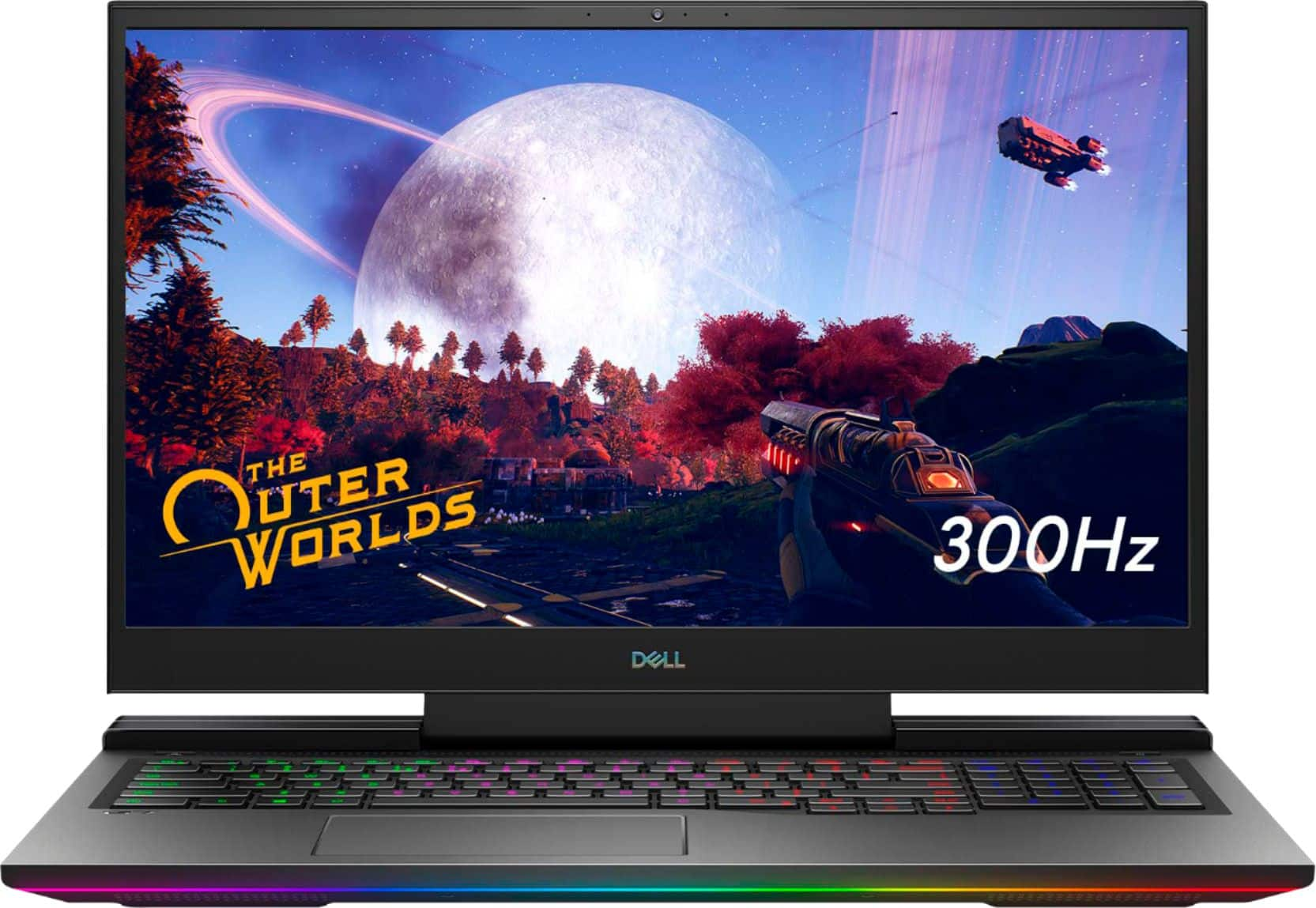
Customers regard the G7 17.3" gaming laptop favorably for its performance, large screen size, and impressive graphics capabilities, with many also praising the high refresh rate and RGB keyboard. However, significant concerns exist regarding overheating and loud fan noise, while some users also mentioned the limited SSD storage and the laptop's considerable weight. The build quality received mixed reviews, with some finding it solid while others did not. Despite some negative feedback, the price point was generally considered reasonable.
This summary was generated by AI based on customer reviews.
- Cons mentioned:Fan noise, Fps
Expensive and overrated
||Posted . Owned for 4 months when reviewed.This reviewer received promo considerations or sweepstakes entry for writing a review.Bought this computer because of the good reviews on Consumer Reports and have been pretty disappointed. Has had fan issues from day 1, it has not consistently reached the FPS that it was supposed to, and the power cord that came with it has frayed to the point where it's almost unusable. Called Dell and discovered that the crappy power cord that came with the device is not even covered under the warranty. I was already wary of buying a Dell and this clinches it. Definitely not going to buy one again. If I weren't past the return period on the laptop I would certainly return it. Not worth the money at all for this whirring brick.
No, I would not recommend this to a friendBrand response from YourDellTeam
Posted .Hello Shai,
Thank you for your feedback and review. We really do appreciate your feedback and will use it to help improve our current and future products. We apologize for the issues you have with your fan. We suggest running the suite of tools found within the 'Alienware Command Center' application that came pre-installed with your PC. It will not only perform diagnostics to determine what may be causing errors but also install the latest updates and drivers. This usually ensures you have the best experience to date.
Best regards,
Wendy C.
If you have any questions or concerns, you can contact Dell directly with the information below Chat or Call:
https://bit.ly/DellSupportTeam.
Phone number to Dell: 1-800-264-9896.
- Pros mentioned:Speed
Love my Dell
||Posted . Owned for 2 weeks when reviewed.This reviewer received promo considerations or sweepstakes entry for writing a review.We love it is fast we love How it glows I’m a ZUMBA instructor and I teach through zoom right now so I’m loving the camera.
I would recommend this to a friend - Pros mentioned:Speed
Don’t pass this up if you’re looking for a laptop!
||Posted . Owned for 1 month when reviewed.This reviewer received promo considerations or sweepstakes entry for writing a review.Probably the Best laptop for your money! Super fast i7 processor, best graphics card in a laptop, number pad, multicolor LED lighting, the Nahimic 3D sound is CRAZY! Like having a real soundbar built into the laptop! Best sound I’ve ever heard for laptops!
I would recommend this to a friend - Pros mentioned:Speed
senor
||Posted . Owned for 2 months when reviewed.This reviewer received promo considerations or sweepstakes entry for writing a review.Dell - G7 17.3" 300Hz Gaming Laptop - Intel Core i7 - 16GB Memory - NVIDIA GEFORCE RTX 2070 (Max-P) - 512GB SSD - RGB Keyboard - Black IT IS A VERY GOOD LAPTO AND I RECOMMEND IT VERY FAST
I would recommend this to a friend Fixed
||Posted . Owned for 3 weeks when reviewed.This reviewer received promo considerations or sweepstakes entry for writing a review.In addition to a new computer and a new monitor, there has been dealing with Windows 11. Add to that problems with the registry in the new computer. It took about three hours of working wIth a tech to straighten things out. What a difference it made. The computer will now do updates as well as download new programs.
I would recommend this to a friendGreat Laptop!
||Posted . Owned for 1 week when reviewed.This reviewer received promo considerations or sweepstakes entry for writing a review.Great laptop, runs hot but to be expected while gaming. Even comes with Alienware console. Chose this over Alienware and MSI because it was best bang for the buck with a 2070 RTX graphics card. Memory is expandable to 32 gb. Also chose this over the OLED display laptop to get better FPS with the 300 MHz screen.
I would recommend this to a friend- Pros mentioned:Speed
Awesome Laptop
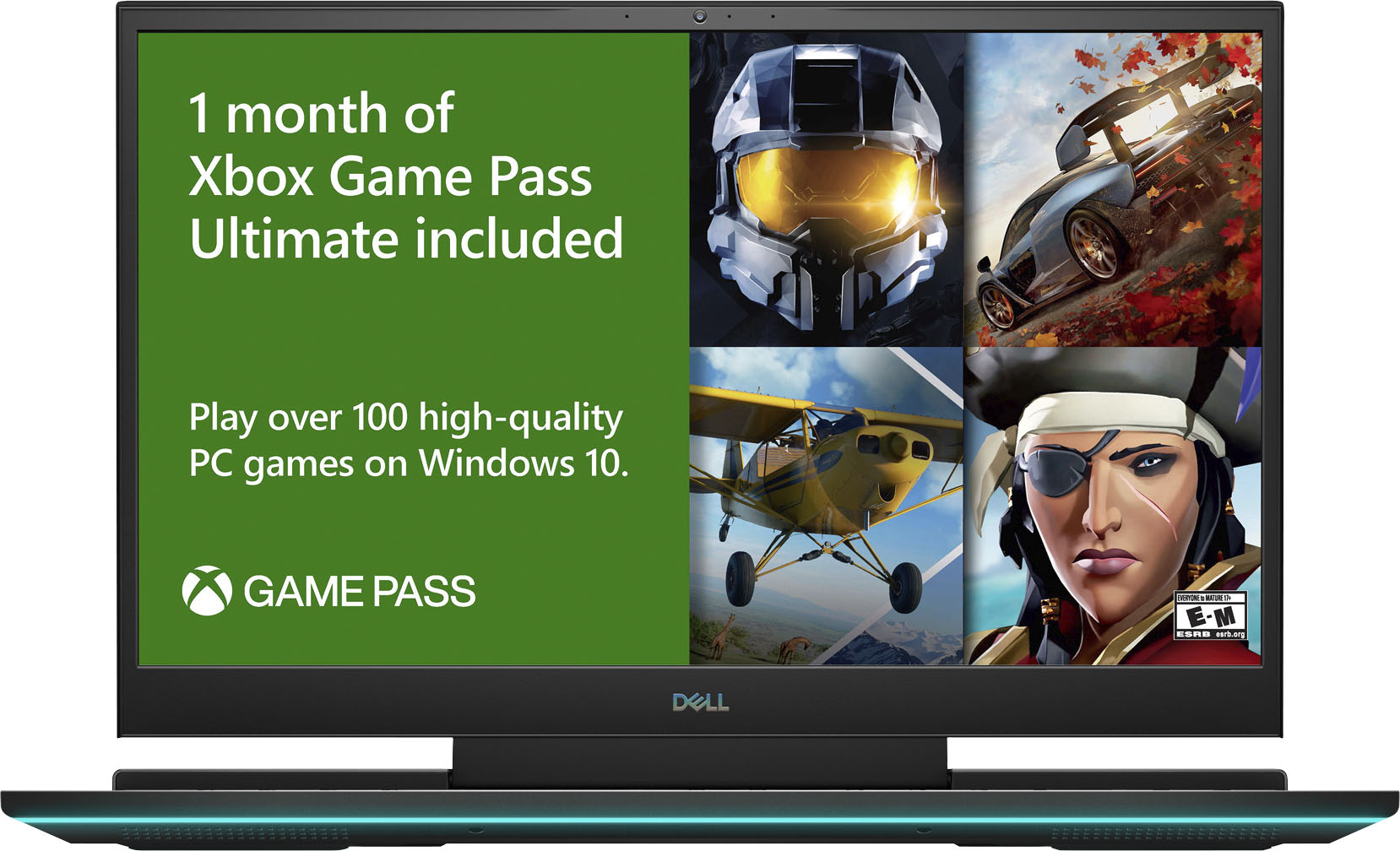
||Posted . Owned for 2 weeks when reviewed.This reviewer received promo considerations or sweepstakes entry for writing a review.Amazing Laptop Really Enjoy Halo Master Chief Collection On PC on this awesome laptop and and it's really fast machine to great specs to!!
I would recommend this to a friend - Pros mentioned:Speed
Super gaming laptop
||Posted . Owned for 1 week when reviewed.This reviewer received promo considerations or sweepstakes entry for writing a review.Very good gaming laptop, super fast and powerful! Highly recommended!
I would recommend this to a friend Great gaming laptop
||Posted . Owned for 1 month when reviewed.This reviewer received promo considerations or sweepstakes entry for writing a review.Purchased two of the G7 17" Dell Laptops on sale and they are terrific machines. As with any laptop with a RTX graphics card they will throttle a bit if they get too hot but that is technically by design so I don't mind. If want RTX 2080 performance 100% of the time you need a desktop for that. For what I do on a daily basis and the games I play it works perfectly.
I would recommend this to a friendDell g7
||Posted . Owned for 1 week when reviewed.This reviewer received promo considerations or sweepstakes entry for writing a review.Great laptop for gaming. I love it and highly recommend.
I would recommend this to a friendHardware failure
||Posted . Owned for 1 month when reviewed.This reviewer received promo considerations or sweepstakes entry for writing a review.It was awesome the first 3 times I used it. Then it suddenly showed every internet access as “disconnected”. All network adapters stopped working. I did a Google search and apparently it’s a hardware problem with these. I even did a factory reset to rule out a tainted update. Still no internet access.
No, I would not recommend this to a friendBrand response from YourDellTeam
Posted .Sdstamey,
Thanks for your review and we're sorry to hear about the connectivity issues that you've had so far. We'd encourage you to reach out to Dell's Technical Support Team for further assistance: http://dell.to/2sH7Qlm.
If you'd like to troubleshoot your connectivity you can follow these steps:
1. Download and install the latest Wireless Card driver. (https://dell.to/2th3Tpe) After updating the driver, re-establish the connection with the Wireless Access Point and check the wireless performance.
2. If the issue persists, proceed to step 3.
3. Power-cycle the local network. Shut down the Dell system, the Wireless Access Point/Router and the Modem. Wait a minimum of 60 seconds before powering up the components in the following order:
4. Power ON the Modem, and wait for it to boot fully.
5. Power ON the Wireless Access Point/Router, and wait for it to boot fully.
6. Power ON the Dell system.
7. Open Network and Sharing Center
8. In the left side navigation pane, click on Change Adapter Settings
9. Right click on the wireless connection icon and select Properties followed by the Configure button
10. Under Wireless Options, select the Wireless N mode
11. For Windows 8 or later systems click the Advanced tab and look for 802.11n Mode on the right you will be given the option to Enable or Disable. If the mode is not visible you may need to update your drivers and firmware.
12. From the drop-down menu, choose Disable followed by Ok
13. This should restore the wireless download and upload speed. Internet speed can be tested at http://speedtest.net.
Best,
Bryan
1-800-624-9896
- Pros mentioned:Build quality, Graphics, Screen sizeCons mentioned:Fan noise, Ssd
Get it while you can
||Posted .This reviewer received promo considerations or sweepstakes entry for writing a review.This thing is giant compared to the 15” MSI GS66. Get it while you can. It’s priced at $1,350 right now! I read the other reviews about the temp, at full load mine stayed in the low 80s. This is fine for that type of load. The fans are not as loud as people claim. The MSI GS66 has 3 fans and it’s twice the noise, so just accept it. The only issue is the SSD. It’s based on TLC technology model # kbg40zns512g. It’s a cheaper technology and if you’re transferring big files then it slows down until the cache is cleared, this takes time. But for regular use and gaming you won’t even notice that. It may be slow if you’re transferring games from an external drive like me in the beginning. The alien software takes a little to learn i still haven’t figure out what the “overclock” tab does besides show you the fan speed. Just update everything and use the dell software update too and you should be good. The build quality is good and I like that the ports are on the back. 17” is def the way to go. The keyboard has a nice touch and I like the trackpad compared to other laptops. Remember the RTX 2070 (Max-P) is better than the (Max-Q).
I would recommend this to a friend - Pros mentioned:Screen sizeCons mentioned:Fan noise

It's a 4.5 star gaming laptop
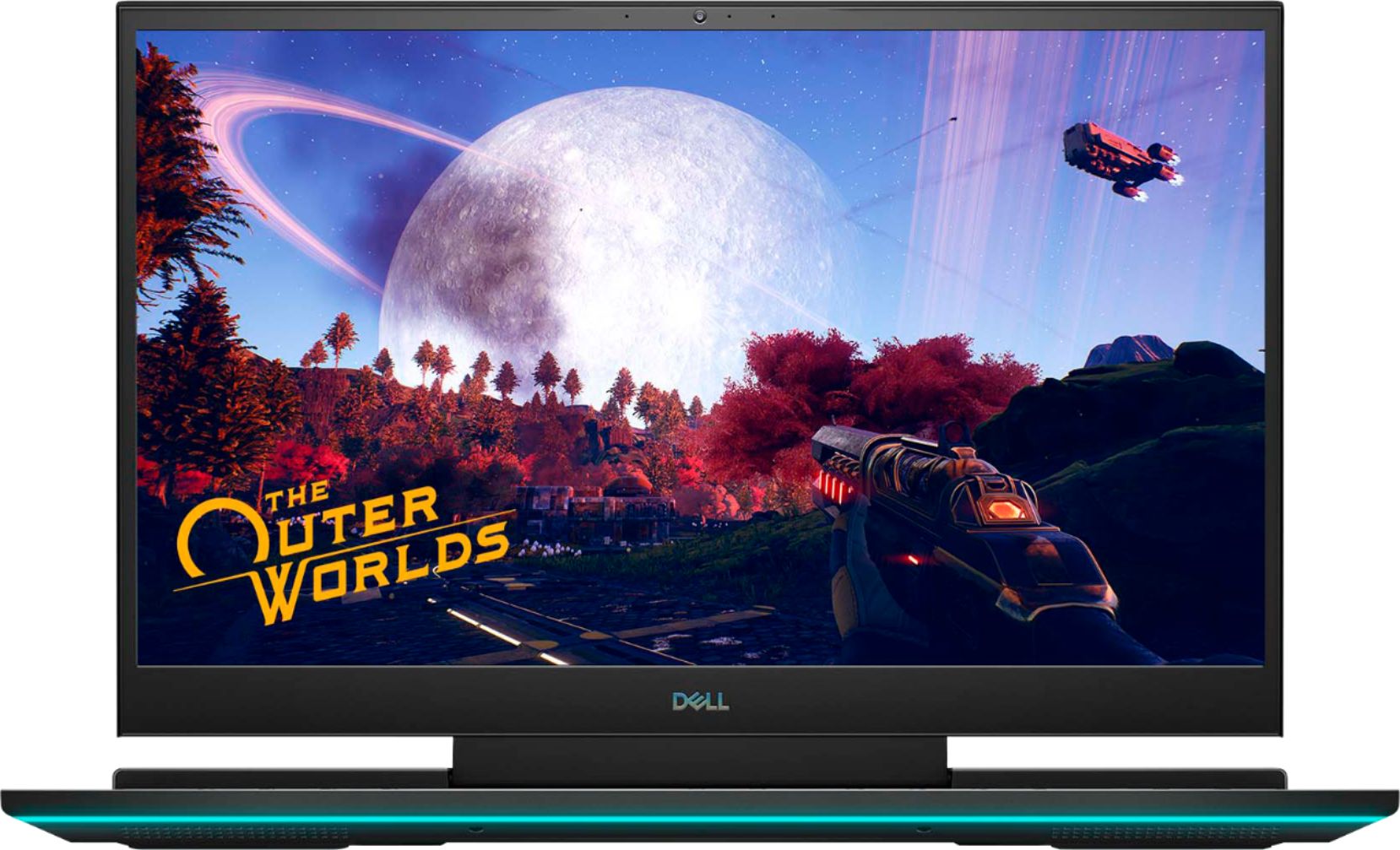
|Posted .This reviewer received promo considerations or sweepstakes entry for writing a review.I am definitely impressed with this laptop. Definitely fast and has everything you need to game. Very nice 1080p 300hz screen. The video card is flawless I connected it to my 4k TV and it works with no issues. Just make sure you raise the hz to the maximum that the TV or monitor can handle in windows display settings. I played a few different games on it and I had no issues whatsoever. Very easy to maintain with the Alienware software. Keyboard is very nice love the colors on it. The mouse is very responsive but it's a fingerprint magnet. I love how many vents it has, and the fans work very well on it. If you don't like loud fan noise you will have to adjust it . I don't mind tbe noise myself since I use a gaming headset. I like that it has most of the ports on the rear of the laptop. One thing I wish it had was a bigger hard drive at least 1TB. It's definitely a gaming laptop that's worth the purchase
I would recommend this to a friend - Cons mentioned:Fan noise
The portable gaming machine
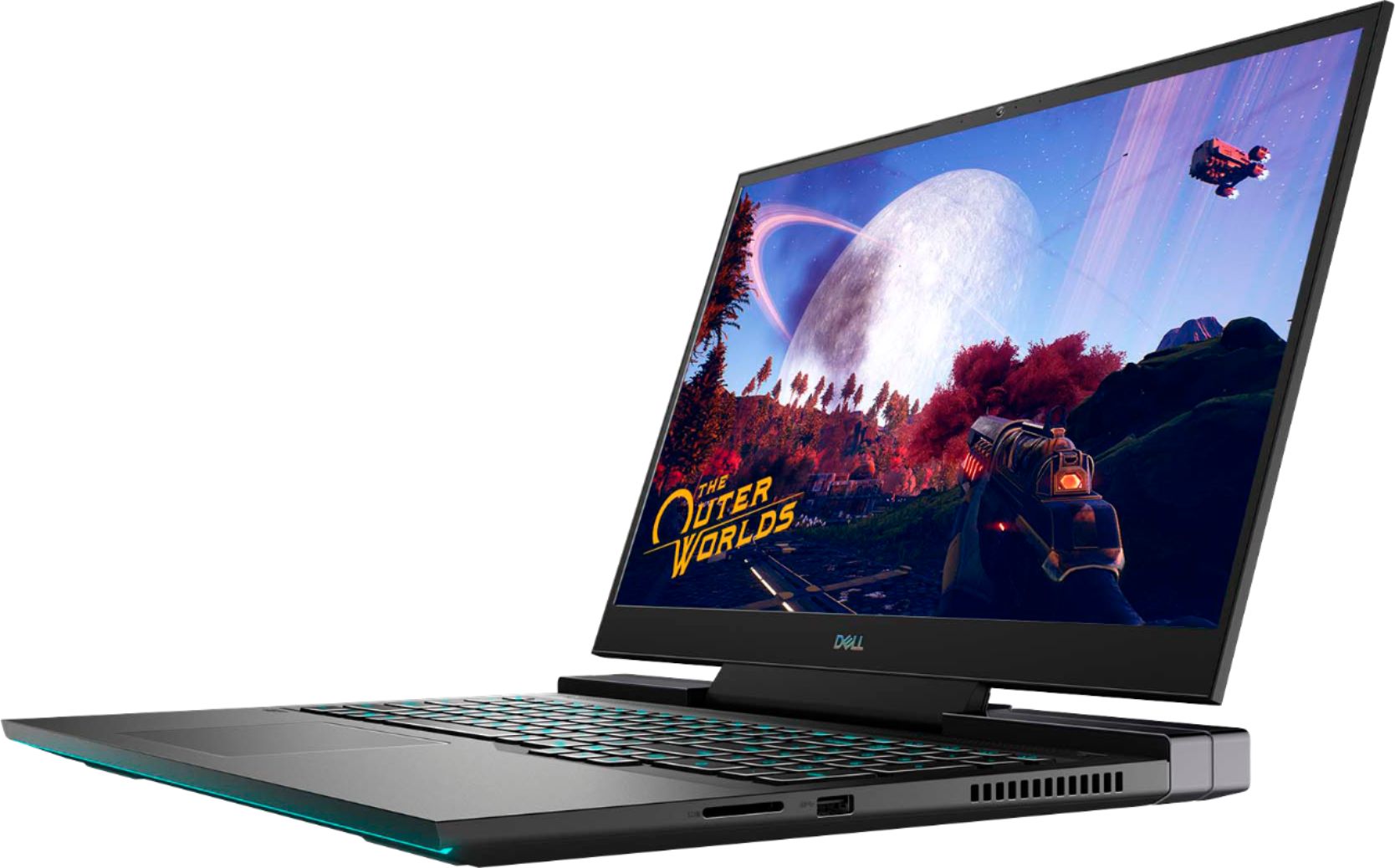
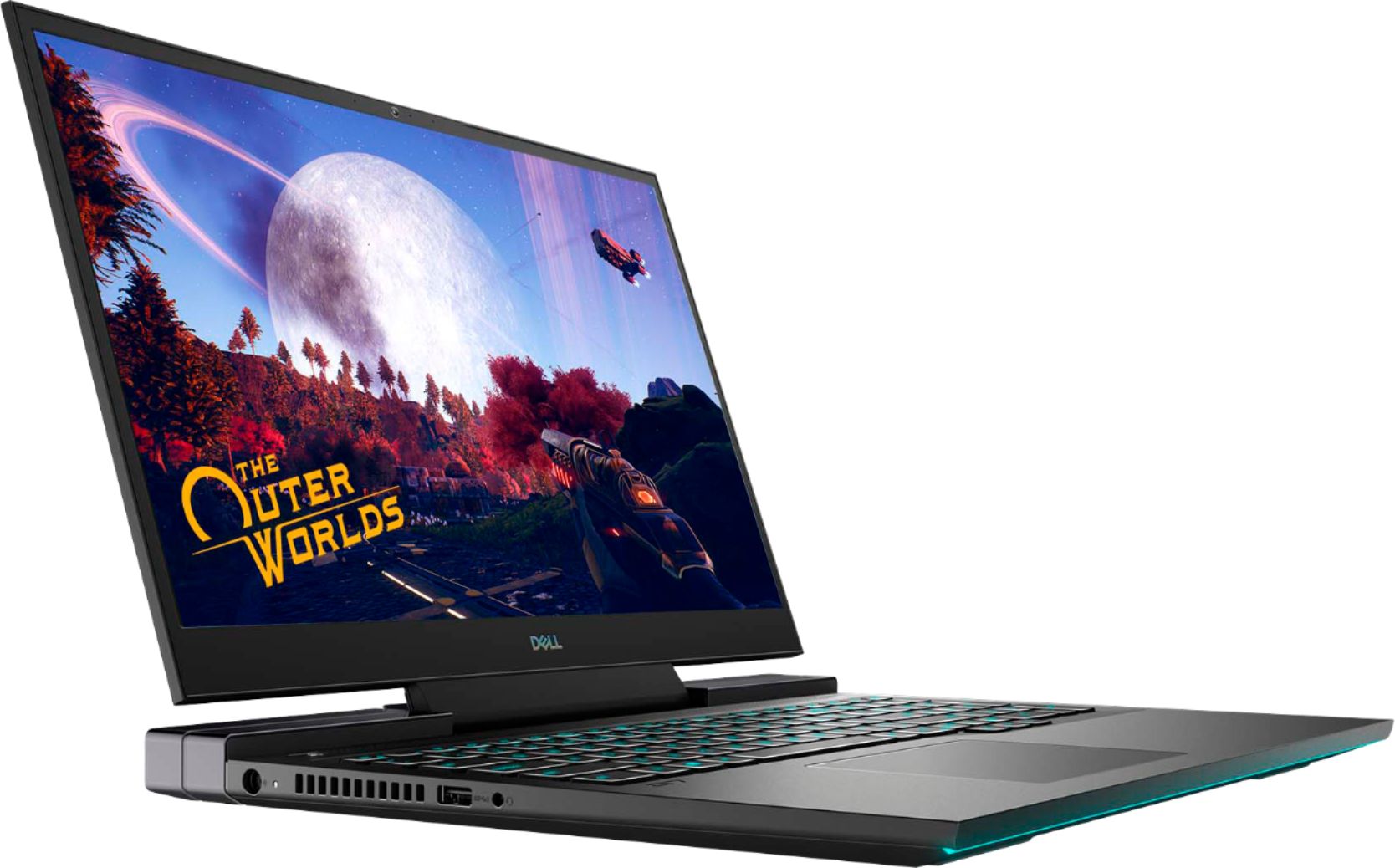
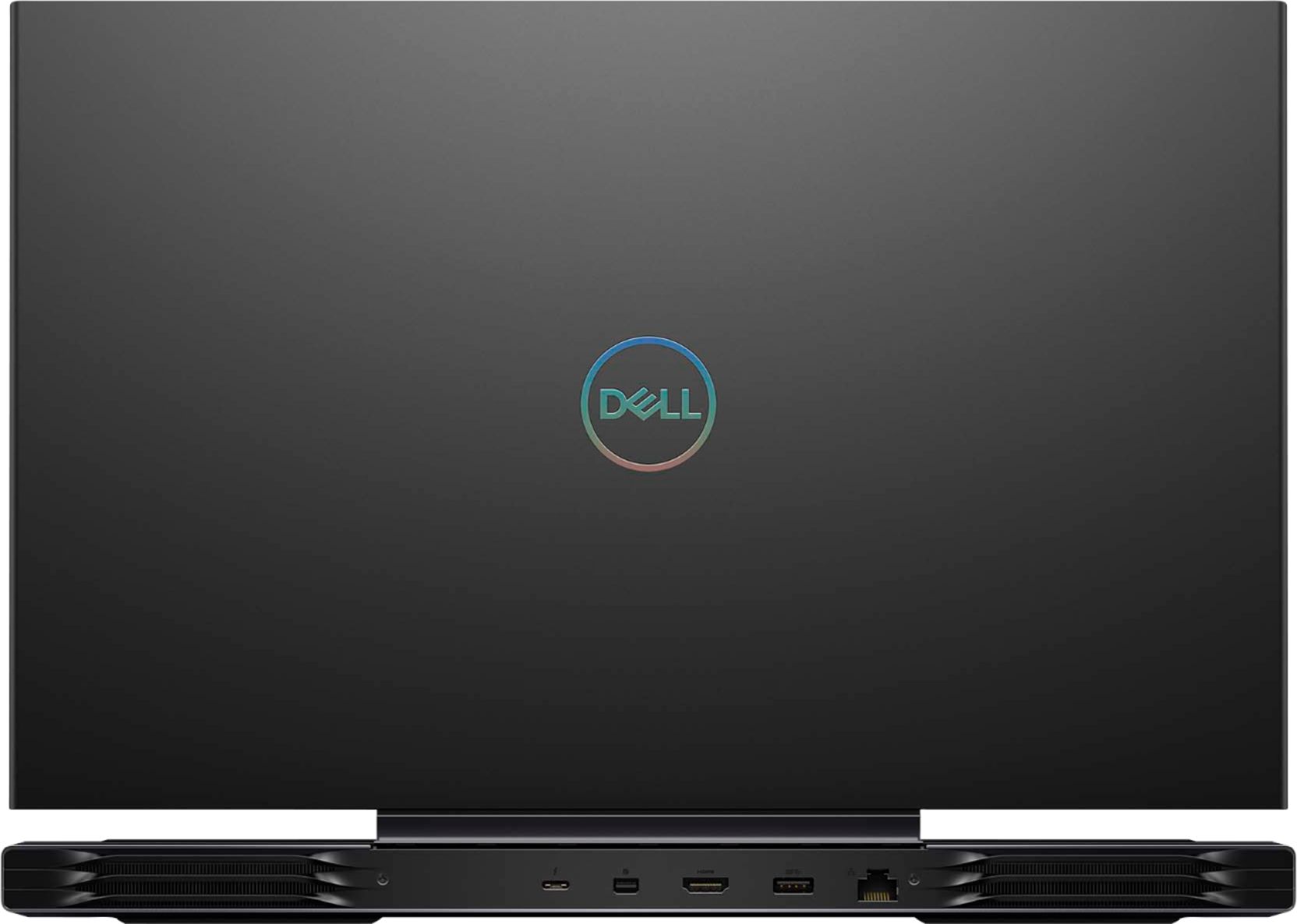
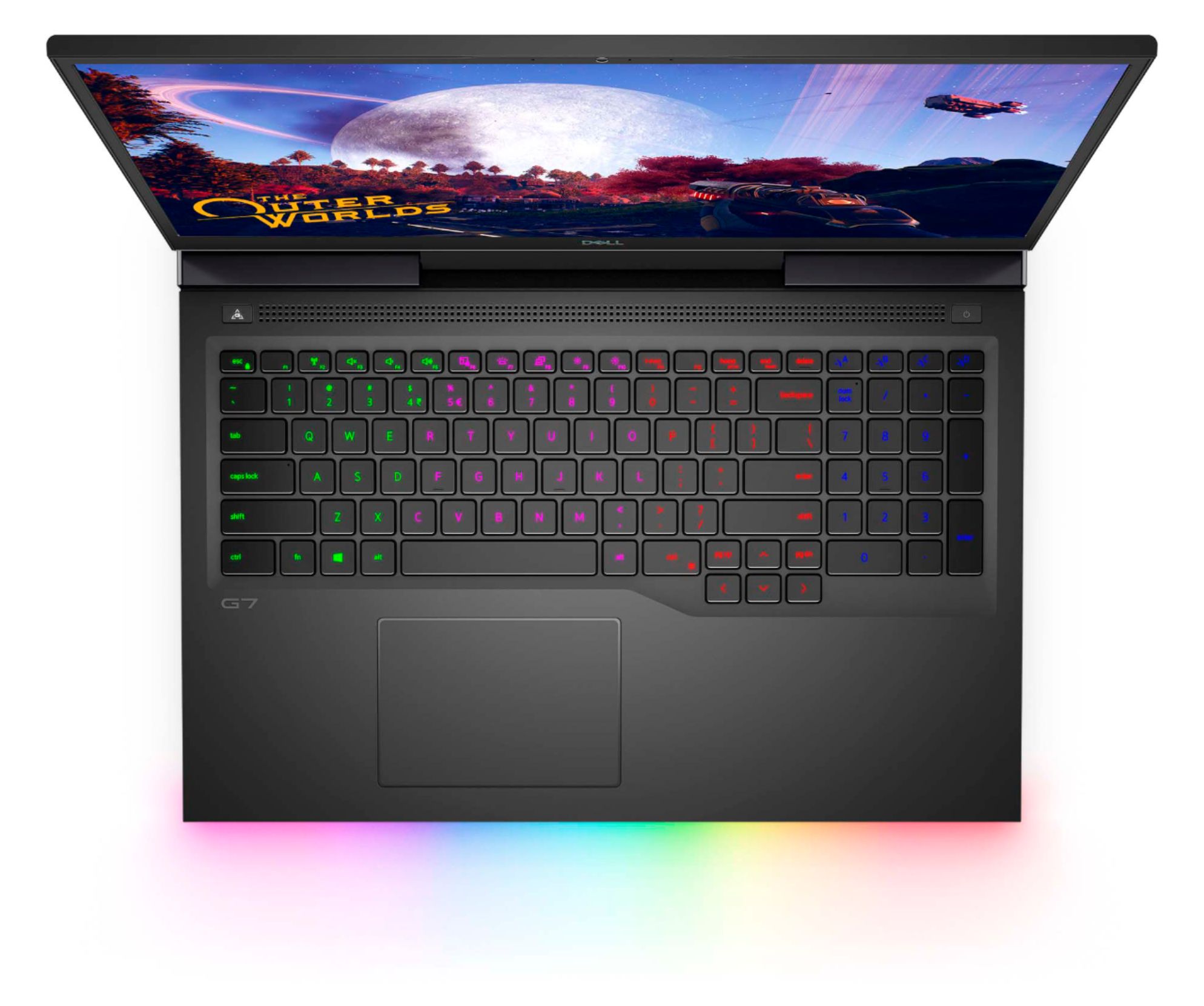
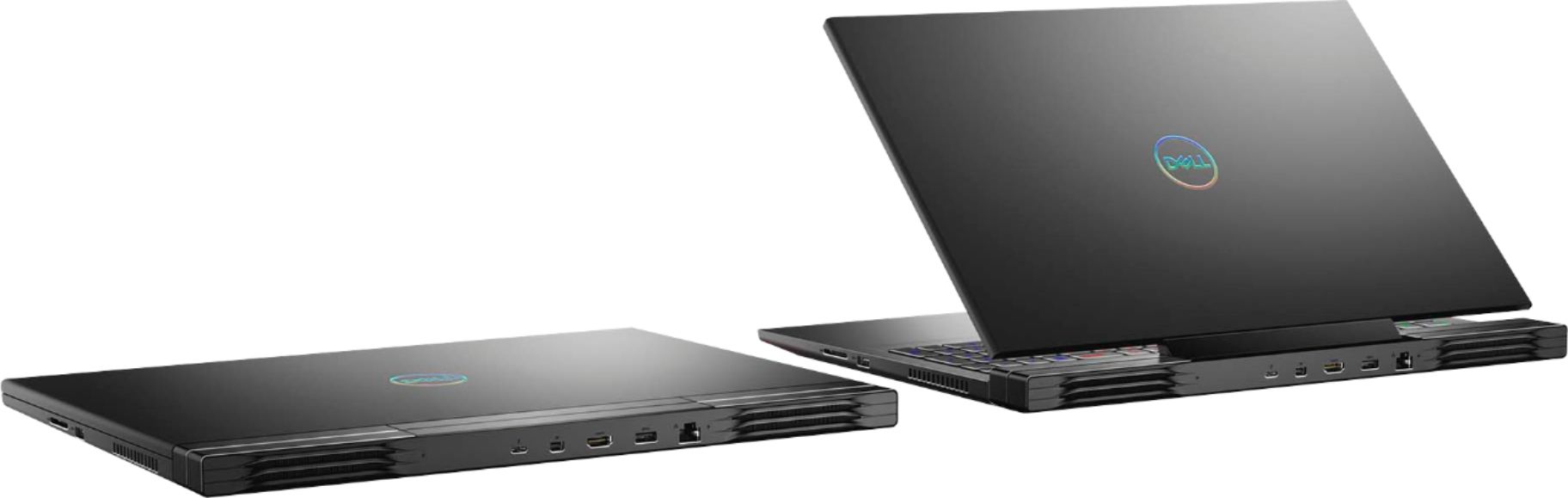
|Posted .This reviewer received promo considerations or sweepstakes entry for writing a review.The Dell G7 is an awesome laptop, very well built and the matte black, and the lights make this thing look sleek. Setting it up took approximately 10 minutes until the whole windows session was finalized. This laptop has a good spaced keyboard and included the number pad. The keys are backlit and you can customize the colors to your liking in 4 different segments. The lights on the front can also be customized in different color segments as well. This of course is a gaming laptop and it does that very well. After installing the games, loading them was pretty fast and one of them took about 43 seconds to load . I paired an Xbox remote controller and that was easy as well. I played a fighting game maxed out setting at 1080p@60hz and it ran supper smoothly with no lag or frame drops. I also launched the Microsoft flight simulator with the 3D shading maxout, and the settings at High-End, it also played smoothly. Area where I encountered frame drop and lag was when I changed the settings to Ultra on the flight simulator. The screen is 300hz refresh rate but the output resolution is 1080p but it does have a great color reproduction. Only using the display port or HDMI you can output 4K HDR. I connected the laptop to my 4K gaming TV and played the games at 4K@60hz without a hiccup. The flight simulator at High-End settings and it ran supper smooth @4K. Playing on the battery life gave me about an hour of game time. This machine has a dedicated performance button right by where the power connector is. That will increase the fan speed to keep your system cooler but be advised it will get loud. This machine is not only good for gaming, browsing, doing regular computer tasks, opening programs is a breeze thanks to the specs and performance and of course the Solid State Drive (SDD). With all the gaming perks you also get plenty of ports. On the back you have the mini display port, HDMI, Thunderbolt 3/ USBC, and a USB 3.2. On the sides you have two additional USB 3.2 one on each side, an SDcard, headphone jack, and the power connector. I almost forgot about the speakers, they are loud and they also sound good. Overall this laptop performs as advertised plus if connected to other peripherals such as gaming monitors, keyboards, mouse you got yourself a gaming desktop but portable. The specs for this specific laptop is i7 2.6ghz 10th gen, 512GB SSD, 16GB Ram, GeForce GTX 2070.
I would recommend this to a friend - Pros mentioned:Build quality, Performance, Screen sizeCons mentioned:Heat, Ssd
Good Laptop With Minor Issues
||Posted . Owned for 2 months when reviewed.This reviewer received promo considerations or sweepstakes entry for writing a review.Pros: Great Screen, speakers, and performance. RTX 2070 Max-P will run anything you throw at it with ease. Build quality is amazing. I had an Alienware M17 before this and wanted to stay in the Alienware family since this has all of the Alien-FX and software. I was pleasantly surprised with how much lighter this was than the Alienware. Cons: Did drop frames due to cooling issues, but a new Bios update did the trick and haven't had any problems since. Wish there was more than 512GB but it is a fast drive at least. Overall: Great laptop and is worth the price it sells for.
I would recommend this to a friend - Pros mentioned:Performance, Screen sizeCons mentioned:Heat
Great Laptop value if you keep up with Updates
||Posted . Owned for less than 1 week when reviewed.This reviewer received promo considerations or sweepstakes entry for writing a review.I own 3 Dell "G Series" laptops (last year's G5 / G7 and this one) and they all perform great. This new model actually is very much like an Alienware 17m laptop and is a definitely upgrade over an already solid laptop in last year's 7790 (improved screen, audio, trackpad, and portability). The reason for the bad rep is very much Dell's fault. They expect the users of these laptops to actively pursue driver, firmware, and BIOS updates. If you don't update, then you have a loud, hot, and clunky laptop. To Dells credit, they do try with their SupportAssist app... but that gives the false pretense that it's all you need to do. Along with keeping your drivers updated with SupportAssist you also need to: 1) Go to "Device Manager" -> Click on Firmware -> Click on System Firmware -> "Driver" Tab -> "Update Driver" 2) Make sure your Profile is updated on the "SupportAssist" app. 3) Google "Dell Product Registration" and complete the form to register (Now your laptop is recognized for updates) 4) Google "Dell Drivers & Downloads" -> Your laptop (or PC) should show up, click on it -> Find any "URGENT BIOS update" -- Download and Run -> This will run the BIOS Updater tool which will compare your current BIOS with the most current one and flash it unto your PC... follow the steps and restart, etc. 5) Type in the Search Box "Update" and run any available Windows Updates Follow these steps and your machine (unless truly defective, but I have 3 of these and I can attest it works) will run as it should.
I would recommend this to a friend - Pros mentioned:Build quality, Screen sizeCons mentioned:Heat
Almost perfect.
||Posted . Owned for 7 months when reviewed.This reviewer received promo considerations or sweepstakes entry for writing a review.300hz with a 17 inch screen and paired with a 2070, this is a great laptop. However I get promised a "cooler" running laptop; I just wish there was a way to make the left palm area not so hot. 5/5 for build / design / quality / price 4/5 for the heat issue that seems to be the bane of every gaming laptop.
I would recommend this to a friend Plays most everything out of the box
|Posted .This reviewer received promo considerations or sweepstakes entry for writing a review.This laptop is a step above most mid range gaming pc's. It comes with the i7 6-core CPU rated up to 5GHz, and the RTX 2070 Max-P GPU. The "Max-P" means max performance, or full power. Typically a laptop with a max-Q symbol has the same GPU but lower power consumption, resulting in potentially 10% to 15% less performance. The 2070 Max-P has a boost clock speed of 1440 MHz, which is about 180 MHz slower than the desktop version. However this is still a very capable laptop, which should be able to run most current games. I was able to play Call of Duty Warzone, Minecraft, Fortnite, Witcher 3, and Destiny 2. Each of these ran at different qualities, but were all still very playable, and looked good. Witcher 3 ran about 100fps, Call of Duty between 60fps to 110fps , Destiny 2 at 140fps and actually everything ran over 60fps most of the time, however the fps's did drop under 30 a few times after the laptop got too hot. The good thing is that Dell includes a dedicated toggle button at the top left corner of the keyboard to easily switch between your power setting and thermal setting. This toggle's options can be changed to your choice of profiles in the settings. The toggle works great to instantly increase performance and/or reduce heat. I have noticed that gaming performance can eventually degrade after running too long with the fans at max, but when you toggle back, the performance picks back up instantly. With one click you can fix any performance lag. Just as a word of caution, this laptop runs very hot while working at full throttle, partially because Dell's gaming pc's are built to be slightly overclocked, and this GPU is set to run at max power. So it is definitely advisable to also purchase a higher end laptop cooling fan, that will fit a 17" laptop, to help draw some of the staggering heat away from your machine. So far I have really enjoyed using this laptop, and playing the games that used to crash on my older desktop. It's a breeze to connect any Xbox controller to the laptop, or pc controllers. Playstation controllers can also be used, but either with an adapter or some additional software.It has Bluetooth 5.1 so it should be able to easily connect to any BT device,like headphones, or additional wireless accessories. The included display has a max resolution of 1080p, but 4k can be achieved through the HDMI port to a second monitor, or 4K capable TV. However, the 17" screen is actually a good size for most games, and at this size most people would not be able to tell the difference between 2k or 4k resolution. Although,it is nice to have the option to throw your Netflix or any other streaming services to your big screen for everyone to enjoy. The Killer wifi app works great at not only reaching max internet transfer speeds, but also by trying to prioritize gaming traffic, and background processes.When connected to a Wifi 6 network, the Killer wifi card and app could theoretically reach speeds of up to 2.4Gps (which is way more bandwidth than typically any home currently has). The technology behind Killer wifi, is very impressive, and a good edge to have when gaming online. The battery is a 6 cell lithium-ion (97Wh) battery that has a pretty decent life, depending on your power and performance setting. I have easily gotten a few hours from it on higher settings, but honestly I prefer to play any games while it is plugged in, for the absolute best performance. It's also nice to know that by switching the performance settings 4 to 6 hours could be achievable. With the larger screen, and battery this laptop weighs in at 7.25lbs, which might be a little heavy for someone looking to just browse the web, but an acceptable weight for a good quality gaming laptop. The Webcam and mics work good, and even have a white led next to the camera to indicate the camera is in use.The camera is .92mp and can produce 720p video. You can update most drivers through the Support Assistant app, and the GeForce Experience. Unfortunately not all drivers will show that they need to be updated through the system apps. You can also download a "driver updater" program to help you find the rest that need to be updated. It's a good idea to keep your system as current as possible, for the best potential performance. After I updated all my drivers, I decided to do a benchmark test, my first few benchmarks came back with very low, below average scores. So, I adjusted all my power and GPU setting to the highest options. After doing so, I re-ran the Benchmark tests, with the same results, the GPU was failing during the last graphics test, so I decided to download another app, with very similar results. After some research I discovered that the Realtek ALC3281 with Nahimic 3D audio was to blame for the issue. So, I tried re-doing the audio drivers, and GPU drivers, and ended up with the same results. I eventually had to go into the "services app" and disable the Nahimic service. After doing so, all the benchmark tests came back with great results. You can find this by using the Windows search bar, in the lower left corner of the desktop. Just type in "services" and then select the app. When the services app pops up, just scroll through, everything is in alphabetical order, and locate the "Nahimic Service" and change the setting to disable it, hit apply , and restart your system. Everything will be fixed. Keep in mind that any future driver updates to the audio components might result in turning this service back on, so if you notice a performance issue, just head back to the services app, and double check that it is still disabled. I tried many different settings and driver updates, but the only thing that worked for me, was to disable it. I also noticed that the RAM could use a little boost. This laptop does not have a bios option for adjusting the RAM power, so the only option for the physical RAM is to manually upgrade it, the max for this motherboard is 32GB total ( two 16GB DDR4 2933MHz sticks). You could also try adjusting the VRAM until you get the physical upgrade. You can access the VRAM settings by searching for " adjust the appearance and performance of windows" , click the "advanced" tab, and then select "virtual memory" If you are not comfortable changing your pc's settings, you should let someone else with some experience do it for you. Windows usually selects a decent amount to allocate, but I typically like to at least double what windows recommends for a larger cushion. I noticed that while playing Warzone the VRAM was at 100% most of the time, with Windows controlling it. After my adjustment, it stayed around 50% or lower, with better performance. As long as you might be upgrading the RAM, you might want to add an extra SSD to your laptop. The G7 has an empty SSD slot, that you could easily populate while swapping out the RAM. Just try to make sure that you try to get a SSD that is at least as good as your primary drive to avoid any performance loss. The part number for the current drive comes up to be a Toshiba M.2 2230 - 512GB drive made by Kioxia with a read/write speed of 1389MB/s / 997MB/s , as tested by Novabench. The mfgr claims read/write speeds of 2200MB/s / 1400MB/s. However my benchmark results did show results less than expected, so I am more inclined to go with Novabench's claim on this one.Just make sure you get a SSD that is of the same format M.2 2230. If you end up buying a faster SSD then you might want to think about copying over the system's OS and boot information to the new drive.Keep in mind, you need a special hard drive cloning software to do this, you simply can not drag and drop the OS between drives like a regular file. So, not only does the G7 have some customizable features for gaming performance, it also has some for the visual aspects as well. The laptop comes with RGB lighting features. These features can be accessed through the Alienware Command Center, under the "FX" tab. Here you can customize the colors of the 4 zones in the keyboard, and also the front lower light strip on the bottom of the laptop. You can even set up the lighting effect. You can choose between;static, morph, pulse, color, breathing, and spectrum. In the Alienware Command Center, you can also find the "macro" settings, under the same "FX" tab.Here you can add or edit macros for the 4 dedicated macro buttons above the number keypad. This really is a pretty impressive laptop for the price, it can do most everything the laptops over $2000 can do. Overall, I have been pretty happy with the performance and customizations available on this gaming machine. It is such a relief to actually be able to play the games I couldn't even try on my old pc. I have included some pics from my phone, the resolution has been dropped to accommodate the post.
I would recommend this to a friend- Pros mentioned:GraphicsCons mentioned:Weight
Excellent gaming laptop. Upgrade the SSD's
||Posted . Owned for 2 weeks when reviewed.This reviewer received promo considerations or sweepstakes entry for writing a review.This laptop is a beast. I can feel the 300hz on the screen while gaming. The laptop has a 512GB NVMe drive but it is hynix 2230. I removed that drive and added 1x 2TB hard drive and 1TB drive for my main laptop data backup for software installs (Barely' gets written after transferring files). This has the Max performance GPU which was my main focus and got it on sale for 1299.99 This laptop currently runs around 1699-1800 on Amazon and other places. I had a older G7 2060GTX and was flawless. So far Dell has not disappointed me. It was a choice between Alienware and this one. I chose this for higher GPU and price. The heat flow on this thing is about the same as my last years alien-ware so heat is about the same. The laptop has two fans with two channels going out on left and right sides. The laptop is lighter but as always it can be heavy. Overall excellent gaming laptop for 1299.99. Buy it when it is on sale again. (Was on sale last week)
I would recommend this to a friend - Pros mentioned:Build quality, Screen size, SpeedCons mentioned:Heat, Weight
Thermal Cooling Problems Show
||Posted .This reviewer received promo considerations or sweepstakes entry for writing a review.The Good Part Tight high grade metal build + beautiful screen Precise glass touch pad + smooth keyboard action Gorgeous custom color option keys/chassis lights Outrageous blazing fast processor + Nvme drive + wifi 6 The Disaster Part Firepit HOT palm rest + keyboard + underside + heat exhaust Dell/Microsoft Updates don't fix heat problems Gigantic 240w brick size charger Boat Anchor weight Stunning machine especially @ $1699 devastated by extremely poor thermal cooling engineering
No, I would not recommend this to a friendBrand response from YourDellTeam
Posted .Sector001,
Thank you for your feedback. We're very sorry to hear that your computer is operating at a warmer temperature than you were hoping it would be. Here are some steps that we'd recommend trying:
1. Update your computer BIOS to the latest version available
• Browse to the Dell Drivers & Downloads page:
• Ensure you have selected the correct Operating System
• Under Category, choose BIOS
• Locate the latest System BIOS
• Click Download and save the file to your PC
• Open File Explorer and browse to the location where you saved the downloaded file
• Double-click the BIOS setup file and follow the on-screen instructions to complete the installation process
2. Open Alienware Command Center
3. Click Thermal at the Active Default Theme and set it to Performance
4. Restart the computer
5. Once the computer boots into Windows open SupportAssist
6. Go to the Troubleshooting tab and click on I want to check a specific piece of hardware
7. Click CPU under CPU Devices
8. Select CPU Stress Test and click Run Test
9. Open the Alienware Command Center and go to the Fusion tab
• The CPU peak temperature should be less than or equal to (≤) 100 ℃
• When under high stress, the computer's average temperature can be expected to be less than (≤) 100 ℃.
If you have any questions about your computer you can check our Product Support Page here: https://dell.to/3jH5TjU.
Best,
Bryan
1-800-624-9896