Customer Ratings & Reviews





- Model:
- i7440-5647BLU-PUS
- SKU:
- 6616071
Rating by feature
- Battery Life
Rating 4.5 out of 5 stars
- Speed
Rating 4.6 out of 5 stars
- Display
Rating 4.7 out of 5 stars
Customers are saying
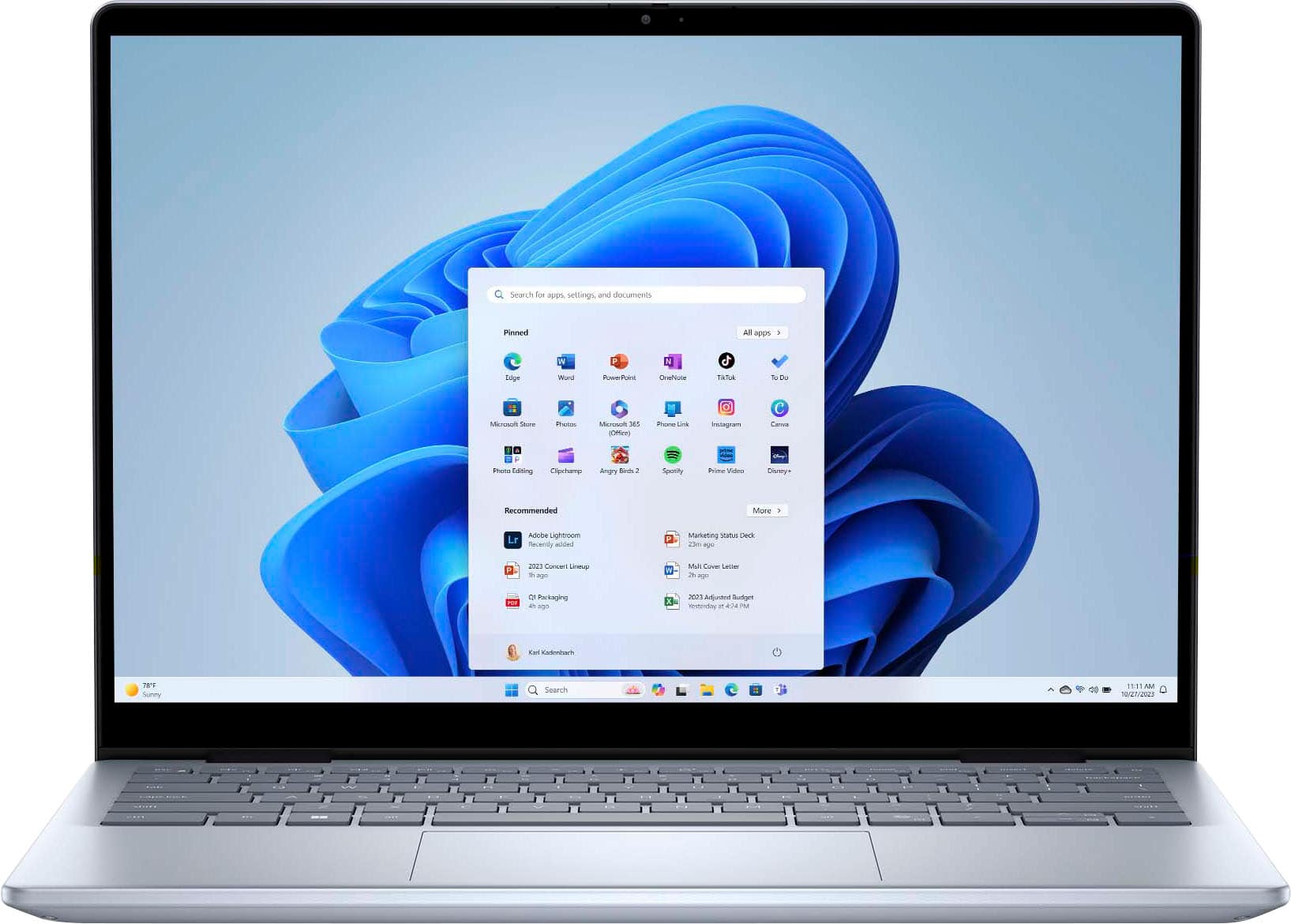
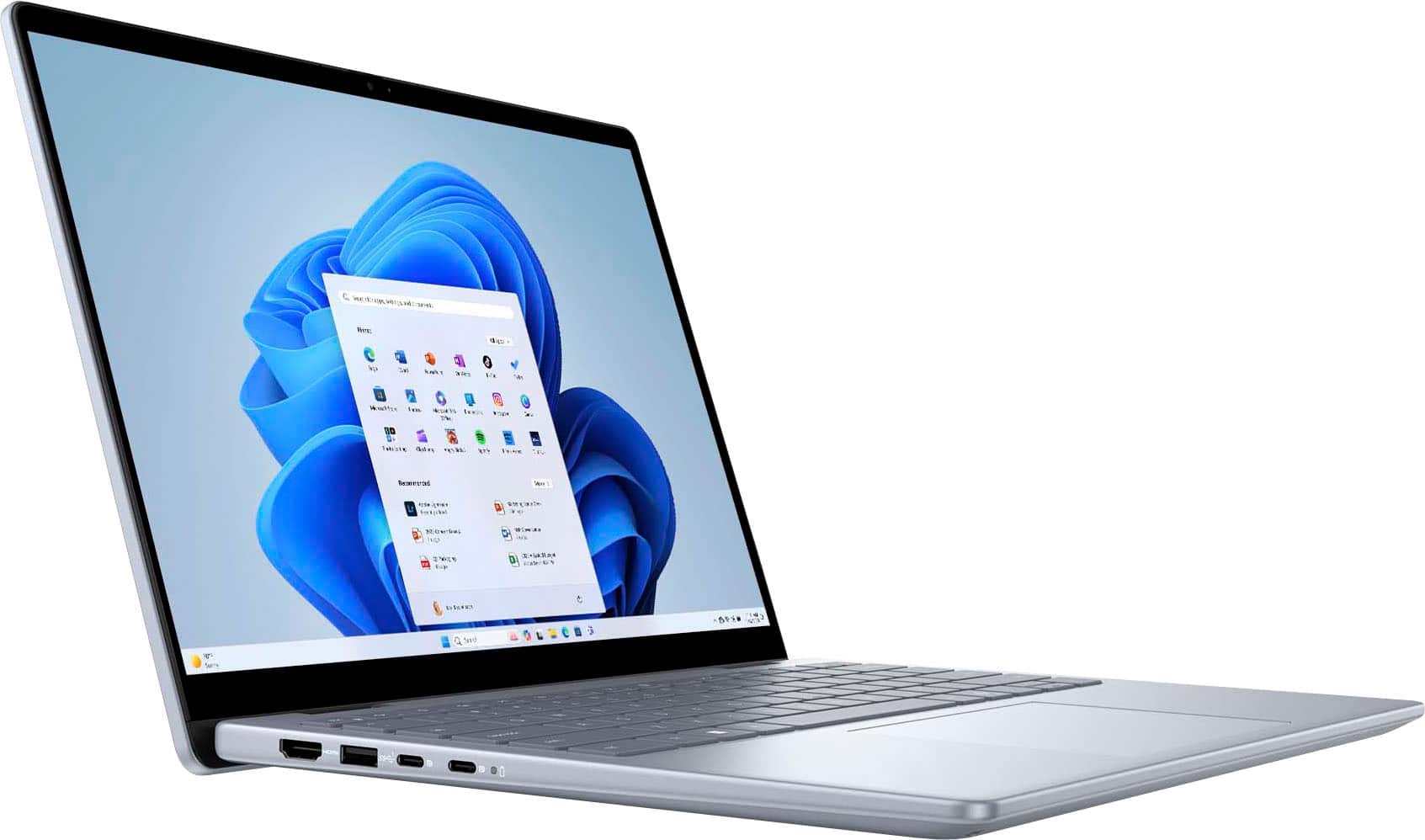
Customers are delighted by the Inspiron 14's portability, build quality, and processor speed, finding it easy to use and appreciating its design. The touchscreen and battery life are also well-received, along with its convenient size and helpful port selection. However, some customers have noted concerns about the device's weight and fan noise.
This summary was generated by AI based on customer reviews.
- Cons mentioned:Fan noise
Nice machine but not perfect
||Posted .This reviewer received promo considerations or sweepstakes entry for writing a review.Overall this laptop is ok for the price point. I like the relatively smaller size and the fact that it can also be used as a tablet. The color is called ice but is more like a nice graphite gray. The touch screen is very responsive. Setup was quick and easy. One thing I don't like is that the fan comes on more frequently than my previous 2-in-1 (also a Dell) and is fairly loud. Recently the screen has been randomly going black and then coming back on a few seconds later. The machine itself stays on, so fortunately I don’t lose what I’m working on. I did not expect this from a brand new laptop that’s only been used about 10 times. I do like many things about this computer, and if the display wasn’t glitchy I would recommend it for anyone looking for a 2-in-1 laptop.
No, I would not recommend this to a friend - Pros mentioned:Portability
Durable laptop
||Posted . Owned for 3 weeks when reviewed.This reviewer received promo considerations or sweepstakes entry for writing a review.Good little computer for the price. Had a lot of updates when I got it but it has been nice to have and use so far. Like the ability to make it a tablet if I want.
I would recommend this to a friend Crazy laptop for my official use
||Posted . Owned for 1 month when reviewed.This reviewer received promo considerations or sweepstakes entry for writing a review.I could say Thanks to dell and bestbuy for getting this type of quality laptops to users alm over the world. Its been a great month with this. Easy to use. Touch is excellent. High quality videos. I play virtual reality games throuhh this ans cast them and i can say its best. 5/5
I would recommend this to a friend- Pros mentioned:Battery life, Build quality, PortabilityCons mentioned:Fan noise

Great 2-in-1, Budget Friendly and Good Performance
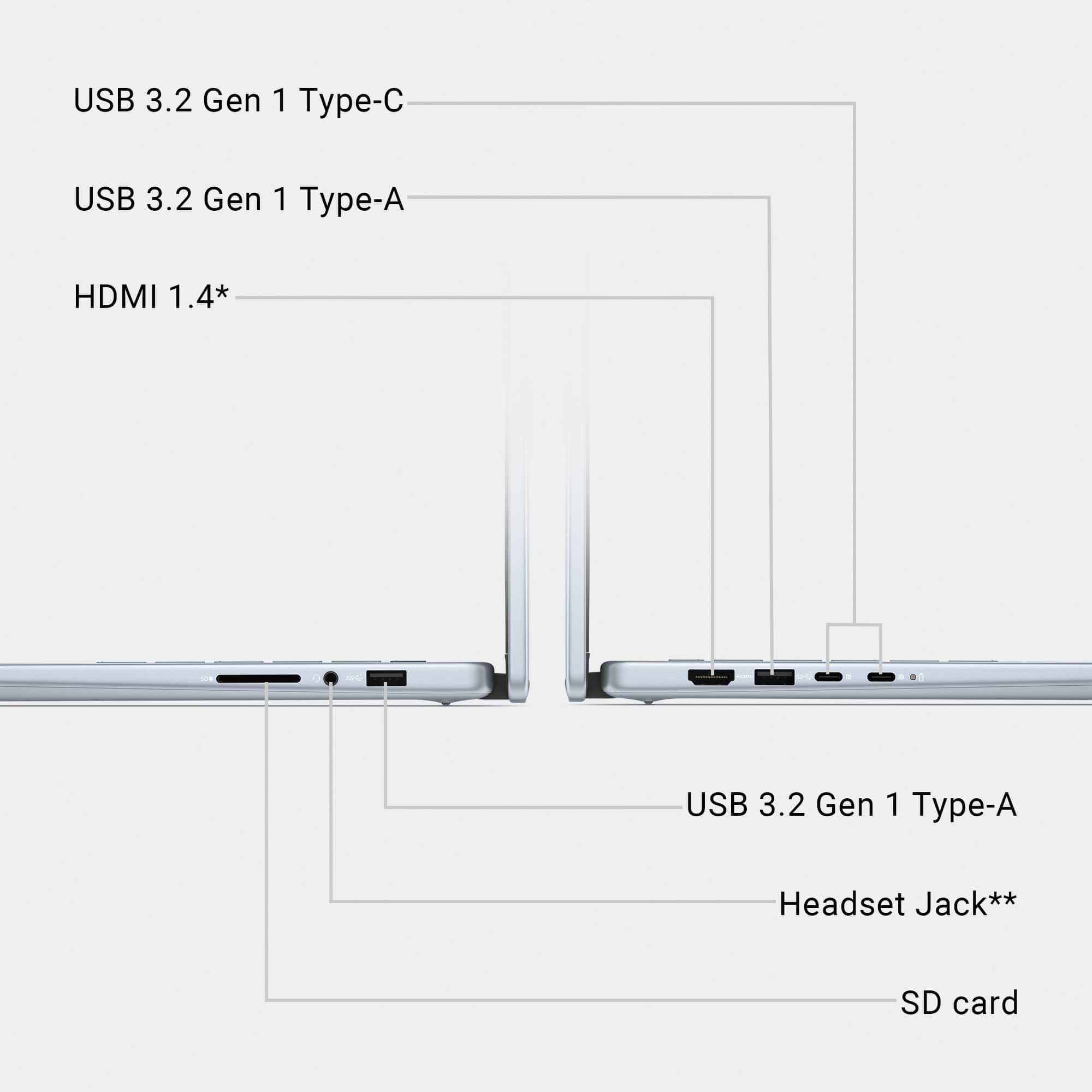
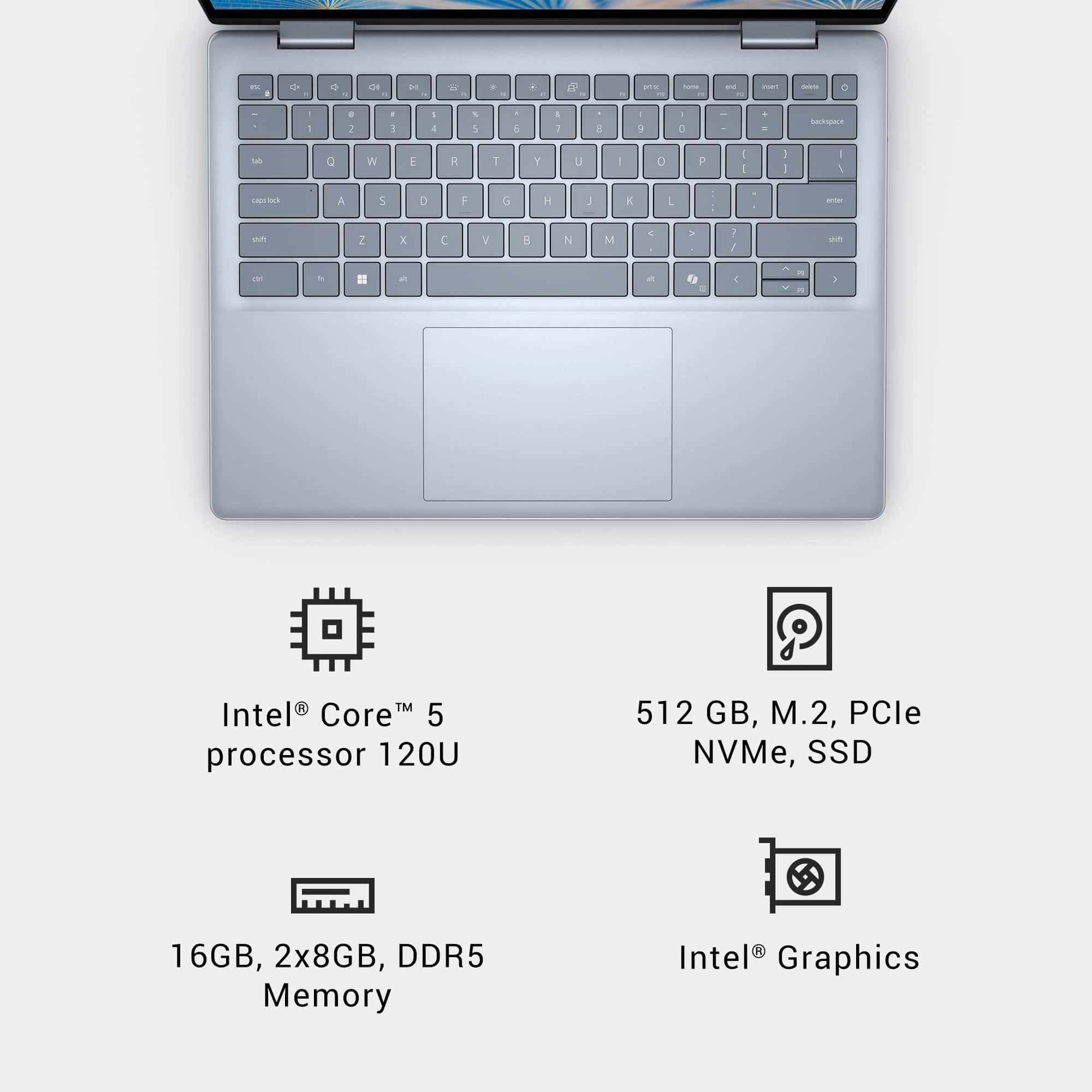
|Posted .This reviewer received promo considerations or sweepstakes entry for writing a review.I have been able to use several 2-in-1’s over the years and this is my second Dell. In fact I have the upgraded version of this model with the Intel Core 7 150U and 1TB NVME drive. I have had a great experience with the top end model over the last year, and I have recommended it to several family members and colleagues that were looking for a 2-in1. I was interested to see how this more budget friendly model stacks up, and if it still checks all of the boxes. I used this for the same tasks as my other laptop to get a direct comparison of their capabilities. Activities included picture/video editing, Word and Excel work flows, Netflix, and a few lightweight games. Specs CPU – Intel Core 5 120U 10 Core – 2 Performance Cores @ 1.4 GHz (boost to 5 GHz) and 8 Efficient Cores @ 0.9 GHz (boost to 3.8 GHz) Memory – 16GB (2 x 8GB) DDR5-5600 Quad Channel 42-42-42-82 Graphics – Integrated Intel Iris XE Graphics @ 300MHz (boost to 1300MHz) Screen – 14”1920 x 1200 60Hz FHD (WUXGA 16:10) IPS with 250 nits brightness Storage – 512GB WD SN5000S 2230 Gen 4x4 NVME SSD Ports – 2X USB 3.2 Gen 2 Type-C with Power Delivery and Display Support / 2X USB 3.2 Gen 1 Type-A / 1X HDMI 1.4 / 1X SD Reader Slot / TRRS 3.5mm Jack (headphone and mic support) Webcam – 1080P with physical privacy shutter and dual array microphone Dimensions – 12.36 x 8.9 x 0.62”; 3.77lb Network/Connectivity – WiFi 6E (802-11ax) / Bluetooth 5.3 Design The design of the Dell Inspiron notebook is good. It’s pleasing form factor that lends itself well to portability, and it’s easy to live with. I have been using the laptop on the couch, at the dining room table, in an airplane, and at a jobsite. It was used to watch movies on a long cross country car ride for my kids as well. Dell calls the silver looking finish of this laptop Ice blue. The outer shell feels sleek with a light texture. The shape and weight of it feels solid. The inside continues that overall design style and maintains the same materials. The keyboard and trackpad are the only places not made of the shell material. The keyboard has a fairly nice feel that I like to type on. The key spacing doesn’t feel too tight and the keys themselves have a decent detent click while remaining silent. The trackpad is a good size at 4.5x3.1”, and it’s a soft, slick textured surface. The trackpad leaves enough space for your palms to easily rest on the laptop while typing, so it’s all well laid out. I have not experienced real heat spots in the keyboard under load. The heat gets dumped through the bottom/back edge, so lap only heats up a little bit. I wasn’t a big fan of the port layout on the other laptop, and this one has the exact same setup. The issue I have is the lack of USB-C for charging on both sides of the laptop. I always seem to be sitting to the left of an outlet, so I have to drape the charger across me to be plugged in. I have found it’s not a huge issue as the laptop has a great battery life. Its only annoying if I need to use the laptop and it needs charging. Like I found before, the full SD card slot is very useful – I just used it to pull pictures from my DSLR of my recent vacation. Both sides carry a USB 3.2 Gen 1-Type A port. The right side also has the headphone jack, while the left has the HDMI 1.4 port (supports 1080p @ 60FPS). The power button in the top right of the keyboard also doubles as a fingerprint reader, which works great for identity verification on different Windows and Google apps. This laptop does not support the camera based Windows Hello unlocking. I don’t mind this as I find the fingerprint superior. The switch from laptop to tablet is seamless. The hinges handle the transition well and I have never get the impression that I will break something my switching. The hinges hold their position well so you fold it over but leave it halfway open to prop it up on a surface. Windows makes the switch without issue and there is no noticeable delay or lag in the switch. When rotating the hinge to tablet mode the keyboard and trackpad are disabled, so you are left with either the touchscreen interface or any connected mouse or keyboard. The power button is the only active key as it allows you to lock the screen or turn the laptop off. Performance The 10 core 120U released in early 2024 as part of the Raptor Lake-U refresh. It was the midrange offering in Intel’s U series at that time. This processor is now 1 year old and has seen a successor in the 220U. This refresh appears to be a very modest update with some improved multicore performance, so the 120U appears to remain relevant. Its age may offer some savings because of its spot in the CPU release cycle timeline. Like the 150U, the 120U is a 15W TDP chip made for efficient performance. In my usage the 120U has been a quick processor that is fully up to the challenge of day-to-day tasks. I haven’t noticed any performance difference during normal usage of this laptop vs. my 150U based system. Opening and closing programs, web browsing, and streaming Netflix all perform the same. Where things differentiated was during more CPU/iGPU intensive tasks. Working on a photoshop project I could see a small increase in time to complete modifications. Where the gap widened was video editing and encoding in DaVinci. There was about a 10% increase in project processing and finalizing with this laptop vs my other system. It’s not a huge drag, but it does showcase the slight performance edge of the 150U vs. 120U. Would that 10% push me to pay a premium for the upgraded system? Probably not, but your use case will be different from mine. What I want out of a laptop is good battery life and snappy performance, which this certainly has. I was able to pull down roughly 10hrs of battery runtime on the 64WHr battery. I have ran it from full to empty several times and usually come out around the mark unless I am using it streaming/video playback more than lighter tasks like web browsing or Office apps. My kids used the laptops on our recent vacation to watch some movies. They used both laptops (150U and 120U based systems) in tablet mode, and they each got about 7.5-8 hours of battery life watching movies. When I used the laptop on a recent work trip I had much more mixed usage with email, Word, browsing, etc and I managed to keep it going for 8hrs with about 12% battery left. The fans on the system will kick on under a decent load – I had multiple programs open, a browser with a bunch of tabs, and a video playing from the C drive before it was on full blast. The same could be said for this system as well – I had Firefox with 20 tabs, Word, Netflix, a large file transfer, and a system monitor running before I noticed a hit to window min/max’ing and a file transfer slowdown. This was a similar to the 150U system, but just a little less load before it started to slow up. My experience gaming on the higher specc’d version of this laptop wasn’t great. The iGPU is pretty weak and isn’t designed for gaming loads. Older games will play fine on lower settings, but you can’t expect high framerates/settings. The 150U system played the Master Chief Collection on low settings and maxed out around 45FPS. On this system that number dropped to 41FPS. Not great, but it’s playable for the single player campaign. Something like Minecraft is handled better on a system like this, but I wouldn’t base the purchase of this laptop off its gaming performance. This is a great productivity platform and would be perfect for work or school. The processor has enough speed and power to truck along for years and still be relevant. The 16GB of RAM and NVME are going to be enough for most tasks, and both items are upgradeable/expandable. Display The 14” 1920 X 1200p FHD touchscreen display is the same that came on my other laptop. Text is sharp, and has enough brightness (250 nits) to be used in a well-lit space. I used it out on site in the Texas sun and could see the screen easily. The panel itself is Dell’s WVA (wide viewing angle) display, which is an upgraded IPS-type display that provides better contrast than a traditional IPS. It maintains good off-angle viewing like you would expect from an IPS. The display has a high gloss glass finish, that can reflect lights brighter than the display itself. Bezels are thin - ¼” on the sides and ⅜ at the top to for the webcam. The display handles colors fine (no HDR support) and they appear to be fairly accurate. You can see where it falls a bit short in videos/shows where deeper blacks would be a benefit. The touchscreen is responsive to multipoint touches and tracks fingers pretty well. It’s a good touchscreen display overall. Sound and Webcam The laptop uses dual speakers that output on either side of the bottom towards the front. The speakers are OK – nothing groundbreaking. Dialogue or video call audio sounds just fine, and it works great for that purpose. Music and movie sound is on the flat side. There’s no real bass to speak of, the mids come through well, and the highs are a little underrepresented. It’s what I would expect out of a thinner laptop. The 1080p webcam sits atop the screen and comes with a physical slider to block its view. The camera is meant to be used with some light in the room as it does come off a little dark. The camera mic grabs your audio fairly well, but can pick up some background noise. Quiet conversation is picked up well, so the mics are sensitive enough. Overall it works well for my family video chats. Much like my other Inspiron I am very happy with the performance of this laptop. The 150U based system has been my go to mobile system for almost a year now, and this model looks to be just as good. I would recommend this laptop to anyone looking for a good 2-in-1. This 120U based model provides a good budget-friendly option and I it has enough power to handle your day-to-day task with ease. It’s a good platform for work or for as a graduation gift for a kid heading to college.
I would recommend this to a friend Wonderful laptop
||Posted . Owned for 3 weeks when reviewed.This reviewer received promo considerations or sweepstakes entry for writing a review.Wonderful laptop this works well and runs well not fast for games but it is good for most normal computer work
I would recommend this to a friendGreat p c for school
||Posted . Owned for 2 weeks when reviewed.This reviewer received promo considerations or sweepstakes entry for writing a review.I'm really enjoying this pc.It's perfect for school and everything.I need to do
I would recommend this to a friendGreat Computer
||Posted . Owned for 3 weeks when reviewed.This reviewer received promo considerations or sweepstakes entry for writing a review.I love my new computer. Like all new electronics, I have needed some assistance. Geek Squad has been fabulous in helping me understand how different things work.
I would recommend this to a friendDELL and BEST BUY fantastic combo
||Posted . Owned for 1 week when reviewed.This reviewer received promo considerations or sweepstakes entry for writing a review.Really good and fast just bought it for office work but find it multitasking and could use it more got great deal on it for cheapest price around thanks BEST BUY for that been using dell for last 20 years and thats only brand trust for laptops really appreciate guys for great tech
I would recommend this to a friendExcellent for college students!!
||Posted . Owned for 1 month when reviewed.This reviewer received promo considerations or sweepstakes entry for writing a review.This baby is just what a freshman in college needs. Has what you need for school and enough to enjoy social media and movies!! Purchased on sale...great price!
I would recommend this to a friendLaptop
||Posted . Owned for 1 month when reviewed.This reviewer received promo considerations or sweepstakes entry for writing a review.Nice product. Easy to operate. Excellent deal and service.
I would recommend this to a friendGood quality!!
||Posted . Owned for 3 weeks when reviewed.This reviewer received promo considerations or sweepstakes entry for writing a review.I loved it, best lap top ever i have had, Best Buy helped me a lot with their great workers attending me and great options, promotions to buy whatever you need, 100% Recommended!.
I would recommend this to a friendDifficult to use and poor battery performance
||Posted . Owned for 3 weeks when reviewed.This reviewer received promo considerations or sweepstakes entry for writing a review.Nice looking device. Graphics and and page to page are nice and quick. Battery doesn't last very ling. Can't seem to get it to talk with my Samsung devices even with a cord. BB clerk said I would have to pay GS to get help with this so that's a non starter. DIFFICULT to say the least to use this device but guess Im stuck with it?!? Not a happy camper with this purchase.
No, I would not recommend this to a friendDone with Best Buy and FedEx
||Posted . Owned for 3 weeks when reviewed.This reviewer received promo considerations or sweepstakes entry for writing a review.Hard to rate a product you paid for and didnt receive. Last time I ever do business with Best Buy. Lazy FedEx driver decided to leave box on top of my trash box next to the road even though there is a sign on box which clearly states not to leave deliveries there and to bring then to the front door. And then proceeded to take photo of delivery from other side of box so sugn cannot be seen in photo. Of course when I arrive home box is gone. I contact FedEx and after much run around am told I must file claim through seller. I contact Best Buy and again only after more frustration do they finally tell me they will refund my purchase. 2 days later I receive an email from Best Buy stating that after review they will NOT refund my purchase because FedEx did provide proof of delivery and that I will need to contact local law enforcement for any further pursuit of my claim. Of course I understand that FedEx, not Best Buy, is truly to blaim but I was given a choice for delivery company and would never choose FedEx because they have terrible reputation in my area and the system is such that the shipper must file claim with shipping company, not the end customer, so I have no recourse to seek reimbursement from FedEx. No more business with Best Buy. No more business with any company who insists on shipping via FedEx.
No, I would not recommend this to a friend
Great computer
|Posted . Owned for 1 month when reviewed.This reviewer received promo considerations or sweepstakes entry for writing a review.Computer really good for price the ram is more then enough
I would recommend this to a friendDell - Inspiron 14 2-in-1 14" Touch Screen Laptop
||Posted .This reviewer received promo considerations or sweepstakes entry for writing a review.Amazing looking and nice display and working too fast.
I would recommend this to a friend- Pros mentioned:Portability, Processor speed, Touchscreen
Dell is My New Favorite Brand of Laptop
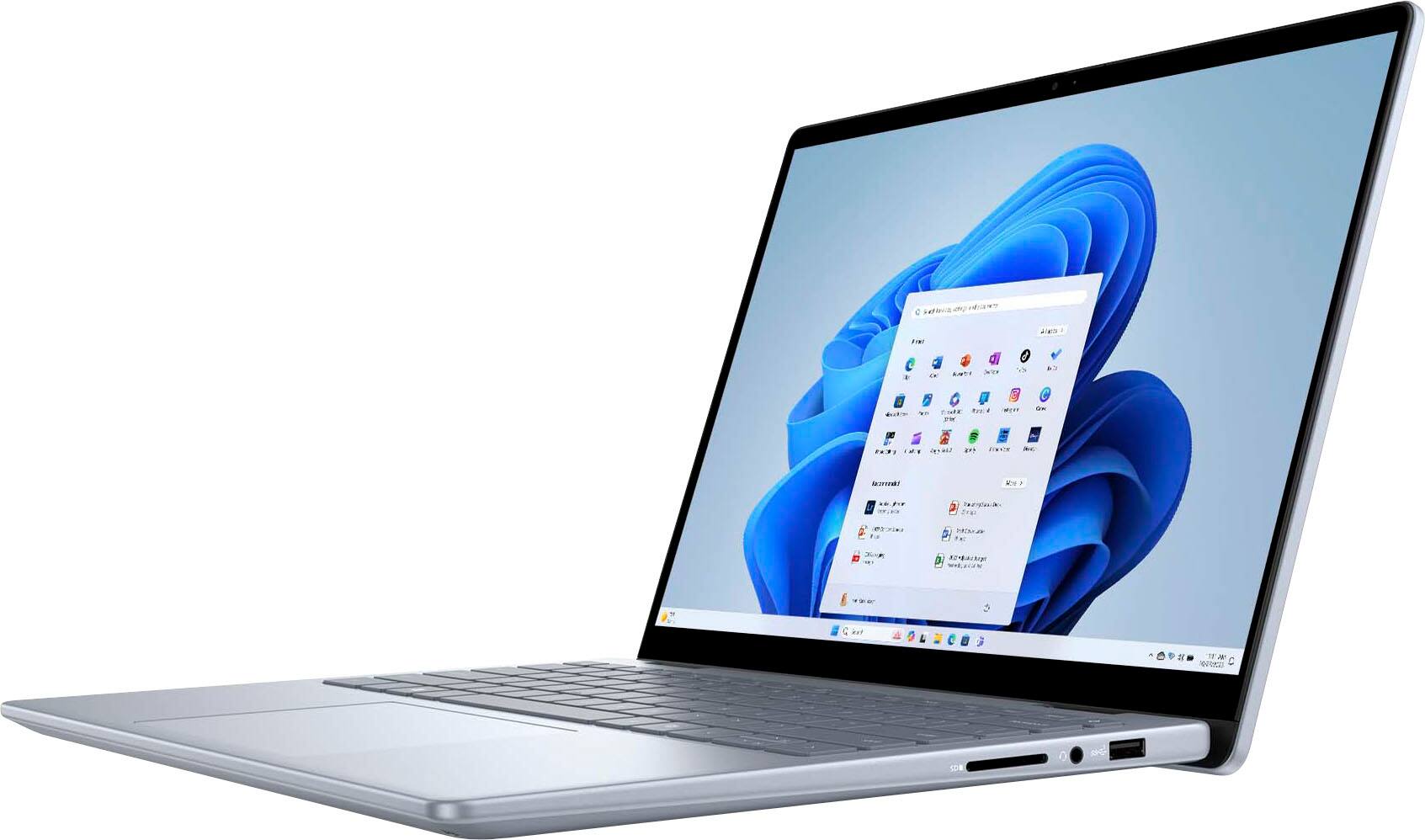
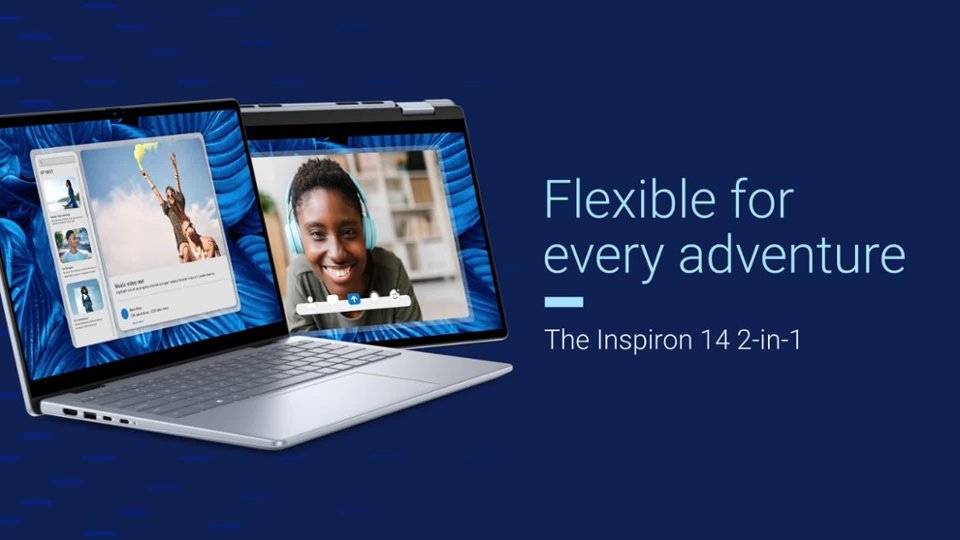
|Posted .This reviewer received promo considerations or sweepstakes entry for writing a review.I love this Dell - Inspiron 14 2-in-1 14" Touch Screen Laptop - Intel Core 5 with 16GB Memory - 512GB SSD. I love everything about it. First the color is such a calming blue. It is not dark or light it is faint. It is so quick and easy to set up. I had no problems at all. It has the speed I have come to expect from my laptops and then some. I was pleasantly surprised. No lagging when I go surfing the web. I can do video chats with my family or watch movies. I can do up my newsletters for printing or sending via email. It is just that easy. The 14 inch size is perfect size to carry in my backpack. It is light and yet sturdy built. I love the touch screen. It is very intuitive to my touch and just works so well. The power cord does not attach like any I have ever had. It does not have the normal peg type attachment. It attaches like a charging cable for my phone. The cord seems to stay connected very well and does not fall out like my old one did. The sound is amazing. The 2 in 1 had me a bit confused but it is actually offers several ways to adapt the way you use the laptop. I can set it on my lap and use the keyboard just perfectly. Then I put it on the kitchen table change the position of the screen as to set it up like a TeePee and use just the touch screen. I can ever lay it down and use the touch screen with the keyboard under the screen. There are just so many options. There are several ways to connect through the 7 ports and slots on both sides of the laptop. I have added a photo of each side. I really do love this laptop and have nothing negative to say about it.
I would recommend this to a friend - Pros mentioned:Battery life, Build quality
Excellent Performance and Features
|Posted .This reviewer received promo considerations or sweepstakes entry for writing a review.The Dell Inspiron 14 inch Touch Screen Laptop is elegantly designed to function as a laptop or a tablet. It has the processing power, system memory, and feature set to easily handle most standard entertainment and standard productivity needs. The 2k (1920 x 1200) Full HD+ screen resolution creates an excellent picture quality. Colors are vibrant and accurate. Blacks are deep and inky. If you plan on using it to watch videos on the various streaming content providers, then you will not be disappointed. One main benefit of 2K over 4K resolution is that battery life will be improved. This is especially important if you plan on using this laptop on the go. The display is also touch screen capable. It is very responsive and easy to use. I prefer the traditional laptop mode but appreciate the versatility to use it this way. I sometimes use the tablet mode on airplanes when space is tight or I need to angle the screen a certain way. As has become the norm, this laptop is charged via one of two USB-C ports. Both ports are fully capable of receiving a charge. Included in the box is a USB-C power adapter. An excellent assortment of ports are included on both sides of the laptop. There are two USB-C ports, both of which support power delivery and display output. There are also two USB-A ports, a HDMI output, a memory card reader and a headphone jack. This was a pleasant surprise because many newer laptops have dropped some of the legacy ports like USB-A and a headphone jack. Thankfully the keyboard is a standard version and not the compact factor, which I personally dislike. The keyboard travel is medium and the keys are responsive. The keyboard is backlit which was welcome at this price point. Sound quality is typical for a laptop. I recommend using a quality pair of headphones to get the maximum sound quality. The Dell Inspiron 14 inch Touch Screen Laptop is equipped with enough processing power and system memory to handle most Windows 11 PC entertainment and personal productivity activities. This hybrid laptop/tablet is an excellent choice for the user that wants excellent offering of features and performance.
I would recommend this to a friend - Pros mentioned:Build quality, PortabilityCons mentioned:Fan noise
Inspiron 14 sweet spot laptop from DELL
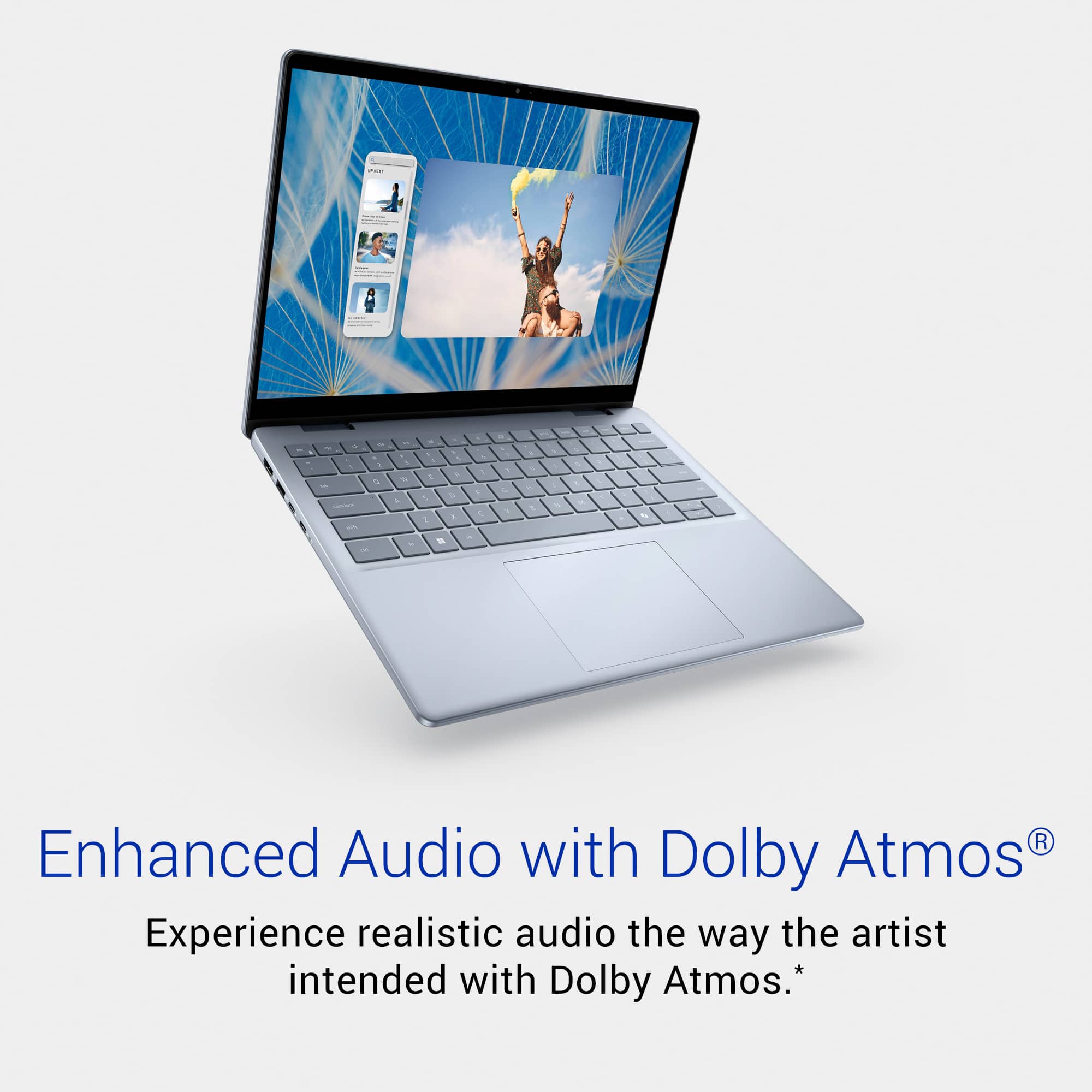
|Posted .This reviewer received promo considerations or sweepstakes entry for writing a review.TLDR: Dell brand 14” Core 5 120U; 2in1 laptop with 16GB RAM; 512 GB M.2 SSD, Finger ID, Illuminated Keyboard, Strong Speakers, WIFI 6E; Bluetooth 5.2; 1920 X1200 Touchscreen display panel; SD card slot; HDMI; USB-C & USB-A with video output; 3.8 pounds, Windows 11 Home. Right off the box this DELL laptop impresses with its well manufactured smooth finish, robust speakers when playing music, the responsive fingerprint reader and the bright superb clarity of its touchscreen display. The chassis case is aluminum; it is smooth and refined in finish. Windows 11 now includes CoPilot AI Artificial Intelligence which is integrated in both the Edge browser and in the Operating System and this laptop has a dedicated button to invoke it for queries. As supplied it includes 2 each of 8GB SODIMM RAM modules for a total of 16GB in both RAM slots. If so inclined, the bottom panel screws easily allow opening it up and swapping in 2 of 16GB each for doubling the RAM to 32 GB. I learned this from RAM manufacturer web sites that publish the details. The CPU in my version is an Intel Core 5 120U processor with 2+8 cores clocking at 5 GHz speed. It works with inherent Intel graphics which allocates up to 4GB for video use. The SSD capacity in mine is a 512GB M.2 module but it is also easily swapped out for a larger capacity M.2 since it officially can utilize a M.2 sized to 2280 dimensions up to 2 TB of capacity. I have connected both the USB-A and USB-C ports on the left side to my Plugable brand USB to 4 X HDMI adapter and can state that both ports provide video signals to utilize multiple extended monitors in Windows 11. I have also used the left side HDMI port for both a computer monitor and my 55” 4K TV and it works smooth and fine although the maximum resolution is 1080 @60Hz and not full 4K per the DELL specs and per my TV indications. It looks fine nonetheless. I tried a bluetooth mouse with easy and good results. The keyboard is smooth and easy to use for rapid typing and email as well as controlling screen brightness, volume for sound and other functions. I adjusted the illumination time for the keyboard in the BIOS to 5 minutes by holding the F2 key when powering on with the DELL logo on the screen. BTW: I don't believe this BIOS allows powering on when the lid is opened as my 3 year old previous Inspiron has as standard. I may continue researching that on the DELL support web pages. The keyboard stays illuminated while typing but now times out in 5 minutes if left idle. The touchpad is very smooth and with 2 fingers a user can scroll up and down in web pages, word processing, spreadsheets and other programs. I wrote this review on the actual laptop using Google Docs and then will copy and paste it into the Best Buy web page. I had no problems connecting to my home WiFi automatically after I typed in the password, bluetooth quickly connects to my headphones also with no problem after I paired 2 different sets of headphones. The SD card slot also works with the SD adapters for microSD cards. The headphone port works great with wonderful Dolby Atmos Core and Waves MaxxAudio® Pro audio. I sometimes use my DELL Inspiron 7440 now on my sofa or bed with the panel turned back as a pyramid and strictly use it as a 14” tablet with touch control for reading emails, web browsing news stories, and shopping on web sites. The touch functionality is equal to that of a smartphone and the “2 in 1” hinges on this Inspiron facilitate that easily. You need to try that if you have never experienced it. I find it runs cool except in the area bottom panel spots where the RAM and SSD storage module are located. These components get warmer when viewing video streams such as on news websites. At that point the internal fan will activate. DELL includes a utility program with their laptops which is user controlled to enable the circuit to operate at a quiet mode or at a louder higher performance mode. It also has settings to adjust the display panel for Movie, Gaming, and other modes. Check it out. BTW: don't keep any laptop on sheets, dusty surfaces, or crumb covered tables such as in diners or cafeterias. Most laptops (not all of them) have air intake slots on the bottom panel which will pull in dust, fibers, crumbs and debris and will eventually clog the cooling fan and insides. Be aware of this, just look underneath. On a table or counter, I use 2 extra stick pens to keep my laptops elevated slightly to enable airflow when not home. At home at my computer desk, I keep it on one of those silver aluminum laptop stands so I both have it at a proper eye height and I have space below it for extra cooling air flow. Mine is an Ice Blue pale color and I am proud to use and travel with it in a small padded backpack so I can be in touch with the world, news, emails, and ability to interact with financial trends at almost any point with a WiFi signal. I will be looking for a padded 14” laptop sleeve, the type with the zipper pocket for the AC charger.
I would recommend this to a friend - Pros mentioned:Battery life, Build qualityCons mentioned:Weight
Excellent wellrounded computer with versatile uses
|Posted .This reviewer received promo considerations or sweepstakes entry for writing a review.The Inspiron 14 2 in 1 is a versatile laptop that is more than capable for most anyone's needs. The laptop is pretty sleek and clean looking. Does not have any over the top/exaggerated outer case designs, which is nice because it gives off a professional/premium feel. The hinge is very durable and stiff. you can fold with confidence and no matter what mode you plan on using, you don't have to worry the screen is going to flop flat (if you're in the tent mode) There is a good variation of I/O ports; 1 HDMI, 2 USB-A, 2 USB-C and an SD slot. Interesting choice to do SD instead of MicroSD, but i'm guessing this is so its more friendly to photographers or those that tend to deal more with SD cards. having this in tablet mode and SD card would likely be very beneficial for drawing/editing/etc The keyboard has a satisfying feel and the keys aren't very noisy. you can type fast with confidence. The touch pad is pretty large given the size of the overall laptop and is pretty responsive. The touchscreen it self is very responsive and has a nice feel. The fingerprint scanner is ok but its small. feels smaller than what you'd use on your phone. because of this and where it's placed, its a little awkward to use, unless you set it up so your thumb is pressed at an angle. even then, it can be spotty. if you don't care/plan on using it, then don't worry about it. The battery is excellent. can easily get through a day of running around, meeting clients and taking notes (whether as a laptop or scribbling as a tablet). Even after using it for half a day and then closing it up and leaving it for 5 days, i opened it up to see there was still 32% battery left. Daily use is mostly office suite products and emailing, so nothing too intense, and this is very capable with no issues. This would be perfect for casual users and students. Have not tried to do any gaming, but based on the specs, i imagine you're not going to be doing anything intensive, but watching media, the screen is very crisp, vibrant and clear. The weight is a little heavy for what it is and how its likely to be used most of the time. For something likely to be toted around like a tablet or a portable computer, i think being nearly 4lbs is a little heavy. if it's in your bag, transporting isn't too big a deal but if you're expecting to lug it all day as a tablet, you may not enjoy that as much overall, for the price (currently on sale), you get a great computer for the average user/student that can do many things with its great hinge setup
I would recommend this to a friend - Pros mentioned:Portability
Portable, Versatile Laptop For Casual Use
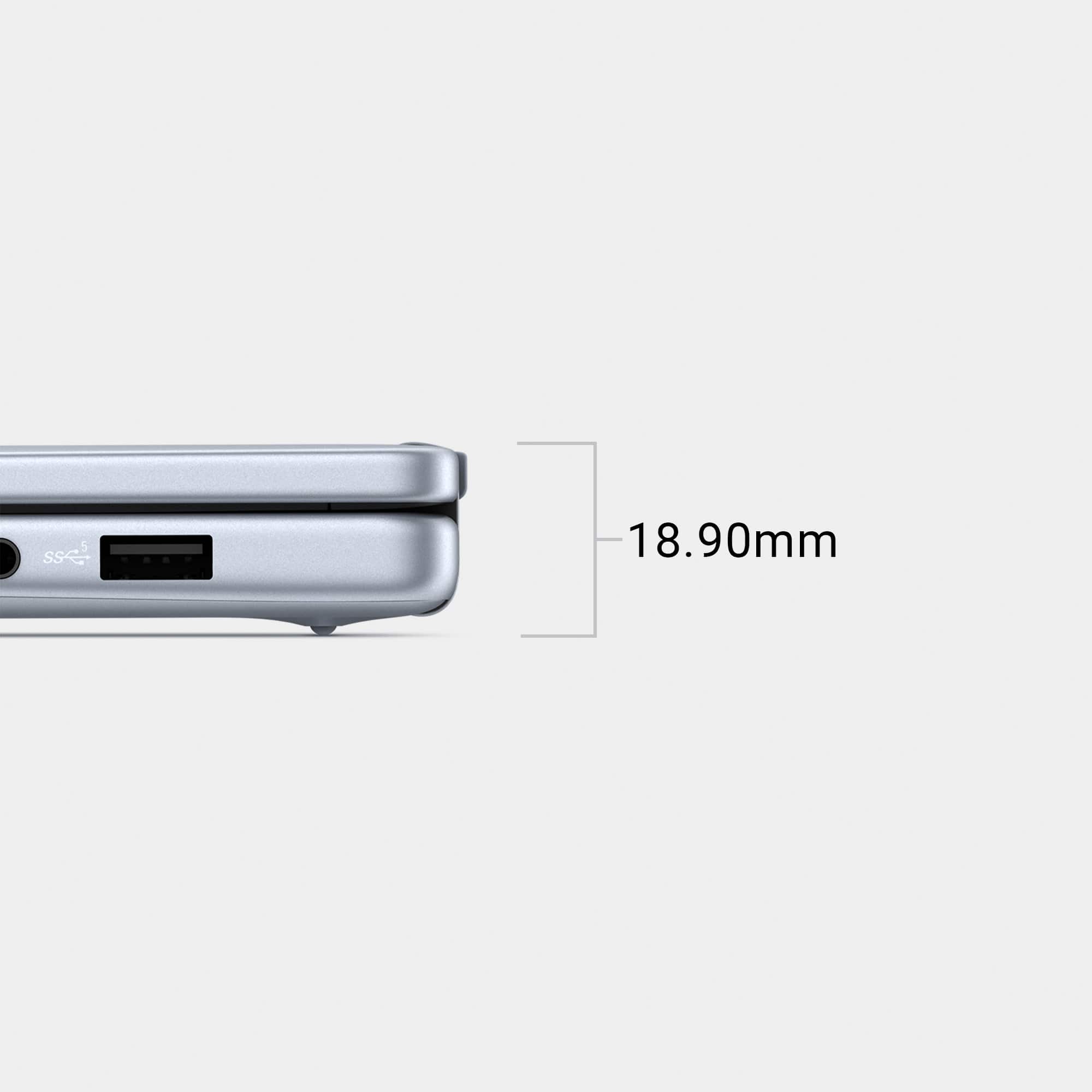
|Posted .This reviewer received promo considerations or sweepstakes entry for writing a review.The Dell Inspiron 14 2-in-1 Touch Screen laptop is one of the latest offerings within the Inspiron laptop series. It offers versatile, day to day usability with its design, touch screen, and wide variety of ports, however, doesn't offer the latest in terms of specifications. The Inspiron 14 finished in Ice Blue is a fairly premium looking and feeling laptop. It measures just .62” thick and weighs 3.77lbs. This puts it one step above the ultra thin laptops currently available but still remains very much portable for on the go usage. This laptop features a 1920x1200 FHD+ wide viewing angle touch screen which offers great brightness and clear viewing from most angles. It is not quite as vibrant or inky as OLED screens, but this laptop is priced accordingly, at a lower price point. Having the touch screen and foldable design allows for many use cases and scenarios that might require a touch compatible device. One of the strong suits of this laptop is the amount and variety of ports. These include two 2 USB Type-C 3.2 Gen 2 with Power Delivery and DisplayPort 1.4, 2 USB 3.2 Gen 1 Type-A, 1 3.5mm Audio Jack, 1 HDMI 1.4, and 1 full size SD card reader. It is worth noting, these are not the latest/fastest specification of ports available so this laptop can only support 1920x1080 60Hz external monitors via USB-C or the HDMI port. As someone who does enjoy taking pictures and video editing, having a full size SD card reader is a huge plus as it prevents me from having to carry and adapter around. I really like the physical webcam privacy slider which is nice for security purposes. It is a little difficult to distinguish when the slider is closed but outside of this, it works well. It is worth noting that the laptop charges via USB-C, so if you want to use two USB-C devices at once, you will need to use battery power. The built-in fingerprint reader in the top right hand corner is very ergonomic in placement and works well. Under the hood, this laptop is powered by an Intel Core 5 120U (Series 1) Processor with 16GB of DDR5 RAM and 512GB SSD storage. This is a standard M.2 PCIe NVMe drive which supports replacing it with a larger capacity drive, if needed, although 512GB is enough for most users. It should keep this laptop running for many years even with larger software updates. This laptop has built-in, active cooling which helps with performance under heavy loads. Given the Intel integrated graphics, don’t expect this to replace your gaming laptop or excel at heraving editing but it can handle lighter to moderate duties with ease. It will start to warm up during charging or heavy usage but no more so than most laptops. The touch pad is very easy to use and navigate and is respectable in size for this laptop class. The keyboard is backlit which provides easy visibility in lower light situations. The keys have a small amount of travel just like most laptops these days. I don’t have any issues with typing or scrolling. Likes: Slimmer, Premium Design Touch Screen (For Those Who Need/Want) Physical Camera Slider Full Size SD Card Reader Dislikes: Camera Slider Hard To Tell When Open/Closed HDMI 1.4 (Limited to 1920x1080 @ 60Hz) Overall, this laptop is a great mid tier laptop for those who want a 2-in-1 design with a touch screen. The performance and hardware has proven to be enough for any sort of casual or business usage. It would be nice to see 4K support from the USB-C and HDMI ports, however, an older standard was used, likely for cost savings. If you’re in the market for a quality laptop without breaking the bank, I would add this one to the list.
I would recommend this to a friend