Customer Ratings & Reviews
- Model:
- BBY-G0WD5FX
- SKU:
- 5744108
to a friend
Customers are saying
Customers highly value the Inspiron 15.6" Laptop for its exceptional gaming capabilities and affordable price point. Many customers rave about its excellent keyboard and overall performance. However, some users have expressed concerns about the laptop's fan noise and battery life.
This summary was generated by AI based on customer reviews.
Dell Inspiron a great laptop for professionals
||Posted .This reviewer received promo considerations or sweepstakes entry for writing a review.An excellent product with very good features and applications
I would recommend this to a friendVery fast
||Posted . Owned for 1.5 years when reviewed.This reviewer received promo considerations or sweepstakes entry for writing a review.Awesome gaming laptop. Lots of storage and very fast
I would recommend this to a friendTerrific
||Posted .This reviewer received promo considerations or sweepstakes entry for writing a review.Hey, as the commercials used to say, It's a dell-fantastic
I would recommend this to a friendnice computer
||Posted .This reviewer received promo considerations or sweepstakes entry for writing a review.Dell computers have always been a favorite of mine
I would recommend this to a friend- Pros mentioned:Gaming, Price
Fantastic Gamer for the Price
Posted .This reviewer received promo considerations or sweepstakes entry for writing a review.When I got this laptop I really didn't expect much from it. I've been a PC gamer for going on 15 years now, and I didn't really have high hopes that Dell could push out a worthwhile laptop, but I needed a decent gaming laptop because I've got a few trips planned and it sure would be nice to have as my carry around, and a backup should my desktop fail at any point. I actually kinda expected to be trading it in in a couple weeks to go with a better model MSI, something with a full fledged 1060 with 6 gigs. Well, after having it for about a week, I'm not trading it in. It's run every game I play on it at its full 60fps at max settings. To name a few, War Thunder, World of Warships, Heroes and Generals, (I'm kind of a war game buff) EVE Online, Civ 6, are all skipping along fine at a stable 60fps for hours on end, and it's doing this at just a bit over a grande. For basic creature comforts, the start time from hitting the power button to typing in your password comes it at a whopping 12 seconds because of the SSD, and even when you're gaming it doesn't get too warm on the lap. The hottest part of the computer, the processor, sits right in the dead center of the keyboard and not over your left knee like most computers I've seen, so even if you're pushing the graphics you don't notice the heat. The keyboard does get warm right in the middle, but it's not too hot at all. It's about the temperature of a cup of coffee that's been sitting out for 30 minutes, warm but comfortable to touch. All in all, exactly as what I'd expect from a high end processor that's flexing its muscle. The beauty of this guy, though, is the price. There are Asus laptops going for about the same 1100 right now that don't have as good a processor, don't have as much ram, and don't have near the graphics performance of this Dell. Dell really has a home run here. As a long time PC gamer this boggles my mind to say this, but I'd buy this Dell over an Asus.
I would recommend this to a friend Didn't work for 24 hours
||Posted .This reviewer received promo considerations or sweepstakes entry for writing a review.This computer crashed on me within 24 hours of use. Very disappointing.
No, I would not recommend this to a friendBrand response from YourDellTeam
Posted .Paul, we're sorry to hear that you had trouble with your laptop crashing. Please take a moment to read this Dell Support article related to crashes on your device - http://dell.to/2u98Cct. We hope that some of these tips will help your laptop operate the way you intended it to.

Didn't work
||Posted .This reviewer received promo considerations or sweepstakes entry for writing a review.I had an IRQL error that happened repeatedly and geek squad could not fix. I returned it and got the same model and had the same error
No, I would not recommend this to a friend- Pros mentioned:Keyboard, Performance
Great Overall Performance Laptop
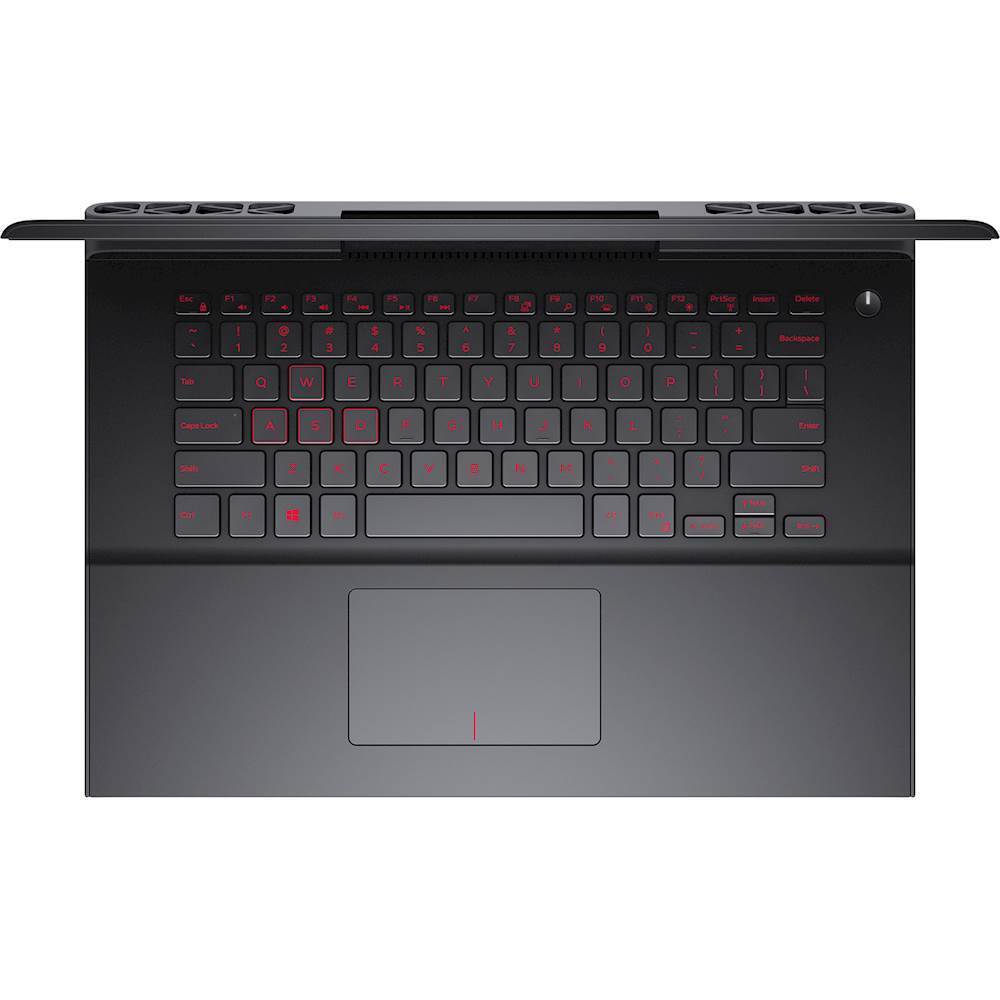
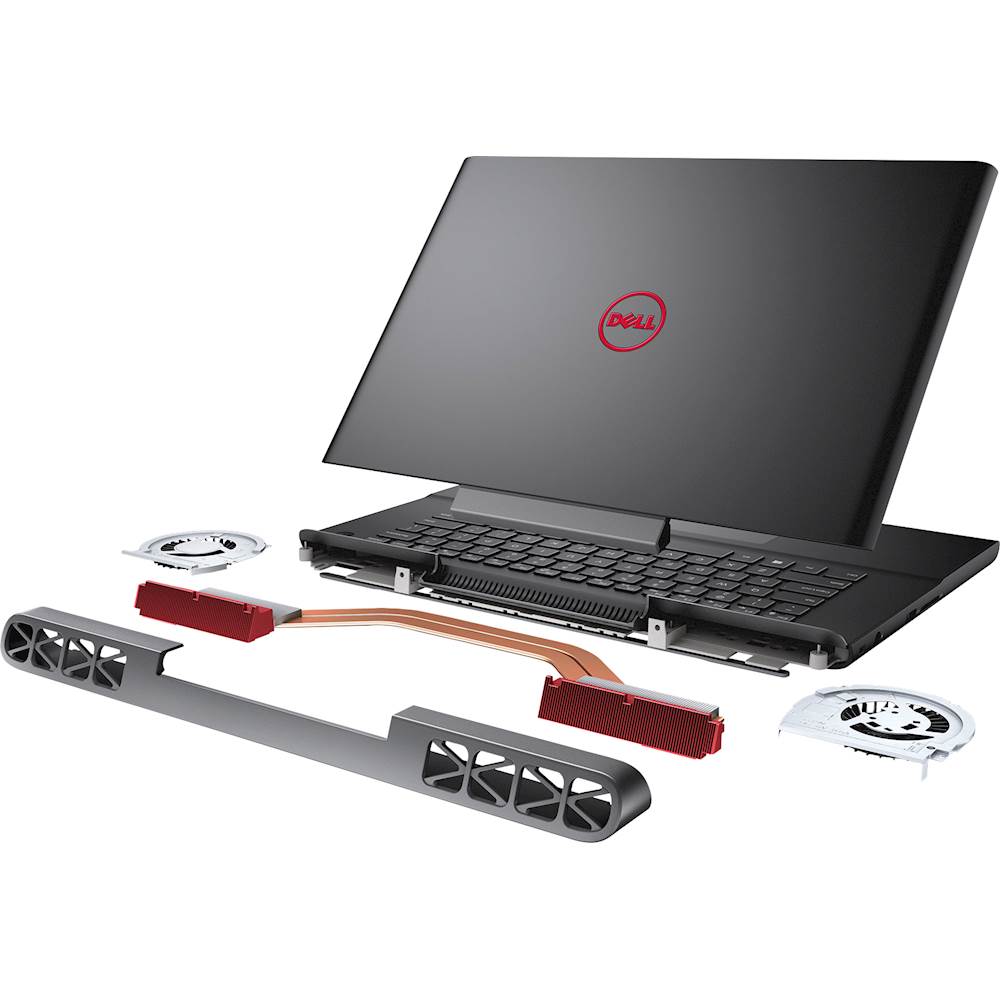
Posted .This reviewer received promo considerations or sweepstakes entry for writing a review.I didn't get this exact model, mine came with a 256gb SSD and no hard drive, but I can't find that exact model on the best buy website, so ill put it here. this thing is overall a great performance machine, and not just for gaming. its got a pretty good keyboard. I've also got a MacBook air and surface book, so using those as a baseline, this keyboard is still pretty good, if a bit mushier and a bit more wobbly. the trackpad is good enough I say. nowhere near as good as the MacBook or surface book I have, but it gets the job done. you'll want a real mouse for gaming and productivity anyways. the screen is pretty good, the IPS screen has good viewing angles and is reasonably color accurate and bright, with an anti-glare coating. The TN panel is good for a TN panel at least, if you get that option. The speakers are pretty good, but they won't shatter your world. the sub adds decent punch to video games, but weirdly im not hearing a big difference in music. the overall build quality is solid, with high quality, soft touch feeling plastic. obviously nowhere near premium machines, but given the hardware, they have to save money somewhere. It is a thick, heavy, gigantic beast. No getting around that lol. The hardware is the shining star of the show here. 8gb of ram, a 4gb 1050ti, and a high performance quad core intel chip, all combined with a killer cooling system and a gigantic battery. On battery I put the brightness on 50% and battery on battery saving mode, and I manage around 2-3 hours of heavy load gaming. regular use im getting 8-10 hours, which is mentally insane given the hardware inside this. I call this a high performance laptop and not gaming laptop, because you can easily use this for everything. it's a jack of all trades laptop. you can use it for complex calculations, running autocad, video editing, gaming, schoolwork, anything. It's a great jack of all trades laptop. If you're a student and can only afford (or only want) one machine that can literally do it all, and do it well, this (or the newer versions of it) should certainly be on your shortlist.
I would recommend this to a friend - Cons mentioned:Customer service
Absolutely Disappointed. Stay Away From Dell!
Posted .This reviewer received promo considerations or sweepstakes entry for writing a review.I wanted this laptop over my old HP and I was hoping for a good gaming laptop. I thought Dell is kinda a reputable company and they make good computers, - I have never been this mistaken. After I installed a few games and started to play them, I noticed that the laptop heats up a lot which is not normal for 1050ti. Even with medium settings of GTA 5. Then the fun part has began; I got the blue screen and I couldn't fix it until I had to reset windows. Otherwise it just wouldn't start. So, the next day after reset I got the blue screen again and I couldn't even reset that time and I had to format and reinstall windows and all the software myself. Well my advice is of course to stay away from this "company" products. But if, by any chance, if you are planning to buy a product from Dell, buy it from a third party like bestbuy because Dell costumer service is absolutely horrible, it's not even a customer service, it's a joke.
No, I would not recommend this to a friendBrand response from YourDellTeam
Posted .L777 - We'd like to offer you some tips for enhancing the performance of your new Dell laptop. If you continue to experience overheating issues with your computer we'd recommend the following:
Tips for Proper Usage:
1. Dell does not recommend placing portable systems directly on your lap. Due to reductions in the thickness of modern portable systems, heat transfer can be an issue.
2. Using a portable system (Laptop) on a hard, flat, non-cloth surface will increase airflow and reduce heat from underneath and inside the system.
Using the portable system on blanket, pillow, or other type of cloth will cover up the fan cause the computer to overheat and can cause permanent damage.
3. It is recommended to use the portable system in a Room temperature of 0°C to 35°C (32°F to 95°F) with a Humidity level no greater than 90%.
4. Use compressed air to clean the vents on a regular basis.
5. Using a cooling pad can decrease heat and increase performance.
6. If you want to know the temperature limitations for your system, go to the Dell Support Website, look up your system model then open the user guide under the manuals link.
You can read the full article here - http://dell.to/2uJ8AdG.
We know that Blue Screen Errors can be frustrating. Here are a few tips to help troubleshoot any errors that you receive in the future:
1. At the desktop, click the Search the web and Windows box and type "problem reports".
2. Select View all problem reports to view a list of errors that have occurred on your computer and possible solutions for them, such as updating drivers, flashing your system BIOS, or checking for updates to the software.
3. Under the Source column, look for Windows and under Summary, look for Shut down unexpectedly.
4. Right-click the line item and select Check for a solution.
You can read the full article here - http://dell.to/2u98Cct.
We hope that these tips help with the future performance of your computer.
If you need to reach out to another member of Dell's Customer Support team you can always reach them here - http://dell.to/2sH7Qlm. - Bryan
- Cons mentioned:Customer service, Frequent crashes
Terrible Computer
Posted .This reviewer received promo considerations or sweepstakes entry for writing a review.Im going to start off by saying. DO NOT BUY THIS COMPUTER. Dont do it. I got this computer August 2017 when entering college mostly because of the graphics card, price and processor. I was switching from a mac because I wanted something super powerful to run my graphic design programs, run video editing software and be able to do homework on but to not be as expensive as a mac. The day after i got the computer, two of the keyboard keys fell off ( i had used it for 5 minutes). I am a college student so theres was no way I was going to send it in for a 8 days just to get two keys fixed. Next 2 months into using it for light gaming, and graphic design and homework it started to crash every hour. I couldnt write essays in word because the computer would crash and delete my work. I finally decided to contact dell support and they were no help at all. After a year, I had to have the hard drive replaced twice and it still does not work properly and crashes every few hours. My games no longer run, video editing is impossible because of the crashing and overall the computer does not perform properly. I have spent so many hours on the phone with dell and they have still been no help to me. I tried to return the computer to them but they insisted it was a Windows issue not a hard drive issue therefore I had to do a webx to get it fixed. The support guy still was not able to fix my computer after spending days on the phone with him. I am now switching back to a Mac computer because I have given up on dell.
No, I would not recommend this to a friendBrand response from YourDellTeam
Posted .Hello kate,
Thanks for your review. We're sorry that your computer continues to crash on you. Perhaps you can try to diagnose the crashes with the following steps:
1. At the desktop, click the Search the web and Windows box and type "problem reports".
2. Select View all problem reports to view a list of errors that have occurred on your computer and possible solutions for them, such as updating drivers, flashing your system BIOS, or checking for updates to the software.
3. Under the Source column, look for Windows and under Summary, look for Shut down unexpectedly.
4. Right-click the line item and select Check for a solution.
We'd also suggest checking to make sure that your software and drivers are up to date on Dell's Product Page - http://dell.to/2nd1yM3.
You can read the full article here - http://dell.to/2u98Cct.
Best,
Bryan
1-800-624-9896
Lemon
Posted .This reviewer received promo considerations or sweepstakes entry for writing a review.Works extremely well, when not crashing. Gone through two of them now with the same issues. Audio/video bugs, and constant crashes.
No, I would not recommend this to a friendBrand response from YourDellTeam
Posted .Dear Valued Customer, Thanks for your review and we're glad that for the most part this computer is meeting your needs. We're sorry to hear about the crashes that you've experienced as well as the audio and video issues. We'd recommend updating your software and drivers to make sure that everything is current on your computer. You can check your drivers here - http://dell.to/2gfDhi6. We hope this helps your audio and video bugs to stop.
If you continue to experience crashes on your computer we'd recommend the following steps to diagnose the problem:
1. At the desktop, click the Search the web and Windows box and type "problem reports".
2. Select View all problem reports to view a list of errors that have occurred on your computer and possible solutions for them, such as updating drivers, flashing your system BIOS, or checking for updates to the software.
3. Under the Source column, look for Windows and under Summary, look for Shut down unexpectedly.
4. Right-click the line item and select Check for a solution.
You can read the full article here - http://dell.to/2u98Cct.
We hope these tips help your computer perform the way you'd like it to. - Bryan
keyboard timeout is annoying
Posted .This reviewer received promo considerations or sweepstakes entry for writing a review.There is no setting to adjust the keyboard backlight timeout. It times out after 10 seconds and there is no setting to keep it on. It's extremely annoying and ridiculous that a higher end laptop doesn't have such a simple feature setting.
No, I would not recommend this to a friendBrand response from YourDellTeam
Posted .milk,
We're sorry that the keyboard time out is frustrating for you. Having this feature enabled allows your computer to preserve more battery life. If you'd like to activate the backlighting on your keyboard without touching the keys we'd recommend using the touchpad on your laptop.
Best,
Bryan
1-800-624-9896
Tried Twice Both Broken
Posted .This reviewer received promo considerations or sweepstakes entry for writing a review.I bought this computer and it came out of the box with a sound problem. The speakers made a static noise in about 1 second intervals accompanied by a video skip. It translated to external speakers so I told dell support that replacing the speakers would not help. I sent it in, they replaced the speakers and I got back the same faulty computer. I exchanged it and got a brand new replacement. When I finally got it and plugged it up, the computer did not recognize the battery.*plugged in, not charging* Dell suggested I send it in and let them replace it. I’m returning it and going with a different brand.
No, I would not recommend this to a friend