Customer Ratings & Reviews
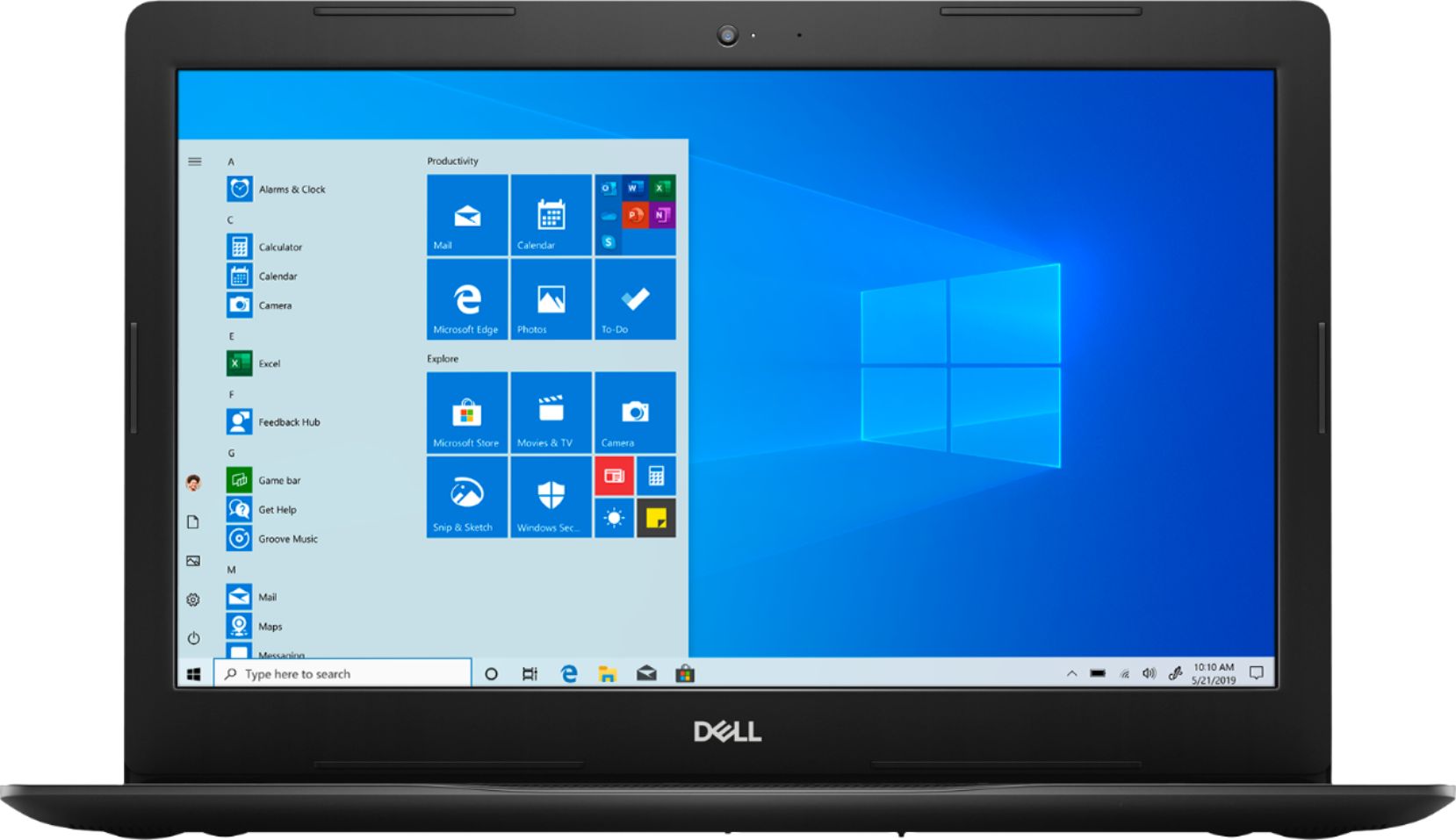
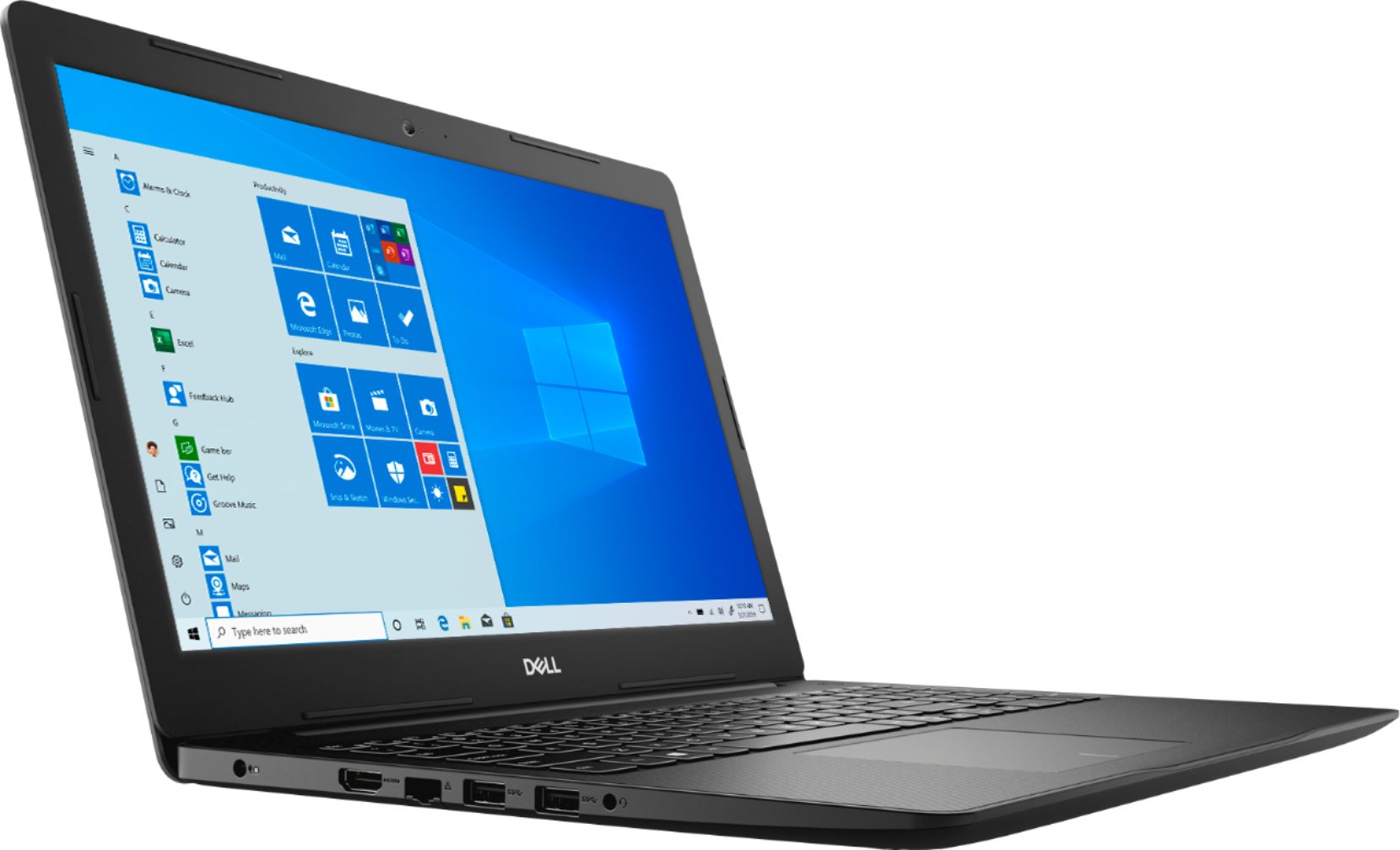


- Model:
- I3585-A831BLK-PUS
- SKU:
- 6391785
Rating by feature
- Battery Life
Rating 4.2 out of 5 stars
- Speed
Rating 4.2 out of 5 stars
- Display
Rating 4.4 out of 5 stars
Customers are saying
Customers appreciate the Inspiron 15.6" Touch-Screen Laptop for its reasonable price, user-friendly interface, and responsive touch screen. Many customers mentioned that it is a great laptop for basic tasks, working from home, and even gaming. However, some users have concerns about its battery life, limited storage capacity, and tendency to overheat.
This summary was generated by AI based on customer reviews.
Good laptop for the money
||Posted . Owned for 1 month when reviewed.This reviewer received promo considerations or sweepstakes entry for writing a review.Good laptop, easy to use, lightweight. Would purchase again.
I would recommend this to a friendNice
||Posted . Owned for 1 month when reviewed.This reviewer received promo considerations or sweepstakes entry for writing a review.Great product. Bought it for someone and he loves it
I would recommend this to a friendAverage for home usage
||Posted .This reviewer received promo considerations or sweepstakes entry for writing a review.I've used twice and using the keyboard, it seems I have to use a little pressure. The screen froze, once. I did not buy it new but excellent, therefore, I don't know if there were previous issues. Overall, I'm told Dell is a good company for laptops.
No, I would not recommend this to a friendBrand response from YourDellTeam
Posted .Seven,
I am sorry to hear that your screen has had some issues freezing up as well as the keyboard issue. Here are some steps you may take to help troubleshoot the freeze up concern,
1. Run a Computer Diagnostic. To determine if your computer is experiencing a hardware problem, run the Dell Preboot System Assessment (PSA) Diagnostics. For information on how to run Diagnostics, and to determine the issue, refer to Dell Knowledge Base Article: http://dell.to/2iaiujA.
2. Check Safe Mode for Symptoms. To boot into safe mode, please follow the instructions below:
a) Start the computer.
b) Tap 'F8' on the keyboard immediately and every one second until the Dell logo screen disappears. From there you will see the Windows Advanced Options Menu on the screen. (If the Windows Advanced Options Menu does not appear, restart the system and try again.)
c) Select Safe mode with Networking and press Enter.
d) Log on as the administrator or as a user with administrative access.
e) Open applications and test the computer in safe mode. If the symptoms exist in safe mode, please continue the troubleshooting steps in this article. If the symptoms do not exist in safe mode, the issue is likely related to a driver or software and you may wish to complete step 3 to see if you are able to resolve the lockups or freezing.
3. Check for Malware. Malware (Virus, Spyware, etc.) can definitely cause a Windows system to lock up or appear to hang. To check for malware on your system and to ensure that your computer is up to date on security software, visit Dell Knowledge Base Article: http://dell.to/2wWP1zI.
You can read the full article here - http://dell.to/2tW5m33.
Best,
Meridith 1-800-624-9896
Love my Dell Laptop
||Posted . Owned for 1 month when reviewed.This reviewer received promo considerations or sweepstakes entry for writing a review.My 1st laptop and was very pleased with the cost at Bestbuy!
I would recommend this to a friendGreat laptop for retiree
||Posted . Owned for 1 month when reviewed.This reviewer received promo considerations or sweepstakes entry for writing a review.Great laptop for retiree! Only use for pleasure and researxh
I would recommend this to a friendGreat product
||Posted . Owned for 3 weeks when reviewed.This reviewer received promo considerations or sweepstakes entry for writing a review.I love this laptop. It works & does everything I want it to!
I would recommend this to a friendNice
||Posted .This reviewer received promo considerations or sweepstakes entry for writing a review.Computer are a valued part of the local society. I promise.
I would recommend this to a friendVery good product
||Posted . Owned for 3 weeks when reviewed.This reviewer received promo considerations or sweepstakes entry for writing a review.I love this Dell laptop. It's very dependable for the price.
I would recommend this to a friendNice computer
||Posted . Owned for 1 month when reviewed.This reviewer received promo considerations or sweepstakes entry for writing a review.More than I expected. More features that what was expected'
I would recommend this to a friendIt works for my needs
||Posted . Owned for 3 weeks when reviewed.This reviewer received promo considerations or sweepstakes entry for writing a review.Computer works great but Associate miss led me on warranty.
I would recommend this to a friendLove it
||Posted . Owned for 1 month when reviewed.This reviewer received promo considerations or sweepstakes entry for writing a review.High performance. Reliable. Portable . Good for my work
I would recommend this to a friendWorks Well
||Posted . Owned for 2 months when reviewed.This reviewer received promo considerations or sweepstakes entry for writing a review.Dude I got someone a DELL. Very reasonable priced computer
I would recommend this to a friendGreat PC
||Posted . Owned for 1 month when reviewed.This reviewer received promo considerations or sweepstakes entry for writing a review.Love this PC. I got it to work from home during Covid-19.
I would recommend this to a friendLove it!!!!
||Posted . Owned for 1 month when reviewed.This reviewer received promo considerations or sweepstakes entry for writing a review.Love this product I would totally reccomend it to a friend
I would recommend this to a friendGreat computer at great price
||Posted . Owned for 1 month when reviewed.This reviewer received promo considerations or sweepstakes entry for writing a review.Great piece of equipment! Lots of value at this price point
I would recommend this to a friendGreat buy
||Posted . Owned for 3 weeks when reviewed.This reviewer received promo considerations or sweepstakes entry for writing a review.I am enjoying my new purchase. For the price excellent buy
I would recommend this to a friendGreat value for computer
||Posted . Owned for 3 weeks when reviewed.This reviewer received promo considerations or sweepstakes entry for writing a review.So far so good . Great price and online order is very easy.
I would recommend this to a friendIt’s works but has glitches.
||Posted . Owned for 7 months when reviewed.This reviewer received promo considerations or sweepstakes entry for writing a review.Laptop gets a black screen while scrolling up or down. Performed all of the updates and it still has this issue. The laptop is used only to check emails and web browsing. No other programs are running other than what it came loaded with.
No, I would not recommend this to a friendGreat machine
||Posted . Owned for 1 month when reviewed.This reviewer received promo considerations or sweepstakes entry for writing a review.Loving it, just the right computer for my needs! Pleased.
I would recommend this to a friend- Cons mentioned:Battery life
Not good
||Posted . Owned for 1 month when reviewed.This reviewer received promo considerations or sweepstakes entry for writing a review.Dell advertises this computer with 8 hour battery life on a 99 % charge it says that there is 2 hours and 30 minutes left of battery either somebody lied or something's wrong with this computer
No, I would not recommend this to a friendBrand response from YourDellTeam
Posted .Adam,
Thanks for your review. We're sorry that your battery's runtime is not completely meeting your needs. Please keep in mind that the settings of your computer play a major role in how long the battery will last when your computer is unplugged. Here are some tips to help your computer's battery last longer:
Change the Power Plan:
1. On the notification area of the taskbar, right-click the Battery icon.
2. On the options list, click Power Options.
3. Select a power plan on the battery meter, such as Power Saver or Balanced. Windows 10 has a built in 'Battery Saver' mode that can be activated to extend your system's battery life. The Battery Saver mode will monitor and limit background activity and other features such as push notifications. You do have the option to enable or disable this mode within settings or within advanced Battery Saver settings, you can customize the mode to best suit your needs.
a) Click on the Action Center icon in the taskbar and select the tile for Battery Saver.
b) If running Cortana then type Battery Saver into the search box and select from the results.
Within the Battery Saver settings page, you will be able to turn on and off the feature and customize the feature to best meet your needs.
c) Turn Battery Saver On or Off.
d) Additional settings available via the Battery use and Battery saver settings links.
e) Battery use shows further info on apps and their power usage.
f) Battery Saver Settings screen allows you to customize further Battery Saver feature.
You can read the full article here - http://dell.to/2vfXWf4.
Best,
Bryan
1-800-624-9896