Customer Ratings & Reviews
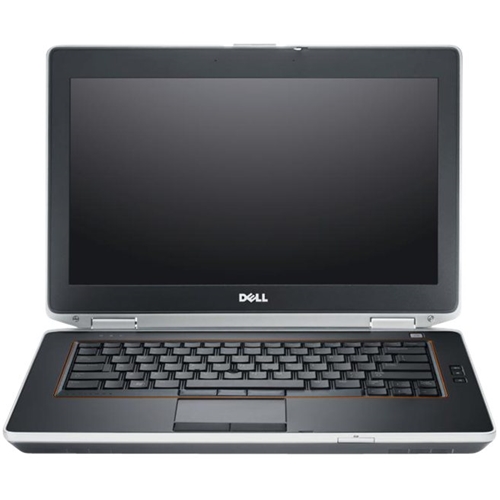
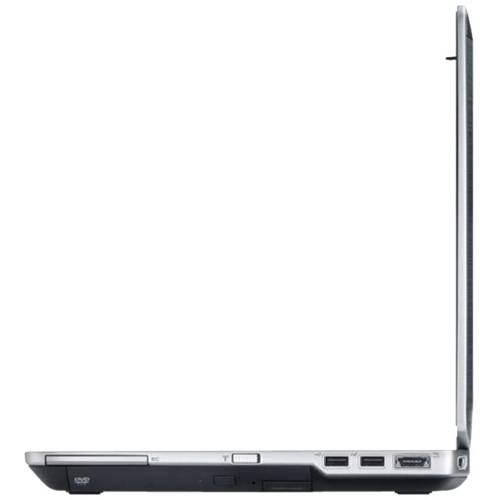
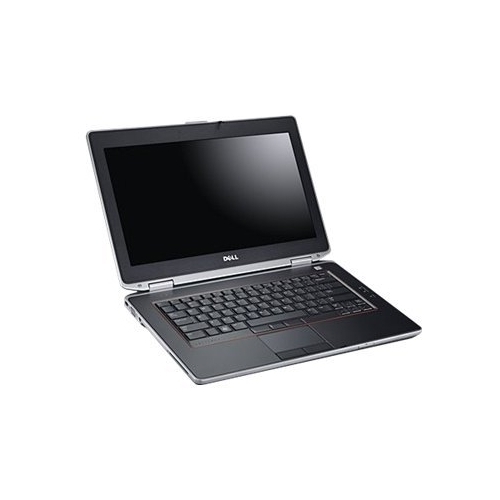
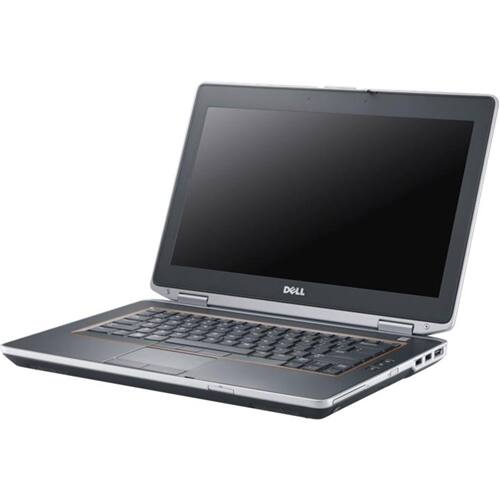
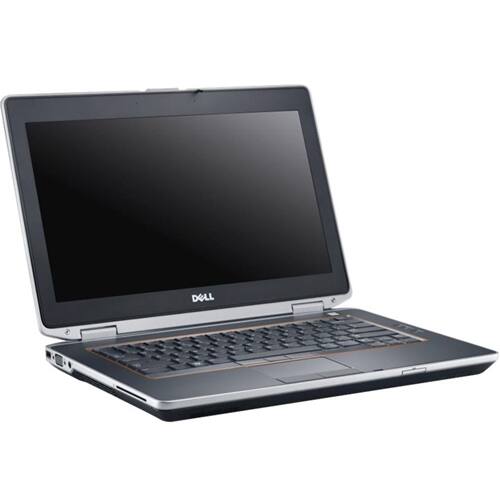
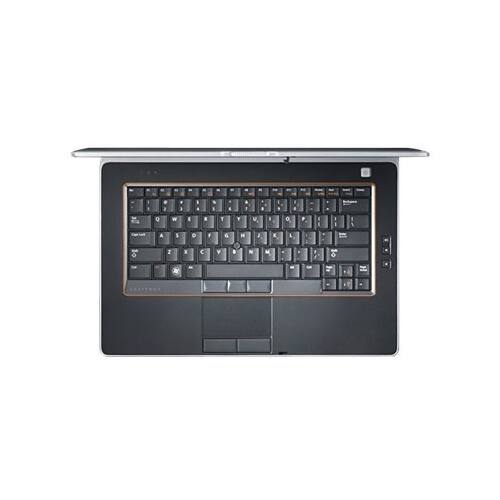
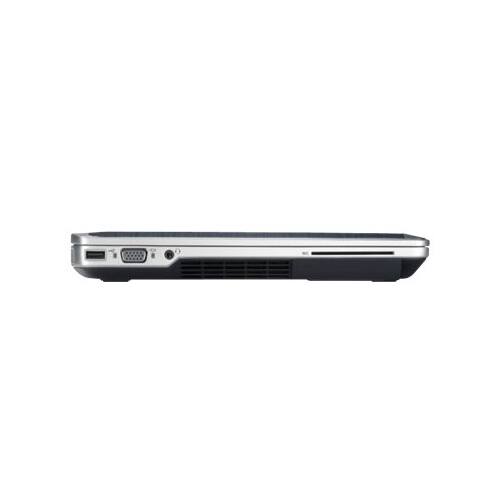
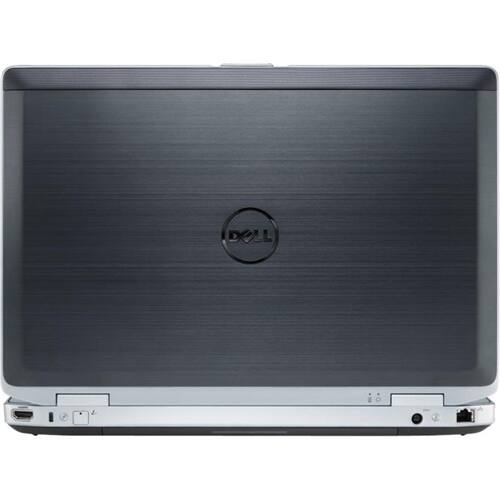
- Model:
- E6420I525812810
- SKU:
- 5581172
Rating by feature
- Battery Life
Rating 2.8 out of 5 stars
- Speed
Rating 3.3 out of 5 stars
- Display
Rating 3.4 out of 5 stars
Customers are saying
Customers frequently mention the value of the Latitude 14" Refurbished Laptop, with many stating that it is worth the price. The solid-state drive is also a popular feature, with customers appreciating the speed and performance it provides. However, some customers have expressed concerns about the short battery life of the laptop.
This summary was generated by AI based on customer reviews.
Worked great for a while
||Posted . Owned for 1 year when reviewed.This reviewer received promo considerations or sweepstakes entry for writing a review.I should have known better than to have purchased a Dell. It's no fault of Best Buy; Dell just isn't a great product in my opinion. I constantly have to reboot because the laptop freezes.
No, I would not recommend this to a friendBrand response from YourDellTeam
Posted .djnjdsmom,
Thanks for your review. We're sorry to hear about the freezes that your computer is experiencing. Please try these steps to try to diagnose the issue:
1. Run a Computer Diagnostic. To determine if your computer is experiencing a hardware problem, run the Dell Preboot System Assessment (PSA) Diagnostics. For information on how to run Diagnostics, and to determine the issue, refer to Dell Knowledge Base Article: http://dell.to/2iaiujA.
2. Check Safe Mode for Symptoms. To boot into safe mode, please follow the instructions below:
a) Start the computer.
b) Tap 'F8' on the keyboard immediately and every one second until the Dell logo screen disappears. From there you will see the Windows Advanced Options Menu on the screen. (If the Windows Advanced Options Menu does not appear, restart the system and try again.)
c) Select Safe mode with Networking and press Enter.
d) Log on as the administrator or as a user with administrative access.
e) Open applications and test the computer in safe mode. If the symptoms exist in safe mode, please continue the troubleshooting steps in this article. If the symptoms do not exist in safe mode, the issue is likely related to a driver or software and you may wish to complete step 3 to see if you are able to resolve the lockups or freezing.
3. Check for Malware. Malware (Virus, Spyware, etc.) can definitely cause a Windows system to lock up or appear to hang. To check for malware on your system and to ensure that your computer is up to date on security software, visit Dell Knowledge Base Article: http://dell.to/2wWP1zI.
You can read the full article here - http://dell.to/2tW5m33.
Best,
Bryan
1-800-624-9896
- Pros mentioned:Refurbished
State of the Art.
||Posted . Owned for 3 weeks when reviewed.This reviewer received promo considerations or sweepstakes entry for writing a review.Impressively satisfied! Thanks for the opportunity to take advantage of your refurbished offerings.
I would recommend this to a friend great for price
||Posted . Owned for 1 month when reviewed.This reviewer received promo considerations or sweepstakes entry for writing a review.I have put this Dell to the test and have found it does the job.
I would recommend this to a friendNice Laptop
||Posted . Owned for 1 month when reviewed.This reviewer received promo considerations or sweepstakes entry for writing a review.The condition of the housing or case was not good they put some kind of label on it, in general is a good equipment,
I would recommend this to a friendnice computer for the price
||Posted .This reviewer received promo considerations or sweepstakes entry for writing a review.I don't understand why it turns itself off. Maybe it's the settings? Overall it's very easy to use and it does have a dvd player which is why i purchased it. Would I buy a refurbished computer again, Yes I would.
I would recommend this to a friend- Cons mentioned:Short battery life
Would not recommend
||Posted . Owned for 1 month when reviewed.This reviewer received promo considerations or sweepstakes entry for writing a review.Not great. Moves pretty slow and will not hold a charge. I do not have many things installed on this, only Microsoft office and cricut design space and it still moves slow. When i unplugged it for about 10 minutes it died even though it said it had a full charge. Would return but i dont have enough money for a new one.
No, I would not recommend this to a friend Worked fine until it didn't.
||Posted .This reviewer received promo considerations or sweepstakes entry for writing a review.I had a good month, maybe two, with this. Then it went completely down the tubes. It's so slow. Wireless or wired connection, it doesn't matter. IF I can get to Gmail, it's the html version. So 90's. Then, if I let the machine go to sleep, it turns out to be a coma. Mouse or trackpad fails to wake it. The only option is a hard reset. Fustrating, frustrating machine that I regret purchasing.
No, I would not recommend this to a friendBrand response from YourDellTeam
Posted .KCPitt,
Thanks for your review. We're sorry that your computer is running slower than you'd like it to. Here's a way to diagnose your connection:
1. Download and install the latest Wireless Card driver. (https://dell.to/2th3Tpe) After updating the driver, re-establish the connection with the Wireless Access Point and check the wireless performance.
2. If the issue persists, proceed to step 3.
3. Power-cycle the local network. Shut down the Dell system, the Wireless Access Point/Router and the Modem. Wait a minimum of 60 seconds before powering up the components in the following order:
4. Power ON the Modem, and wait for it to boot fully.
5. Power ON the Wireless Access Point/Router, and wait for it to boot fully.
6. Power ON the Dell system.
7. Open Network and Sharing Center
8. In the left side navigation pane, click on Change Adapter Settings
9. Right click on the wireless connection icon and select Properties followed by the Configure button
10. Under Wireless Options, select the Wireless N mode
11. For Windows 8 or later systems click the Advanced tab and look for 802.11n Mode on the right you will be given the option to Enable or Disable. If the mode is not visible you may need to update your drivers and firmware.
12. From the drop-down menu, choose Disable followed by Ok
13. This should restore the wireless download and upload speed. Internet speed can be tested at http://speedtest.net.
You can also run the Windows Performance Troubleshooter to see if there are ways for your computer to run faster:
1. Close all open windows.
2. Press the Windows logo key + X key on the keyboard.
3. Click Control Panel.
4. Click System and Security.
5. Under Security and Maintenance, select Troubleshoot common problems.
6. Under System and Security, click Run maintenance tasks.
7. Follow the on-screen instructions and prompts to complete the process.
8. Restart the PC.
You can read the full article here - http://dell.to/2tSulGV.
Best,
Bryan
1-800-624-9896
- Pros mentioned:Speed
A Fantastic Buy!
||Posted .This reviewer received promo considerations or sweepstakes entry for writing a review.I love this computer! It arrived early and works great. It is very fast and a pleasure to use. Bought it for a friend, but might watch for another for myself!
I would recommend this to a friend - Pros mentioned:Solid state drive
excellent price for solid laptop
||Posted .This reviewer received promo considerations or sweepstakes entry for writing a review.very happy with this purchase. the solid state drive is super fast at start up. Memory is more than I need. Laptop is in great condition for refurbished. No issues at all.
I would recommend this to a friend - Cons mentioned:Short battery life
Bad battery and overheats
||Posted . Owned for 1 month when reviewed.This reviewer received promo considerations or sweepstakes entry for writing a review.The laptop battery dies quickly and the laptop gets hot when charging.
No, I would not recommend this to a friend - Pros mentioned:Value
Great service and great value
||Posted . Owned for 3 weeks when reviewed.This reviewer received promo considerations or sweepstakes entry for writing a review.This refurbished laptop is great, I had a problem with the power supply, but the vendor promptly sent a replacement. Fantastic value!
I would recommend this to a friend - Pros mentioned:Affordable
Laptop
||Posted . Owned for 3 weeks when reviewed.This reviewer received promo considerations or sweepstakes entry for writing a review.Affordable, dependable and user friendly. For a refurbished item, this laptop was well maintained and cleaned.
I would recommend this to a friend you get what you pay for
||Posted .This reviewer received promo considerations or sweepstakes entry for writing a review.NO Built-In Webcam , I can't get the Bluetooth to work but other then that it is a good computer.
I would recommend this to a friendBrand response from YourDellTeam
Posted .TC2019,
We're sorry that your computer does not have a built-in webcam for you to use. If you'd like to make sure that you have the most up to date Bluetooth drivers on your computer, you can download them from this site: https://dell.to/2FshHmA.
Best,
Bryan
1-800-624-9896
Problems after 2 1/2 months of ownership.
||Posted . Owned for 3 months when reviewed.This reviewer received promo considerations or sweepstakes entry for writing a review.Bought this in October of 2021. Fast forward to January 13th 2022 and the unit is having errors upon bootup. I guess I'll have to take it to the "Geek Squad" and have them go throught it for me. Not real happy. Problems after 2 1/2 months of ownership.
No, I would not recommend this to a friend- Pros mentioned:Refurbished
Love this dell
||Posted . Owned for 9 months when reviewed.This reviewer received promo considerations or sweepstakes entry for writing a review.Best refurb purchase I have made. Almost like it as much as iPad pros I have had in the past
I would recommend this to a friend Greatly Pleased with Purchase
||Posted .This reviewer received promo considerations or sweepstakes entry for writing a review.Having never purchased a refurbished laptop, my expectation were cautious, but I have had good success with Dells. This computer was manufactured 3 to 5 years ago and cost $1,000 to $1,300. It is Microsoft Authorized Refurbished with 1 & 1/2 year warranty. It has been less than 2 months, but performance is super with an I7 and 8 ram, for 20 percent of original price.
I would recommend this to a friend- Pros mentioned:Value
Dell Refurbished Laptop
||Posted . Owned for 1 month when reviewed.This reviewer received promo considerations or sweepstakes entry for writing a review.Great product at a great price. I would recommend this laptop to anyone for any purpose.
I would recommend this to a friend - Pros mentioned:Value
Great laptop
||Posted .This reviewer received promo considerations or sweepstakes entry for writing a review.Great laptop, glad to have it at refurbished price....
I would recommend this to a friend Refurbished Dell misses the mark
||Posted . Owned for 3 weeks when reviewed.This reviewer received promo considerations or sweepstakes entry for writing a review.Although this is a refurbished model, I was hopeful it would function well. It doe not. The touch pad has horrid response. THe bluetooth pairing function is hit and mis and the ability to duplicate screens is non-functional
No, I would not recommend this to a friendGreat
||Posted .This reviewer received promo considerations or sweepstakes entry for writing a review.It is great I had to take it back the hard drive was loose The fixed it right up
I would recommend this to a friend