Customer Ratings & Reviews
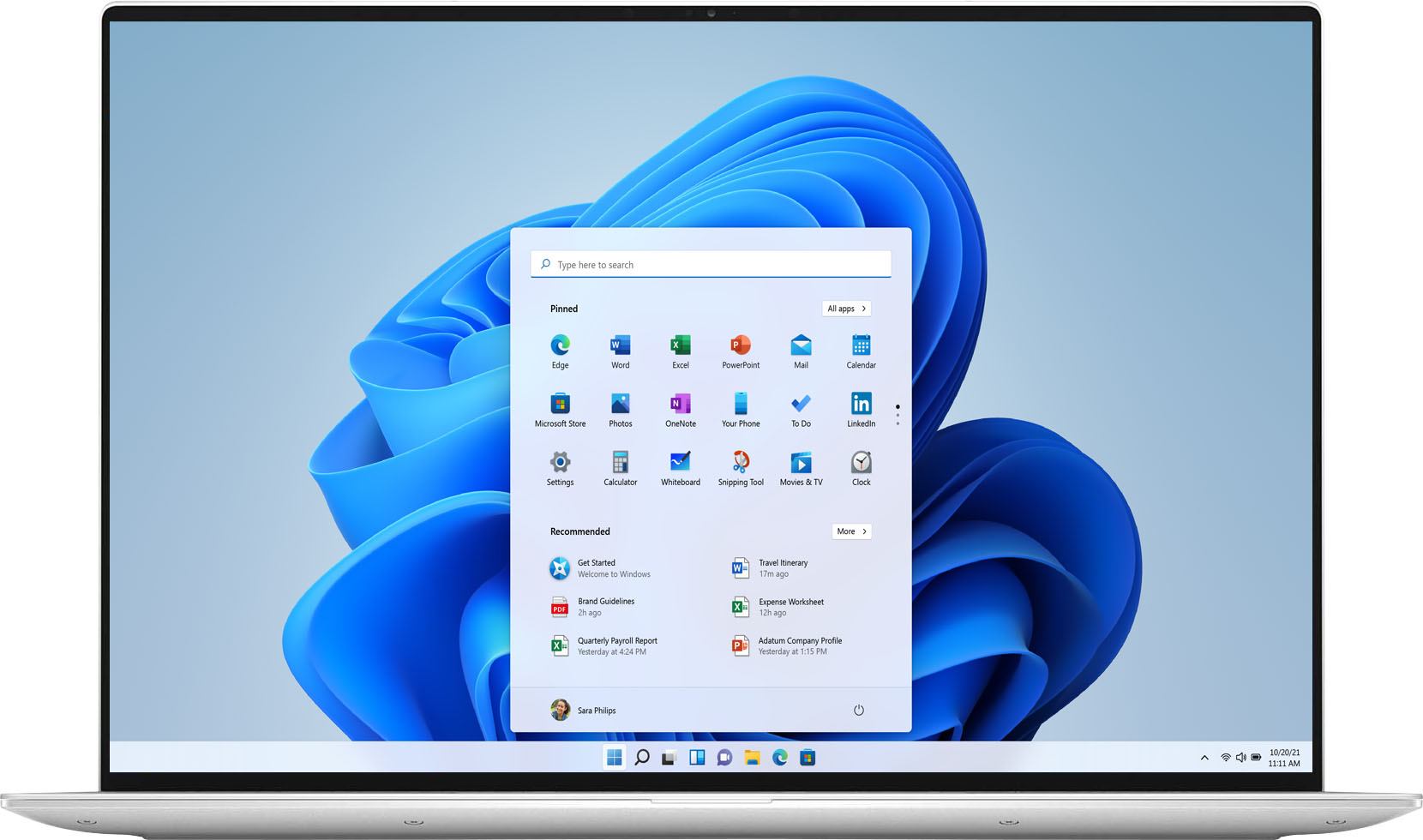
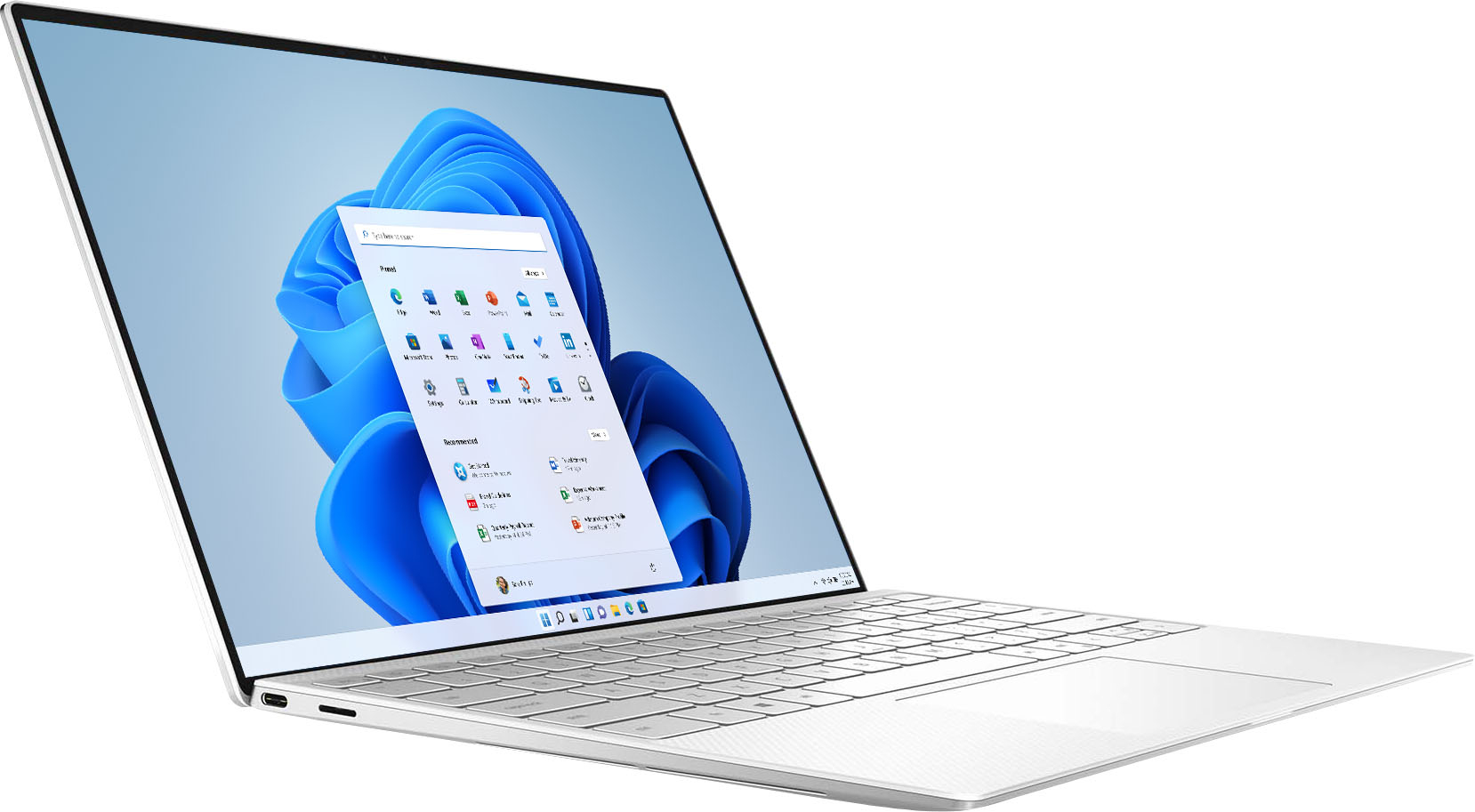
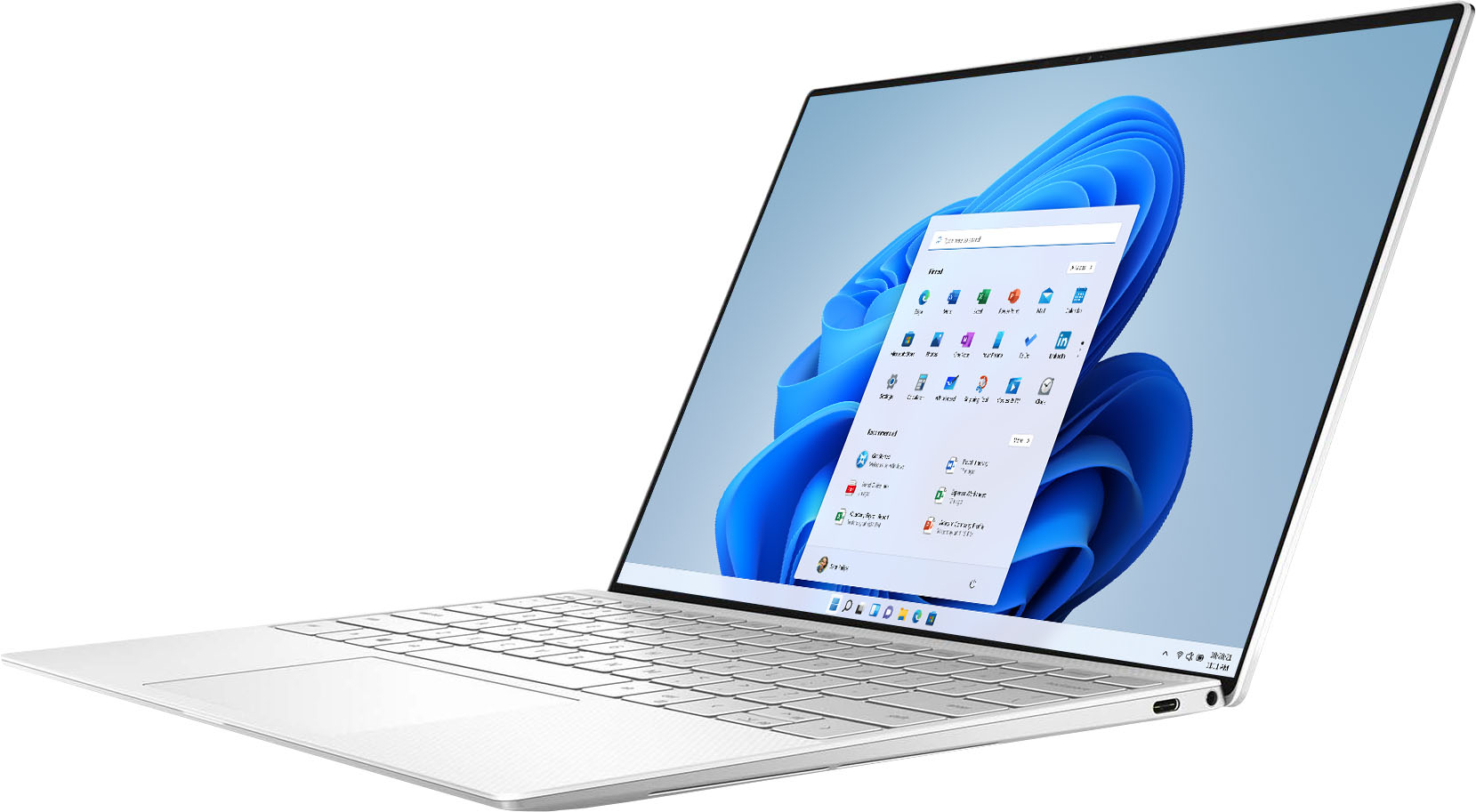

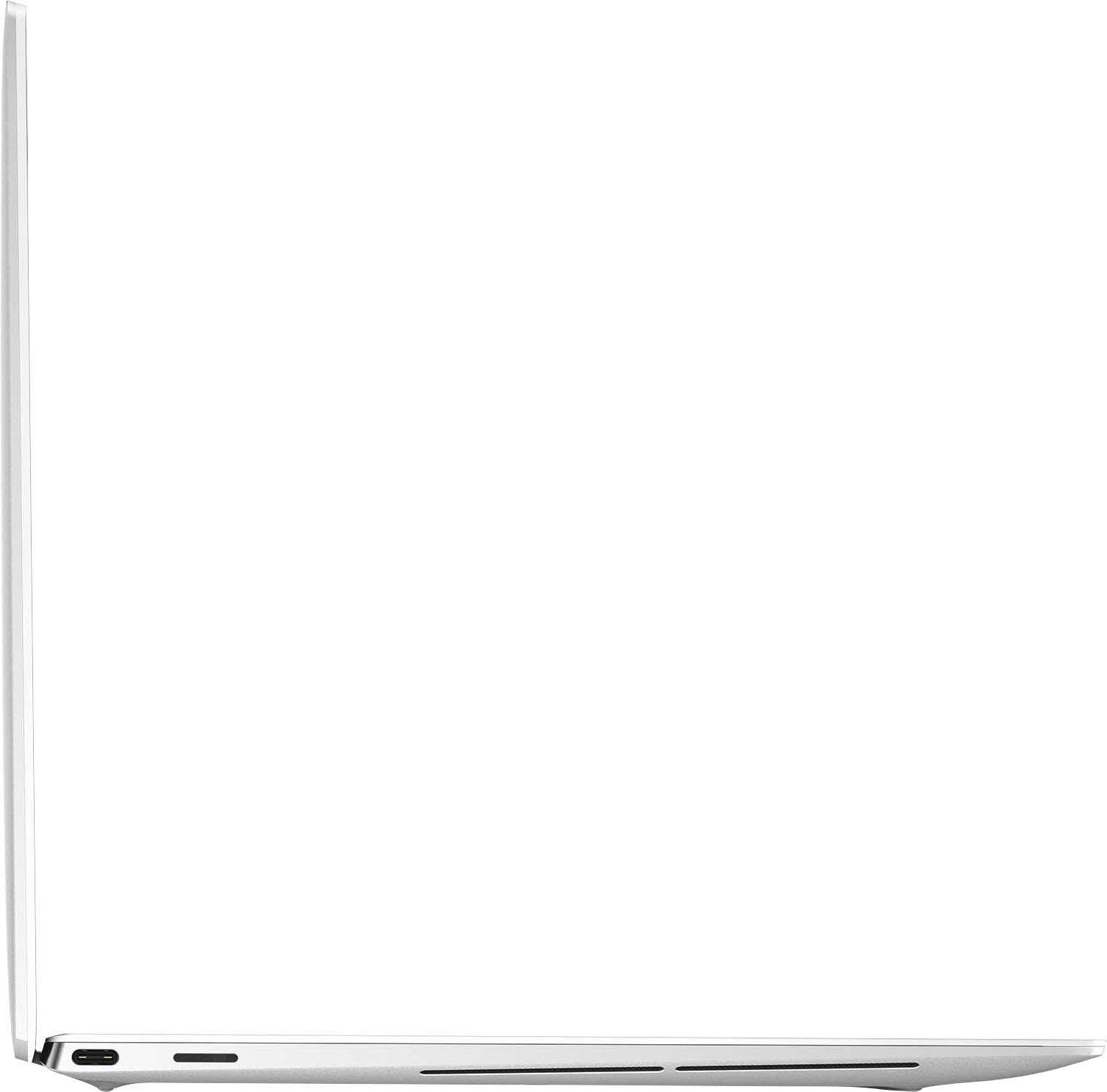


- Model:
- XPS9310-7412WHT-PUS/7439WHT-PU
- SKU:
- 6443794
Rating by feature
- Battery Life
Rating 4.3 out of 5 stars
- Speed
Rating 4.7 out of 5 stars
- Display
Rating 4.9 out of 5 stars
Customers are saying
Customers often highlight the exceptional typing experience provided by the keyboard and the impressive performance of the XPS 13.4" OLED Touch-Screen Laptop. The compact design and stylish appearance are also highly praised. However, some users express concerns about the limited battery life and the grainy quality of the webcam.
This summary was generated by AI based on customer reviews.
- Pros mentioned:CompactCons mentioned:Battery life, Webcam

Premium performance/user experience w/few niggles
|Posted .This reviewer received promo considerations or sweepstakes entry for writing a review.Bottom line: the XPS 13 is a premium, stylish, almost indulgent ultraportable that only misfires on a couple of factors that may or may not be deal-breakers for you. PROs: The Intel Evo badge means this XPS 13 has been built to provide a number of new/advanced features aimed at next-gen productivity, usability and performance. In this case, you’re getting a premium 11th gen 4-core i7 1185G7 3GHz CPU, the more powerful Iris Xe integrated graphics platform, more consistent performance regardless of whether you’re on battery or plugged in, instant wake from sleep, longer battery life (though more on that later), WiFi 6 and BT, Thunderbolt 4, USB-C charging, a snappy 512GB NVMe SSD, 16 GB of 4267Mhz dual-channel RAM, biometric logins (facial and fingerprint recognition), integrated webcam, touchscreen display, high quality speakers, and a svelte form factor with a very narrow screen bezel and thin/light chassis. Aside from the hardware specs and Evo design philosophy, what is USING the XPS 13 actually like? For starters, it’s a very stylish, premium-feeling/looking machine. The aluminum body feels incredibly solid despite being so thin (about the same thickness as a Surface Pro with keyboard cover) and light (2 lbs 12.9 oz). The palm-rest features a very pleasant, carbon-fiber textured composite that is supposedly treated to prevent yellowing and dirt build-up. The trackpad is touch/tap & click sensitive so you can mouse as hard or light as you want. There is no chassis flex around the keyboard and fan noise at idle or light use is only slightly audible--even at full load, it is definitely not intrusive. Dell thoughtfully includes a USB-C to A dongle & the charger features a lighted tip when powered. The charger block also has swappable modules for either a straight extension cable or plugging the block directly into the wall. The keycaps are nicely sized and feel responsive with enough space between them to minimize typing errors; the keys are backlit with defeatable LEDs. The UHD+ display has MORE pixels than standard 4K—Photoshop opened in a snap but the menus were SO tiny the app was practically unusable without keyboard shortcuts, but I could easily work with MASSIVE images and see the entire thing on screen without scrolling! The 16:10 aspect ratio makes the screen a bit taller than many laptop displays so it’s friendlier for webpages & long documents (and 4:3 TV shows you might binge) which means less scrolling when productivity is paramount. The display also supports HDR & Dolby Vision; suffice it to say that despite the tiny screen size (and therefore questionable value of 4K+ resolution given the detail the eye can discern in such a small space), text and menus are razor sharp and videos are nothing short of stunning with deeper colors and sharper contrast akin to a high-quality home theater display. 4K Netflix Dolby Vision streams were simply sublime, and running an HDR-capable game like Horizon Zero Dawn via Thunderbolt eGPU rendered the game’s blues, purples, fire/lava effects, and lens flares drop-dead beautiful. Though the XPS 13 is geared for productivity, the Iris Xe graphics chip is actually capable of some playable framerates depending on the title & gfx settings. For example, Pinball FX3 and X-COM EU/EW render beautifully at 4K; but a 3D game, even older titles like Dying Light, are simply slideshows at 4K. In fairness, even my 2080 Ti struggles with 4K resolutions in some titles, but the Iris Xe allowed me to play Dying Light smoothly @ 1920x1200—not bad for an ultraportable w/o a dedicated graphics card! The onboard speakers do an admirable job of pumping out well-balanced sound w/o distortion; 30% volume was high enough to hear a TV show 1 room away through a closed door. The MaxxAudioPro app allows for custom sound EQ settings & Waves NX audio control. Waves NX uses the webcam to track head movement and simulates a 3D sound space such that if you move your head around while listening to headphones, individual sound sources remain anchored in their original locations. WiFi 6 performance was every bit as potent as my main gaming rig w/amplified antenna. We have an AX11000 router with 400Mbps service from our ISP--@ 2 rooms away, my PC measured 416.69 Mbps down/22.70 up; the XPS clocked 416.94 Mbps down/22.39 up at the same location. Initial setup went smoothly; <8 minutes from initial power-up until I was into Windows. From there, it took about 35 minutes to complete the registration, apply 45 updates from the Windows store for built-in apps, 52 device driver and OS updates, and another 8 updates from the Dell update app including the BIOS. I then conducted a complete reset to simulate an OS failure; unattended Windows reset & reinstallation took 20 mins 50 secs. Performance on battery vice AC was pretty indistinguishable and responsiveness was closing in on Chromebook-like speed. For example, waking from sleep seems truly instantaneous; full power off to the desktop took 23 seconds (vice 13 for a Chromebook). A full battery recharge after the 2% shutdown point took about 2.5 hours. Bloatware is thankfully minimal. In addition to MaxxAudioPro, there’s Killer Control Center for WiFi optimization (not really necessary & more of an enthusiast tweaking utility geared towards gamers and streamers), 1 year of McAfee security, typical MS Office and OneDrive trials, a few Dell support apps, Dell Cinema Guide--a hub for finding content from multiple subscription and streaming providers/services, and Cinema color with display color presets for movies, night, sports and animation (though the default HDR color profile seemed the most natural to me). Dell SupportAssist actually seems like a useful utility as it finds Dell driver & software updates MS might not be tracking, scans for hardware problems, cleans the SSD of junk & temp files, tunes performance, and optimizes network settings (separately from the Killer app). CONs: The 720p webcam is pretty fuzzy/grainy. This might be forgivable when you see the *tiny* space Dell managed to squeeze the webcam into, but given this is a productivity-oriented laptop released during a time of heightened telework, many might find PQ less than optimal. The low-res webcam might also be the reason Waves NX didn’t always track head movement well--many times I had to make exaggerated head turns to re-anchor the soundfield while I was looking away from the screen (in fairness, the effect is a bit gimmicky anyway so YMMV). At the premium price-point the XPS commands, I’m a bit surprised (disappointed) it’s not a 2-in-1—our Chromebook proves you can have a 2-in-1 that still holds itself open with laptop-like rigidity, though maybe the 4K display has something to do with it? And, despite the light but solid construction, you really can’t open the laptop with one hand—surprising given how streamlined and sexy it is otherwise. Port availability is also minimal; there are only 2 Thunderbolt/USB-C ports, a microSD slot, and a 3.5mm audio jack. The USB dongle is appreciated, but if you work/travel with multiple peripherals or leave the laptop on AC power most of the time, a hub or docking station is probably a must. The audio jack is also on the right which means if you’re right-handed, you’re either snaking the cable around the laptop or having it compete with your mousing hand (lefties need not worry!). During heavy, CPU-intensive use, the keyboard gets noticeably warm, just shy of uncomfortable—this wasn’t a problem most of the time, but it cropped up enough to warrant saying something here. The keyboard backlight also has really poor contrast against the white keycaps. In a dim room, it’s not so bad, but in bright lights at a typical viewing angle, some characters and shift-text are very difficult to see—better to turn the backlight off entirely in those cases. Finally, there’s the issue of battery life. The Evo specs call for 9+ hours of real-world battery life, but for HD displays; with this 4K touchscreen, you’re sacrificing battery life for an admittedly stunning picture. I ran a Netflix stream (no additional tasks or programs running) straight from 100% charge and reached a 2% battery shutdown in just under 5 hours using Dell’s own balanced power plan & adaptive battery settings. Yes, there are ways to extend battery life, but I wanted to see how long it would last for multimedia use without compromising volume or screen brightness in a typical “set-it-and-forget-it” use case. Mixed use performance might be better with some power plan tweaks, but this 4K screen is going to chew through battery life regardless—at best, this is probably a most-of-the-workday laptop if you simply must go unplugged. That said, I am so pleased with the HDR color performance & outstanding picture quality that I don’t know if I would want to settle for the lower-res 1080p screen just for the sake of a few extra hours of battery life. Again, YMMV.
I would recommend this to a friend - Pros mentioned:CompactCons mentioned:Expensive
Compact and Sleek
|Posted .This reviewer received promo considerations or sweepstakes entry for writing a review.THE BREAKDOWN: The XPS 13 is very sleek and stylish but feel like it has armor like a tank. There are a couple of items that could use a tweak here and there, but it’s very well built and performs well. When you first open the laptop, you notice the very small bevel and the continuation of the aluminum trim around the screen. Also, the white(alpine) composite fiber palm rest that is also UV and stain resistant. This is supposed to help prevent yellowing and discoloration. At first, I thought they built this aluminum tank and stuck plastic on the inside but quickly realized it was carbon fiber and not plastic. The touch panel screen worked well, and the display featured a 16:10 aspect ratio instead of the more common 16:9. I felt as if the images were very vivid. One thing to note is that this laptop is rated to a max of 500 nits of brightness, which as you know it could let you see the screen better in high light situations. One of my main complaints about this system is the 720p webcam with IR face recognition. I felt like the camera was grainy and lacking. With most of the world still on telework you would think that this would be one area where they spend a little more time and effort to upgrade. The IR recognition worked well for me. This laptop comes with 2 USB Type-C with Thunderbolt 4 support, a microSD card reader and a 3.5mm headphone jack. If you have USB Type-A stuff you want to use on this one you will have to have the adapter in which Dell included one. One cool think I like about the power cable is that there is a little light on the end by the USB-C charging port that comes on to let you know its charging. The updated Wi-Fi and Bluetooth 5 standards worked well, and I did not have any issue with connectivity on either. I found the touch pad and keypad to work nicely. The keys didn’t feel too close together despite the small surface they are working with. The one key that I thought was just a little small was the up and down arrows. Also, they do have a fingerprint reader in the upper right which doubles as a power button. The speakers on this laptop are rated for 4 watts of output and I found that the sounds were loud and balanced surprisingly. The CPU and memory performance were great for me personally. It started and loaded very fast, switching between apps and screens was a snap. I did notice if you have to many applications open at once this laptop will get very hot, so be careful of that. If you are just browsing and doing some photo editing it isn’t really a problem. This also scored a 455 on PCMARK 10 which isn’t too bad. Battery life wasn’t bad, I got consistent 9-10 hours of working time, which is good enough for most people’s day of work. PRO’s: -Very Compact -Vivid 16:10 screen -USB adapter included -Good battery life -Sleek and stylish CON’s: -Limited port selection -Gets hot under load -Camera is lacking -Expensive SUMMARY: Overall, this product worked well and as intended, and I would recommend this to a friend if they are in the market for device like this.
I would recommend this to a friend - Pros mentioned:Build quality, Keyboard, Performance
Excellent Laptop!
|Posted .This reviewer received promo considerations or sweepstakes entry for writing a review.Pros • USB-C charging • Excellent keyboard • Great display quality • Great sound quality • Great build quality • Micro SD card reader • Very portable and light • Fingerprint and facial recognition • Fast and responsive • Touchscreen Cons • Disappointing webcam quality • Only two USB-C ports This Dell XPS 13 9310 is a great computer, and throughout my use of it, I have been very happy with it! There are many things that are great about this machine. I really love that this computer uses USB-C for both data and charging. I also have a Mac laptop and it is so nice being able to use the same charging cables from that computer with this one. This really helps to reduce clutter and makes charging my devices super easy. Also, Dell includes a USB-C to regular USB-A adapter along with the USB-C charger, which is great to have. The display on this computer is really good. Text is very crisp and the quality of everything displayed has been great. I have absolutely loved the keyboard on this computer, it has really been awesome! I have used the keyboard to type several emails and documents, and it is so easy and comfortable to type on. If you do a lot of typing, this keyboard is really nice to type on. Additionally, it has a backlight you can turn on for lower light situations. I have also tested the speakers on this computer and found them to work really well. They could get quite loud and the sound quality was good. This laptop is also really light and portable, so it should work great for those needing a laptop on the go. Battery life on this computer seemed to be good during my usage (primarily web browsing and editing documents), but I did not test this extensively. I would expect that this machine gets less battery life than one with a 1080p display, so if that is really critical for you, you might want to get a machine with a lower resolution display. I really like the crisp display quality you get from this 4K display, so for that I am willing to sacrifice some additional battery life. This laptop has facial recognition and fingerprint scanning capabilities which makes it super easy to sign in without having to type a password. It’s nice to have the flexibility to use either or both of these options to sign in. Beyond the two USB-C ports that this computer has, it also has a microSD card slot and a headphone jack. As far as performance goes, this computer is really fast and performed really well throughout my usage of it. At some times, it did get a little hot and the fans kicked on to cool it down, but nonetheless, it performed really well. The build quality of this machine also seems to be really good, it feels very sturdy and has some metal in its design which makes it feel very premium. One feature that I found on this machine that I have really liked is called Dell Mobile Connect. This is a free program included with the computer that adds some great integration between your phone and your computer. You can receive notifications from your phone, place and receive calls, receive and send text messages, transfer photos and videos to your computer, and mirror your phone screen to your computer. These are some really nice features. All I had to do was download the Dell Mobile Connect app on my iPhone and allow some permissions and I was able to use these features. The ability to transfer photos and videos without having to plug your phone in was really nice. Additionally, being able to receive notifications and make and receive calls are all really nice features that Dell has made possible. Now to a few downsides with this machine. Unfortunately, the webcam on this computer is bad. You would hope that a machine in this price range released during the COVID-19 pandemic would have a good quality webcam. Unfortunately, the webcam quality is really bad. Even my 3 year old Mac does not have the greatest webcam but by comparison, this webcam is awful. Video quality is very grainy and lighting is poor. This computer has so much going for it and so much that works well that it really is such a shame that Dell didn’t put in a better webcam. I also was a bit disappointed with the number of USB-C ports on this computer. While two is sufficient and may be fine for many people, it would really be nice to have more. Considering the price of this machine, I would have hoped that it would have had more ports to connect other devices. That being said, I am glad that Dell put one USB-C port on each side of the computer. I have had computers in the past where all of the USB ports were on one side of the computer, which was such a pain. It is really nice having one port on each side as I then have the flexibility to plug the USB-C charger and other devices into either side of the computer depending on the setting I am in. Overall, this is a great machine. Really fast, great display quality, USB-C charging, and an awesome keyboard. I would definitely recommend this to someone looking for a portable and powerful machine with great connectivity options. While I am really disappointed with the webcam quality, I am giving this machine five stars because of how well it performed in the other areas I assessed.
I would recommend this to a friend - Pros mentioned:Display, PerformanceCons mentioned:Battery life
Remarkable Design, Unremarkable Processor
|Posted .This reviewer received promo considerations or sweepstakes entry for writing a review.The Dell XPS 13 9310 is a fantastic laptop that is hard to not recommend, featuring a stunning display, thin design, and relatively good performance. Upon unboxing, I was immediately impressed with the look and feel of the XPS 13. This model features a refined carbon weave Arctic White interior, an i7-1185G7, 16GB RAM, and a 512GB SSD. At only 2.6 lbs, the XPS can easily be carried around without feeling bulky. The tapered, wedge design makes it feel even slimmer than it is. With 2 Thunderbolt 4/USB C ports, a 3.5mm audio jack, and a micro SD card slot the ports available are limited but Dell also includes a USB A adapter. At least Dell had the foresight to put one USB C port on either side for charging and peripherals. The small foot print of the XPS is matched with a stunning InfintyEdge display featuring Gorilla Glass 6. The 4K display has the slimmest bezels I have seen in a laptop, yet they still managed to keep the Windows Hello webcam at the top of the display without using any quirky pop-up modules. The colors are rich and vibrant, especially when enabling HDR. My M1 MacBook Pro's display looks dated by comparison. I did however experience intermittent flicker with HDR enabled at various brightness levels. Since the problem for me was limited to HDR, I am sure it is software related and hopefully will be resolved in the future. My model is also touch enabled, though I honestly never use it. The keyboard and trackpad are both good, but not great. While I enjoyed typing this review on the XPS, a slight dish to the keys would improve feel for me personally. Otherwise the keyboard is very tactile with good travel and feel. The power button doubles as a fingerprint reader and it performed flawlessly for me. The trackpad, while responsive, feels very stiff when clicking which I prefer over tapping. The 11th gen i7 chipset with Iris Xe graphics performed well with most basic tasks. Web surfing, editing documents, and watching videos where all easily handled by the i7. Knowing this isn't a gaming laptop, I tested No Man's Sky on low settings to see how the new Iris Xe Graphics would fair. Surprisingly, it was mostly playable despite the fan noise and random graphical tearing. Under basic use it does get warmer then my MacBook M1 but that is to be expected. Any compute or graphics intensive task however, would be unbearable in your lap as the thermal design transfers considerable heat underneath laptop. Also underneath are downward firing speakers that sound decent as long as they are not muffled by your lap. Battery life is fair for an Intel mobile chip. I managed to get over a week of standby time with very light usage every day. Average battery life is 6-8 hours depending on use. When testing the limits of the CPU/GPU I was able to drain the entire battery in as little as 2 hours but that would not be typical of this device. I am honestly a little disappointed that Dell doesn't offer this model with an AMD Ryzen, as that would be much better suited for the design and make it a real contender for those choosing between Apple's new silicon devices and a PC. Though comparing architecture may not be fair, it should be considered as many users predominantly use web based applications and are not married to a particular platform. The cost of the device indicates it is a premium product, though I feel In its current form it falls short of providing value for your money. The XPS 13 9310 is a great laptop despite the faults. If Dell ever releases an AMD version with the upcoming Ryzen 5000 series I would reconsider my statement, as Intel's chipset iterations are still behind the competition in my opinion, which would make this device far more appealing.
I would recommend this to a friend - Pros mentioned:KeyboardCons mentioned:Battery life
Game Changer on the GO!
|Posted .This reviewer received promo considerations or sweepstakes entry for writing a review.I've been using this for one week and can quickly tell you that it's a game changer. It's fast, sleek and lightweight. Sometimes when you have a laptop, the feel is just off in your hands while using the keyboard. Not here. It felt great while typing and I was extremely impressed. I can honestly say, this is one of the most comfortable laptop keyboards I've used. The keys are sturdy and I don't feel like I'll break a key when I type. I'm a loud typer and they don't make a lot of noise while I type. My wife will be pleased. It's a powerful laptop. Look at the specs and you'll see. That being said, I'm surprised with such a new design that it gets hot quick. I've noticed it gets hot during the most random times. I Zoomed with my work for an hour and it only became warm. About two hours later I was checking my email and it was very hot. So much that I had to get a pillow for my lap. I've read a few other reviews about the webcam quality and initially agreed with those. The first few times I used Zoom, I noticed my face (not coworkers) was grainy. I thought it was my internet connection, but a test speed said I was downloading at 280 mbps. After a recent download, it might have corrected this issue. I just got off a Zoom meeting and my picture was crisp as can be. Features: Windows 10 Touch Screen 11th Gen Core i7 Dell Mobile Connect Fingerprint Reader to unlock Face Recognition to unlock 2 Thunderbolt USB-C ports Pros: Fast Lightweight Great Design! Comfy Keyboard 4K Picture quality is unreal Two Charge ports Quiet when doing daily checks like word doc, email, basic web surfing Minimalist port look Headphone jack plugin Cons: Webcam picture is a little grainy (recent update might have been addressed?) Gets hot quick Processor gets loud when I push it using Netflix or Photoshop Battery Life (probably because it runs near 4K) Has shut off randomly twice while using it (bad luck?) Overall: Like all computers, it really depends on what you're trying to achieve while using it. Are you a gamer? Are you a designer? Student? Or just want something to check email and web searches? I do recommend this computer, however there are cheaper options out there. I'm sure people want it for the processing power. I love it and it's super efficient. That being said, I'm going to be using it for work and checking basics like email, word docs and basic photo tweaking. No photo editing, but just cropping and sizing. I notice I really hear the processor straining itself when I run Netflix or Photoshop. The battery life for a laptop is ok, but I'd hope to have a little more juice. Yes, you can make some adjustments to prolong the battery life. I was just hoping to maximize on performance and battery longevity rather than sacrificing one over the other so early into using it. Regardless, I still recommend it.
I would recommend this to a friend - Pros mentioned:PerformanceCons mentioned:Ports
Stealthy, Stunning, Speedemon
|Posted .This reviewer received promo considerations or sweepstakes entry for writing a review.The Dell XPS line has always led the WIntel Ecosystem in terms of form factor and speed and this latest XPS 13 is no exception. Intel took the opportunity to introduce a new package brand called Evo, similar to the Centrino and Ultrabook specifications of the past where they guarantee a thin, fast, light, high performing package with good battery life. The XPS 13 does a great job of being a flagship of this new lineup. Headlining the major upgrades for the XPS13 is the new Intel chipset based on Tiger Lake and Xe Graphics. Most of you won't care about these internal product names but they represent a huge leap in performance from the impressive Ultra Low Power (ULP) Ice Lake predecessor. Xe graphics are Intel's first home-grown GPU tech in a long while and they are proud of it. And the Tiger Lake CPU cores are not only giving you higher IPC, but also running at higher clockspeeds and lower power consumption on Intel's 10nm process. In PCMark, the XPS13 absolutely destroyed its predecessor using the previous Intel chipset 4274 to 2733. In terms of real world, it felt similar, the competitor on the older chipset was playing catch up fro the start even downloading the software suite, extracting it, then running it. In terms of aesthetics, the XPS 13 is beautiful, super premium look and feel, the package luxurious. The white aluminum chassis is as premium as it gets and Dell's graphite handrest is the best combo of comfort and premium representation without having the dirt and grime issues of competitors. The Infinity edge screen is divine, in fact, compared to competitor's 13" laptops which are also impressively light, the XPS13 is nearly a full inch smaller due to smaller bezels and smaller keyboard section. Width and weight are similar, but its hard to imagine both are similar size. The UHD+ screen is perfect since it gives you that great 16:10 aspect ratio. The default magnification level is 300% I recommend 250 or 200% to fully appreciate the 4K+ display without making things too small. Now here's some of the negatives I have to mention. The keys on the XPS13' are not quite as tight as the competitor I use for work. Specifically, the release portion the keys feel like they shift a little bit. The camera is not as good as competitors, grainy and bad in low light. Most likely due to the small bezel and what they could fit in there. Only 2x USB-C inputs (one for power) and a microSD slot. Buying a good USB-C dock/dongle will help here. This is more of a Windows issue, but the ability to stream or cast to a large display like a TV are MUCH less common compared to my Apple and Android devices. Samsung seems to have worked this out since I can stream to my Samsung TVs without issue, but on the same screens I can stream to from my ChromeOS or iOS devices via App, I can't do the same from this XPS13. This is more of a failing on Windows but Intel's Miracast has also failed to gain traction. This laptop only comes with Windows 10 Home. For a premium laptop I would've expected Windows 10 Pro. With the ability to add family in Windows 10 Home, there's less annoyance of Home, but you still have to jump through hoops to add family members or create a local account, and you can't do so from the OOBE experience. The biggest issue with Home however is you can't encrypt the drive using Bitlocker. I will probably end up upgrading my license to Win10 Pro. Overall, this is an amazing laptop. It is light, fast and virtually inaudible under load. Intel really improved performance both on the CPU side but made a huge jump on the GPU side of things so this laptop really does a great job of handling light gaming, videos, work and productivity while remaining nearly silent. Definitely recommend!!!!
I would recommend this to a friend - Pros mentioned:Keyboard, Performance
Great laptop for Windows/Linux business use!
|Posted .This reviewer received promo considerations or sweepstakes entry for writing a review.This is a 13.4" laptop that physically is no larger than most 11.6" laptops on the market. Dell was able to accomplish this by almost completely doing away with bezels around the screen, going edge to edge where as most 11.6" laptops have at least 5/8 of an inch bezel. While I am on the screen, the colors are almost over-saturated like an OLED or AMOLED screen that a lot of phones uses today when it's turned all the way up. It's not actually an OLED/AMOLED, but extremely close in comparison. It puts every screen on every computer I have to shame. Then there's the resolution - WOW - they put a 4k+ 16:10 panel on here - it doesn't get any more crisp than this for a laptop this size! Oh yes, and they managed to fit a 720p Windows Hello camera into the top of the screen. Is it the highest resolution? No, but when giving you something that most others can't in a laptop this size, one can't be too picky. The keyboard is exceptionally pleasant to type on. There's little key travel, but they bounce back nicely. The keys are very quiet , giving little audio feedback when breezing through an email or typing any type of document. The keys have a 2 level white backlight that makes it easier to see what you're typing in a dim or dark room. The top right key on the keyboard pulls double-duty as a power button and fingerprint reader. If you plan on using legacy devices or ethernet, be sure you get a USB-C hub as this laptop only has two USB-C/Thunderbolt 4 ports - no USB A connections to be found! Only other ports are a headphone jack and a micro-SD card reader. The CPU is an 11th generation Core i7-1185G7. If you need horsepower, you've got it in a small package here. The CPU has 4 cores and hyperthreading. The model I got has 16GB of RAM (NOTE: BE SURE THE AMOUNT OF RAM YOU GET IS ENOUGH BEFORE PURCHASING - YOU WON'T BE ABLE TO UPGRADE THE RAM!), more than enough to handle anything I throw at it. The SSD inside is a 512GB NVMe drive, which *IS* upgradable. Being that I work with Linux a lot at work, I made sure that I was able to run both Ubuntu and Manjaro linux on it in addition to Windows. No hardware compatibility problems in the least - just be sure to apply the latest firmware via Windows before trying to use Linux or you may run into a few bumps along the way! I guess there's a reason why so many developers and other linux users immediately say XPS 13 when recommending a machine to run Linux on! The top half and bottom half of the chassis are each made from one solid piece of aluminum , which makes for an exceptionally rigid frame while still being lightweight. I mentioned business use - I do have to put this out there. The on-board GPU is strong enough to play a few games if you set the graphics settings down to low. In most cases if you try anything higher you will suffer from unplayable framerates and dropped frames. If this laptop is only going to see the occasional top-shelf game, you should be fine with the graphics turned down. Overall, unless I'm playing games, I can do literally everything on this laptop that I can on my desktop - definitely a winner if you're looking for an all-around-use system that won't break your back when you put it into your backpack! Dell hit a home-run in my book!
I would recommend this to a friend - Cons mentioned:Battery life
Workhorse that needs more stamina
|Posted .This reviewer received promo considerations or sweepstakes entry for writing a review.Going by the benchmark results you can tell this laptop is geared for getting work done along with enough GPU power to throw in a little play time (as long as you stick to less demanding games). The only thing holding it back is battery life. If you don't keep a charger nearby, you may be stranded if your day exceeds 7hrs. From my usage scenario, this is with brightness set to 0, I could get 8hrs of web browsing and media consumption. Running programs that tax the CPU more and increasing the brightness will cause more stress and decrease the battery further. One way to regain a little extra work time is to decrease the screen resolution. Allowing the GPU to push less pixels will ease the workload. Even though the specs don't mention Windows Ink support, I decided to see if maybe they included it. I used two different pens and neither worked. Since it's not a 2-in-1 writing wouldn't be that pleasurable anyways. One game I tested (and it's a old one) was LoTR: Shadow of Mordor. While I didn't record the FPS the game played extremely well under low settings while unplugged. I didn't test medium or higher. The included charger is probably one of the best functional designs I've ever seen. You can either plug the brick into the wall or connected the power cord extension and use it like a regular brick. It's only rated for 45w and charging from 50 to 100 took about 1.5hrs while in use. The screen is beautiful but the color profile is terrible. Too much saturation of yellow. After tweaking the color I got it better but couldn't tweak it to where it's perfect. Not even using and i1pro would fix it. The reason for this is dynamic contrast - dark scenes the brightness goes down; bright scenes it goes up. This is one of the most annoying features. While it's required for HDR, in standard mode I want the screen to remain at the settings I select, not what someone else thinks I should have it and at a setting that's completely terrible for any pro image editing. The upside is that the XPS13's dynamic contrast is butter smooth. Other devices have visible steps when switching but the XPS13's ramp up and down are perfectly smooth. You won't see the transition as it ramps ups. If I weren't a fan of dynamic contrast I'd love it. The HD is a Toshiba X6G. While it's not the best M2 SSD it does good enough and without benchmarks most people won't notice any difference. While I haven't taken the unit apart yet, accessing the insides looks rather easy as all the screws are visible without removing pads. I'm not sure what upgrade options will be available but I am looking into upgrading the SSD. The XPS13 seems to be a good balance of portability and usability with a good mix of work and play. Just don't stray to far away from a power source.
I would recommend this to a friend very nice computer, great display
|Posted .This reviewer received promo considerations or sweepstakes entry for writing a review.The Dell XPS 13 UHD+ is a very nice computer. Upon opening the box, you’d think that you had just bought an Apple machine because of the white color. But it is a PC. Setup was fast and simple as it usually is with new computers these days. You are led through a series of setup activities with many explanations that you can read or skip as you go. The keyboard is comfortable to use, and I found myself getting used to it after a couple of hours of use. The pressure required to activate a keystroke is neither too heavy nor too light. The built-in camera is excellent. I do a fair number of Zoom meetings from home, and the beige color of the walls of my office tend to make any camera portray me and anything else in the camera view as having a yellow tint. This is not the case with this camera. The image is one of the crispest and most color-accurate I’ve seen. The microphone is good, with people telling me they can hear me just fine. The speakers are adequate. The display is beautiful. I particularly like the narrow bezel with the display area taking up nearly the entirety of the screen surface. The touchscreen works well, although I have to admit that I don’t use touchscreens very often. Especially on a laptop, pushing on the screen causes the whole screen to move, and it flops around. Touchscreens are great for ATMs and checking in for flights at the airport, but not so much on laptop computers, in my experience. The on-off switch is in the far upper right corner to the right of and the same size as the “delete” key. I was afraid I might accidently turn the computer off by hitting the wrong key. But this turned out not to be a problem, and you have to hold down the power button for more than a tap to cause anything to happen, so accidentally switching off the computer when I meant to delete a character has not been a problem. Connectivity is minimal. In addition to the power connector port, there are two Thunderbolt 3 ports. These are basically USB-C ports, so you can connect devices to this machine. Included in the box is an adapter cable to allow connection of one USB-2 device. If you need to connect more, you’ll need a USB port multiplier. I did not try this on this machine. As I said at the top, overall, this a very nice computer. Comfortable to use, portable, attractive in appearance, with an excellent display. I expect to get much use out of it.
I would recommend this to a friendWhat a Beautiful Little Machine!
|Posted .This reviewer received promo considerations or sweepstakes entry for writing a review.This is the prettiest little laptop and I am blown away by how easy it was to set up and its performance, thus far! I have attached a picture that shows the laptop sitting directly on top of a piece of regular 8.5”x11” paper, with the top edge of each squared, just to give a good idea of the size and another pic showing how nice and thin it is. I needed a good laptop that I could easily transport as I work remotely and I like to be able to go sit at a coffee shop, or a park, or just anywhere outside of my office and I do not want to have to lug around my large work laptop just to go check emails or research stuff when I’m away from my full office set-up. This definitely does the trick! I have so far only used it for surfing, emailing, and for some Google Docs/Sheets but it is perfect for those activities. The only thing that I will caution against is that because it’s a powerful little machine, it does get warm, I haven’t had any overheating problems but do try and makes sure that it’s on a table of some sort because it can get very warm to the touch after some use.
I would recommend this to a friend- Cons mentioned:Battery life
Don't buy it for the battery life
|Posted .This reviewer received promo considerations or sweepstakes entry for writing a review.This is my second XPS 13, the first was a 2017 two in one model with the standard HD display. I thought being able to use the XPS as a tablet would be cool but it had an awkward feel to it and I think if I used tablet mode five times it was a lot so not having the two-in-one model isn't a game changer for me. This year's model is a stunning frost white model with the 16:10 UHD touch screen, 16 GB Ram and a 512GB SSD and it comes packaged in a beautiful jewelry box looking case, supposedly to match the gem Dell wanted it to be. Inside the box you also get the power brick which comes with two plug options - a direct fit plug so you can plug the brick right into the wall as well as a longer cord if you need a bit more length. A nice touch. There is also the USB C to USB 3 dongle, all of which are white to match the frost white of the machine. The XPS comes with two USB C ports which support Thunderbolt 4, a MicroSD slot and a 3.5 mm headphone jack. The build on the XPS is solid due to the aluminum body and Gorilla Glass 6 on the display. I did find it requires two hands to open though. Start-up out of the box took just under 20 minutes, getting windows, Windows Hello face recognition (you can also use a fingerprint, the reader is built into the power button unlike my previous model which was a separate spot on the hand rest) and account info setup. Like my first XPS (and other Dell laptops) it comes with a one year subscription to Mcafee antivirus, which I generally delete and just go with Microsoft’s defender product. You are also offered one free month of Microsoft Office if you like. Side note here, the browser version of Office is free for anyone who wants to use it. The UHD display on the XPS is gorgeous! Text is smooth and crisp, graphics and photos are sharp and clean. I’ve never been a fan of touch screens on anything other than tablets, I just don't like seeing the finger prints on my screen so I generally don't use that feature. I did notice that with some colors and backlight brightness you get some backlight edge bleed. Another difference on this model is the webcam, which was moved from the bottom to the top of the screen, giving a better view and making the windows hello login easier. For connectivity, the XPS comes with Wi-Fi 6 which is not currently wide-spread and I haven't upgraded my equipment to it yet. I had no trouble connecting to my network and easily reached my subscribed speed. Bluetooth 5.1 connected to everything I attempted, speakers, keyboards, mice and headphone all connected without issue. Dell says battery life while streaming with the UHD screen is rated at just over 8 hours. With the scaling set to 100% (300% is the Windows recommendation) and brightness set to about 60%, I was unfortunately only able to stream tv shows (using Wi-Fi) through the Edge browser for almost exactly five hours before the XPS shut down with only 10% battery life remaining. I expect using productivity apps like Photoshop or Premiere Pro you would get considerably less due to the processing power and cooling fans running required for these types of apps. The backlit keyboard is responsive and has a solid feel. Using it at night with the backlights gives the appearance that the keys are sloped and messed with my mind a bit (the keys are not sloped). The trackpad is improved over my previous model and is much more responsive. Both the keyboard and trackpad are much improved over my 2017 XPS. The built-in speakers had nice volume with sufficient sound that matched the equipment. I wouldn't consider them audiophile by any stretch but they get the job done. Unlike my previous XPS, RAM is now soldered on and is not user upgradeable so purchase accordingly. Storage however, is upgradeable using M.2 2280 drives, however this is not the case with all the current XPS models. I really wanted to like this laptop. The build quality, UHD display, overall chip performance and better trackpad and keyboard are much improved over my previous model. Wi-Fi 6 and Thunderbolt 4 are definitely forward thinking. If you need a premium compact Windows laptop now, the Dell XPS 13 9310 is not the worst you could do. The abysmal battery life in my opinion however, is a deal breaker. Five hours is barely enough to cover a cross-country flight. With the technological advancements in the last six months, especially those from the red delicious folks in Cupertino, PC manufacturers have a lot of ground to make up. Sadly, due to the battery life, I cannot recommend this model to a friend.
No, I would not recommend this to a friendBrand response from YourDellTeam
Posted .Hello RonH,
Thank you for your review. We are sorry to hear that the battery life of your XPS is not quite meeting expectations. Below are some tips to make the most out of your battery.
1. On the notification area of the taskbar, right-click the Battery icon.
2. On the options list, click Power Options.
3. Select a power plan on the battery meter, such as Power Saver or Balanced. Windows 10 has a built in 'Battery Saver' mode that can be activated to extend your system's battery life. The Battery Saver mode will monitor and limit background activity and other features such as push notifications. You do have the option to enable or disable this mode within settings or within advanced Battery Saver settings, you can customize the mode to best suit your needs.
a) Click on the Action Center icon in the taskbar and select the tile for Battery Saver.
b) If running Cortana then type Battery Saver into the search box and select from the results.
Within the Battery Saver settings page, you will be able to turn on and off the feature and customize the feature to best meet your needs.
c) Turn Battery Saver On or Off.
d) Additional settings available via the Battery use and Battery saver settings links.
e) Battery use shows further info on apps and their power usage.
f) Battery Saver Settings screen allows you to customize further Battery Saver feature.
We hope this helps!
Best Regards,
Anthony P.
Not Perfect, But Powerful
|Posted .This reviewer received promo considerations or sweepstakes entry for writing a review.I like this PC a lot. I think so highly of it that I’m writing my review on it. I love it, but I am not in love it. It sounds bad, but it’s not so let me explain. Dell has managed to create a product with an esthetically pleasing design without compromising much on power and ability. I wondered if the small design would lead to major problems with performance and user experience, but I’ve been quite happy with it. Pros: - Slim design. The size of this PC makes it portable enough for travel, but big enough to view content comfortably - Stunning 4K touchscreen display. I thoroughly enjoyed watching media and viewing photos on this device. It’s like a watching a TV. - Latest processor. As of this writing, this computer contains the latest processor which should be sufficient for the future. - Plenty of RAM. 16 Gigabytes of RAM is more than enough to accommodate multiple Chrome tabs and other multitasking. - Decent SSD Size. 512GB is just enough for the basic user. - Versatile Charging. Because there are two Thunderbolt 4 ports, charging can be done on either side and the package contains a plug to shorten the length of the charging cable for smaller spaces. Cons: - Battery life is subpar, but keep in mind this is a 4K screen. The device is small enough to where I don’t mind leaving it on the charger. - Camera quality is bad. For a premium computer, you do expect a better picture quality. I would advise to purchase a separate webcam. - This computer can get hot. You should probably invest in a cooling pad to protect your lap. Fortunately, thermal settings can be adjusted via the Dell Power Manager software. - Scarce number of ports. I appreciate the simplistic nature of the PC, but I do feel that a dock is necessary for “Power” users like myself. Dell includes a dongle for connecting a traditional USB A device, but I feel that having an HDMI port and ethernet port is just as vital to get the best bang for your buck. Despite the negatives, business centric individuals, students, and casual users will find this computer useful. Power users should be prepared to invest in an additional device, but it’s still great even without a dock. Gamers should stay away, but it’s not designed for them. This PC is not perfect, but it is still fantastic.
I would recommend this to a friend- Cons mentioned:Expensive
Very nice laptop
||Posted . Owned for less than 1 week when reviewed.This reviewer received promo considerations or sweepstakes entry for writing a review.So far, I love this laptop. It is small, sleek, and fast. Not to mention pretty :) My only issue is that there aren't enough ports to plug things in and it was expensive. Other than that, two thumbs up.
I would recommend this to a friend - Pros mentioned:Build quality, Display, KeyboardCons mentioned:Battery life
Elegant and Powerful Compact Laptop
|Posted .This reviewer received promo considerations or sweepstakes entry for writing a review.This device is an elegant and powerful compact laptop that has enough processing power and memory to easily handle any productivity and entertainment needs you can throw at it. The system startup and app response times are near instantaneous. The Intel Evo processor and 16 GB of system memory really makes a difference! If you need a powerful Windows PC, then this is the laptop for you. Before I discuss this laptop in more detail, I want to address that the 4K UHD display creates a bright and beautiful image quality, but at the expense of battery life. I am averaging about 8 hours of total run time per charge. This is not a problem for me since I am rarely anywhere without a charger for more than a couple of hours. But if battery life is a priority, then consider an XPS-13 model with a FHD display, which will provide more hours of battery life. The 4K UHD display is Dolby Vision capable, and it creates the best image quality I have seen on a laptop. The difference in image quality is truly night and day. The display features superb color and contrast and is rated at up to 500 nits.. I have begun experimenting with reducing the resolution to HD quality levels to see if it improves the battery run time. Not only does that seem to improve the battery life somewhat, but I also noticed no appreciable loss of image quality. This leads me to believe that the excellent image quality is due to the color and contrast capability of the display, rather than the resolution. Dell really went out of the way to engineer this laptop with an emphasis on elevated build quality. The aluminum design makes it attractive, slim, and light. The first time I handled it, I was immediately impressed with how solid it feels and how easy it is to handle. Not only is this laptop beautiful to look at, but it is an absolute pleasure to use. The color, called Frost White, is white/silver hue. This laptop is equipped with two Thunderbolt 4 capable USB-C ports. Both are data and charge capable. The power button also functions as a fingerprint scanner. It features the classic laptop design but this is not an issue for me because the only time I even consider using a 2 and 1 in a hybrid layout, is when I am traveling and even then I usually use the traditional laptop mode. The touch screen and trackpad are very responsive and work well. The keyboard layout is spacious for a compact laptop, and comfortable to use. It is backlit and nicely illuminated. This laptop is equipped with a Wi-Fi 6 (AX) wireless adapter. To get the maximum benefit from this latest standard, it must be used with a Wi-Fi 6 router. But Wi-Fi 6 adapters are backwards compatible with the previous wireless standard. The stereo speakers produce sound that is typical for a compact laptop. When listening to music or videos, I use quality headphones. The 720P camera is also of average quality, but more than sufficient for basic video conferencing. The microphone array is of above average quality, and does a great job of capturing sounds. Included in the box are: a 45 W USB-C power adapter, and a USB-A to USB-C adapter.
I would recommend this to a friend - Pros mentioned:Compact
Very Nice Little Machine
||Posted . Owned for 2 weeks when reviewed.This reviewer received promo considerations or sweepstakes entry for writing a review.First time actually handling a 13" ultrabook and wow am I impressed. Only used 15" laptops before this and the reduction in size and increased portability from that to the XPS 13 is quite a big step. The build quality is very nice and premium feeling. Love the white carbon fiber color and texture on the keyboard deck. Having a small USB-C charger is also really nice over the normal power brick that comes with normal sized laptops. Performance is as expected with the specs and windows so nothing much to say there. Though having a touch screen is nice for when you need to sign some documents, it's hardly essential imo.
I would recommend this to a friend - Pros mentioned:Display, Keyboard
Robust workhorse
||Posted . Owned for 1 week when reviewed.This reviewer received promo considerations or sweepstakes entry for writing a review.Great display Comfortable keyboard Fast Great Bland of features
I would recommend this to a friend - Cons mentioned:Battery life
Worth the money
||Posted . Owned for 1 week when reviewed.This reviewer received promo considerations or sweepstakes entry for writing a review.Works great! Purchased as an Open-box in excellent condition and I couldn’t tell it was used other than the box had been opened. The computer is fast and light weight, The keyboard is responsive and I like the low profile keys. Only downside, the battery life seems short. Wish it was longer.
I would recommend this to a friend - Pros mentioned:Compact
Del XPS 13.4 laptop very nice!
||Posted .This reviewer received promo considerations or sweepstakes entry for writing a review.So far the 13" laptop is nice. I like the screen brightness and the size of the unit, as my old 13" laptop had more 'useless' space around it. Traveling with it will be much better. What I'm somewhat frustrated with is Windows 11--not the laptop itself.
I would recommend this to a friend - Pros mentioned:Keyboard, PerformanceCons mentioned:Battery life, Webcam
Looks good. Works well. Some small trade-offs.
|Posted .This reviewer received promo considerations or sweepstakes entry for writing a review.To start, simply put, I really like this laptop. It looks great, is well-built, performs well as spec’d, and has a wonderful display. That said, there is a small bit of give and take. The XPS line has a good design reputation, and while this is my first time with one, I can see why. It is sleek and modern looking, but not too flashy at the same time. I don’t typically go white with my tech, but I like the look (they call it Frost White and it is a mix of white and silver). It is all somewhat understated, but it is the type of look I prefer. As for the aluminum build, it is slim and light, but solid, and feels good in the hand. It should hold up well over time. Beyond those first impressions, I was immediately taken in by the screen. I really like what Dell has done here. With minimal bezels and infinity type display, they have managed to make the laptop more compact while still giving you screen real estate. The screen is just a joy to use. Given the high resolution, I had to play with zoom/magnification until I found the right balance for me, but once it was dialed in, I could not be happier. Text is crisp and clear, video looks fantastic, the entire thing is bright, and colors are vibrant and full of life. Additionally, touch input is responsive, even if many people don’t know what they are missing there (it is great to have). Setup, well, is setup. Simple. Typical. Not an overly long process, but there are a fair number of Windows updates. It is Windows Home, not Pro, which is a little hard to understand, given the nature and market for this machine. Dell did do a good job limiting the software bloat though, which is nice to see. Connectivity is somewhat of a mixed bag. In some ways it is great, in others, not so much. There are 2 USB-C Thunderbolt 4 ports. I love that they have the increased throughput, are for both data and charge, and there is one port on each side of the laptop. I don’t love there are only 2. There is no type A port, but Dell does give you a dongle for that. There is also a microSD card reader (which is a nice add) and a headphone jack. I mean, this is new norm for small and light, but I would have loved to see another type C or two, maybe an HDMI…etc… It just means a multi-function dongle may be needed. Beyond ports, it comes with WiFi 6 and Bluetooth 5.1 capabilities. Both worked perfectly for me without issue. The keyboard, gladly, is rather generously sized for the relative compactness of the machine. There is not a lot of give, it is responsive, and I have found it is spaced rather well. There is not a lot of travel, but it is comfortable to use and easy to get used to. It is also backlit, which, honestly, should just be standard everywhere. Dell also added a key for fingerprint recognition (that I really like) that works well with Windows Hello for log-in. I personally think the screen is the most appealing part of this laptop, but there is no doubt it also comes with some nice specs that lend themselves to productivity and performance. This is absolutely a close second for me. Dell chose Intel’s 11th gen 4-core i7 1185G7 3GHz CPU, Iris Xe integrated graphics platform, a quick 512GB NVMe SSD, and 16 GB of DDR4 RAM. What all of that really means in the day to day is things will be quick. Heavy load processing (to a degree) will go smoothly. You will be able to multi-task. You will be able to have chrome tabs open. Video content (including 4K) will properly push to your display. Lastly, you can play “some” games. Without the discrete video card, you can’t go wild, and you will have to lower your settings, but you can mess around a bit. Taken as a whole, these specs mean you can do more things. You can do them more quickly. No complaints for me here. Generally, I do not really have many complaints at all with this machine. As I alluded to in my first statement, however, there is a bit of give and take. I would say battery life and the webcam are where most of this comes into play for me. I think I have made it pretty clear that I just love the display on this laptop. That said, more pixels mean more power. There is no doubt that depending on your settings, and your use case, that the screen will take a toll on the battery. Honestly, I have no issue with this. I prefer the screen to look fantastic, so I will take the reduced battery time. You also do have the option to change power settings, display, brightness…etc.. so you have to ability to cater it all to your needs. The battery life is not “bad” by any means, but this is just something to be aware of going in. On this same thread, Dell does provide some nice charging options, with multiple cables options (and a light on the cable to indicate it is charging), so kudos should be given there. As for the webcam, it is just not the best. It also is not the worst, and works very well with Windows Hello, but the picture is fairly grainy. Again, to get the small bezels, to get the compact overall size, I guess this is the tradeoff. Dell is hardly alone here, but there are some companies that do provide a better experience. Given the world we are in, with video so important, I just wish it were a bit better. Ultimately, I really like this laptop. It does what I need it to, it does it well, I love the design and look, and I can’t really put it into words, but it just “feels right.”
I would recommend this to a friend - Cons mentioned:Windows 10
Good ultraportable if you can get it on sale.
||Posted . Owned for 1 month when reviewed.This reviewer received promo considerations or sweepstakes entry for writing a review.Solid ultraportable at a good price. I replaced my stolen MacBook Pro with this, and after getting used to some of the quirks of Windows 10, I'm pretty satisfied.
I would recommend this to a friend