Customer Ratings & Reviews
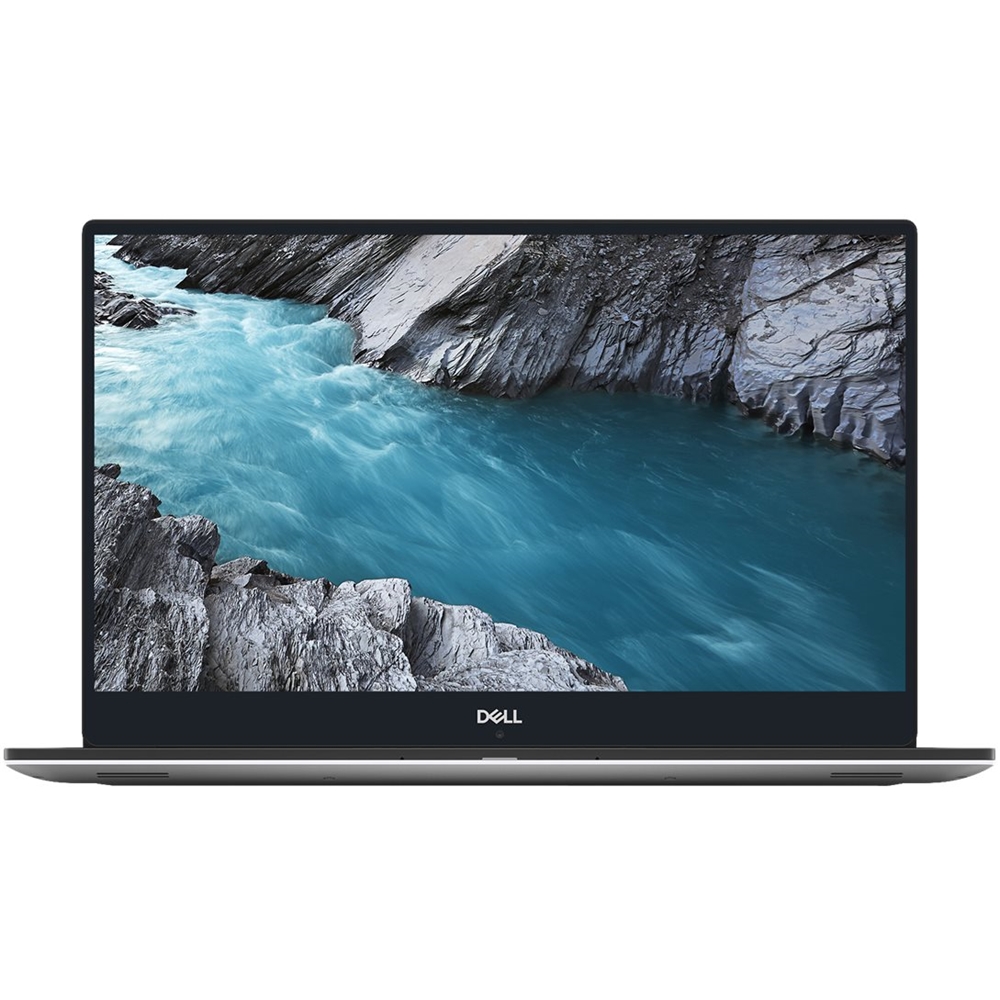
- Model:
- XPS9570-7061SLV-PUS
- SKU:
- 6257609
Rating by feature
- Value
Rating 4.1 out of 5 stars
- Quality
Rating 4.3 out of 5 stars
- Ease of Use
Rating 4.3 out of 5 stars
Customers are saying
Customers praise the XPS 15.6" laptop for its stunning 4K display, calling it "beautiful" and "crisp." They also appreciate its sleek design and gaming capabilities. Overall, customers are highly satisfied with this product.
This summary was generated by AI based on customer reviews.
Great specs, but don't work well together
||Posted .This reviewer received promo considerations or sweepstakes entry for writing a review.Had this machine for about 3 weeks. Gotten into the groove of using it for personal/business purposes, and then booted it up one day, only to have it crash with black screen/colored bars in the middle of the screen. Waited a couple of minutes in case it was a thermal issue, and the machine booted back up again, only to have it crash the same way about 20 minutes later. Updated all the drivers. Updated Windows, still kept crashing after about a half hour of light web browsing. Shut it off, and tried again next day, and the same thing happened again. I don't think it's a thermal issue as the machine wasn't very hot, nor were the fans spinning out of control. I have read similar reviews for this model, and have now returned to BB for a full refund. As always, Best Buy was great with the refund, but I think this is just a bad design.
No, I would not recommend this to a friendBrand response from YourDellTeam
Posted .JimD,
We're sorry to hear that your computer is not running the way that it should be. In the future please feel free to reach out to Dell's Technical Support Team for troubleshooting assistance.
It's unfortunate that you decided to return your computer but we hope that you'll consider Dell again in the future.
Best,
Bryan
1-800-624-9896
Dell XPS 15 Open-Box Returrned
||Posted . Owned for less than 1 week when reviewed.This reviewer received promo considerations or sweepstakes entry for writing a review.The Dell XPS 15 laptop (open-box) was purchased hoping it would workout. Unfortunately the laptop crashed and froze several times within the initial 15 days and it was returned to Best Buy. The Best Buy return policy really worked and we were glad we purchased it there. I was very happy with Best Buy but not happy with the Dell XPS 15 open-box product
No, I would not recommend this to a friendGreat for kids
||Posted .This reviewer received promo considerations or sweepstakes entry for writing a review.Got it for my elementary school son and he loves it. It is not as fast as I thought it would be.
I would recommend this to a friendbroken laptop after only 4months! Has screen issue
||Posted . Owned for 4 months when reviewed.This reviewer received promo considerations or sweepstakes entry for writing a review.If you are about to buy this laptop think twice! Don’t get me wrong, I am a Dell person, but got disappointed with this one! After only a month, it started to not turn on right away, it needed at least 5 minutes of pushing button or closing/opening the lid. I took it to Geek Squad, they said it needs to stay there to get diagnosed! With the high burden of school work I was not able to do so. I took it back, and was planning to take it to Best Buy during the brake. Last night, right in the middle of my final project It stopped working, and it dies not even turn on! Sadly I took it yo BB and they said it will take 2~3 weeks to get fixed! For my next laptop I am avoiding Dell for sure, Already I an thinking of sacrificing my $1700+ I paid for this, and buy a different brand. So disappointed, and regretting my choice at the first place! Also, they added some extra security features which makes it almost impossible to make it dual boot!
No, I would not recommend this to a friendNice laptop for college
||Posted . Owned for 1 month when reviewed.This reviewer received promo considerations or sweepstakes entry for writing a review.This is a great laptop for college students who will be doing more than writing papers.
I would recommend this to a friendGreat
||Posted .This reviewer received promo considerations or sweepstakes entry for writing a review.Best laptop I've edited photos on,great color accuracy
I would recommend this to a friendGreat Buy
||Posted . Owned for 1 month when reviewed.This reviewer received promo considerations or sweepstakes entry for writing a review.Works great for first year college student, does everything I could ask
I would recommend this to a friendGreat laptop
||Posted .This reviewer received promo considerations or sweepstakes entry for writing a review.Purchased this laptop for our teenager. Happy with it.
I would recommend this to a friendNot worth its price .
||Posted .This reviewer received promo considerations or sweepstakes entry for writing a review.Not worth its price . Integrated camera stop working after 2 months.
No, I would not recommend this to a friendAn Hour Out of Box - Locked Up
||Posted .This reviewer received promo considerations or sweepstakes entry for writing a review.I was able to finish the basic set-up fine. Once I started adding the various SW programs and did a restart, the wireless automatically shut off and the computer froze. I tried restarting again and the computer got hung up in the restart phase so I had to do a hard shutdown. Not a good impression for a brand new computer.
No, I would not recommend this to a friendBrand response from YourDellTeam
Posted .Mgreen,
Thanks for your review and we're sorry to hear about the setup troubles that you had with your new Dell laptop. We'd encourage you to reach out to our Technical Support Team for additional help if you need it: http://dell.to/2sH7Qlm.
If you need help restarting your computer you can follow these steps:
1. If the computer is displaying the Dell logo and does not move past that point, it has probably failed POST.
2. If the power indicator lights up and it is amber or orange, this is usually an indicator that it has failed POST.
3. If you see text on a black screen, the computer is currently performing the POST. If the computer stays in that condition and does not move past it, it has probably failed POST.
4. If the video screen displayed anything at all during the startup process but is now black, this probably indicates that the computer failed POST.
5. If the computer is beeping or if Caps/Num/Scroll Locks are flashing, note if there is a particular pattern in which it beeps or flashes.
6. If the computer is not beeping and caps/num/scroll locks are not flashing, unplug all connections and remove all media communication devices (e.g. external monitors); reconnect one at a time and check if the computer functions.
7. For a notebook, press and hold the Fn key and then press the power button. This starts the pre-boot testing and will launch ePSA. In case you have a Desktop at the Dell logo screen tap the F12 key to enter One Time Boot Menu and use the arrow keys to highlight Diagnostics and press enter.
You can read the full article here - http://dell.to/2uj1Sby.
If you are still experiencing problems with your computer freezing you can try the following:
1. Run a Computer Diagnostic. To determine if your computer is experiencing a hardware problem, run the Dell Preboot System Assessment (PSA) Diagnostics. For information on how to run Diagnostics, and to determine the issue, refer to Dell Knowledge Base Article: http://dell.to/2iaiujA.
2. Check Safe Mode for Symptoms. To boot into safe mode, please follow the instructions below:
a) Start the computer.
b) Tap 'F8' on the keyboard immediately and every one second until the Dell logo screen disappears. From there you will see the Windows Advanced Options Menu on the screen. (If the Windows Advanced Options Menu does not appear, restart the system and try again.)
c) Select Safe mode with Networking and press Enter.
d) Log on as the administrator or as a user with administrative access.
e) Open applications and test the computer in safe mode. If the symptoms exist in safe mode, please continue the troubleshooting steps in this article. If the symptoms do not exist in safe mode, the issue is likely related to a driver or software and you may wish to complete step 3 to see if you are able to resolve the lockups or freezing.
3. Check for Malware. Malware (Virus, Spyware, etc.) can definitely cause a Windows system to lock up or appear to hang. To check for malware on your system and to ensure that your computer is up to date on security software, visit Dell Knowledge Base Article: http://dell.to/2wWP1zI.
You can read the full article here - http://dell.to/2tW5m33.
Best,
Bryan
1-800-624-9905
Out of the box issue
||Posted .This reviewer received promo considerations or sweepstakes entry for writing a review.Got this as a gift for my cousin upon his express wish. Unfortunately the screen started flickering the second day. Realized there are already videos on youtube reporting this issue. Luckily bought this on 10/28 so covered under holiday purchase policy.
No, I would not recommend this to a friendBrand response from YourDellTeam
Posted .Teja,
We'd encourage you to reach out to Dell's Technical Support Team for additional assistance with the screen flickering that you are experiencing: http://dell.to/2sH7Qlm.
Best,
Bryan
1-800-624-9896
- Pros mentioned:DisplayCons mentioned:Speakers
Open box geek squad certified
Posted .This reviewer received promo considerations or sweepstakes entry for writing a review.Same issues as everyone else has had. Speakers crackle sometimes, and Wi-Fi drops once in a while. And it always ask me to turn on my firewall protection. But that's probably something I just gotta figure out. Other then that, most well built laptop I've ever seen. Great screen, great battery life with screen and power turned down, I can see getting 8-10hrs out of it for light browsing, video watching all day. I got it to edit videos, full power mode, editing probably only last 4hrs maybe a little more. Fast, smooth and does everything I need it too. And I got it $150 off being open box geek squad certified. Looks brand new. And completely upgradable, so I'll be keeping this one for years to come.
I would recommend this to a friend - Cons mentioned:Customer support, Speakers
Speaker and Performance Issue after 2 days
Posted .This reviewer received promo considerations or sweepstakes entry for writing a review.I bought the XPS 15 9570 primarily for its ability to be a great laptop for video editing and have found that it has not lived up to the hype. Editing basic 1080P footage in Premier Pro CC the timeline would freeze and glitch while scrubbing along. ANOTHER HUGE ISSUE: The speakers started to go out after 2 days of use. A annoying crackling noise coming from the left speaker. It also crackle and then all bass or low end will disappear for about 30 seconds and then return after a loud cracking sound. Very dissapointed with this laptop and the Dell Support that they cant find a fix for these laptops. Will be returning laptop and most likely finding another alternative.
No, I would not recommend this to a friendBrand response from YourDellTeam
Posted .Hi Nick,
Thanks for your feedback. We're sorry to hear about the performance and sound issues that you're having with your new Dell computer. We'd recommend running the Windows Performance Troubleshooter to see if it helps improve the overall performance of your laptop. We'd also suggest checking out our driver update page so you can check to make sure that all of your drivers and software are up to date: https://dell.to/2PiBfhJ.
Best,
Bryan
1-800-624-9896
Great laptop very fast and very clear screen
Posted .This reviewer received promo considerations or sweepstakes entry for writing a review.One of the best laptops I ever owned. It’s upgradable and very fast and responsive too. Shipping was on time and everything seemed to be good with laptop but I still ended up getting protection plan through geek squad for a year just in case.
I would recommend this to a friend- Cons mentioned:Graphics card
Product description is misleading
Posted .This reviewer received promo considerations or sweepstakes entry for writing a review.If you are buying this with some graphics heavy work in mind it's important to note that this does not have a full GTX 1050 ti, it has a GTX 1050 ti Max Q which is substantially less powerful than the listed card.
No, I would not recommend this to a friendBrand response from YourDellTeam
Posted .Daniel,
Thanks for your review. We're sorry that the specifications that you read about your new Dell system did not match up with what you received. We have informed our team of your review and they will make the appropriate changes as they see fit. If you have additional questions about your computer you can check our Product Support Page here: https://dell.to/2TZ5mjY.
Best,
Bryan
1-800-624-9896
Not what i was expecting from Dell
Posted .This reviewer received promo considerations or sweepstakes entry for writing a review.Received it today brand new box packed, after opening tried my best to turn it on but led never got power, took it back to bestbuy IT guy and after checking he said it is an faulty piece, returned.... very disappointed from Dell
No, I would not recommend this to a friendBrand response from YourDellTeam
Posted .Hasnain,
We're sorry to hear about your experience with your recent Dell laptop. This is not the experience that we want our customers to have. In the future you can reach out to Dell's Technical Support Team for assistance starting up your computer. We hope that you will give Dell another chance in the future.
Best,
Bryan
1-800-624-9896