Customer Ratings & Reviews
- Model:
- CP.MA.00000440.01
- SKU:
- 6482950
Rating by feature
- Battery Life
Rating 4.8 out of 5 stars
- Range
Rating 4.8 out of 5 stars
- Camera Quality
Rating 4.9 out of 5 stars
Customers are saying
Customers are positive about the Mavic 3 Fly More Combo Drone's camera quality, battery life, ease of use, flight time, obstacle avoidance, and range, with many praising the image quality and extended flight duration. However, customers are negative about the drone's high price point and limited internal storage, expressing concerns about the value proposition given the cost. Some users also mentioned challenges with GPS lock-in times. Overall, the positive feedback on the core functionalities outweighs the negative comments regarding price and storage.
This summary was generated by AI based on customer reviews.
Happy with my purchase almost 2 years later.
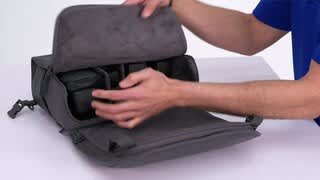
||Posted . Owned for 1 year when reviewed.This reviewer received promo considerations or sweepstakes entry for writing a review.Very happy with this purchase. DJI was slow to release some updates that the drone needed after I purchased it, but a buy today gives you a fully functional drone with incredible imagery. The only thing I would do different, is to NOT buy the fly more combo because I'm not a huge fan of the bag that comes with this combo. I'd much rather have a hard case box, and if you were to look at the line item cost... they are charging quite a bit for the bag... so yeah, otherwise fantastic DJI product as usual.
I would recommend this to a friendSmarter than me drone!!!
||Posted . Owned for 2 weeks when reviewed.This reviewer received promo considerations or sweepstakes entry for writing a review.Love it...great camera and the sensors are soooo worth it.
I would recommend this to a friend- Pros mentioned:Battery life, Camera quality, Ease of use

DJI Mavic 3 Imaging Above Everything!
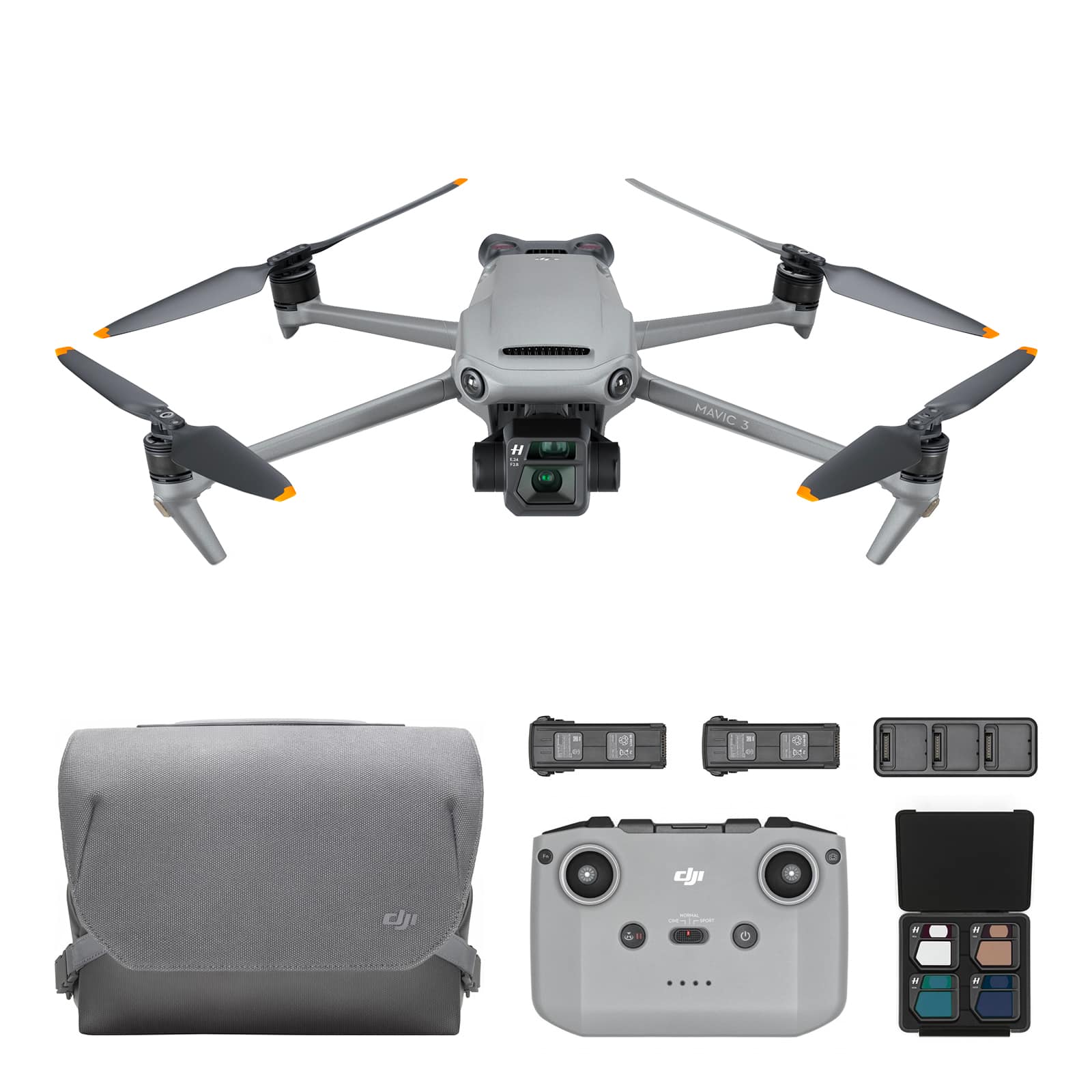
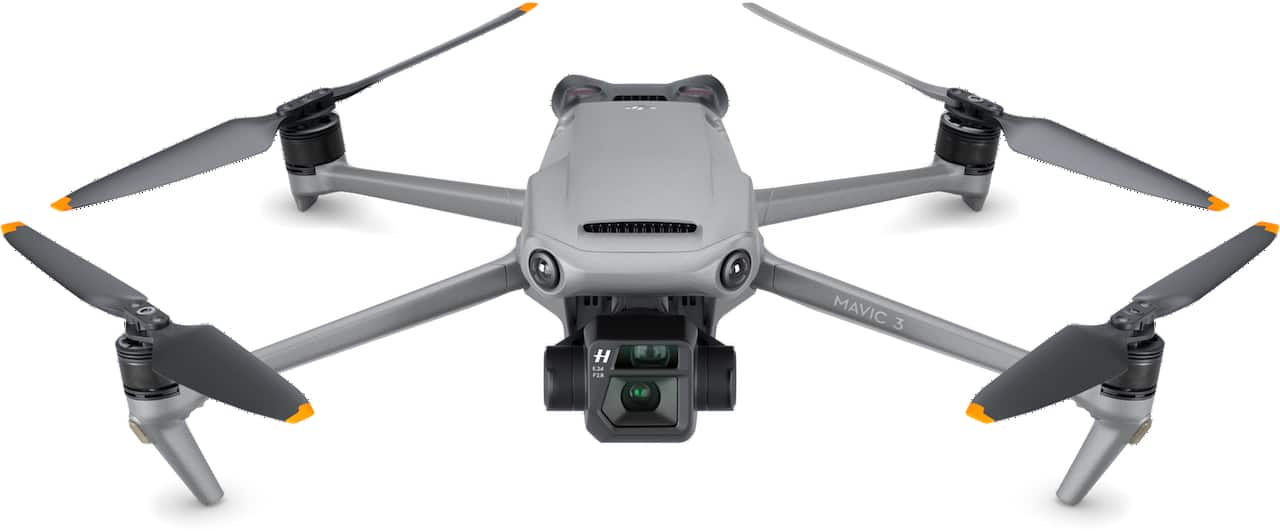
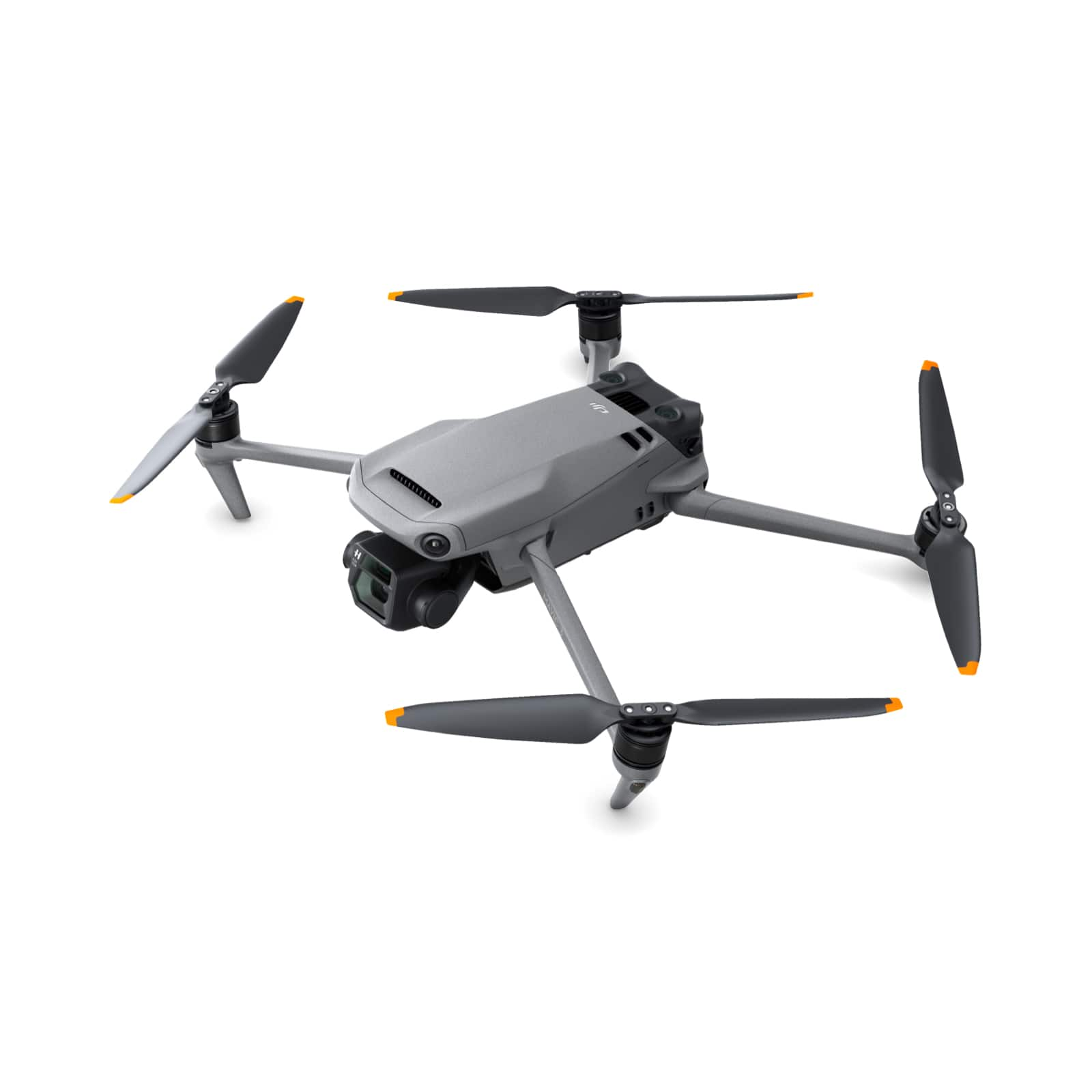
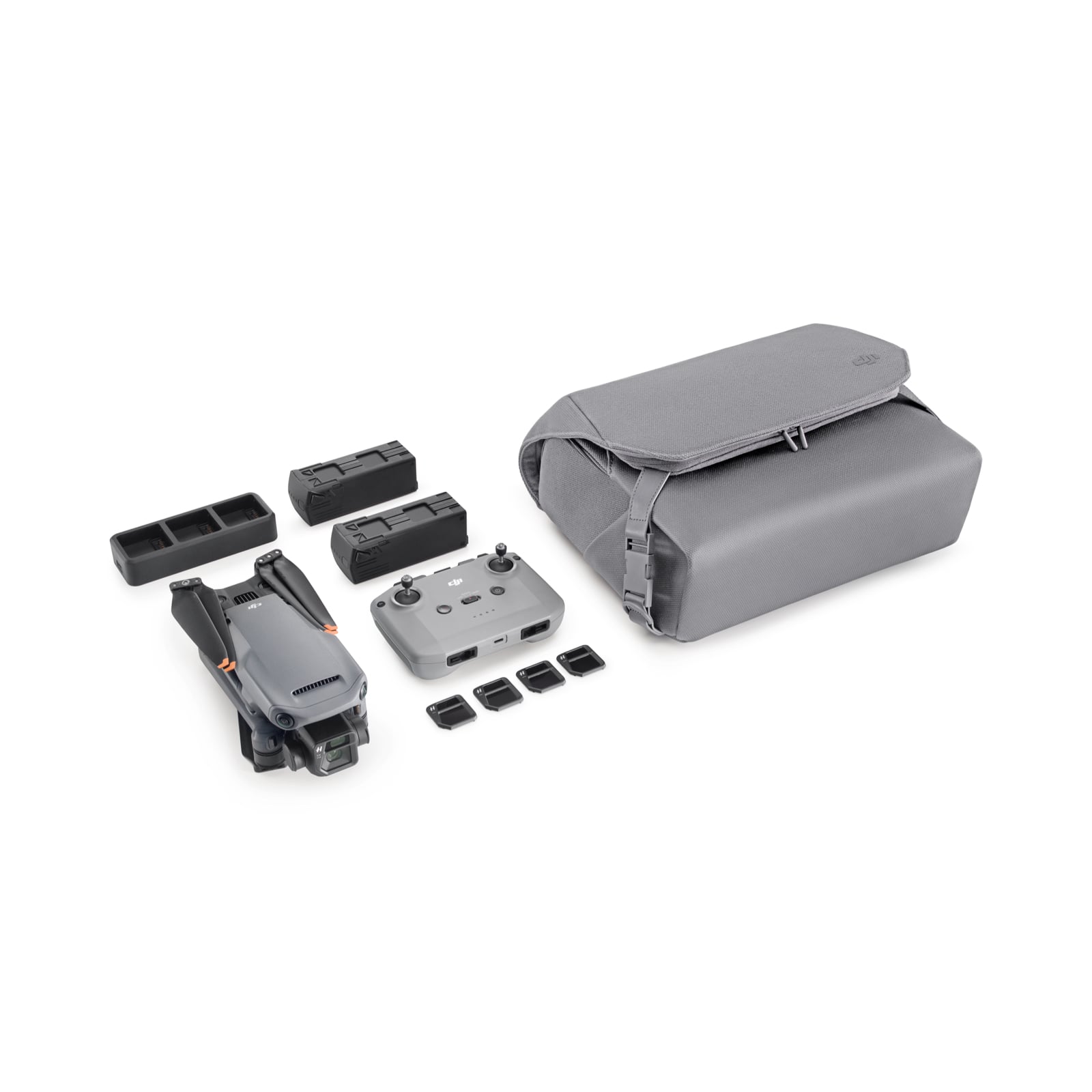
|Posted .This reviewer received promo considerations or sweepstakes entry for writing a review.As a current DJI drone owner, Mavic Air, I was really looking forward to the release of the Mavic 3. It’s a significant jump in technology on paper and was hopeful the new model would live up to expectation in real world testing. To say the Mavic 3 lived up to expectations would be an understatement. The Mavic 3 is DJI’s flagship drone and is essentially a combination of a high-performing easy to fly drone and a professional-level photography/video platform. In the box: For the Mavic 3 Fly More Combo the kit includes the Mavic 3, RC-N1 remote control, 3 intelligent flight batteries, 6 pairs of low noise propellors, extra control sticks, USB-C charging cable, 65W portable charging hub for 3 batteries, storage cover, ND Camera Filter set $ included), carry bag/backpack and connection cables for Android and Apple phones. First Impressions: Once out of the box, the Mavic 3 is packaged in a nice carry bag that converts into a backpack as well. Everything included in the Fly More Combo fits into the bag which is great for taking the drone on the road. For the drone itself the folded size is pretty close to the previous model, Mavic 2 Pro, but once the arms are unfolded the added length on the 3 arms becomes noticeable. The longer arms allowed DJI to increase the blade size (and shape) to create a quieter and low pitch sound for the new drone. The other feature that really stuck out (literally) to me is the size of the camera module. The Mavic 3 features two cameras in the housing, the main Hasselblad 4/3 CMOS with 12.8 stops of dynamic range and a hybrid 1/2” CMOS sensor 28x (digital) zoom camera. User Experience: As mentioned previously the Mavic 3 pushes the user experience through the roof from a flying and filming perspective. DJI has continued to add features to make their newest drone a snap to fly. With the addition of Omnidirectional Obstacle Avoidance, Advanced RTH and APAS 5.0 it’s basically impossible to crash this drone when used in Normal mode. The updated RTH feature avoids all obstacles and calculates the best route home. If you want to let it rip, click over to Sport mode and you’re off and running! As I’m currently on a sailboat, landing the Mavic 3 is only possible in Sport mode we it can be snatched out of the sky without actually landing. The RC-N1 remote control is a big step up from the unit used on the Mavic Air. It supports my iPhone 13 in a case with ease and the new plug-in system is a huge improvement. Battery life is also improved. Speaking of battery life, DJI has made huge advances in flight time. They have redesigned the drone’s propellors and motors to make them more efficient and enhanced the batteries to allow for flight times up to 45 minutes per battery. The Mavic 3 also boasts a 15km transmission range, so it can be flown farther from home than ever before. In addition to all the superb flying features DJI added to the Mavic 3, the most anticipated and probably the biggest improvement is the new Hasselblad camera with 4/3 CMOS. There’s an additional zoo camera as well, but the magic really is in the Hasselblad. The camera boasts 12.8 stops of dynamic range and 4:3 aspect ratio vs. the 3:2 of the previous model. The increase in sensor size provides richer details, better control of depth of field and noise handling. An adjustable aperture allows for adjusting based on the lighting conditions. The Hasseblad can be set to automatic or all adjustments are also manual. At the end of the day, this camera produces images and video that compete professional-grade mirrorless cameras on the market. Pros: - Overall build quality and design is top-notch and feels like it will last for years to come - The Hasselblad 4/3 CMOS camera is light years ahead of the competition in the drone space - Ease of flying with Omnidirectional Obstacle Sensing, APAS 5.0 and Advanced RTH - FMC kit is perfect for on-the-go flying and filming with 2 hours of flight time out of the box - Improvements to RC-N1 with better ergonomics and ease of connecting late model iPhones - Convertible Carry Bag/Backpack is a nice addition for keeping gear organized and protected Cons: - Features like Hyperlapse, Masterhot, ActiveTrack, etc. were left out of the current release, to be released in January 2022. Overall the DJI Mavic 3 is a professional-grade drone that is also well suited for the wider drone-buying market due to its ease of flight and photographic capabilities. It’s a “must have” for anyone looking to update their current equipment or for a first timer looking for the best option available. I would certainly recommend this drone!
I would recommend this to a friend - Pros mentioned:Camera quality, Flight time
An Amazing Drone!!
|Posted .This reviewer received promo considerations or sweepstakes entry for writing a review.The Mavic 3 is an absolutely amazing piece of machinery and is the pinnacle of years of refinements by DJI. This is my 3rd drone from DJI. I’ve owned the phantom 3, mavic pro, and now the Mavic 3. It’s impressive to see the progression that DJI has made in less than 10 years. The Mavic 3 is a huge upgrade from previous models and one I wholeheartedly recommend. I’m going to share my thoughts below. Initial unpacking: it’s clear that DJI has learned from models of the past in terms of initial setup out of the box. The Mavic 3 FMC has everything you need to get going right away. Multiple batteries with charger, polarizers for the camera lens, extra propellers, an intuitive camera cover and a beautifully made bag to store it all. I love that they have the propellers loaded on the drone right out of the box. Any experienced drone user knows how to attach the propellers but I will be completely honest and say the first time I used my old Mavic pro I didn’t attach the propellers properly and it caused my drone to bite the dust on the first flight. Lesson learned but a hard one at that. Initial setup was a breeze, the DJI fly app is intuitive and easy to use. Once I registered the device and updated firmware we were ready for some adventures! Initial impressions using the drone I come away very impressed. The Mavic 3 is more lightweight and quieter compared to previous models. I am currently in the blue ridge mountains and it’s handling strong winds very well. Previous models struggled in this category, but I find the Mavic 3 has no issues at all cutting through choppy winds and making it’s way back to me. It also ascends and descends very quickly. The Hasselblad camera is downright impressive. The quality of photos from the drone I’ve gotten so far are astounding. Deep rich colors with plenty of dynamic range in the raw files. As you can see in my photos the colors and quality when given the chance is amazing. The video it captures is top of the line and really is leaps and bounds above any previous model I’ve used with the added features. The Omni directional collision system is very intuitive combined with the APAS5.0 and active track 5.0 is downright insane and allows the drone to follow you while you do an outdoor activity like mountain biking or kayaking without fear of it hitting objects like trees or branches. The Mavic also has dramatically improved its flight time. I haven’t gotten out a stop watch to verify the 45 minute flight time DJI claims. But I can confirm that it’s dramatically than previous models I’ve used, combined with better wind resistance it makes the Mavic a winner. With the 3 batteries that come with the fly more combo you’re good to go for any adventure. The controller is very solid and I like how DJI chose to use a camera selfie style holder for the phone along with a cord that stores into the controller when storing. With controller sticks that can be stored in the bottom as well I am very impressed with how compact they have made everything. I also am so happy DJI finally switched to onboard storage for photos and video. I can’t count how many times I’ve gone out to a shoot and realized I left my memory card in the card reader at home. With the onboard storage and DJI fly app it makes it super easy to export to IPhone and share immediately. The app is fluid, responsive and the export time from the drone along with loading times are greatly improved from previous models. In conclusion the Mavic 3 is an absolute juggernaut of a drone. The company has refined everything about the 3 across the board. Seeing how far they’ve come from the Phantom 3 is insane. The multitude of features and countless small improvements from previous models make me wholeheartedly recommend this drone to anyone who’s thinking of upgrading. Even if you have a Mavic I would give this drone a look, its THAT good. It’s a joy to use the Mavic 3 and I can’t wait to get back out there and push this drone to its limits.
I would recommend this to a friend - Pros mentioned:Battery life, Camera quality, Obstacle avoidance
A flying powerhouse of technology
|Posted .This reviewer received promo considerations or sweepstakes entry for writing a review.This is a truly an amazing piece of technology, with a hefty price tag you absolutely get your money’s worth in the DJI Mavic 3. I have owned and flown a few drones in my past, more recently I am flying a competitor’s drone (of an orange color). As soon as I unboxed and got into the hardware that comes with the Fly More package I was immediately impressed. The carrying case the Mavic 3 comes in has soft leather insides and rugged exterior fabric with actual metal clips for closure, which you don’t see often. The case itself fits everything perfectly and even has an option to convert into a backpack, super handy! I initially charged all the batteries on the included multi dock charging station, after about an hour I had all 3 batteries fully charged and ready to go, one thing I would like is if the batteries indicated they were fully charged, it seems they only just stop flashing their LEDs once a full charge has been obtained. That is mostly an aesthetic thing for me. Another item that sets the DJI Mavic 3 apart is the protective cover that clips onto the Mavic 3 to secure and protect the camera and the propellers into place, this really makes transfer in and out of the carrying case super simple and gives me the sense that the Mavic 3 camera is protected well. The cover is easy to mount and unmount as well for quick transition. Now for the flying! WOW! The Mavic 3 is so easy to fly and super fun, I felt like a little kid when I got the drone up and flying around a local beach. The Mavic 3 boasts 46 minutes of flight time in normal conditions, with some wind at the beach my first initial flight was around35 minutes total, and I was impressed. The wind did not deter the flight of the Mavic 3 at all, and it held position and flight path perfectly given the decent breeze where I was. I was also surprised at how quiet the Mavic is during flight, it wasn’t until it was 25-30 feet away that I could hear it, and even then, it was super silent. My old drone was significantly loud during initial take off and flight. The added obstacle avoidance sensors still have to be tested more thoroughly but I was able to fly this safely through wooded area’s during the day with ease, my next steps are to perform tracking through a walking trail to really see if branches and such can be avoided without direct control (once the firmware updates become available in 2022). At first, I was unsure if I would prefer to have the upgraded controller but once I got going, I think the RC remote with phone attachment was better than I expected. My older drone had a similar controller setup, but the controller itself was awkwardly heavy and became somewhat of a nuisance to hold for extended periods of flight. The RC remote is easy to hold and has a great mount for your phone (I’m using an iPhone 12 Pro Max with a case) with a small cut out for the phone to remote connection which is hidden when you store the phone mount in the RC. Very convenient and well thought out! The first thing I enjoyed was the physical toggle button for the 3 modes of flight, cine, normal and sport. This makes it all the difference for me because my old drone forced me to select these modes within the app which was not easily located and a struggle to do while in flight, the Mavic 3 is just a quick shift of the toggle button, and you are ready to transition from one mode to the next. The scroll wheel to change the pitch of the camera is smooth and helps keep video shots consistent and not jerky, I was able to shoot video at the beach early in the morning with minimal light and the camera gave me true color and added light with the adjustable aperture. The pictures and video really speak for themselves in the Hasselblad camera, I have never seen anything near as advanced or comparable to the Mavic 3’s capabilities. The Fly More combo adds some ND filters, which are great for reducing incoming light and getting more out of the camera with time lapse photos and scenery shots. They snap on and off the camera easily making a quick change that gives great enhancements to pictures and video! The zoom on the camera is very functional, up to 28x you can really get a good view of an object from a distance, easy to use on the app. Overall, the DJI Mavic 3 is an impressive piece of technology that I am thrilled to have. Truly an industry standard in recreational drones, with attention to minor details that personally set the Mavic 3 apart from the competition. A lot of things like battery placement, controller aesthetics and ease of transport go a long way. Although I would have preferred the feature enhancements shipped with the Mavic 3, I do look forward to some of the added capabilities DJI is claiming to have available. Bottom line, this is a dream to fly and I can’t wait to get outside to continue to put the Mavic 3 to good use and just have a blast while doing it!
I would recommend this to a friend - Pros mentioned:Battery life, Camera qualityCons mentioned:Storage
Outstanding Images, Amazing Flyer
|Posted .This reviewer received promo considerations or sweepstakes entry for writing a review.. GAME CHANGER. Often overused, but well deserved for the Mavic 3. Redesigned from the ground up, it earned a totally new name, but instead marketing gave it the number ‘3’. It nails the point, only DJI can make a better drone than DJI. Let’s count just some of the ways DJI raises the bar with the Mavic 3, 1) TWO cameras (Hasselblad with a 24 mm equiv f 2.8 20 MP 4/3 CMOS and a 162 mm equiv f 4.4 12 MP ½ CMOS telephoto), 2) insane battery life (40 minute hover), 3) 360°, all sides, top and bottom, collision avoidance sensors, 4) max flight distance of 30 km with improved drone to controller communication, 5) improved aerodynamics (slimmer arms) that allow for a faster descent, and 6) incredible level of detail and improved build quality in all design decisions including a new improved ‘muzzle’ protective cover that is simple to take on and off (finally). All this while maintaining its iconic folding shape for easy packing. If you are looking for a high-quality camera that flies, this is it. And that is a game changer for any consumer drone line. OUT OF THE BOX GREATNESS. Unpacking videos are the rage, and ordinarily I go ‘who cares’, but yeah, got to admit DJI knocked this one out of the park (detecting a theme here?). The whole packaging, and then the bag that comes with the Fly More Kit, just screams Quality. You flip up the box flap, and boom, the QR code is right there in your face on a blank white background. Scan, and boom, all the instructions and videos you need to get going. No hunting around. And this is the first DJI carry case, or any camera bag for that matter, that I won’t throw away but use. The bag is solid, converts to a backpack if need be, and packs everything that comes with the kit, three batteries, drone, 4 neutral density filters, charger, 8 extra props and extra controller knobs. So yeah, out of the box the whole system is easy and obvious. Kudos. FIRST FLIGHT, WORRY FREE. Repeating a theme of quality and simplicity, getting this drone in the air was the easiest it has been. Easy, but don’t expect it to be right away. If you don’t already have a DJI account you will need one, the QR code walks you through that, and you will need the latest DJI Fly App. Fully charging the three batteries took me 5 hours (from halfway each) on the easy-to-use sequential charger, and then, yep, you guessed it… it will want to update the firmware. That took about 15 minutes. So yep, one day essential to prep and read, and the next day... first flight. Which brings me to the controller, I used to wrestle with attaching my iPhones (I get the largest ones), but this controller was a joy to attach to and use. The Fly App is straight forward and actual flying even easier. EASY TO FLY. This is the drone not only for the expert, but the first timer with the dream to soar (and has the cash for the best). Owning earlier DJI versions, what caught me by surprise was just how well the omni directional avoidance system worked and alerted me to potential problems, made me so comfortable that I didn’t think twice to flying up and over and down between trees in a nearby forest in search of the perfect Fall colors on the very first flight. I have never been this comfortable with a drone. Partial credit goes to extended battery life, that first flight was 12 minutes and landed with 70% power left, nothing to worry about, and I saw similar performance in later flights… essentially 40 minutes projected time for my flight style. Another feature that has been improved and makes life easier, is Return to Home. Press the RTH button or have it activated because you cross a No Fly Zone, say hypothetically a military base, and previous versions would immediately fly straight up to a high altitude which led to a more than a few drones to crash against a ceiling or other obstacle, the Mavic 3 safely navigates by looking 200 meters ahead (previous limit 20 meters) as well as above. EVERYTHING I HATED, I NOW LOVE. DJI has hired some ergonomic engineers, because all the things about previous versions of the Mavic pre-flight set up that used to annoy me and make me hesitate to get the drone out, have been improved to the point they are a snap. The bubble cowl to stabilize the camera during transport that what was difficult to align, has been replaced by a simple muzzle and snap that is both easier and more protective AND provides a place to tuck the attached props when stored. Win win. My iPhones have always been a pain to attach to the controller because I buy the largest ones and getting that darn cable through was a headache. Now? Easy. The control levels unscrew and slip into magnetic slots in the bottom. And the frequent requests to calibrate the drone compass before flight? Have flown the drone 5 times now without one request. And arguably, the DJI Fly App is easier to use than DJI GO 4. These may seem like small things, but they add up to a much better overall experience for me. NOT WITHOUT CONTROVERSY. I find it hard to believe anyone could disagree with the hardware choices DJI has made (too much battery?!), but some people argue the app DJI GO 4 allowed for more manual operations and some advanced characteristics over DJI Fly. DJI seems to be going with less is more in the ease of use. Not an issue for me, I have been finding out how to make DJI Fly work for me. For example, don’t really need the GO 4 ‘tripod mode’, I just use the manual switch on the controller to go to Cine mode, pretty much the same thing. Likewise, there are a few software features not currently available but DJI CAMERAS, CAMERAS, CAMERAS. Just like ‘location’ and real estate, the thing that truly sets this drone apart is the CAMERAS. Plural. Two. And one of them is a HASSELBAD! Hasselbad quality is out of this world (literally, 12 are on the moon). The DJI Hasselblad has a larger sensor (4/3) that means better low light performance and smoother footage. The separate telephoto sensor is as good as many other drones. I was expecting a lot and was not disappointed. Pictures were sharp, especially in Cine mode and colors were natural not over saturated, with plenty of room to edit the raws as your personal creative tastes dictate. I listed the specs above but the one thing to note is that there is NOT a zoom lens, but rather two fixed lenses, wide angle and telephoto. The range presented by DJI is digital interpolation. One disappointment is that unless you shell out for the Cine upgrade (not to be confused with Cine mode) the internal storage is only 8 gb. Sure, you should have your own micro-SD card, but internal can helps in terms of writing speed (Bandwidth 200mbs). WHICH ONE FOR YOU? DJI Air 2S, DJI Mavic 3, DJI Mavic 3 Cine, Inspire 2... They used to say (still do?) no one got fired for buying IBM… well… a lot of drone companies have come and gone while DJI’s market share has climbed to over 70%. So, I am not going to compare DJI to any niche market player, that may or may not be here tomorrow though admittedly there are some tempting gadget options out there. Clearly, I like the Mavic 3, but there are those that will argue the DJI Air 2S is ‘almost’ as good and at $999 (combo $1299) is less than half the price. ‘Almost’ means less battery life, not as good a camera, and not as sophisticated an avoidance system, but if you are looking for more of a drone and less a flying camera it’s a legit choice. The curious play is the Mavic 3 Cine, priced at $4999 it brings a new height (pun intended) for a ‘prosumer’ device (the Mavic 3 combo is ‘only’ $2999.) The Cine’s claim to fame is its video codec improvements, fast 1 TB on vehicle storage (very helpful for movies), and improved (with screen, greater range) controller, so clearly, they are trying to sell it to video content makers. Yet its price bumps up to the professional video system, the Inspire 2 which has pro level camera features. So why the Mavic 3 Cine? Portability. Wins hand down. The Inspire 2 is more than 3x heavier. So who is the Mavic 3 for? The prosumer that values flight time, portability, and image quality. Who is the Mavic 3 Cine for? All the above but doesn’t mind spending more for the absolute best of the line, wants the convenience of the updated remote ($1199 alone!) and virtually unlimited on drone video storage. If your goal is Quality, you can’t go wrong with the Mavic 3.
I would recommend this to a friend - Pros mentioned:Camera quality, Flight time, Obstacle avoidance
State-of-the-art drone is mostly for professionals
|Posted .This reviewer received promo considerations or sweepstakes entry for writing a review.The new, highly anticipated Mavic 3 is more about the cameras than the drone. That's because most of what you are paying for here, more than twice the cost of similarly equipped Mavic 2s, is image quality that is second-to-none (most of the time). And, of course, the ability to do live zooms of up to 27X any time you want. That's probably pretty important if you fly and shoot drone video professionally. It may not be if you are just a hobbyist, something to consider when the time comes to put down that cold hard cash on a new drone. There is no question the Mavic 3 is an impressive piece of technology. Some may argue the main camera alone, a 20MP model from photography legend, Hasselblad, is worth the price of admission. After all, this is the company that made the cameras the astronauts took to the moon --about as good as it gets. But if that is not enough, there is a second 12 MP camera (no manufacturer mentioned) that handles extreme zoom shots from 7x through 27x -- albeit at admittedly lower quality than what you get from the Hasselblad. All the zoom shots, except 7x, are digital, not optical and therefore suffer on the image quality scale. At lower zoom levels, they are still pretty good, bolstered by Hasselblad's excellent optics. Just be aware that at the highest zoom levels, the images are so grainy and fuzzy, they are not really suitable for stills or video. You probably only want to use those zoom levels to scope out something at a distance you want to shoot at a lessor zoom level. You must enter what DJI calls "explorer" mode the access the zoom cameras, which sounds about right. Exploring. Not actually shooting any video. One nice feature here is the ability to do a live zoom while shooting video, as opposed to simply jumping from one zoom level to another using the remote touch screen. You do this by pushing the function button on the remote and using he scroll wheel (which normally controls the camera gimble,) at the same time. This can add a new level of interest to videos. The Hasselblad is a camera geek's dream but I won't bore you with its lengthy specs. You can look them up if you really care. Just be aware this is very high-end equipment, with top of the line capabilities that will satisfy all but the most demanding cinematographer. DJI even provides a set of pricey neutral density filters so you can adjust things like motion blur and depth of field in all lighting conditions. Speaking of which, the Hasselblad camera has a fast F2.8 lens that is great at capturing subtle colors in low light. The easy way to do that is using the Auto exposure setting, which works great. But the Mavic 3 also allows for manual control of everything from ISO to shutterspeed for those inclined to exercise their photographic creativity. Max resolution is an astonishing 5.1K and you can shoot 4K video up to 120 frames per second (30fps in zoom mode) . Various color profiles also are available, to make it easie to get the look you want. (I found Hasselblad's own color profile to be the most pleasing) Great, you may be saying, but this is a drone, not a camera. How does it fly? The good news is the flight characteristics are very similar to the Mavic 's immediate predecessors so veteran DJI pilots will feel right at home. It also comes with same remote used on the Mini 2 on up so the flying experience feels very familiar too. For those who have not flown before, it's dead simple. There are automated take off and landing routines. Flying is easy using logical twin joystick controls. The drone will stop dead and hover if you release the controls alone. It will even fly itself home using new automated return to home capabilities if it loses signal from the controller, the batteries get too low or the pilot simply panics and decides its time to come home. This makes use of the Mavic 3's new automatic Advance Pilot Assistance System, taking the fastest most efficient route back to launch point, regardless of what trees or buildings might be in the way. It just goes over or around them. Earlier versions of RTH involved flying up to a preset altitude, flying in a straight line back to launch point, and descending straight down to that point. Obstacle avoidance is greatly improved on the Mavic 3 and works well in most cases, using APAS 5. But in tests, I discovered it did not always detect other smaller drones flying nearby and actually got close enough to lightly clip the other drone with its propellers. Perhaps the other drone's profile was too small for the Mavic 3's sensors to see. Use care when flying around other drones. One other major selling point of the Mavic 3 is its flight time, which DJI says is more than 45 minutes in perfect conditions. Real world tests show it is closer to 30 to 35 minutes, but that is still very good for such a large drone. And it is pretty massive, especially when compared to DJI's diminutive littler brother, the Mini 2 . The Mavic 3 also is slightly larger than the model it supercedes, the Mavic 2S. The Mavic 3 promises a lot of other interesting capabilities but many of them are not yet functional and, according to DJI, won't be available to users until at least January, when new firmware will be released. These include: -- Active Track 5, which DJI says will allow the Mavic 3 to automatically track targets moving through trees and other difficult terrain. --QuickShots, in which the drone will perform a variety of automated flight patterns around a designated target. -- MasterShots. similar to QuickShots but provides more complex automated flights around a target. -- Hyperlapse: A series of shots taken a second or so apart are played back as a video to simulate moving more rapidly than the done is actually moving. -- WiFI 6 Quick Transfer. These data transfers promise to be much faster than before, for those with WiFi 6 systems at home and compatable equipment. A DJI spokesman said the company's main focus at launch was on the cameras and basic flying abilities of the drone and so pushed off completing work on these other "smart functions" until later. Once the feature set is complete and the drone is fully functional, the Mavic 3 promises to be one of the best flying photography platforms in the business and a good choice for those who need professional-grade photo capabilities and state-of-the-art smart flying functionality. But if you are a newcomer to the drone world or just a hobbyist, you would be well advised to save yourself a lot of money and aim lower in the product line, at a Mini 2 or Mavic 2 or 2S. They are all very capable fliers with good, if not top-of-the-line cameras. (The 2S also has a Hasselblad camera but it is not as good as the one on the Mavic 3.) If you do decide you need the features of the Mavic 3, this Fly More version is the way to go. It including three batteries with multi-battery charger, six sets of propellers, an extra set of remote toggles, four neutral density filters (4,8.16.32) and a heavy duty convertible case that doubles as a backpack or standard carrying case.
I would recommend this to a friend - Pros mentioned:Battery life, Camera quality, Obstacle avoidance
Superb Drone
|Posted .This reviewer received promo considerations or sweepstakes entry for writing a review.To say that I was excited to get this would be an understatement. It has been three years since DJI has release a flagship in their drone lineup. DJI has upped their game once again with the release of the Mavic 3. They offer it in three configurations. The basic DJI Mavic 3, the Fly More Combo and the Mavic 3 Cine. Unless you are engaged in high end video production, the Mavic 3 Cine is not the drone for you. I have received the Fly More Combo for this review. The Mavic 3 is a consumer/professional drone with stunning feature set. Although at the time of release not all features are available, some will be coming in firmware update. Before you decide to fly this drone even as a recreational pilot you will need to register it with the FAA. This is a simple process that is done at FAA Drone Zone. The cost for registration of a recreational drone is $5 and is good for three years. This kit comes with everything except skill to fly the drone. You get the Drone, Remote Control, 3 batteries, two extra sets of propellers, Neutral Density filters and a nice bag to hold and carry everything. As of this review 11/8/21, they have left out some features that will be in future firmware updates, expected January 2022. Features like Quick Shots, Master Shots, Panorama, Active Tracking and Hyper-lapse and display “feature coming soon” when you try to select them. For the unboxing the packaging was very nice. All components of the kit are secure inside of the carry bag. There is a box that has several little bags that contain the extra props and an extra set of controller sticks, a case that has the ND filters inside to protect them, the power adapter and charging cable are also in the box. The Mavic 3 itself is in its own compartment in the bag. The batteries are in their own compartments. The bag itself is nice, it has some padding to protect everything in transit, the inside is a soft material that helps keep everything from getting scratched. The bag has plenty of room for all the equipment that is included in the Combo. One other feature of the bag is that it can convert into a backpack. Set-up is pretty much the same as other DJI drones. If you do not own a previous DJI drone the set-up is very intuitive with easy-to-follow prompts on the screen. A quick start guide is included for the drone as well as a pamphlet on how to replace the filters on the front of the camera. All documentation that you may need to review later can be found in the form of a user manual which can be accessed in the app or online. Batteries come fully discharged and you will need to charge them before trying to power on the drone for the first time. This process takes about 4 hours to completely charge all three batteries. The first thing that I noticed that was a great addition to the package is the power adapter. It has a fixed cord to plug into the battery charging hub as well as a USB port to plug in the included USB to USB-C cord to charge the remote control at the same time. The remote control is the same that is used with the Mini 2, Air 2s, and the Air 2. You can bind all these drones to one remote and save additional remotes that you acquire with other these drones for backups. Still to be released on its own is the newer Smart Controller. The Mavic 3 will only work with the new version, it will not work with the Smart Controller V1. The drone itself is the star of the show with many updated features like O3+ for improved video transmission, up to 15kM or just over 9 miles, better obstacle avoidance with 6 sensors, larger capacity batteries for up to 46 minutes of flight time, 4/3 20MP CMOS sensor in the camera that has adjustable aperture from f2.8-f11. The second camera is a fixed f4.4 aperture. The main camera has an equivalent FOV of a 24mm lens. The zoom lens has 7x optical zoom and can go to 28x digitally, although the more you zoom the more the picture quality degrades. The audio pitch of the rotors is lower than previous drones which results in a quieter overall operating noise level. The weight of the drone is just under 900 grams, 2lbs. This means as stated above that you will need to register it with the FAA. The obstacle avoidance it perfect. When trying to fly the drone into my truck and a fence with avoidance set to bypass, it was starting to climb well before it got close to avoid a crash. There is also a brake mode that will not allow the drone to move if it is too close to an object. You can also turn off the obstacle avoidance, I wouldn’t recommend this. This is not a cheap toy drone, and it shows in the quality feel, craftsmanship and precise handling when flying. Overall, I am quite impressed with it, except the slight downside of having features not included upon release. This would however make a great addition to any fleet of drones that you currently own. I guess we will wait and see its full potential once the firmware is updated. There is one negative mark that this drone gets, and that is with the Micro SD card slot. On the cards there is a tab that allows you to pull out the card with a fingernail once it is in the ejected position. However, the tab is facing the battery for the drone which makes it impossible to remove the card without first removing the battery. They should have flipped the card slot so that the tab faces up, so that it would be easier to remove the card from the drone. A couple of the pictures that I have included show the full width photo and a photo of the same subject at 28x zoom.
I would recommend this to a friend - Pros mentioned:Camera quality, Flight timeCons mentioned:Storage
A big thing in a small package
|Posted .This reviewer received promo considerations or sweepstakes entry for writing a review.DJI has established itself as the trend setter and continues to set the bar in the consumer drone market not only for avid photographers and drone pilots but opens the market up to more beginners and amateurs as well because of its new enhanced safety in-flight features. Fair warning for the beginners and amateurs, after flying the new Mavic 3, you may think you are an expert drone flyer, however, don’t go out flying a lesser drone after thinking you have mad drone flying skills. More than likely this is due to the upgrades to their flagship Mavic drone encompassing both the hardware and software. The combo package is a great investment for most considering it includes everything the base model comes with along with two additional batteries for no down time, eight additional blades in case of accidents, a pack of lens filters for the avid photographers and the perfect carrying case designed by DJI to fit everything snug and organized in a small backpack that protects your gear. Both the base model and the combo kit also include the Mavic 3 drone, a battery charger, one battery, a couple of extra blades and the standard controller for your compatible smart phone. I intentionally wanted to mention the compatible smart phone because the DJI Fly app was not available in the app store for my folding screen phone so ensure you do your research on phone compatibility. The Mavic 3 drone itself is very similar in size to its predecessor and can be held in one hand when folded up or with the blades extended and weighs right at about two pounds. I immediately noticed the eight omnidirectional sensors around the drone that can sense objects and prevent the drone from crashing into something. This is a sigh of relief for beginner drone pilots after crashing drones in the past, although not nearly as pricey or well-made as the DJI Mavic drones. These sensors also help immensely when trying to navigate through tight spaces, open environments with trees, cities with obstacles, etc. The sensors also really come in handy when you are tracking someone or something in an action style video. The drone set up was fairly simple after charging the batteries for the drone and remote, downloading the DJI Fly app, and setting everything up through the app before you take flight. The DJI Fly app will walk you through the rest of the process including setting up your account through DJI, syncing the hardware and downloading any updates to the software (as expected with just about everything electronic today). Regarding the photography details and probably the most impressive upgrade to the Mavic 3 compared to its predecessor is DJI incorporated a dual camera on the Mavic 3. Not only that, DJI collaborated with the Swedish made Hasselblad brand to design a camera specifically for their drone. The main Hasselblad camera is a professional grade 4/3 CMOS that captures beautiful, high resolution 20MP pictures with a new larger image sensor and dynamic range. This camera combined with the onboard software features Vision Detection Auto Focus technology with is very fast and responsive especially when trying to track stationary and moving subjects while the drone is also moving. Besides filming at an excellent 5.1K at 50fps or 4K at 120fps, I won’t get into any other video specs which are listed online as they are typically way too advanced for most, including myself. All I can tell you is the video looks incredible and smooth. The other smaller second tele camera lets you see the whole picture especially in open space before you decide what you would like to ultimately focus on. The tele camera is also great to view areas at a distance where the subject may not even realize a drone is in the area. The live feed to the host shows video at 1080p at 60 fps. One slight inadequacy on the standard Mavic 3 compared to the pricier Mavic 3 Cine is it only comes equipped with 8GB of internal, compared to the 1TB SSD on the pricier Cine model, however you can expand the storage using a micro-SD card. I would have included pictures in my review however you’ll find much better picture examples from the Mavic 3 camera online in stunning environments in comparison to my neighborhood park I initially tested it out in. Some other improvements DJI made to the Mavic 3 compared to its predecessors are the flight time on a single battery that claim it will fly up to 46 minutes and up to 15 km away, both about a 30% increase compared to the previous Mavic drone. And when you get close to running out of battery, which I never got close to 46 minutes in one shot during my test flights, the drone will automatically return to your home point safely using the advanced auto-return function which calculates the best route back to the home point while avoiding obstacles and saving flight time. The return function also occurs when there is signal loss or can be initiated by the user. Overall, DJI continues to impress and exceed all expectations with the improvements on the new Mavic 3 drone. In my opinion, the most impressive improvements were the omni-directional sensors, dual cameras that allow the user to see the whole picture, the collaboration with the high-end Swedish Hasselblad camera, the increase in flight time and distance the drone can travel. I would have liked to have seen more storage included on the base model considering the enormous gap between the base model and the Cine model, and a more improved remote that included a video display especially at this price point.
I would recommend this to a friend - Pros mentioned:Battery life, Camera quality, Obstacle avoidance
Another Fantastic Product from DJI
|Posted .This reviewer received promo considerations or sweepstakes entry for writing a review.Bottom line: the DJI Mavic 3 is a noteworthy improvement over my Mavic Air 2. Great for the novice or semi-professional user, the Mavic 3 goes a long way toward helping you be successful – and safe. The controls are intuitive, especially if you’ve used earlier Mavic products, and arrives ready to fly. That said, allow me to dive deeper into my initial experience and impressions. Out of the box, I noticed a distinctly different storage solution from my earlier Mavic Air 2. The Mavic 3 comes with a cleverly designed storage bag that doubles (triples?) as a shoulder-carry case and, also, as a backpack. In the backpack configuration it also adds a large, open compartment for carrying additional accessories, a jacket, some lunch, or just about anything you can think of. So long as it fits, that is. But I must say that the bag does have a few things that disappoint. First, while there are dedicated cubbies for the drone, the batteries, and the controller, the battery charger base, extra propellers and cables, and the lens filter case are all stored in a rather flimsy cardboard box that nestles in an open area of the case. Come on, DJI. Yes, it does hold everything but really? A cardboard box? This will never hold up to prolonged use. A tidy zipper pouch to fit the same space and hold everything would at least be more durable. But the entire idea of a cardboard box is a bit disappointing. Another minor disappointment with the bag is the controller and battery compartments. Great when everything is put away, but once the controller is removed, the batter compartment just flops around. Attaching the divider between batteries and controller at both sides would have prevented this. Again, minor, but I’m trying to be thorough. Good points for the configurable carry options though. Overall, it provides compact storage for the slightly larger drone (compared to the Air 2) and accessories and allows you to carry it in any of three ways. And hey! You can even pack a lunch with you! But, at the end of the day, I will likely look for a better case like the hard case I bought for my Air 2. The controller is nearly identical to my Air 2 controller. Sets up the same way and, at first glance, you wouldn’t know the difference. But where the Air 2 has Sport, Normal, and Tripod modes, the Mavic 3 has Sport, Normal, and Cine modes. Cine mode slows the drone down and minimizes jerkiness when filming – nice for smooth video sequences. The Mavic 3 is also compatible with DJI’s new RC Pro controller. While I haven’t tried this controller, it may enhance use for heavy users. For me, the provided controller and my iPhone seem to do the trick. For now, at least. Flying is a breeze. And, thanks to the Mavic 3’s enhanced “self-preservation skills” (as I like to call it), it takes a lot of the stress out of flying. Trust me, knowing the Omnidirectional Object Sensing and APAS 5.0 are there is fantastic. Maybe it would have prevented me from crashing my Air 2 into a tree the first time I had it out. It still has the scars. Of course, you can bypass these features if needed but, when tested, the obstacle avoidance just plain works. You can set the Mavic 3 to do one of three things for obstacles – Stop, Avoid, or Off. In other words, you can disable it, but you better have a good reason. I tested both the Stop and Avoid modes and they work very well. I declined to test the “Off” setting – bad idea. Now, let’s talk about the Hasselblad optics. Wow. Just… WOW. Stunning video at 5.1K and fantastic 20MP photos. And, get this, zoom capability. The results of my initial flight were impressive. Being able to zoom without having to “fly closer” is very handy. And even though my initial flight wasn’t even in stunning, jaw-dropping settings, the quality of the images was spectacular! Feature wise, the camera allows shooting in various formats and ratios, just as you would expect, so no surprises here. And the addition of lens filters in the Fly More Combo is a great bonus. One very disappointing discovery during my initial testing is that DJI released the product ahead of including three very useful tools: ActiveTrack 5.0, QuickShots, and MasterShots. So, fully expecting to be able to test all these features in my initial outing, I was very disappointed to see, “Feature coming soon” on my screen. What? Some of the coolest features of my Air 2 aren’t included?! QuickShots worked very well on my Air 2 and I was really looking forward to playing with the new MasterShots feature. I did some research online when I got back home and DJI plans to release these features in a January 2022 firmware upgrade. I have to say I’m perplexed. I imagine they’re trying to find their way into shopping carts for Christmas 2021 vs. missing the holidays, but come on DJI… Overall, with the larger batteries and resulting increased flying time, the (VERY) impressive camera, ease of use, and reputation of the DJI product line, the new Mavic 3 promises to be another great product offering for hobbyists and professionals alike. Sure, be prepared to drop a chunk to get yours, but if you need a rock-solid tool to capture jaw-dropping video and photos that you just can’t get unless you’re in the air the Mavic 3 will meet or exceed your expectations. And all from a company that has been in the business for a while with the product success to back up their reputation as an industry leader.
I would recommend this to a friend - Pros mentioned:Battery life, Camera quality, Obstacle avoidance
Mavic 3 Competes at Head of the Pack
|Posted .This reviewer received promo considerations or sweepstakes entry for writing a review.DJI has released their new flagship drone - the Mavic 3. This "Fly More" package includes the Mavic 3, 3 Intelligent batteries, 3-battery charger, proprietary charger with spare USB-A charging port, USB-to-USB-C cable, 4 ND filters, 3 connecting cables (USB-C-to---microUSB, USB-C, Apple), storage bag (which coverts to an over-the-shoulder bag), storage harness, controller, spare propellers/joysticks, and paperwork. It comes with a 1-year manufacturer's warranty. PROS: --------- * Nice packaging, plenty of spare parts, solidly built drone itself, compact, with 3 batteries for extended fly time. * Air vents all over the place so avoid overheating * Obstacle avoidance 360-degrees around the drone; however see CONs 2nd point * Battery slides in and clicks in place * The end of the propellers are rubber-like so if you do hit something, they won't chip off as easily * If you scratch the outside camera, you'd only be scratching the filter rather than the lens itself. It's much cheaper to replace a filter than the entire camera. * 5000mAh batteries have provided me with approximately 35-38 minutes of flight time. I did fly in non-windy conditions, so your experience may be better or worse depending on heat, wind, and altitude. I flew when temps were not extremely hot - around 70 degrees or less. * The 3-battery multi-charger! Need I say more? * PERFORMANCE: (1) I did wait until we had some higher winds prior to a storm and was impressed how well it stood its ground. I am confident that with high winds of ~20-25mph (give or take), it should be able to hover without being taken down to the ground. (2) There was very little latency with the RF response between the controller and the drone. * Though having a strange design, the gimbal guard is quite functional when the drone is in storage and holding propellers in place. * The storage bag can be used as a backpack and has storage compartments for all pieces, batteries, and the drone itself. It's a bit weight-shifted so is a bit difficult to keep open and keep from tipping over though when packing and unpacking. * IMAGE/VIDEO QUALITY: Possibly one of THE best images or video I have ever seen for a drone. Even without filters, colors pop, frame rate is exceptional, and overall quality if phenomenal. It already had a great wide-angle view. There is an attachment you can use to make it even wider. Night shots may also be the best I have ever seen. They tend to keep the image looking as clean and real as seen by the naked eye. Many times, colors are lost, but on this drone, it's quite impressive. Reds and blues pop, low noise. Crisp images and video right out of the box. CONS: --------- * The USB-C/microSD compartment can be a little difficult to open if the battery is not removed. If you don't have fingernails, it may be a little more difficult to do a hot-swap of the microSD card. * Obstacle avoidance though 360-degrees, do not rely on it 100%. It's not 100% reliable as I was able to get close to some objects - much closer than I should have. * The secondary camera (zoom) didn't work as well as I would have liked. The picture quality was nowhere close to the main camera. But it is secondary... I'm not sure how much I'll be using that feature. * There is no microSD card included. OTHER OBSERVATIONS: ------------------------------------ * Be sure to use V30+ microSD card if you record in 4K+. They will allow for higher write speeds necessary for 4K video. * Be sure to connect the 3-battery multi-charger with the main USB-C wire from the wall charging module. It takes around 90 minutes per battery to charge, and they charge up fully one at a time. * This package comes with the standard RC controller, not the PRO controller. You will need to use a phone or small tablet (with adaptable hookups on the back) for video. I wish all of these came with the PRO because it's just a pain to hook up your phone each time you fly. * The Apple connection cable is already installed on the controller. The 2 spares are for microUSB and USB-C. * The whole owners manual is only available online. It is not included in the paperwork provided. * I won't post any pictures with this review, only because the pictures are what you make of them, even in post. Whatever picture you want though, this drone can take. CONCLUSION: ============ You won't find a better foldable drone on the market than the DJI Mavic 3. Remember, good shots are obtained by the pilot and movement with the drone. All the drone is, is a flying camera. If the picture or video is crystal clear, and the shot is what you want anglewise, then anything not perfect by the camera can be done in post production. Based on what I have experienced, there isn't a ton of post that I have to do with these videos or pictures. Frame rate and picture quality is superb when viewing back on a large monitor or big-screen TV. A+. Thumbs up. 100. It checks all the boxes.
I would recommend this to a friend - Pros mentioned:Battery life, Camera quality, Obstacle avoidance
Great Drone for just about all uses.
|Posted .This reviewer received promo considerations or sweepstakes entry for writing a review.So, I’ll start with the obvious, this Drone and set of kit is not cheap. If you’re only looking for a drone to take out occasionally or you’re just getting into the hobby this might not be the best starting point on price alone. However, with that said I would like to say the feature set and capabilities of this drone make it a very versatile and good all-around drone for just about any use you can think of. If your interested in serious arial photography and you don’t mind spending a bit of money you can’t really go wrong choosing the Mavic 3. For photography and video this new sensor is second to none in the drone space (besides removable gimble setups in the pro drone space that are much more expensive). I’ve had normal mirrorless cameras that don’t take pictures as nice as some of the once I’ve seen come from this drone and those can’t fly. The main sensor has most things you could ask for when wanting to take nice photos such as the ability to manually set the ISO settings as well as many other manual camera settings. What’s even better is even in auto mode it still takes very nice photos. But let’s be honest you don’t buy a drone to take still photography you want to take nice videos, and well this does that just as well as it’s still photography. The nice thing about the fact that the drone takes very good video and photos is the fact that for once I don’t feel rushed when attempting to get the shots I have in mind. The flight time of this thing is amazing. I was very easily able to get 39 minutes of flight time in very non-optimal conditions which is way more than I was expecting. That included almost 10 minutes of just hovering which is normally even worse for flight time. The fact that the fly more kit comes with two extra batteries (for 3 total) means I don’t think I will ever worry about if I have enough battery charge left to do whatever it is I’m planning. Talking of the flymore kit, the extra batteries are a huge plus, but I almost want to say the best part of the kit is the bag it comes with. This must be one of the nicest carry bags I have ever received with a product. Nice sturdy canvas outer and nice soft interior liner let me feel comfortable slinging this thing over my shoulder and carrying it around. But on top of that if I get tired of carrying it over one shoulder well, I can just pull out the other strap and the whole back turns into a backpack. That is one of the best Ideas I think I’ve seen in a while with an included carry bag on any piece of kit I’ve gotten in recent memory. The kit also comes with the normal extras such as a nice set of ND filters for the camera as well as extra props. Not that I think you will be needing the extra props very often. Of the features I was most impressed with the new obstacle avoidance setup for this drone is very good (I think they call it APAS 5 or something like that). There are two main modes for it stop and fly around. Lets just say they are both very good and not once did I ever feel that I was going to run into anything with the drone, even while trying to run into something. The drone nicely paths around the object (in fly around mode) or it just slowly comes to a stop and waits for better input (in the stop mode). Now with all of that said there is one glaring deficiency I did come across. As of the time of my testing (Early November 2021) there are a lot of extra software features that are just straight up not available. And there are also a few minor gripes about the “telephoto” lens on the drone as well. For the telephoto lens you are limited to auto mode for camera and video settings if your zoomed in to the 7x level where the software switches to the zoom lens you can no longer manually set things like ISO levels, your stuck in “auto” mode until you switch back to the normal camera (1x zoom). That’s not a game changer in my book as most video and pictures I would want to be taking on the amazing main camera anyway. The things that do make me say you might want to wait to pick this up until they are available is the total lack of any specialty shooting modes right now. Missing things like Active track (which has been a heavy part of the marketing I’ve seen at least) as well as no master shots, no quick shots, no time-lapse or hyper-laps, no spotlight mode, and no panorama modes at all. They are all listed as “Coming in a later firmware update” which is fine if but as of the time of me writing this review they are not there. Since those features are really a value add for a drone that is already expensive it’s a little disappointing that they are not available. (Especially when you consider that some of those modes already exist on other cheaper drones in DJI’s lineup) Other words of note are if you already have the old DJI smart controller it won’t be compatible with the Mavic 3 which could be a real bummer for some as well. With all of that said and the missing features I still think that the Mavic 3 is a very good drone. I’m not totally sure which market they are shooting for, but it really does seem like the feature set and price point, point squarely to the prosumer market. But if you have the money available or have a use case for very good quality aerial photography then this is a no brainer purchase for a drone. Once those features are enabled with future firmware updates, I think you will be hard pressed to find a better drone without stepping up to full professional level hardware. Personally, I enjoyed every minute of flight time and I’m thrilled with the quality of both the drone itself and the pictures/videos I can take with it.
I would recommend this to a friend - Pros mentioned:Battery life, Camera quality
Fantastic imaging
|Posted .This reviewer received promo considerations or sweepstakes entry for writing a review.I’ve had quite a few drones over the years, not all DJI, but DJI drones have been at the top of my list since I first laid my eyes and hands on the Mavic Pro Alpine White late 2017 which is still in the family, passed down to my nephew -- and it still flies like new by the way. I’ve been out of serious drone handling personally for a couple of years but the timing was right when the Mavic 3 was released to get my hands back on the controls, get outdoors, and back into the air -- and even to pursue my Part 107 license so I can legally pilot it and produce footage for more than personal use. Mavic 3’s marketing motto is “Imaging Above Everything” which factored heavily into my own consideration to take the plunge so many of my thoughts will orbit on that point of interest, pun intended -- If you know you know. :-) What follows are my observations pretty much in the order I noticed them as I learned to use the drone. Stability -- From the time I first took off and went through the tutorials I was immediately and unreservedly impressed with the stability of the Mavic 3 in the air, and with the stability of the gimbal and the camera views. From the moment you take off the visuals are as stable as being on a mount, tripod, etc. I never flew it in anything more than a normal breeze but it never budged. Controls -- Having used their previous version Smart Controller I’ll confess that, although the included RC-N1 is capable and impressive in its own right, I definitely miss the all-in-one convenience of Smart Controller and will consider picking one up in the future. That said, the RC-N1 is smartly designed and works very well so long as you don’t mind giving up your phone while you use it, though nothing says you can’t use and dedicate a secondary phone to the task which is probably what I’ll end up doing. For that matter, I realized about 2 days into owning it that you can fly the Mavic 3 with just the RC-N1 controller and no attached phone at all, though your range and height will be limited in this mode. Though this minimalist mode could come in handy in a pinch I only flew it this way once, but I of course missed all the “smart” feedback of using my phone, but it’s good to know this is an option if absolutely necessary. Controller Interface, basics -- Most of the time you’ll want a phone attached to the controller to unlock the advanced features, flight modes, flight metrics, camera controls, etc. I live about 8 miles from a major airport and airplanes frequently fly over our house on landing approach. The DJI Fly app was clearly aware of exactly where I was and I was concerned at first that the app wouldn’t even let me take off, but instead it intelligently notified me that I was in a height limited zone -- 150 meters if I recall correctly -- and that was that. Not soon after taking off on my first flight post-tutorial the app notified me a manned aircraft was coming into the area, vibrated, sounded an alarm, and verbally notified me to be aware. Sure enough, just seconds later I saw an airliner coming into the area so I quickly landed the Mavic 3 and just waited for it to pass before I took off again. Image quality -- With the skies clear I took off again intent to take some initial video and photos to start to put “Imaging Above Everything” to the test. Suffice to say, when I reviewed those photos and videos post-flight, the impressive 4/3 sensor did not disappoint. I’ve attached several sample photos to this review trying to show just how well it captures colors. I wish I had this drone just a couple weeks earlier when the fall trees were more colorful but there were still a few bright red and orange standouts. In the samples I also demo the default zoom levels -- 1x 2x 4x 7x 14x and 28x. It’s important to keep in mind that only 1x and 7x are true optical images. 1x uses the default camera and then uses digital zoom for anything less than 7x. At 7x the camera makes a definite and not-so-subtle shift to the telephoto lens and then continues to digital zoom the telephoto camera up to 28x. For me this just means to keep in mind that any zoom other than 1x and 7x don’t do anything that can’t be done just as well and more flexibly in post-production editing, though doing so via the Mavic 3 may certainly be more convenient at times. Note though that although the default zoom levels are fixed at 1,2,4,7,14, and 28 you can do smooth-ish zooming with fn+gimbal control. Also note that to use zoom at all you have to be in Explore mode, selectable from the on-screen interface. Explore mode also provides access to high-frame-rate/slo-mo modes. With more advanced imaging in mind, the Mavic 3 comes with a removable filter system. By default, right out of the box, the Mavic 3 has a “clear” filter attached. Included in the FlyMore combo is a pack of 4 additional ND filters of various strength to open your photographic options. For example, the default clear filter is great for crisp photos, but sometimes you want to intentionally capture some motion blur in your image by reducing the light intake and leaving the shutter open longer without risk of over-exposure, and for that the FlyMore kit includes 4 additional filters -- ND4, ND8, ND16, and ND32 -- each respectively a stronger filter than the other. Note, these aren’t “color” filters, they are light-reducing filters which give you more headroom to capture light streaks, smooth-out the foam of crashing waves, or simply to generally soften images and videos that might otherwise be unnaturally crisp or overexposed in the intended conditions. Modes, modes, and more modes -- Speaking of modes, DJI seems to love separating features by mode, and though on one hand I can kind of understand why they do that it’s also frankly kind of annoying. The 3 basic modes to be aware of, selectable via switch right on the controller, are Cine, Normal, and Sport. Cine mode puts emphasis on smooth movement. Normal mode is -- by design I’m sure -- a solid balance of performance and features and leaves all sensors and functions in service -- obstacle avoidance being a key feature in this mode. Finally, Sport mode disables features like obstacle avoidance and is intended for when you need the drone to get from one place to another as quickly as possible, or for when you want to fly the drone in a space that’s limited or tricky. I’m a fairly conservative pilot, I like to keep all the safety and flight assistance features enabled, but of course I tried the Sport for a bit (in a wide open field) and though I didn’t clock it, the Mavic 3 was impressively fast in Sport mode. Again, just be cautious because in Sport mode you can smack it into an object or a person and do genuinely serious harm to the drone, the object, or the person. In my own experience, while in Sport mode I allowed the Mavic 3 to get too close to a fence which interrupted one of the props, which caused the Mavic 3 to drop about 4 feet to the ground, and I incurred my first scuff. Fortunately in my case nothing was harmed, but the incident was enough for me to experientially appreciate the value of the sensors. Sensors -- That said, the sensors aren’t perfect even when enabled and the documentation warns that some surfaces can’t reliably be sensed -- tree limbs, transparent, highly reflective, smooth water, patterned surfaces (think tile floors), etc. So be careful and mindful that the sensors are there to help you, and they are pretty good at what they do, but they can’t handle all situations so always be aware of your environment. Otherwise, in normal use, the sensors did a great job warning me when I was low to the ground, close to a tree or wall, or when it was nearing a person or other object near its plane of flight. Final thoughts and a unique practical application -- As I’m not Part 107 certified yet, I’m not a producer of content for others, but I do use drones for personal flights and one of the things I look forward to using the Mavic 3 for is for aerial recon of a large family property which has some terrain and areas that are just difficult or even dangerous to reach by foot -- and which is also known for snakes at certain times of the year. To that end, my primary intended application of this Mavic 3 is to use it to aerial recon and inspect our own property -- to check road conditions; spot illegal hunting, dumping, or other unauthorized presence; inspect our gates and fences; and to do visual inspections of our Internet link which, for this property, is an LTE router on a pole secured to a tree. With the 40+ minute standard flight time and optical zoom, I’ve already put the Mavic 3 to some test flights on our property for these tasks and it has exceeded my every expectation.
I would recommend this to a friend - Pros mentioned:Battery life, Camera quality
Holy Moly, IT'S EPIC
|Posted .This reviewer received promo considerations or sweepstakes entry for writing a review.I was wowed from the start, opening the carefully packaged Fly More Combo option, I knew this drone was something special. Before I even get to the drone details, I want to highlight how it comes packaged. Inside the retail packaging was a very high quality carry case, canvas and metal hardware greeted me after opening the outer packaging. The case is essentially a 3 in 1, with a quick modification is goes from a carry case to a backpack or shoulder sling. It is neat how DJI gives you options depending on your activity to include the Mavic 3 by designing a versatile carry case that’s ready for anything you can throw at it. They went as far as to design the case to have a luggage handle pass through. I stress the quality and design of the case to establish how much thought went into every item in this package, in my opinion no detail was spared! Fit and Finish - Initial Impressions Quality of materials and design immediately challenges you to describe this as the best drone currently on the market. Feature rich and packed to the gills with the most current technology on the market. I am comparing this drone to my current drone of several years the DJI Spark. Initial Set up This next generation drone required me to download the latest DJI app for my smartphone and that was easy enough with the supplied instructions and scannable QR codes. Once installed the app instructs you how to log in or create an account, sync or connect with the controller and establish a connection with the drone itself. Nice job DJI on making this initial set up a breeze. Next steps were some firmware updates which the app also made it painless to get the most current version installed. While these updates processed, I opened the battery packs and charger and followed the instructions to activate and charge the supplied battery packs. I also took inventory of all the other accessories that were part of the Fly More Combo. First Flight GPS Strength/Signal - More efficient finding strong GPS signal than past drones I have flown. Operating Noise - Shocked with how quiet this drone is, I have a DJI Spark and this tiny drone is noticeably louder than the Mavic 3. DJI incorporated some new cutting edge propeller tips that decrease the overall noise when the Mavic 3 is in flight. The decrease in how loud this drone flies reduces the potential negative experience of anyone in the general vicinity when flying in public places. Camera Quality - WOW! The Primary camera gives you so much flexibility to get as carried away as you like. The drone allows manual control of camera settings for aperture, exposure, white balance, etc. You can expedite the capture of incredible footage by choosing any of the automatic settings that I find are outstandingly easy to select. Omnidirectional Obstacle Sensing - Another HUGE gain in technology is the inclusion of a full Omnidirectional sensing system. What this means to the every day user is a sense of security the drone is actively trying to prevent a collision with something while you are focusing on capturing that priceless moment. This technology helps the drone with improved return to home mapping which is designed to maximize the flight times and keep the drone in the air as long as humanly possible. APAS 5.0 is their technology that makes all this possible. Battery Life - DJI claims approx. 46 minutes of flight time in ideal settings, I can validate that I got approx. 40 minutes with a slight breeze and testing out the flight capabilities. This type of flight time when you consider the Fly More Combo includes 3 total batteries could give you more than 2 hours of overall flight time! Observations/Concerns Outstanding Manufacturer Support- DJI online content and tutorials Concern - Controller Phone Holder - I have an iPhone 7+ with a QuadLock case and it just doesn’t exude confidence being held properly in the remote. I did troubleshoot this and it is because of the design of how the QuadLock phone case works with mounts and how it rests/interferes with the extendable slides on the remote. (see photos) I did try the remote with other phone models and all other phones fit better in the prongs that hold the phone in place. (Additional example is the iPhone SE) Concern - Some of the standard flight modes and features are not available til January 2022 via firmware updates Summary - Wildly impressed with every item included in the Fly More Combo, this is by far the coolest, most fun drone to pilot. This drone with all its incredible features allows someone brand new to become a seasoned, confident operator. DJI provides with the Mavic 3 a professional quality drone in a consumer friendly package!
I would recommend this to a friend - Pros mentioned:Camera quality, Obstacle avoidance
Buy More Combo?
|Posted .This reviewer received promo considerations or sweepstakes entry for writing a review.The Mavic 3 is more than I expected and I don’t just mean its price. The value of the Fly More combo is even more subjective as DJI is putting what seems like an exorbitantly high price on the included bag of what is already a premium priced drone. I know I would have probably spent much less on buying a bag separately, however after using the Mavic the past few days I feel the Fly More bundle is actually a better buy over the base Mavic 3. Upon opening the box you are welcomed to a nice grey canvas bag that is of unexpected quality. Nested inside the velvet interior is a muzzled Mavic 3, the RC231 remote, 2 spare batteries, a charging hub, 2 in 1 compact 65w/10w charger, 2 spare sets of props (8), and a set of neutral density filters. Concealed within the zippered flap are shoulder straps that clip on to the bag, converting it into a backpack. This provides ample room to store additional equipment like a small camera bag and a sub 13” laptop or tablet. In my case I can store my MacBook or iPad and my Mavic Mini case within this compartment unfolded. Within another compartment is an adjustable waist strap to further secure the bag during a hike. In addition to the premium textiles used, all hardware is metal adding to the overall craftsmanship. After unpacking, charging, updating, registering, and admiring the bag, I moved on to the star of the show, the Mavic 3. Now, in its third iteration, the Mavic 3 is an impressive evolution of DJI’s flagship drone. Though still predominately plastic, the fit and finish are second to none. Visually, the Mavic 3 is striking with streamlined arms, larger props, and an aggressive stance. The body is raised higher off the ground to accommodate the new 20MP Hasselblad 4/3 sensor. The 24mm equivalent has adjustable aperture of f/2.8 - f/11, capable of capturing 5.1k/50, 4k/120, and FHD/200. The base model does not support ProRes but the H.264/H.265 formats look great using the standard HNCS profile, though 10-bit DLOG is available. Riding piggy-back to this fantastic sensor is a 1/2”, fixed f4.4, 162mm equivalent red headed step child. Though I was stoked to have the tele lens, the 28x hybrid zoom is more marketing than anything. Beyond 7x the image is soft and fuzzy, due to the fact it is applying a digital zoom to a fixed length lens. DJI even labels the use of this sensor as “Explore Mode”, removing manual controls but offering the option to “zoom”. You really only have 1x and 7x, everything in between is digital, switching sensors at the 7x mark. Using this mode is extra fluff and I would just prefer the option to program the function button as a toggle between the two sensors with full control instead of switching to “Explore Mode”. Image quality of the main sensor is excellent and the tele is useable but pales in comparison. Unfortunately, the Mavic 3 shipped missing some of the great features DJI is known for such as a QuickShots or ActiveTrack. The new APAS 5.0 however is working fantastic for me. Thanks to the omnidirectional obstacle avoidance, I traversed a heavily wooded trail on our property with ease. You can adjust the action to either bypass or brake when confronting with obstacles, which is nice as the bypass was having trouble navigating the trail without wanting to climb vertically. After torturing it in the woods, I proceeded to the sky where it really shines. Having not flown the Mavic 2, I found the speed to be impressive. Getting into position in Sport mode is very satisfying, though I tend to fly in Normal or Cine for stability of the video and the added safety of APAS for me. The footage shot looked great, clearly outclassing my 2.7k Mini SE. The image quality on my phone (iPhone 13 pro) looked good, providing a better image compared to the Mini. The advanced RTH worked well, coming in at a lower approach and often closer to the home point. So far, I feel much more confident flying with the Mavic 3 mostly thanks to APAS 5.0. I am also really looking forward to using the automation features such as MasterShots coming early 2022, along with faster WiFi transfer speeds among the many other missing features. Coming from a Mavic Mini SE, this was quite an upgrade. I am looking forward to taking the Mavic 3 with my family when traveling, due to its ease of use, portable design, and performance. Though at the price this drone may be aimed more at prosumers, I think the craftsmanship, features, and performance also makes this appealing to those who are looking to advance in this hobby, as well as newcomers.
I would recommend this to a friend - Pros mentioned:Battery life
Game changer and improves on the impossible
|Posted .This reviewer received promo considerations or sweepstakes entry for writing a review.The Mavic 2 Pro and Mavic 2 Zoom were getting long in the tooth with release dates back in 2018. That’s an eternity when it comes to tech. Since then, DJI has come out with the Mavic Mini, Mini 2, Air 2 and the Air 2s. All these newer drones use the DJI Fly app and the newly designed remote control that the latest Mavic 3 utilizes. If you’ve flown with these later drones, then flying the latest Mavic 3 would be an easy transition. Pros: • Large Hasselblad 4/3 sensor size (for 1x camera) • 7x Optical zoom (See attached photos for all zoom levels) • Insanely large flying time per battery • Awesome carrying case with the “Fly More” Cons: • No ActiveTrack and other programs available at launch • Slow drone to phone app transfer speeds of 5mbps • $$$$ even for their flagship drone The latest Mavic 3 is a giant leap from the Mavic 2 and has a nice familiarity if you have flown any Air 2 or newer drones. The Mavic 3 does come in 3 packages. The Fly More package includes an innovative carrying case and 2 extra batteries. The Cine package is like the “Fly More” but comes with the fancy “Pro Controller”, ability to capture using Apple ProRes and the larger internal 1TB memory. After a week of flying, I’m truly impressed at DJI’s latest flagship model. Off the bat, the battery life is ridiculously long. It’s rated for 46m without wind but I’m certain on normal days, you can easily get in the high 30m of flight time. That is a long time to be in the air and exploring around. I was also able to fly full speed on “sport mode” at nearly 50mph. I’m sure that’s with a tailwind but is blazingly fast nonetheless. The Mavic 3’s second neatest feature are the 2 cameras. The main camera is the Hasselblad 4/3rd size sensor. The main camera is 1x Optical with 2x and 4x as digital zoom. The 2nd camera is a smaller ½” sensor size and is equipped with a 7x optical with 14x and 28x as digital zoom. None of these zoom options are like the last Mavic 2 Zoom and more so like how cell phones do zoom. While 28x zoom is impressive on paper, it’s a digital zoom and I wouldn’t print or exclusively shoot in this setting. You lose a lot of detail at 28x but you do get to see beyond the standard range without actually flying closer. I would only use 28x if you absolutely can’t get any closer or would like to scope out your location without wasting battery life flying to it. Stick to 7x and smaller and you will be very pleased with the quality. See my attached photo of all the zoom levels and what they look like. The included carrying bag that comes with the “Fly More” package is an impressive feat in itself. Can easily convert from messenger style to full on backpack for more storage. In the most compact messenger style, it’s still spacious and had a dedicated space for the drone, batteries and remote. When expanded out to the backpack, I can easily stuff a jacket or other bulky things without trouble. The only thing I’m disappointed at is that not all features were available at launch. Mavic 3 came out at launch early November 2021 without ActiveTrack and other creative video modes. The company promises that the features will be unlocked in January of 2022. Why launch a flagship model without the features that makes it fun to use? You currently can only fly and do manual recordings. I would love to try the ActiveTrack paired with their 360 omnidirectional Obstacle sensors. As far as I can tell, the new obstacle sensors work great as I couldn’t crash into the trees at the park I was filming at. Depending on your setting, the Mavic 3 simply flew around the trees instead of straight into them. I know that it’s not fail proof but it did inspire confidence that if the drone was Actively tracking my location that I wouldn’t worry about it flying into the side of a hill…. like my Air 2 did. In summary, I do recommend the Mavic 3 for folks looking for the best DJI has to offer. The Mavic 3 will cater anyone from the prosumers to the pro-content creators. Might not be an easy pill to swallow with the steep price tag, especially if you are coming from a Mavic 2 Pro or Zoom but the newer battery tech and camera quality is worth the price of admission. I just can’t wait till the promised January 2022 for the other important features to be unlocked.
I would recommend this to a friend - Pros mentioned:Battery life, Camera quality
Awesome video quality, great feel during flight
||Posted . Owned for less than 1 week when reviewed.This reviewer received promo considerations or sweepstakes entry for writing a review.This drone is amazing. The price tag is steep compared to the previous Mavic models. But in my opinion, this drone has many features that should make up for the price difference. The drone has amazing video quality, 5.1K video on a 4/3 sensor looks phenomenal from the sky. The ability to easily add ND filters is another big plus! The camera can shoot full auto, or you can go full manual - the choice is yours. The battery life is pretty good coming from the Mavic 2 Pro. The telephoto lens feature is alright -- cool feature but not something I would use on the daily. For the "fly more" accessories, the bag is well built and holds a lot of equipment. The multi-battery platform is absolutely necessary. The extra batteries are a must have. The ND filters come in a nice little holder to protect them. The new obstacle sensing feature is great. The Mavic 2 would just stop. This drone actually picks a safe route around an obstacle it encounters. I gave this drone a five star rating -- however, I do have some things to point out. The intelligent flight features (tracking, quickshots, etc.) those are locked. I heard through the Youtube influencers that they are locked out until a new firmware update drops in January. The system STILL does not talk to any LAANC approval apps. If you get the clearance to fly in a "no fly zone" -- you are still not flying even with FAA approval. In my opinion, the video gets a little noisier than what I would anticipate for some ISO settings. I thought 1600 was a little too noisy. AE lock and generic LUT preview is missing from the new DJI app. The controller feels misweighted when you have your phone sitting at the top, compared to the bottom on the M2 controller. Overall -- great drone, many improvements. Time will tell how the new features will pan out once they launch. The drone as-is without the new features is worth the money. If you are coming from a Mavic 2 -- you might not feel like shelling out the cash for an upgrade, but if you plan on using use your drone a lot, this is worth it.
I would recommend this to a friend - Pros mentioned:Battery life, Camera quality
Great, if you can afford it
|Posted .This reviewer received promo considerations or sweepstakes entry for writing a review.I’ve been quite impressed so far. This drone is super easy to fly, from take-off, to flight, to landing. Especially with the obstacle detection mode. The fly more bundle is great too. You get three batteries and 3 sets of blades, if you count those already installed. Even the bag it all comes in is quite nice. Flight time is good and so is responsiveness. I didn’t own the previous Mavic, but it’s nice to see DJI incorporate a normal and telephoto lens into one rig. The video and image quality seems great, even without having put the ND filters to use yet. I haven’t had an opportunity to put the range to test yet as I live in a suburban area. Would prefer to get out to a large park to test range and altitude. Don’t me like me and make the embarrassing assumption they forgot the lightening cable to connect to your phone. It’s tucked neatly into the nose of the controller. The only thing I’m not a fan of is how the drone makes an abrupt, ramp back, stop when you come off forward control. Makes the video jerk along with it, even with the gyroscope camera. I’d give it 5 stars, but it is on the expensive side and may not be in everyone’s budget.
I would recommend this to a friend - Pros mentioned:Camera quality, Ease of use, Obstacle avoidance
Lives up to the expectations
||Posted . Owned for 1 month when reviewed.This reviewer received promo considerations or sweepstakes entry for writing a review.Excellent drone. The image stabilization and video quality holds up to the hype. It is very easy to use and even with very little drone video experience I was able to get amazing shots even while controlling everything manually. It is easy to fly and the auto landing after a 30 min flight was within 1 in. of the spot I took off from. The video files are hard to move digitally other than by using the card because of file size but that is to be expected because of the extreme video quality. There is so much to it that it will take a while to learn how to do everything but it is easy to fly and control even in windy conditions. Obstical avoidance has worked really well so far but I am nervous to thouroughly test it. Price is high but from what I have experienced so far it has been well worth the money.
I would recommend this to a friend - Pros mentioned:Battery life, Camera quality
Best Mavic Yet
||Posted . Owned for 1 month when reviewed.This reviewer received promo considerations or sweepstakes entry for writing a review.The Mavic 3 Fly More Combo is a great way to enjoy DJI's new prosumer flagship drone. The new batteries give the drone the additional flight time you have always wanted. And having 3 batteries only makes things better. The out of drone photos are as good as the Mavic 2 and continue to produce 20 megapixel images. And the out of drone video, especially with the option to shoot 4K 60 FPS, is noticeably better, I feel comfortable flying this larger drone in heavier winds. It is a relatively quiet drone. The travel bag is well designed and will happily use it until I find a hard shell solution, I look forward to doing more daybreak/twilight shooting as I know the new camera is up to it. If you have the budget for it, the new Mavic 3 is money well spent.
I would recommend this to a friend