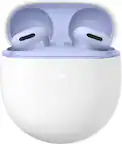
Customer Ratings & Reviews

- Model:
- GA05761-US
- SKU:
- 11439327
Rating by feature
- Sound Quality
Rating 4.7 out of 5 stars
- Battery Life
Rating 4.7 out of 5 stars
- Connectivity
Rating 4.8 out of 5 stars
Great headphones
Posted .This reviewer received promo considerations or sweepstakes entry for writing a review.Great headphones and connectivity to the Google pixel
I would recommend this to a friend- Pros mentioned:Sound quality
Great earbuds
Posted .This reviewer received promo considerations or sweepstakes entry for writing a review.These earbuds are some of the best I have gotten yet. The sound is so clear and perfect!
I would recommend this to a friend - Pros mentioned:Fit, Sound quality
Case Died After 1 Week
Posted .This reviewer received promo considerations or sweepstakes entry for writing a review.I ignored the complaints of defective hardware and bought them anyway. Lo and behold. They don't charge wirelessly or via any USB C cables i can find. I'm SO disappointed. They fit me ears perfectly and the sound was perfect for me but they're useless if they won't charge. Very disappointed but Google hardware seems to be like that, often.
No, I would not recommend this to a friendBrand response from Google Team
Posted .Hey there, sIMD. Sorry to hear your Pixel Buds Pro 2 case is having trouble charging — we get how frustrating this can be. We’d be happy to investigate this further and find a resolution. When you get a second, reach out to us here: https://support.google.com/googlepixelbuds/gethelp?sjid=1168929876280557452-NC

Birthday
Posted .This reviewer received promo considerations or sweepstakes entry for writing a review.My daughter bought these for my upcoming birthday loved them.
I would recommend this to a friendThe best out there
Posted .This reviewer received promo considerations or sweepstakes entry for writing a review.The best headphones I've ever had and are definitely better than the Samsung ones.
I would recommend this to a friendNo Support for A series pixel phones.
Posted .This reviewer received promo considerations or sweepstakes entry for writing a review.Google baby please why the pixel buds app doesn't support A series phones ? Only reason I got these was because I fell in love with my Pixel 6a but now you tricked me again I guess my 6a is too low class for you Gemini, but really c'mon that's wack what me and every 7a and 8a user supposed to do if we can't update our eadbuds or customize the sound .
No, I would not recommend this to a friendBrand response from Google Team
Posted .Hi AngelP, thank you for taking the time to share experience with Pixel Buds Pro 2. We'd like to investigate this more with you. We are here waiting to hear from you here: https://support.google.com/googlepixelbuds/gethelp
Great Noise Cancellation
Posted .This reviewer received promo considerations or sweepstakes entry for writing a review.Noise Canceling is very good. Have not be able to test how long the battery last yet.
I would recommend this to a friendWorst earphones inhave ever owned
Posted .This reviewer received promo considerations or sweepstakes entry for writing a review.I have owned earphones since the origina airboa including the 1st pixel bud pro and these are by far the worst i have ever owned. Apart from the connection issues, the left earbud doesnt connect 70% if the time...
No, I would not recommend this to a friendBrand response from Google Team
Posted .Hi there, Ron5. We’re sorry to hear you’ve had connection issues on the Pixel Buds Pro 2 — we get this can be frustrating. Normally, a quick reset can resolve these problems — here’s how:
1. Go to your device’s Bluetooth settings and forget the device.
2. Plug the charging case into a power source using a USB-C cable.
3. Make sure the earbuds are seated within the charging case and leave the charging case open.
4. Press and hold the pairing button on the back of the case for 30 seconds.
5. When the earbuds status light stops bouncing, let go of the pairing button.
6. Check the earbuds status lights.
Don’t hesitate to reach out to us: https://support.google.com/googlepixelbuds/gethelp?sjid=1168929876280557452-NC
Latency
Posted .This reviewer received promo considerations or sweepstakes entry for writing a review.Noticeable latency with everything, even YouTube videos. Earbuds that cost half as much have better latency than this.
No, I would not recommend this to a friendBrand response from Google Team
Posted .Hey there, Ghostflux. We’re sorry you experienced latency with your Pixel Buds Pro 2. We’d like to look into this for you and get a resolution — reach out here when you have a second: https://support.google.com/googlepixelbuds/gethelp?sjid=1168929876280557452-NC