Customer Ratings & Reviews



- Model:
- GA00347-US
- SKU:
- 6306462
Rating by feature
- Value
Rating 3.2 out of 5 stars
- Quality
Rating 4.2 out of 5 stars
- Ease of Use
Rating 3.9 out of 5 stars
Customers are saying
Customers are delighted by the Pixel Slate's large, high-quality screen, long battery life, and impressive sound quality from its loud and crisp speakers. Many appreciate the ample storage and RAM, finding the device powerful and versatile. However, some customers find the device heavy and expensive. The USB-C ports are a frequently praised feature.
This summary was generated by AI based on customer reviews.
- Pros mentioned:Battery life, Speakers

A great experience for Chrome Users
|Posted .This reviewer received promo considerations or sweepstakes entry for writing a review.If you like Chrome OS the Pixel Slate is your kind of tablet. As someone already invested in the Chrome OS, I found the Slate to be an absolute pleasure to use. When the Slate arrived in the mail I was immediately impressed by the packaging. The last time I actually stopped to admire the box my electronics arrived in, the box was all white. But I digress…… Having freed myself from the clutches of the evil empire, I joyously admired the lovely, sleek boxes the Slate, and its accessories arrived in. ,Unlike other thin, fragile, tablets, the Slate feels solid in hand but not heavy. The aluminum body has smooth rounded edges and USB C ports on 2 sides. It was super easy to set up and after logging in to my Google account, I was prompted to set up the fingerprint sensor which was an easy, pain-free process. A quick sync of my devices and all my apps were available to use. I was up and running.In under 5 minutes. The first thing I did was check out the screen, streaming a few movies and TV shows. The screen is excellent with a crisp clear picture and the sound from the forward-facing stereo speakers is nice and loud. I took it to work and used it to watch the Premier League. I was a happy camper. The Slate smoothly accomplishes any task you can perform on a Chromebook, and the battery life is impressive. My one complaint is I can’t play Steam games on it. But I rarely have time to play games when I’m out of the house, so I can live with it.
I would recommend this to a friend - Pros mentioned:Screen size, Speakers
More Chromebook than Android tablet
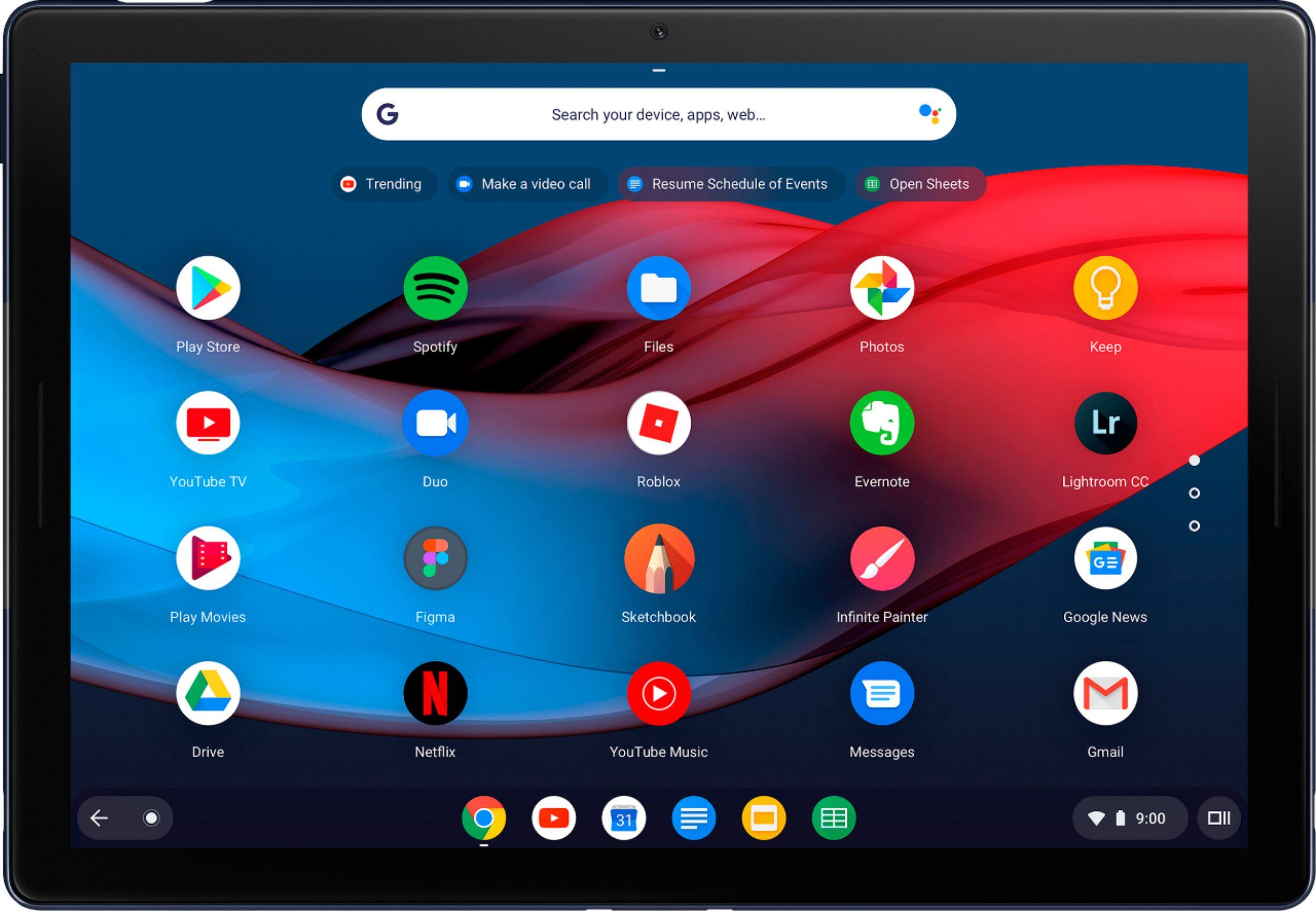
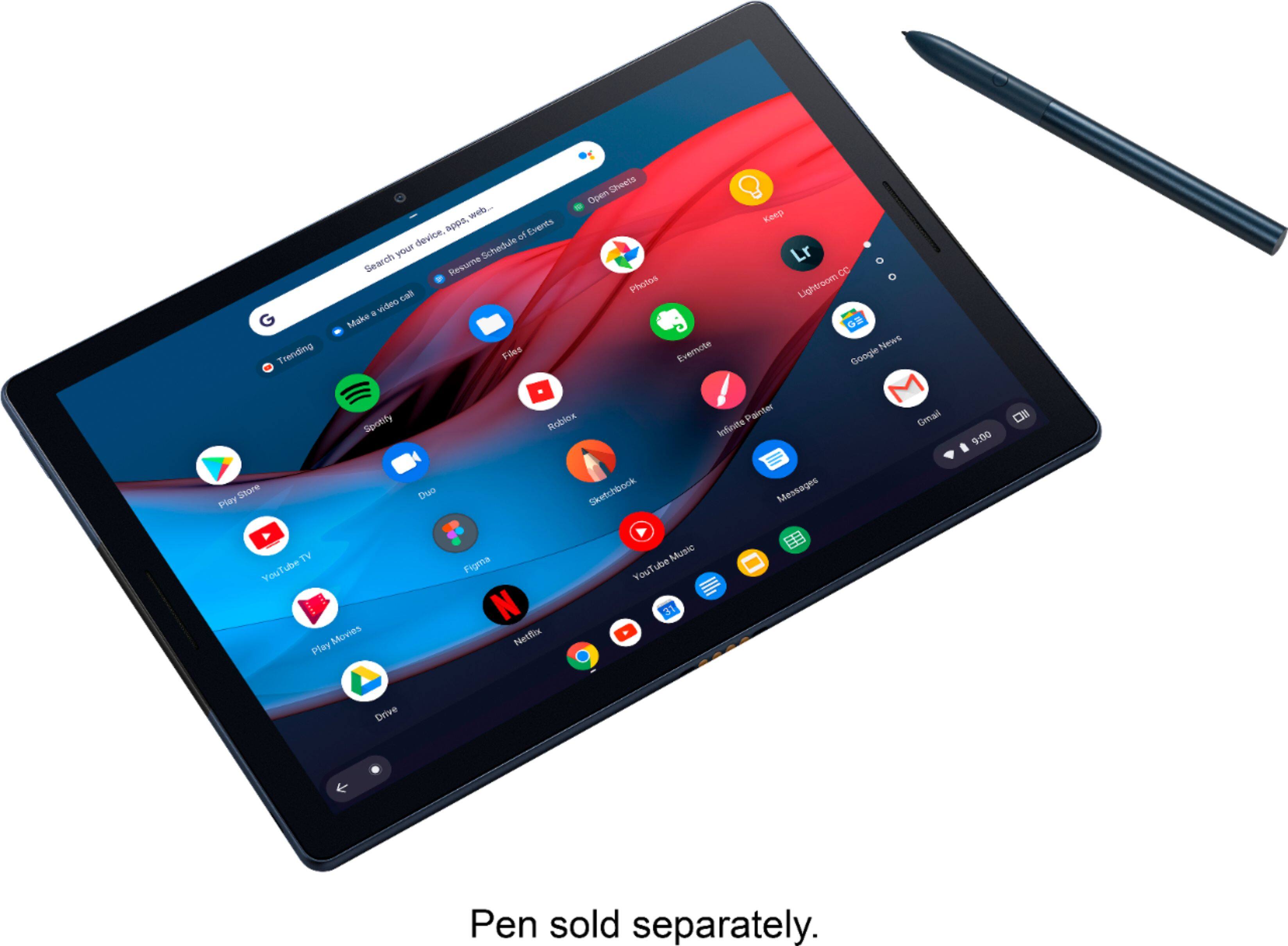
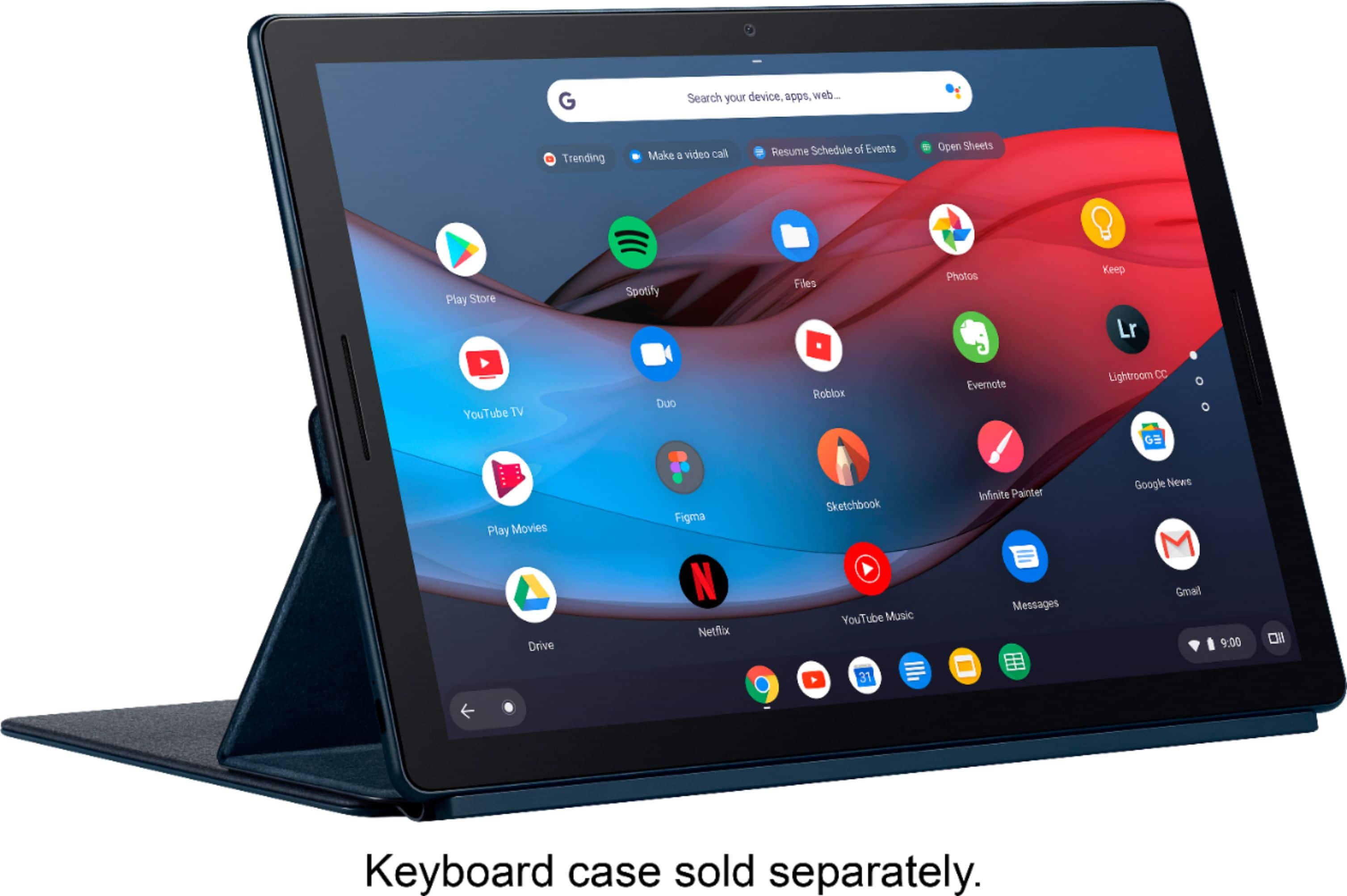
|Posted .This reviewer received promo considerations or sweepstakes entry for writing a review.Ever wish you could remove the keyboard from your Pixelbook rather than just fold it under? Well, I guess you can with some non-Google Chromebooks out there, but now you can do it with the Google Pixel Slate. The viewable area of the screen is the same size as my Pixelbook, but with less of a "chin" in the bezel area under the screen, so a bit more portable. The display capabilities are very similar, but the speakers on the Slate are much better (and embedded on either side of the screen for a better stereo effect). The product photos make it look like more of a traditional desktop environment, but that's only the Android app launcher, same as the Pixelbook. I don't know how they made the desktop show through the launcher like that (maybe transparency settings?), but it's the exact same OS that you're running on a Chromebook. Android apps have been working well with only one crash. The Slate integrated seamlessly with my Chrome extensions and Android library when I set it up with my Google login (and setup is extremely quick and easy). I definitely recommend getting the pen and keyboard if you want to have the full functionality of the Slate. Yes, it's a tablet, but it's running the Chromebook OS. Using the onscreen keyboard for text input is cumbersome and at times, obscures some important areas of the display. So to sum up, this is very much like a Pixelbook but more flexible and a little more portable.
I would recommend this to a friend - Pros mentioned:Screen size, Speakers
fine hardware
|Posted .This reviewer received promo considerations or sweepstakes entry for writing a review.The Pixel Slate is foremost a tablet, but its innards make all the difference. The cheapest entry level will get you a celeron, but honestly, that chip is so old it might as well be a dinosaur in tech years. The m3 isn't much better, and my suspicions seem to be correct based on other reviews I've read. The i5 is usually the sweetspot for buying computers, as the i7 will get you the most horsepower but commands the price when purchasing stock systems. Screen: one word - beautiful. Just like with cameras and the inane MP war, pixel resolution doesn't really mean nearly as much as the actual physical view. This screen is crisp. Viewing angles are good enough for my family to watch videos together. Brightness: depends sharply on the setting, unfortunately. Indoors it's fantastic. Outdoors, there's a pretty harsh glare and the brightness of the screen isn't high enough to be used clearly in bright sunlight. Sound: thank god. I get that placing speakers rearward or even laterally helps save mm of width in the device, but for tablets, razor-thin doesn't even make sense from an ergonomic perspective. The speakers on the Pixel Slate are front facing and sound excellent. No tinny treble, and strong enough to play stuff on Netflix without making me reach for my headphones reflexively. Bezels: might not matter to some, but I often use tablets in handheld mode, rather than sitting up in a stand. Same as with the device thickness mentioned above, but I don't want super thin bezels because then my fingers will touch the viewing area. The bezels here are just thick enough to feel comfortable holding the tablet without being so chunky they look outdated Chrome: the real deal desktop Chrome, not lite or mobile. Which means multiple tabs. Rearrangeable tabs. Bookmarks. And the slew of Chrome apps. Makes qualify of life nice by not sacrificing productivity. Aesthetics: covered most aspects, but the color hue is "midnight blue" which sets it apart from the all black traditional getups. Nice subtle sheen which looks elegant, for lack of a better descriptor. Looks professional enough for me to carry around the office, but not harsh and overly industrialized. Soft, rounded corners. Well thought out.
I would recommend this to a friend - Pros mentioned:Screen size, Speakers
Tablet with beautiful display and sound!
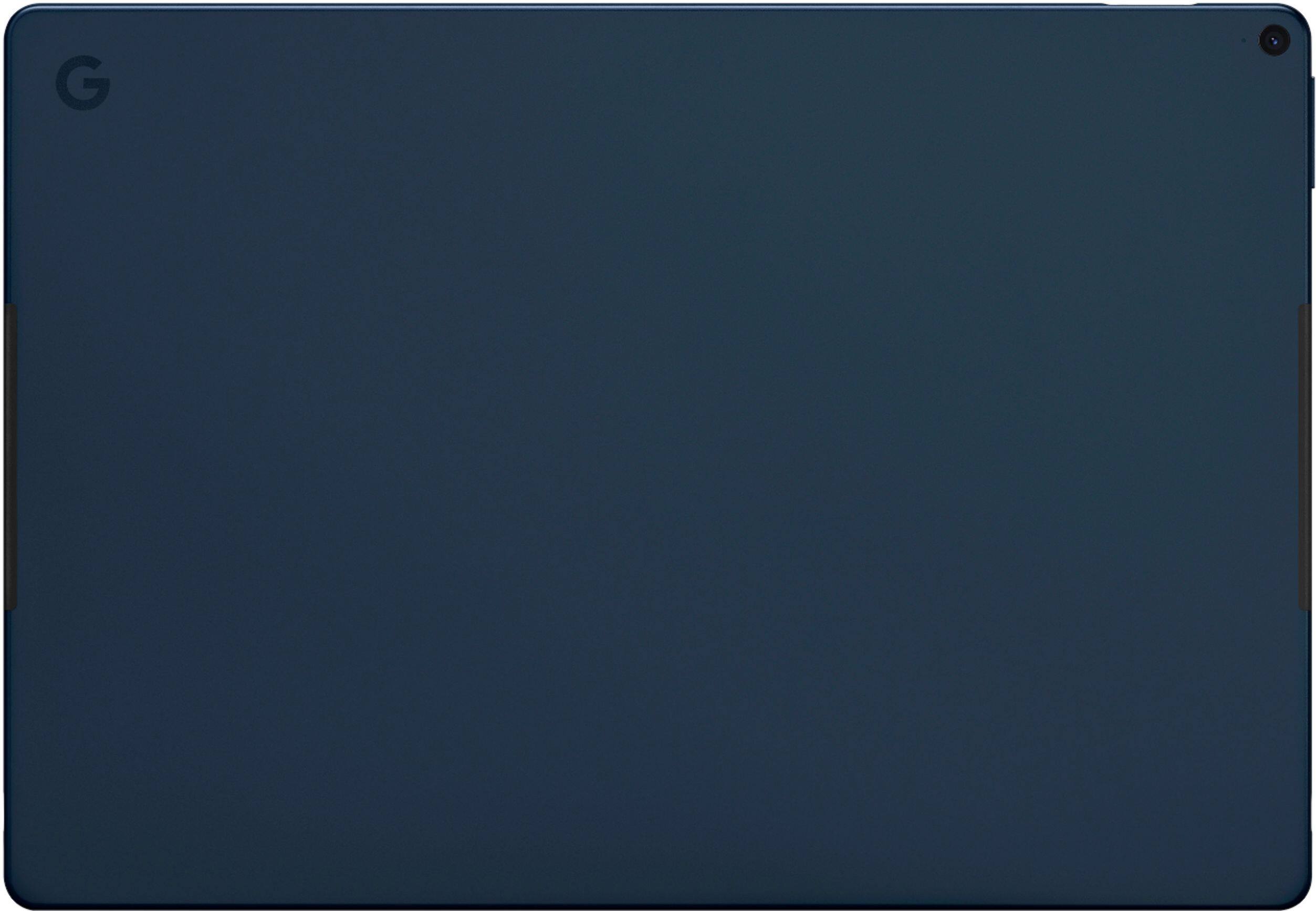
|Posted .This reviewer received promo considerations or sweepstakes entry for writing a review.I was so excited to try the new Pixel Slate and loved opening the elegantly styled, sturdy packaging that Google uses for all of their products. Yes, I’m a Google fan and this new Pixel Slate is a great companion to my Pixel 3a XL phone. I’ve been using my new Pixel Slate daily for a few weeks now and am really enjoying the portability and versatility it offers. Being able to use the Chrome browser, web apps and Android apps allows me to do almost anything I would on a PC. Though I’m not new to the Chrome operating system, this is my first fully Chrome OS tablet. If you do not already know how to operate a Chrome OS tablet, there may be a small learning curve, but once you get it, you will love it! And Google sends out frequent updates, which is really nice. The Slate, when paired with the attachable keyboard can work very well as a desktop, but at heart it is a tablet and you should keep that in mind when purchasing one. Depending on your needs, there may be some tasks that you will still want to perform on a desktop or traditional laptop computer. Some Chrome OS experts can probably get by on a Slate alone, but I personally still need my PC. The build feels strong and is lightweight. It’s quite large for a tablet with fairly sizable bezels which allow for some pretty amazing sounding front-facing speakers. I like the size, it holds well in my hands and is easy to use as a tablet. The Google branded “molecular display” really is beautiful! Videos are sharp, colors vivid and the light is bright. I think Google did an impressive job on the screen and speakers which sound rich and full, offering clarity and some bass. I’m a fan of the recessed power switch/fingerprint scanner, it’s a great feature to have in a tablet and it works well. The 2 USB C ports are perfect for my needs and not having a headphone jack isn’t an issue since the Bluetooth works well and has been very stable for me. I really like the design with the Midnight Blue color, and a simple G on the back. The back of the tablet does pick-up and show fingerprints easily, but it doesn’t really bother me since they can just as easily be wiped away as the fingerprints on the screen. Overall I’m very happy with my new Pixel Slate, it has lived up to all my expectations and then some! I would highly recommend this to anyone looking to buy a tablet or a hybrid laptop computer.
I would recommend this to a friend - Pros mentioned:Screen size, Storage
Awesome Tablet!
|Posted .This reviewer received promo considerations or sweepstakes entry for writing a review.My expectations for this Tablet were not extremely high considering some previous reviews I had read regarding this tablet. I will start out by saying it blew my expectations out of the water. This tablet is great for someone who likes the android and google eco systems but wants desktop class internet browsing. It also does something a lot of other hybrids struggle with, it is good at both being a tablet and allowing desktop browsing when needed. Starting with the overall design of the tablet. It is made out of high quality materials but it is a fingerprint magnet. This is to be expected with most high end metals. It is very thin and the screen size is just right for traveling or commuting. There is not many buttons and ports on this tablet which I like because it is a simplistic design. It has to USB-c ports which is great so that one can be used for charging. There is no headphone jack but an adapter is included in the box. One of my favorite designs is the integrated finger print reader in the power/lock button. The speakers are decent sounding and face outward toward you. The only issue with this is if you hold it and cover the speakers it could cause an issue. The USB-C charging is a nice advantage and allows for quick charging. This laptop runs Chrome OS which I originally had mixed feelings about. However, after using for a while I really like this operating system. I love that you have the ability to use all of the android apps which are great for when you want to use this system as a dedicated tablet. The biggest disadvantage to other android tablets is that you are not able to use full desktop class browsing but that is not the case here. The chrome browser is the same and works just as well as it does on any other PC. I also like that this tablet has a dedicated file system which seems to work well. Overall, I highly recommend giving this tablet a good chance. I would also recommend buying the additional keyboard and PEN accessories which will make it much more usable. Since there is no way to upgrade this tablet I would recommend getting at least the 128GB model (reviewed here). This would make a great tablet for someone who does a lot of commuting or traveling and needs a business minded tablet that is also very portable.
I would recommend this to a friend - Pros mentioned:Screen size
Powerful for a reason!
|Posted .This reviewer received promo considerations or sweepstakes entry for writing a review.To address those persons saying it's overkill, no , it's not. It's this powerful because it can not only run the ChromeOS, but also runs Android apps in addition to being able to run full-blown Linux apps. When running all of those together you start needing a more powerful processor than what a basic chromebook has - this has the horsepower to run everything you'll ever need! The device is exceptionally well put together. It's not a fingerprint magnet (on the screen), but the midnight-blue finish on the back really pulls in the fingerprints and keeps them! The audio quality is spot on coming out of the two small speakers that are firing in the user's direction - very crisp and clean, great volume and a joy to listen to! It only has two USB-C ports. If you need more ports than that, I recommend picking up a USB-C hub, many of which give you a USB-A port, HDMI port, Ethernet port, VGA port, and an additional USB-C port. This will allow you to plug in your external hard drives, flash drives, or SSD drives - you'll never run out of storage that way! The display is beautiful and color is spot on. I've noticed that some Android apps deal with the screen on this Chrome tablet differently than with other Chromebook laptops. What can be used as a windowed app on the Chromebook is only usable as a full-screen app on the pixel slate. I strongly recommend charging the device for a while before turning on - I made the mistake of not doing that and I was lucky things didn't get messed up - it immediately starts updating and there wasn't enough juice to run a full update without it shutting off on itself. Don't make the mistake I did - charge it for a while before trying to do anything! I look forward to maybe soon picking up a keyboard and pen for this tablet to unlock the full potential - this unit is definitely a keeper! If you've embraced Google's collection of apps and "way of life" as I have, this is the best unit you can have. From email to notes to office suite, Google has gone from just being a search engine to a full blown communication lifestyle.
I would recommend this to a friend - Pros mentioned:Screen size, Sound quality
Great Battery Life
|Posted .This reviewer received promo considerations or sweepstakes entry for writing a review.So, I've had my tablet for a little over a week now. I've tried to do all the regular "stuff" I do from my home machine, like email, social media, news, videos, and gaming. eBay, too, as I sell there. Happy to say I could do just about everything, with one exception, eBay. First, the good stuff. I have an Android phone so have several games on there I play regularly. At least for the games I tried, I was able to play the same games on the tablet, too. And, my game stats crossed over fine, so I wasn't starting from scratch. Any place where I needed to 'type' a message worked fine. I do have to say the the keyboard was almost a requirement. You can get by without the keyboard, but then the virtual keyboard that pops up on the bottom of the screen eats up too much space at times. So, email and social was good. Since I have access to Google Drive and Photos, I was able to access anything previously created just fine. News and videos are just passive activities. At times I treated the tablet as a second screen, where a video played on the tablet while I was surfing on my laptop. Obviously the screen on a tablet looks better than a screen on a phone but... it is definitely smaller than that of a laptop (and your TV, too). Resolution was great though when watching Netflix (and YouTube). The biggest disappointment was trying to list items on eBay, from scratch. With the keyboard, you're able to create the text of the listings fine. However, if you're not just importing photos that were already taken, it seemed impractical to take photos with the Pixel. There just isn't a zoom in/out feature on the device. This made picture taking a little harder than expected. And, the camera is in the corner of the tablet so I occassionally placed my hand of the camera to hold the tablet. Yes, you have cameras facing both ways and a timer for self portraits w/o having to hold the tablet "far" away enough. I like my Pixel Slate and definitely will be using it more when a laptop is less convenient. I also like treating it as a second screen, albeit an independent one.
I would recommend this to a friend - Pros mentioned:Screen size
Excellent screen, quirky settings
|Posted .This reviewer received promo considerations or sweepstakes entry for writing a review.When I opened the box with the tablet, I noted that the box was extremely sturdy, and did not contain the usual styrofoam supports, but was nestled in a form-fitted recycled paper product. Included in the box were a charging brick, six foot charging cord, and a USB-C to analog earphone adapter jack. Oh. And a diagram of where the buttons are located and a link to help. Using my familiarity with computers, phones, and such, I tried to turn on the tablet, but no joy. Suspected the tablet was totally discharged and plugged it in. Still nothing. Left it for an hour and still nothing. Tried changing usb-c ports (it has two) and nothing. So I went to the help section on the webpage and saw they had fb Messenger chat and tried that and no response. Tried the webchat and was told I was number 4 in queue! After about 20 minutes it was my turn. (I was not made since it was early evening which I’m sure is really busy time). The nice person confirmed it was probably totally drained and advised I swap usb-c ports (which I had already done), I did so and got it started. At this point, it had been 1.5 hours since plugging in and I was up to 1% charge. I would suggest that they create a page “I have a new slate!” and state this issue about battery charge. Had that page been there, I would not have spent so much time trying to find an answer. Took over two hours to charge to full charge. Using the tablet SEEMED pretty straightforward and I really like the smoothness of the screen. I attached the Slate keyboard and was ready! The initial setup was fairly quick-- wireless connection, google password, etc. Started using it and learning about different settings. The one setting that eluded me was switching keyboard from tablet to keyboard. I wanted to use it in my lap in the recliner without the keyboard, but with the cover still on. I looked in settings first and the keyboard tab offered no joy. Looked at help online and got no joy. Back to the chat queue. At this point, the person on Messenger Chat responded back! So I submitted the question through both Messenger and webchat and got two different answers. One wanted me to go to Google ‘flags’ and download an experimental program (ash) and the other steered me towards an Advanced setting buried deep in the Settings under ‘Accessibility.’ Oy. . Now I have an icon in the lower left to easily switch from table to keyboard instantly. Why is this not standard? Sadly, now when I type on the keyboard, the onscreen keyboard will randomly appear and block the screen. Sigh. Now that I can choose a keyboard, it randomly switches between the two. I am hoping all this is just new software problems. The tablet itself is very very nice. The screen is smooth feeling and responsive to both my touch and to the google stylus. And the screen fills up most of the space! The colors are very vibrant, the speakers are alright (it’s a tablet after all). I have not had it seize up or fail to download content. The huge glass goes all the way to the edge, which does make me nervous and want a case for it! The keyboard case is very heavy, so altogether is weighs more than my 13” laptop, but it is slightly (very slightly) thinner than the laptop. I would recommend this to someone who loves google stuff, but not to someone who doesn't like to fiddle with settings.
I would recommend this to a friend - Pros mentioned:Battery life, Screen size
Pricey, but excellent quality and features
|Posted .This reviewer received promo considerations or sweepstakes entry for writing a review.I think if the price were more competitive, the Pixel Slate would be an absolute monster in the chromeOS/tablet space. Pricing aside, this Slate tablet has been an absolute joy to use. Every inch of this tablet has a premium feel, the screen is insanely good quality, and the features have blown me away so far. I have not owned any ChromeOS device until this Slate, and I have been very happy with it. My primary mobile device is Android, so I am already invested in the android/google/gmail ecosystem. My primary PC is a Windows 10 gaming rig I built, but this Slate has been perfect as a secondary travel/couch device. Paired with the keyboard/touchpad case, and the Pixel Pen, it offers a wide range of features, speed, and battery life that is much appreciated when I am unable to use my primary computer. ChromeOS is fast, smooth, and simple to use. The layout of ChromeOS does give me a bit of a MacOS-ish vibe, which isn't a bad thing for a simple yet powerful mobile device. Battery life has been consistently in the 8-10 hour range. Being able to now use many Android apps on a large high res screen has been really handy. Everything from Google Drive, to Keep, Play Music, Gmail, and general web browsing has been fast and flawless. I highly recommend this tablet to anyone looking for a great all around package, even if some versions cost just as much as a solid full-featured gaming laptop.
I would recommend this to a friend Heartbreaking
||Posted . Owned for 4 months when reviewed.This reviewer received promo considerations or sweepstakes entry for writing a review.I wanted this to be my One Device, the screen to rule all others. It’s mostly a hot mess.
No, I would not recommend this to a friend- Pros mentioned:Battery life
Good Table, size, display, ok performance
|Posted .This reviewer received promo considerations or sweepstakes entry for writing a review.I like this tablet, keyboard case, and the pen/stylus is ok. They were all easy to setup, however the tablet(slate) arrived with a dead battery, so when I initially tried to start it up/plug it in and it did not work I thought I had a dud. It started up after about 5-15 minutes plugged in. They are plug and play out of the box, slate, keyboard case, only the pen you have to unscrew and install the provided AAAA battery (yes that's 4A to fit in the pen, although it's not that slim and will make replacing it more difficult than a 3A (but I am guessing it will last a very long time) The Slate is setup with a mix between a PC style desktop (when attached to keyboard) and a tablet style OS when not, or if you flip the case back to back w/ keyboard down. It's smart enough to turn off the keyboard in this position so the keys won't accidentally press on you lap or anything. I am not a big fan of this OS setup, I prefer either the IOS or WIndows 10. Some functions like closing apps and toggling are difficult and the operation varied if the slate is open laptop style or flipped tablet style. The slate is easy enough to disconnect from the keyboard case, just pull apart the heavy duty magnetic connection. The case top is magnetic also to stay snug to the slate back flat or flip to a triangle shape stand to hold it up like a laptop. It also will hold the pen stylus to the back magnetic side This laptop style is fine if you are working on a table or desk, but a little flimsy on your lap or anywhere else and may tip over. The battery life is pretty good once I gave it a full charge. I have run it about 3-4+ hrs a day on and off/start & stop and I still have 19% left or 2 HR by their calc. It's a blend between web based and app based apps. Some just open a Google Chrome (standard browser) window and some run their own app. The pen is a nice addition but may not be worth the extra money. It works well but not sure how useful it will be. I used it for a couple drawing games and for notes, and I think I would rather type. (if I did not have the keyboard case, the pen would be more useful for notes, etc) Most of the apps are standard Google, sheets, docs, all running through google drive. I streamed a couple movies and the play is very good, no loading issues, vudo is standard, but others are easy to add. You may need to play with the screen settings if video is what you want, the glossy screen makes the picture seem dark. All in all I like this device. It seems and looks really cool. The main thing is the back and forth on the tablet/laptop mode and how to control/close/toggle apps, and the flimsy feel of the case if not on a table. When closed however the case covers/protects the Slate well. & the pen is just ok but would be very useful if you use it in tablet only w/o the keyboard.
I would recommend this to a friend - Pros mentioned:Battery life, Screen size
Excellent tablet
|Posted .This reviewer received promo considerations or sweepstakes entry for writing a review.I was excited to test out this tablet and it did not disappoint. The Google Slate was very easy to set up and synced very easily with my Google account. It was easy to access documents from Google Drive as well as other resources. The battery life for the product is surprisingly long lasting. It charges via a convenient USB C cable. It does take a little bit to fully charge the device. It features a convenient bio-security fingerprint button. Download tons of apps from the Google Play store. The sound from the device is not quite as good as the iPad's but still not bad. The display is slightly larger than the largest iPad Pro and it has an amazingly sharp picture.
I would recommend this to a friend - Pros mentioned:Screen sizeCons mentioned:Price
Disappointed
|Posted .This reviewer received promo considerations or sweepstakes entry for writing a review.I was one of the early adopters for the Google Pixel C. While I did use it for a short duration it did suffer from some of the shortfalls that I was hoping the Slate would rectify. Unfortunately not so much. This is my first experience with a ChromeOS device. I really wanted to like this device but to me it came up short in several categories in spite of the great specs and to be fair I’ve owned a Mac or two and didn’t care for them either. What I liked: + Screen resolution is fantastic. Crisp and clear. + Speedy performance - while using applications the system bounded from app to app easily. + Size, the 12.3” screen is perfect for working on spreadsheets++ + Solid! It is built like a tank. No flex. + Looks/styling! Love the satin black finish What I hate and I do mean hate!!!!: - Google, please tell me why you won’t put a micro SD slot in your products!!!!! 128GB for a PRO device… I suspect that means that you are targeting professionals to use this as a work computer replacement. Unlike some of your Android competitors you chose to force users to go to the cloud. Unfortunately that might not always be possible so you are hamstringing your customers with only 128GB. Many of the forums I checked said the solution is to use the USB C male to USB A female dongle and use a flash drive or a flash drive with USB C male connector. Ummmm…. That’s not a solution, that’s a terrible work around. - Yes, I know it’s ChromeOS but you opened up the Google Play library to load Android apps yet there are a lot of apps that are not compatible with the Slate… namely I would have loved to use my Slate to take advantage of watching movies on my last United flight, which requires you to use their United App or use a browser but the plugin won’t load. Yes, realize that it’s really the app publisher at fault but doing a psuedo Android device is not the best of both worlds. - No headphone jack. Again forced to use a dongle or go bluetooth. - Connectivity - the biggest issue I have with the Slate, by far! Seriously, I have never had so many connectivity issues with a device. I tried to log into our company wifi but while it showed as connected I could never get to the authorization or login page. Same with my current hotel stay. I connected but couldn’t get to the authorization screen. My Note 9 connected immediately as did my company laptop and my true Android tablet. Frustrated beyond belief. - Price… seriously, this is not a $1000 device. I just picked up a Dell XPS13 (2018 version for less that this one retails, granted it was on sale). The value for the dollar… not even close. - The keyboard, well it’s okay but just barely. A separate review forthcoming on that and the pen. All in all I can not recommend the Slate running ChromeOS at the current price point and especially the 256GB version that hovers close to $1500 without keyboard and pen. You would be much better off purchasing from Brand M or Brand S. I just don’t have that warm fuzzy of trying to use this as a laptop replacement for work. There is a beta of Linux that you can switch to but is currently in Beta and lacks support for any peripherals. Lack of a micro SD slot is a big downer for me as well.
No, I would not recommend this to a friend - Pros mentioned:Sound quality
All in one powerhouse
|Posted .This reviewer received promo considerations or sweepstakes entry for writing a review.Ok first, yes it doesn't run windows (or mac). Now that's out of the way... I would be considered a "Google Fanboy", and I'm not ashamed to admit it. Starting with the initial chromebooks, to the Pixelbook, to now, the Slate. I've loved each of them. But, the slate to me is the best of the bunch. Why? Because it is so versatile. After all my stuff synced over via google - I had just under 100GB of storage left. Which for this ecosystem isn't bad at all. It doesn't support expandable storage. BUT, you can utilize "Drive" for more storage if it isn't enough for you. With it's super duper HD display, you can watch hd movies/youtube/etc in glee. The audio isn't bad either for a tablet/laptop. I love the fact that it runs linux (apparently a debian/ubuntu derivative). And I was off installing htop, and other utilities on it in no time. Though this feature is still "beta" it runs perfectly fine for me. Though, keep in mind we are just talking about "Linux via the command line" and not a full GUI. Or.. A GUI at all. With the optional Pixel Pen, I notice no lag at all in writing (it somehow makes my "M.D. Style" chicken-scratch look better)!! A button on the pen lets you queue up your google assistant. A very nice touch. The only "off" thing about the pen is the dependence on "AAAA" batteries (yes, quadruple A). Then there is the optional slate keyboard. It is very functional for what it provides. I would say it's comparable to its MS counterpart. Though, the size and weight of the device make it a bit "floppy" unless you have it on a sturdy desk (on your lap gets mixed results). HOWEVER. If all you have is the Slate itself, that is more than enough. The other two items are just luxuries. Having bigger hands, the size and weight of this device is perfect for me. Actually, much more convenient than the Pixelbook. There are usb-c charging ports on either side - which is very convenient. And an included usb-c to 3.5mm headphone plug. For those that need MS products, yes you can download MS Office apps via the google play store, or use the online versions. I've noticed no problem at all, and they work just like their pure versions per se. TLDR: This is a very capable device. It can be used as a high def multimedia system. A chromebook. A google play device. Or as a very functional business tablet (if there is such a category). Everything from the initial setup, to use is a breeze. And IMO, much better than any tablet on the market right now. And that includes ALL of the main players. Can't beat the 3.1 second boot time either! Is it worth the price? YES. A million times over!
I would recommend this to a friend - Pros mentioned:Sound quality
Bright Screen and responsive
|Posted .This reviewer received promo considerations or sweepstakes entry for writing a review.The Google Slate is a great tablet. The screen is bright, videos are very clear and the sound is good even without the headphones. When moving between applications, the tablet is very responsive with no lag and the 128mb of memory is enough to load all of the applications I need. As an android tablet, this is definitely a step up from other tablets I’ve had in the past. I also have the keyboard, which makes a good case and makes it very portable to travel with.
I would recommend this to a friend High expectations
|Posted .This reviewer received promo considerations or sweepstakes entry for writing a review.I've been using Android tablets for years. They performed mostly as I'd expect -- they were more for casual use, games, browsing, streaming, and so on. I'd use my PC for more serious work like correspondance, website maintenance, managing home finances, editing pictures, etc. I coudn't pass up the opportunity to see if this chromebook could replace my high-end laptop, so I tried to set my laptop aside and use this chromebook instead, and do all my serious work within the Google Drive ecosystem. I was off to a rocky start. I encountered a bunch of technical issues and had to work with google support folks -- several very basic apps crashed constantly or wouldn't launch at all, and I could not get the connection to my pixel 3 phone (smart lock and instant tethering) until Google tech walked me through some registration exercise on the phone and this slate. Once I got past those issues, I got to work. I learned that the google office apps, including docs, sheets, and photos, are installed in browser versions. I'm not really sure whether it's better to use the web versions or the locally-installed apps, so I use them interchangeably. I have solid results, and it's very handy to know that my work is constantly backed-up. I was also able to do web maintenance -- using FTP apps, SSH, etc. Even cooler is that I can bring up a Linux box built into the tablet and work directly with the web servers. So -- yeah, it seems viable as a PC replacement after resolving or avoiding crashing apps. It's also really cool that I have all the functionality that I've come to expect from an Android tablet -- simple games, streaming, web browsing, etc.
I would recommend this to a friend- Pros mentioned:Battery life
Amazing machine!
|Posted .This reviewer received promo considerations or sweepstakes entry for writing a review.This is my first Chromebook, and it's a beast! Fast startup, fast surfing, touch screen, and ink. There's also a messenger app for you to read and reply to your phones text messages. It can be configured to automatically connect to your cell phone. Paired with the keyboard and pen, this is an amazing machine! Highly recommend!
I would recommend this to a friend Google - Pixel Slate
|Posted .This reviewer received promo considerations or sweepstakes entry for writing a review.Very impressive device. Very nice size tablet. Full chrome browser so you can use this with Microsoft Office 365/SharePoint sites and get full functionality of the sites and the features to administrate the site. Other sites are the same way, you get the full functioning browser without having to jump through a couple of extra hoops to get this accomplished. I would highly recommend this tablet due to its quality and ease of use. Some of the apps will crash from time to time, but that is an issue for the app developers. An amazing device built with very good quality and which I would highly recommend with the pen and keyboard as part of your purchase decisions.
I would recommend this to a friend- Pros mentioned:Screen size
World’s first super hot tablet
|Posted .This reviewer received promo considerations or sweepstakes entry for writing a review.I was very excited when I got to know I am receiving this tablet. Android OS has always been quite fascinating to work with in mobiles. This is my first android tablet per se, and I was impressed with the sleekness and light weight, considering that it has got a pretty good memory, processing power. Setup was very quick, as always, Android had an update to run when the tablet was switched on, took about 5 minutes. Resolution is awesome on the tablet, nice colors and bright screen. First impressions - good. It is not quite handy, as it is a pretty large screen. Fingerprint setup was also simple, however, it did not work when I tried it for first few times. I had to delete the fingerprint and set it up again. Here comes the best part - I opened chrome and entered a website address on the bar and the screen just froze. Volume control and power buttons did not work. I waited for the last tablet to respond, but nothing worked. The tablet just hang and started getting heated up. Android never tried to restart the tablet and the tablet was literally hot like it was kept in microwave for 3 minutes. Finally, the tablet’s battery got drained and got turned off. I was really scared that the tablet would burst, so I kept it away from me in the closed car garage. I charged it again and restarted it and it seems to work fine for the last few days. Performance is good, quick responses. Volume on the tablet is pretty good. I am not really sure when it would get heated up again. So I am not able to provide a good rating to this tablet.
No, I would not recommend this to a friend - Pros mentioned:Screen size
Decent but not worth the price
Posted .This reviewer received promo considerations or sweepstakes entry for writing a review.The Pixel Slate continues Google’s tradition of releasing hardware that looks great on paper, but practically speaking, leaves a lot to be desired. Pros: Very nice screen resolution, including warm, accurate colors. The Slate itself also turns on and off almost instantly, and Google must’ve worked out a lot of the initial software bugs, as I found my Slate to work without any noticeable issues, on the software side of things. Cons: Although it’s running Chrome OS, and it’s pricy, one of the most expensive “Chromebooks” you can find, it’s not the best “Chromebook”, not by a long shot. Google caused such an odd overlap between this and the Google Pixelbook. I guess the Slate is more portable, but for its intended use, no one is buying a Slate and not getting a keyboard, and whether you buy the Google version or the Brydge one, either keyboard for the Slate makes it as bulky, or more so, than the Pixelbook. And considering the book comes with its keyboard, making it noticeably cheaper than the Slate, and you start to notice a problem. Simply put, the Slate has no purpose as long as the book still exists. On paper, the Slate has a higher screen resolution, but in a 12” form factor (Slate and book have nearly identical sizes of screens), you’ll never notice the difference between 3000x2000 (Slate) and 2400x1600 (Book), and, there is a “dirty secret” Google doesn’t mention about either products: On your standard home screen, both products default to a 720p-ish resolution, the higher resolution is only used if you display a picture/video of that resolution, so most times you’ll be working in the exact same resolution environment, Slate or Book. The book’s keyboard is way better than the ones you can buy for the Slate, too. Better travel, better trackpad, more effective keyboard backlight. Another con, the failure of this product to sell like wildfire during the ‘18 holiday season means Google has already given up on the Slate. Sure, it’ll get software updates, but Google’s announcement that they massively scaled back their product division after the Slate was released should send warning signals to all Slate owners: this isn’t Google’s baby anymore, which means you’ll see zero future products released to support this one. The screen, while a high resolution (theoretically), is also disappointingly dull, not nearly as capable of brightness levels the iPad Pro can reach. If you do crank up the brightness, your battery life suffers for it, giving way less on time than an iPad Pro using similar (or higher) brightness. I’d have probably kept the Slate, if it was a few hundred bucks, but considering it is over 1k with it and keyboard, and you realize that Google seemingly had no idea what it was doing with the Slate, especially considering that Google sells another product that accomplishes the same end-goal as the Slate, its just cheaper and better in almost every way (the book).
No, I would not recommend this to a friend